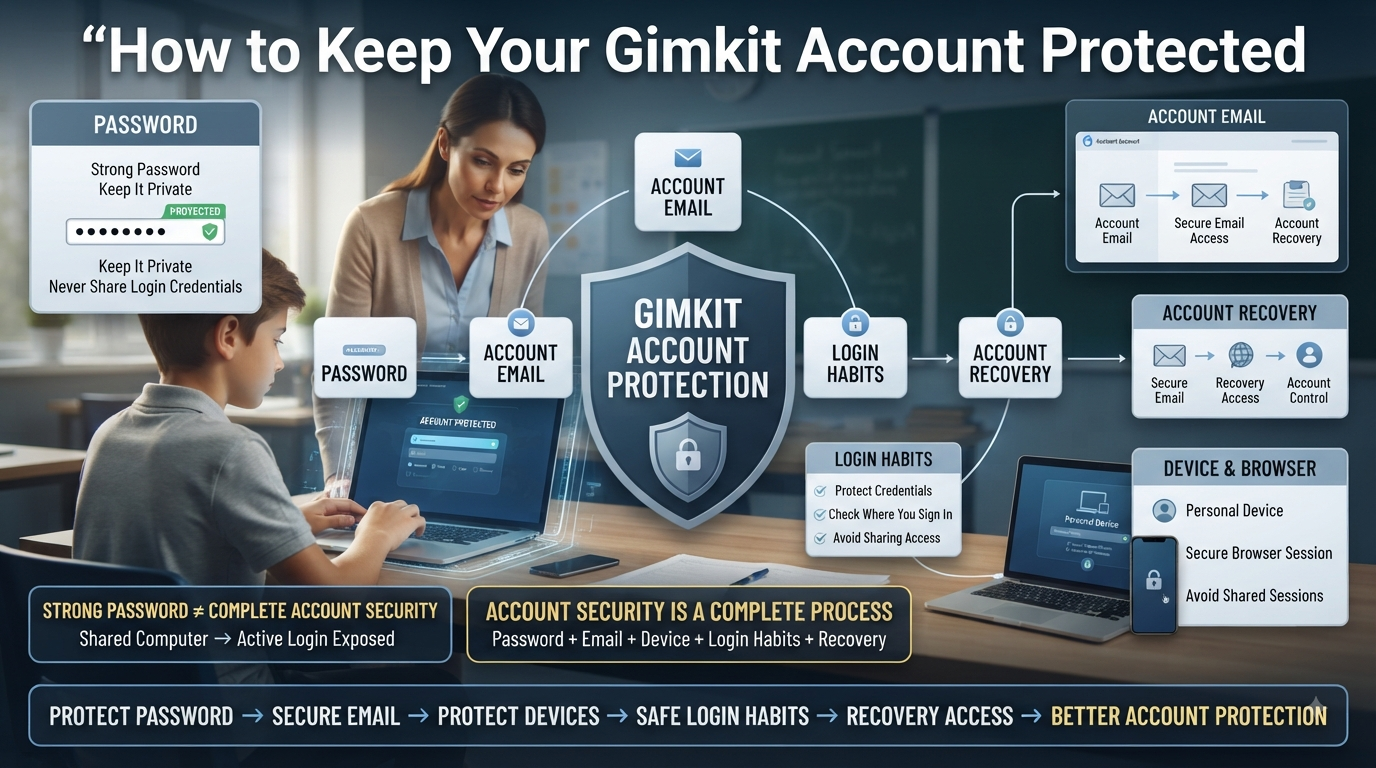
How to Keep Your Gimkit Account Protected | Keeping your Gimkit account protected starts with understanding what actually needs to be secured. Your account is not protected simply because you have a password. Security depends on several connected things: your password, the email associated with the account, the devices you use to sign in, and your everyday login habits.
For a teacher or student, the most effective approach is to establish these basics first. Once you understand where account access can be exposed, it becomes much easier to build stronger protection later.
Looking for comprehensive classroom resources and educational technology insights? Explore GimkitApp for expert guides, teaching strategies, game modes, and the latest updates to enhance student engagement.
What Does Gimkit Account Protection Actually Mean?
Gimkit account protection means preventing unauthorized people from gaining access to your account or taking control of the information used to access it.
If one part of that chain is poorly protected, the overall account can become easier to compromise.
For example, having a strong Gimkit password does little to protect you if you openly share that password with someone else. Likewise, protecting your password but leaving your account signed in on a shared computer can still expose your active session.
That is why account protection should be treated as a complete process rather than a single setting.
Why Should You Protect Your Gimkit Account?
The first reason is simple: your account represents your access to Gimkit.
Depending on how you use the platform, your account can be associated with information and content that you do not want another person changing, viewing, or controlling.
For educators, that may include account-created content and classroom-related information. For students, it may include their own account information and access.
An unauthorized person does not necessarily need to damage anything immediately to create a security problem. Simply gaining access to an account that belongs to someone else is already an access-control failure.
The three basic security goals
Good account protection aims to maintain:
1. Confidentiality
Only authorized people should be able to access private account information.
2. Integrity
Other people should not be able to change account information without permission.
3. Access
You should be able to recover and continue using your account when legitimate access is needed.
These three ideas explain why password protection alone is not enough.
Your Password Is the First Security Layer
For most accounts, the password is the first barrier between the account and an unauthorized person.
A password works well as a security layer only when it is difficult for another person to guess or obtain.
A weak password can create problems because attackers do not necessarily need sophisticated techniques. They may try:
Common passwords
Simple number sequences
Names
Birthdays
Familiar words
Reused credentials from another service
Information publicly associated with the account owner
The safest starting point is therefore straightforward:
Use a strong password that is unique to your Gimkit account and keep it private.
That single habit eliminates several common sources of account exposure.
What Makes a Password Strong?
A strong password should be difficult to guess and difficult to reuse successfully against another service.
Avoid building your password around information that someone could easily know about you.
For example, using a school name, your own name, a favorite sports team, or a simple year can make a password easier to predict.
A better approach is to use a sufficiently long, unpredictable password that you have not used elsewhere.
Weak password habits
Avoid patterns such as:
123456
password
Your name followed by a number
Your school name followed by a year
The same password used across several websites
The specific problem is not merely that these examples are short. The larger issue is predictability and reuse.
💡 Pro Tip: If remembering many unique passwords becomes difficult, a reputable password manager can generate and store them instead of forcing you to reuse one password everywhere.
Why Password Reuse Is Especially Dangerous
Using the same password on multiple websites creates a connection between otherwise separate accounts.
Imagine you use one password for:
Gimkit + Email + Another Website
If that password becomes exposed somewhere else, someone who obtains it may try the same credentials on your other accounts.
This is why a password should not simply be “strong.” It should also be unique.
A unique Gimkit password means that a password problem on another website does not automatically become a Gimkit login problem.
⚠ Common Mistake: Many users focus on making one password stronger while continuing to use that same password everywhere. Uniqueness is just as important as strength.
For the latest gaming news, expert reviews, and walkthroughs, readers can also visit IGN, one of the world’s leading gaming websites.
Never Share Your Gimkit Password
Your password should remain private.
That includes not sharing it with:
Students
Friends
Classmates
Colleagues
Other users
Someone claiming they need it to “fix” your account
The reason is straightforward: once another person knows the password, you no longer have exclusive control over the credential.
Even if you trust the person, sharing credentials creates unnecessary risk. The other person could accidentally expose the password, save it somewhere insecure, or use it from a device you do not control.
If someone needs legitimate access to something related to your work, use the appropriate account or sharing mechanism rather than giving away your personal login credentials.
Your Account Email Is Part of Your Security
People often think only about the password when protecting an account.
That is incomplete.
The email associated with your Gimkit account is also important because account-management and recovery processes can depend on access to that email.
If you cannot access the email associated with your account, recovering the account can become more difficult.
That creates an important relationship:
Gimkit password security
+ Email security
Stronger account protection
You should therefore know which email address is associated with your Gimkit account and make sure you can still access it.
Protect the Email Behind Your Gimkit Account
Protecting your Gimkit account while neglecting the email account connected to it leaves an important part of the security chain exposed.
Your email account should have its own strong, unique password.
Do not use your Gimkit password as your email password.
The email account should also remain private. If another person can access the inbox associated with your Gimkit account, they may potentially gain access to account-related messages or recovery processes.
🔐 Security Principle: Your account’s recovery channel deserves almost as much attention as the account itself.
Personal Devices and Shared Devices Are Different
Where you use Gimkit matters.
A personal computer that only you use presents a different security situation from a computer used by an entire classroom or school.
Personal device
On a device controlled only by you, you have greater control over:
Browser access
Saved credentials
Active sessions
Who can physically use the computer
Shared device
A shared computer introduces additional concerns because another person may use the same browser or device after you.
Examples include:
School computer labs
Classroom computers
Library computers
Public computers
Borrowed computers
The most important rule is simple:
Never treat a shared computer as if it were your private device.
Your account should not remain accessible to the next person who uses the machine.
Why Staying Signed In Can Become a Security Problem
Staying signed in is convenient, but convenience and security are not always the same thing.
On your private device, staying signed in may be reasonable because you control who can access the device.
On a shared computer, however, leaving an active account session behind can create unnecessary exposure.
Someone who uses the computer after you may potentially encounter an already-authenticated account.
That is why your logout habit should depend on the device.
Private device → greater control over the session Shared device → log out when finished
This is a small action, but it closes an otherwise unnecessary access point.
Protect Your Account When Other People Are Nearby
Account security also includes what other people can see.
You do not need to physically hand someone your password for information to become exposed.
For example, while signing in on a classroom computer, another person might see:
Your password being typed
Your account email
Account settings
Private account information
A browser window that remains open
Be aware of your surroundings when entering account credentials.
If you are using a projector or screen-sharing setup, make sure private account information is not accidentally displayed.
📌 Quick Note: Security is not only about preventing hacking. It also includes preventing accidental exposure.
Common Beginner Mistakes That Weaken Account Security
Most basic account-security problems are not caused by complicated technical attacks. They often begin with simple habits.
Using the same password everywhere
One exposed password can affect multiple accounts.
Sharing your password
Another person gaining the credential creates unnecessary access risk.
Using predictable information
Names, dates, school information, and common patterns can make passwords easier to guess.
Leaving an account signed in on a shared computer
The next user may inherit access to your active session.
Ignoring the account email
Losing control of the associated email can complicate account recovery.
Trusting every login request
A page or message that asks for credentials should not automatically be treated as legitimate.
Waiting until something goes wrong
Account security is easier to maintain before an incident occurs than after access has already been compromised.
Basic Account Security vs. Strong Account Security
It helps to understand the difference between simply having a password and actually practicing good security.
Basic Habit
Stronger Practice
Have a password
Use a strong, unique password
Remember your email
Keep the email accessible and protected
Log in anywhere
Consider whether the device is trusted
Stay signed in everywhere
Log out from shared devices
Use one memorable password
Use different passwords for important accounts
React after a problem
Maintain security before problems occur
Trust familiar-looking login pages
Verify where you are entering credentials
The stronger approach does not necessarily require complicated technology. Most improvements come from making better decisions consistently.
A Simple Security Model for Gimkit Users
You can remember the basics with four questions:
1. Who knows my password?
Ideally, only you.
2. Who can access my account email?
Only people who legitimately need access to that email account—and you should maintain control over it.
3. Where am I signed in?
Know whether you are using a personal, school, shared, or public device.
4. Could someone access my account after I leave?
If the answer is yes, take the appropriate protective action before leaving the device.
These four questions create a useful mental model for everyday account protection.
Beginner Gimkit Account Security Checklist
Before moving to more advanced security practices, make sure these basics are covered:
My Gimkit password is strong.
My Gimkit password is unique.
I do not share my password.
I know which email is connected to my account.
I can access that email.
My email account is protected separately.
I know whether the device I am using is shared.
I avoid leaving my account accessible on shared computers.
I pay attention when entering login information around other people.
I do not treat unexpected login requests casually.
If several boxes remain unchecked, those are the first areas to improve.
The Foundation Before Advanced Protection
Strong account security does not begin with complicated procedures. It begins with controlling the fundamentals.
Your Gimkit account should have:
A strong password
→ difficult to guess
A unique password
→ not reused elsewhere
A protected email
→ available for legitimate account access and recovery
A controlled device
→ especially when using shared computers
Safe login habits
→ credentials are not exposed unnecessarily
These foundations matter because every advanced security measure depends on them.
Once these basics are under control, the next level is learning how to secure the actual login and account-access process—including password management, password recovery, email changes, Google-based access, browser credentials, shared-device sessions, and safer login workflows.
How Gimkit Account Access Works
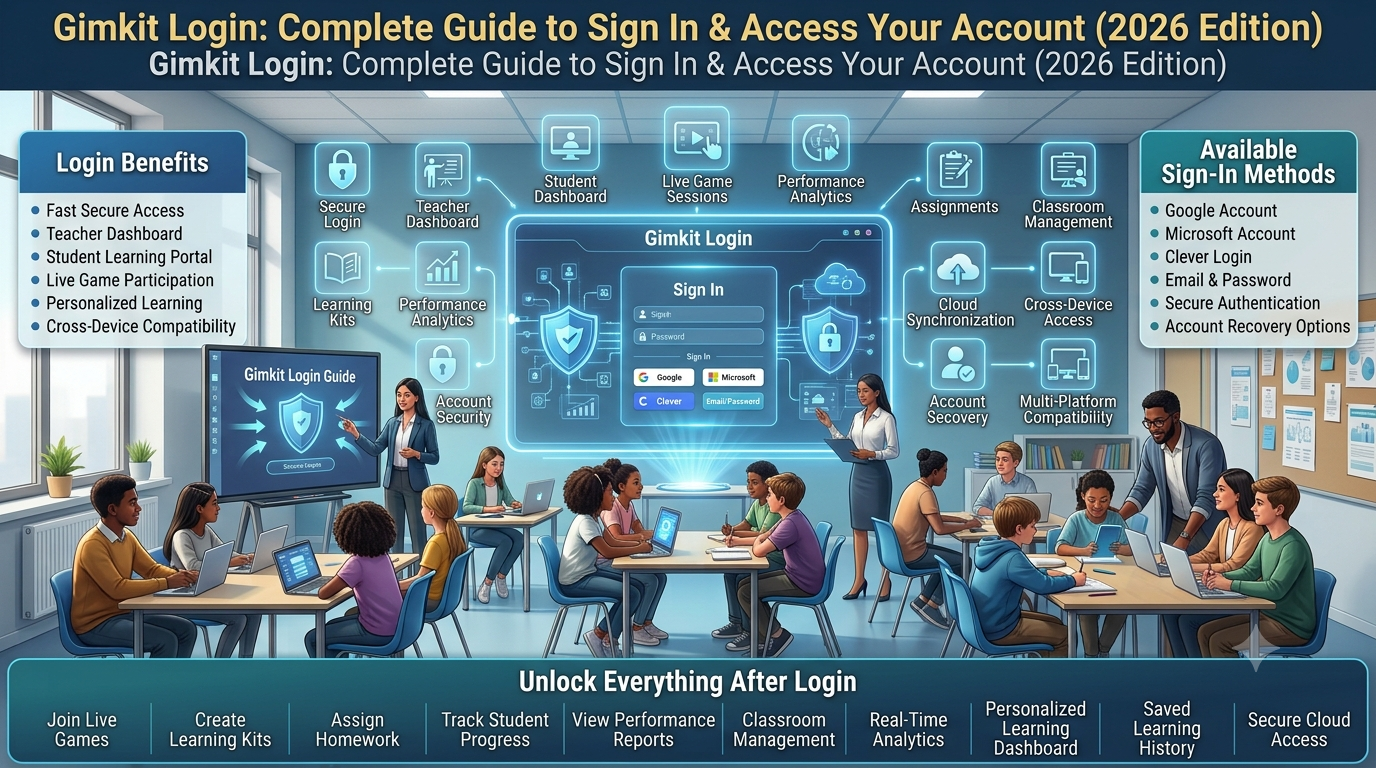
Your Gimkit account can generally be accessed through the credentials or sign-in method associated with the account.
That means account protection has several access points:
For example, your password controls normal access, while your email can become important when you need to recover or manage the account. A device or browser can also retain an active session after you sign in.
Understanding these relationships helps you avoid treating every login problem as simply a “wrong password” problem.
Use One Secure Password for Gimkit
Your Gimkit password should be unique to Gimkit rather than reused from another service.
There is an important distinction between remembering a password and managing a password securely.
If you only have a few accounts, manually managing unique passwords may be manageable. As the number of accounts increases, people often start reusing passwords because they are easier to remember.
That creates a security trade-off:
Convenience → password reuse → greater exposure
A password manager can remove much of that pressure by generating and storing unique passwords for you.
A practical approach
Instead of trying to invent memorable passwords for every service:
Create a unique password for Gimkit.
Store it securely.
Avoid writing it where other people can easily find it.
Never send it through ordinary messages to another person.
Keep your password-management system itself protected.
⭐ Expert Insight: The best password is not necessarily the one you can memorize most easily. It is the one that remains difficult for someone else to guess and is not reused elsewhere.
When Should You Change Your Gimkit Password?
Changing a password simply because a certain number of days has passed is not always the most useful security strategy.
A password change becomes particularly important when there is a reason to believe the existing credential is no longer safe.
Consider changing it if:
You accidentally shared the password.
You entered it into a suspicious website.
You believe someone saw you enter it.
You discover that the same password was exposed elsewhere.
You suspect unauthorized account access.
Someone who knew the password should no longer have access.
The important principle is risk-based password changes.
If a password has remained private, unique, and secure, changing it randomly can be less meaningful than responding quickly when there is an actual reason for concern.
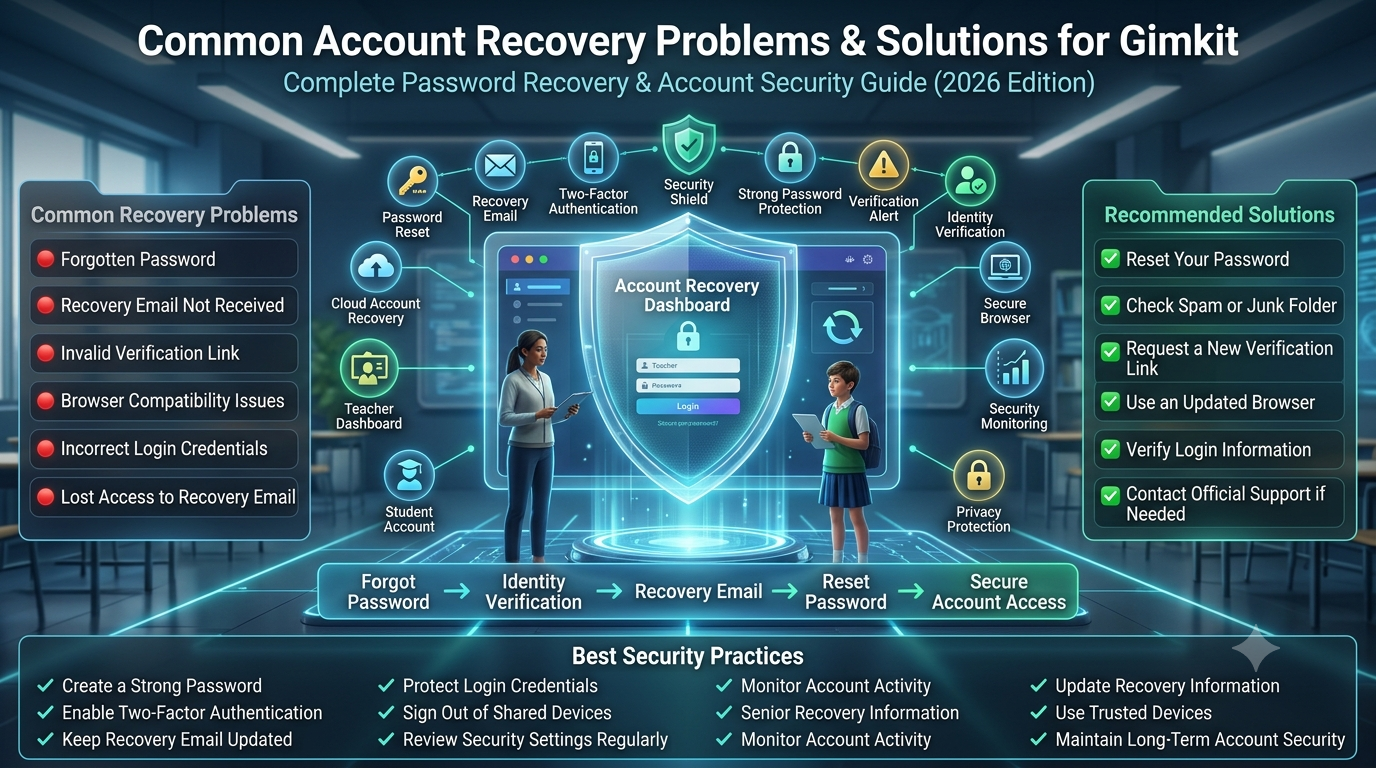
How to Reset a Forgotten Gimkit Password
Forgetting a password is an access problem, not necessarily a security incident.
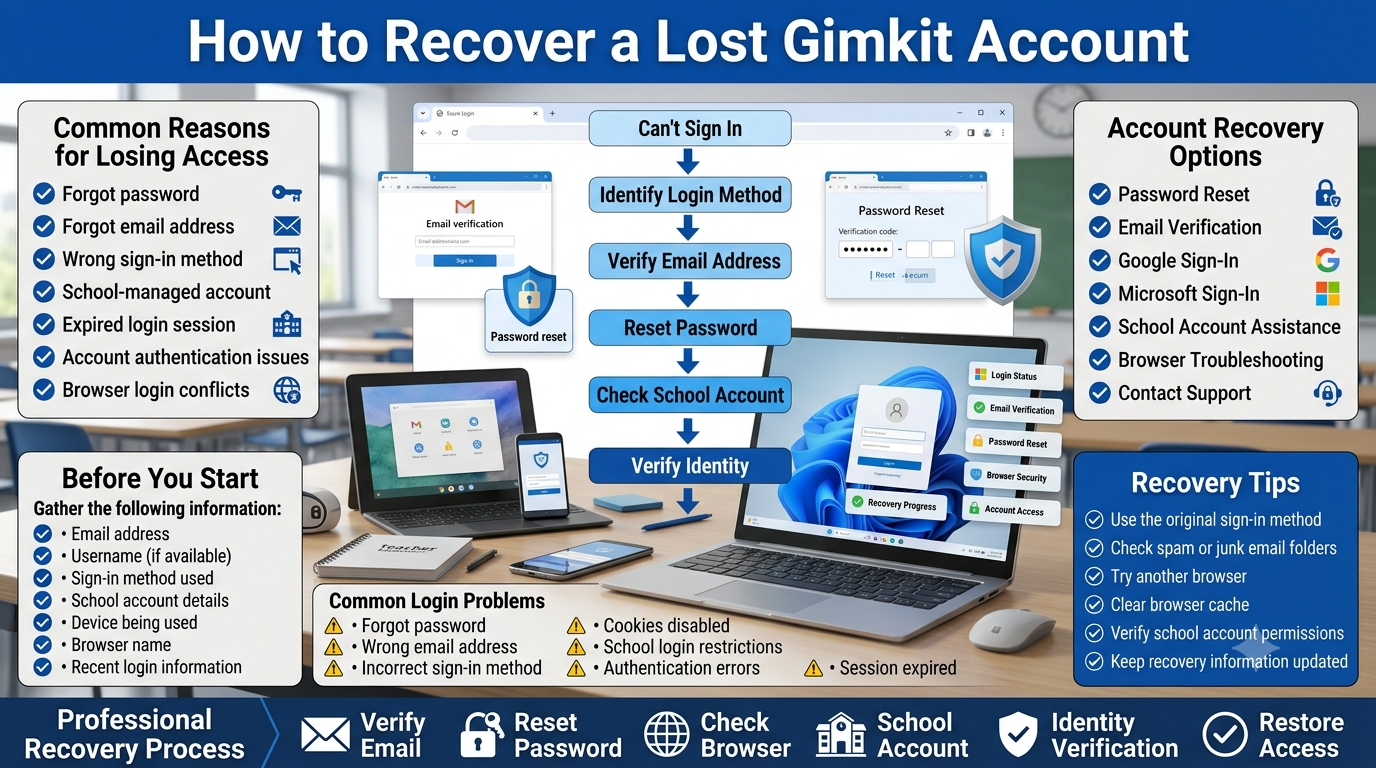
Gimkit provides a password-reset process for users who cannot remember their password. From the login page, you can enter the email associated with the account and select Forgot Password. Gimkit then sends a password-reset link to the account email.
The basic recovery sequence is:
Open the Gimkit login page.
Enter your account email.
Select Forgot Password.
Submit the request.
Check the associated inbox.
Follow the password-reset instructions.
If the message does not appear, check your spam or junk folder.
Gimkit also notes that school network settings can sometimes interfere with account emails.
Why the recovery email matters
The reset process demonstrates an important security relationship:
If you control the account email, you have an important part of the recovery process under your control.
What If the Password Reset Email Does Not Arrive?
Do not immediately assume that the account is lost.
Work through the possibilities systematically.
Check the email address
Make sure you are requesting the reset using the email associated with the Gimkit account.
Check spam or junk
Automated account emails can sometimes be filtered.
Check school email restrictions
If you use a school-managed email system, network or mail settings may interfere with delivery.
Avoid repeatedly creating new accounts
Creating another account does not solve the original access problem and can make it harder to determine which account contains your existing information.
Use official support when necessary
If normal recovery does not resolve the problem, use Gimkit’s official account-support resources rather than giving your credentials to another person.
🔍 Key distinction: A missing reset email is an access-recovery problem. It does not automatically mean that your account has been hacked.
Keep the Email Associated With Your Gimkit Account Under Your Control
The email address connected to your account should be treated as part of the security infrastructure.
If you change email addresses—for example, because you move from one school email system to another—do not simply abandon the old account and assume everything will continue working indefinitely.
Gimkit provides an email-update process through account Settings. According to its current help documentation, users can update their account email and verify the new address using a code sent to that email.
The practical lesson is:
If the account email changes, update the account while you still have legitimate access.
Waiting until you can no longer access the old email can turn a simple account-management task into a recovery problem.
Why Email Changes Should Be Treated Carefully
Changing the email associated with an account is more significant than changing an ordinary profile preference.
The email can be connected to:
Account communication
Password recovery
Account ownership
Security verification
That is why an unexpected email change deserves attention.
If you did not make the change yourself, do not treat it as a harmless settings modification. It may indicate that someone else has gained access to the account.
This becomes especially important when an unexpected email change occurs together with a password change or other unfamiliar account activity.
Using Google to Access Gimkit
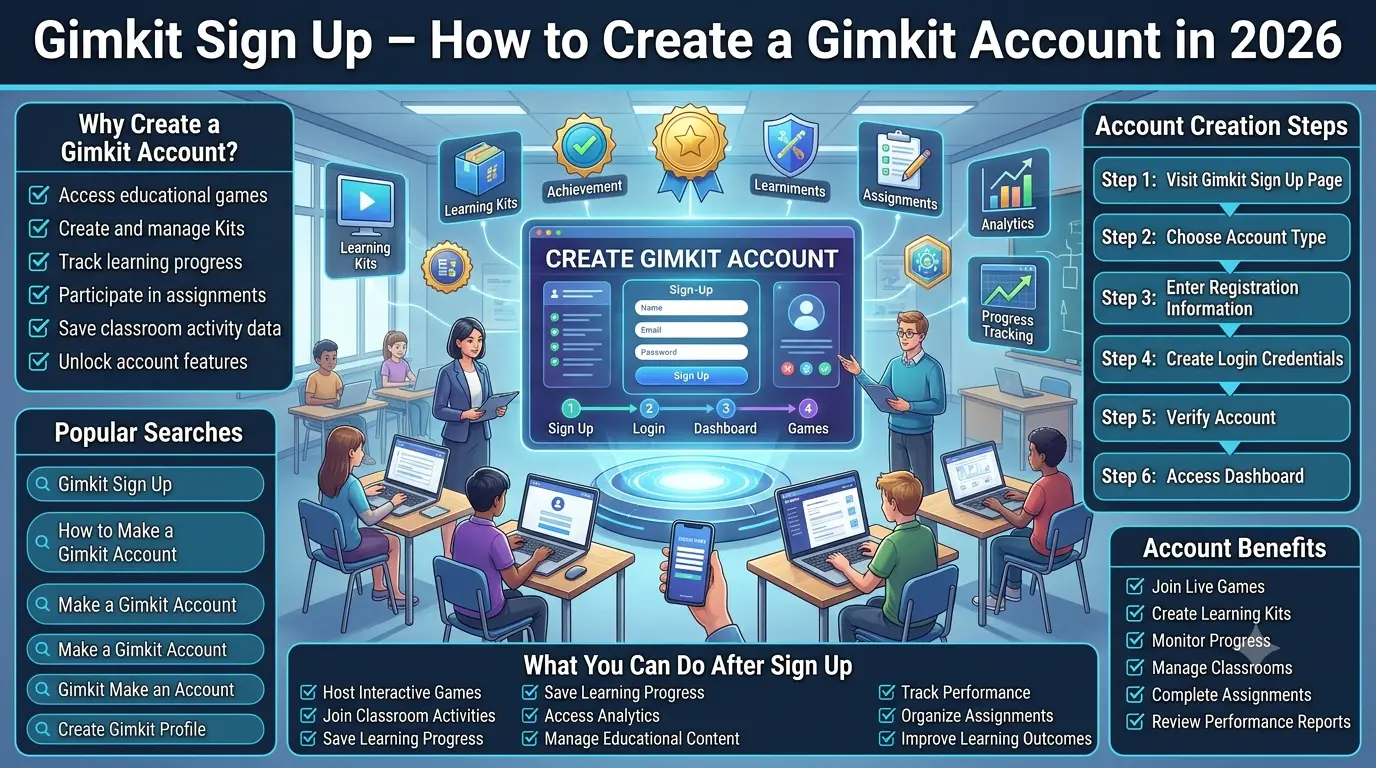
Gimkit supports account creation through Google as well as through email-based account creation.
If your Gimkit access is connected to Google, your Google account becomes an important part of your security chain.
In practical terms:
Google account security
↓ Authentication access
↓ Gimkit account access
That means you should not think of your Gimkit login in isolation when using a Google-based sign-in method.
Protect the Google account itself, keep its credentials private, and avoid signing into Google on devices that you do not trust.
If the Google account becomes compromised, protecting only the Gimkit side may not fully solve the underlying access problem.
Protect Your Browser From Exposing Your Login
Your browser can make account access convenient, but convenience can create problems when the device is shared.
Browsers may offer features such as:
Password saving
Autofill
Remembered sessions
Multiple signed-in accounts
Browser synchronization
These features are useful on a personal device that you control.
They require more caution on a shared computer.
Personal computer
You generally have greater control over who can access saved credentials and browser sessions.
Shared computer
Other people may use the same browser profile or device after you.
That means you should avoid treating browser convenience features as automatically safe in every environment.
Should You Save Your Gimkit Password in Your Browser?
There is no single answer for every device.
On a private, well-protected personal computer, browser password management can be convenient.
On a computer used by multiple people, saving your credentials can create unnecessary exposure.
The decision should therefore depend on who controls the device.
Device Situation
Safer Approach
Personal computer
Secure password storage can be practical
Personal laptop shared occasionally
Review who has device access
School computer
Avoid leaving credentials accessible
Public computer
Do not save login credentials
Shared classroom computer
Log out and avoid persistent credentials
The key question is not simply:
“Can the browser save my password?”
The better question is:
“Who could access the browser after me?”
Log Out From Shared Devices
Gimkit provides a Logout option through the Me menu on the Dashboard.
Logging out is especially important when you are finished using a device that other people can access.
A simple shared-device routine is:
Finish using Gimkit
↓ Save any work you legitimately need to keep
↓ Open the account menu
↓ Select Logout
↓ Confirm you are no longer signed in
This reduces the chance that another person using the same computer will encounter your active account session.
Why Closing the Browser Is Not the Same as Logging Out
Closing a browser window and logging out are not necessarily the same security action.
A browser may retain information that allows a website to recognize an existing session.
Therefore, if the device is shared, do not rely solely on:
“I closed Chrome, so I’m safe.”
The safer habit is to deliberately log out before leaving the computer.
This distinction becomes particularly important in classrooms, computer labs, libraries, and other environments where another person will use the same machine.
Protect Your Account During Screen Sharing
Screen sharing introduces another form of account-access risk: visual exposure.
You might be signed into Gimkit while simultaneously sharing your screen with:
Students
Colleagues
A class
A remote meeting
A projector
Before sharing your screen, check what is visible.
Avoid displaying:
Password fields
Account settings
Private account information
Email addresses unnecessarily
Browser password prompts
Other security-sensitive information
A good habit is to prepare the screen before beginning the presentation.
📌 Quick Note: An account does not need to be technically hacked for its information to become exposed. Someone seeing sensitive information on a shared screen can also create a security problem.
Safe Login Habits for School Environments
Teachers and students often use Gimkit in environments where devices are shared or where other people are physically nearby.
A safer login routine looks like this:
Before signing in
Check that you are using the legitimate Gimkit website.
While signing in
Keep your credentials private and be aware of people around you.
During use
Avoid exposing account settings or sensitive information unnecessarily.
Before leaving
If the device is shared, log out.
After leaving
Do not assume that another person cannot access the previous browser session.
This workflow is simple enough to use regularly without turning normal Gimkit access into a complicated security procedure.
Recognize the Difference Between Login Failure and Account Compromise
Not every login problem means someone has hacked your account.
For example:
Forgotten password
→ Usually an account-recovery issue.
Incorrect email address
→ Usually a login-information issue.
Reset email not arriving
→ Could involve email filtering or school network settings.
Password suddenly changed without your action
→ Potential security issue.
Account email changed without permission
→ Potential security issue.
This distinction matters because the correct response depends on the problem.
You do not want to treat a simple forgotten password as a security breach, but you also should not dismiss unauthorized changes as an ordinary login problem.
What to Do Before Using a New Device
When signing into Gimkit from a new computer, ask a few basic questions first:
Is this my device?
Who else can use it?
Is the browser shared?
Could the browser save my credentials?
Will I remember to log out?
Is someone watching while I enter my password?
The answers determine how cautious you should be.
A personal laptop that you control is very different from a computer in a public lab.
Account Access Is a Chain, Not a Single Door
One of the most useful ways to understand account protection is to stop thinking of login as a single event.
A weakness anywhere along this chain can create additional risk.
For example:
A strong password
unsecured shared device
= account exposure risk
A strong Gimkit password
compromised email
= recovery risk
A secure password
suspicious login page
= credential exposure risk
This is why good account security requires several small habits working together.
The Gimkit Login Security Checklist
Use this checklist when reviewing how you access your account:
My Gimkit password is unique.
I know the email associated with my account.
I can access that email.
I understand how Gimkit password recovery works.
I know whether my account uses email login or Google-based access.
I do not share my credentials.
I avoid saving credentials on shared computers.
I log out from shared devices.
I check what is visible before screen sharing.
I distinguish normal login problems from suspicious account changes.
I know what to do if I can no longer access my account.
If these areas are covered, your account-access practices are considerably stronger than simply relying on a password.
From Login Protection to Threat Detection
Securing your login prevents many avoidable problems, but protection does not end when you successfully sign in.
The next question is more advanced:
How do you recognize when someone else may be trying to access or control your account?
That requires looking beyond passwords and examining suspicious reset requests, unexpected account changes, phishing attempts, fake login pages, social engineering, and other warning signs.
That is the focus of Part 3: Recognizing Suspicious Activity and Preventing Unauthorized Access.
How to Recognize Suspicious Gimkit Account Activity
Not every unusual event means your account has been compromised. However, certain changes deserve immediate attention.
Potential warning signs include:
A password-reset message you did not request
A password suddenly no longer working
An account email changing without your permission
Account information appearing different from what you remember
Unexpected activity associated with your account
Someone claiming they accessed your account
A login page unexpectedly asking for credentials
A message pressuring you to “verify” your account immediately
A password you used for Gimkit being exposed somewhere else
One warning sign by itself may have an innocent explanation. Several signs occurring together deserve much more serious attention.
The important principle
Do not panic, but do not ignore unexplained account changes either.
First determine what actually changed. Then secure the affected access point.
An Unexpected Password-Reset Email Does Not Automatically Mean You Were Hacked
This distinction is important.
Someone can potentially enter your email address into a password-reset form without actually having your password.
→ Stop credential exposure
→ Change compromised credentials
→ Secure the associated email
→ Use legitimate recovery procedures
Recover
→ Restore account access
→ Verify account information
→ Check for unauthorized changes
Strengthen
→ Fix the root cause
→ Separate reused passwords
→ Improve device habits
→ Improve phishing awareness
→ Maintain recovery readiness
This creates a complete cycle rather than a collection of disconnected tips.
How to Keep Your Gimkit Account Protected Long Term
Account protection should not be something you think about only after a problem occurs.
A strong long-term routine is simple:
Every login:
Use the correct website and protect your credentials.
Every shared-device session:
Log out when finished.
Every suspicious message:
Pause before clicking or entering information.
Every account change:
Make sure you actually authorized it.
Every security incident:
Change exposed credentials and investigate the cause.
Every recovery:
Review the account and strengthen the weak point.
This approach keeps security practical instead of turning it into a complicated technical process.
Professional Recommendations & Expert Reviews
How to Keep Your Gimkit Account Protected starts with using a strong and unique password for your account.
How to Keep Your Gimkit Account Protected means avoiding passwords that are easy for others to guess.
How to Keep Your Gimkit Account Protected becomes easier when your password is not reused across multiple websites.
How to Keep Your Gimkit Account Protected requires keeping your login information private.
How to Keep Your Gimkit Account Protected means never sharing your password casually with classmates, students, or other users.
How to Keep Your Gimkit Account Protected involves being careful when signing in on shared computers.
How to Keep Your Gimkit Account Protected requires checking that you are using the legitimate Gimkit website before entering credentials.
How to Keep Your Gimkit Account Protected means avoiding suspicious login pages that imitate familiar services.
How to Keep Your Gimkit Account Protected involves being cautious with unexpected messages requesting account information.
How to Keep Your Gimkit Account Protected requires avoiding links that appear suspicious or unnecessarily urgent.
How to Keep Your Gimkit Account Protected means checking the address of a website before entering your password.
How to Keep Your Gimkit Account Protected involves using a trusted device whenever possible.
How to Keep Your Gimkit Account Protected becomes more important when multiple people have access to the same computer.
How to Keep Your Gimkit Account Protected requires signing out after using a shared or public device.
How to Keep Your Gimkit Account Protected means avoiding the option to save credentials on computers that other people use.
How to Keep Your Gimkit Account Protected involves keeping your browser and operating system reasonably up to date.
How to Keep Your Gimkit Account Protected can benefit from using reputable security tools on your devices.
How to Keep Your Gimkit Account Protected means treating unexpected password-reset messages carefully.
How to Keep Your Gimkit Account Protected requires verifying unusual account activity rather than ignoring it.
How to Keep Your Gimkit Account Protected involves monitoring for unfamiliar changes to account information.
How to Keep Your Gimkit Account Protected means reviewing account activity when something about your login experience seems unusual.
How to Keep Your Gimkit Account Protected requires responding quickly if you believe someone else accessed your account.
How to Keep Your Gimkit Account Protected involves changing your password when you suspect that it has been exposed.
How to Keep Your Gimkit Account Protected means avoiding passwords based on easily discoverable personal information.
How to Keep Your Gimkit Account Protected benefits from using a password manager to create and store unique credentials.
How to Keep Your Gimkit Account Protected means avoiding simple patterns that attackers can easily predict.
How to Keep Your Gimkit Account Protected requires protecting the email account associated with your login as well.
How to Keep Your Gimkit Account Protected depends partly on securing the recovery methods connected to the account.
How to Keep Your Gimkit Account Protected means using a secure email password that is different from other passwords.
How to Keep Your Gimkit Account Protected involves being careful about who can access your recovery email.
How to Keep Your Gimkit Account Protected requires avoiding unnecessary sharing of account screenshots that reveal private information.
How to Keep Your Gimkit Account Protected means removing sensitive login details from screenshots before sharing them.
How to Keep Your Gimkit Account Protected involves keeping classroom devices secured when they are not being used.
How to Keep Your Gimkit Account Protected requires teaching students not to request or share teacher login credentials.
How to Keep Your Gimkit Account Protected becomes easier when classroom accounts and personal accounts are kept separate where appropriate.
How to Keep Your Gimkit Account Protected means being cautious when installing browser extensions that request unnecessary permissions.
How to Keep Your Gimkit Account Protected involves checking unfamiliar software before allowing it access to your device.
How to Keep Your Gimkit Account Protected requires avoiding unauthorized tools that claim to modify account features.
How to Keep Your Gimkit Account Protected means being skeptical of offers promising free upgrades in exchange for login details.
How to Keep Your Gimkit Account Protected involves recognizing that unrealistic rewards can be used to trick users into revealing credentials.
How to Keep Your Gimkit Account Protected requires avoiding credential-sharing services that ask users to enter their passwords.
How to Keep Your Gimkit Account Protected means never giving sensitive account information to an unknown person claiming to provide support.
How to Keep Your Gimkit Account Protected involves using official account-recovery processes when access problems occur.
How to Keep Your Gimkit Account Protected requires checking the authenticity of support-related communication.
How to Keep Your Gimkit Account Protected means avoiding pressure to make immediate account changes based solely on an unexpected message.
How to Keep Your Gimkit Account Protected involves securing the device used for regular classroom management.
How to Keep Your Gimkit Account Protected requires using screen locks on laptops, tablets, and other personal devices.
How to Keep Your Gimkit Account Protected means avoiding leaving an active account unattended on a shared computer.
How to Keep Your Gimkit Account Protected involves reviewing browser sessions and saved credentials periodically.
How to Keep Your Gimkit Account Protected requires removing saved login information from devices that are no longer under your control.
How to Keep Your Gimkit Account Protected means being careful when connecting to unfamiliar networks.
How to Keep Your Gimkit Account Protected benefits from using trusted networks for account management whenever possible.
How to Keep Your Gimkit Account Protected involves avoiding sensitive account actions on questionable public networks.
How to Keep Your Gimkit Account Protected means recognizing common phishing techniques before responding to suspicious requests.
How to Keep Your Gimkit Account Protected requires checking unusual spelling, domains, requests, and login prompts.
How to Keep Your Gimkit Account Protected involves teaching younger users that passwords should never be shared with friends.
How to Keep Your Gimkit Account Protected means creating simple classroom rules for responsible account use.
How to Keep Your Gimkit Account Protected requires explaining why account credentials should remain private.
How to Keep Your Gimkit Account Protected involves encouraging students and teachers to report suspicious activity quickly.
How to Keep Your Gimkit Account Protected means avoiding the same password for teaching platforms, email, and unrelated services.
How to Keep Your Gimkit Account Protected becomes stronger when users regularly review their general digital-security habits.
How to Keep Your Gimkit Account Protected requires paying attention to unexpected login notifications or account changes.
How to Keep Your Gimkit Account Protected means taking unfamiliar account behavior seriously instead of assuming it will disappear.
How to Keep Your Gimkit Account Protected involves maintaining control over devices used to manage classroom activities.
How to Keep Your Gimkit Account Protected requires being careful when granting other people access to your computer.
How to Keep Your Gimkit Account Protected means removing access when another person no longer needs to use the device or account.
How to Keep Your Gimkit Account Protected involves reviewing security practices whenever you change devices or account-recovery information.
How to Keep Your Gimkit Account Protected means combining strong credentials, careful browsing, secure devices, privacy awareness, and quick responses to suspicious activity.
How to Keep Your Gimkit Account Protected shows that account security is not based on one action but on several consistent habits working together.
How to Keep Your Gimkit Account Protected ultimately requires users to protect passwords, secure associated email accounts, recognize phishing attempts, use trusted devices, avoid suspicious third-party services, and respond quickly to signs of unauthorized access.
How to Keep Your Gimkit Account Protected includes checking whether your account information has changed unexpectedly after using a shared device.
How to Keep Your Gimkit Account Protected means keeping recovery details current so legitimate account-recovery steps remain available when needed.
How to Keep Your Gimkit Account Protected involves avoiding the use of another person’s browser profile for routine account access.
How to Keep Your Gimkit Account Protected requires checking whether a shared browser has retained your credentials before leaving the device.
How to Keep Your Gimkit Account Protected means being cautious when another person offers to configure your account or device.
How to Keep Your Gimkit Account Protected involves confirming that account changes were actually made by you.
How to Keep Your Gimkit Account Protected requires avoiding unnecessary disclosure of usernames, email addresses, or other account details in public discussions.
How to Keep Your Gimkit Account Protected means separating ordinary classroom information from private account credentials.
How to Keep Your Gimkit Account Protected involves reviewing privacy settings and available security options whenever the platform introduces relevant changes.
How to Keep Your Gimkit Account Protected encourages teachers to establish clear procedures for account use on classroom computers.
How to Keep Your Gimkit Account Protected means making sure students understand that game participation does not require access to another person’s private account.
How to Keep Your Gimkit Account Protected involves avoiding the use of temporary passwords that remain unchanged longer than necessary.
How to Keep Your Gimkit Account Protected requires extra attention when moving between home, school, and other devices.
How to Keep Your Gimkit Account Protected means checking that browser autofill does not expose credentials to other users.
How to Keep Your Gimkit Account Protected involves being careful with account access during classroom demonstrations.
How to Keep Your Gimkit Account Protected encourages teachers to close account-management pages before displaying their screen to students.
How to Keep Your Gimkit Account Protected means avoiding unnecessary exposure of private account information during presentations.
How to Keep Your Gimkit Account Protected involves reporting suspected compromise through the appropriate official support or recovery process.
How to Keep Your Gimkit Account Protected requires reviewing what happened after a security incident so the same mistake is less likely to happen again.
How to Keep Your Gimkit Account Protected ultimately depends on treating account security as an ongoing classroom technology responsibility rather than a one-time setup task.
Most Frequently Asked Faqs
1. How can I make my Gimkit account more secure?
Use a strong, unique password, never share your login credentials, protect the email connected to the account, avoid saving credentials on shared devices, and log out after using Gimkit on a shared computer. These layers work together rather than relying on the password alone.
2. What should I do if I forget my Gimkit password?
Go to the Gimkit login page, enter the email associated with your account, select Forgot Password, and submit the request. Gimkit sends a password-reset link to your account email. If the email does not arrive, check your spam folder and consider whether your school network may be blocking account emails.
3. What should I do if someone knows my Gimkit password?
Change your Gimkit password immediately and make the new password unique. If you used the same password on other important accounts, change those passwords as well. Also consider whether the person could access your account email or another recovery method.
4. How do I protect my Gimkit account on a shared computer?
Avoid saving your password on a shared computer, do not leave account information visible, and log out when you finish. Gimkit’s current logout process is available through Me → Logout from the Dashboard.
5. What should I do if I think my Gimkit account has been hacked?
First, determine what changed or may have been exposed. If your password may have been compromised, change it immediately. Check whether your account email or other account information was changed without your permission, and secure the email account connected to Gimkit. If you cannot regain access, use Gimkit’s official account-support/recovery options. Gimkit also provides a process for updating the account email when you still have access to the account..
Final Takeaway
Keeping a Gimkit account protected is not about finding one perfect security setting. It is about protecting the entire path through which someone could gain access.
Your password needs to remain strong and private.
Your account email needs to remain under your control.
Your device and browser need to be handled appropriately, especially when shared.
Your login decisions need to account for phishing and social engineering.
And if something goes wrong, you need a clear process for identifying the problem, containing the exposure, recovering the account, and fixing the underlying weakness.
The most important security habit is therefore not simply:
“Have a strong password.”
It is:
Know what protects your account, recognize when that protection may have failed, and respond before a small security problem becomes a larger one.
That is what turns basic Gimkit account security into a complete, long-term protection strategy.