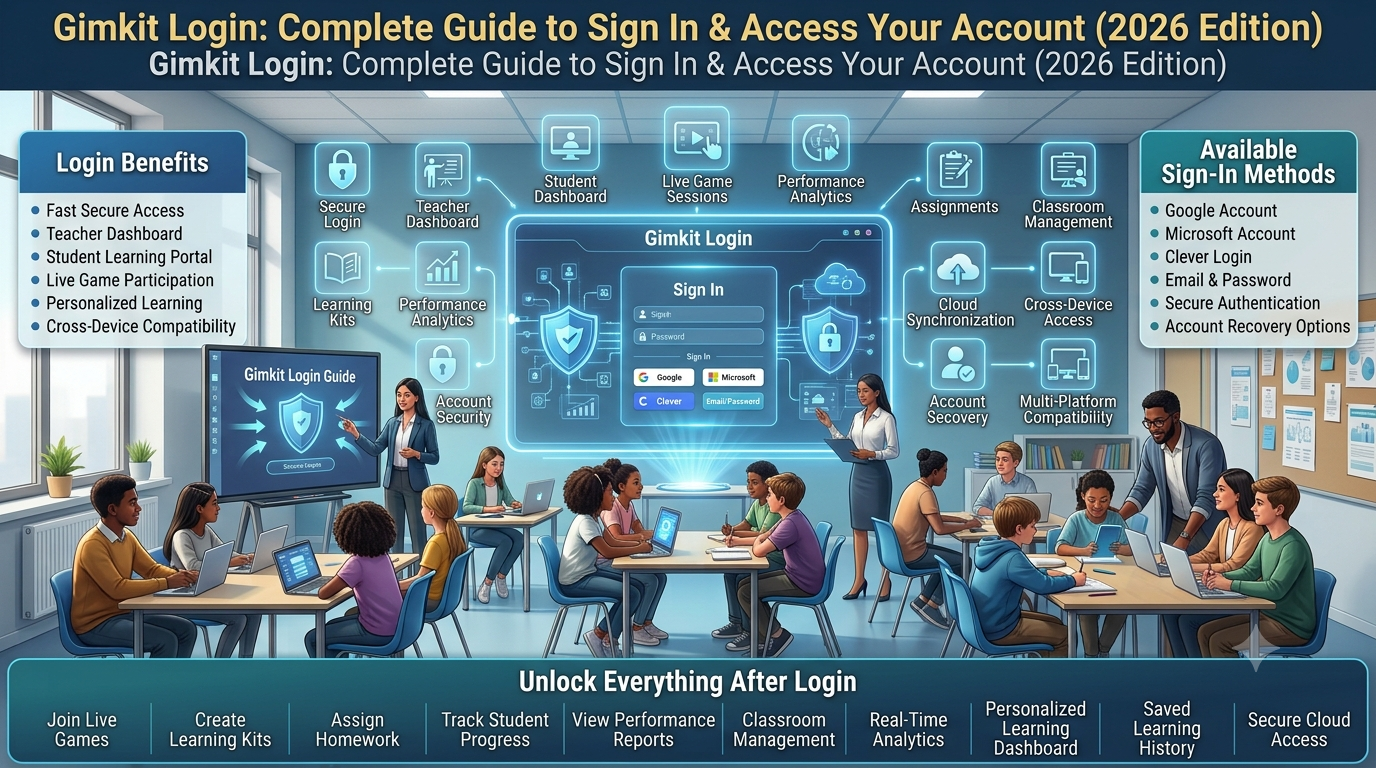
Gimkit Login is the official account sign-in process
for users who already have a Gimkit identity. Educators
use their accounts to access account-based teaching
capabilities, while students with accounts may use
them for supported Class membership and personal
account features.
This guide concentrates on authentication itself:
choosing the correct Google or email sign-in method,
recognising an account mismatch, handling a forgotten
password, understanding school-managed Google access
restrictions and avoiding unsafe attempts to recover
credentials through unofficial websites.
Google & Email AuthenticationSchool SSO GuidanceAccount Access Safety
Independent guide: GimkitApp.com is not operated by
Gimkit. Never enter an account password or recovery
token into this article or its interactive tool.
ACCOUNT AUTHENTICATION / IDENTITY PATH
Know which identity you are signing into.
A successful sign-in requires the expected account
and a supported authentication route.
01 Identify the account you already use
02 Choose its Google or email method
03 Complete authentication on Gimkit
✓ Reach the authenticated account
Account access ≠ starting a hosted game.
This illustration represents identity verification,
not an official Gimkit sign-in interface.
Direct Answer
How do you log in to an existing Gimkit account?
Open the official login page at
www.gimkit.com/login and complete
the sign-in process associated with the account
you already own. Gimkit documents Google
authentication and email-based account access.
If your account normally uses Google, select
the appropriate Google identity. If your account
uses an email password, follow the official
email sign-in flow.
The important word is existing.
Gimkit Login is not the process of establishing
a new profile, choosing an account type for
the first time or accepting a live-game
invitation. Those actions have their own
interface contexts. Signing in is the
act of proving that you are entitled
to access a previously created account.
If your sign-in does not work, the right
next action depends on which stage failed.
A rejected email/password attempt is
different from a Google Workspace
authorisation restriction. A missing
password-reset email is different from
having selected the wrong Google account.
Those differences matter because they
involve separate services and therefore
require different solutions.
This page provides a detailed account
authentication reference and a privacy-safe
sign-in analyzer. The analyzer helps you
reason about an access problem from the
information you choose. It cannot inspect
your actual account, read your browser
cookies, contact Google's identity
service or authenticate you to Gimkit.
What successful authentication establishes
A successful sign-in establishes an
authenticated browser session with the
relevant account. From that state, the
website can present capabilities associated
with that account's role and entitlements.
An Educator account and a Student account
are not interchangeable simply because
both are associated with email addresses.
Their authorised activities differ.
It is useful to distinguish account
ownership from available features.
Authentication determines which
user identity the platform recognises.
Authorisation determines which
actions that identity is permitted
to perform. An account may sign
in successfully yet lack a paid
entitlement or a particular
Class relationship.
That is not necessarily a login failure.
When the sign-in itself succeeds,
troubleshooting should move beyond
credential entry and toward the
relevant feature or account
configuration. Keeping those
categories separate prevents a
user from resetting a perfectly
valid password to solve
an unrelated permissions question.
Why the original login URL matters
The official destination is part
of the security boundary.
A search result, social media
post or copied tutorial can
refer to Gimkit without being
authorised to collect credentials.
The name of a website alone
does not establish that it
is the legitimate account
authentication service.
For an existing account,
use the official Gimkit
login destination rather
than entering a password
into a third-party
explanatory site. If you
are using a managed
school browser, it may
also be appropriate
to access the destination
through an approved
school bookmark.
🔐
Authentication
Confirm that the sign-in method can establish your identity.
🪪
Account identity
Ensure the identity selected belongs to the account you expect.
🛡️
Authorised access
Use permitted account features after successful authentication.
Credential Method Ownership
Google sign-in and email/password access are different authentication paths
Gimkit's account documentation describes Google and
email as supported account-creation and authentication
routes. The correct route is the one associated
with your existing account—not whichever button
looks most convenient at the moment.
G
Continue with Google
This approach delegates identity confirmation
to Google's authentication system. Your browser
may ask you to choose between signed-in
Google accounts, complete a Google identity
prompt or satisfy an organisation-specific
access restriction. The resulting identity
must correspond to the Gimkit account
you actually expect to open.
✉️
Email and password
This approach uses email-based credentials
through Gimkit's own supported account flow.
It is the relevant path when you normally
authenticate with an account password
or need to use the documented password-reset
option for an existing account.
Choosing an authentication provider is not a cosmetic preference
Two people can use the same physical
computer and encounter entirely different
sign-in experiences. One may rely
on a school-administered Google identity.
Another may have registered with
an email address and password.
A third may have multiple Google
accounts active in the browser.
Their correct authentication
paths depend on their account
histories, not on their
current computer.
The choice should begin with
a simple question: how did
this account normally authenticate
when it last worked? If
the account is used through
a school Google identity,
the Google route is a
reasonable first path.
If the user previously
signed in with an
email/password combination,
the corresponding email
route should be used.
Avoid interpreting a familiar
email address as proof that
two authentication buttons
will behave identically.
Google authentication may
involve an identity-provider
session and organisational
access rules that do not
apply in the same way
to a password-based
sign-in attempt.
How the Google identity provider changes the flow
When a user chooses Google,
the sign-in sequence may
involve more than one
website. Google verifies
the selected identity,
and the application
determines whether that
identity can be used
for the requested service.
A restriction may occur
before the Gimkit
account session is
established.
A school's administrator
may control whether a
school-administered Google
account is authorised
to use a third-party
educational application.
In that circumstance,
repeatedly clicking
the Google button is
unlikely to change
the administrative rule.
The appropriate response
is to identify the
actual access restriction,
determine whether the
account is school-managed
and involve the correct
administrator if needed.
Gimkit's own Help Center
describes the Google
Workspace for Education
trusted-app requirement
for affected younger users.
How an email-password route differs
An email-password sign-in
involves the account
email and its password
rather than selecting
an already authenticated
Google identity.
A forgotten password
belongs to the
recovery process
for that account.
Gimkit documents the
relevant reset request
from its official
login page.
The email route should
not be confused with
entering credentials
into the content of
this article. The
explanatory tool below
intentionally contains
no field for a password
and no field for
an email address.
It works with
descriptions of sign-in
circumstances rather
than secrets.
Why unsupported authentication logos should be removed
Some third-party Gimkit
guides mention Microsoft,
Clever or other school
identity providers as
universal Gimkit login
options. Product documentation
must support that
assertion before it
appears in an
authoritative page.
The primary account
documentation reviewed
for this article
describes Google
and email. It
does not substantiate
representing Microsoft
and Clever as
currently available
general-purpose login
buttons for every
Gimkit account.
Accordingly, this
article does not
claim those
unsupported options.
If Gimkit adds
or changes authentication
providers, the
official interface
and Help documentation
should be consulted
before updating
this page. A
third-party explanation
should not create
an imaginary
authentication feature
merely to capture
an additional
search keyword.
Question
Google authentication
Email/password authentication
Identity provider
Google account and its policies
Gimkit's supported email credential flow
Common mismatch
The browser selects the wrong Google identity
The user supplies credentials associated with another account
School policy effect
Google Workspace application access may be restricted
Email access and school policies may still affect recovery communications
Forgotten credential
Determine whether Google identity or a Gimkit password is involved
Use Gimkit's official password-reset pathway
Required safety practice
Verify the Google identity and the legitimate destination
Keep the password within the official service
Interactive Account Authentication Tool
Gimkit Sign-In Path Analyzer
Choose the circumstances of your existing account
and where authentication currently stops. The
analyzer builds a branching explanation of the
likely decision path, highlights unsupported
assumptions and directs you to an official
next action.
The model operates entirely in the browser.
It does not connect to Gimkit or Google and
does not ask you to enter your email,
username, password, game code or any
recovery information.
The analyzer is a rule-based educational aid,
not a credential validator, network monitor,
Google Workspace administrator panel or
official Gimkit authentication system.
No sign-in details are saved by this application.
Google Authentication
How school-managed Google accounts affect Gimkit Login
Google single sign-on is an identity relationship
Signing in with Google is
not merely an alternative
keyboard for entering a
Gimkit password. Google
verifies the selected
Google account, and
the resulting identity
is used in the
application's authentication
process. When the
identity belongs to
a managed educational
organisation, additional
administrative policies
can apply.
This separation explains
why an account can
appear valid in
one Google service
while access to
a particular
third-party application
is restricted. The
ability to open
school email or
another school
Google product
does not prove
that the organisation
has authorised every
external application.
An affected educator
should describe the
exact restriction
to the school's
Google Workspace
administrator rather
than resetting
unrelated credentials.
The administrator
controls organisation-level
application access.
A student using
a managed account
should similarly
follow the school's
authorised support
route.
The documented Google Workspace for Education trusted-app rule
Gimkit published a
specific Help Center
article about marking
the application as
trusted in Google
Workspace for Education.
The documented
restriction concerns
students under
eighteen using
school-administered
Google accounts
to authenticate
with third-party
educational software.
The article discusses
a change beginning
on October 23,
2023, and the
related expectation
that educational
organisations manage
which third-party
applications younger
users may access.
These details are
specific to
Google-managed
organisational
identities rather
than to every
Gimkit user.
Gimkit's published
recommendation is
for the responsible
Workspace administrator
to review the
application in
Google's app-access
controls and
mark Gimkit
as trusted
where approved.
A teacher or
student without
administrative privileges
cannot perform
that organisational
change themselves.
Describing this
condition accurately
is important because
an identity-provider
denial may look
similar to a
generic sign-in
problem. The
remediation is
not simply to
reload the page.
The relevant
question is
whether the
organisation permits
that identity
to use Gimkit.
What an educator should communicate to IT
An effective
administrator request
describes the
application, the
account category
affected, the
fact that access
fails during
Google authentication
and the official
documentation explaining
the trusted-app
requirement. It
does not ask
IT to lower
security settings
without review.
The request should
identify whether
the issue affects
a school-managed
Google identity
and whether the
restriction appears
before the
Gimkit session
opens. That
distinction helps
administrators investigate
the correct
policy rather
than treating
the issue
as a general
website outage.
The decision
to mark an
application trusted
belongs to
the educational
organisation. Its
data-privacy,
safeguarding and
application-governance
requirements should
be respected.
A third-party
guide cannot
approve the
application on
the organisation's
behalf.
What if the school cannot approve Google sign-in?
Gimkit's Help
article describes
an email-password
alternative for
users whose
school-administered
Google authentication
is affected. It
explains that
users may
establish a
password through
the official
forgotten-password
route and use
the supported
email authentication
method instead.
This is not
an invitation
to evade
institutional
policy. Users
should first
follow the
school's authorised
account and
application-use
rules. If
the institution
has prohibited
use of a
service generally,
switching credential
methods does
not automatically
make that
activity permissible.
It is also
important to
avoid promising
that every
Google account
can be
converted by
any arbitrary
method. The
official Gimkit
guidance describes
the supported
process. Its
current interface
should be
followed instead
of improvising
a separate
password form
on another
site.
Managed and personal Google identities can coexist
A teacher
may have
a personal
Google account
and an
institution-managed
account active
simultaneously.
The same
browser may
remember both.
Choosing Continue
with Google
can therefore
require careful
selection of
the intended
identity.
If the user
chooses the
personal identity
when the
account was
established through
the school
address, the
result may
not be
the expected
Gimkit account.
The user
should not
assume their
saved educational
resources have
disappeared merely
because the
wrong identity
was selected.
First confirm
which Google
identity was
used. If
the wrong
account is
active, return
to the
legitimate login
process and
select the
expected account.
Do not
delete profiles,
sign up
repeatedly or
change ownership
information without
understanding the
underlying identity
relationship.
When the problem belongs to Google rather than Gimkit
An error
displayed by
Google's sign-in
system may
be caused
by a
Google account
restriction,
a managed
policy or
an authentication
prompt that
has not
been completed.
That differs
from Gimkit
accepting the
Google identity
and then
showing the
wrong application
account.
Identifying which
service displayed
the message
makes support
more precise.
Users can
safely describe
the wording
of an
error without
sharing their
password, reset
link or
one-time
verification information.
The wording
and stage
are more
useful than
repeated speculative
password attempts.
Why browser state can influence Google sign-in
Google may
already have
an authenticated
identity in
the browser.
When a
user returns
to a
third-party
application, the
browser may
present an
account chooser
or proceed
with the
active Google
identity.
In a school
where devices
are shared,
the active
Google identity
deserves particular
attention. A
learner should
not use
another person's
existing Google
session merely
because the
account is
visible in
the chooser.
The authorised
identity must
belong to
the current
user.
Users should
follow the
institution's
browser profile
policy. Switching
between browser
accounts and
deleting browser
data are
different operations,
with different
consequences.
A controlled
identity change
is preferable
to clearing
all browser
data without
considering
other school
applications.
Official Credential Recovery
Forgotten Gimkit passwords and recovery email delivery
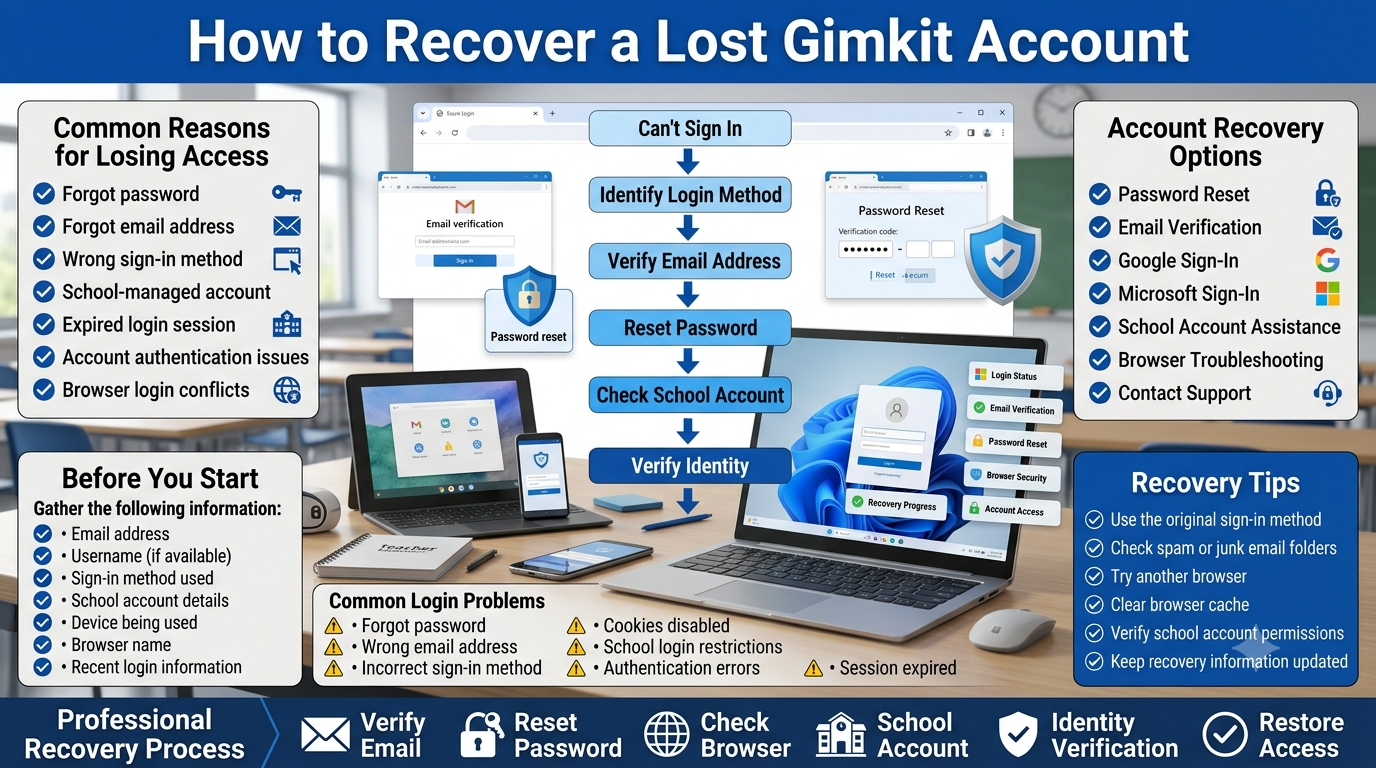
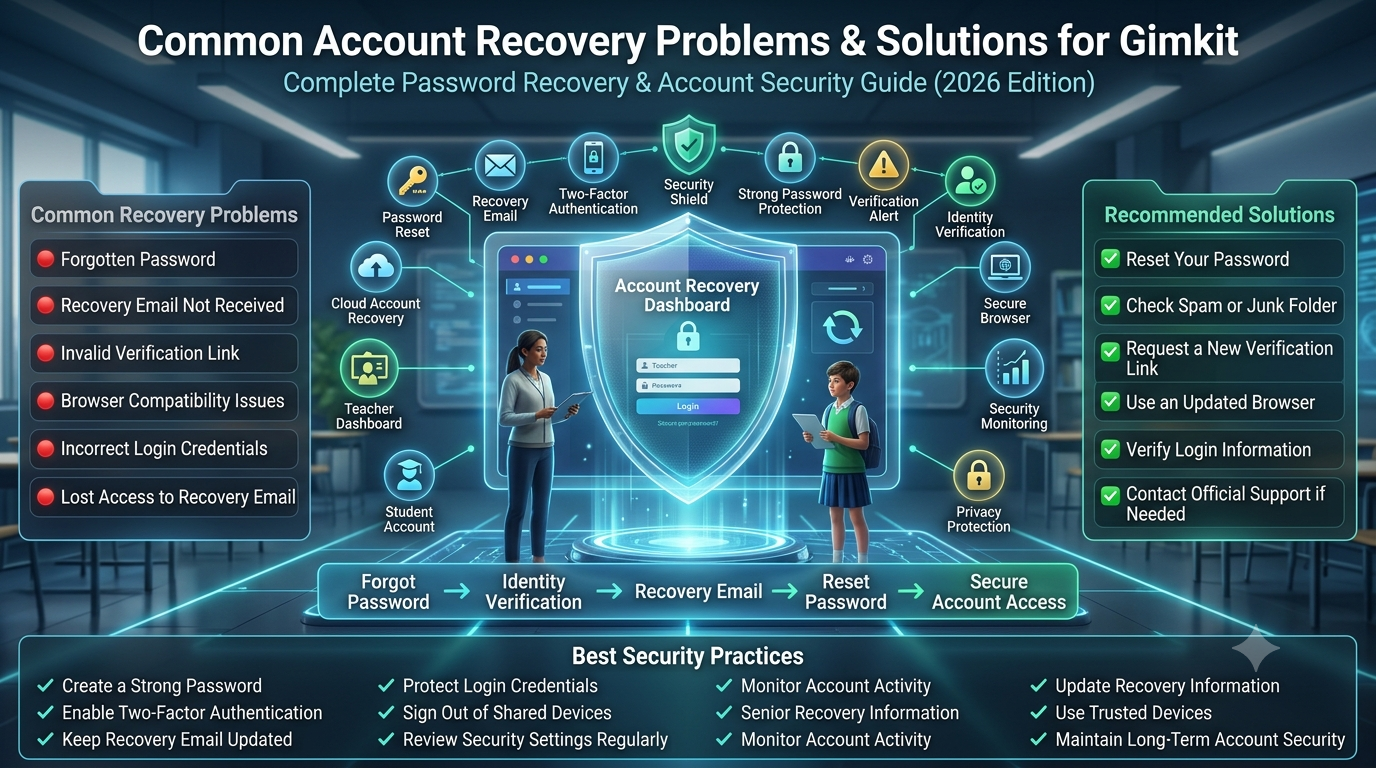
The password-reset route is part of the official
account service. It should be used when the
user needs to restore a password-based
sign-in or follow Gimkit's documented
procedure for establishing a password
in an eligible account situation.
1
Official login page
Open Gimkit's own account authentication page.
2
Forgot Password
Follow the documented reset request after entering the relevant email.
3
Account inbox
Find the genuine email containing the recovery link.
4
Return securely
Complete recovery on the official service and sign in again.
Official steps when you are signed out
Gimkit's password-reset
documentation begins
from its login page.
The user enters
the account's
email address,
chooses Forgot
Password, submits
the request and
looks for a
reset email.
That message
contains the
recovery link
used to
complete the
password change.
The reset
email is
a security-sensitive
message. It
should be
opened by
the authorised
account holder
and should
not be
posted into
a public
forum, submitted
to an
unofficial support
website or
forwarded to
unrelated people.
The process
is often
described too
casually by
third-party
tutorials. They
may promise
that an
account can
be restored
in a fixed
number of
seconds or
that every
reset request
will arrive
immediately. Neither
claim is
appropriate without
verified evidence
about the
specific account
and email
system.
The importance of using the account's actual address
Email-based
recovery depends
on identifying
the relevant
account correctly.
A person
who owns
multiple email
addresses may
request a
reset for
an address
that is
not the
one associated
with the
intended account.
That creates
confusion even
when the
reset system
itself is
operating correctly.
Before submitting
repeated requests,
consider the
account identity
you normally
used. The
current login
page may
not be
able to
tell you
which of
several addresses
is associated
with the
content you
expect. That
distinction should
be investigated
through legitimate
account records
and official
support channels.
This article
deliberately does
not ask
readers to
list their
email addresses.
An informational
website does
not need
to collect
private identifiers
to explain
the recovery
decision.
When the reset message does not arrive
Gimkit's Help
Center explicitly
acknowledges that
account emails
may be
blocked by
school networks
or diverted
to a
spam folder.
The account
FAQ recommends
checking the
relevant email
folders and
reviewing the
approved sender
arrangements with
the institution's
IT team.
A missing
message is
not proof
of a
particular technical
failure. The
user may
have chosen
a different
account address,
the school
mail system
may filter
the sender,
or the
delivery process
may be
delayed. Without
access to
the user's
mailbox or
Gimkit's service
logs, a
third-party guide
cannot identify
the cause
with certainty.
The logical
first checks
are the
ordinary mailbox
folders, the
expected account
address and
the institution's
mail-filtering policy.
If the
issue persists,
official Gimkit
Help describes
contacting support
from the
email address
on the
account.
School email systems are not ordinary personal inboxes
A managed
educational mailbox
can have
inbound mail
restrictions,
filtering rules,
quarantines and
organisation-level
allowlists. The
student or
teacher may
not have
permission to
change these
settings independently.
Simply searching
an inbox
repeatedly does
not address
a mail
policy that
blocks the
sender before
delivery.
Gimkit identifies
the sender
used for
many account
messages in
its Account
FAQ. It
also recommends
that relevant
domains be
permitted by
the school's
mail system.
An educator
can provide
that official
reference to
IT instead
of proposing
a guess
about the
service's mail
infrastructure.
If the
account owner
lacks permission
to inspect
quarantine reports,
the authorised
administrator is
the proper
contact. A
third-party
article should
not instruct
students to
bypass filtering
controls or
forward credential
messages to
unapproved external
mailboxes.
Why reset links must be treated as secrets
A password-reset
link is
typically intended
to prove
that the
recipient can
access the
account's
registered mailbox.
Anyone who
receives the
link may
be placed
in a
position to
interfere with
the recovery
process. The
exact expiry
and security
checks belong
to the
official service.
Do not
paste a
recovery link
into an
online analyzer,
public comment,
chat group
or unrelated
technical support
form. If
a help
request is
needed, describe
what stage
failed without
transmitting the
recovery URL.
The Sign-In
Path Analyzer
intentionally excludes
fields for
reset links
and verification
tokens. Its
answers are
based on
declared conditions
such as
whether a
recovery email
appears, not
on inspecting
sensitive material.
If the account's mailbox is no longer accessible
Losing access
to the
email address
associated with
an account
is not
the same
problem as
forgetting a
password. An
email-based
reset may
depend on
the very
mailbox that
the user
cannot open.
Gimkit publishes
account-management
guidance for
changing an
email when
the user
cannot access
the account.
That situation
involves a
different verification
process and
may require
information handled
directly by
official support.
A third-party
article should
not request
identity documents,
screenshots of
private email,
account ownership
evidence or
recovery codes
on Gimkit's
behalf. The
official support
channel is
responsible for
its own
identity verification
policy. Users
should verify
the legitimacy
of the
request before
sharing sensitive
information.
Distinguishing a password reset from a password change
A reset
is used
when the
account holder
cannot complete
the ordinary
password-based
authentication process.
A password
change may
occur when
the user
is already
authenticated and
wants to
update account
security information.
The two
routes have
different starting
conditions.
Gimkit's
account-settings
documents discuss
password management
and related
account changes.
A user
who is
already signed
in should
use the
appropriate supported
account-management
flow rather
than assuming
that becoming
signed out
is necessary
for every
security adjustment.
This page's
primary purpose
remains restoring
or establishing
legitimate sign-in.
It does
not create
a fake
form for
changing Gimkit
account passwords.
Identity Continuity
Why the wrong signed-in account can look like missing Gimkit content
Authentication success is not proof that the expected identity was selected
One of the
most confusing
account experiences
occurs when
sign-in completes
successfully but
the visible
account does
not contain
the materials
or permissions
the user
expected. It
is tempting
to treat
this as
a lost-data
event. However,
the first
identity question
is whether
the correct
existing account
was actually
authenticated.
Multiple accounts
can be
associated with
the same
person over
time. A
teacher may
have a
personal identity,
a school-managed
Google account
and a
separate professional
mailbox. A
browser can
remember different
Google sessions,
creating an
opportunity to
authenticate as
a different
account.
That situation
must be
investigated at
the identity
level before
assuming that
an application
has deleted
resources. Selecting
the intended
Google identity
or email
account can
change the
authenticated context
without any
data transfer
or recovery
operation.
School and personal identities are not automatically combined
A person
may regard
two email
addresses as
belonging to
the same
human being.
Authentication
systems treat
identity as
a specific
account relationship.
The fact
that both
addresses are
controlled by
one person
does not
prove that
application data
will be
pooled across
them.
A Gimkit
account associated
with one
address should
not be
assumed to
share its
complete account
state with
another identity.
Similarly, a
school Google
account and
a personal
Google account
may be
subject to
different policies.
Before creating
additional accounts
or changing
account details,
determine which
identity was
previously used
for the
desired resources.
Unnecessary new
accounts can
make the
identity picture
more complicated.
This guide
does not
claim that
separately created
accounts can
be automatically
merged.
Understanding an unexpected account role
Gimkit's
official Account
FAQ recognises
Educator and
Student account
types. If
a user
signs in
but sees
a different
account experience
than expected,
the observed
role is
relevant information.
However, it
does not
prove that
the user's
password is
invalid.
Role selection
is primarily
an account-creation
subject. This
login article
limits its
coverage to
recognising that
the authenticated
account's role
affects what
can be
accessed afterward.
It does
not reproduce
the registration
flow or
a detailed
permissions dashboard.
If the
account itself
is the
wrong identity,
resolve identity
selection first.
If the
correct identity
authenticates but
a particular
feature is
unavailable, examine
the relevant
permissions or
account settings
through official
documentation.
Why switching identity should be deliberate
Signing out
and signing
into a
different account
changes the
authenticated context.
That process
may affect
which materials
and controls
the application
displays. A
user should
distinguish this
legitimate change
from a
destructive operation
such as deleting
an account.
A cautious
approach confirms
the desired
identity, then
uses the
appropriate official
sign-in method.
It does
not involve
resetting every
password, creating
several replacement
profiles or
requesting account
deletion.
This principle
is especially
important for
educators whose
institutional email
address or
employment has
changed. The
ability to
access a
former identity
may depend
on organisation
policies outside
Gimkit's control.
Email changes and authentication continuity
Gimkit's
official guidance
describes changing
the account
email from
Account Information
in Settings
after sign-in.
The documented
process includes
confirmation using
the new
address and
its received
verification information.
If a
user recently
changed their
account email,
the address
they remember
from earlier
sessions may
no longer
be the
current account
email. This
creates a
legitimate reason
to review
recent account
changes before
assuming an
old password
has stopped
working.
The email-update
procedure itself
belongs to
account management.
This article
does not
recreate its
verification form.
It explains
why the
current account
identity must
be established
before choosing
a login
recovery path.
Why account data should not be inferred from a login error
An unsuccessful
authentication attempt
offers limited
information about
the user's
underlying account.
It does
not, by
itself, show
that content
has been
deleted or
that a
subscription has
been cancelled.
Those are
separate account
and product
states.
Reliable troubleshooting
starts with
observations at
the correct
layer: was
the identity
provider reached;
did it
accept the
user; was
an application
session established;
and does
that session
correspond to
the expected
account? These
questions are
more useful
than jumping
directly to
a conclusion
about missing
resources.
The Sign-In
Path Analyzer
formalises that
distinction with
an explicit
sequence of
authentication states.
It does
not claim
to know
the account's
real internal
state.
Browser-Side Authentication
Sign-in loops, redirects, saved sessions and browser conditions
Understand where a login loop occurs
A login
loop usually
describes the
visible experience
of returning
to a
sign-in screen
after attempting
authentication. That
description alone
does not
identify the
cause. The
browser may
be having
difficulty preserving
session state,
an identity
provider may
be rejecting
the selected
account, or
the application
may not
have completed
the expected
sign-in transition.
An accurate
troubleshooting process
notes the
stage at
which the
loop occurs.
Does the
user return
from Google's
identity prompt?
Does the
official Gimkit
page display
an error?
Does sign-in
seem to
succeed but
a subsequent
page request
returns to
the login
screen?
These observations
help distinguish
provider selection
from session
persistence. Without
that distinction,
users may
repeatedly reset
passwords even
though credential
verification was
not the
failing stage.
The function of browser session data
Modern web
applications may
use cookies
or related
browser mechanisms
to preserve
authenticated state.
Authentication can
involve temporary
redirects and
tokens that
the service
manages internally.
A third-party
article cannot
infer Gimkit's
private implementation
details merely
from the
appearance of
the sign-in
screen.
The practical
implication is
that aggressive
browser restrictions,
incompatible extensions
or unexpected
session behaviour
can interfere
with some
login flows.
This is
general web
troubleshooting guidance,
not a
verified statement
that one
specific cookie
is always
required by
Gimkit.
If browser
state appears
relevant, use
an approved,
up-to-date
browser and
consider whether
the issue
reproduces under
a clean
authorised session.
Do not
indiscriminately disable
the school's
security measures
or remove
all browser
data without
understanding the
consequences.
Why clearing everything is not the first step
Many generic
technology articles
immediately tell
users to
delete cookies,
cached files
and stored
data. That
advice can
be disruptive,
particularly on
a managed
school device
where the
browser supports
multiple educational
services. It
may also
sign the
user out
of unrelated
accounts.
A more
measured approach
first identifies
the actual
failure stage.
If the
problem is
choosing the
wrong Google
identity, clearing
everything may
be unnecessary.
If the
school administrator
has denied
Google app
access, clearing
cache cannot
grant the
missing permission.
For an
unresolved browser
problem, approved
IT guidance
can help
identify whether
a narrower
browser-state
change is
appropriate. The
objective is
a targeted
correction rather
than broad
disruption.
Extensions and privacy controls
Browser extensions
can modify
page behaviour,
block scripts
or impose
privacy restrictions.
Some authentication
experiences are
sensitive to
those changes.
However, the
mere presence
of an
extension does
not establish
that it
caused a
particular Gimkit
login problem.
Testing an
alternative approved
browser configuration
may help
narrow the
issue. The
user should
preserve institutional
safety controls
and avoid
turning off
protective extensions
without permission.
A school-managed
browser may
enforce settings
for legitimate
reasons.
If the
same account
works in
another authorised
browser but
not in
the first,
the difference
is useful
evidence for
support. It
does not
automatically identify
the exact
browser component
responsible.
Private browsing is a diagnostic context, not a universal solution
Some users
experiment with
private browsing
to separate
ordinary saved
sessions from
a new
browser context.
That may
help show
whether a
Google account
chooser or
previously saved
identity influences
the observed
flow.
Private mode
does not
override Google
Workspace application
policy, repair
an invalid
password or
make a
missing account
exist. Its
relevance is
limited to
the browser
state being
tested. School
policies may
also restrict
private browsing.
The best
use of
such a
test is
diagnostic rather
than evasive.
If policy
prohibits a
workflow, changing
the browser
mode is
not permission
to bypass
that policy.
What happens on a shared computer
A shared
classroom computer
can contain
browser state
belonging to
a previous
user. Selecting
the wrong
Google identity
may authenticate
someone other
than the
person sitting
at the
device. That
creates both
confusion and
a privacy
concern.
The authorised
user should
follow institutional
sign-in and
sign-out
procedures. Gimkit
also documents
logging out
through the
Me menu
in the
account dashboard.
A shared
device procedure
may additionally
require ending
the browser's
relevant Google
session.
These are
separate operations.
Logging out
of Gimkit
does not
necessarily mean
every Google
service on
the device
is also
signed out.
Users should
understand the
scope of
the action
they are
taking.
Why the address bar deserves attention
A page
that resembles
a familiar
login screen
is not
necessarily the
legitimate service.
Browser address
bars provide
critical context
about the
website requesting
credentials. The
official Gimkit
login destination
uses the
gimkit.com domain.
A deceptive
page may
display the
words Gimkit
Login while
sending entered
credentials to
an unrelated
domain. Branding,
colours and
screenshots are
easy to
imitate. Domain
identity matters
more than
visual resemblance.
If a
website reached
from a
search result
asks for
account passwords
but is
not the
expected official
destination, stop
and verify
the link
through a
trusted source.
This article
itself never
asks for
such credentials.
Recognising a genuine authentication handoff
A legitimate
Google sign-in
flow may
move between
the application
and Google's
authentication pages.
That is
conceptually different
from an
unrelated website
presenting a
fake Google
credential box.
Users should
check the
actual destination
and pay
attention to
unexpected requests
for secrets.
A third-party
guide cannot
certify every
redirect observed
in an
individual browser.
When in
doubt, navigate
directly to
the official
login page
and restart
the legitimate
flow. Do
not continue
a suspicious
sequence solely
because it
includes a
recognised brand
logo.
Account Access Safety
Secure sign-in habits and avoiding false account-recovery offers
Why unofficial login portals are a real risk
Informational websites
can legitimately
explain how
to sign
in to
Gimkit. They
do not
thereby acquire
permission to
authenticate users,
receive account
passwords or
collect reset
tokens on
Gimkit's behalf.
The distinction
is especially
important when
a page
claims it
can recover
an account
automatically. Without
a verified
official integration,
such a
site has
no basis
for requesting
sensitive account
material. Account
recovery should
remain within
Gimkit's actual
service and
authorised support
procedures.
This guide
provides a
direct outbound
link to
the official
Gimkit sign-in
page. Its
interactive analyzer
instead asks
non-sensitive
categorical questions
about the
observed authentication
stage. That
design intentionally
separates user
education from
credential handling.
Credential secrecy includes recovery links
A password
is not
the only
account secret.
Recovery links,
temporary verification
codes and
authenticated session
information may
also be
sensitive. A
person who
shares one
of these
items can
expose the
account to
unintended access.
If technical
support asks
for information,
distinguish an
error description
from a
credential. It
can be
reasonable to
describe which
sign-in method
was attempted
and what
message appeared.
It is
not appropriate
to publish
a password
or active
recovery token
in a
public support
discussion.
Educational institutions
should use
their established
account and
safeguarding procedures.
The application
provider controls
its own
recovery process;
third-party
sites cannot
replace that
authority.
How to respond to a suspicious password request
Suppose a
student searches
for Gimkit
login and
lands on
a page
that promises
instant account
repair if
a password
is entered.
The student
should first
check whether
the page
belongs to
the official
service. The
claimed benefit
is not
proof of
legitimacy.
If the
destination is
unrelated to
Gimkit's official
account system,
do not
provide credentials.
Return to
the legitimate
site through
a trusted
route. If
sensitive information
has already
been entered
somewhere suspicious,
follow official
account security
and institutional
reporting procedures.
A responsible
article should
be explicit
about what
its own
tool cannot
do. The
Sign-In Path
Analyzer cannot
inspect or
change an
account's actual
authentication credentials.
Its outputs
are informational
interpretations of
selections made
by the
reader.
Account access and school safeguarding
School accounts
exist within
organisational policies.
Teachers and
students may
have different
authorisation levels,
and administrators
may restrict
external applications.
These rules
should not
be treated
as obstacles
to bypass
casually.
If an
account is
managed by
the institution,
the user
should contact
an authorised
administrator for
policy-related
access problems.
A school
may need
to review
a third-party
application's
privacy arrangements
before granting
access.
This can
take longer
than a
simple password
reset, because
the underlying
issue is
governance rather
than forgotten
credentials. A
precise diagnosis
saves time
by avoiding
unrelated technical
attempts.
Why the teacher should keep account responsibility separate from gameplay
A teacher
using Gimkit
has at
least two
distinct operational
contexts: maintaining
authorised account
access and
conducting learning
activities within
the platform.
Those contexts
have different
security needs.
Account authentication
should be
completed through
the official
sign-in service.
Once the
teacher is
authenticated, they
can use
permitted product
capabilities according
to their
role and
plan. The
game itself
does not
require the
class to
know the
teacher's
account password.
The principle
is simple:
credentials are
for authenticating
the account
holder, not
for distributing
access to
a classroom
activity. Keeping
them private
protects both
the account
owner and
the integrity
of the
institution's
digital services.
Sign-out as part of a complete authentication lifecycle
Secure account
access includes
ending sessions
when appropriate.
Gimkit's official
Help Center
documents logging
out from
the Me
dropdown in
the account
dashboard. This
is the
counterpart to
signing in,
although the
browser may
still retain
separate Google
authentication state.
On a
personal device,
remaining signed
in may
be consistent
with the
user's preferences
and local
security expectations.
On shared
equipment, institutional
procedure may
require a
complete sign-out
before another
user takes
control.
Users should
distinguish the
Gimkit account
session from
the wider
Google identity
session in
the browser.
Both may
need attention
when handing
over a
device, depending
on the
organisation's
approved workflow.
When to stop troubleshooting independently
There is
a point
at which
repeated trial-and-error
becomes less
useful than
properly directed
support. If
Google denies
an institution-managed
identity, a
student cannot
change the
organisation's
application policy.
If account
email access
has been
lost, the
person may
need an
official account
verification process.
Similarly, an
unexplained account
mismatch should
not lead
to repeated
registration attempts
or destructive
changes to
profile information.
Preserve the
relevant observations
and seek
help from
the responsible
service or
administrator.
The most
useful support
request identifies
the stage,
the observed
message, the
authentication provider
and whether
the identity
is organisation-managed.
It avoids
sharing secrets
or making
unsupported claims
about the
cause.
Authentication Failure Patterns
Distinct login scenarios and their proper decision boundaries
Similar-looking login failures can emerge from
different layers. The most useful next step
depends on where the process stopped—not
merely on whether the user saw an error.
🔀
Scenario A: The wrong Google identity is selected
A teacher has two Google
accounts saved in one browser.
Sign-in completes, but the
visible account is not
the one expected. The
primary investigation is
identity selection. Resetting
passwords without checking
which account was chosen
would not directly address
that mismatch.
🏛️
Scenario B: Managed Google access is denied
A school-managed identity
reaches a Google permission
or application-access restriction.
The relevant evidence is
the identity provider's
message and the school's
app-access policy. The
appropriate response involves
official Gimkit documentation
and the authorised Workspace
administrator.
🔑
Scenario C: An email password is forgotten
The account holder remembers
the email-based route but
cannot supply the correct
password. The supported
next step is to use
Gimkit's official Forgotten
Password process. This
does not require the
independent article to
handle a replacement password.
📨
Scenario D: Recovery email never appears
A reset was requested,
but the expected message
cannot be found. The
issue may concern mailbox
identity, spam filtering
or school mail restrictions.
An account reset should
not be pronounced complete
until the official
process actually succeeds.
🔁
Scenario E: Authentication returns to the login screen
A user completes a
sign-in step and then
returns to an earlier
screen. Relevant observations
include the provider used,
the point of redirection
and the browser environment.
A loop is a symptom,
not proof of a
single underlying cause.
🧩
Scenario F: The correct account opens with unexpected capabilities
The identity is authenticated
but particular controls or
entitlements are absent.
This may be an account-role
or authorisation question.
It should not automatically
be treated as an
authentication defect or
resolved by another
password reset.
A systematic way to read authentication symptoms
An authentication
problem becomes
more manageable
when the
observed events
are placed
in order.
First establish
which sign-in
route was
attempted.
Next identify
whether the
user reached
the expected
identity provider
or email
credential form.
Then identify
whether verification
succeeded and
whether the
intended application
account opened.
Each stage
narrows the
relevant explanation.
A policy
denial before
account entry
is different
from a
successful sign-in
to an
unexpected profile.
A recovery
email that
was never
delivered is
different from
a password
that is
known to
be incorrect.
This method
is an
independently constructed
diagnostic model.
It is
not a
claim that
Gimkit publishes
this exact
internal authentication
state machine.
Its purpose
is to
turn ambiguous
user descriptions
into clearer
support questions.
When account creation would be the wrong response
A user
who cannot
access an
existing account
may be
tempted to
create a
new one.
That can
be appropriate
only when
the user
actually intends
to establish
a separate
account and
understands the
consequences.
A fresh
identity is
not automatically
a recovery
of the
previous one.
Saved resources,
account permissions
and billing
relationships may
be associated
with the
original identity.
Creating a
replacement account
does not
prove those
relationships have
transferred.
For an
existing-account
access problem,
first investigate
the correct
authentication route,
account identity
and official
recovery options.
The full
new-account
procedure is
owned by
the separate
Gimkit Sign Up article.
When a dashboard problem is no longer a login problem
Authentication and
account navigation
are consecutive
but different
activities. Once
the correct
identity has
signed in,
questions about
finding account
settings, understanding
workspace sections
or organising
the visible
interface no
longer belong
primarily to
the login
procedure.
This distinction
matters for
a clean
content architecture.
It prevents
the Gimkit
Login article
from becoming
another complete
dashboard tutorial.
The separate
Gimkit Dashboard guide
owns that
deeper navigation
intent.
If the
correct account
opens normally,
login has
achieved its
main purpose.
Subsequent
feature-specific
questions should
be directed
to the
relevant area
rather than
sending the
user through
repeated credential
checks.
What evidence is appropriate for a support request?
Useful information
includes whether
the account
is an
Educator or
Student account,
whether Google
or email
authentication was
attempted, whether
a Google
account is
school-managed
and where
the process
stopped.
A short
description of
the error
wording may
be useful.
The person
asking for
support should
avoid supplying
passwords, reset
links, authentication
codes or
unnecessary private
student information.
This approach
gives official
support or
administrators enough
context to
choose the
right investigation
without making
the user
disclose secrets
to a
third-party
website.
Authentication Boundaries
Which service is responsible for each stage?
Stage
Responsible environment
What it establishes
What it does not establish
Opening official login
Gimkit's own authentication destination
The user is at the legitimate starting point
That a particular account is already signed in
Google account selection
Google authentication and relevant organisation policies
Which Google identity is being presented
That every third-party application is permitted
Email credential attempt
Official Gimkit authentication process
Whether the submitted credentials can be authenticated
Whether an unrelated account has the same resources
Password recovery request
Official Gimkit recovery service and mailbox
A supported recovery procedure has been initiated
That delivery has succeeded or the password has changed
School application restriction
Google Workspace administrator
Whether the managed account may access the application
That a student knows or does not know the password
Authenticated account state
Gimkit account service
The identity associated with the signed-in session
That every paid or role-specific feature is available
Local Sign-In Path Analyzer
This independent webpage
A transparent interpretation of selected circumstances
Any actual live account or server status
Why an authentication model improves troubleshooting
When a
sign-in attempt
fails, the
user often
describes only
the final
result: “I
cannot log
in.” That
sentence is
understandable, but
it does
not identify
which service
rejected the
attempt or
whether the
user reached
the expected
account in
the first
place.
Mapping the
stages creates
a more
useful description.
It separates
account selection
from credential
verification, organisational
permission from
browser session
handling and
post-login
authorisation from
authentication itself.
These distinctions
are especially
important in
educational technology
because school
account administration
may be
controlled by
a different
organisation from
the platform
provider. A
teacher may
be able
to manage
Gimkit content
but not
Google Workspace
application permissions.
The service
boundary determines
who can
resolve the
issue. The
teacher may
confirm which
identity is
intended. School
IT can
examine managed
Google app
restrictions. Gimkit
support can
address supported
application-specific
account questions.
Why current documentation is more useful than guessed fixes
Login services
evolve, and
interface labels
may change.
A guide
should remain
anchored to
verified product
behaviour while
acknowledging that
exact visual
details can
differ from
older screenshots.
The relevant
official Gimkit
articles document
account types,
email/password
recovery and
school Google
access. They
provide a
stronger factual
foundation than
a third-party
claim about
an undocumented
provider or
a guaranteed
one-click repair.
A good
informational resource
also identifies
its own
limitations. No
independent article
can read
a user's
actual failed
authentication request
merely because
the reader
selects a
symptom from
a local
interface.
Gimkit Login FAQ
Account sign-in questions answered
These answers are deliberately specific to
authentication, identity continuity and access.
They do not reproduce game joining, hosting
or account registration tutorials.
What is the official Gimkit Login URL?
The official sign-in page is
https://www.gimkit.com/login. Use the
legitimate domain to access an existing
account rather than submitting credentials
to an informational website using similar
branding. If you arrive from a search
result or external message, check the
destination before entering private details.
Can I sign in to Gimkit with Google?
Gimkit's official account documentation
describes Google authentication. Use the
Google identity associated with the
intended account. When several identities
are available, pay attention to the
account selected. School-administered
Google identities may also be affected
by organisational application-access
restrictions.
Does Gimkit support email and password login?
Yes. Official documentation describes
email-based account access and a
Forgotten Password option. An existing
account's correct sign-in route depends
on its account history. Password entry
must take place on the legitimate
Gimkit service, never inside this
independent guide or its analyzer.
Can I use Clever or Microsoft to log in?
The official account references reviewed
for this article document Google and
email authentication. They do not
establish Clever or Microsoft as
general login options. Do not assume
that those providers are available
solely because older third-party
tutorials mention them. Follow
the current official interface.
Why does Continue with Google open a different account?
The browser may be presenting
another Google identity, particularly
when both personal and school-managed
Google accounts are active. Confirm
which identity was selected and whether
it matches the account you intended.
An unexpected account view does not
automatically prove data was lost.
What if my school Google account cannot access Gimkit?
Check whether the message concerns
Google Workspace third-party application
restrictions. Gimkit's official Help
Center describes the trusted-app
requirement for affected school-administered
identities and the administrator's
responsibility for approving access.
Do not attempt to bypass school policy.
Can teachers mark Gimkit trusted themselves?
Only users with the appropriate
Google Workspace administrative
privileges can perform organisation-level
app-access changes. An ordinary teacher
or student generally needs to contact
the authorised administrator. Gimkit
provides official instructions that
can be shared with the IT team.
What should I do if I forgot my Gimkit password?
Visit the official login page,
provide the relevant account email
and follow Gimkit's documented
Forgot Password process. Look
for the recovery email and
complete its instructions within
the official service. Do not
send the reset link to
an unrelated website.
Why has my Gimkit password-reset email not arrived?
Gimkit notes that school filters
and spam folders can affect
account mail. Check the expected
inbox and its filtered folders.
If a managed school mailbox
blocks the sender, involve
authorised school IT. Official
Gimkit support provides additional
recovery guidance.
What if I cannot open my registered email address?
This is a separate identity
and recovery problem. A reset
process may depend on email
access you no longer have.
Use Gimkit's official account
support and published account-email
change guidance. Do not submit
identity documents or private
mailbox details through
this page.
Why does Gimkit return to the login screen?
A returning login screen is
a symptom rather than a
confirmed cause. The relevant
stage may involve identity
selection, authentication completion
or browser session behaviour.
Note where the transition
fails before changing passwords,
accounts or browser settings.
Should I clear all my cookies to fix a login problem?
Not automatically. Clearing
browser data may sign you
out of unrelated services
and can disrupt managed
educational workflows. First
identify whether the problem
is an account-selection issue,
a Google policy restriction
or a browser-specific condition.
Use authorised troubleshooting.
Can a login work on one computer and fail on another?
Yes, different browsers and
devices can have different
saved account identities,
organisational restrictions or
session settings. The difference
is useful diagnostic evidence,
but does not by itself
establish which component is
responsible for the failure.
Is a student account required for every Gimkit activity?
Not every student activity
requires an account. Gimkit's
official Account FAQ says
student accounts are optional
for ordinary live-game and
assignment participation, while
account-based features such
as Classes and cosmetic
progression have different
requirements. This article
focuses on users who
actually need sign-in.
Is Gimkit Login the same as creating an account?
No. Login authenticates an
existing identity. Registration
establishes an account and
its initial role. Repeatedly
registering is not the same
as recovering a previously
created profile. Use the
official sign-in or recovery
method appropriate to
the existing account.
Why do I see different features after signing in?
Authentication establishes an
account identity, while
feature access depends on
the account's role and
entitlements. First ensure
that you authenticated the
intended account. If the
identity is correct, the
issue may be authorisation
rather than an incorrect
login credential.
What if I changed the email on my Gimkit account?
Gimkit documents an email-change
process in account settings.
A recent change may affect
which address you should
associate with the account.
Review the legitimate account
history before requesting
repeated password resets
for an older address.
Does the Sign-In Path Analyzer check my real password?
No. It contains no password
input and makes no authentication
requests. The analyzer combines
user-selected non-sensitive
circumstances into a local
decision path. Its results
are educational guidance,
not a declaration that
an account is valid
or invalid.
Can this page tell me if Gimkit's login servers are down?
No. A failed sign-in
may involve account choice,
school policy, browser
behaviour or the
service itself. This
independent webpage has
no authenticated access
to Gimkit's operational
monitoring. Do not treat
a local analyzer output
as a real-time
outage report.
How do I log out of an existing Gimkit session?
Gimkit's official Help
Center documents the
Logout option under
the Me menu in
the account dashboard.
On shared equipment,
also consider the
organisation's procedures
for Google browser
identities and other
active sessions.
What should I include when asking for login help?
Describe the authentication
method, whether the
Google account is
school-managed, the
stage where the
attempt stops and
the visible error
wording. Avoid
sharing passwords,
active reset URLs,
private student
records or authentication
tokens.
Does Google sign-in mean Gimkit knows my Google password?
Google authentication is
an identity-provider flow,
not a reason to enter
a Google password into
a third-party guide.
The precise technical
architecture is managed
by the participating
services. Only complete
sign-in through the
legitimate Google and
Gimkit authentication
destinations.
Can an unofficial guide reset my Gimkit password for me?
No. This independent
publication does not
authenticate users,
issue reset emails
or change Gimkit
credentials. Any
website promising
to recover an
account by collecting
private details should
be treated carefully.
Follow Gimkit's
official recovery
process.
What is the difference between an account error and a school policy error?
An account-credential
problem concerns whether
a particular identity
can be authenticated.
A school policy
restriction may prevent
an otherwise recognised
Google identity from
using an external
application. The
responsible service
and solution can
therefore differ.
Should I use my school account or personal Google account?
Use the identity
associated with the
existing Gimkit account
and follow your
institution's access
rules. A personal
Google identity should
not be substituted
automatically for
a school-managed
identity merely
because it appears
in the browser.
Primary References
Official Gimkit account-access documentation
These are primary references for current documented
account types, sign-in recovery, Google Workspace
restrictions and account-management behaviour.
The authentication analyzer is an independent
editorial model, not official Gimkit software.
Source integrity:
Officially documented product facts are distinguished
from general authentication explanations and editorial
troubleshooting recommendations. Authentication options,
account rules and interface behaviour may change.
Use the current official Gimkit service when taking
account-related actions.
Know your account. Choose the right sign-in method.
Analyse the authentication path locally,
then complete account access only
through the official Gimkit service.