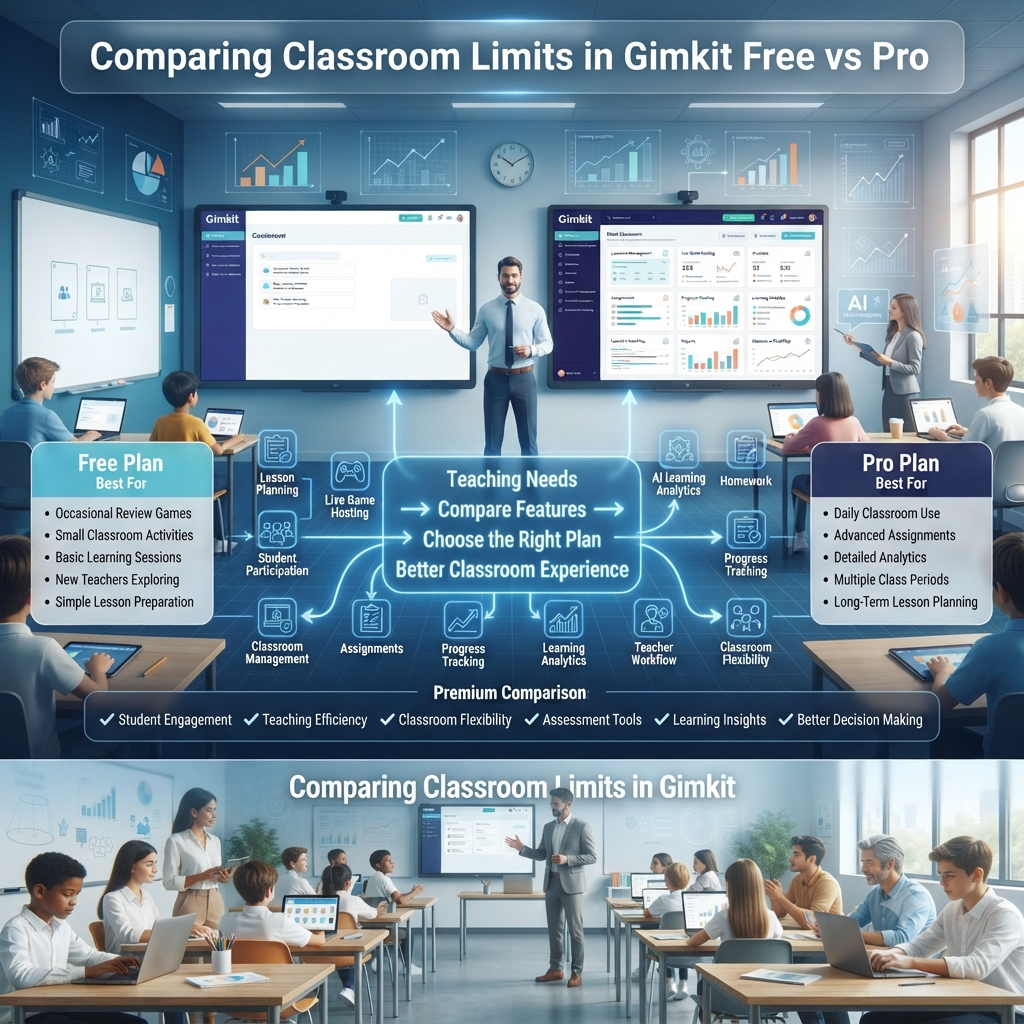
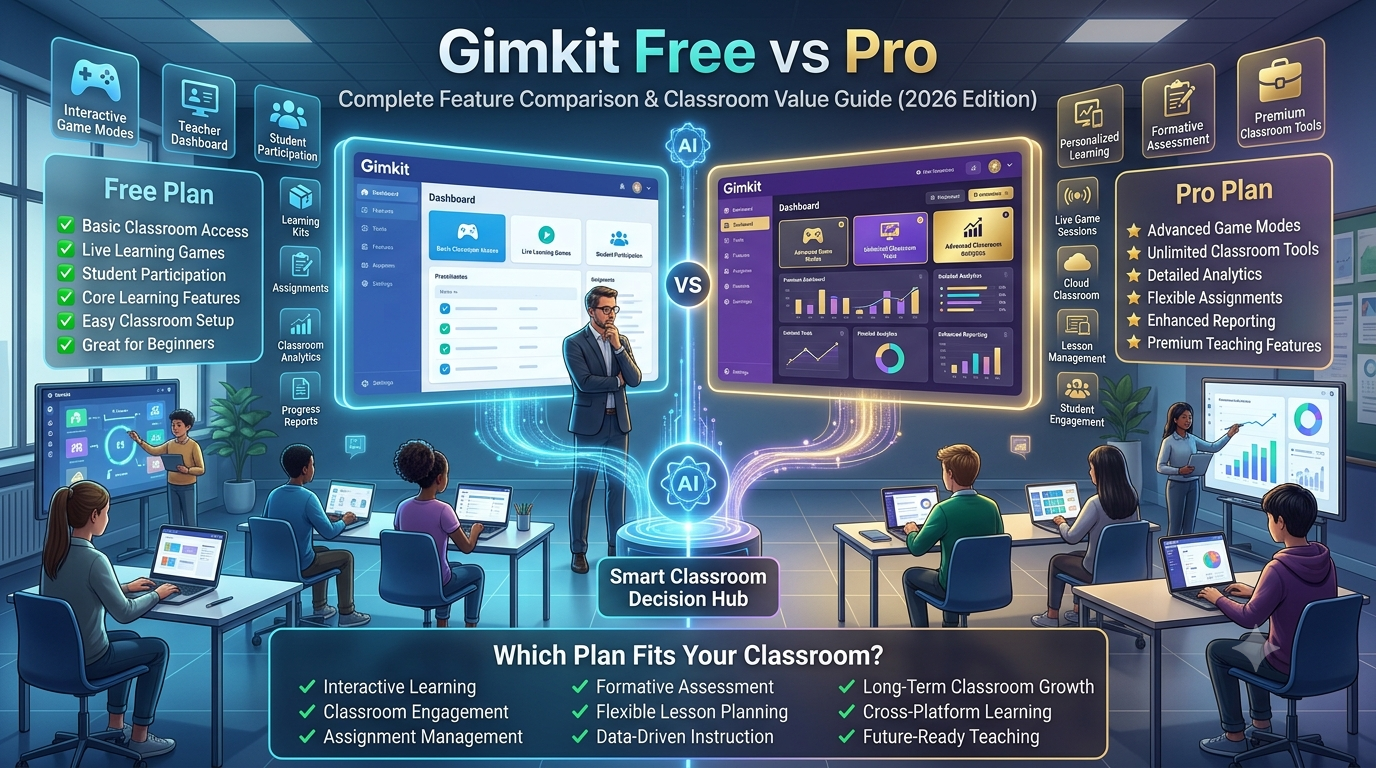
Choosing between Gimkit Free and Gimkit Pro isn't simply about paying for additional features—it's about determining whether your classroom's instructional needs, student participation levels, assessment goals, and teaching workflow align with the capabilities offered by each plan.
For teachers who use Gimkit occasionally for review games, the Free plan often provides enough functionality to create engaging classroom experiences. However, educators who integrate Gimkit into weekly lessons, formative assessments, homework assignments, or multiple class periods may quickly encounter limitations that slow instruction and reduce flexibility.
The most important consideration isn't "Which version is better?" Instead, ask:
"Which version supports the way I actually teach?"
That single question usually determines whether staying on the Free plan makes sense or whether upgrading to Pro becomes a worthwhile investment.
📚 Why Classroom Limits Matter More Than Most Teachers Realize
Many educators initially focus on pricing when comparing software plans. While cost certainly matters, experienced teachers often discover that instructional limitations have a much greater impact than subscription fees.
Imagine spending an hour designing an engaging review lesson only to realize moments before class that a feature you planned to use isn't available in your current plan. Suddenly, instead of focusing on student engagement, you're adjusting activities on the fly.
These situations don't necessarily make the Free version "bad." They simply highlight that every software platform balances accessibility with premium functionality.
Classroom limits influence nearly every stage of teaching:
📝Lesson preparation
🎮Live game management
👩🏫Student engagement
📊Assessment quality
📈Learning analytics
📚Homework workflows
🤝Classroom collaboration
🔄Long-term lesson planning
The more frequently you use Gimkit, the more these differences become part of your daily teaching routine.
🧠 Understanding the Philosophy Behind Gimkit Free and Pro
Rather than viewing the two plans as "basic" versus "complete," it's more accurate to think of them as serving different teaching scenarios.
🟢 Gimkit Free Is Designed For
✅ Exploring the platform
✅ Trying game-based learning
✅ Small classroom activities
✅ Occasional review sessions
✅ New teachers
✅ Budget-conscious educators
The Free version allows teachers to experience the core gameplay without requiring an immediate subscription.
🔵 Gimkit Pro Is Designed For
✅ Daily classroom instruction
✅ Multiple class periods
✅ Long-term curriculum planning
✅ Rich formative assessment
✅ Teacher productivity
✅ School-wide implementation
Rather than adding unnecessary complexity, Pro primarily removes barriers that become noticeable during regular instructional use.
🏫 How Classroom Limits Affect Real Teaching Workflows
A classroom isn't simply a collection of students playing a game.
If a plan limits reporting, assignment options, or classroom management, teachers may need to complete additional work manually outside the platform.
This is why experienced educators evaluate software based on workflow efficiency, not just feature lists.
🎯 The Biggest Classroom Questions Teachers Actually Ask
When educators compare Gimkit plans, they rarely ask about subscription tiers first.
Instead, they wonder things like:
❓Can all of my students participate comfortably?
❓Will I have enough game modes for the entire school year?
❓Can I assign independent practice?
❓How detailed are student reports?
❓Will this save me preparation time?
❓Can I easily manage multiple classes?
❓Does upgrading actually improve learning?
❓Which plan offers better long-term value?
This guide answers each of these questions in depth, helping you choose the plan that best matches your classroom needs rather than simply comparing feature checklists.
At a Glance
🔍 Free vs Pro at a Glance
🎓 Classroom Area
🟢 Free
🔵 Pro
Live Games
✔ Available
✔ Full Experience
Student Engagement
⭐ Good
⭐⭐⭐⭐⭐ Excellent
Game Modes
Limited Selection
Full Collection
Assignments
Basic
Advanced
Classroom Management
Essential Tools
Complete Management
Analytics
Basic Reports
Detailed Insights
Progress Tracking
Limited
Comprehensive
Teacher Productivity
Moderate
High
Long-Term Classroom Use
Suitable
Ideal
💡 Expert Insight
Many teachers assume upgrading to Pro automatically improves student achievement.
What Pro does exceptionally well is remove instructional friction, allowing teachers to spend less time managing technology and more time supporting learning.
That distinction is important because the most valuable educational technology doesn't replace good teaching—it enhances it.
Breaking It Down
🎓 Breaking Down Every Classroom Limit in Gimkit Free vs Pro (With Real Teaching Scenarios)
One of the biggest misconceptions about Gimkit Free and Gimkit Pro is that the paid plan simply "unlocks more features." In reality, the difference goes much deeper. Classroom limits influence how teachers prepare lessons, engage students, monitor progress, assign independent practice, and even manage an entire semester's worth of learning activities.
Rather than viewing these limits as restrictions, it's more helpful to think of them as workflow boundaries. The Free plan supports essential classroom experiences, while the Pro plan expands what teachers can accomplish with less friction and greater flexibility.
Let's examine each classroom area individually so you can understand how these differences affect real-world teaching.
👥 1. Student Participation Limits
🎯 Direct Answer
For many educators, the first concern is whether every student can actively participate in a Gimkit session. While both plans support interactive gameplay, the overall classroom experience differs depending on how frequently you teach, how many classes you manage, and how deeply Gimkit fits into your instructional routine.
The real question isn't simply:
"Can students join?"
Instead, ask:
"Can I comfortably use Gimkit every day without running into classroom limitations?"
🏫 What Student Participation Really Means
Student participation goes far beyond counting how many learners enter a game.
A successful classroom session depends on multiple factors working together:
👨🎓Students joining quickly
⚡Games launching without confusion
🤝Teams organizing efficiently
🎮Smooth gameplay
📊Teachers monitoring engagement
🏆Fair competition
📚Meaningful learning outcomes
Even small workflow interruptions can reduce classroom momentum.
📌 Participation Isn't Just Attendance
Many teachers mistakenly think classroom limits only affect class size.
In reality, participation includes:
✅Joining live games
✅Completing assignments
✅Playing different game modes
✅Earning in-game rewards
✅Collaborating with classmates
✅Finishing review sessions
✅Receiving teacher feedback
✅Returning for future practice
Every one of these contributes to overall classroom engagement.
👨🏫 Classroom Scenario
Imagine Mrs. Ahmed teaches five science classes every day.
Each lesson follows this routine:
Mini Lesson
↓
Warm-Up Questions
↓
Live Gimkit Game
↓
Discuss Incorrect Answers
↓
Independent Practice
↓
Homework Assignment
↓
Performance Review
If her classroom tools support this entire workflow smoothly, students stay engaged from beginning to end.
If important features are unavailable, she may need to switch between multiple platforms, increasing preparation time and reducing instructional flow.
🎮 2. Live Game Hosting Experience
🎯 Why Live Games Are the Heart of Gimkit
Live games are what make Gimkit different from traditional quizzes.
Instead of answering isolated questions, students actively participate in a competitive learning environment where every correct answer contributes to in-game progress.
That means teachers need more than a simple "Start Game" button—they need reliable classroom management throughout the session.
🟢 Free Plan Experience
Teachers can host engaging review sessions and introduce students to game-based learning.
The Free plan works well for:
✔Vocabulary review
✔Quick lesson recaps
✔Weekly quizzes
✔Icebreaker activities
✔Exit ticket reviews
✔Introducing new classes to Gimkit
For many educators, these capabilities are enough to make lessons more interactive.
🔵 Pro Experience
Teachers who host games frequently often appreciate the additional flexibility offered by Pro.
With expanded access, instructors can build a wider variety of classroom experiences throughout the school year, reducing repetition and allowing activities to better match different learning objectives.
Instead of relying on a limited routine, teachers can adapt sessions for:
🧩Collaborative learning
⚔Competitive review
🎯Skill practice
🧠Strategic thinking
📖Unit revision
📝Test preparation
This flexibility helps keep classroom engagement fresh over time.
⭐ Expert InsightStudents quickly recognize repetitive learning patterns.When instructional activities remain the same week after week, motivation naturally begins to decline.Having access to a broader range of classroom experiences allows teachers to introduce variety while reinforcing the same academic concepts.The result isn't simply more entertainment—it supports sustained engagement across an entire semester.
📚 3. Classroom Content Creation Limits
🎯 Why Custom Content Matters
No two classrooms are exactly alike.
Even teachers following the same curriculum often teach at different speeds, emphasize different concepts, or adapt lessons for specific student needs.
That's why many educators prefer creating their own Kits instead of relying entirely on public content.
Custom resources allow teachers to:
✍Match local curriculum standards
📖Reinforce recently taught lessons
🎯Focus on difficult concepts
🧩Differentiate instruction
📝Prepare students for assessments
The more frequently teachers build original materials, the more valuable expanded authoring tools become.
💡 Real Classroom Example
A history teacher finishes a lesson on the Industrial Revolution.
Instead of searching for a generic quiz, the teacher creates a Kit using:
Because the content aligns exactly with the day's lesson, students receive targeted practice rather than generalized review.
This illustrates why content creation is a core part of many teachers' Gimkit workflow.
📂 4. Assignment and Homework Capabilities
🎯 Learning Shouldn't End When Class Ends
Modern classrooms increasingly extend beyond the physical school day.
Teachers assign review work to:
📚Reinforce learning
📝Prepare for quizzes
🎯Practice difficult concepts
🏡Support homework
💻Enable remote learning
The ability to assign and monitor independent work becomes especially valuable in blended or hybrid learning environments.
🟢 Free Plan
The Free plan introduces teachers to assignment-based learning and supports basic independent practice.
For occasional homework or review activities, this may be sufficient.
🔵 Pro Plan
Teachers who regularly assign work outside live sessions benefit from expanded assignment flexibility, making it easier to organize learning over weeks or entire units.
Rather than creating isolated activities, teachers can build a more consistent learning journey.
📊 5. Classroom Analytics: Turning Answers into Action
🎯 Why Reports Matter
Collecting student answers is useful.
Understanding why students answered incorrectly is far more valuable.
Effective analytics help teachers move beyond scores to identify patterns that improve instruction.
Instead of asking:
"Who passed?"
Teachers begin asking:
❓Which concepts confused the class?
❓Which students need additional support?
❓Are mistakes isolated or widespread?
❓Should tomorrow's lesson include reteaching?
❓Which questions were too easy—or too difficult?
These insights help transform assessment into actionable teaching decisions.
📈 From Data to Better Instruction
A thoughtful review process often looks like this:
Students Complete Activity
↓
Teacher Reviews Results
↓
Learning Gaps Identified
↓
Misconceptions Discussed
↓
Targeted Practice Assigned
↓
Students Improve Understanding
↓
Progress Measured Again
This continuous improvement cycle is one of the reasons many educators value deeper reporting tools as their use of Gimkit grows.
🚀 Why These Limits Matter Over Time
At first glance, the differences between Gimkit Free and Pro may seem small. However, when viewed across an entire school year, they influence lesson planning, classroom efficiency, and student engagement in meaningful ways.
A teacher using Gimkit once a month may never notice these limitations.
A teacher using it every week across multiple classes almost certainly will.
The key isn't choosing the plan with the most features—it's choosing the one that supports your teaching style, classroom goals, and instructional workflow without creating unnecessary obstacles.
Professional Recommendations
Professional Recommendations & Expert Reviews
1Comparing Classroom Limits in Gimkit Free vs Pro helps teachers understand the differences between both plans.
2Comparing Classroom Limits in Gimkit Free vs Pro explains how available features vary by subscription.
3Comparing Classroom Limits in Gimkit Free vs Pro helps educators evaluate which option fits their classroom needs.
4Comparing Classroom Limits in Gimkit Free vs Pro highlights the balance between basic and advanced functionality.
5Comparing Classroom Limits in Gimkit Free vs Pro supports informed decision-making before upgrading.
6Comparing Classroom Limits in Gimkit Free vs Pro helps teachers compare available classroom management tools.
7Comparing Classroom Limits in Gimkit Free vs Pro explains how each plan supports interactive learning.
8Comparing Classroom Limits in Gimkit Free vs Pro encourages selecting the plan that matches teaching goals.
9Comparing Classroom Limits in Gimkit Free vs Pro helps identify which features are essential for daily lessons.
10Comparing Classroom Limits in Gimkit Free vs Pro supports better classroom planning.
11Comparing Classroom Limits in Gimkit Free vs Pro helps teachers understand feature availability.
12Comparing Classroom Limits in Gimkit Free vs Pro encourages evaluating classroom requirements before choosing a subscription.
13Comparing Classroom Limits in Gimkit Free vs Pro supports more effective instructional planning.
14Comparing Classroom Limits in Gimkit Free vs Pro helps teachers compare classroom flexibility.
15Comparing Classroom Limits in Gimkit Free vs Pro explains how each plan supports student engagement.
16Comparing Classroom Limits in Gimkit Free vs Pro helps educators understand practical classroom differences.
17Comparing Classroom Limits in Gimkit Free vs Pro supports smarter technology decisions.
18Comparing Classroom Limits in Gimkit Free vs Pro encourages teachers to review available teaching tools.
19Comparing Classroom Limits in Gimkit Free vs Pro helps compare classroom capabilities objectively.
20Comparing Classroom Limits in Gimkit Free vs Pro supports selecting the right solution for different teaching styles.
21Comparing Classroom Limits in Gimkit Free vs Pro helps teachers evaluate classroom scalability.
22Comparing Classroom Limits in Gimkit Free vs Pro encourages thoughtful subscription planning.
23Comparing Classroom Limits in Gimkit Free vs Pro supports organized classroom management.
24Comparing Classroom Limits in Gimkit Free vs Pro helps educators understand feature limitations before instruction.
25Comparing Classroom Limits in Gimkit Free vs Pro supports better lesson preparation.
26Comparing Classroom Limits in Gimkit Free vs Pro encourages choosing features based on educational priorities.
27Comparing Classroom Limits in Gimkit Free vs Pro helps compare learning experiences across both plans.
28Comparing Classroom Limits in Gimkit Free vs Pro supports effective classroom organization.
29Comparing Classroom Limits in Gimkit Free vs Pro helps teachers understand available customization options.
30Comparing Classroom Limits in Gimkit Free vs Pro encourages reviewing classroom requirements regularly.
31Comparing Classroom Limits in Gimkit Free vs Pro supports informed budgeting decisions.
32Comparing Classroom Limits in Gimkit Free vs Pro helps compare educational value between plans.
33Comparing Classroom Limits in Gimkit Free vs Pro supports long-term classroom planning.
34Comparing Classroom Limits in Gimkit Free vs Pro helps teachers maximize available resources.
35Comparing Classroom Limits in Gimkit Free vs Pro encourages selecting tools that improve classroom efficiency.
36Comparing Classroom Limits in Gimkit Free vs Pro supports meaningful technology integration.
37Comparing Classroom Limits in Gimkit Free vs Pro helps educators evaluate classroom flexibility.
38Comparing Classroom Limits in Gimkit Free vs Pro supports stronger lesson organization.
39Comparing Classroom Limits in Gimkit Free vs Pro encourages balanced use of available platform features.
40Comparing Classroom Limits in Gimkit Free vs Pro helps teachers plan engaging classroom activities.
41Comparing Classroom Limits in Gimkit Free vs Pro supports effective instructional workflows.
42Comparing Classroom Limits in Gimkit Free vs Pro helps compare classroom experiences fairly.
43Comparing Classroom Limits in Gimkit Free vs Pro encourages educators to align subscriptions with instructional goals.
44Comparing Classroom Limits in Gimkit Free vs Pro supports efficient classroom technology use.
45Comparing Classroom Limits in Gimkit Free vs Pro helps simplify subscription comparisons.
46Comparing Classroom Limits in Gimkit Free vs Pro supports informed educational decisions.
47Comparing Classroom Limits in Gimkit Free vs Pro helps teachers understand which plan best supports their teaching style.
48Comparing Classroom Limits in Gimkit Free vs Pro encourages reviewing both current and future classroom needs.
49Comparing Classroom Limits in Gimkit Free vs Pro supports better educational planning with clear feature comparisons.
50Comparing Classroom Limits in Gimkit Free vs Pro helps educators optimize classroom engagement within their chosen plan.
51Comparing Classroom Limits in Gimkit Free vs Pro supports efficient use of classroom resources.
52Comparing Classroom Limits in Gimkit Free vs Pro encourages teachers to prioritize features that improve learning experiences.
53Comparing Classroom Limits in Gimkit Free vs Pro helps simplify the subscription selection process.
54Comparing Classroom Limits in Gimkit Free vs Pro supports stronger classroom management through informed planning.
55Comparing Classroom Limits in Gimkit Free vs Pro helps teachers make practical technology investments.
56Comparing Classroom Limits in Gimkit Free vs Pro supports continuous improvement in classroom instruction.
57Comparing Classroom Limits in Gimkit Free vs Pro helps educators compare classroom capabilities with confidence.
58Comparing Classroom Limits in Gimkit Free vs Pro demonstrates that understanding plan differences improves educational decision-making.
59Comparing Classroom Limits in Gimkit Free vs Pro supports better classroom outcomes by matching features with instructional needs.
60Comparing Classroom Limits in Gimkit Free vs Pro ultimately help teachers evaluate available features, classroom limitations, instructional flexibility, management tools, and long-term educational value so they can choose the subscription that best supports student engagement and teaching success.
Feature Comparison
🚀 Gimkit Free vs Pro Feature-by-Feature Comparison: Which Classroom Plan Delivers More Value?
By now, it's clear that Gimkit Free and Gimkit Pro are built for different teaching needs rather than different teaching abilities. Both plans support engaging, game-based learning, but the way they fit into a teacher's daily workflow can vary significantly.
Instead of asking "Which plan has more features?", experienced educators ask:
🎯 "Which plan saves me the most time while improving classroom learning?"
That perspective shifts the conversation from price to long-term educational value.
🏆 Feature-by-Feature Comparison
Below is a practical comparison that focuses on how each feature impacts real classroom teaching rather than simply listing what is available.
📚 Classroom Area
🟢 Gimkit Free
🔵 Gimkit Pro
🎯 Best For
🎮 Live Games
Excellent for occasional use
Full flexibility
Both
🧩 Game Mode Variety
Limited
Extensive
Pro
📝 Homework & Assignments
Basic
Advanced
Pro
📊 Learning Analytics
Essential reports
Detailed insights
Pro
👨🏫 Classroom Management
Core tools
Advanced management
Pro
📖 Custom Content Creation
Standard
Expanded flexibility
Pro
🔄 Long-Term Teaching
Good
Excellent
Pro
💰 Budget Friendliness
Excellent
Subscription required
Free
🚀 Productivity
Moderate
High
Pro
💡 Expert Tip: Don't judge a plan by the number of features. Judge it by how many teaching problems it solves.
👩🏫 Which Plan Fits Your Teaching Style?
Every teacher has a unique classroom routine. A middle school science teacher may use Gimkit daily, while a university instructor may only need it before exams. Choosing the right plan starts with understanding how you teach, not just what the platform offers.
🌱 1. New Teachers Best Choice: 🟢 Free
If you're just beginning with Gimkit, the Free plan is often the smartest starting point.
It allows you to:
🎯 Learn the interface without pressure
🎮 Explore game-based learning
👨🎓 Introduce students to interactive lessons
📝 Build your first custom Kits
📚 Experiment before committing financially
Why It Works
New teachers benefit more from developing effective teaching strategies than from having every premium feature available on day one.
📅 2. Weekly Classroom Teachers Best Choice: 🔵 Pro
Teachers who schedule Gimkit every week usually appreciate the additional flexibility that Pro offers.
When learning happens across different environments, assignment management and progress tracking become more important than live gameplay alone.
💰 Is Gimkit Pro Worth Paying For?
This is perhaps the most common question teachers ask.
The answer depends less on the subscription cost and more on how often you use the platform.
🟢 Stay with Free If...
✔ You use Gimkit only a few times each month.
✔ Your lessons focus on quick review activities.
✔ You are still evaluating whether game-based learning fits your teaching style.
✔ Your instructional needs are relatively simple.
For these situations, the Free plan can provide meaningful value without additional expense.
🔵 Upgrade to Pro If...
✔ Gimkit is part of your weekly lesson plans.
✔ You regularly assign independent practice.
✔ You teach several classes.
✔ You create original classroom content.
✔ You rely on assessment data to guide instruction.
✔ You want a broader range of teaching options throughout the year.
In these cases, Pro can reduce repetitive work and support a more efficient teaching workflow.
📈 Cost vs Classroom Value
Many teachers compare subscription cost with feature count.
A better comparison is:
How much teacher time does the plan save?
Consider a simple example.
If advanced tools help reduce just 10–15 minutes of preparation for each lesson, those small time savings can add up significantly across an entire semester.
That extra time can be used for:
👨🏫 Supporting individual students
📖 Improving lesson quality
📝 Providing meaningful feedback
🎯 Planning differentiated instruction
Sometimes the greatest value of educational software isn't the features—it's the time it gives back to teachers.
⚠️ Common Mistakes Teachers Make When Choosing a Plan
Avoid these common misconceptions when comparing Gimkit Free and Pro.
❌ Mistake 1: Choosing Based Only on Price
A lower cost is appealing, but if the plan doesn't support your daily workflow, it may create extra work over time.
❌ Mistake 2: Assuming More Features Automatically Mean Better Learning
Technology enhances teaching—it doesn't replace it.
If you're still learning the platform, begin with the Free plan.
Explore its capabilities first, then decide whether additional features solve real classroom challenges.
❌ Mistake 4: Ignoring Long-Term Needs
A plan that works for one class may not scale well if you later teach more students or expand your use of Gimkit.
Think beyond today's lesson and consider your goals for the entire school year.
🧠 Decision Framework: Which Plan Should You Choose?
Use this quick guide to match your teaching needs with the most suitable plan.
🧩 Your Situation
✅ Recommended Plan
💡 Why?
First time using Gimkit
🟢 Free
Learn the platform before investing
Occasional review games
🟢 Free
Covers essential classroom needs
Weekly classroom activities
🔵 Pro
Greater flexibility and efficiency
Multiple classes each day
🔵 Pro
Easier management and organization
Regular homework assignments
🔵 Pro
Better support for ongoing learning
Data-driven instruction
🔵 Pro
More detailed reporting and insights
🌟 Best Practices Before Making Your Decision
Before choosing a subscription, ask yourself these questions:
📋 Classroom Planning Checklist
✅How many times will I use Gimkit each week?
✅Do I teach one class or several?
✅Will students complete homework through Gimkit?
✅Do I create my own learning resources?
✅Are detailed assessment reports important to me?
✅Will I rely on Gimkit throughout the school year?
The more "Yes" answers you have, the more likely you'll benefit from the expanded capabilities of Pro.
⭐ Expert Insight
The best educational technology isn't the one with the longest feature list—it's the one that fits naturally into your teaching workflow.
A teacher who uses Gimkit once a month may gain everything they need from the Free plan.
A teacher who uses it every day may find that the additional flexibility of Pro supports smoother lessons, richer assessment, and a more sustainable classroom routine.
The right choice isn't about having more—it's about having what your classroom actually needs.
The Verdict
🏆 The Complete Verdict: Should You Choose Gimkit Free or Pro for Your Classroom?
After comparing classroom workflows, participation, assignments, reporting, and teaching scenarios, one conclusion becomes clear:
There is no universally "better" plan—there is only the plan that best supports your classroom goals, teaching frequency, and instructional workflow.
Both Gimkit Free and Gimkit Pro are built around the same mission of making learning interactive through game-based experiences. The difference lies in how much flexibility, efficiency, and scalability teachers need as their use of the platform grows.
Instead of focusing solely on premium features, educators should consider how each plan fits into their daily routine, student needs, and long-term teaching strategy.
🎯 Hidden Differences Most Comparison Articles Never Mention
Many comparison guides simply list features in a table and stop there.
Experienced educators know that successful classroom technology isn't measured by feature count—it is measured by how smoothly it supports learning.
Here are some important differences that are often overlooked.
⏳ 1. Time Savings Become More Valuable Than New Features
At first glance, premium features may seem like optional extras.
However, when teachers use Gimkit across multiple classes every week, small workflow improvements can save a surprising amount of preparation time.
Imagine teaching:
📚5 classes every day
👨🎓150+ students each week
📝Multiple assessments every month
Saving even 10 minutes per lesson can translate into hours of recovered planning time over a semester.
That additional time can be invested in:
✅ Giving personalized feedback
✅ Improving lesson plans
✅ Supporting struggling learners
✅ Creating engaging classroom activities
In many cases, the biggest benefit isn't having more tools—it's reducing repetitive teacher workload.
🧩 2. Classroom Engagement Depends on Variety
Students naturally become familiar with classroom routines.
If every review session follows the same pattern, participation may gradually decline—not because students dislike learning, but because predictable activities become less stimulating.
Teachers who have access to a broader range of instructional approaches can introduce:
🎮 Different game experiences
🤝 Collaborative learning
🏆 Friendly competitions
🧠 Strategy-based activities
📚 Revision challenges
This variety helps maintain student curiosity throughout the school year.
📈 3. Better Data Leads to Better Teaching Decisions
Assessment is not simply about recording scores.
Effective classroom analytics help answer deeper instructional questions:
Which topic confused the majority of the class?
Which misconceptions appear repeatedly?
Which students are improving?
Which concepts require reteaching?
Which questions should be revised?
When teachers can identify learning gaps early, they can adapt instruction before misunderstandings become larger academic challenges.
This turns assessment into a continuous improvement process rather than a final measurement.
Teacher Profiles
👨🏫 Choosing the Right Plan by Teacher Profile
Every educator teaches differently. The following recommendations focus on classroom needs rather than subscription levels.
🌱 New Teacher
Recommended Plan
🟢 Gimkit Free
Why?
Learn the platform comfortably.
Explore game-based learning.
Build confidence before investing.
Introduce students to interactive lessons.
📚 Elementary School Teacher
Best Choice
Usually Free, unless Gimkit becomes part of weekly instruction.
Young learners often benefit from simple review games, making the free plan a practical starting point.
🏫 Middle & High School Teacher
Best Choice
Often Pro
Secondary classrooms frequently use:
Unit reviews
Exam preparation
Vocabulary practice
Subject-specific content
Independent assignments
Teachers who rely on these activities throughout the year may appreciate the expanded flexibility of Pro.
🎓 College Instructor
The appropriate plan depends on instructional style.
Occasional review sessions may be well supported by the Free plan, while instructors using Gimkit regularly in seminars or active learning environments may find Pro better aligned with their workflow.
🌍 Online & Hybrid Teacher
Teachers supporting remote or blended learning often benefit from tools that simplify assignments, organization, and progress monitoring.
As independent learning increases, efficient classroom management becomes more important than live gameplay alone.
🚦 Decision Tree: Which Plan Fits You?
Do you use Gimkit occasionally?
│
┌──── Yes ────┐
│ │
Choose Free Continue Reading
│
Use Gimkit weekly?
│
┌── Yes ──┐
│ │
Need assignments?
│
┌── Yes ──┐
│ │
Need detailed reports?
│
┌── Yes ──┐
│ │
Choose Pro
💡 Quick Rule: The more frequently Gimkit becomes part of your teaching routine, the more valuable expanded classroom tools become.
⚠️ Common Myths About Gimkit Free vs Pro
❌ Myth 1: "The Free Plan Isn't Good Enough"
✅ Reality: Many teachers successfully use the free plan for lesson reviews, warm-up activities, and formative practice. Its value depends on how often you use the platform—not on the fact that it's free.
✅ Reality: Technology supports learning, but student achievement still depends on effective teaching, quality questions, active discussion, and timely feedback.
❌ Myth 3: "Every School Needs Pro"
✅ Reality: Some classrooms rarely encounter the limitations of the free plan, while others rely on advanced tools every week. The right choice depends on instructional needs rather than school size.
❌ Myth 4: "More Features Always Mean Better Teaching"
✅ Reality: The best educational tools simplify teaching rather than overwhelm educators with unnecessary complexity.
Professional Recommendations
🌟 Professional Recommendations
After evaluating classroom workflows, teaching scenarios, and long-term instructional needs, here are balanced recommendations.
🟢 Choose Gimkit Free If You:
🌱Are exploring the platform for the first time.
📅Use game-based learning occasionally.
💰Have a limited technology budget.
🎮Need interactive review sessions.
📝Prefer simple classroom activities.
🔵 Consider Gimkit Pro If You:
👨🏫Use Gimkit every week.
📚Teach multiple class sections.
📝Assign independent learning regularly.
📊Depend on assessment insights.
📂Build a large library of custom learning materials.
🎯Want greater flexibility across the school year.
📋 Teacher Self-Assessment Checklist
Before making your decision, ask yourself these questions:
Classroom Usage
✅How many classes will use Gimkit each week?
✅Will students complete homework through the platform?
✅Do I create custom learning activities?
✅Is tracking student progress important?
✅Do I want to reduce lesson preparation time?
✅Will Gimkit become a regular part of my curriculum?
If you answered "Yes" to most of these questions, you may benefit from the additional capabilities available in Pro. If not, the Free plan may already meet your classroom needs effectively.
🎯 Key Takeaways
📌 Gimkit Free is an excellent starting point for teachers who want engaging classroom review activities without a subscription.
📌 Gimkit Pro is better suited to educators who integrate game-based learning into their ongoing teaching workflow and want additional flexibility for planning, assignments, and classroom management.
📌 The best choice depends on how you teach, how often you use Gimkit, and which classroom challenges you want the platform to solve.
🎓 Final Conclusion
Choosing between Gimkit Free and Gimkit Pro isn't about deciding which version has the longest feature list—it's about selecting the plan that best complements your teaching style, classroom size, instructional goals, and daily workflow.
For many educators, the Free plan offers everything needed to introduce students to engaging, game-based learning. It provides an accessible way to create interactive review sessions, explore classroom gamification, and evaluate whether Gimkit fits naturally into existing lesson plans.
As classroom usage becomes more consistent, however, teaching priorities often shift. Managing multiple classes, assigning independent practice, organizing learning resources, and analyzing student performance become increasingly important. In these situations, the additional flexibility offered by Pro can help streamline instruction and reduce administrative effort.
Ultimately, the most effective classroom technology is not the one with the greatest number of features—it is the one that allows teachers to spend less time managing tools and more time helping students learn. Whether you remain on the Free plan or decide that Pro better supports your instructional workflow, the real success comes from combining thoughtful lesson design with meaningful student engagement.
FAQ
❓ Frequently Asked Questions (FAQs)
1Is Gimkit Free enough for a full classroom?
Yes. Many teachers successfully use Gimkit Free for classroom review sessions, formative assessments, and interactive learning activities. Whether it is sufficient depends on how frequently you use the platform and which instructional features you need.
2What is the biggest difference between Gimkit Free and Pro?
The primary difference is not just additional features but greater flexibility. Pro is designed to support teachers who use Gimkit regularly by expanding classroom management, assignment options, reporting capabilities, and instructional workflows.
3Should new teachers start with Gimkit Free or Pro?
For most educators, starting with the Free plan is a practical approach. It provides an opportunity to learn the platform, test classroom engagement, and determine whether advanced tools are needed before upgrading.
4Does Gimkit Pro improve student performance?
Pro itself does not automatically improve learning outcomes. Student success depends on effective teaching strategies, high-quality learning activities, and meaningful feedback. Pro simply provides additional tools that may support these goals.
5Can I upgrade from Gimkit Free to Pro later?
Yes. Many educators begin with the Free plan and choose to upgrade later if their classroom needs expand or if they decide to integrate Gimkit more deeply into their teaching routine.
6Which teachers benefit the most from Gimkit Pro?
Teachers who use Gimkit weekly, manage multiple classes, assign regular independent practice, create custom learning resources, or rely on detailed assessment data are generally the ones most likely to benefit from the expanded capabilities of Pro.
7Is Gimkit Free suitable for long-term classroom use?
It can be. For occasional review sessions and lighter classroom usage, many educators continue using the Free plan successfully. Teachers with more demanding instructional workflows may eventually find that Pro better aligns with their long-term teaching needs.
Technology & Awareness
Understanding Technology in the Modern World
Technology today shapes almost every part of daily life, from how people work and
communicate to how they learn, play, and make decisions. Having a solid knowledge of
technology is no longer optional — it helps individuals stay informed, adapt to new
tools quickly, and separate genuine innovation from passing trends. Whether it's
understanding how software and platforms function, staying updated on digital
developments, or simply knowing where to find reliable information, a curious and
informed mindset makes it far easier to navigate an increasingly connected world.