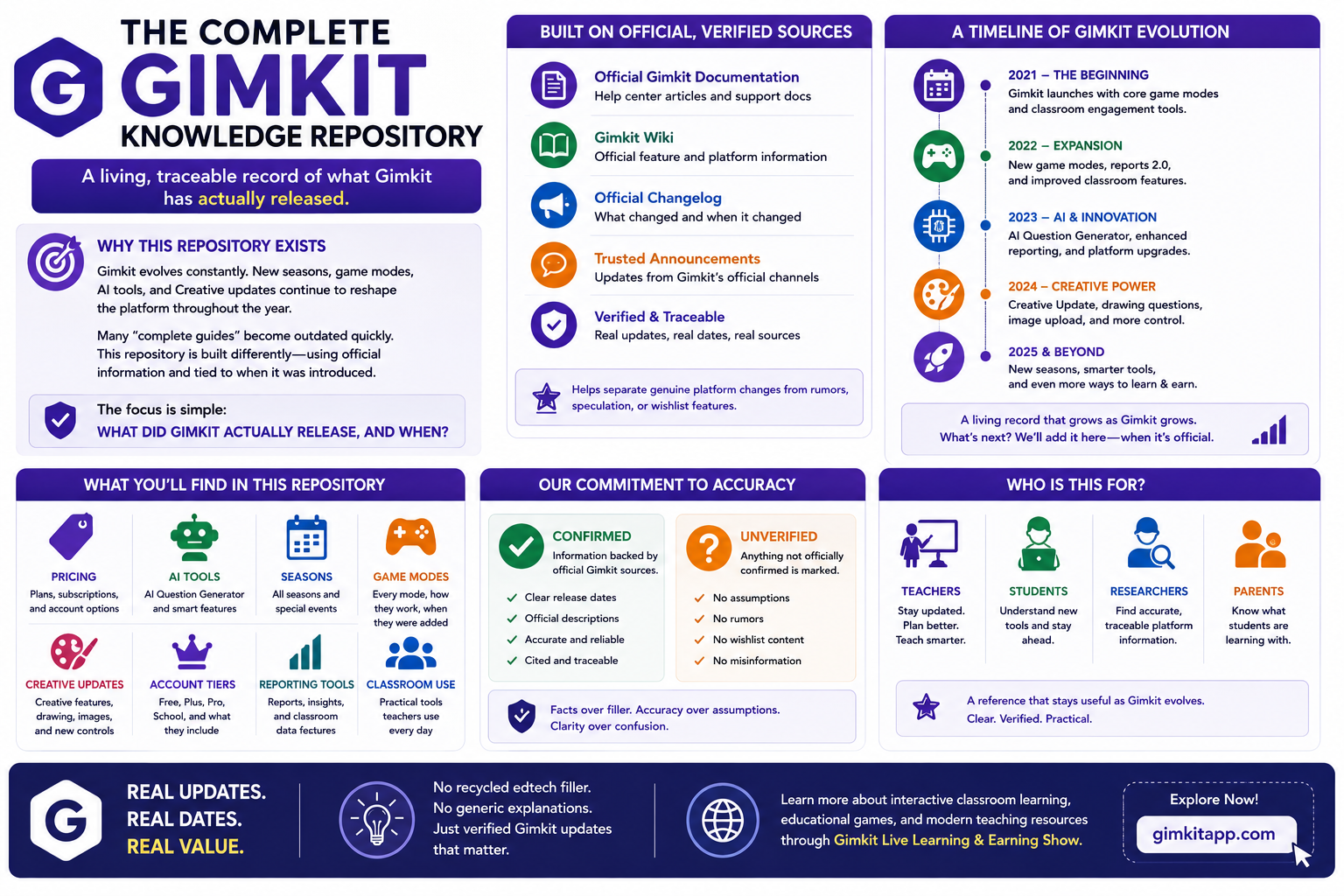
The Complete Gimkit Knowledge Repository:Gimkit doesn’t stand still. New seasons, game modes, AI-powered tools, and ongoing Creative updates continue to reshape the platform throughout the year. That makes many “complete guides” outdated almost as soon as they are published. This repository takes a different approach: it is built as a living, traceable record of what Gimkit has actually released.
Every major update is grounded in official Gimkit information and tied to when it was introduced. This makes it easier to separate genuine platform changes from rumors, speculation, or wishlist features that have never been officially released.
The focus is simple: what did Gimkit actually release, and when?
You’ll find verified information covering pricing, AI tools, seasons, game modes, Creative updates, account tiers, and the reporting features teachers use in real classrooms. Each topic is selected for its practical value and supported by Gimkit’s own documentation, wiki, help resources, and changelog information where available.
There is no recycled edtech filler here. No generic explanations added just to make an article longer. Confirmed features are presented as confirmed, while anything unverified is clearly identified rather than presented as fact.
The result is a reference designed to stay useful as Gimkit evolves — giving teachers, students, and anyone researching the platform a clearer picture of what changed, when it changed, and what is actually available now.
Learn more about interactive classroom learning, educational games, and modern teaching resources through Gimkit Live Learning & Earning Show.
What This Repository Covers (and What It Deliberately Skips)
This is not a beginner’s walkthrough of how to host a live game, and it’s not a tutorial on building your first Kit — that ground belongs to a different kind of article, and it’s already been covered elsewhere in full depth. This repository is scoped strictly to official, newly-launched updates: new pricing structures, new AI tools, new seasons, new modes, new Creative features, and new account-tier changes. Every claim below traces back to something Gimkit itself confirmed — through its own wiki, its own help documentation, its own changelog, or its own public announcements — rather than to speculation dressed up as fact.
One more scoping rule worth stating plainly: nothing in this repository repeats content from earlier pieces in this same content series. Where an earlier article already fully covered how joining works, how kits are built from scratch, or how specific game modes play out strategically, this repository stays out of that territory entirely and focuses only on what’s changed, what’s new, and what’s officially documented as current.
Official Pricing and Plan Structure in 2026
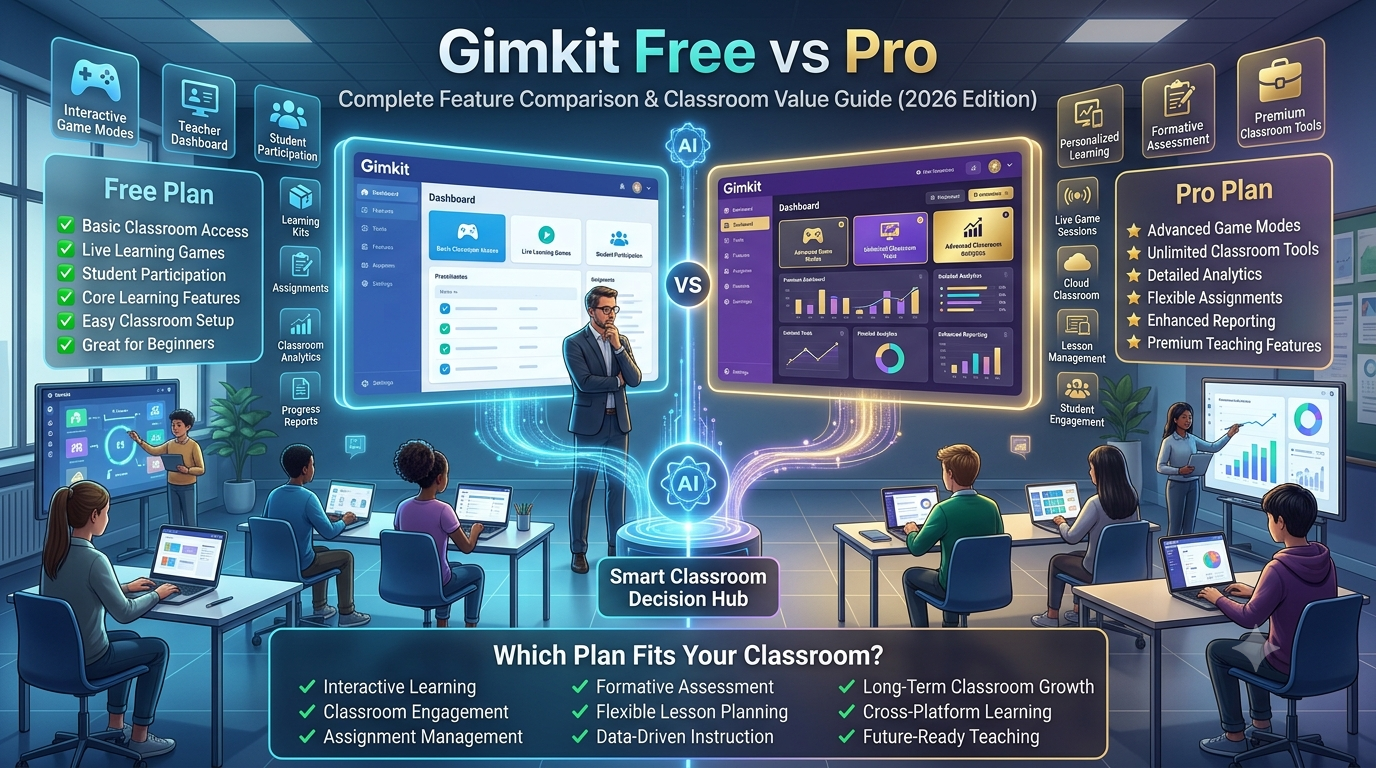
Gimkit runs a two-tier structure for individual educators, with a separate licensing path for schools and departments. The free plan, called Basic, remains genuinely free — unlimited students, full class setup, and reporting access — but it caps game-mode access to a rotating set of three free modes at a time, with Pro-exclusive modes limited to five players even when a Basic host tries to run them.
The paid tier, Gimkit Pro, is priced at $14.99 billed monthly or $59.88 billed annually, which works out to roughly $4.99 per month on the yearly plan. The math on which plan makes sense is blunt: four months of monthly billing already costs more than a full year paid annually, so any teacher planning to use Gimkit for more than a single semester comes out ahead on the annual option. New educator accounts also get a 14-day trial of full Pro access automatically, which means every teacher can test the paid tier’s modes, Assignments, and media uploads before deciding whether to pay for anything.
Pro removes the harshest restrictions in one move: every game mode becomes available at all times instead of rotating, the five-player cap on Pro-exclusive modes disappears, and two features unlock that Basic doesn’t offer at all — Assignments, which turns any Kit into self-paced homework, and the ability to upload images and audio directly into questions. That second feature matters more than it sounds; for language classrooms running listening comprehension or science classes that depend on diagrams, media-enriched questions are the difference between Gimkit working for the subject and Gimkit being limited to plain text recall.
Group licensing runs on a separate structure entirely, managed through Gimkit Groups rather than individual checkout. A Department plan covers up to 20 teachers under one purchase for $650 per year, while a School plan covers an entire staff for $1,000 per year — both licenses run for 365 days from the purchase date and do not auto-renew, and both accept purchase orders, unlike individual Pro subscriptions, which require a credit card. For schools weighing whether to negotiate a group license, this is the number that actually matters: once more than roughly five to six teachers on staff are paying for Pro individually, the per-teacher cost of a Department or School plan already undercuts what those individual subscriptions would total.
One distinction worth being precise about: cosmetics — the visual items students earn through gameplay, tied to XP and GimBucks — are entirely separate from the Pro subscription. A teacher can run a fully Basic, unpaid account while every student in the room is collecting Gims, Stickers, and Trails through ordinary gameplay. Pro is a teacher-facing purchase; cosmetics are a student-facing reward system, and the two never overlap or gate each other. A Season Ticket, by contrast, sits in a third lane entirely — it’s neither Pro nor Basic, it’s a $5 add-on that any account type can purchase, and it unlocks its own separate set of gameplay and cosmetic perks regardless of whether the account underneath it is Basic or Pro.
Official Plan Comparison at a Glance
Plan
Cost
Game Modes
Assignments
Media Uploads
Player Cap
Basic (free)
$0
3 rotating free modes
Not available
Not available
5 on Pro-exclusive modes; unlimited on free modes
Gimkit Pro
$14.99/mo or $59.88/yr
Full catalog, always available
Included
Included
Up to 60
Department
$650/yr (up to 20 teachers)
Same as Pro, per teacher
Included
Included
Up to 60
School
$1,000/yr (whole staff)
Same as Pro, per teacher
Included
Included
Up to 60
Season Ticket add-on
$5
Stacks on top of any plan above
No change
No change
+10 on Basic/Student accounts
The AI Question Generator: Gimkit’s First Native AI Tool
On August 22, 2025, Gimkit shipped its first built-in AI feature: a question generator embedded directly into the Kit-creation flow, officially announced as “Generate with AI.” Before this, building a Kit meant writing every question by hand or importing from an external source. After it, a teacher can type a prompt describing the topic and question style they want, and the generator returns a batch of ready-to-use questions pulled straight from that prompt.
The mechanics are more configurable than a typical one-click AI button. A teacher chooses a grade-level target ranging from Pre-K all the way to University, and the generator returns anywhere from 10 to 30 questions per prompt, scaled to that grade band. Once a batch comes back, nothing is forced into the Kit automatically — a teacher can add every generated question at once, hand-pick individual ones and skip the rest, or throw the whole batch out and regenerate with a revised prompt if the first pass missed the mark. Any question that came from the AI generator carries a small pink icon inside the Kit editor; hovering over it confirms it was AI-generated, and that marker disappears the moment a teacher edits the question by hand, which effectively reclassifies it as teacher-authored content.
This shipped roughly seven months after Khan Academy’s Khanmigo integration landed inside Blooket in January 2025, positioning Gimkit as the second of the three major classroom-game platforms to ship native AI question generation, ahead of Kahoot’s equivalent expansion. Where Gimkit’s version differs functionally from Blooket’s is scope, not speed: Gimkit’s generator is built to serve every question style the platform’s Kit editor supports, rather than functioning as a separate import pipeline bolted onto the side of the product.
For classrooms running review sessions on tight prep time, the practical effect is straightforward — a Kit that used to take twenty or thirty minutes to write by hand can now go from blank editor to a playable set of questions in well under five minutes, with the teacher spending that saved time on curating and correcting rather than drafting from a blank page.
The full official workflow, start to finish, runs in five steps: open the “Generate with AI” option inside the Kit editor; type a prompt describing the subject, topic, and question style; select a target grade level from Pre-K to University; review the returned batch of 10 to 30 questions; then either bulk-add, hand-pick, or regenerate before the Kit is finalized. Nothing in that sequence requires leaving the Kit editor or switching to a separate tool — the generator lives inside the same screen a teacher would already be using to write questions manually, which is a large part of why adoption reportedly moved faster than most bolted-on AI features tend to.
2026 Season 1: The Reset That Kept Getting Delayed
Every Gimkit season opens the same way structurally: player levels reset to 1, and the Item Shop returns to its standard Wednesday 2:00 PM EST refresh cycle. 2026 Season 1 followed that pattern on schedule, but its headline content did not. The season was built around the promise of a sequel to Don’t Look Down, one of the platform’s most popular platformer modes and, at the time, one of its most requested follow-ups — every prior season before this one had shipped a brand-new game mode tied to its central theme, so a Don’t Look Down sequel fit the established pattern exactly.
It didn’t ship on time. The season’s end date moved three separate times: originally scheduled to close in early December 2025, it was pushed to mid-January 2026, then to mid-February, and finally landed in early March — each delay tied directly to the extended development timeline of that platformer sequel. For any teacher who plans classroom activities around a season’s advertised content, this is the single most useful takeaway from Season 1: Gimkit’s announced dates function as targets rather than commitments, and the platform has a documented history of moving them when a flagship feature isn’t ready.
That doesn’t mean Season 1 shipped nothing. The official changelog for the season lists a run of new content areas even without its centerpiece mode, including zones named Newto Space Corp, Night Watch, Alphastar, Crashing Down, and Stargazer — smaller additions that kept the season’s content pipeline moving while the bigger platformer sequel continued slipping. The lesson for anyone tracking Gimkit closely isn’t that Season 1 underdelivered across the board; it’s that the single most-hyped piece of a season is precisely the piece most likely to miss its original date, while the surrounding content tends to land closer to schedule.
2026 Season 2: The Pirate Update
Season 2 opened with a complete thematic overhaul rather than an incremental follow-up to Season 1’s space setting. Gimkit shifted the entire seasonal aesthetic to a pirate theme, and the accompanying Season Ticket became the largest cosmetic drop the platform has ever released for a single season — more than 20 exclusive cosmetics packed into one ticket, surpassing every previous season’s cosmetic count.
Cosmetics were never the whole story, though. The Season 2 ticket carries three functional upgrades layered on top of the visual content: a significantly higher weekly XP ceiling that lets a player level up as many as 20 times in a single week, exclusive access to a set of devices, terrains, and props available only inside Gimkit Creative to ticket holders, and an increase in Creative map storage up to 25 maps per account. None of these three require touching the live game at all — a student or teacher could, in theory, own the season purely for the Creative-side benefits and never play a themed live match.
Pricing held steady at the same $5 price point every prior Season Ticket has used, and the ticket’s run was confirmed to extend through late August. What Gimkit has stayed noticeably quiet about is the gameplay layer underneath the theme — official sources note that, beyond the ticket’s contents, little concrete detail had been confirmed publicly about what the season’s actual content roadmap looks like. That’s a departure from Season 1, where the headline mode was announced (even if delayed) well before launch.
One mechanic has been confirmed directly, and it’s the clearest signal of what Season 2 is actually built around: players can earn money, sail between islands, and hunt for a mythical fish exclusive to the event. That loop — earn, travel, catch a rare reward — maps closely onto the resource-and-upgrade structure that defines most of Gimkit’s core modes, just reskinned around sailing and fishing instead of the platform’s usual money-and-shop framing.
Official Season Ticket Comparison: Season 1 vs. Season 2
Feature
2026 Season 1
2026 Season 2
Theme
Space / sci-fi
Pirate
New cosmetics
19 new Gims, Stickers, and Trails
20+ cosmetics — the most of any Season Ticket to date
Weekly XP cap
Up to 20,000 XP or 2,000 GimBucks per week
Level up up to 20 times per week
Creative map slots
25 slots (doesn’t stack with Gimkit Pro)
25 maps stored per account
Creative content access
75+ exclusive terrains, props, and devices
Exclusive devices, terrains, and props
Headline mechanic
Delayed platformer sequel; smaller zone releases shipped instead
Sailing, island travel, and a mythical-fish catch mechanic
Price
$5
$5
A Recurring Pattern: Delayed Season End Dates Aren’t New
2026 Season 1’s three delays can look like an isolated stumble if it’s judged on its own, but the official record shows the opposite: pushed season end dates are a recurring pattern stretching back well before 2026, not a one-time miss. Looking at that pattern in context changes how any teacher should read Gimkit’s advertised season calendar going forward.
Season
Originally Scheduled End
Actual End
2024 Season 1
November 29, 2023
December 6, 2023
2024 Season 3
June 26, 2024
August 21, 2024
2025 Season 2
March 5, 2025
March 12, 2025
2026 Season 1
December 3, 2025
March 4, 2026 (after three separate pushes)
Three of the four seasons in that table slipped by roughly a week — a minor, easily absorbed adjustment for classroom planning. 2026 Season 1 is the outlier not because it slipped, but because of how far and how repeatedly it slipped, stretching a one-week pattern into a three-month one. The practical rule this history supports: treat a single week of buffer around any advertised season end date as normal, but don’t build a lesson plan around a specific date if the season’s headline feature hasn’t shipped yet — that’s the one condition under which Gimkit’s delays have historically compounded rather than staying minor.
The Forever Modes Policy: Why Nothing Gets Deleted Anymore
One official policy shift matters more than any single mode release, because it explains why Gimkit’s mode catalog only grows now instead of rotating content in and out the way it used to. Gimkit formally declared that every game mode released going forward would become a permanent, always-playable “Forever Mode” — a clean break from the platform’s earlier approach, where several modes existed only for a limited window before disappearing.
That declaration came with a clear before-and-after line. Only three modes were ever removed from Gimkit and never brought back: Come Back and Discount Mode, both retired before the Forever Modes policy took effect, and KitCodes, which was pulled specifically because it launched as a limited-time mode by design rather than being caught by the policy change. Every mode released since the declaration — including every one covered in this repository — stays in the permanent rotation indefinitely, which is also why the platform’s total mode count only climbs over time rather than fluctuating up and down.
For anyone tracking the platform closely, this policy is the reason the “how many modes does Gimkit have” question keeps needing a fresh answer every few months instead of settling on a fixed number. New modes get added; nothing meaningful gets taken away.
The Full Official Mode Roster (Current Count)
Counting conventions differ slightly depending on which official source is checked and when it was last updated, which is worth acknowledging directly rather than presenting a single number as more precise than it actually is. One widely cited 2026 snapshot puts the total at 27 modes, split into 11 Top-Down, 4 Platformer, 7 Fun Picks, and 5 Tycoon Twists families. A more recent tracking source places the live total at 28 modes, with three additional modes retired permanently before the Forever Modes policy began — putting the all-time total, live and retired combined, at 31. The gap between 27 and 28 reflects how quickly new Forever Modes releases land relative to when different reference pages were last refreshed, not a disagreement about what’s actually in the game.
Here is the fullest current roster, grouped the way Gimkit’s own documentation groups it — by whether a mode gives players a controllable on-screen character (2D) or runs as a resource-and-upgrade format without one (Non-2D):
Non-2D / Tycoon-style modes: Tycoon, Team Tycoon, Drained Mode, Hidden Mode, Infinity Mode, Super Rich Mode, Boss Battle, Humans vs. Zombies, The Floor Is Lava, Trust No One, Draw That, and What Is…
2D modes: Fishtopia, Tag: Domination, Capture The Flag, Farmchain, This or That, Cash Tycoon, Snowbrawl, Snowy Survival, One Way Out, Don’t Look Down, Blastball, Dig It Up, Knockback, Apocalypse, Color Clash, and Diamond Rush.
Permanently retired (pre-Forever Modes policy): Come Back, Discount Mode, and KitCodes.
The Non-2D column is worth understanding as a category rather than a random grouping. Every mode in it shares the same core structural DNA as the original Classic mode: no controllable on-screen character, a straightforward loop of answering questions to earn cash, then spending that cash on upgrades, boosting items, or offensive items used against other players to climb toward first place. What separates the individual modes within that shared DNA is which twist gets layered on top — Team Tycoon pools earnings into a shared team bank, Hidden Mode restricts what players can see of each other’s progress, Boss Battle turns the leaderboard chase into a cooperative fight against a scripted opponent instead of a purely player-versus-player race. The mode names change; the underlying economic loop doesn’t.
Two of the newest entries on that 2D list are worth understanding mechanically, since both graduated into the permanent roster recently enough to still count as “new” in any meaningful sense. Color Clash released on December 10th, 2024, and served as the featured mode for 2025 Season 2 before joining the permanent lineup — it’s a platformer where players split into two teams, Magenta and Green, and earn energy by answering questions correctly, then spend that energy moving around the map and painting tiles their team’s color. Painted tiles aren’t safe once claimed; the opposing team can steal them back before time runs out, and whichever team holds the most painted tiles when the clock hits zero wins. Diamond Rush launched shortly after, on April 28th, 2025, as a chance-based PvP mode built around Chance Blocks scattered across the map — hitting one triggers a random outcome that can grant diamonds, take diamonds away, apply a temporary effect like a speed boost, or occasionally hand out a usable gadget. Knocking out another player transfers half of that player’s collected diamonds, and whoever holds the most diamonds when the game ends takes the win.
GimBucks, XP, and Cosmetics: The Official Reward System
The currency system underneath every Gimkit session is easy to describe but has a few official rules that catch teachers off guard the first time they notice them. In-game cash — the money earned by answering questions correctly during a live session — is entirely separate from GimBucks and XP, which are account-level currencies that persist across sessions rather than resetting when one game ends. In-game cash only ever matters for winning that specific match; GimBucks and XP are what actually buy and unlock cosmetics.
That reward layer is officially restricted to one category of gameplay: XP and GimBucks generate exclusively in 2D formats. Classic, The Floor Is Lava, and the rest of the Non-2D, tycoon-style modes covered in the roster above do not award GimBucks, XP, or any cosmetic progress, regardless of how well a student performs in them. A student can win every round of Classic in a given week and finish that week with zero cosmetic progress to show for it, simply because Classic sits outside the category of modes the reward system is tied to. For any teacher choosing which modes to run specifically because students enjoy collecting cosmetics, this is the one official rule that actually determines which modes are worth running for that purpose.
Cosmetics themselves break into three official categories, each tied to a different part of the player experience: Gim skins change the appearance of the character students control directly inside 2D modes; Stickers are stamps players can place on the ground or in the air while inside a game lobby; and Trails are particle effects that follow a Gim’s movement during active 2D gameplay. All three are earned exclusively through GimBucks and XP accumulated in 2D formats, and all three stack independently — a student can mix and match any owned Gim skin with any owned Sticker and any owned Trail rather than being locked into matched sets.
One more official tool ties directly into this system: teachers can organize students into Gimkit Classes specifically to track XP progress across 2D sessions over time, rather than checking cosmetic and currency progress session by session. This is separate from the reporting system covered later in this repository — Classes track account-level currency and level progress, while session reports track question-level academic performance, and the two run as parallel, independent tracking systems rather than one feeding into the other.
Kit Creation and Content Tools: What’s Officially Available Now
A Kit is still the foundational unit of every Gimkit session — a question set that gets attached to whichever mode a teacher chooses to run — but the tools for building one have expanded considerably beyond typing questions into a blank editor. Alongside the AI Question Generator, teachers can build a Kit from scratch, import questions from a spreadsheet, copy an existing Kit as a starting point, or bring in flashcard-style term-and-definition sets. Question sets can also be imported directly from Quizlet or from a raw CSV file, which matters for any teacher migrating an existing question bank from another platform rather than starting from zero.
Collaborative Kit-building is handled through a feature called KitCollab, which lets more than one teacher contribute to the same question set rather than requiring one person to build and maintain it alone. For departments running shared curriculum across multiple sections or multiple teachers, this removes the duplicate-effort problem that comes with everyone independently building nearly identical Kits for the same unit.
Accessibility support is built into live gameplay itself through a feature called Read-to-Me, which converts question text and answer choices into speech with timed highlighting as the audio plays. This isn’t a bolted-on accommodation tool — it runs inside the standard live-game experience and is specifically useful for early-elementary students, English language learners, and any student who benefits from hearing text read aloud rather than parsing it silently under a live game’s time pressure.
Every Kit built through any of these methods works identically once it’s attached to a live game or an assignment — the creation method (typed, imported, AI-generated, or collaboratively built) has no effect on how the Kit performs once gameplay starts. That consistency is deliberate: Gimkit’s content tools have multiplied, but the underlying question format — the two supported question types the platform has always run on — hasn’t been restructured to accommodate them.
Assignments: The Official Async Layer
Assignments are Gimkit’s answer to homework and independent practice, and they remain a Pro-exclusive feature rather than something Basic accounts can access in any form. A teacher takes any existing Kit and pushes it out as a self-paced task instead of a live, host-run session. Students then complete it independently, from any device, on their own timeline rather than inside a scheduled class period — and progress saves automatically, so a student can start an assignment, leave partway through, and pick up again later without losing what they’d already completed.
This is a structural departure from how live Gimkit games work. A live session has no solo mode at all — it requires a host actively running a real-time game, with every student in the session answering under the same shared timer, typically around 45 seconds per question. Assignments strip that synchronous pressure out entirely, which makes them the only way a student interacts with Gimkit content outside of a scheduled class window.
The trade-off is real and worth stating plainly: Assignments function as game-based practice rather than a guided instructional sequence. Teacher control during an assignment is limited — there’s no fine-grained control over pacing, in-the-moment feedback, or intervention while a student works through it independently, unlike the live control a host has during a synchronous session. For quick review and practice reinforcement, that limitation rarely matters. For deeper instructional sequencing, it’s the boundary of what Assignments are built to do.
One further detail sets Assignments apart from live hosting entirely: at least one official mode exists that’s accessible only inside the Assignment context and cannot be selected for a live, host-run session at all. That’s a meaningful distinction for any teacher building out a full-year mode rotation — a small slice of Gimkit’s content library is async-only by design, not because of a Pro restriction, but because the mode itself was never built to run as a live, timed session in the first place.
Gimkit Creative: What’s Officially New
Gimkit Creative has become the backbone of every new official mode release rather than remaining a side sandbox feature bolted onto the main product. Gimkit’s founder has confirmed publicly that every official 2D game mode is now built using Gimkit Creative itself, and building inside it requires no coding knowledge — though more advanced creators can use logic-based tools for deeper, more customized level designs when they want them.
The platform’s release rhythm for Creative runs on its own dated, public changelog, entirely separate from the main seasonal calendar. Changelog entries land throughout the year covering new devices, terrains, editor tools, and bug fixes, and the cadence has held steady enough that Creative updates function almost like a second product track running in parallel with the seasonal live-game content. One rule governs the relationship between the two tracks consistently: new items always debut inside an official game mode first, and only migrate into the general Creative toolkit for public building afterward — meaning the fastest way to see what’s coming to Creative next is watching what shows up inside the newest official mode. Color Clash and Diamond Rush both followed this exact pattern: their signature mechanics (paintable tiles, Chance Blocks) appeared inside the finished mode well before any equivalent tool reached the general Creative editor.
Season ownership continues to be the primary gate for the deepest level of Creative access. Owning the current Season unlocks up to 25 Creative map slots and expanded access to terrains, props, and devices, with well over 150 individual props, devices, and terrain pieces reserved exclusively for Season owners and unavailable to anyone building without an active ticket. Actual collaborative gameplay capacity, though, stayed uncapped by tier entirely — Gimkit Creative supports real-time collaborative building and live sessions with up to 60 players, regardless of whether the host owns Gimkit Pro, an active Season, both, or neither. That’s a deliberate design choice: Gimkit gates content variety behind paid tiers, but it has never gated raw player capacity inside Creative the way it gates player caps on the main live-game side.
Official Account Tiers and Player Capacity
Player limits are one of the most frequently searched official specs on the entire platform, and they shift sharply depending on account type and season ownership — independent from the pricing structure covered earlier, this section is purely about how many students can be in a game at once. Without Gimkit Pro and without an active Season, most modes cap out at 5 players per game. Owning a Season raises that ceiling to 15 players even on an otherwise free account. Gimkit Pro teachers sit at the top of the scale, able to host up to 60 players in a single game session regardless of which mode is running.
That Season-tier boost applies specifically to Basic and Student accounts as well, not just to teacher accounts — a Season raises a Student or Non-Pro account’s player cap to 15 in the same way it does for a teacher account, and that increase comes bundled with the same 25 Creative map slots covered in the Creative section above, rather than requiring a separate unlock.
Mode access follows a related but distinct split: Basic accounts can run unlimited players on the platform’s free, unlimited-size modes, but the moment a Basic host tries to run a Pro-exclusive mode, the player cap drops to just 5 regardless of how large the class actually is. This is the mechanism that pushes many teachers toward Pro in practice — it’s rarely the free modes that feel limiting, it’s discovering that a specific Pro-exclusive mode the class wants to play caps out at a fraction of the students in the room.
Reports and the Teacher Dashboard
Every live game and every completed Assignment feeds back into Gimkit’s reporting system, giving teachers a question-level breakdown of how the class performed after a session ends. This works consistently across both game types — live sessions and self-paced Assignments both generate reports, which means an async assignment isn’t a reporting dead-end the way it might be on a platform that treats homework and live play as separate systems.
The reporting layer is intentionally built for quick check-ins rather than deep diagnostic analysis. A teacher can see which questions the class missed most often and get a fast read on where a lesson needs to be retaught, but the reports don’t extend into finer-grained learning-behavior data like time spent per question or recurring misconception patterns across a student’s answer history. For a fast formative check after a review game, that’s sufficient. For teachers who need granular behavioral analytics tied to individual learning patterns, Gimkit’s reporting stops short of that depth by design — it’s built to answer “what did the class struggle with” quickly, not to model why any individual student struggled with it.
One feature works quietly behind every report without needing to be manually triggered: Smart Repetition automatically resurfaces questions a student previously answered incorrectly, increasing the odds those questions reappear in future sessions until the student answers them correctly. It’s a basic, rules-based form of adaptive practice rather than a fully AI-driven system, but it’s been part of the platform’s standard toolkit long enough that it now works seamlessly alongside the newer AI Question Generator and the Pro-exclusive media upload features — a media-rich question that a student missed gets resurfaced through the same mechanism as a plain-text one.
How to Track New Official Gimkit Updates Yourself
Because Gimkit’s release cadence spans at least three independent tracks — the seasonal calendar, the Gimkit Creative changelog, and standalone feature drops like the AI Question Generator that don’t wait for a season to launch — no single page captures everything the moment it ships. The most reliable way to stay current is watching more than one official channel at once rather than relying on any single source.
The Gimkit Creative changelog is the most granular of the three, posting dated entries specifically for sandbox-editor changes, and it’s the only place that reliably surfaces small device- and prop-level additions before they show up anywhere else. Gimkit’s own social accounts tend to be the fastest channel for standalone feature announcements — the AI Question Generator, for instance, was announced there directly the same day it shipped, well before most third-party coverage picked it up. Community-maintained wiki pages, while not run by Gimkit itself, stay unusually current because they’re updated continuously by active players tracking exact release dates, mode mechanics, and season timelines in real time — which is why several of the precise dates and figures in this repository trace back to those pages rather than to a single official press release.
The practical takeaway for anyone maintaining a resource like this one: treat the season calendar as the least reliable of the three tracks for exact dates, given Season 1’s three separate delays, and treat standalone feature drops and the Creative changelog as the two tracks most likely to ship exactly when announced.
The Complete Gimkit Knowledge Repository-A continuously updated, source-verified reference covering Gimkit’s features, game modes, tools, updates, account options, classroom capabilities, and important changes.
Where Gimkit Is Headed Next (Clearly Marked as Unconfirmed)
Everything documented above is officially live, dated, and traceable to a confirmed source. What follows is not — it’s included only so the boundary between a shipped feature and an industry prediction stays completely clear, and none of it should ever be presented to a reader as something currently available inside the platform.
Independent analysis of Gimkit’s product direction points toward deeper AI integration as the most likely next major push, building directly on top of Smart Repetition’s existing foundation. The reasoning follows the platform’s own trajectory: Smart Repetition already represents a basic, rules-based form of adaptive practice, and the natural next step industry observers point to is expanding that into something more dynamic — a system that analyzes a student’s performance history and recommends a personalized path through content, rather than simply resurfacing missed questions at a higher frequency.
A second prediction circulating among educators involves a portfolio-style recognition system: the idea that students could eventually earn shareable “skill badges” tied to mastering specific concepts, collected somewhere outside the in-game currency and cosmetic system as a longer-term record of progress. A third, more speculative direction involves LMS integrations and a more structured community marketplace for user-created content, extending Gimkit Creative’s existing sharing model into something closer to a formal creator economy.
None of these three directions have shipped. None have a confirmed date. They’re documented here strictly as context for where the platform’s own AI Question Generator and Smart Repetition features suggest the product roadmap is leaning — and that context should stay clearly separated from everything else in this repository, which covers only what Gimkit has already, officially, shipped.
Master Timeline: Every Official Release Covered in This Repository
Pulling every dated release mentioned above into one chronological view makes the platform’s actual release rhythm easier to see than reading each section in isolation:
Date
Official Release
December 10, 2024
Color Clash launches; becomes the featured mode of 2025 Season 2
April 28, 2025
Diamond Rush launches as a chance-based PvP mode
August 22, 2025
AI Question Generator (“Generate with AI”) ships inside the Kit editor
December 3, 2025 (original date)
2026 Season 1 scheduled to end; pushed three times to March 4, 2026
March 4, 2026
2026 Season 1 officially closes without its planned platformer sequel
~March 2026
2026 Season 2 launches with a full pirate theme and record cosmetic count
Late August 2026
2026 Season 2’s Season Ticket run concludes
Read left to right, the timeline makes a pattern visible that’s easy to miss reading month by month: standalone feature drops (the AI Generator, individual mode launches) have shipped close to their announced dates, while the seasonal calendar — specifically the flagship mode tied to a season’s theme — has been the one release category with a real, repeated history of slipping. That’s the single most useful mental model for tracking anything Gimkit announces going forward: trust the feature-drop date, verify the season date closer to when it actually arrives.
This repository will need its own future update the moment 2026 Season 2 closes and whatever comes after it is announced — which is precisely the point of building it this way. Every fact above is dated and sourced specifically so the next update only has to add new rows to these tables and new paragraphs to these sections, rather than rewriting the whole reference from scratch every time Gimkit ships something new.
For the latest gaming news, expert reviews, and walkthroughs, readers can also visit IGN, one of the world’s leading gaming websites.
Frequently Asked Questions
What is the newest official Gimkit season as of 2026?
2026 Season 2 is the current official season, running on a pirate theme. It reset every player to Level 1, introduced a $5 Season Ticket with over 20 cosmetics — the most of any ticket to date — and confirmed a sailing-and-fishing mechanic built around visiting different islands and catching the season’s signature mythical fish.
Did Gimkit actually release Don’t Look Down 2?
Not on its original schedule. It was the planned centerpiece of 2026 Season 1, but development delays pushed the season’s end date three separate times — from early December 2025, to mid-January, to mid-February, and finally to early March 2026 — and the sequel had not shipped by the time Season 1 closed. It’s one of the clearest examples of Gimkit missing its own announced roadmap for a headline feature.
When did Gimkit launch its AI Question Generator, and how does it work?
It launched on August 22, 2025, as a built-in option inside the Kit editor. A teacher writes a prompt describing the topic and question style needed, selects a grade level from Pre-K to University, and the generator returns 10 to 30 questions per prompt. Questions can be added individually, added in bulk, or regenerated with a revised prompt, and any AI-generated question is marked with a small pink icon until it’s manually edited.
How much does Gimkit Pro actually cost in 2026?
$14.99 per month, or $59.88 billed annually — which works out to roughly $4.99 per month on the yearly plan. New educator accounts get a 14-day free trial of full Pro access automatically. Schools can also buy group licenses through Gimkit Groups: $650 per year for a Department plan covering up to 20 teachers, or $1,000 per year for a full School plan.
How many total game modes does Gimkit officially have right now?
Current tracking places the total at 27 to 28 live modes, depending on how recently the source was updated, plus three permanently retired modes from before the Forever Modes policy took effect. The most commonly cited breakdown is 11 Top-Down, 4 Platformer, 7 Fun Picks, and 5 Tycoon Twists modes, with three modes rotating into featured status each week.
What is the Forever Modes policy?
It’s Gimkit’s official commitment that every mode released after the policy was declared stays permanently playable rather than rotating out after a limited window. Only three modes were ever removed under the old system — Come Back, Discount Mode, and KitCodes — and none have been retired since the policy took effect.
How do Color Clash and Diamond Rush actually play?
Color Clash, released December 10, 2024, splits players into two teams — Magenta and Green — who earn energy by answering questions and spend it painting map tiles their team’s color; tiles can be stolen back, and the team with the most painted tiles when time runs out wins. Diamond Rush, released April 28, 2025, is a chance-based mode where players hit Chance Blocks scattered across the map for random outcomes — diamonds, penalties, speed boosts, or gadgets — and knocking out another player steals half their collected diamonds.
What player limits apply without a paid account or an active Season?
Free accounts without Gimkit Pro or a Season are capped at 5 players per game on most modes. Owning a Season raises that to 15 players. Gimkit Pro teachers can host up to 60 players in a single game regardless of which mode is running.
Is Gimkit Creative getting new features separately from seasonal updates?
Yes. Gimkit Creative maintains its own dated, public changelog independent of the seasonal calendar, and new items always debut inside an official game mode first before they’re made available in the general Creative toolkit for public building.
Does Gimkit have an assignment or homework feature, and who can use it?
Yes — Assignments let a teacher push any Kit out as self-paced, independent practice with automatic progress saving, so students can start, leave, and return later. It’s exclusive to Gimkit Pro; Basic accounts cannot create Assignments in any form.
Is Smart Repetition the same thing as the AI Question Generator?
No, and they solve different problems. Smart Repetition is a rules-based system that automatically resurfaces questions a student previously missed, increasing the chance those questions reappear until answered correctly. The AI Question Generator, launched August 2025, is a separate tool used at Kit-creation time to generate new questions from a text prompt. Both work independently and can be used on the same Kit.
Are deeper AI features or skill portfolios already live in Gimkit?
No. Smart Repetition and the AI Question Generator are the only confirmed AI-related features currently shipped. Broader AI personalization, portfolio-style skill badges, and expanded LMS integrations are industry predictions about where Gimkit is likely headed next — not confirmed, live features as of this writing.
Do all Gimkit modes earn GimBucks, XP, and cosmetics?
No. Only 2D modes generate GimBucks, XP, and cosmetic progress. Non-2D, tycoon-style modes like Classic and The Floor Is Lava never award any of the three, regardless of how well a student performs, so teachers running sessions specifically for cosmetic rewards need to stay inside the 2D mode list.
Have Gimkit’s season end dates slipped before 2026?
Yes, repeatedly. 2024 Season 1 slipped about a week, 2024 Season 3 slipped nearly two months, and 2025 Season 2 slipped about a week. 2026 Season 1 is unusual mainly for how far it slipped — three separate pushes stretching a normally minor delay into roughly three months — not because season delays themselves are a new phenomenon.