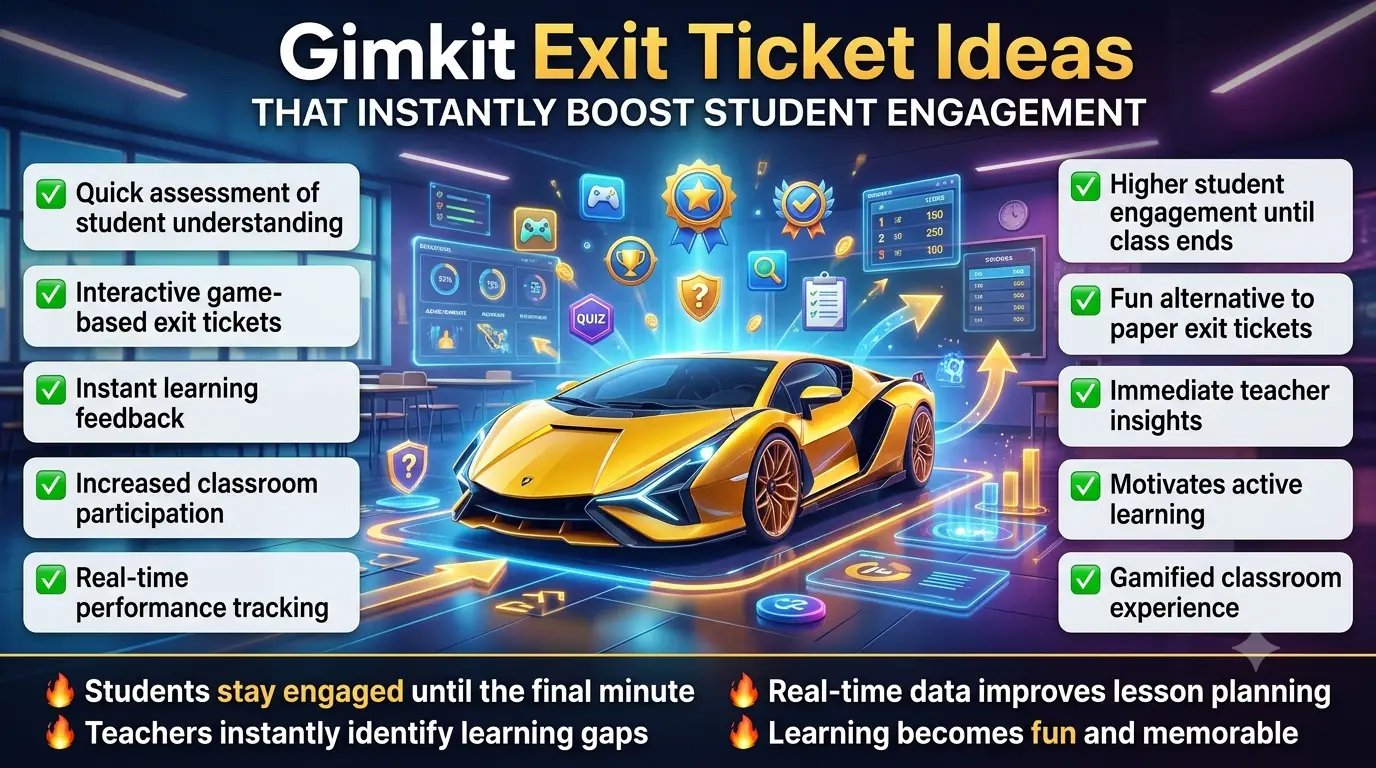
Gimkit Exit Ticket Ideas That Instantly Boost Student Engagement.At the end of a lesson, teachers often need a fast way to check what students actually understood before they leave the classroom. This is where exit tickets become powerful. When powered by Gimkit, exit tickets turn from simple paper questions into interactive, real-time learning checks.
Instead of writing answers quietly, students respond in a game-based environment that reveals understanding instantly and keeps engagement high until the final minute of class.
🧠 What Is a Gimkit Exit Ticket?
A Gimkit exit ticket is a short, focused activity conducted at the end of a lesson using Gimkit Live where students answer 3–8 quick questions based on what was taught.
The goal is not grading—it is instant comprehension checking.
Teachers can quickly see:
what students understood
what concepts are still unclear
who needs extra support
Students usually join using a Gimkit Join code and complete a short quiz before leaving class.
🎯 Smart Exit Ticket Idea Types (High-Impact Classroom Use)
Exit tickets in Gimkit are most effective when they are short, targeted, and purpose-driven.
🧩 1. One-Concept Recall Ticket
Students answer a single key idea from the lesson.
Example focus:
define one term
explain one concept
recall one formula
This checks if the core idea was understood.
⚡ 2. “Mistake Check” Exit Ticket
Students are given a common wrong answer and must correct it.
This helps identify misunderstandings instantly before they become long-term confusion.
🧠 3. Quick Application Ticket
Instead of memorization, students apply what they learned in a simple real-world scenario.
This checks whether learning is only memorized or actually understood.
🎮 4. Mini Challenge Exit Round
A short timed session using Gimkit Host where students answer fast-paced review questions before leaving.
🔄 5. Confidence Check Ticket
Students answer questions and also indicate how confident they are in their answers.
This helps teachers identify hidden learning gaps.
📊 Why Gimkit Exit Tickets Work So Well
Using Gimkit for exit tickets improves classroom feedback quality because:
🎯 Instant Feedback Loop
Teachers see understanding immediately instead of waiting for homework.
🧠 Better Memory Retention
Short recall at the end of class strengthens long-term learning.
🎮 Higher Student Participation
Game format increases willingness to complete final lesson tasks.
📊 Clear Performance Insight
Teachers can adjust next lesson planning based on real data.
A strong exit ticket in Gimkit is not just a short quiz—it is a learning diagnosis tool designed to measure thinking quality, not just correct answers.
Instead of random questions, advanced teachers design exit tickets around learning signals like confusion points, reasoning ability, and concept clarity.
🧠 High-Level Exit Ticket Formats (Advanced Ideas)
🔍 1. “Why This Answer?” Reasoning Ticket
Students don’t just pick an answer—they explain why it is correct.
This helps teachers identify whether students truly understand the concept or are just guessing.
Used effectively in Gimkit Live for deeper reflection.
🧩 2. Concept Connection Ticket
Students must link today’s lesson with a previous topic.
Example thinking style:
“How does today’s concept relate to yesterday’s lesson?”
This builds long-term cognitive connections instead of isolated memorization.
⚡ 3. 30-Second Speed Reflection
A rapid-fire exit format where students answer within seconds using Gimkit Join sessions.
Purpose:
measure instant recall
reduce overthinking
test memory strength under time pressure
🎯 4. “Fix the Teacher Mistake” Ticket
Teacher intentionally includes a wrong statement and students must correct it.
This increases critical thinking and keeps attention sharp until the end of class.
🔄 5. Learning Confidence Mapping Ticket
Students submit answers along with confidence level (low/medium/high).
Exit tickets in Gimkit work at a deeper level because they:
🧪 Strengthen Memory Encoding
Short recall after learning improves long-term retention.
🎯 Improve Metacognition
Students start thinking about their own thinking process.
⚡ Increase Learning Accountability
Every student participates before leaving the class.
📊 Provide Real-Time Teaching Feedback
Teachers know exactly what worked and what didn’t.
🆚 Basic vs Advanced Exit Ticket Strategy
Element
Basic Exit Ticket
Advanced Exit Ticket
Purpose
Check answers
Analyze thinking
Depth
Surface level
Conceptual level
Feedback
Correct/incorrect
Reasoning insights
Data Use
Limited
Instructional planning
Engagement
Moderate
High interactive
💡 Expert Classroom Strategy (Hidden Power Use)
Top-performing teachers use exit tickets as part of a learning loop system:
🔁 Morning: Bell Ringer Activation
📚 Main Lesson: Concept Delivery
🎮 End of Class: Exit Ticket Diagnosis
This loop ensures learning is not isolated but continuously reinforced using Gimkit.
⚠️ Professional Mistakes to Avoid
Even advanced teachers reduce effectiveness when:
exit tickets are too long (reduces accuracy)
questions are unrelated to lesson objective
feedback is ignored after session
same format is repeated daily
Instant Boost Tricks
1.Gimkit Exit Ticket Ideas help teachers quickly assess student understanding at the end of a lesson by turning review questions into an engaging game. Students remain focused until the final minutes of class while teachers collect valuable learning data.
2.Gimkit Exit Ticket Ideas encourage every student to participate because even reluctant learners are more willing to answer questions in a game-based environment. This creates a more accurate picture of class comprehension.
3.Gimkit Exit Ticket Ideas transform traditional exit tickets into interactive challenges where students earn rewards while demonstrating their knowledge. The competitive element often increases motivation and effort.
4.Gimkit Exit Ticket Ideas allow teachers to identify learning gaps immediately after instruction. By reviewing student responses, educators can determine which concepts need reteaching before moving forward.
5.Gimkit Exit Ticket Ideas support differentiated learning by providing questions with varying difficulty levels. This ensures that both struggling and advanced students remain challenged and engaged.
6.Gimkit Exit Ticket Ideas create a fun classroom atmosphere during lesson closure, helping students end the class on a positive note while still focusing on academic objectives and learning outcomes.
7.Gimkit Exit Ticket Ideas provide instant feedback that helps students understand what they have mastered and where they need improvement. Immediate results make reflection more meaningful and actionable.
8.Gimkit Exit Ticket Ideas work exceptionally well for vocabulary reviews because students can demonstrate word understanding through quick-answer challenges that reinforce memory retention.
9.Gimkit Exit Ticket Ideas enhance student accountability by requiring learners to actively demonstrate their understanding rather than simply waiting for the class period to end.
10.Gimkit Exit Ticket Ideas can be used to collect student opinions and reflections by including open-ended or opinion-based questions that encourage deeper thinking about lesson content.
11.Gimkit Exit Ticket Ideas help reinforce key lesson objectives by revisiting the most important concepts before students leave the classroom, increasing long-term retention and understanding.
12.Gimkit Exit Ticket Ideas offer teachers a fast and organized method for gathering assessment data without spending extra time grading traditional paper exit tickets.
13.Gimkit Exit Ticket Ideas encourage healthy competition among students, motivating them to stay focused and participate actively while reviewing material from the day’s lesson.
14.Gimkit Exit Ticket Ideas make formative assessment feel less stressful because students view the activity as a game rather than a formal test, reducing classroom anxiety.
15.Gimkit Exit Ticket Ideas can be customized for any subject area, making them a versatile tool for reviewing concepts in mathematics, science, language arts, social studies, and more.
16.Gimkit Exit Ticket Ideas support collaborative learning when teachers design team-based activities that encourage discussion, communication, and peer learning opportunities.
17.Gimkit Exit Ticket Ideas help improve classroom engagement by maintaining student attention until the final bell instead of allowing focus levels to drop near the end of class.
18.Gimkit Exit Ticket Ideas give educators valuable insights into student progress trends over time, helping them make data-driven instructional decisions and lesson adjustments.
19.Gimkit Exit Ticket Ideas encourage critical thinking by presenting scenario-based questions that require students to apply knowledge rather than simply recall memorized information.
20.Gimkit Exit Ticket Ideas serve as an effective bridge between today’s lesson and the next one by highlighting essential concepts that students should remember before continuing their learning journey.
21.Gimkit Exit Ticket Ideas make lesson reviews more memorable by combining academic content with interactive gameplay. Students often retain information better when learning is connected to enjoyable experiences.
22.Gimkit Exit Ticket Ideas help teachers measure learning outcomes within minutes, making it easier to adjust future lessons based on real-time student performance and understanding.
23.Gimkit Exit Ticket Ideas increase student confidence by allowing learners to demonstrate what they know in a supportive and engaging environment before leaving the classroom.
24.Gimkit Exit Ticket Ideas provide an excellent opportunity for self-assessment, encouraging students to reflect on their strengths and identify areas that may require additional practice.
25.Gimkit Exit Ticket Ideas simplify classroom management during the final minutes of a lesson by keeping students focused on a structured and meaningful activity.
26.Gimkit Exit Ticket Ideas strengthen knowledge retention through repeated exposure to key concepts, helping students reinforce important information before transitioning to new topics.
27.Gimkit Exit Ticket Ideas promote active learning by encouraging students to think critically and apply lesson concepts rather than passively reviewing notes or materials.
28.Gimkit Exit Ticket Ideas offer flexible assessment options that can be adapted for daily reviews, weekly summaries, unit check-ins, or end-of-topic evaluations.
29.Gimkit Exit Ticket Ideas support digital learning environments by providing an interactive assessment solution that works effectively in both traditional and remote classrooms.
30.Gimkit Exit Ticket Ideas create a strong connection between instruction and assessment, ensuring that students leave class with a clear understanding of the lesson’s most important takeaways.
31.Gimkit Exit Ticket Ideas encourage consistent participation by giving every student an equal opportunity to share their understanding, regardless of their confidence level during class discussions.
32.Gimkit Exit Ticket Ideas help transform routine classroom assessments into exciting learning experiences that keep students motivated until the very end of the lesson.
33.Gimkit Exit Ticket Ideas provide valuable performance data that teachers can use to identify trends, monitor progress, and develop more effective instructional strategies.
34.Gimkit Exit Ticket Ideas improve student engagement by combining reflection, review, and assessment into a single interactive activity that supports both learning and classroom success.
🎯 Plug-and-Play Exit Ticket Templates (No Setup Stress)
In real classrooms, teachers don’t always have time to design complex assessments. That’s why exit tickets in Gimkit work best when they follow ready-made templates that can be reused across subjects.
These templates are designed for quick deployment inside Gimkit Live, allowing instant student participation and fast feedback.
🧩 Template 1: “3-Question Master Check”
This is the most efficient exit ticket format for daily use.
Structure:
Question 1: Key concept recall
Question 2: Simple application
Question 3: One common mistake correction
Works best when students join through Gimkit Join and complete it in under 5 minutes.
⚡ Template 2: “One Skill Focus Exit”
This format isolates a single learning objective.
Example structure:
What is the main idea of today’s lesson?
Solve one short related problem
Choose the correct answer from a concept twist
This helps teachers measure deep understanding of one topic instead of surface-level memory.
🔄 Template 3: “Before & After Learning Check”
Students answer:
What did I think before today’s lesson?
What do I understand now?
What still confuses me?
This builds reflection skills while improving conceptual awareness inside Gimkit sessions.
🧠 Template 4: “Error Hunt Exit Ticket”
Students are given a wrong solution and must identify the mistake.
Purpose:
strengthen analytical thinking
reduce repetitive misconceptions
improve attention to detail
This works especially well in math and science classrooms.
🎮 Template 5: “Lightning Round Exit Sprint”
A fast-paced 3-minute challenge launched through Gimkit Host.
Flow:
rapid questions
instant responses
no long thinking gaps
This format tests real-time recall under pressure.
📊 Teacher Execution Blueprint (Daily System Model)
A strong exit ticket system using Gimkit follows a repeatable structure:
🧩 Step 1: Select Micro Objective
Teacher picks one small learning goal from the lesson.
🎮 Step 2: Launch Exit Game
Using Gimkit Host, a short game session is activated instantly.
🧑🎓 Step 3: Fast Student Entry
Students join using Gimkit Join and begin immediately.
🔄 Step 4: 3–5 Minute Response Cycle
Students complete structured exit questions with no downtime.
📊 Step 5: Learning Decision
Teacher uses results to:
reteach concept
assign extra practice
or move to next topic
🧠 Cognitive Advantage of Exit Ticket Systems
Exit tickets in Gimkit improve learning because they activate three mental processes:
🔹 Immediate Recall Reinforcement
Students retrieve information right after learning.
🔹 Error Awareness Activation
Mistakes become visible instantly.
🔹 Memory Stabilization
Short repetition locks concepts into long-term memory.
🆚 Traditional Exit Tickets vs Gimkit Exit System
Feature
Paper Exit Tickets
Gimkit Exit Tickets
Speed
Slow
Instant
Engagement
Low
High
Feedback
Delayed
Real-time
Data Collection
Manual
Automatic
Student Motivation
Weak
Game-based
Teacher Insight
Limited
Detailed
💡 Advanced Classroom Strategy Layer
Experienced educators use exit tickets not as an end activity—but as a learning intelligence tool.
🎯 Predict Future Performance
Identify struggling students before next lesson.
🔁 Connect Lessons Together
Use exit data to design next day’s bell ringer.
⚡ Improve Lesson Efficiency
Avoid re-teaching topics students already understand.
⚠️ Optimization Mistakes Teachers Make
Even good exit ticket systems fail when:
too many questions are used
feedback is not reviewed after class
same template is used without variation
questions don’t match lesson objective
🎯 Ready-to-Use Exit Ticket Question Bank (Teacher Copy Section)
This section gives you instant-use exit ticket questions you can directly plug into Gimkit without designing anything from scratch.
These are optimized for fast deployment inside Gimkit Live sessions and work perfectly for 3–7 minute exit checks.
🧠 Core Understanding Questions (Universal Use)
Use these when you want to test basic lesson comprehension:
What is the most important idea from today’s lesson?
Which concept was hardest to understand and why?
Choose the correct definition of the key term
What did you learn that you didn’t know before?
Identify one main takeaway from today
These are ideal for quick recall inside Gimkit Join sessions.
These are powerful for identifying misunderstandings:
Find the mistake in this statement
Which answer is incorrect and why?
What is wrong with this solution?
Correct the false information below
Identify the misleading option
Used frequently in Gimkit Host exit sessions for diagnostic feedback.
🧩 Reflection Questions (Metacognition Boost)
These improve student awareness of learning:
What part of today’s lesson made sense instantly?
What part still feels unclear?
How confident are you about today’s topic?
What question do you still have?
What would you review again?
🎮 Fast Sprint Exit Questions (Game-Style)
Perfect for high-energy closing moments:
Choose the correct answer in 10 seconds
Identify the correct term quickly
Select the right formula
Pick the best definition
Answer true or false instantly
These work best in short competitive rounds using Gimkit.
📊 Classroom Strategy Toolkit (Advanced Use System)
To maximize exit ticket effectiveness, teachers follow a structured cycle:
🧩 Step 1: Micro Focus Selection
Choose only ONE concept per exit ticket session.
🎮 Step 2: Quick Game Launch
Start instantly using Gimkit Host.
🧑🎓 Step 3: Instant Student Entry
Students join via Gimkit Join without delay.
🔄 Step 4: Short Response Cycle
Limit to 3–6 questions for maximum accuracy.
📊 Step 5: Data Review
Analyze responses to guide next lesson planning.
🧠 Why This Question System Works (Deep Learning Insight)
Exit tickets in Gimkit work because they activate:
Rapid recall memory loops
Instant correction learning
Confidence-based self-evaluation
Short-term retention reinforcement
This makes learning stronger compared to traditional written exit slips.
🆚 Traditional Exit Tickets vs Gimkit System
Feature
Traditional Exit Tickets
Gimkit Exit Tickets
Speed
Slow writing
Instant response
Engagement
Low
High game interaction
Feedback
Manual checking
Auto results
Accuracy Insight
Limited
Strong analytics
Student Motivation
Low
Reward-based
Classroom Flow
Passive exit
Active learning exit
⚠️ Professional Mistakes to Avoid
Even strong teachers reduce effectiveness when:
using too many questions at once
mixing multiple topics in one exit ticket
ignoring response data after class
repeating same question style daily
Most Frequently asked faqs
What are good exit ticket questions?
Good exit ticket questions are short, focused, and designed to reveal what students learned during the lesson. Effective examples include:
What is the most important thing you learned today?
Which concept still feels confusing?
How would you explain today’s topic to a friend?
What is one question you still have?
How can today’s lesson be applied in a real-life situation?
The best exit ticket questions measure understanding, not just memorization.
What is the 3/2/1 exit ticket strategy?
The 3/2/1 exit ticket strategy is a simple reflection method used at the end of a lesson.
Students answer:
3 things they learned
2 interesting facts they discovered
1 question they still have
This strategy helps teachers quickly assess comprehension while encouraging students to reflect on their learning experience.
How to end a game in Gimkit Creative?
In Gimkit Creative mode, the game can be ended by the creator or host through game settings and end-game controls.
Common methods include:
Setting a win condition before the game starts
Using an end-game trigger within the map
Manually ending the session as the host
Creating objective-based completion events
The exact method depends on how the Creative map was designed.
Is Gimkit appropriate for kids?
Yes, Gimkit is generally considered appropriate for children and students.
It was specifically created for educational use and is widely used in elementary, middle, and high school classrooms. The platform focuses on:
learning reinforcement
classroom engagement
academic review
interactive quizzes
Because teachers control the content and game settings, Gimkit can be adapted for different age groups and learning levels, making it suitable for most classroom environments.
🚀 Final Insight
Gimkit Exit Ticket Ideas provide an engaging way to measure student understanding while keeping participation high until the final minutes of class. By combining quick knowledge checks, instant feedback, and interactive gameplay, Gimkit helps teachers identify learning gaps, reinforce key concepts, and make informed instructional decisions.
Whether used for reflection, review, or assessment, well-designed exit tickets transform the end of a lesson into a meaningful learning opportunity. When implemented consistently, they can improve retention, increase student engagement, and create a more effective classroom learning experience.