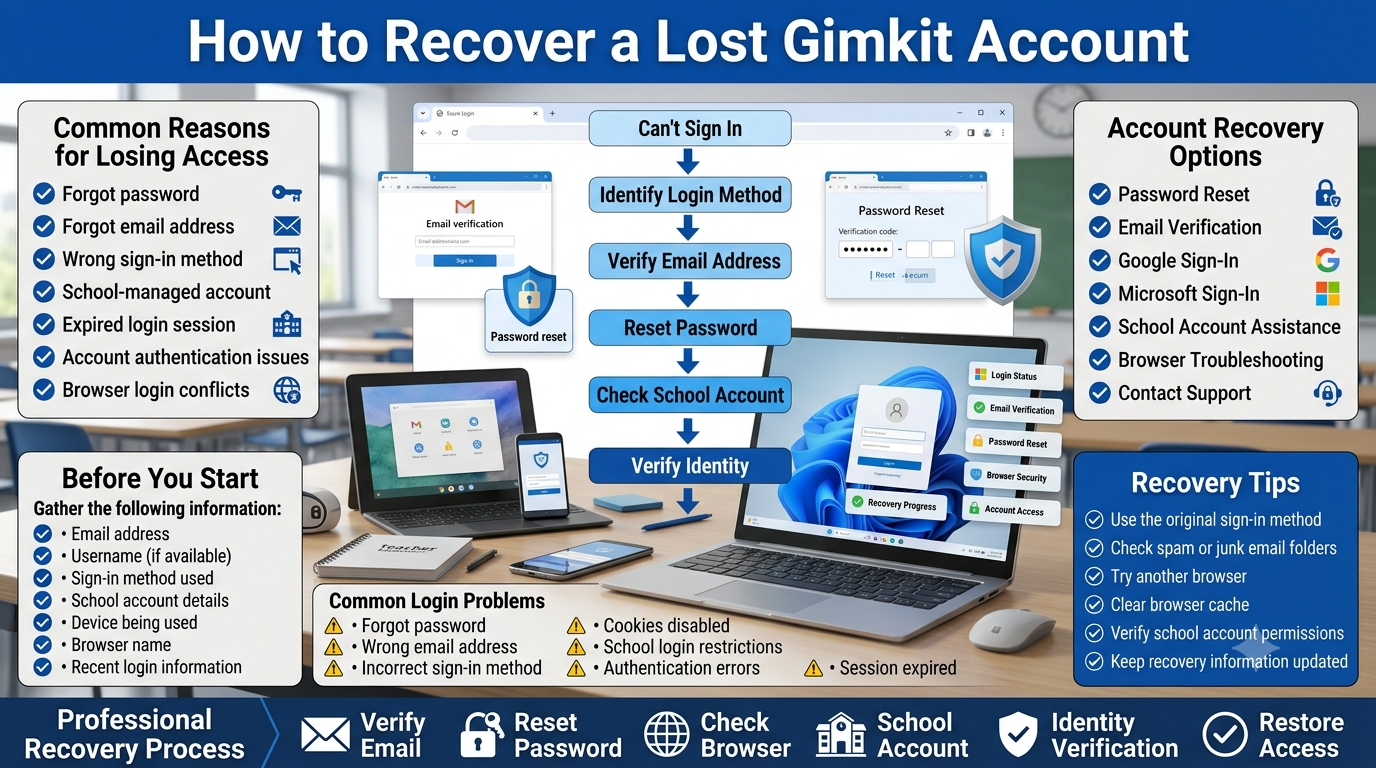
How to Recover a Lost Gimkit Account | Losing access to a Gimkit account can interrupt lesson planning, classroom activities, or student progress, but in most cases the account can be recovered without creating a new one. Whether you forgot your password, can’t remember which email you used, signed in with the wrong method, or are using a school-managed account, understanding the correct recovery process is the fastest way to regain access.
This guide explains every practical recovery method available for teachers, students, and schools. You’ll learn how Gimkit authentication works, what information you should gather before attempting recovery, how to solve common login problems, and what to do when standard recovery steps don’t work. By the end of this guide, you’ll know which recovery option fits your situation and how to avoid losing access again.
What Is a Lost Gimkit Account?
A lost Gimkit account is an account that still exists but cannot be accessed because the user has lost the required login credentials or is using the wrong sign-in method. In most situations, the account has not been deleted—it simply requires the correct recovery process.
Many users assume their account disappeared after seeing a login error. In reality, the problem is often caused by one of these situations:
Forgotten password
Incorrect email address
Signing in with Google instead of email (or vice versa)
Typing mistakes
School Google Workspace restrictions
Browser or cached login issues
Understanding why access was lost helps you choose the correct recovery method instead of creating duplicate accounts that separate your classes, Kits, assignments, and progress.
How Gimkit Accounts Work
Before attempting recovery, it’s important to understand how Gimkit identifies user accounts.
Every Gimkit account is linked to a specific authentication method. Depending on how the account was created, users generally sign in using either an email address and password or a connected Google account. Schools may also manage authentication through Google Workspace or other educational account systems.
This means your recovery options depend on the original login method. For example, resetting a password will not help if the account was originally created through Google Sign-In. Likewise, trying to sign in with Google will not work if the account was created using a standard email and password.
Knowing your original sign-in method saves time and prevents unnecessary recovery attempts.
Common Reasons Users Lose Access
Most account recovery requests happen because of a small mistake rather than a serious technical problem.
Identify the account containing your classes and Kits
Teachers frequently encounter login issues after switching between personal and school Google accounts. Students often experience problems because classroom devices automatically sign in with a different Google profile than the one originally used to create the account.
Recognizing the underlying cause is usually the fastest path to recovery.
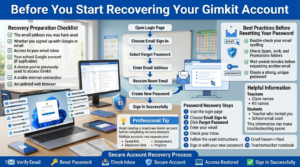
Before You Start Recovering Your Gimkit Account
Prepare for Gimkit account recovery by gathering the correct information, following the email password reset process, and using best practices to restore secure access without creating duplicate accounts.
Taking a few minutes to prepare can significantly increase the chances of recovering your account quickly.
Recovery Preparation Checklist
Before beginning, gather the following information if available:
✅ The email address you may have used
✅ Whether you signed up with Google or email
✅ Access to your email inbox
✅ Your school Google account (if applicable)
✅ A device you’ve previously used to access Gimkit
✅ A stable internet connection
✅ An updated web browser
If you’re a teacher, it’s also helpful to remember the names of classes or Kits associated with your account. If you’re a student, knowing which teacher invited you or which school email was used can make troubleshooting much easier.
Professional Tip: Avoid creating a brand-new Gimkit account before completing recovery attempts. Multiple accounts can separate your saved Kits, assignments, classroom data, and progress, making future account management more complicated.
Recovering a Gimkit Account Using Email
If your Gimkit account was created with an email address and password, using the password recovery option is usually the fastest way to regain access. This method works only for accounts that use email authentication rather than Google Sign-In.
Start by visiting the Gimkit login page and choose the option to sign in with your email address. Select Forgot Password, then enter the email address you believe is associated with your account. If the address matches an existing account, you’ll receive instructions to create a new password.
Best Practices Before Resetting Your Password
Double-check the spelling of your email address.
Look in your Spam, Junk, or Promotions folders if no email appears.
Wait several minutes before requesting another reset email.
Use a strong, unique password that you haven’t used elsewhere.
Professional Tip: Repeatedly requesting password reset emails within a short period may delay delivery. Wait a few minutes before trying again.
Recovering a Gimkit Account Using Google Sign-In
If you originally registered with Continue with Google, you don’t need to reset a Gimkit password because Google manages your authentication.
Instead, return to the login page and select Continue with Google. Choose the same Google account that was used when the Gimkit account was first created.
Many recovery attempts fail because users accidentally select a different Google account, especially when multiple accounts are signed in on the same browser.
How to Confirm You’re Using the Correct Google Account
Review all Google accounts currently signed into your browser.
Try the account you normally use for school or teaching.
Check old classroom emails to identify which address received Gimkit messages.
Sign out of unused Google accounts if account selection becomes confusing.
If Google authentication succeeds, you’ll regain access without changing any Gimkit settings.
How to Reset a Forgotten Gimkit Password
A password reset is appropriate only if your account uses email and password authentication.
After opening the password reset email, follow the secure link and create a new password that is both memorable and difficult to guess. Longer passwords containing a mix of letters, numbers, and symbols generally provide stronger protection.
After resetting the password:
Sign in using the updated password.
Confirm that your classes and Kits are still available.
Update any saved passwords in your browser or password manager.
Avoid using simple passwords or reusing passwords from other websites, as this increases security risks.
Recovering Teacher Accounts
Teacher accounts often contain valuable classroom resources, including Kits, assignments, reports, and class management settings. Because of this, recovering the original account is usually far better than creating a new one.
Before contacting support, verify the following:
You’re using the correct email or Google account.
The account wasn’t created with another school email.
Your browser isn’t automatically signing you into the wrong Google profile.
Password reset emails are arriving in your inbox or spam folder.
If you recently changed schools or email providers, try recovering access using your previous school email before assuming the account has been lost.
Teacher Recovery Checklist
Verify
Why It Matters
Correct email address
Prevents login failures
Original Google account
Restores existing classes
Password reset completed
Fixes forgotten credentials
Browser profile checked
Avoids automatic login conflicts
School administrator consulted
Helps with managed accounts
Recovering the original account preserves classroom history and minimizes disruption for students.
Recovering Student Accounts
Student accounts are often connected to classroom invitations, school email addresses, or Google Workspace accounts. As a result, students should first confirm how they originally joined Gimkit before attempting recovery.
Students should check:
Which email address was used.
Whether Google Sign-In was selected.
Whether the account belongs to the school.
Whether another Google account is currently active.
If the account is managed by a school, students may need assistance from their teacher or school IT administrator to verify the correct login credentials.
Recovering School-Managed Accounts
Many schools use managed Google Workspace accounts to control student access. These accounts may have additional security policies that affect the normal recovery process.
Common restrictions include:
Disabled password changes
Limited access outside the school network
Google Workspace authentication requirements
Administrative login controls
If multiple students experience identical login problems, the issue is more likely related to school account management than individual user error.
In these situations, teachers should first confirm whether affected students are using the same school-issued devices or network. If necessary, the school’s IT administrator can verify account permissions and authentication settings before additional troubleshooting begins.
Quick Recovery Decision Guide
Situation
Recommended Action
Forgot password
Reset password
Used Google to register
Sign in with Google
Forgot email address
Check previous emails and browser accounts
School-managed account
Contact teacher or IT administrator
Multiple Google accounts
Use the original account only
No recovery email received
Check spam folder and verify email address
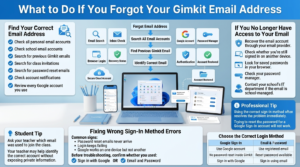
What to Do If You Forgot Your Gimkit Email Address
Learn how to recover your Gimkit account by identifying the correct email address, restoring access to your email provider, and selecting the proper sign-in method to avoid common login errors.
Forgetting the email linked to your Gimkit account can make recovery feel difficult, but it doesn’t necessarily mean the account is lost. The goal is to identify the original email before attempting additional recovery steps.
Start by checking email accounts you regularly use for school or personal activities. Search your inboxes for previous Gimkit emails, class invitations, password reset messages, or account notifications. If you normally use multiple Google accounts, review each one to determine which was originally connected to Gimkit.
If you’re a student, your teacher may also be able to confirm which email address was used to join the class without exposing private account information.
What If You No Longer Have Access to Your Email?
Losing access to your email account creates an extra recovery step because password reset messages cannot be delivered. Before assuming the Gimkit account is unrecoverable, try restoring access to your email provider first.
If email recovery isn’t possible:
Recover the email account through your email provider.
Check whether you’re still signed in on another device.
Look for saved passwords in your browser or password manager.
Contact your school’s IT department if the email is school-managed.
Restoring the original email account is often the fastest way to regain access to your Gimkit account.
Fixing Wrong Sign-In Method Errors
One of the most common recovery mistakes is using the wrong authentication method. Many users accidentally attempt to reset a password for an account that was originally created with Google Sign-In.
Typical signs include:
Password reset emails never arrive.
Login repeatedly fails despite entering the correct password.
Google login works on one device but not another.
Before troubleshooting further, confirm whether you originally chose:
Sign in with Google
Email and password
Using the correct login method often resolves the issue immediately.
Recovering From Duplicate Account Problems
Sometimes users accidentally create a second Gimkit account while trying to recover the first one. This often happens when signing in with a different Google account or another email address.
You may notice:
Classes are missing.
Kits have disappeared.
Reports are unavailable.
Your dashboard looks completely new.
Instead of rebuilding everything, identify which account contains your original classroom data and continue recovering that account. Avoid switching between multiple accounts during the recovery process, as this can make the situation more confusing.
Important: Creating additional accounts does not restore lost classroom data. Recovering the original account should always be the priority.
What to Do If Your Account Appears Locked
If Gimkit temporarily blocks access after repeated unsuccessful login attempts, wait a short period before trying again. Continuing to enter incorrect credentials may extend the lockout or trigger additional security checks.
While waiting:
Verify your email address.
Confirm the correct login method.
Reset your password if necessary.
Close unnecessary browser tabs.
Try signing in again after the waiting period.
If access is still unavailable despite using the correct credentials, additional assistance from Gimkit Support may be required.
Solving Browser and Device Login Problems
Sometimes the account is working correctly, but the browser prevents successful authentication.
Try these troubleshooting steps in order:
Browser Checklist
✅ Refresh the page.
✅ Clear browser cache and cookies.
✅ Disable extensions that interfere with website logins.
✅ Update your browser to the latest version.
✅ Try Incognito or Private Browsing mode.
✅ Test another supported browser.
If the account opens correctly in another browser or device, the issue is likely related to local browser data rather than the Gimkit account itself.
School Network and Google Workspace Issues
School-managed Chromebooks and Google Workspace environments sometimes apply security policies that affect authentication.
Possible causes include:
Restricted browser settings
Network filtering
Disabled cookies
Authentication policies
School security software
If several students experience the same problem simultaneously, the issue is likely related to the school’s configuration rather than individual accounts.
Teachers should verify whether affected students are connected to the same network before beginning individual troubleshooting.
When Should You Contact Gimkit Support?
If you’ve confirmed the correct email, verified the original login method, completed password recovery, tested another browser, and ruled out school network issues, contacting Gimkit Support is the next logical step.
Providing accurate information helps resolve requests more efficiently.
Include the Following Information
Information
Why It Helps
Account email address
Identifies the account
Teacher or student account
Confirms account type
Login method used
Speeds up troubleshooting
Description of the issue
Helps reproduce the problem
Error message (if any)
Identifies possible causes
Device and browser
Assists technical diagnosis
Avoid sending passwords or other sensitive credentials when requesting support. Clear, accurate details are usually enough for the support team to investigate the issue.
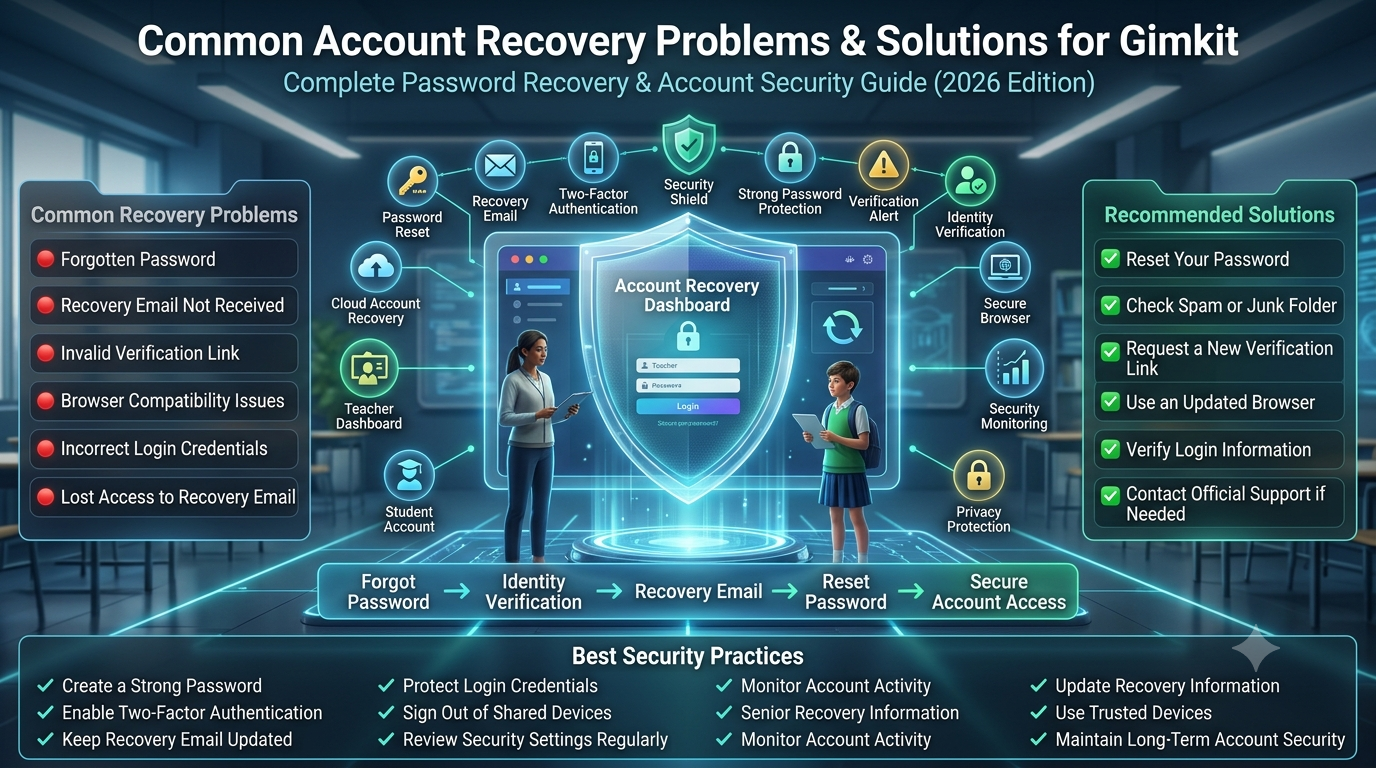
Quick Troubleshooting Flow
Can't sign in
        │
        ▼
Correct Email?
   │        │
  Yes      No
   │        │
   ▼        ▼
Correct Login Method?
   │        │
  Yes      Find original email
   │
   ▼
Reset Password
   │
   ▼
Try Another Browser
   │
   ▼
School Device?
   │
  Yes ──► Contact School IT
   │
  No
   │
   ▼
Contact Gimkit Support
How to Prevent Losing Your Gimkit Account Again
Recovering a Gimkit account can take anywhere from a few minutes to several days, depending on the cause of the problem. Taking a few preventive measures now can significantly reduce the chances of losing access in the future.
The most effective strategy is to keep your login information accurate, use a secure authentication method, and regularly verify that you still have access to the email account connected to Gimkit.
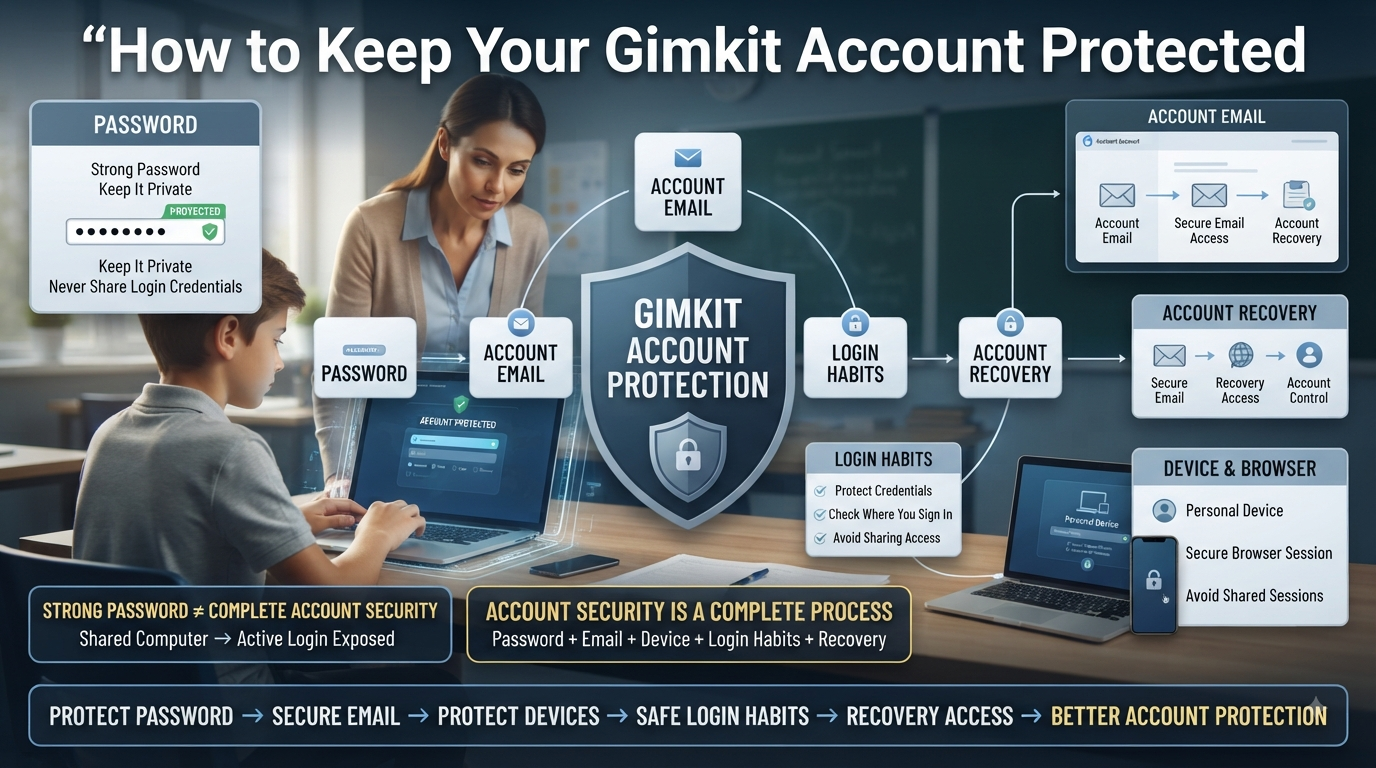
Account Security Best Practices
Good security habits protect both your account and your classroom data. Whether you’re a teacher or a student, these practices make future recovery much easier.
Recommended Security Habits
Use a strong, unique password for your Gimkit account.
Keep your recovery email active and accessible.
Save your login credentials in a trusted password manager.
Sign out of shared or public computers after every session.
Regularly review which Google account is connected to Gimkit.
Avoid sharing your login information with others.
Best Practice: If your school changes your email address, update any connected accounts as soon as possible to prevent future login issues.
Teacher Account Protection Checklist
Teachers often store months or even years of classroom materials inside their Gimkit accounts. Protecting that information should be part of regular classroom management.
Teacher Checklist
Task
Recommended Frequency
Verify login email
Every semester
Update password
Periodically
Check Google account connection
After account changes
Review saved browser passwords
Every few months
Keep recovery email active
Always
Remove unused devices from browser sessions
As needed
Maintaining these habits reduces the likelihood of losing access during the school year when classroom continuity is most important.
Student Account Protection Tips
Students can also take simple steps to avoid future login problems.
Helpful habits include:
Remember whether you use Google Sign-In or email and password.
Avoid creating multiple Gimkit accounts.
Keep your school email account active.
Sign out when using shared devices.
Ask your teacher before creating a new account if login problems occur.
Following these recommendations helps preserve classroom progress, assignments, and participation history.
Common Account Recovery Mistakes to Avoid
Many recovery attempts become more complicated because users unintentionally make avoidable mistakes.
Frequent Mistakes
❌ Creating a new account before attempting recovery
❌ Resetting the password for the wrong email address
❌ Using a different Google account
❌ Ignoring spam or junk folders
❌ Trying too many passwords repeatedly
❌ Assuming the account has been deleted
❌ Contacting support without basic account information
Avoiding these mistakes often shortens the recovery process considerably.
Professional Recommendations for Schools
Schools using Gimkit across multiple classrooms should establish simple account management practices to minimize support requests.
Recommended practices include:
Encourage teachers to use consistent school email accounts.
Maintain active Google Workspace accounts throughout the academic year.
Provide students with guidance on the correct login method.
Document account ownership before staff transitions.
Ensure IT administrators understand how school authentication policies affect educational platforms.
A proactive approach reduces classroom disruption and makes account recovery much easier when problems occur.
How Long Does Gimkit Account Recovery Usually Take?
Recovery time depends on the type of login issue.
Situation
Typical Recovery Time
Password reset
A few minutes
Google Sign-In issue
Usually immediate after selecting the correct account
Incorrect email address
Depends on identifying the original account
Browser-related problem
5–20 minutes
School-managed account
Varies based on school IT response
Support investigation
Depends on issue complexity and support response time
Most login issues can be resolved without creating a new account when the correct recovery method is followed.
Privacy and Security Considerations
Protecting your account also means protecting your personal information. Never share passwords through email, classroom chats, or messaging apps. If someone else needs access to classroom resources, use the appropriate sharing or collaboration features instead of sharing login credentials.
If you believe someone has accessed your account without permission, change your password immediately, review your connected Google account if applicable, and sign out from devices you no longer use.
Maintaining good security practices helps protect not only your account but also your classroom content and student-related information.
Recovery Prevention Checklist
Before finishing, use this checklist to help prevent future account issues:
✅ Keep your login email up to date.
✅ Remember your original sign-in method.
✅ Use a strong, unique password.
✅ Save credentials in a secure password manager.
✅ Avoid creating duplicate accounts.
✅ Verify access to your recovery email regularly.
✅ Sign out from shared computers.
✅ Contact support only after completing the basic recovery steps.
By following these recommendations, teachers, students, and schools can greatly reduce the chances of losing access to their Gimkit accounts and ensure a smoother experience throughout the school year.
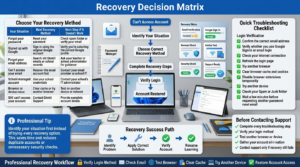
Recovery Decision Matrix
Use this recovery decision matrix to identify the correct Gimkit account recovery method, complete essential troubleshooting steps, and restore account access without creating duplicate accounts.
If you’re unsure which recovery method to use, identify your situation first instead of trying every available option. This saves time and reduces the risk of creating duplicate accounts or triggering unnecessary security checks.
Your Situation
Best Recovery Method
Next Step if It Doesn’t Work
Forgot your password
Reset your password
Check spam folder or verify your email
Signed up with Google
Sign in using the original Google account
Verify you’re selecting the correct Google profile
Forgot your email address
Search old Gimkit emails or school records
Ask your teacher or school administrator for guidance
Can’t access your email
Recover the email account first
Contact your email provider or school IT
School-managed account
Use your school credentials
Contact your school’s IT administrator
Browser or device issue
Clear cache or try another browser
Test on another device or network
Still can’t access your account
Contact Gimkit Support
Provide complete account details
Quick Troubleshooting Checklist
Before requesting support, complete this checklist. Many login problems are resolved by following these basic steps.
Login Verification
✅ Confirm the correct email address.
✅ Verify whether you use Google Sign-In or email login.
✅ Check your internet connection.
✅ Refresh the login page.
✅ Try another browser.
✅ Clear browser cache and cookies.
✅ Disable browser extensions temporarily.
✅ Try another device.
✅ Check your Spam or Junk folder.
✅ Wait a few minutes before requesting another password reset email.
Completing these steps first can save time and eliminate the most common causes of login failures.
Gimkit Account Recovery Workflow
Lost Access
     │
     ▼
Know Your Login Method?
     │
 ┌───┴────┐
 │        │
Google   Email
 │        │
 ▼        ▼
Select    Reset Password
Correct   │
Google    ▼
Account  Receive Email
 │        │
 ▼        ▼
Access Restored?
 │
 ├── Yes → Continue Using Account
 │
 └── No
       │
       ▼
Check Browser • Check Email • Check School Account
       │
       ▼
Contact Gimkit Support
Summary
Recovering a lost Gimkit account is usually straightforward once you identify how the account was originally created. Most users regain access by using the correct sign-in method, resetting a forgotten password, or selecting the correct Google account.
Before contacting support, verify your login email, test another browser, and rule out school-managed account restrictions. Creating a second account should only be considered as a last resort because it does not restore your existing classes, Kits, assignments, or reports.
The best long-term strategy is to keep your recovery email accessible, use secure login credentials, and remember whether your account uses Google authentication or an email and password.
Quick Access | Expert Rules & Thoughts for yuor Best experience
How to Recover a Lost Gimkit Account begins by identifying why you lost access, such as a forgotten password or incorrect sign-in method.
How to Recover a Lost Gimkit Account is often easiest when you remember the email address used during registration.
How to Recover a Lost Gimkit Account starts by confirming whether you signed up with Google, Microsoft, or email and password.
How to Recover a Lost Gimkit Account becomes much simpler when you use the original login method instead of creating a new account.
How to Recover a Lost Gimkit Account usually requires resetting your password if you can no longer sign in.
How to Recover a Lost Gimkit Account may involve checking your spam or junk folder for password reset emails.
How to Recover a Lost Gimkit Account should begin with verifying that your email address was entered correctly.
How to Recover a Lost Gimkit Account becomes easier when you try all email addresses you commonly use.
How to Recover a Lost Gimkit Account requires avoiding duplicate accounts, which can make recovery more confusing.
How to Recover a Lost Gimkit Account often succeeds after clearing browser cache and signing in again.
How to Recover a Lost Gimkit Account may require using a different browser if login problems continue.
How to Recover a Lost Gimkit Account becomes more reliable when using an updated and supported browser.
How to Recover a Lost Gimkit Account may require checking whether browser extensions are blocking the login page.
How to Recover a Lost Gimkit Account often involves confirming that your internet connection is stable.
How to Recover a Lost Gimkit Account should include verifying that cookies and JavaScript are enabled.
How to Recover a Lost Gimkit Account becomes easier when school-managed devices allow access to the login page.
How to Recover a Lost Gimkit Account may require assistance if your school email has been changed or deactivated.
How to Recover a Lost Gimkit Account should include checking whether your school administrator manages your account.
How to Recover a Lost Gimkit Account becomes simpler when you keep previous login information available.
How to Recover a Lost Gimkit Account often depends on using the same authentication method you originally selected.
How to Recover a Lost Gimkit Account may require verifying your identity before access is restored.
How to Recover a Lost Gimkit Account should never involve sharing passwords with other users.
How to Recover a Lost Gimkit Account becomes more secure by creating a strong replacement password.
How to Recover a Lost Gimkit Account benefits from updating recovery information after regaining access.
How to Recover a Lost Gimkit Account encourages enabling available account security features whenever possible.
How to Recover a Lost Gimkit Account may require patience if temporary technical issues affect the login system.
How to Recover a Lost Gimkit Account becomes easier when browser autofill information is reviewed carefully.
How to Recover a Lost Gimkit Account should include checking whether the correct account is already signed in.
How to Recover a Lost Gimkit Account often succeeds after signing out of other accounts before attempting another login.
How to Recover a Lost Gimkit Account benefits from avoiding repeated incorrect password attempts.
How to Recover a Lost Gimkit Account becomes more successful when recovery steps are completed one at a time.
How to Recover a Lost Gimkit Account should include confirming that the login page loads correctly before entering credentials.
How to Recover a Lost Gimkit Account may require checking browser permissions if the sign-in page behaves unexpectedly.
How to Recover a Lost Gimkit Account becomes easier when login problems are tested on another device.
How to Recover a Lost Gimkit Account often involves confirming whether the issue affects only one browser.
How to Recover a Lost Gimkit Account encourages reviewing saved passwords in your browser or password manager.
How to Recover a Lost Gimkit Account becomes more manageable when important account information is stored securely.
How to Recover a Lost Gimkit Account may require verifying that your account has not been accessed using another sign-in method.
How to Recover a Lost Gimkit Account should focus on recovering the original account instead of starting over.
How to Recover a Lost Gimkit Account becomes more reliable when every recovery option is checked carefully before creating a new account.
How to Recover a Lost Gimkit Account helps protect classroom progress by restoring access to existing data whenever possible.
How to Recover a Lost Gimkit Account encourages keeping login credentials updated after successful recovery.
How to Recover a Lost Gimkit Account becomes easier by reviewing account settings immediately after signing in again.
How to Recover a Lost Gimkit Account helps prevent future issues through better password management habits.
How to Recover a Lost Gimkit Account supports long-term account security by maintaining accurate recovery information.
How to Recover a Lost Gimkit Account reminds users to avoid creating multiple accounts for the same classroom.
How to Recover a Lost Gimkit Account becomes faster when recovery emails are checked promptly after requesting them.
How to Recover a Lost Gimkit Account helps preserve assignments, classes, and learning progress stored in the original account.
How to Recover a Lost Gimkit Account encourages following official recovery procedures instead of trying unsupported workarounds.
How to Recover a Lost Gimkit Account ultimately depends on identifying the correct login method, verifying account information, using password recovery when necessary, checking browser compatibility, and following a systematic recovery process that restores access while protecting your existing classroom data and account security.
How to Recover a Lost Gimkit Account becomes easier when you record your original sign-in method after creating the account.
How to Recover a Lost Gimkit Account helps prevent permanent confusion by recovering your existing account instead of registering another one.
How to Recover a Lost Gimkit Account may require confirming whether your account was created with a personal or school-managed email address.
How to Recover a Lost Gimkit Account is more successful when recovery requests are completed using the same device or browser previously used to sign in.
How to Recover a Lost Gimkit Account encourages reviewing recent account activity after recovery to ensure everything appears normal.
How to Recover a Lost Gimkit Account helps teachers regain access to saved Kits, assignments, classes, and student progress without starting from scratch.
How to Recover a Lost Gimkit Account reminds students to contact their teacher or school administrator if the account is managed by the school.
How to Recover a Lost Gimkit Account becomes much simpler when recovery information is kept accurate and passwords are updated regularly.
How to Recover a Lost Gimkit Account demonstrates that most login problems can be solved through proper troubleshooting rather than creating a replacement account.
How to Recover a Lost Gimkit Account ultimately protects your classroom resources, assignments, learning history, and account security by following the correct recovery steps, verifying your login method, and restoring access to the original account whenever possible.
Frequently Asked Questions
Does creating a new account recover my old data?
No. Creating a new Gimkit account does not restore data from a previous account. Each account stores its own classes, Kits, assignments, game history, reports, and settings separately. If you register with a different email address, Gimkit treats it as a completely new account, and your previous content does not transfer automatically.
If you’re unable to access your original account, try recovering it before creating a new one. Using the correct email address and password recovery options gives you the best chance of regaining access to your existing data. Creating multiple accounts before troubleshooting can make account management more confusing.
Before creating a new account:
Double-check the email address you originally used.
Use the password reset option first.
Check all email inboxes and spam folders.
Try any school or Google accounts linked to Gimkit.
Contact Gimkit Support if you believe your account still exists.
Create a new account only if recovery is no longer possible.
Is my account permanently lost if I can’t log in?
Not necessarily. In most cases, login problems are caused by incorrect passwords, forgotten email addresses, expired school accounts, browser issues, or authentication errors—not permanent account deletion. As long as the account still exists and you can verify ownership, there is usually a good chance of recovering access.
The first step is identifying why the login failed instead of immediately assuming the account is gone. Using the password reset feature, checking the correct email account, or signing in through the original login method often resolves the issue without losing your data.
Try these recovery steps first:
Verify you’re using the correct email address.
Reset your password.
Try the original sign-in method (Google or email).
Check if your school account is still active.
Test another browser or device.
Contact Gimkit Support if recovery options fail.
Can teachers recover classroom data after regaining access?
Yes. In most situations, once teachers successfully regain access to their original Gimkit account, their previously created Kits, classes, assignments, reports, and game history remain available because they are stored on the account rather than on the local device. Simply logging back into the correct account usually restores access to classroom resources.
However, recovery depends on signing into the original account rather than creating a new one. If multiple accounts exist, teachers should verify which email address was used to create their classroom before assuming any data has been lost.
After regaining access, check for:
Saved Kits.
Classroom rosters.
Assignments.
Student reports.
Previous game history.
Account settings and preferences.
Can students recover their own accounts?
Yes, students can often recover their accounts if they still have access to the original email address or sign-in method used during registration. Password recovery tools are usually the fastest solution when login credentials have simply been forgotten.
Students using school-managed accounts may also need assistance from their teacher or school IT department, particularly if the original school email has changed or been deactivated. Recovering the existing account is generally easier than starting over with a new one.
Students should try to:
Reset their password.
Use the correct email address.
Sign in using the original Google account if applicable.
Check spam or junk folders for recovery emails.
Ask their teacher if a school account was used.
Contact Gimkit Support if standard recovery fails.
What should I do if I accidentally created two Gimkit accounts?
Having two Gimkit accounts can make it difficult to manage classes, assignments, and saved content because information is stored separately within each account. Before continuing to use both accounts, determine which one contains your important classroom data and use that as your primary account whenever possible.
Avoid switching between accounts unnecessarily, as this often leads to confusion about where Kits, reports, or assignments are stored. If duplicate accounts create ongoing problems, contact Gimkit Support to ask about available account management options.
Steps to manage duplicate accounts:
Identify which account contains your classroom data.
Continue using only one primary account.
Avoid creating additional accounts.
Record the correct login information.
Contact Gimkit Support if duplicate accounts cause issues.
Inform students which account they should use for assignments.
Can I recover my account if I forgot my email address?
Yes, although the recovery process may take additional time. Begin by checking every email account you regularly use, including personal, school, and Google accounts. Search your inbox for previous Gimkit emails such as welcome messages, password resets, classroom invitations, or notifications, which can help identify the correct account.
If you still cannot remember which email was used, gather any information that may help verify ownership before contacting Gimkit Support. The more account details you can provide, the easier it may be to locate your account.
Ways to identify your email address:
Search all inboxes for Gimkit emails.
Check saved passwords in your browser.
Review school or Google accounts.
Ask your teacher if a classroom invitation was sent.
Check previous login records if available.
Contact Gimkit Support with account details.
Why didn’t I receive a password reset email?
Password reset emails usually arrive within a few minutes, but several factors can delay or prevent delivery. The most common causes include entering the wrong email address, checking the wrong inbox, spam filtering, school email restrictions, or temporary email service delays.
Before requesting another reset, verify that you entered the same email address used to create your Gimkit account. Sending repeated reset requests within a short period usually does not solve the problem and may actually delay email delivery.
Check these possible causes:
Incorrect email address entered.
Spam or junk folder.
School email filtering.
Delayed email delivery.
Full mailbox.
Using a different account than the original one.
Can I recover my Gimkit account without my password?
Yes. Forgetting your password does not usually mean losing access to your account permanently. If you still have access to your registered email address or original sign-in method, you can normally reset your password and regain access without creating a new account.
If password recovery is unsuccessful because you no longer have access to your email account, contact Gimkit Support and provide as much account information as possible to verify ownership. Recovering the original account is always preferable to creating a new one.
Best recovery options include:
Use the Forgot Password feature.
Access your registered email account.
Sign in using your original Google account if applicable.
Verify your account information carefully.
Avoid creating unnecessary duplicate accounts.
Contact Gimkit Support if standard recovery methods do not work.
Final Thoughts
Losing access to your Gimkit account doesn’t usually mean your classroom content is gone. In most cases, the account remains intact and simply requires the correct recovery method. Understanding whether you use email authentication or Google Sign-In is the most important first step, followed by verifying your email address, checking browser-related issues, and completing the appropriate recovery process.
If standard recovery methods don’t resolve the issue, gather your account details before contacting Gimkit Support. Clear information helps speed up troubleshooting and improves the chances of restoring access to your original account. With good security habits and proper account management, you can reduce the likelihood of future login problems and keep your teaching or learning experience uninterrupted.