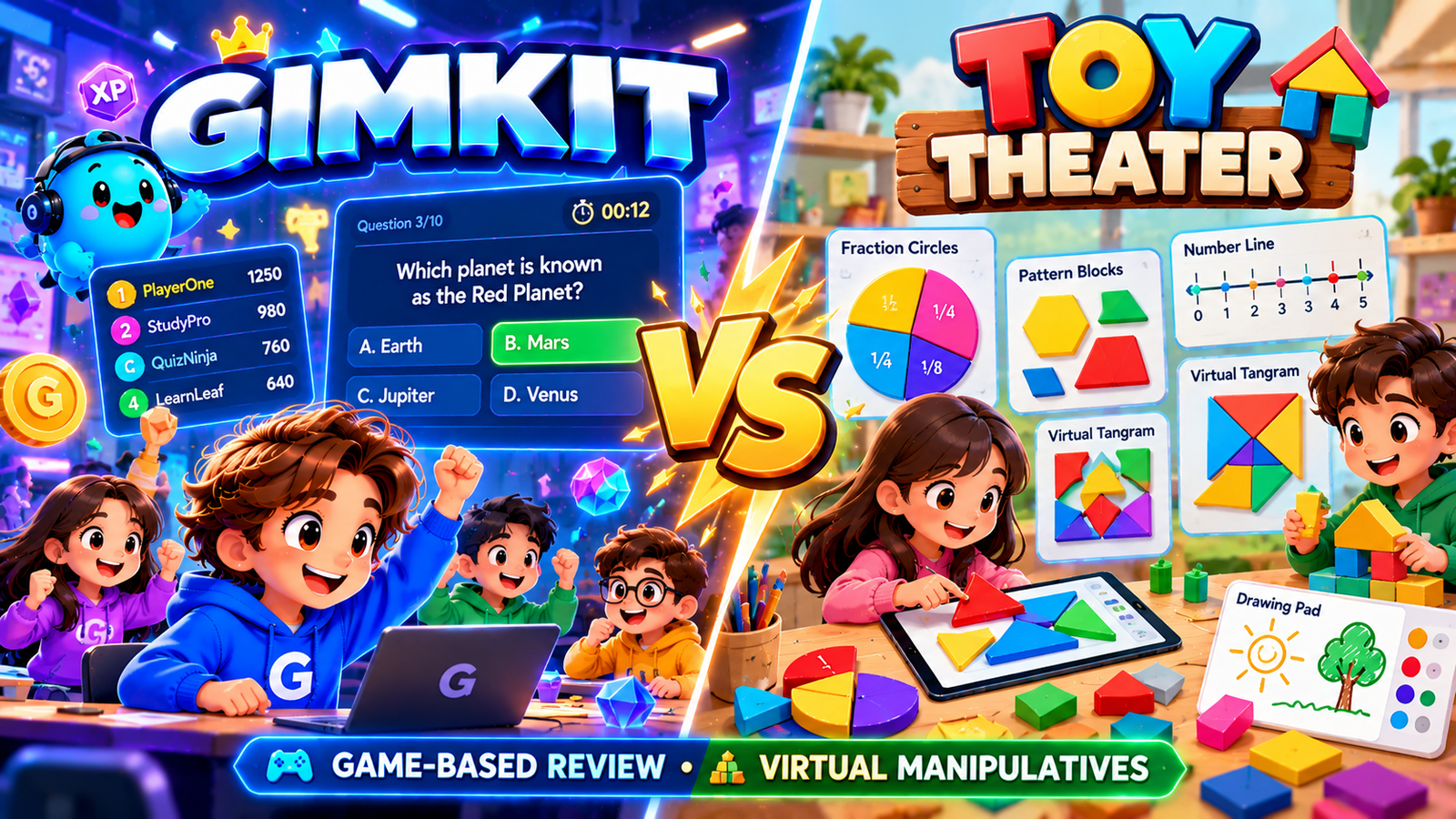
Gimkit vs Toy Theater
Virtual Math Models
or Game-Based Review?
Gimkit vs Toy Theater
compares two different ways of making
mathematics interactive.
Toy Theater offers free educational
games and a large library of
virtual manipulatives,
including ten frames, base-ten blocks,
fraction bars, number lines,
clocks and geoboards.
Gimkit uses teacher-selected question
Kits within game modes, where academic
answers support game-specific objectives.
A child moving counters to explain
why five and three make eight
is engaged in a different mathematical
task from answering eight questions
in a digital game.
Explore when visual modeling makes
the structure of a mathematical
idea visible, when question-based
game review is appropriate and
how their access models differ.
Use our exclusive
Model-to-Equation Math Studio
to construct, regroup and compare
mathematical models instead of
pretending that game points
prove conceptual understanding.
Ten framesPlace-value regroupingFraction equivalenceVisual reasoningGimkit Kits
Independent educational resource.
Not affiliated with Toy Theater or Gimkit.
The interactive studio is an original
local teaching demonstration; it does
not import official manipulatives,
connect student accounts,
or generate real game results.
MAKE IT VISIBLE → EXPLAIN IT → WRITE IT
One quantity. Two colored groups.
4 + 3 = 7
Illustrative model, not a screenshot
from either provider.
TOY THEATER · EXPLORE A MODELGIMKIT · PRACTISE QUESTIONS
Direct Classroom Verdict
Choose Toy Theater to show why
the math works; choose Gimkit
to review what students can answer.
These are not competing versions
of the same lesson format.
They can support different phases
of a carefully planned instructional
sequence.
🧮
Toy Theater: visual mathematical
relationships
Students can physically interact
with virtual quantities, shapes
and representations on screen.
The free public library includes
manipulatives for number sense,
operations, fractions, geometry,
time, literacy and other subjects.
Many tools can be projected
or used in a small group
to ask students to explain
the relationship they see.
Choose a concrete model when
the problem is a concept
that students need to make visible,
not just another opportunity
to choose a correct answer.
🎮
Gimkit: mode-driven question practice
A teacher chooses a Kit
and an available game mode,
sets the hosting options
and invites students to participate.
Correct academic responses contribute
to gameplay according to the mode's rules.
Reports can provide question
and student information
for supported sessions.
Choose a mode when academic content
is ready for review and learners
can access the questions,
without confusing success
in game objectives with proof
of mathematical reasoning.
2026 access correction:
Toy Theater's public games and manipulatives
are free.
Its optional teacher membership is listed
at $12/month
for an ad-free customized environment
with up to 30 student devices
and up to 50 organized pages.
Gimkit Basic uses rotating featured modes;
Pro extends access.
Always verify providers' current terms.
Three Powerful Teaching Moves
Build, regroup, compare:
what a manipulative lets a learner do.
🔵
Build a quantity
Place two colors of counters
inside a ten frame,
observe the empty spaces
and connect a visual
part–part–whole structure
to an addition equation.
🔟
Trade without changing value
Exchange ten ones for one ten,
or ten tens for a hundred,
then explain why the total
remains unchanged even as
the appearance differs.
½
Compare equal wholes
Shade fraction bars divided
into equal-sized segments,
test whether different numerators
and denominators represent the same
share, and justify a comparison.
Exclusive Interactive Math Application
Model-to-Equation Math Studio
A genuine three-model workspace:
build a two-color ten frame,
exchange base-ten units,
and compare fraction bars.
Construct a model first;
make a mathematical claim second.
Save the model and explanation,
undo changes, and export a handoff.
All work stays local to this page.
Modeling, not grading:
The tool uses original independent
visuals—not Toy Theater code or images.
It verifies arithmetic claims
but cannot know whether a child
understands the explanation.
The teacher must listen to the reasoning.
No names, school records or real Gimkit
activity are required.
Build a part–part–whole model
Choose a counter color and click a cell.
The model does not fill itself;
the learner selects each position.
Compare two parts, the total,
and the empty cells,
then check a written equation.
Interactive ten frame
The equation remains your claim
until checked.
Trade ones, tens and hundreds
without changing the quantity
Add or remove units to build a number.
Then regroup ten ones into one ten
or exchange one ten for ten ones;
value stays constant.
The model displays actual groups
and records which representation
you chose.
Prove a fraction comparison
with equal-sized wholes
Each bar represents the same-sized whole.
Click a segment to change
the shaded numerator.
Change the denominator to divide
the whole into equal parts.
Select less than, equal to,
or greater than as a prediction
before revealing the exact comparison.
Two equally sized whole bars
Compare the shaded lengths
before checking.
No comparison checked yet.
Record a mathematical explanation—
not a game score
Save any current model as a snapshot,
including a short teacher-
or learner-authored explanation.
This journal never assigns mastery,
grades, or recommends
a fixed intervention.
You can restore a saved representation,
export it, or clear an entry.
Model handoff
Loading model studio…
Quick Comparison Matrix
Gimkit vs Toy Theater:
compare the actual learning interaction
Choose according to the mathematical task,
supported feature and current access conditions,
not unsupported numerical platform ratings.
Factor
Toy Theater
Gimkit
Teaching consequence
Central use
Free educational games
and virtual manipulatives
Teacher-selected Kits
within game modes
Construct and inspect a model
versus answer questions inside gameplay.
Ten-frame modeling
Official Two Color Counter Ten Frame
and Double Ten Frame
Not a core Kit-hosting feature
Build part–part–whole reasoning
with explicit counter placements.
Place value
Base Ten Blocks, Place Value Mat
and other visual models
Can host reviewed place-value questions
Trade units visually before
practising symbolic responses.
Fraction relationships
Fraction strips, circles,
number lines, equivalent bars
Can host reviewed fraction questions
Use equal wholes for visual proof
of equivalence and order.
Other tools
Geoboard, clocks, rekenrek,
number charts, creative resources
Different live game modes and Kits
Match an individual tool
or game mode to the objective.
Reports
Capabilities depend on the selected
manipulative or game
Student, General and Question Breakdown
under supported conditions
Do not invent automatic tracking
from a virtual tool.
Free access
Main public games and manipulatives
described as free
Basic with rotating free featured modes
Both have useful free access,
but different restrictions.
Paid controls
Optional $12/month customized
ad-free member environment
Pro unlocks modes and Assignments
Compare required controls,
not only subscription amount.
Strong teaching fit
Model, explore, explain, represent
Question-based practice
in a selected mode
Introduce relationships explicitly
and practise when ready.
Expert Comparison · 01
Gimkit vs Toy Theater: the difference
between making a model and answering a question
Teachers often group educational websites
by surface features: bright colors,
interactive screens, classroom use,
and children's games.
That approach misses the central distinction
in this comparison.
Toy Theater includes objects that students
can move, partition, connect, shade,
and manipulate to show a mathematical
relationship.
Gimkit places academic questions inside
supported game modes whose rules
govern progression.
The same student might use a Toy Theater
ten frame to construct seven as four
and three, and later answer a Gimkit question
asking which equation represents
that decomposition.
Those are connected learning experiences,
but one is not a substitute for the other.
In a manipulative-based lesson,
a learner's mathematical thinking
is partly visible through
a constructed representation.
The student decides where to place
a counter, how to partition a whole,
or why exchanging ten units
for one rod does not change the amount.
A teacher can ask for an explanation
while observing those actions.
In a question-based game,
the evidence is usually closer
to the selected answer and
the surrounding activity record.
Even when the question is correct,
it may reveal less about the strategy
a student used.
Both can be useful, provided
the teacher does not confuse
engagement with understanding.
This page concentrates on translating
visual math into symbolic statements,
an instructional action that belongs
naturally to virtual manipulatives.
The interactive laboratory is independent
and uses original mathematical models.
It is not a copy of Toy Theater's tools
or a Gimkit game.
It deliberately avoids an entertainment
leaderboard and does not assign
a child a mastery score.
Instead, it asks learners to construct
a quantity, write an equation,
perform a valid trade,
or prove a fraction comparison.
Those actions support a much
more precise discussion about
when to model and when to practise.
Expert Comparison · 02
What Toy Theater actually offers in 2026
Toy Theater describes itself
as a collection of free educational
games and activities for elementary-age learners.
Its public website includes math games,
language arts activities, creative tools,
puzzles, classroom utilities,
and a large library of virtual manipulatives.
The official manipulatives catalog
is especially broad: counters, fractions,
time, geometry, number lines,
place value, multiplication, money,
algebra-oriented resources, probability,
literacy, and more.
A teacher looking for a digital geoboard
needs something different from a teacher
looking for a quick addition practice game,
yet both may find an appropriate resource
inside the same public library.
The important product distinction
is between the free activity library
and the separate optional membership
environment.
The official membership page currently
advertises twelve US dollars per month
for customization, up to fifty organized
pages, controls over category buttons,
ad-free access and a shared student access
route for as many as thirty devices.
The main games and tools
are advertised as free.
A teacher should not describe
the entire Toy Theater experience
as paid, nor promise that the free
public site provides the same
member-specific classroom controls.
Individual resources also vary
in their actual features and interface.
Toy Theater's strongest advantage
in this comparison is not merely
having a large number of activities.
It is the ability to select
different representations
for different teaching jobs.
A counter ten frame makes groups
of five and ten perceptually useful;
a base-ten block tool makes
place-value structure visible;
fraction bars help compare parts
of equal wholes; a number line
represents order and distance;
a clock manipulative connects
moving hands to time.
The teacher must still choose
the tool that matches the question.
A library containing everything
does not mean every activity
is equally suitable for every learner.
Expert Comparison · 03
What Gimkit actually offers in 2026
Gimkit's official help center
describes a teacher workflow
involving question Kits,
a game-mode picker, hosting options,
a joining route, and postgame reports
under supported conditions.
The available modes can differ
substantially in movement, resources,
team objectives, and the relationship
between answering questions
and advancing in the game.
Standard host options and mode-specific
settings influence what students experience.
This makes Gimkit more than
a single quiz presentation,
but it does not turn every mode
into a virtual manipulative capable
of showing mathematical structure.
Gimkit Basic is a free educator tier
with rotating featured game modes,
classes, and reporting.
Current Gimkit Pro documentation says
that Pro provides broader mode access,
Assignments, and additional
question-media functionality.
Free featured modes can change.
Before planning a classroom session,
teachers should verify that the desired
mode is currently available
to their account and that
its interaction pattern is suitable
for the age group.
A class of learners who cannot
independently read a long question
may need supports that change
what the activity actually measures.
Gimkit reports provide useful records
for supported sessions hosted
with a teacher-owned Kit,
including student, general,
and question breakdown views.
But a report from an academic game
does not automatically establish
whether the learner could represent
the calculation with blocks
or explain why a mathematical rule holds.
Teachers can use a high-quality Kit
for practice and review
after a concept is introduced
through examples and manipulatives.
When a student makes an error,
the appropriate response may be
to return to a model,
not simply demand additional game attempts.
Expert Comparison · 04
Virtual manipulatives are representations,
not just digital toys
A physical manipulative allows a student
to move objects, group them,
compare their lengths, and reason
about quantities with their hands.
A digital manipulative offers related actions
through a mouse, touchscreen,
or supported keyboard interaction.
The digital version can be projected,
reset quickly, and shared during
whole-class demonstrations.
It may also limit tactile experience
or impose unfamiliar controls.
Neither format is inherently educational
simply by existing.
The crucial question is whether
the student's actions reveal, challenge,
or support the mathematical idea being taught.
Consider a child learning addition within ten.
Showing the numeral seven
beside two groups of counters
creates an opportunity to ask
why those groups total seven.
If one counter is moved
from the first group to the second,
the total remains unchanged.
The learner can see that five plus two
and four plus three represent
the same amount.
This is a valuable invariant:
the whole stays constant
while the parts change.
A multiple-choice question can check
recognition of the equation,
but it may not produce
the same visual opportunity
to explain the invariant.
A good manipulative lesson
does not end at the model.
The teacher gradually connects objects
to drawings, words, expressions,
and equations.
Students need to identify
which features of the model matter
and which are incidental.
The color of the counters
may help organize two groups,
but it does not determine
the mathematics; the cardinality
of the groups does.
Our Model-to-Equation Studio
is organized around that transition.
It asks the learner to construct first
and state the arithmetic relationship second,
making the role of the visual
representation explicit rather than decorative.
Expert Comparison · 05
The two-color ten frame
and the five-structure
Toy Theater's official Two Color Counter
Ten Frame explains using ten cells,
two counter colors, and the empty spaces
to develop number sense.
The five-column structure helps children
recognize quantities without counting
every individual counter on every attempt.
Filling the entire first row
and two cells in the second
is a powerful way to see seven
as five and two.
Using two different colors can reveal
a different decomposition,
such as four and three,
while the occupied cells still
represent seven.
The structure lets a teacher compare
decompositions and ask whether
the total changed.
The ten-frame model works best
when students understand that
each counter occupies one cell
and that empty spaces matter too.
If seven positions are filled,
three remain available to complete ten.
This supports complement thinking:
seven plus three makes ten.
Learners can also compare eight and six
by recognizing which arrangement
fills more cells.
These are not simply arithmetic facts
to memorize; the visual structure
shows why they fit together.
A child who understands the model
can begin using more efficient
strategies in mental calculation.
Our tool lets the user select
blue counters, teal counters,
or an eraser and click
ten individual cells.
It counts the two colors,
the filled cells, and the empty cells.
After construction, the learner enters
an addition equation in an explicit format
such as 4+3=7.
The check verifies whether
the two addends match
the model's color groups
and whether the total is correct.
It does not decide whether
the student's explanation
is mathematically meaningful.
The teacher can ask why seven
and three complete the frame
or why changing the colors
need not change the number represented.
Expert Comparison · 06
Why the total is not the same
as the arrangement
A frequent difficulty in early number sense
is confusing the arrangement of objects
with the amount they represent.
Seven counters placed along the top row,
spread across both rows,
or distributed between two colors
still represent seven counters.
A student may initially count carefully
each time because the arrangement
looks different.
The teaching opportunity
is to make the invariant visible:
moving the same counters into new positions
does not add or remove any units.
Recognizing that invariant helps children
progress from perceptual counting
toward reasoning with composed numbers.
This distinction also explains
why a ten frame is more informative
than a simple digital button
that reveals a correct answer.
The learner can deliberately modify
the arrangement and test a claim.
If the teacher asks,
“Can you make seven in a different way
without changing the total?”
the student can physically create
a second representation.
The resulting comparison provides material
for mathematical conversation.
A teacher might then write
both 5+2=7 and 4+3=7,
pointing out that the addends differ
while the whole remains constant.
The independent studio preserves
an important limitation:
it checks numerical consistency,
not conceptual comprehension.
When someone enters 4+3=7
for a four-blue, three-teal frame,
the tool can confirm that
the symbolic statement matches
the representation.
But a child might still have copied
the displayed counts without understanding
conservation of quantity.
An appropriate follow-up
is to cover the labels,
rearrange the counters,
and ask the learner to justify
the unchanged total.
Mathematical reasoning remains
a human teaching responsibility.
Expert Comparison · 07
Making ten and developing
addition strategies
Ten frames are particularly useful
because ten is a central landmark
in the base-ten number system.
When students can visualize eight
as five and three,
they can see two empty cells
and may use that relationship
in later addition.
Consider eight plus five.
One strategy transfers two
from the group of five
to complete ten, leaving three.
The resulting ten plus three
is thirteen.
Without a visual model,
a learner may repeat a rote procedure
without seeing why
the decomposition is allowed.
A teacher can use counters
and a second frame
to illustrate the transformation.
Toy Theater includes double ten-frame
resources as well as
the standard ten frame.
The official double ten-frame page
describes representing quantities up to twenty
and showing missing-addend relationships
such as fourteen plus what makes twenty.
These tools should be chosen
when the numbers exceed a single frame.
For numbers within ten,
the simplest frame may provide
a clearer focus.
The goal is not to use
the most complicated available manipulative;
it is to make the relevant relationship
accessible with minimal unrelated demands.
Our lab intentionally uses
a single ten frame for the first model
and a separate base-ten workbench
for place-value trading.
It does not claim to reproduce
Toy Theater's double-frame user interface
or assessment flow.
Teachers can set a target
between zero and ten,
let a learner construct the number,
and then ask for different ways
of splitting the occupied cells
into two parts.
A later written problem checks
whether the learner can use
the relationship without the visual.
This is a bridge from action
to symbolism rather than an attempt
at a faster arithmetic game.
Expert Comparison · 08
Understanding base ten
through units, rods, and flats
Place-value blocks represent
the structure of our decimal number system.
A small unit represents one;
a rod represents ten units;
a flat represents one hundred units.
Learners can build the same value
using different groupings,
compare quantities,
and understand why digits occupy positions
worth ten times the place
to their right.
The relationship between physical-looking
units and written numerals
is what makes the tool useful.
Merely displaying an attractive block picture
beside an answer does not establish
that students understand the exchange rate.
Toy Theater's official Base Ten Blocks page
specifically describes blocks of one
and ten for modeling place value.
Its wider place-value collection includes
other tools, such as a Place Value Mat,
that support additional representations.
When comparing products,
it is important to distinguish
a particular tool's actual implemented blocks
from claims about the entire
resource category.
Our independent demonstration includes
hundreds, tens, and ones because
the original lab is designed
to explore trading.
It is not a representation
of the precise feature set
in Toy Theater's simple
one-and-ten block page.
The most instructive classroom moment
often comes when the learner trades
ten ones for one ten.
Before and after the trade,
the total value should remain
exactly the same.
A teacher can write 1 ten = 10 ones
and then use that exchange
in a calculation.
In our workbench,
the exchange controls are available
only when enough blocks exist.
The program verifies the invariant
mathematically and preserves it
through every valid trade.
That is a different capability
from awarding a point
for selecting the numeral
that matches a picture.
Expert Comparison · 09
Regrouping does not create value
The expression “carry a one”
can become confusing
when students learn multidigit addition
as an unexplained series of marks.
In a place-value model,
the meaning is clearer:
ten units are equivalent
to one unit in the next place.
Ten ones can be regrouped
as one ten; ten tens can be regrouped
as one hundred.
The total number stays constant.
The appearance of the model changes
because the grouping units have changed.
This supports more meaningful understanding
of algorithms than simply memorizing
where to write a small digit.
An important mathematical observation
is that nonstandard representations
can still be valid.
The quantity one hundred thirty-five
might be shown as one hundred,
three tens, and five ones.
It can also be represented
as thirteen tens and five ones,
or one hundred, two tens,
and fifteen ones.
The standard form is convenient
for writing a three-digit numeral,
but those alternative block collections
can represent the same value.
A learner who sees this distinction
can make sense of regrouping
in addition and subtraction.
The workbench offers explicit exchanges
in both directions:
ten ones for a ten,
a ten for ten ones,
ten tens for a hundred,
and a hundred for ten tens.
It refuses exchanges that cannot
be made with the current blocks.
This makes a useful teaching question possible:
“Can you show one hundred thirty-five
using more than ten tens?
Why does it still equal the same total?”
The model accepts a limited display range
for practical browser performance.
Its constraints are implementation choices,
not limits on mathematics itself.
Expert Comparison · 10
From expanded form to standard numeral
Expanded form separates
the place-value contribution of each digit.
One hundred thirty-five can be written
as 1×100 + 3×10 + 5×1.
A visual block representation
can support that statement
because the hundreds, tens,
and ones are physically grouped.
The teacher can invite learners
to describe what each numeral counts
and why the same digit would have
a different value in another position.
This is more informative
than asking students to copy digits
from a model without checking
the quantities involved.
When a nonstandard representation is used,
the displayed expanded expression
can have more than nine units
in a category.
For example, 0 hundreds,
13 tens, and 5 ones also equal 135.
A learner can test the total
by multiplying the number of tens by ten.
The teacher may then ask
the student to regroup
into conventional hundreds,
tens, and ones.
The correct result should not change
merely because the model is normalized.
That invariance offers a practical way
to correct common misunderstandings
about carrying and borrowing.
The independent lab displays
its current block counts
and the equation implied
by those counts.
The learner enters a proposed
whole number to test whether
it matches the total.
The “Standard Place-Value Form” button
regroups the amount into
the familiar digits,
allowing an immediate comparison
of representations.
The arithmetic check can confirm equality,
but a teacher should still ask
what each block means.
A response to the symbolic claim
provides a narrower observation
than a full explanation
of why trading is permitted.
Expert Comparison · 11
Place-value mistakes
that a visual model can expose
A student who reads 135
as one hundred, thirty, and five
may still misunderstand the relationship
between groups.
For example, some learners treat
a tens rod as one unit
because it is displayed as one object.
Another student may count
individual squares correctly
but fail to recognize
that ten squares can be replaced
by one tens rod.
These are different difficulties.
Asking the learner to trade
a set of ten units
while maintaining the total
gives the teacher a clearer chance
to see which relationship is uncertain.
Visual models are useful
only when the conventions are explained.
A printed rod may be taller
than a unit block
and therefore visually suggest
a different amount,
but the student needs to know
that the rod represents
ten identical units
rather than an arbitrary longer object.
A hundreds flat represents
ten rods or one hundred units.
In our workbench,
the CSS grid and block shapes
represent these conventions.
They are teaching aids,
not physical objects
with measured dimensions.
The adult should explicitly state
the value represented by each type.
To investigate an error,
a teacher might create two models
of the same total,
one standard and one nonstandard,
and ask students which contains more units.
The answer depends
on the unit being counted:
thirteen tens is more tens
than three tens,
but the overall quantities can be equal
once the hundreds are included appropriately.
This gives learners a reason
to name units carefully.
Gimkit may later include
related place-value questions for review,
but the discussion produced
by exchanging blocks
has its own instructional value.
Expert Comparison · 12
Fraction bars and the meaning of the whole
Fractions are frequently misunderstood
when students focus on the numerator
and denominator as unrelated whole numbers.
A fraction bar offers
a representation of a single whole
divided into equal-size parts.
If one of two equal parts is shaded,
the shaded share is one-half.
If two of four equal parts are shaded
on an equally sized whole,
the shaded share is also one-half.
The visual comparison helps make clear
why multiplying numerator and denominator
by the same nonzero number
can preserve the represented amount.
Toy Theater's official Equivalent Fraction Bars
tool displays two stacked bars
and lets users adjust numerators
and denominators up to twenty-four.
Its current description explains
that equivalent fractions
make both bars turn green.
Other fraction tools include strips,
circles, number-line models,
and individual bars.
The existence of multiple representations
is important.
A strip emphasizes length relative
to a whole; a circle emphasizes
part-to-whole area; a number line
emphasizes magnitude and order.
Each format can make different aspects
of a concept more visible.
Our independent studio uses
two equal-width bars because
a fair fraction comparison requires
the same-sized whole.
The segments are interactive
and are sized according to each denominator.
Learners can alter the shaded numerator
by selecting a segment,
enter new values, or double
the numerator and denominator
of the first fraction
when the segment limit permits.
The model then asks
for a symbolic prediction
and provides an exact arithmetic comparison.
This is an original small learning workbench,
not an embedded official
Toy Theater fraction tool.
Expert Comparison · 13
Equal parts are essential
to fraction interpretation
When someone shades two sections
of a shape and labels the picture
two-fourths, the claim is meaningful
only if the shape has been partitioned
into four equal parts
and two of those parts are shaded.
Four regions of wildly different sizes
do not automatically make valid fourths.
A fraction bar makes this condition
relatively easy to see because
every segment in the same bar
has equal width.
That simple visual convention
supports a much deeper mathematical idea:
the denominator records a partition
of the unit whole into equal-size parts.
When two different bars are compared,
the wholes must also be the same size.
One-half of a large ribbon
can represent more physical length
than one-half of a smaller ribbon,
even though the fractional labels
are identical.
Classroom questions should therefore
identify the reference whole.
In our studio both bars are rendered
as the same width,
with the fractional shading changing
only through numerator and denominator values.
This supports direct comparisons of proportion,
while the teacher should still remind learners
that the model represents
a chosen unit whole.
A useful extension asks students
to make two-fourths and three-sixths
without using a calculator.
Both should shade half
of the corresponding whole.
A teacher can then ask learners
to explain what has changed:
the number of equal parts increased,
and the count of shaded parts
changed with it,
but the portion of the whole
remained constant.
A Gimkit review question
might ask students to identify
equivalent fractions;
using a visual model first
can make that answer more
than memorized symbolic pattern recognition.
Expert Comparison · 14
Comparing unlike denominators
without guessing
When fractions have different denominators,
students sometimes assume that the fraction
with the larger denominator
must be larger,
or that the one
with the larger numerator must be larger.
Both shortcuts can fail.
Three-fourths is larger than two-thirds,
even though four is a larger denominator
than three.
A fraction bar invites students
to compare the shaded lengths
relative to equal wholes.
This is a good starting point
because the relationship can be seen,
discussed, and tested before introducing
a purely symbolic method.
An exact comparison can be verified
using cross products for positive denominators.
To compare a/b with c/d,
calculate a×d and c×b;
the ordering of these products
matches the ordering
of the original fractions.
The mathematics follows from multiplying
both fractions by the positive
common denominator b×d.
This arithmetic verification
is especially useful
when bars are too finely divided
for a quick visual conclusion.
It should be treated
as a proof of the comparison,
not a replacement for discussing
why the bars represent fractions
of the same whole.
The independent workbench requires
the user to choose less-than,
equal-to, or greater-than
before pressing the proof button.
It then displays the two cross products
and the exact relation.
This sequence makes
the student's prediction explicit.
The program can say whether
the prediction matches the arithmetic,
but it cannot know
whether the student looked carefully
at the bars or simply guessed.
For a richer discussion,
the teacher can request a sentence
explaining what each denominator means,
why the whole is equal,
and why the final relation is reasonable.
Expert Comparison · 15
Fraction equivalence is an invariant,
not a trick
Multiplying numerator and denominator
by the same nonzero integer
creates an equivalent fraction.
The procedure is often remembered
as a rule without meaning:
“Do the same thing to the top
and the bottom.”
A virtual fraction model
can make the operation more concrete.
If one-half is represented
by one shaded section of two,
dividing each existing section
into two equal parts creates
two shaded sections out of four.
The shaded length has not changed.
The way the whole is partitioned
has changed.
Students can also explore non-equivalence.
Two-thirds and three-fourths
are not the same amount
when both bars represent equal-sized wholes.
The first has an unshaded third,
while the second has an unshaded fourth.
Since one-fourth is smaller than one-third,
three-fourths is greater.
The teacher can invite different explanations,
including complement reasoning
and cross-product verification.
The most effective choice may depend
on the learner's prior understanding
of fractions and comparison.
Our “Double A's Parts” button
is intentionally narrow.
It doubles the number of shaded
and total parts in the first bar
when the denominator stays
within the model's twenty-four-part limit.
This action changes the symbolic representation
while preserving its fractional value.
The button does not claim
that doubling a numerator alone
would preserve a fraction;
that would generally change its size.
This detail matters because
a digital tool that silently performs
the wrong operation could reinforce
an important mathematical misconception.
Expert Comparison · 16
Choosing between fraction bars,
circles, and number lines
Fraction bars are especially useful
for comparing lengths,
showing equivalence,
and reasoning about parts
of an equal whole.
Fraction circles can emphasize
how portions fit together
to create a unit area.
A number line represents fractions
as points with magnitudes and distances,
supporting comparisons
and later arithmetic operations.
Each representation has advantages
and limitations.
A teacher should not assume
that one picture, however colorful,
communicates every relevant
mathematical relationship.
Changing representations can reveal
what a learner understands
across different contexts.
Toy Theater's official Fraction Manipulatives
catalog includes fraction strips,
circles, equivalent fraction circles,
number-line tools, percentage strips,
decimal strips, and bars.
This breadth gives teachers options
for selecting the model
that matches the intended lesson.
A task about locating three-fourths
between zero and one
is naturally suited to a number line.
A task about two-fourths and one-half
occupying the same share of a whole
may work well with aligned bars.
A task about partitioning a pizza
may benefit from a circle,
provided that the whole
and equal parts are clearly defined.
Our independent studio provides
only bars, not a complete imitation
of Toy Theater's catalog.
That restriction is purposeful.
The tool focuses on the move
from visual bar comparison
to symbolic proof,
allowing a short, inspectable
learning workflow.
Teachers who need a virtual fraction circle,
geoboard, or number line should open
the appropriate official Toy Theater resource.
This page links directly
to the relevant official library
to help users find the right tool
instead of claiming unsupported features
in its own application.
Expert Comparison · 17
When a number line communicates
more than a quiz
A number line represents numbers
by their positions in an ordered continuum.
It makes magnitude and distance visible.
Students can compare three and five,
see how adding two moves right,
or explore why negative numbers
are left of zero.
The representation supports questions
that are difficult to capture fully
in a single short multiple-choice response.
A teacher can ask learners
to show a jump,
explain the start and endpoint,
and justify why the movement
represents a particular calculation.
Toy Theater's official Number Line Bars page
describes placing block lengths
along a number line to model operations,
including an example where segments
of lengths two and six
combine to match eight.
It also describes showing zero
and negative numbers.
Such activities make numerical relationships
visible through positions and lengths,
not simply through completed answers.
A question game can later ask students
which equation describes the movement,
but it does not automatically provide
the same manipulable line
or opportunity to test
alternative constructions.
The teacher should still be careful
about scale and direction.
A number line only represents distances
accurately if equal intervals correspond
to equal numerical changes.
Decorative spacing that does not preserve
the scale can mislead students.
Similarly, students should understand
that a jump of three units
is not the same as moving
to the point labeled three
from any starting position.
These distinctions can be discussed
in a model-first lesson
and then consolidated through symbolic
questions or later practice games.
Expert Comparison · 18
Rekenrek and seeing five as a landmark
A rekenrek is a counting rack
commonly designed with groups of five beads
in different colors.
Toy Theater's official resource describes
two rows of ten beads,
with five red and five white beads
per row, and allows learners
to move the beads
to visualize quantities and operations.
This differs from a ten frame
in its physical arrangement,
but both can emphasize familiar groups
of five and ten.
It offers a useful way
to make counting and part–part–whole
reasoning less dependent
on counting one object at a time.
A teacher can briefly show
a bead configuration and ask the learner
to describe how many beads are displayed.
A student who says
“five and two makes seven”
may demonstrate a more structured way
of recognizing seven
than simply counting from one.
The teacher can then ask
whether different bead combinations
produce the same total,
compare two arrangements,
or show a missing addend.
This kind of explanation is difficult
to infer from a correct answer recorded
by a game unless the learner
also explains how they obtained it.
Our tool does not reproduce
the official rekenrek interface.
Instead it uses a ten frame
with two colors because the visual arrangement
is easier to connect directly
to a single addition equation
in this particular workshop.
Recognizing that different manipulatives
can support similar concepts
does not make them interchangeable.
The teacher should select
the representation that best exposes
the mathematical structure being taught
and should vary the representation deliberately
when checking whether understanding transfers.
Expert Comparison · 19
Geometry, clocks,
and mathematical drawing tools
Toy Theater's manipulatives extend
well beyond counting.
The current catalog includes geoboards,
shape tools, area and perimeter explorers,
clocks, protractors, number charts,
and other interactive models.
A geoboard may help students construct shapes
and discuss attributes
such as sides, angles, and perimeter.
A clock can connect the movement of hands
to elapsed time
or reading an analog face.
An area model can illuminate multiplication
or geometric measurement.
These are distinct jobs
that cannot all be reduced
to answering more questions quickly.
Teachers should inspect
the actual affordances of a selected tool.
A model that shows an angle
might be excellent for a visual demonstration
but limited as a formal assessment instrument.
A clock may allow hands to move interactively
without recording a student's explanation
of elapsed time.
Some Toy Theater activities include printable
or drawing-related features,
while others simply offer interaction
in the browser.
The website's broad catalog
should not be interpreted as a guarantee
that every individual activity
includes exporting, grading,
or account-based analytics.
Gimkit can present questions involving
shapes, fractions, time, or geometry
and can provide additional opportunities
to review those concepts.
However, answering a question
about the perimeter of a rectangle
does not automatically show
how the learner measured its sides
or constructed the formula.
A sensible sequence might start
with a geometric manipulative,
invite a prediction and explanation,
and then use a reviewed question Kit
to check whether the relationship
is recognized in fresh examples.
Expert Comparison · 20
Mathematical talk matters
more than movement alone
A digital manipulative can encourage
active engagement,
but moving objects does not guarantee
mathematical learning.
A child may drag counters randomly,
change denominators until a bar turns green,
or click buttons
until a displayed equation appears correct.
The value of the activity increases
when the teacher asks purposeful questions:
What changed?
What stayed the same?
Why must these two wholes be equal?
How can the same number
be shown in another way?
Those prompts turn interface actions
into reasoning opportunities.
The teacher can also use counterexamples.
If a learner claims that
a larger denominator always means
a larger fraction,
showing one-half beside one-fourth
creates an opportunity to test the statement.
If a learner thinks regrouping adds value,
exchanging ten ones for a single tens rod
can directly challenge that claim.
Mathematical discussion gives students opportunities
to articulate a general principle
that extends beyond one picture.
A correct game answer without
a reasoning prompt may not reveal
whether the principle has been understood.
Our local studio includes
a model journal that requires
an explanation before capturing
a representation.
The journal's purpose
is not to grade writing automatically.
It preserves a claim
that can be discussed,
revised, or challenged.
A teacher might save
two different block configurations
with the same total
and ask the learner to compare them.
Recording the mathematical statement
alongside the model supports later reflection
without inventing a standardized score
or a personalized diagnostic label.
Expert Comparison · 21
Concrete, representational,
and abstract stages
Many mathematics lessons move
between concrete objects,
drawn or visual representations,
and abstract symbols.
These stages are often discussed
under the concrete–representational–abstract
teaching approach.
They are not rigid categories
that every child must complete
once in order.
Instead, they offer teachers several ways
to present and revisit a mathematical idea.
A student might use real counters,
then a ten frame on a screen,
then write a number sentence.
If the symbolic work becomes uncertain,
returning to a model
can make the relationship visible again.
Toy Theater's virtual manipulatives
are often suited to the representational stage
because they display quantities
and relationships visually
and permit direct interaction.
They can resemble physical manipulatives,
but they do not necessarily provide
the same tactile information.
Gimkit generally belongs more naturally
to a later question-practice moment,
although a thoughtful Kit
may include diagrams or conceptual prompts.
It is the actual activity,
not the platform's name,
that determines where a resource fits
within a particular lesson.
The Model-to-Equation Studio
is designed around one precise bridge:
after constructing a model,
the learner makes a mathematical statement
and checks its numerical correspondence.
For ten frames,
that is an addition equation.
For place-value blocks,
it is a whole-number total
that should survive valid exchanges.
For fraction bars,
it is a comparison
and its symbolic justification.
This consistency across three models
gives teachers a way to demonstrate
what translation into symbols means
without reusing a generic quiz engine.
Expert Comparison · 22
Digital models and physical manipulatives
serve complementary roles
Physical counters and blocks
offer tactile experiences.
Students can feel, move,
and physically group objects,
and a teacher can observe
how they are handled.
Digital models are easy to project,
quick to reset,
and sometimes simpler to share
during remote instruction
or on devices with limited space.
Both can be useful,
and both can create barriers.
A child who needs hands-on texture
may learn more from physical pieces;
another student may benefit
from a large projected visual
with clear colors and controlled placement.
Screen interaction is not always intuitive.
A child may accidentally move a counter,
select the wrong tool,
or find a tiny control difficult to use.
These interface errors should not
be interpreted as mistakes
in the underlying mathematics.
Likewise, an automatically snapped virtual shape
may hide some of the measurement decisions
students would make by hand.
An educator should observe
which parts of the task
the software performs for the student
and which parts the learner
must decide independently.
Our ten-frame cells are large clickable targets
rather than drag-and-drop objects,
improving access on touch devices
and with keyboards.
Base-ten trades use explicit buttons
so the exchange rate remains visible.
Fraction segments can be selected directly,
with numeric inputs available
as an alternative.
These are deliberate design choices
rather than a claim
of universal accessibility.
Teachers should preview
any specific activity,
provide appropriate supports
and use physical objects
when they better serve the learner's needs.
Expert Comparison · 23
Accessibility, language demand,
and device readiness
A classroom platform can be academically suitable
yet practically inaccessible
if students cannot read its instructions,
reach its controls,
or hear the audio it relies on.
Toy Theater's library contains many
visually oriented activities,
but some tools may require
precise clicking or dragging.
Gimkit's available modes can require reading,
movement, and attention to game rules.
The actual interface and learning goal
should be reviewed before use
with younger learners
or students requiring additional support.
Mathematics includes a language demand
even when a model is visual.
Learners need to understand words
such as whole, part, equal,
tens, denominator, and difference.
A child may construct
an accurate representation
but have difficulty explaining
the relationship in the expected language.
Teachers should distinguish mathematical reasoning
from the specific linguistic form
used to report it.
An opportunity to point to blocks,
say an explanation aloud,
or use familiar terminology
can provide additional evidence,
depending on the objective
and approved accommodations.
The independent studio uses plain labels,
large controls, keyboard-focus styles,
and an interface that adapts
to narrow screens.
It does not require an account
or any browser microphone permissions.
Its local notes can be left anonymous.
These details improve usability,
but they do not establish compliance
with every accessibility standard
or suitability for every learner.
A genuine classroom check
should include testing
the actual device, input method,
and required accommodations.
Expert Comparison · 24
Toy Theater's free content
and optional membership
Toy Theater states that its games
and activities are free to use.
Its public website provides
a substantial library without requiring
a paid subscription
for the core manipulatives.
However, the separate member environment
adds a different service:
teachers can organize up to fifty
customized pages,
control category visibility,
and give students an ad-free
navigation path using a student
access code on up to thirty devices.
The official pricing page currently lists
twelve dollars per month
for this subscription,
subject to change.
A comparison should preserve
the difference between access
to learning resources
and classroom management of those resources.
A teacher who only needs
to project the two-color ten frame
may not need to purchase membership.
A teacher who wants students directed
toward a restricted set of activities
in an ad-free environment
may value those paid controls.
The existence of a membership
does not mean every free visitor
is buying access to the games themselves.
Equally, a free public site
should not be described as identical
to a managed, ad-free student workspace.
Toy Theater's privacy documentation explains
that contextual advertising may appear
in the free service
and states that it does not
use targeted advertising.
Teachers should still follow local policies
about student access to websites,
external links and privacy notices.
Our independent workbench
has no embedded advertisements
or vendor sign-in;
its journal uses local browser storage.
That local storage is not
a secure student records system,
so teachers should avoid entering
identifying information
or protected educational records into it.
Expert Comparison · 25
Gimkit Basic and Pro
are a different purchasing question
Gimkit's public Help Center describes Basic
as a free educator account
with rotating featured modes,
classes and reports.
Pro offers broader mode availability
and features such as Assignments
and additional question media.
This structure is different
from a membership that primarily changes
how a free library
is organized and presented.
It is therefore misleading
to compare “twelve dollars per month”
with a Gimkit account fee
without specifying which features
the teacher actually needs.
The two services solve different
instructional and operational problems.
A school considering Gimkit might ask
which game modes need
to be available every week,
whether independent assignments are essential,
and what type of question reporting
will be used.
A school considering Toy Theater membership
might ask whether customized collections,
reduced distraction from advertisements
and a shared student access code
are worth paying for.
The same institution could use
free Toy Theater manipulatives
for demonstrations and a Gimkit account
for another phase of instruction.
Purchasing decisions should reflect
the actual workflow.
Neither product guarantees higher learning outcomes
simply because a paid plan
unlocks additional controls.
A good fraction discussion can happen
with a free virtual manipulative
and a skilled teacher.
A poorly designed question Kit
can remain ineffective
inside a premium game mode.
Review current official entitlements
and billing pages before subscribing,
because plan names, prices,
and features can change over time.
This comparison does not process payments
or offer affiliate pricing claims
for either service.
Expert Comparison · 26
Classroom reporting is not the same
as reasoning evidence
Gimkit offers game reports
under documented conditions,
including a student overview,
general overview and question breakdown.
Those reports can help a teacher notice
which academic questions
were answered correctly or incorrectly
during a supported game.
The teacher still needs to know
whether the questions were appropriate,
how students interacted with the mode,
and what the answers demonstrate.
A game score is not automatically
a valid measure of strategy,
calculation method, or conceptual understanding.
Many Toy Theater manipulatives
are primarily interactive representations
rather than full learning-management
assessment systems.
A teacher can observe
a student's choices on screen
but should not assume
that each manipulative produces
a permanent account-linked gradebook report.
Some tools offer printing,
drawing or other functions;
capabilities vary.
It is better to identify
the exact supported feature
of a named resource
than to claim that
the entire Toy Theater library
includes robust student analytics.
The official site should be checked
tool by tool.
Our math studio takes
a deliberately conservative approach.
It lets the teacher save
the current representation
and an explanation,
then export an original report.
The numerical checks verify agreement
between a model and a mathematical expression,
but they do not grade reasoning
or label children.
A report created from a fictional
or anonymous model
is not a vendor result
and should not be passed off
as school-approved assessment evidence.
This clarity makes the application
a useful teaching demonstration
without overstating its authority.
Expert Comparison · 27
Preparing a model-first mathematics lesson
A model-first lesson begins
with a mathematical relationship
worth investigating.
For example, the teacher might want
students to understand
why ten ones equal one ten.
Before opening a website,
the teacher should decide
what students will manipulate,
what they should notice,
what explanation would demonstrate understanding
and how the idea will connect
to a written equation.
The virtual manipulative is then selected
because its operations make
the relationship visible.
Without this preparation,
the lesson can become a sequence
of unrelated clicks.
The teacher could start
by showing thirteen ones,
asking students to count them
and then offering a ten-for-one exchange.
After the trade,
students describe one ten and three ones.
The adult asks why
the total did not change.
Some students may explain
using repeated counting;
others may recognize
the grouping relationship.
A written expression, 10+3=13,
connects the block model to symbolism.
Repeating the trade with another quantity
provides an opportunity to test
whether the idea generalizes.
Later in the lesson,
Gimkit might support targeted review
with an appropriate Kit about place value.
The teacher should not simply assume
that correct game answers prove
the ability to trade blocks.
A short fresh modeling task
or an explanation may be needed
to check that understanding.
This two-stage arrangement preserves
the role of both tools:
the manipulative exposes mathematical structure
and the game provides another way
to practise suitable questions.
One activity does not have to pretend
to do everything.
Expert Comparison · 28
Example lesson: two ways to make seven
A teacher working with early learners
wants to develop flexible addition strategies.
The class can begin
with seven counters arranged in a ten frame.
Students identify the filled
and empty positions.
Then the teacher asks children
to show seven as different combinations
of two colors.
One learner makes five blue
and two teal counters;
another makes four blue and three teal.
The group discusses why both models
contain seven objects even though
their two colored parts are different.
The teacher can move
from these visuals to the equations
5+2=7 and 4+3=7,
asking students to justify both.
A stronger transfer question might remove
the frame and ask students
to think of another pair of addends
that makes seven.
The teacher checks whether the child
uses the known relationships
rather than requiring counting
every unit again.
If a learner is uncertain,
returning to the visible groups
may be the most productive response.
A time-limited game is not necessarily
the best first place
to address that uncertainty.
Our ten-frame model supports
this small lesson directly.
Select a color, click cells,
view the counts,
and test an equation against the model.
Changing color assignments
changes the written decomposition
while the number of occupied cells
can stay the same.
The teacher can save a snapshot
of each representation
and add an explanation.
This provides a simple comparison record
rather than a leaderboard.
Later, if the students are ready,
a Gimkit Kit containing reviewed make-ten
or part-whole questions
could offer further practice.
Expert Comparison · 29
Example lesson:
a different way to show 135
A class learning the base-ten system
may start with one hundred flat,
three tens rods and five individual units.
Students can identify the written number 135
and explain what each part means.
The teacher then asks
what would happen if one hundred flat
were exchanged for ten tens rods.
After the exchange,
there would be thirteen tens and five ones.
Although the collection looks different,
its total would remain 135.
This reveals the meaning
of place-value regrouping
more clearly than memorizing the phrase
“borrow from the hundreds column.”
A teacher can extend the idea
by exchanging one ten for ten ones.
The collection could become one hundred,
two tens and fifteen ones.
Learners should verify the amount
in several ways,
not merely accept the number
displayed by the software.
They might count groups,
write 100+20+15,
or regroup again.
The teacher should be alert
to students who count
each rod as one rather than
as ten units,
because the visual convention needs
to be understood before
the model becomes useful.
Our base-ten workbench allows both exchanges
and prevents an invalid trade
when the required blocks are absent.
It keeps the value exact,
displays the current block counts
and accepts a learner's proposed total.
A teacher can compare
a nonstandard representation
with a normalized standard one.
The numerical check reports
whether the total matches,
but the important question
is still explanatory:
why do the different arrangements
represent the same quantity?
That is the mathematical reasoning
the model is designed to support.
Expert Comparison · 30
Example lesson:
one-half equals two-fourths
Students beginning fraction equivalence
may be shown one bar
divided into two equal parts,
with one part shaded.
A second equal-sized bar
can be divided into four equal parts,
with two shaded.
The teacher asks whether
the shaded amounts represent
the same portion of the whole.
Before stating an algorithm,
learners can compare the bar lengths
and notice that the boundaries line up.
This makes the phrase “equivalent fractions”
refer to a visible relationship,
not just a procedure
involving two numerals.
Next, the teacher can split
each half into two smaller parts.
The whole remains the same length,
and the shaded portion
still occupies half of it.
The symbolic representation changes
from 1/2 to 2/4.
A child might explain
that each piece became smaller,
so more pieces were needed
to cover the same shaded distance.
That explanation captures
the underlying invariance
better than merely repeating
“multiply top and bottom by two.”
The teacher can then test
a fresh comparison
to see whether the idea transfers.
Our fraction workbench begins
with 1/2 and 2/4,
allows shaded segments to change
and includes a button
that doubles both components
of fraction A while staying
within the model's limits.
Learners choose a prediction
before an exact comparison is shown.
The calculation uses cross products,
so the program can confirm equality
even with different denominators.
But a teacher should still require
a visual explanation
and should check that the student
understands the importance
of the equal whole.
Expert Comparison · 31
What to do when the model
and equation disagree
A mismatch between a constructed model
and a proposed equation
is not automatically an indication
of a deep mathematical problem.
A child may have clicked
an unintended cell,
entered a numeral incorrectly,
or misunderstood whether two colors
are supposed to represent separate groups.
The teacher should first check
the input and the model conventions.
If the mismatch persists,
the student can be asked
to describe the quantities
and compare that description
with the expression.
This turns a simple wrong-answer message
into an opportunity for useful feedback.
The same principle applies to place value.
When a block collection represents 135
but a learner enters 125,
the model offers a basis
for revisiting the number of tens.
With fractions,
a prediction of equality may fail
because the two bars
have different shaded proportions.
Rather than immediately revealing
a rule to memorize,
the teacher can ask students
to compare the wholes
and examine the segment boundaries.
An interactive explanation should make
the specific mistake visible,
not merely produce a red warning.
Our tool keeps its automatic checks narrow.
It verifies the sum of colored counters,
computes block value from agreed units,
and compares rational numbers exactly.
It does not infer why a claim was wrong.
The explanation journal gives teachers
a place to record what the learner said
in response and to capture a revised model.
This prevents the software from pretending
to diagnose misconceptions
from one arithmetic difference.
The teacher remains responsible
for deciding the next instructional step.
Expert Comparison · 32
Privacy and children's educational tools
Toy Theater's main activities
are publicly available in the browser,
and its official privacy policy
describes contextual advertising,
non-targeted ads and member-service
data practices.
The member terms describe
an adult administrator controlling
the available activities.
Teachers should review
the current policy
before asking students
to open external websites,
especially when children are young
or school rules require approval.
A free resource does not remove
the need for thoughtful supervision
and device management.
Gimkit's classes, assignments,
and reports involve their own access
and data handling arrangements.
Teachers should use official accounts
and institutional policies
for student information.
This independent comparison site
cannot view either product's
student records.
It does not collect participation data
from Toy Theater tools
or Gimkit games.
No API connection
or classroom sign-in is offered
by the mathematical lab.
The local journal saves entries
in browser storage when that feature
is available,
and supports text, CSV and JSON exports.
This is useful for fictional demonstrations
and anonymous notes
but is not a secure student information system.
Do not enter names, student IDs,
protected grades or other sensitive records.
A downloaded report can still contain
whatever a user typed
into its explanation field;
inspect it before sharing.
The lab's limit of twenty-four snapshots
keeps the local exercise focused
rather than presenting itself
as a permanent gradebook.
Expert Comparison · 33
Common mistakes when comparing
these platforms
One mistake is saying
that Toy Theater is only a games site.
Its official resource structure includes
virtual manipulatives, educational games,
literacy, art, geometry,
timers and teacher tools.
A second mistake
is describing every Toy Theater activity
as a paid feature,
when its main public library
is advertised as free.
A third is treating the optional membership
merely as a game unlock:
the published description emphasizes
customized pages, category controls,
ad-free student access,
and device capacity.
These details matter to teachers
selecting the appropriate classroom workflow.
The opposite mistakes concern Gimkit.
It is incorrect to say
that Gimkit has no reports
or no free access;
current documentation covers
Basic featured modes, classes,
and game reports.
It is also incorrect
to present a Gimkit game
as equivalent to an interactive ten-frame
or fraction manipulative
just because both have colorful screens
and clickable controls.
A game answer might be mathematically correct
while revealing little
about the learner's representation
or explanation.
A teacher should name
the actual evidence being gathered.
Finally, avoid claims
that one provider universally produces
higher achievement or engagement.
Outcomes depend on lesson design,
question quality, learner readiness,
scaffolding, access
and many other conditions.
This page offers instructional reasoning
grounded in official feature descriptions;
it does not present
a controlled research trial
comparing the two vendors.
Its independent model lab
checks mathematical relationships,
not achievement gains.
Any school adoption decision
should be tested against local learning
objectives and current account permissions.
Expert Comparison · 34
When teachers should use both
instead of choosing one
A teacher might begin a mathematics lesson
with a Toy Theater virtual manipulative
to demonstrate a new idea.
Students could build, compare,
and explain representations together.
The class might then move
to paper examples
and discuss why a written procedure
follows from the model.
Once the relationship
is reasonably understood,
a Gimkit Kit can provide reviewed questions
for practice in an appropriate game mode.
The two products would occupy different moments
in the same instructional design,
without any automatic data transfer
between them.
For example,
a class exploring equivalent fractions
might first compare bars
showing one-half and two-fourths.
The teacher asks students
to explain why the amounts match,
then invites fresh predictions
using different denominators.
After a few focused examples,
learners can attempt symbolic comparisons
without the bars.
A later Gimkit session
might revisit those comparisons.
If incorrect responses reappear,
the teacher can return
to a visual model
rather than assuming repeated play alone
will correct the underlying misunderstanding.
Using both platforms should remain optional.
A teacher with limited devices
might accomplish the first modeling phase
using physical counters or a whiteboard,
and might prefer short oral questions
rather than a separate game.
Conversely, a class that already understands
the concept may not need
an elaborate manipulative introduction
every time.
The choice should come
from the learning objective,
not a desire to maximize
the number of digital tools
used in one lesson.
Expert Comparison · 35
Final verdict:
model the relationship,
then practise the mathematics
Toy Theater is a strong choice
when a teacher wants
an accessible visual model
that students can move, partition,
regroup, compare or investigate.
Its free public library covers
a wide range of elementary skills,
and its optional member service
adds classroom-oriented organization
and an ad-free environment.
The instructional opportunity lies
in making a mathematical structure visible
and asking the learner to explain
what changed, what stayed the same,
and why a written statement
represents the model.
A manipulative should support thinking
rather than become a visual decoration.
Gimkit is a strong choice
when a teacher has reviewed question content
ready for suitable game-based practice.
Its Kits and game modes offer
different classroom interactions,
with official reports available
for supported sessions.
But correct game answers
should not automatically be treated
as evidence that a child
can construct a fraction model,
trade base-ten units,
or justify an equation.
A well-selected game can complement teaching;
it need not replace concept introduction
and reasoning practice.
The independent Model-to-Equation Studio
captures that distinction
in a working application.
It lets users build
a ten-frame composition,
exchange place-value blocks
while preserving total quantity,
and compare equal-whole fraction bars
with an exact arithmetic proof.
The journal saves the model
together with a teacher-authored
mathematical explanation.
No unofficial vendor connection,
leaderboard, inferred mastery score,
or classroom grade is involved.
The best teaching decision
is not to declare one product
the universal winner;
it is to use the representation
or question practice
that genuinely fits the next learning task.
Build the mathematical relationship first.
Explain why the representation works.
Use a game for purposeful review
when the learners are ready.
Frequently Asked Questions
Gimkit vs Toy Theater:
practical answers for teachers and parents
What is the biggest difference
between Gimkit and Toy Theater?
Toy Theater offers a broad library
of free math and literacy games
and virtual manipulatives;
Gimkit hosts question Kits
inside game modes.
Toy Theater is useful
for constructing representations,
while Gimkit emphasizes reviewed
questions inside gameplay.
Are Toy Theater educational games free?
Toy Theater officially describes
its public games and activities as free.
Its separate paid membership
adds customization, ad-free pages,
and student-access management.
How much is the Toy Theater
optional membership?
The official member pricing page
currently advertises a $12 US
monthly subscription,
with up to 50 organized pages
and student access
on as many as 30 devices.
Verify live billing terms.
Does Toy Theater offer ten frames?
Yes. Its official Two Color Counter
Ten Frame supports dragging
colored counters
and using the frame
to visualize quantities,
addends and missing amounts.
Does Toy Theater have base-ten blocks?
Yes. Its library contains
a Base Ten Blocks tool
and other place-value resources.
Check the individual tool
to see which units
or drawing functions it provides.
Can Toy Theater show equivalent fractions?
Yes. Its official Equivalent Fraction Bars
tool compares fractions
with numerators and denominators
adjustable up to 24
and visually indicates
when bars match.
Does Toy Theater provide number lines?
Yes. Its number-line category
includes different models
for counting, operations,
fractions and number relationships.
Is Toy Theater just for math?
No. Its official library also includes
literacy, art, creative activities,
puzzles and classroom utilities.
Does Gimkit Basic provide free gameplay?
Yes. Gimkit documentation describes
rotating featured game modes
as part of its free Basic educator account,
together with classes and reporting.
What does Gimkit Pro add?
Current Gimkit Pro information describes
unrestricted mode access,
Assignments, and additional image/audio
question support.
Verify current entitlements.
Can Gimkit teach place value?
Teachers can create
place-value question Kits,
but a correct response
does not itself prove
that the learner can regroup
physical or virtual blocks.
Which is better for fraction equivalence?
A fraction bar is particularly useful
for showing equal portions
of equal wholes.
Gimkit can subsequently provide
suitable symbolic or contextual
review questions.
Is a game score equivalent
to a mathematical explanation?
No. A correct selection
and a reasoned construction
supply different evidence.
Ask learners to explain their strategy
when conceptual understanding
is the objective.
Does this page embed Toy Theater tools?
No. Its original
Model-to-Equation Math Studio
is independent
and has no vendor connection
or copied tools.
Does the studio automatically grade
mathematical understanding?
No. It checks arithmetic consistency
of counters, block totals
and fraction comparisons.
Teachers must listen to reasoning
and judge the explanation.
Can learners trade tens
for ones in the model?
Yes. The place-value tab supports
valid trades in both directions
while preserving the total
mathematical value.
Can I construct and compare fraction bars?
Yes. Each bar depicts
a same-sized whole divided
into equal segments;
a prediction can be tested
using exact cross-product arithmetic.
What do saved math models contain?
Each snapshot stores
the selected representation,
its mathematical summary
and a teacher-authored explanation locally.
No student roster is imported.
Can I export the studio
as CSV, TXT or JSON?
Yes. The local studio supports
those formats along with copying,
printing and validated JSON restoration.
The files are not official vendor imports.
Can I use Gimkit and Toy Theater
in the same lesson?
Yes. A teacher can model a relationship
using an appropriate manipulative
and later use a reviewed Gimkit Kit
for practice.
There is no automatic synchronization
between them.
Official Research Sources
Verify live Toy Theater
and Gimkit features with the providers
Product facts refer to publicly
documented features.
The model-to-equation studio
and instructional interpretations
are independent work,
not endorsed vendor features.
Reviewed October 2026.
Library content, membership prices,
access and game-mode limits may change.
The comparison is independent
and not affiliated with Toy Theater
or Gimkit.
Build the model.
Explain the relationship.
Then practise.
Use Toy Theater-style virtual models
to investigate quantity and structure,
and a suitable Gimkit Kit
when the goal is repeated
question-based review.