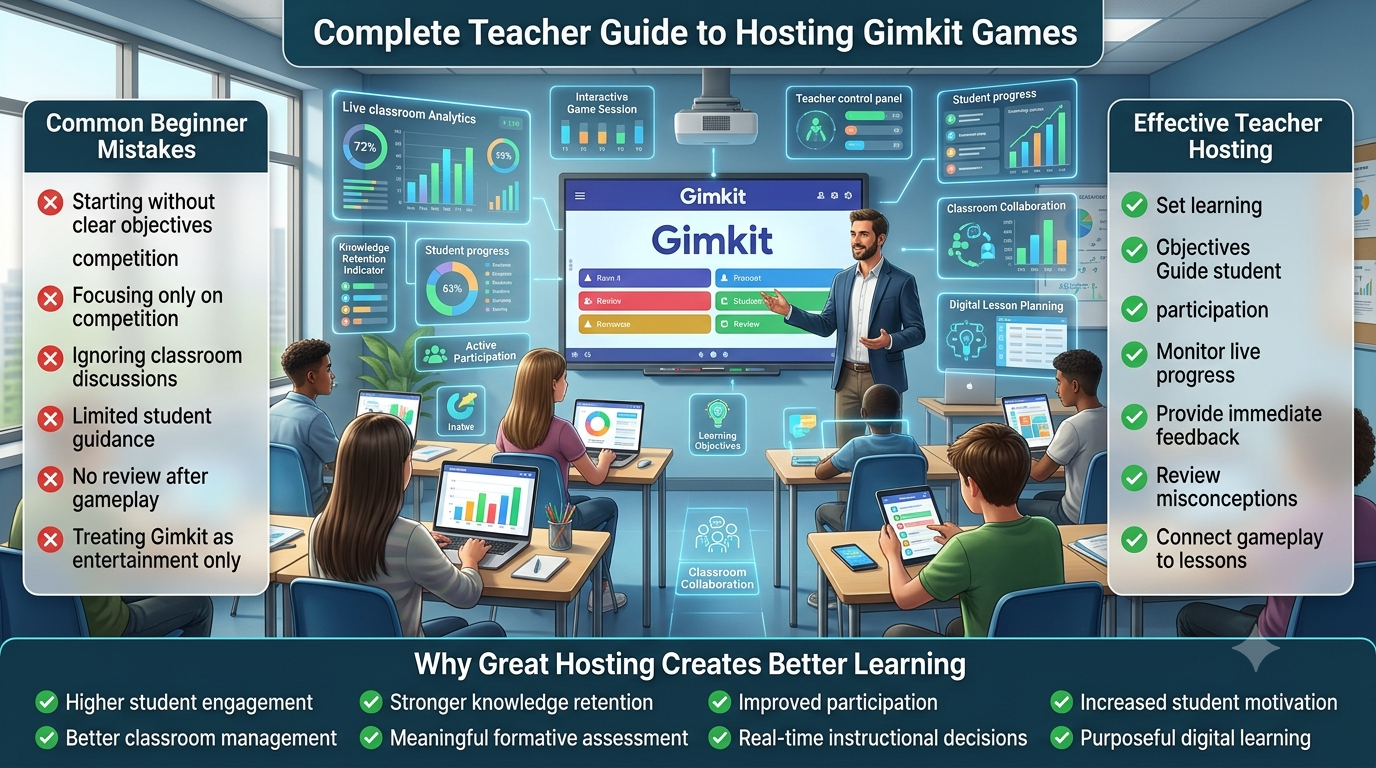
Gimkit Host
The Complete Teacher Control-Room Guide
Hosting a Gimkit live game involves more than selecting
an activity and opening a lobby. The teacher operates a
real-time session, decides when it begins, coordinates
the host screen, manages participation, responds to
changing conditions and determines when the session
should end.
This guide explains the actual Gimkit hosting pathway,
the differences between 2D and non-2D host controls,
operational settings, session timing, display management,
supported intervention options and practical techniques
for documenting a complete hosted session.
Independent educational resource. GimkitApp does not
operate Gimkit, access teacher accounts or remotely
control official game sessions.
SESSION OPERATIONS
Your host command centre
Prepare, launch, coordinate and close a classroom live game.
⚙️Setup Manifest
🟢Lobby Gate
⏱️Run Clock
📋Incident Log
🎛️Host Controls
✅Session Closure
Operational planning only — your actual game remains on Gimkit.
Official game-hosting procedure
How the Gimkit hosting workflow actually operates
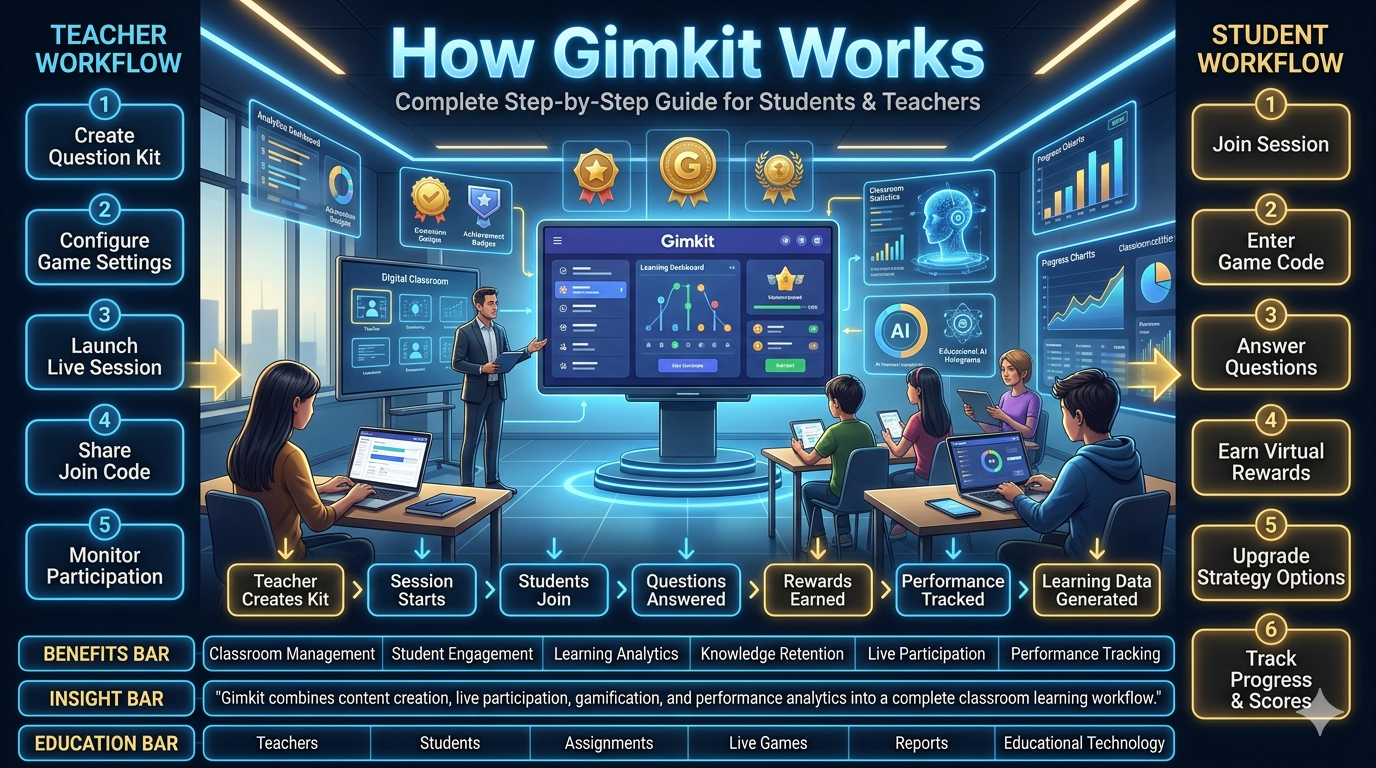
The official hosting process follows a defined sequence:
open the desired Kit in a hosting context, choose a game
mode, configure available options, open the game lobby,
share access with participants, and start the game.
Each stage has a different purpose, and knowing where
controls appear helps a teacher avoid unnecessary
interface changes while students are waiting.
📚
Play Live
Open an eligible Kit and select the green Play Live action from the dashboard or Kit view.
🎮
Mode Picker
Inspect the available modes, select one and continue to its setup screen.
🎛️
Game Options
Choose applicable standard and mode-specific settings before opening the host lobby.
▶️
Start Game
After participants arrive and the host is ready, use the official Start Game control.
Locating the Play Live action
Gimkit's Help Center describes two starting locations.
An educator viewing their dashboard can select the
Play Live button beside an eligible Kit. When already
viewing a particular Kit, a Play Live action also
appears in its interface. Both routes begin the host
setup procedure. A teacher does not need to open an
unrelated game or recreate the question collection
merely to begin a live session.
This is an important operational distinction because
the dashboard and the hosted game are different
working contexts. The dashboard is where the teacher
chooses the material to use; the live-host interface
becomes the place where the actual game is managed.
Searching for in-game controls while still on the
dashboard leads to avoidable confusion. Likewise,
expecting the live game screen to function as a
full Kit editor misidentifies its role.
Before clicking Play Live, the host should know which
Kit is intended for the session. This guide does not
duplicate the separate Kit authoring workflow: it
assumes the appropriate collection already exists or
has been selected. The hosting responsibility is to
launch the intended content, not to manufacture an
entirely different content set while a classroom waits.
The Mode Picker as a required control stage
After Play Live, Gimkit presents the Mode Picker.
The official guide explains that selecting a mode
outlines the selection and offers a Learn More option
for reading about that experience. Clicking Continue
advances the host to the options screen. A host should
recognize this as a distinct stage rather than treating
mode selection and option configuration as a single
undifferentiated screen.
Game-mode availability changes with the platform and
can depend on the account's feature entitlements.
The correct operating habit is to use the live
Mode Picker as the immediate source of available
selections. A historic tutorial or screenshot cannot
guarantee that an older mode remains available.
Individual gameplay rules are owned by the dedicated
game-mode articles elsewhere in this publication.
The host's concern here is the transition from a
selected game experience to the options and lobby.
The same operational boundary applies whether the
chosen experience uses a traditional non-2D layout
or an interactive two-dimensional environment.
Moving from options into the lobby
The game options screen exposes settings that apply
to the selected mode. Gimkit documents both standard
options and mode-specific options, and emphasizes
that not every mode has identical settings. Once
the host completes this stage and continues, the
game's lobby opens in a new tab. That tab is the
operational host screen for the upcoming session.
The new-tab behavior matters when the teacher is
presenting on a projector or sharing a screen.
The browser may now contain the original dashboard
and a separate live-host tab. A teacher should
identify the correct tab before sharing the screen
with students. An unexpected switch back to the
dashboard can hide the current game code, lobby
or live-session controls from the host's view.
The lobby is not the same as the running game.
It is the staging environment where participants
appear and where the host can confirm that the
group is ready. The official Start Game control
is used only when the host is prepared to begin
the active phase.
Start Game varies in screen position
According to Gimkit's official hosting article,
the Start Game control is located near the
lower centre in 2D game lobbies and in the
upper-right area for non-2D games. This is
a specific interface distinction worth knowing
because teachers sometimes rely on visual
habits from the previous mode they hosted.
The host should follow the current interface
rather than assuming a button will occupy
exactly the same position across all experiences.
Product layouts can evolve. If an interface
differs from an older tutorial, the official
current controls remain authoritative.
Original host-side operations application
Gimkit Host Control Room
Create an operational run sheet, prepare the lobby,
track your session clock, record host decisions and
generate a closure record. This is a self-contained
classroom operations tool. It does not start,
pause, extend or end games on Gimkit's servers.
◈ HOST CONTROL ROOMLocal run sheet • Operating checklist • Event record
PLANNING
Build a session manifest
Set operational timing, identify the selected session context and keep your host-side plan readable while presenting.
Run sheet
Your operating timeline appears here.
Open the lobby readiness gate
This local gate does not know who has actually joined. Enter an anonymous count and check the host responsibilities before recording a launch decision.
Lobby gate status
Complete the checks to see a host-side readiness summary.
Local run clock and command notes
The clock counts only elapsed time in this page. It does not mirror, pause or extend an actual Gimkit timer. Record official host actions separately.
00:00Elapsed locally
20:00Planned game allowance
0Logged events
READYLocal clock state
Record a teacher-side decision
Selecting an event adds it to your local host log. These buttons do not operate Gimkit.
For supported 2D games, official Gimkit may allow adding one minute subject to its documented cap. The local clock has no connection to that feature.
Host event log
Use anonymous operational notes only. No student names, passwords, game codes or private learning records.
Chronological operations
Close the session record
Review the actual Gimkit game's finish state first. This local closeout is only a procedural record and does not terminate gameplay.
Host closeout record
Complete the closeout workflow to generate a record.
No server access, account authentication, automatic lobby measurement,
remote game controls or persistent storage. Browser tab timing may vary when
the page is inactive; the clock uses real elapsed timestamps where available.
Host configuration reference
Understand standard options and mode-specific controls
A reliable host distinguishes configuration decisions that
exist across the platform from those that depend on a
particular gameplay experience. Gimkit's documentation
explicitly divides game options into standard and
mode-specific groups. The interface should be read
accordingly, especially when switching between
different kinds of games.
Configuration area
What the host decides
Operational implication
Game goal
Select from goals available for the chosen mode.
The game's completion condition must be understood before the session begins.
Connected Class
Whether to associate an available Class.
It can change the identity and participant workflow; Nickname Generator availability also changes.
Join in Late
Whether participants may enter once play has begun.
This affects control of the game audience after the initial lobby stage.
Nickname Generator
Whether generated names are used when supported.
The host should recognise the resulting name-display behaviour.
Mode-specific options
Choices particular to one game experience.
Never assume another mode exposes the same controls.
2D game balance
Reward quantities for answering, where offered.
Changes the pace at which game resources accumulate within that mode.
Why standard does not mean identical behaviour
A standard option is part of the shared hosting
framework, but it does not mean that every mode uses
the same possible values or that every setting
produces the same practical effect. Gimkit describes
goals that can involve time, cash, investigations,
difficulty or question counts, depending on the mode.
Hosts should read the active interface instead of
assuming that a goal used previously is universally
available.
This matters when repeating a familiar hosting routine
with a different game. A teacher may remember choosing
a time limit in a 2D experience but encounter a different
completion structure elsewhere. Copying a previous plan
without checking the new goal can produce an unexpected
ending or a session that continues longer than the
available operating window.
The Host Control Room's manifest therefore asks for an
operational allowance, rather than claiming it has
configured the official game goal. The distinction
permits the teacher to reserve time for class transitions
even when Gimkit's selected mode uses another mechanism
to determine its endpoint.
Connected Classes and the Nickname Generator
Gimkit's official game-options documentation lists
connecting a Class and the Nickname Generator among
its standard settings, and notes that the Nickname
Generator disappears when Classes are used. That
relationship is important for a host who expects
a certain style of displayed participant names.
The host should not search indefinitely for a
generator control that the current configuration
intentionally omits.
The operational responsibility is to know which
identity arrangement has been chosen and understand
what that means for the lobby display. If a host
changes the arrangement between two sessions,
an old visual expectation may no longer apply.
This article does not replicate Class administration
or student-account setup; it describes the effect
of those choices on running a live game.
Join in Late as an operational boundary
Allowing participants to arrive after the starting
point may be useful in some settings. In others,
a host may wish to restrict further entry after
the initial group has assembled. Gimkit's Help Center
explicitly identifies Join in Late as a host-side
option and notes its possible use when unwanted
participants disrupt an activity.
The choice should be made with attention to the
actual context. A host should not assume that closing
late joining is the same as ending the game. Nor
should the setting be described as a universal cure
for every disruption: it prevents additional
entry under the supported conditions but does not
automatically address behaviour from existing
participants.
Mode-specific game balance in 2D experiences
Official documentation describes additional 2D
balance options affecting the resource rewards
players receive for answering questions. The
published examples include snowballs in Snowbrawl,
bait in Fishtopia and energy in several other
modes. These are concrete examples of how a
teacher may affect the relationship between
question answering and the surrounding gameplay.
A host should not misinterpret those examples as
proof that one resource name appears in every
experience. Snowballs are meaningful in Snowbrawl
rather than a universal currency. Bait belongs to
Fishtopia's mechanics. Energy has particular
meanings in modes that use it. The settings
screen itself determines which controls exist
for the current game.
In operational terms, the host is deciding how
quickly activity resources can be earned.
The particular effect is defined by the game
mode. A higher reward per answer may accelerate
the surrounding experience, while a lower
reward may require more answered questions
for the same resource progress. The right
selection depends on the host's intended
gameplay balance and on what the official
mode actually permits.
Document the final configuration rather than assuming it
A session manifest should identify the intended
mode type, host role and allotted time. It should
also remind the operator to confirm the settings
that the official game actually accepted.
This protects against a common procedural problem:
an educator records what they meant to configure
and later treats it as proof of what the software
displayed.
There is a difference between a plan and an
observed state. The plan can be prepared before
launch. The confirmed configuration requires
looking at the actual interface. Where the
platform changes its layout or available
features, the observation should take priority
over assumptions based on earlier sessions.
Lobby operations
Managing the transition from setup to a running live game
The lobby is the host's final staging area. The priority
is not merely to observe that names have appeared: the
host should verify the intended group, maintain a suitable
projected display and know which official control begins
the running session.
👁️
Inspect the participant display
Review the visible lobby and address inappropriate names when supported by the current non-2D controls.
🖥️
Confirm the host screen
Check the correct tab, projected view and the location of the current Start Game control.
🟢
Make an explicit start decision
Record that the operator is prepared to begin rather than mistaking a partially populated lobby for an automatically started game.
Two different lobby presentations
Gimkit's official hosting article distinguishes
non-2D and 2D lobbies. In a non-2D session, the
host may see a conventional lobby where participant
names can be reviewed and inappropriate names
removed. In a 2D session, the host may see a
character in the environment while additional
characters appear as participants arrive.
These layouts should not be treated as visual
errors simply because they differ. A teacher
who hosts two kinds of games on different days
needs to recognise that each display represents
the same general phase—waiting for the active
session—but presents it through its own interface.
The host should consult the visible controls
rather than relying only on memory.
The projected lobby also has an operational role:
it communicates the existence of the current
game. If the display is accidentally pointed at
another tab, students may be unable to see the
intended screen even though the host has
successfully configured the session. Confirming
the projection before starting avoids confusion
about whether the application is ready.
Participant count is a decision aid, not a guarantee
A host may have an expected group size, but
the number shown in a lobby is not necessarily
identical to the number of learners currently
present in a room. Device sharing, late arrival
and authenticated Class behaviour may affect
interpretation. The Host Control Room therefore
allows the educator to record a manual count
without pretending to read Gimkit's actual
session roster.
The readiness gate deliberately does not declare
a genuine Gimkit session open or closed. It
checks a host's reported conditions and displays
a procedural summary. Actual acceptance and
participation remain properties of the official
game. This separation is essential whenever
an independent third-party tool accompanies
a live service it cannot control.
Reviewing names without overstepping
Gimkit's hosting instructions mention reviewing
lobby names and removing inappropriate entries
in non-2D modes. The host should use the controls
supplied by the platform for that particular
experience, in accordance with the institution's
policies. The operating concern is a respectful,
manageable live session rather than collecting
additional personal information.
The local Control Room does not request a roster
of student identities, because its intended
output is an operational record rather than
an individual student record. For a teacher
preparing a session checklist, anonymised counts
and general incident categories are sufficient
to document whether the lobby was ready.
The final seconds before Start Game
Once the host has confirmed the intended game
and lobby state, the next action is to use
Start Game in Gimkit itself. This does not
happen automatically when a teacher clicks
Record Local Start Decision inside our
Control Room. That button only captures a
note that the teacher made an operating
decision at a particular time.
This separation prevents the auxiliary
application from misleading the teacher.
A classroom operations dashboard may
help organise information, but it cannot
guarantee that the actual game has launched.
A competent host always verifies the
resulting state on the official game screen.
Active hosting interface
The host's responsibilities after pressing Start Game
Once the session begins, Gimkit moves into gameplay.
The host interface presents the activity and supported
controls for that mode. The important skill is knowing
which operations are genuinely available, where they
live, and which classroom decisions occur outside
the platform.
Finding the host control panel
Gimkit's official hosting instructions describe a
control panel in the upper-right area of the active
game screen. The controls can include music and
sound effects, leaderboard display, participant
views and ending the session. Some controls are
mode-dependent, and 2D experiences offer their
own interface arrangements and perspectives.
The host should be familiar with the actual
game-control icons rather than assuming a
generic dashboard layout. Different experiences
are designed to show different information.
A non-2D host view may present a leaderboard
suitable for projection, while a 2D view may
follow the position of a character in the map.
A good operational reference describes the
capability of each official control without
inventing a remote command interface. Our
Control Room's event buttons are records of
teacher actions. Clicking “Leaderboard displayed”
makes a note for the local log; it does not
click or trigger Gimkit's own leaderboard button.
Audio controls and the classroom sound environment
The published host interface includes controls
for music and sound-effects volume. These can
be useful when a teacher has separate audio
responsibilities, such as presenting instructions
through classroom speakers or accommodating a
group that needs a lower-volume environment.
The host should distinguish actual game audio
settings from operating-system volume and
external speaker controls. Muting a browser
tab, adjusting a classroom projector or
changing a system-wide device volume may
affect sounds differently from using Gimkit's
own host options. The correct action depends
on which level of the audio chain needs attention.
A host can document that audio was adjusted,
but a log entry should not be presented as
proof that the official platform changed its
setting. The local tool has no visibility
into the game's audio state.
Showing and interpreting the leaderboard display
Official Gimkit Help describes a leaderboard
display that the host may cast during
non-2D gameplay. The display provides
a shared view of the running activity,
but it should not be confused with
the teacher's private dashboard or
a comprehensive record of all academic
results.
A host may choose when displaying the
leaderboard is useful and whether it
should remain on the projected screen.
Classroom management considerations
can influence that choice. Displaying
rankings may energise some groups, while
other situations call for minimising
attention to individual standing.
This page does not re-create a leaderboard
calculator or student-performance analysis.
Those would introduce a different search
intent. Its focus is the operator's
responsibility for presenting and
managing the host-side interface.
Participant controls during active gameplay
The host controls include ways to view
players in supported experiences. Their
specific appearance depends on the mode.
A teacher should rely on the current
host screen when reviewing the live
participant state instead of interpreting
an auxiliary application's manual
count as a real-time roster.
If the classroom arrangement changes,
the operator may need to investigate
through Gimkit's actual participant
controls. A third-party worksheet
cannot determine whether a player
has disconnected, changed an identity
or remained in the activity.
The host should make that determination
using approved platform controls.
Teacher interventions versus actual game pauses
A teacher can give spoken instructions,
draw attention to the projected screen
or manage classroom behaviour outside
the software. None of those actions
establishes that Gimkit provides a
universal Pause Game button. The
published hosting documentation
used for this article does not justify
claiming that every game mode can
be frozen or resumed on demand.
The Host Control Room therefore offers
a local clock pause and an event log,
not a fake official game pause control.
Pausing the local clock changes
only the separate running timer
on this webpage. It does not
suspend the timer, players, movement
or earning mechanics of a Gimkit game.
Teachers should be especially cautious
if they stop attending to the official
game screen while giving a longer
explanation. Depending on the
experience, the game may continue.
The actual state must be checked
on the platform itself.
Separating a screen-display problem from a game problem
A projected image may disappear
because the browser tab changed,
an external display was disconnected
or the conferencing application
stopped sharing the correct window.
Those circumstances differ from
a failure of Gimkit's game server
or an unexpected game end.
The host should diagnose the
presentation layer before assuming
that the live activity has failed.
A quick check of the current
browser tab, projection source
and sharing window can distinguish
many display problems from
problems inside the game.
Using a local event log responsibly
Recording major host actions can make
subsequent operating reviews clearer.
A log might identify when the projected
display was corrected, when the
teacher chose to end the game,
or when an external classroom
interruption affected the planned
duration. These details are useful
because they explain how the
session was actually operated.
The log is not a substitute
for a learning report or a
student information system.
It should avoid student names,
personal identifiers, account
credentials and private response
details. This application's
records remain local to the page
unless the teacher deliberately
copies or exports them.
Documented 2D host controls
Player, spectator and time-extension operations in 2D games
Gimkit 2D experiences expose hosting behaviours
that differ from many non-2D sessions. The
operator may choose to act as a player or
spectator, navigate a spectator view and use
supported time-extension controls.
👁️
Spectator perspective
In a 2D game, the spectator view can follow players and exposes host navigation controls for changing the observed player.
🎮
Player perspective
A host participating as a player may encounter additional game-specific player controls beyond the standard host operations.
⏱️
Add-time behaviour
Official documentation allows one-minute additions to supported 2D games but specifies a total-duration limit and does not describe time subtraction.
Choosing to join as a player or spectator
Gimkit's hosting documentation describes a
role toggle in the lobby for 2D experiences.
The host may join as a player or choose
a spectator perspective. This selection
affects the view and interaction
available on the host's screen.
It does not create a second independent
teacher account or a separate
hosting subscription.
The spectator perspective is useful
when the operator wants to follow
an existing player rather than
actively control a Gim. Official
Help describes navigation buttons
for moving between players
being observed. The host may
also have other controls
at the edges of the screen,
depending on the active mode.
When the host participates as a
player, their screen can also
include additional player controls
appropriate to that game. The
responsibilities of playing and
managing the live activity may
compete for attention. A teacher
should know which role is selected
and whether that perspective
suits the way the session
needs to be operated.
Understanding the time-extension rule
Gimkit's dedicated Add Time
documentation says that a
host can click the live timer
in a supported 2D session
to add one minute at a time.
It also describes a maximum
supported game duration and
clarifies that additions
are not available indefinitely.
Specifically, the published
article states that game duration
is capped at 59 minutes
and describes restrictions
on adding minutes when the
live clock is already near
that maximum. The same
documentation makes clear
that time cannot be subtracted
during live gameplay and
that non-2D games do not
provide this add-time behaviour.
A host should not attempt
to infer remaining add-time
opportunities from a different
timer on another website.
The actual limit is enforced
by Gimkit and depends on
the real live game clock.
Our Control Room merely
tracks a planned operating
duration separately.
Why the local clock is not a game timer
This page's clock measures
elapsed browser time and
compares it with a teacher's
allowance. It can be paused
or reset because it is an
independent operational
tool. Gimkit's in-game timer
belongs to its own server
and client environment.
The two clocks may differ.
For example, a host might
spend several minutes
explaining something while
the local clock is paused.
If the Gimkit game
continues running, the
actual game timer
may move forward.
Using the local timer
as an authoritative
readout would be misleading.
The correct professional
habit is to check the
actual game screen before
making time-sensitive
host decisions.
Enlarging the current game code for late joiners
The official 2D host-controls
reference describes accessing
the game code in the upper-right
area and enlarging it
for projection. This
is a host-side display
function, not a
code-generation process
performed by a third party.
The host may decide
to show that information
when permitted late
participants need it.
If late joining has
been disabled, enlarging
the code does not
override the setting.
The display and the
access control are
separate functions.
Respecting mode-specific differences
A 2D host should not assume
that a button seen in one
map has the same purpose
in another. Additional
player controls may
differ with the
mechanics of the
selected mode.
Official game-specific
documentation remains
authoritative for
those details.
The current article
concerns the shared
operations of hosting
a live 2D session:
choosing perspective,
finding host controls,
displaying the code,
managing remaining
time and ending the
activity when needed.
It intentionally
does not reproduce
individual game
strategies or
playthroughs.
Host operational incidents
A structured approach when something changes during a session
Not every interruption requires ending a game.
Host-side operations benefit from distinguishing
a display issue, a participant-management issue,
a genuine game-control decision and an external
classroom event.
Event type
Immediate operating question
Action boundary
Projection changed
Is the correct host tab still active?
Correct the presentation without claiming a game interruption.
Unwanted participant
Which management controls does this mode expose?
Use official participant controls and institutional policy.
Unexpected duration
What does the real Gimkit timer display?
Use only supported in-game time controls.
Audio too loud
Is the source the game, device or room speakers?
Adjust the appropriate volume control.
Host changes role
Is the mode 2D and is the role toggle available?
Use supported player/spectator controls.
Need to end now
Where is the current End Game control?
End through the official hosting interface.
External classroom interruption
Is the software still running?
Do not mistake a verbal interruption for an official game pause.
Keep the incident description observable
A useful host note describes what
actually happened rather than
speculating about hidden software
events. “Projected window switched
away from the host screen” is an
observation. “The game servers
crashed” is a stronger technical
claim that cannot be established
merely from a blank projection.
Distinguishing observation from
inference helps a teacher decide
the appropriate next action.
If the projected window changed,
the display can be restored.
If the official game is
unavailable, platform guidance
may be necessary. If an
institution has blocked
a connection, authorised
administrators may need
to investigate.
Keep the operational response proportionate
It may be unnecessary to terminate
a running session because of
a momentary audio issue,
while a significant
disruption could justify
ending the game through
the official controls.
The decision depends
on the actual situation,
the host's responsibilities
and institutional policy.
The Control Room permits
brief manual incident
entries so that the
operator can later
explain why the planned
timetable differed
from what occurred.
It does not provide
automated incident
detection or monitor
Gimkit's network.
Protect private classroom information
An operational note does not
need to contain a learner's
identity merely to describe
a session event. For example,
“Participant display required
moderation” can be a
sufficient procedural note
without publishing a
student's nickname.
The event-log text is
stored in the current
JavaScript session and
can be exported intentionally.
A teacher should still
review it before sharing
or storing the resulting
file elsewhere. Copying
or exporting content
transfers responsibility
for that record to
the receiving environment.
Prepare for deliberate rather than accidental closure
Sometimes an educator
must stop an activity
early. Official Gimkit
Help describes an End
Game control for most
modes, including a
red end button among
2D controls and a
power-style control
for non-2D games.
Ending a game should
not be confused
with closing the
browser tab,
turning off a
projector or
stopping a local
timer. These
actions can have
different effects.
The official End Game
control is the
documented operation
for ending a
supported live session.
End-of-session procedure
Ending a Gimkit game and completing the host handover
A complete hosting workflow includes the final
transition out of live play. Teachers should
distinguish the game's own ending mechanism,
a manual early ending and the separate
administrative task of documenting the session.
🏁
Game reaches its goal
The activity may finish after meeting its configured completion condition, according to the current mode.
⛔
Host ends early
Where supported, the host can use the official End Game control rather than relying on a browser action.
📋
Operational closeout
Record what happened, confirm the projected display has been handled and identify any necessary handover actions.
Natural endings and deliberate endings
The configured game goal determines
how an eligible activity can
conclude naturally. Different
modes may use different
conditions. A host should
know the selected goal
before the session begins,
because it affects what
an expected finish looks like.
An early ending is different.
The host deliberately chooses
the supported End Game
action. Gimkit's documentation
identifies the location
of this control for
both 2D and non-2D
modes, while noting
that availability may
vary in certain modes.
That qualification
should be preserved
in an accurate
hosting guide.
What a closeout record should contain
A practical operating
record may identify
the local session
label, planned window,
observed elapsed time
and significant events.
It should also note
whether the host
confirmed the official
end state and whether
a display or
participant-management
issue requires follow-up.
This is distinct
from a student
assessment report.
The Control Room
does not fetch
question-level
answers or
individual performance.
The record is
intentionally about
the operation of
the live game,
not about assigning
student scores.
Handover between adults or classes
In settings where
another teacher
uses the same
room, device
or projector,
the operator
should ensure
the old host
screen is no
longer displayed
inadvertently.
The next session
may use a
different game
and a different
invitation.
Handover notes
can focus on
operational concerns:
whether the screen
returned to its
expected state,
whether audio
controls were
restored and
whether a
known technical
issue needs
attention.
This makes
the next host's
setup clearer
without
sharing unnecessary
participant details.
Avoid creating a false completion status
The Control Room
can mark its
own closeout
checklist complete
because those
items are local
educator actions.
It cannot verify
that Gimkit's
servers have
ended a game.
Consequently,
its exported
record explicitly
states that
official game
state must
be checked
separately.
This distinction
may seem technical,
but it protects
the integrity
of the tool.
A useful
support application
should never
present a
simulated action
as a completed
operation on
another service.
Advanced operating reference
Reliable host practices for complex live-session environments
Using a host manifest alongside the actual game
A session manifest is an operating
reference rather than an additional
Gimkit configuration screen.
It can describe the total
classroom window, expected
lobby allowance, planned
gameplay period and the
time reserved for
closing the activity.
These values help
a teacher coordinate
the session with
other responsibilities.
The manifest should
not be treated
as an official
entitlement check
or game-duration
setting. If
the operating
plan says twenty
minutes but the
actual game
is configured
differently, Gimkit's
own configuration
controls what
happens within
the platform.
The Control Room
validates that
its local
timeline
allocations
sum to the
declared operating
window. This
prevents an
arithmetically
inconsistent plan,
but it cannot
guarantee that
an actual
class will
stay on schedule.
Real events
may require
changes.
Understanding the browser-tab boundary
Gimkit's published
hosting workflow
opens a new
lobby tab
after the
host completes
setup. This
browser behaviour
can interact
with a classroom
presentation
system. A
teacher using
a second monitor
may need to
confirm which
window is
visible to
participants.
A local host
console and
the official
Gimkit tab
are separate
applications.
Running the
clock in
one does
not transfer
events to
the other.
Switching
between them
can affect
what is
projected
without affecting
the underlying
game state.
Teachers should
maintain a
clear mental
distinction
between the
official live
controls and
auxiliary notes.
This reduces
the risk of
believing that
a locally
recorded action
has changed
the real game.
Operating when the host is also a 2D player
In a 2D
experience, joining
as a player
creates additional
demands on
the operator's
attention. The
teacher may
need to
perform character
actions while
retaining responsibility
for session-level
controls.
The official
documentation distinguishes
the player
and spectator
perspectives
rather than
promising that
both show
identical information.
A teacher
should know
which perspective
is appropriate
to the task
of operating
that particular
session.
For an activity
where the host
needs to
demonstrate gameplay,
player participation
may be useful.
For an activity
where the operator
must follow
multiple participants,
the spectator
perspective may
offer different
practical advantages.
This remains
an operating
choice, not
a statement
that one
perspective is
universally superior.
Managing projected content deliberately
A host's
public display
serves a
different audience
from a teacher's
private workspace.
When presenting
the live
game, the
operator should
be aware
of what
is visible
on the
classroom projector
or remote
screen share.
The current
host tab
may include
a game
code, leaderboard
or participant
information depending
on the
experience.
The teacher
should follow
school expectations
about presenting
such information
and avoid
unintentionally sharing
unrelated tabs
containing private
records.
This concern
is operational
rather than
a game mechanic.
It explains
why the
Control Room's
lobby gate
includes a
manual host-display
confirmation.
The tool
cannot inspect
what the
projector actually
shows.
How to use the official game code display responsibly
A host
may need
to display
the current
code clearly
for authorised
participants.
The official
2D host
reference explains
how the
game code
can be
enlarged on
the screen.
This is
a display
convenience.
If the
room includes
more than
one audience,
the operator
should consider
who can
see the
invitation.
The game
code belongs
to an
active session
managed through
Gimkit. A
local planning
tool does
not need
to collect
or store
it.
The Control
Room intentionally
does not
offer an
input field
for a
real game
code. Its
operating records
remain useful
without copying
a live
invitation into
a separate
system.
Distinguishing a local activity clock from a host-controlled goal
Teachers often
have a
fixed school
period, while
a game
has its
own supported
goal. These
are different
time structures.
A lesson
may need
time for
setup and
exit even
if the
game itself
is relatively
short.
The session
manifest accounts
for transitions
separately from
the intended
gameplay allowance.
This can
help prevent
the operating
plan from
consuming the
full school
period before
the teacher
has closed
the digital
activity.
During play,
the local
clock provides
an independent
elapsed-time
indication.
It is
not a
prediction of
the game's
finish time.
The actual
host interface
remains responsible
for showing
the current
game state.
What to do when a planned event is delayed
An operational
schedule is
a reference,
not an
obligation to
ignore real
circumstances. If
opening the
lobby takes
longer than
expected, the
host may
need to
revise the
remaining classroom
timetable.
The correct
response depends
on what
has actually
happened. A
missing projection
may require
a display
adjustment. A
game configuration
mistake may
require returning
to the
official setup
pathway. An
institutional interruption
may require
a different
session decision.
Our local
event log
can record
that the
running plan
changed. It
cannot automatically
rewrite the
settings of
an already
active official
game.
Recognising official versus unsupported intervention controls
Published platform
guidance should
determine which
controls a
teacher expects.
The documentation
cited here
supports game
start, end,
audio and
player-view controls,
as well
as certain
2D time
adjustments.
It does
not justify
inventing a
universal
pause-and-resume
feature. An
operating handbook
can recommend
that a
teacher temporarily
address the
class, but
it must
not imply
that doing
so freezes
the game
engine.
This rule
also applies
to automation.
A local
button labeled
“Record End”
would not
be evidence
that an
official session
had ended.
In this
page, the
closeout mechanism
is deliberately
described as
a procedural
record.
Maintaining a usable event chronology
A chronological
record is
useful when
it distinguishes
between actions
taken and
conditions merely
observed. A
note such
as “host
displayed leaderboard”
describes an
operator action,
while “projection
became unavailable”
describes an
observed condition.
Both entries
can help
explain why
an operating
plan changed.
Neither requires
copying private
participant data.
The event
log uses
local times
and the
teacher's own
descriptions, rather
than claiming
access to
the game's
internal audit
records.
The teacher
can export
event chronology
as CSV
and the
closeout record
as plain
text. This
is a
genuine output
from the
local application;
it is
not an
export of
Gimkit's official
reporting system.
Preparing the next operator
When the
same device
is used
for multiple
sessions, closing
the current
game responsibly
helps the
next operator
begin with
a clear
screen. The
current projected
lobby or
game information
should not
remain visible
unintentionally after
the host
has moved
on.
A handover
can identify
display conditions,
pending equipment
problems or
unusual operational
events. It
should not
become a
place to
distribute unnecessary
student information.
The Control
Room closeout
checklist includes
a reminder
to review
notes for
sensitive details.
The user
remains responsible
for deciding
where any
exported document
is stored.
Gimkit Host FAQ
Operational questions about hosting
These answers address teacher controls and session operations. They intentionally avoid duplicating student joining, Kit authoring or general platform explanations.
Where is the official Gimkit Play Live button?
Gimkit's hosting documentation describes Play Live alongside eligible Kits on the dashboard and within the Kit interface itself. Selecting it begins the hosting setup process rather than immediately launching students into gameplay.
Does clicking Play Live immediately start the game?
No. The documented pathway includes mode selection, game options and the lobby before the host uses Start Game. The lobby provides the staging area for the active session.
Why does Gimkit open another tab for hosting?
The official hosting instructions describe a new Lobby tab after the host continues through setup. The host should ensure that this is the tab being presented and operated.
Where is Start Game in a 2D lobby?
The official hosting article places Start Game near the lower centre in 2D game lobbies. Current interface changes should always be checked in Gimkit itself.
Where is Start Game in a non-2D lobby?
Gimkit's documented non-2D lobby places Start Game in the upper-right area. The location differs from the usual 2D presentation.
Can the host participate as a player in 2D modes?
Yes, official instructions describe a player/spectator choice for supported 2D hosting. The selected role influences what the host sees and which additional player controls may appear.
Can a spectator change which player they are watching?
Official 2D host-control documentation describes previous and next buttons for moving between players in spectator view.
Does every mode show the same host controls?
No. The overall hosting framework is shared, but the available controls and visual layout can differ across 2D, non-2D and individual game modes.
Does connecting a Class change nickname options?
Gimkit's game-options article states that Nickname Generator is unavailable when Classes are connected. Hosts should expect the relevant identity workflow to differ.
Can a host change whether students join late?
Join in Late is a documented game option. The host should review it during setup and follow the current platform behaviour.
Can hosts adjust 2D resource rewards?
Supported 2D modes provide balance options for rewards earned through correct answers. The particular resources and settings are specific to the chosen mode.
Can a Gimkit host add time during a live game?
Official Gimkit Help documents adding one minute through the timer in supported 2D games. It also specifies duration restrictions and says the behaviour is not available in non-2D games.
Can a host subtract time while a game runs?
The official add-time documentation states that live game time cannot be subtracted through that control.
What is the documented maximum time for supported 2D games?
Gimkit's published add-time article identifies a maximum game duration of 59 minutes, alongside restrictions on when one-minute additions remain possible. Check the current official article and real game interface.
Is there a universal Pause Game button?
The official documentation reviewed for this guide does not establish a universal pause/resume feature across Gimkit modes. A teacher stopping to speak does not necessarily suspend the software's game timer.
How does a host display the current game code?
The 2D host-controls documentation describes an upper-right game-code control and an option to enlarge its display for participants.
Can a host end a game early?
Official Help describes an End Game control for most modes. Its visual location differs between 2D and non-2D experiences.
Is closing the browser tab the same as ending the game?
No such equivalence should be assumed. Use the official End Game control for supported intentional endings and confirm the real game state.
What if the projected game screen disappears?
Check the presentation window, external display and active browser tab before assuming the underlying Gimkit session has stopped.
Is the Host Control Room an official Gimkit dashboard?
No. It is an independent operational planning tool that records teacher actions and generates local run sheets. It has no connection to Gimkit accounts or live game controls.
Does the Control Room automatically know how many students joined?
No. The visible lobby count must be entered manually, and the number is treated as the teacher's own observation.
Does pausing its timer pause Gimkit?
No. The local clock and the official game timer are separate. Pausing one cannot change the other.
Does exporting the event log download Gimkit reports?
No. It exports only host-side events entered or recorded in this webpage. Official game reports are separate platform data.
What belongs in a closeout record?
Useful operational details include the session label, planned and observed time, important host decisions, incidents and confirmation that the official game and projected display were handled appropriately.
Should a host log student names in this application?
No. The purpose is a session operations record, not a student roster. Anonymous event descriptions avoid unnecessary personal information.
What is the best source if a host control has changed?
The current official Gimkit Help Center and the live host interface should take precedence over an old third-party screenshot or tutorial.
Primary Gimkit documentation
Verified hosting references
These sources support the operational facts described
in the article. The local run-sheet methodology is an
independent editorial application, not a feature
offered by Gimkit.
Editorial accuracy: Menu labels and host-control locations are based on published Gimkit material. Actual mode availability, interface design and feature entitlements can change. The current official application remains the authority for an active session.