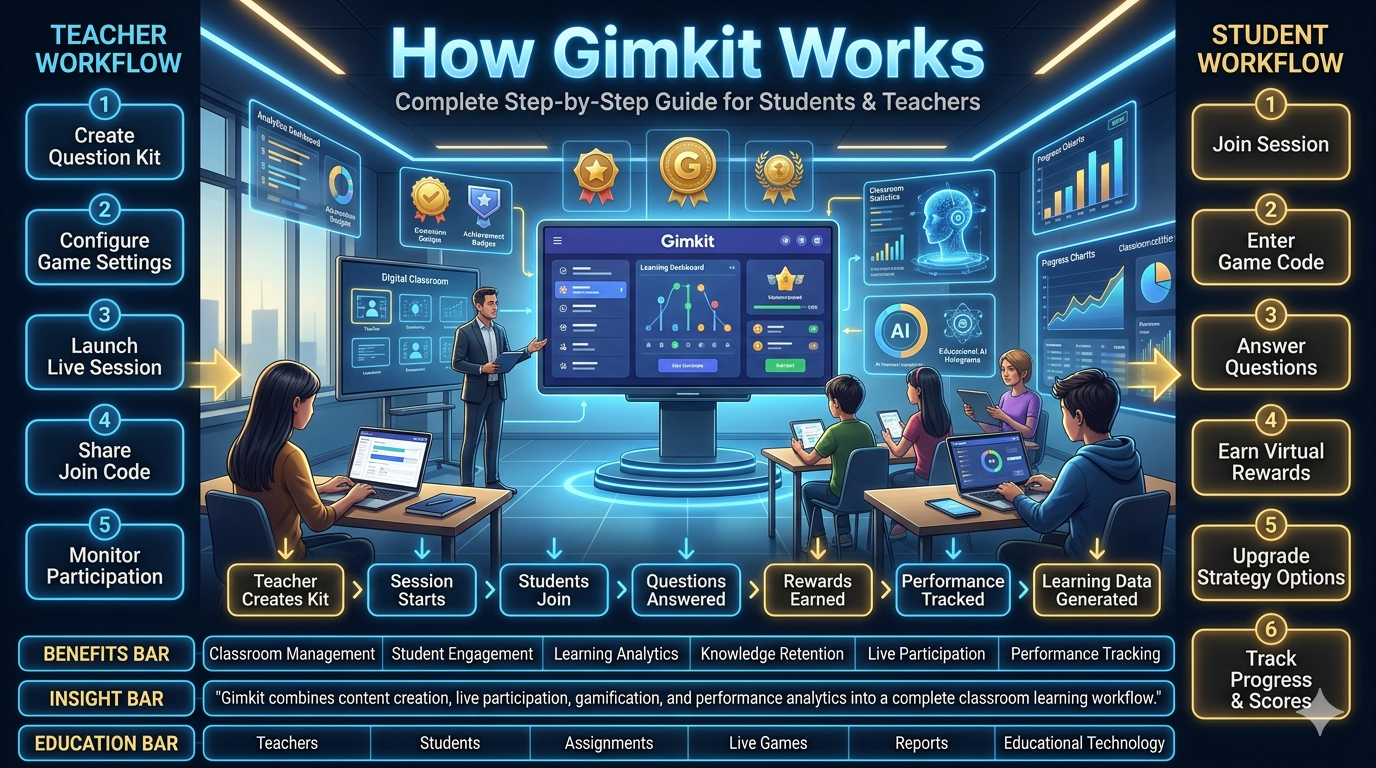
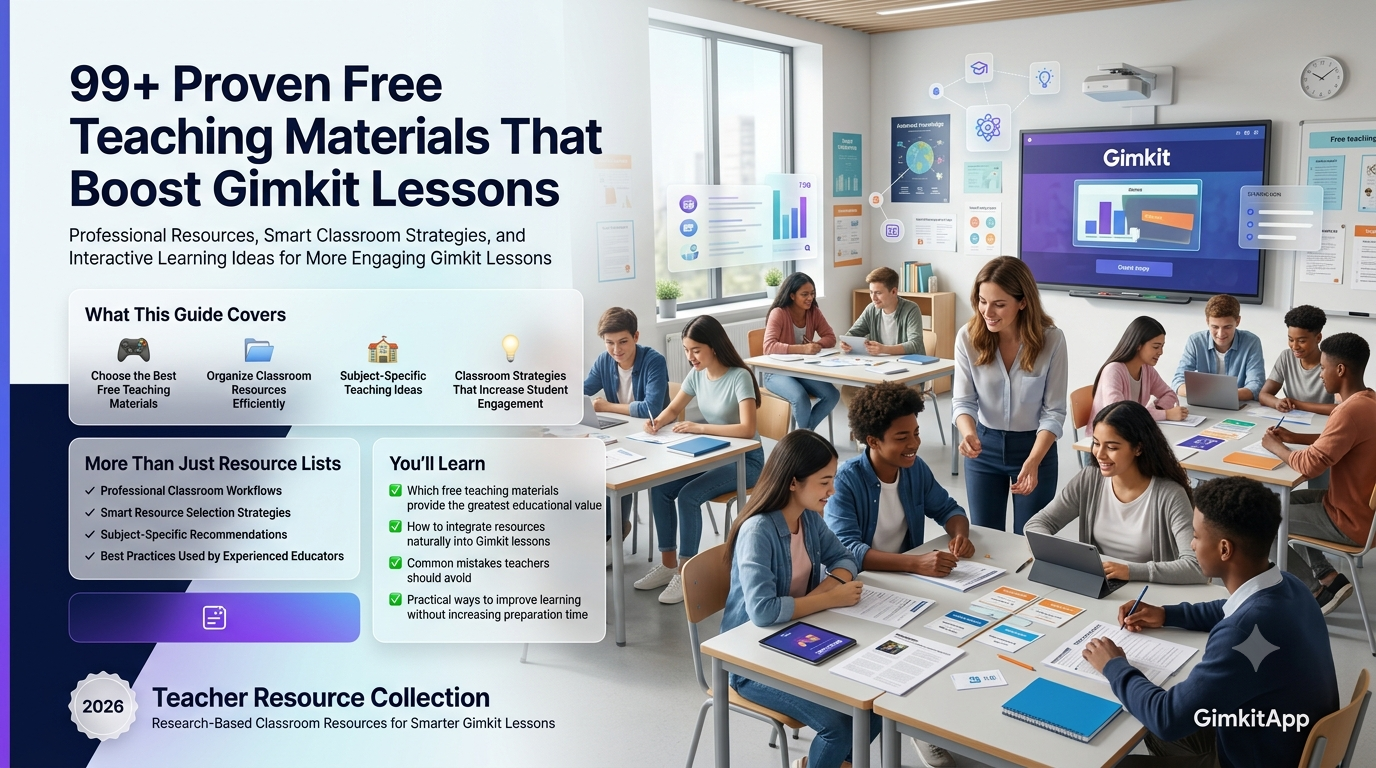
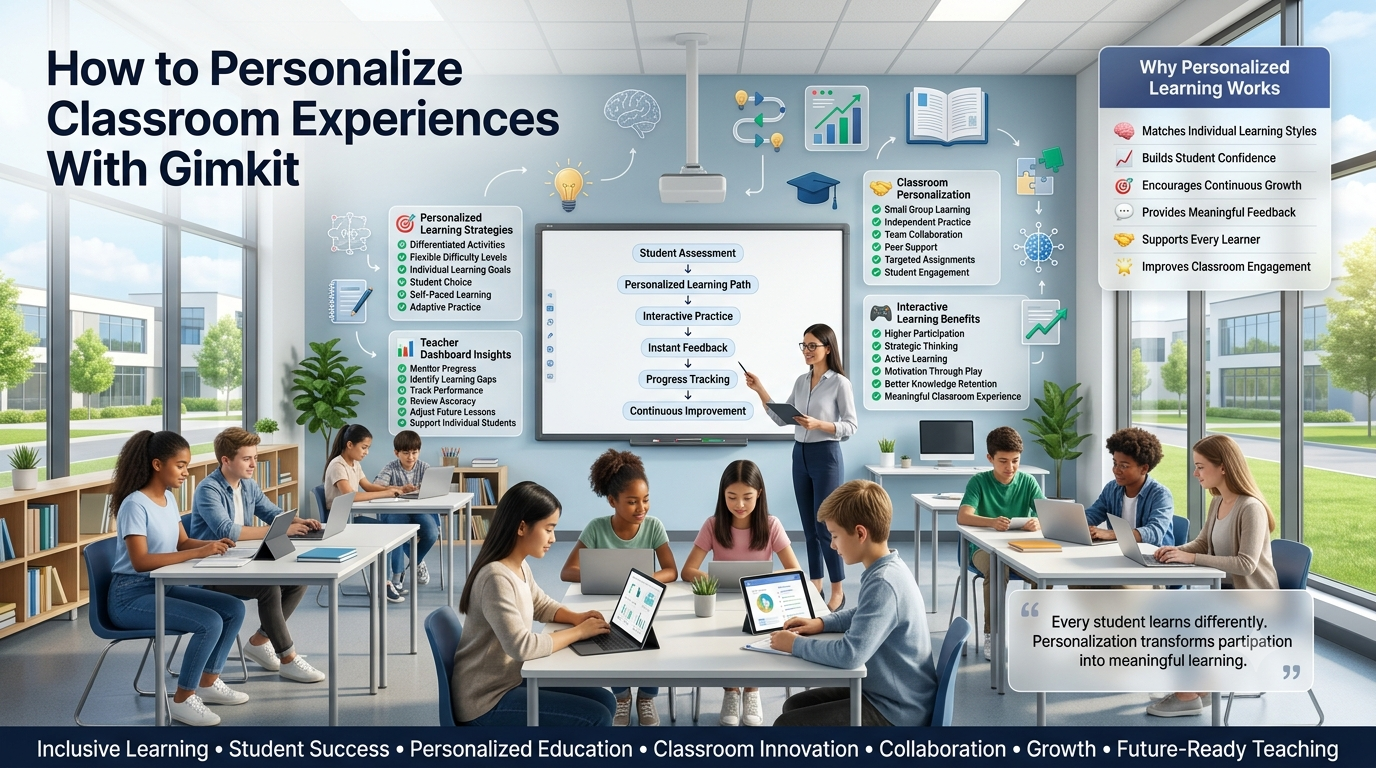
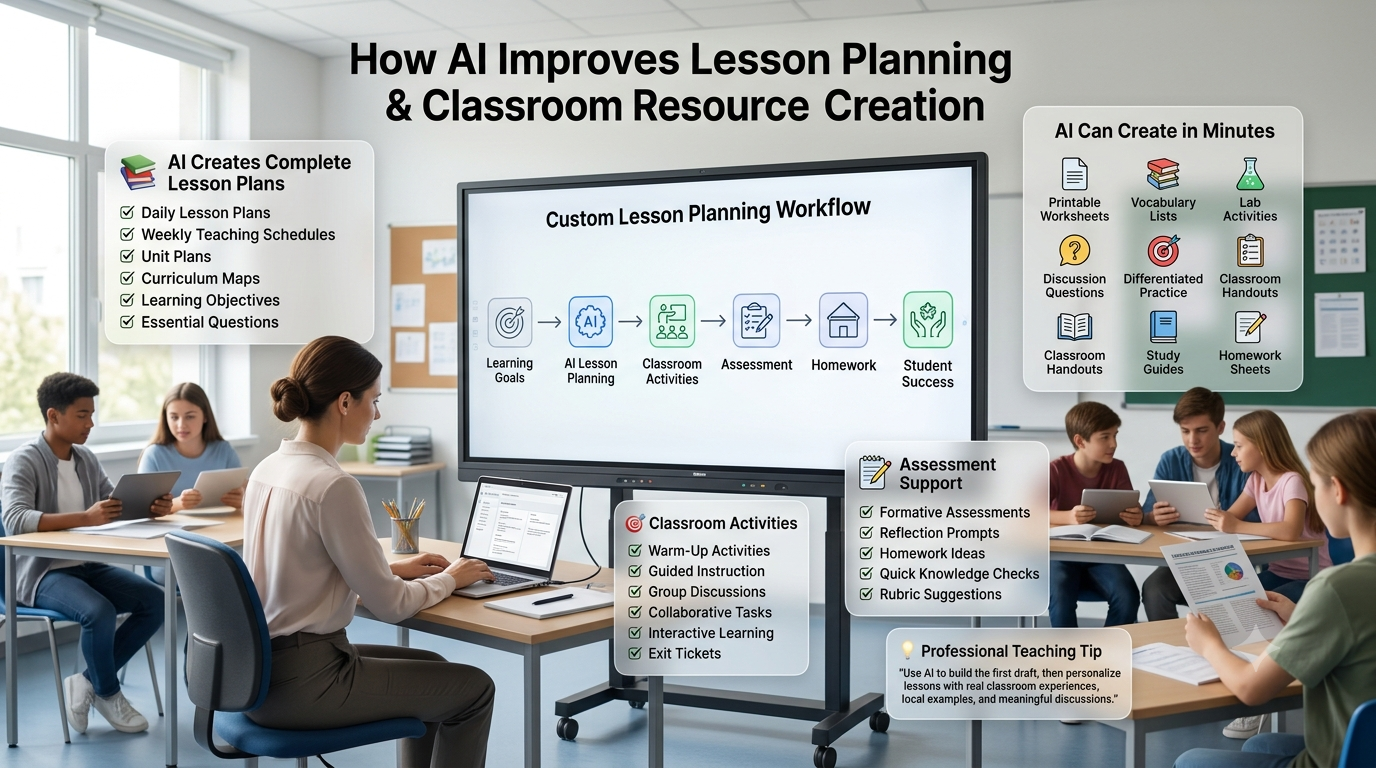
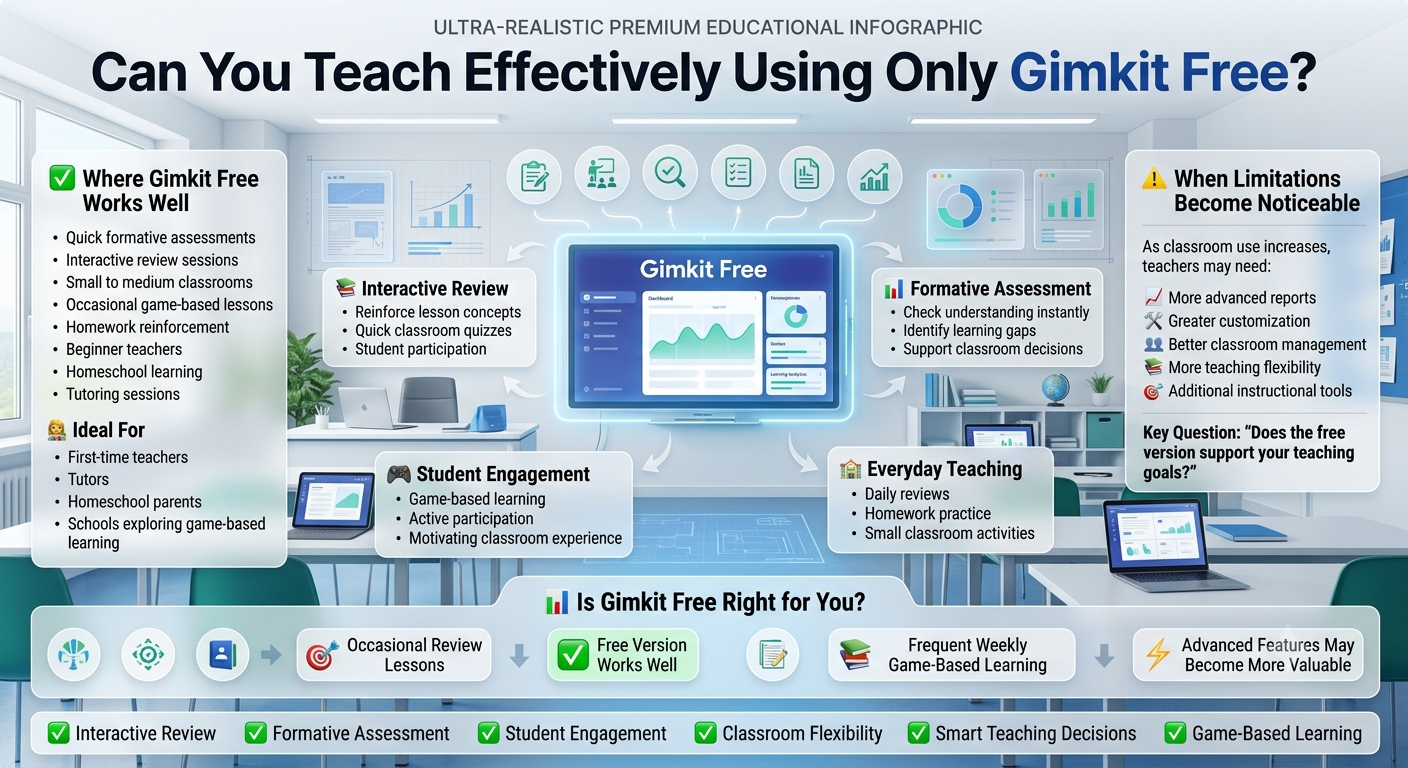
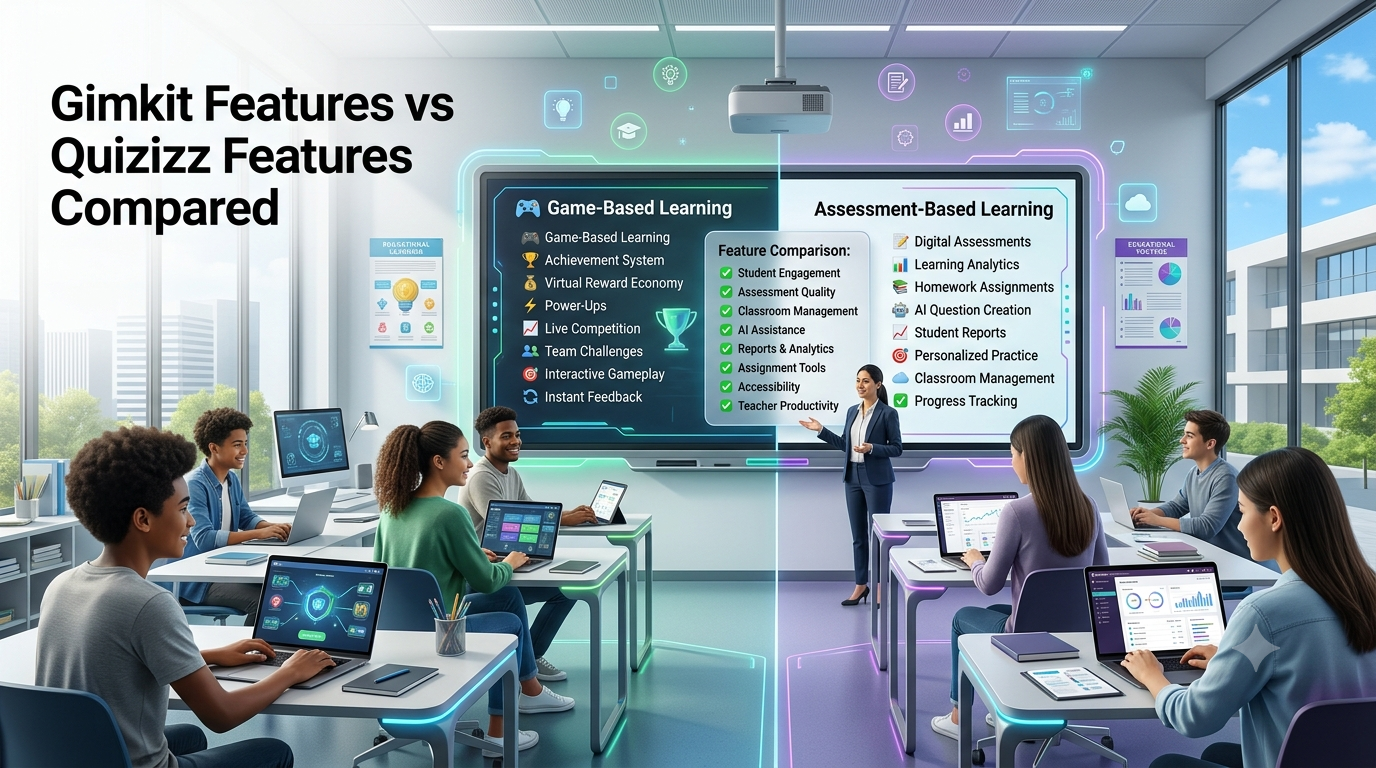
New to Gimkit? Follow the whole experience from the first decision to a completed learning activity. This guide explains how Gimkit works for students and teachers, what each official feature does, and which steps matter when you are getting started.
Students can learn how to enter live games, join Classes, use shared Practice links and complete available Assignments. Teachers can learn how an Educator account, a Kit, a selected mode, live hosting, student participation and reporting fit into one workflow.
Use our Guided First-Session Walkthrough Studio to generate a personalised learning path. Choose your role and objective, receive the relevant sequence of actions, work through each stage and use contextual help if you become stuck.
For students and teachersGuided learning pathsLive, Class and Practice routesOfficial feature boundariesTroubleshooting guidanceProgress saved locally
From unfamiliar to first-session ready
Independent instructional diagram—not an official Gimkit screenshot.
1
Choose your role
Student or educator
2
Choose the activity
Live game, Class, Practice or Assignment
3
Follow the right sequence
Only the steps relevant to your situation
4
Resolve obstacles
Contextual guidance at every stage
5
Complete your first walkthrough
Save an independent learning plan
Start Here
How does Gimkit work for beginners?
Gimkit combines question content with interactive educational activities. An educator normally prepares or selects a Kit, then uses that content in a supported live game, Practice experience or paid Assignment. Students follow the corresponding entry method and participate according to the selected activity.
The important beginner distinction is that the content, the activity and the participant's access route are not all the same thing. A Kit contains questions. A live game is a hosted session using a Kit and game mode. A Practice link allows simpler individual review. A Class provides an ongoing student grouping. An Assignment is a paid educator feature for independent student work.
For teachers, the official starting point is an Educator account. Gimkit's account documentation states that educators need accounts to create Kits and host games. A new educator can visit the official signup page, choose the appropriate account type and use the Dashboard to access supported teaching functions.
For students, the first step depends on the teacher's instructions. Students can participate in ordinary live games without necessarily creating a personal account. Class joining is different because the Class membership process uses authentication. Assignments may also be accessed through a shared link, subject to the activity's configuration.
A first-time teacher does not need to master every advanced mode to understand the basic workflow. Starting with a short Kit and a supported live mode can demonstrate how the stages connect. A first-time student similarly needs to identify the correct teacher-provided activity and understand what they should expect after entering it.
The walkthrough application below turns those general principles into role-specific instruction. It does not copy the official Dashboard, ask for account credentials or pretend to create activities inside Gimkit.
Distinguish a live-game code, Class joining link, Kit Practice link and Assignment link before choosing the appropriate next action.
TEACHER JOURNEY
Prepare a clear activity
Understand the relationship among an Educator account, Kit, supported activity, learner access and optional reporting.
GUIDED LEARNING
Follow a conditional tutorial
Generate the right sequence for your situation, acknowledge stages and access help without exposing student or account information.
Exclusive Guided Learning Application
Gimkit Guided First-Session Walkthrough Studio
Tell the Studio what you want to do. It builds a personalised tutorial, shows one action at a time, explains the expected result and offers context-specific alternatives when the original route is unavailable.
ROLE-BASED LEARNING PATH ENGINE
Learn the sequence, not just the button names.
Every completed step is a personal acknowledgement in this browser. The Studio does not verify real Gimkit actions, access accounts or perform operations on behalf of the visitor.
1. Tell us which Gimkit journey you need
Do not enter your name, school, student ID or login information.
Select your situation to get an appropriate learning sequence.
Your personalised route
In progress
0Relevant steps
0Acknowledged
0Remaining
0%Local progress
Step 1 of 7Not acknowledged
What to do in the official Gimkit service
What confirms that you reached this stage?
Important limitation
Contextual help for this stage
2. Personal preparation notes (optional)
Write general reminders such as “check Kit wording” or “ask the host which link to use.” Avoid names, student records, account details, passwords or real joining codes.
3. Export your first-session learning brief
Why this tutorial tool has its own purpose
The Studio is a conditional learning-path application rather than a simulated official Dashboard. It first establishes whether the visitor is a student or educator. It then determines the intended activity and selects relevant instructional stages.
For an educator, the route can include establishing account access, preparing a Kit, choosing an appropriate supported format, starting a live game, sharing a Practice link or understanding the Pro requirement for Assignments. A teacher who already has a suitable Kit does not need the same Kit-creation stage as a first-time creator.
For a student, the route distinguishes the live game joining flow from Class membership, independent Practice and Assignment completion. This helps prevent the common mistake of treating a Class link and a temporary game code as interchangeable.
If an educator selects Assignments without available Pro access, the application clearly identifies that limitation and generates a simpler Practice-learning alternative. It does not claim that Practice provides Assignment goals, due dates or official results.
Every stage contains a practical action, an expected visible outcome and an official resource when appropriate. Visitors can acknowledge stages, move backward, revisit an earlier instruction and reveal help without being forced through a scored multiple-choice quiz.
The application tracks acknowledgements locally, not verified achievements. Pressing Acknowledge This Step means the visitor is personally marking the stage as understood or attempted; the tool does not inspect their authenticated Gimkit account.
This design distinguishes the Tutorial page from the existing Quiz challenge, which scores knowledge questions; the Host Control Room, which explores host operations; and the Classroom Studio, which models fictional roster governance.
Part One — For Students
How to use Gimkit as a student: a beginner's walkthrough
1. First identify the activity your teacher has shared
A student can encounter Gimkit in several ways. A teacher may display a live game code, provide a direct link, share a Class invitation or send a Kit Practice or Assignment link. These are different starting points, so the appropriate action depends on what has actually been received.
A live game code connects to a particular hosted session. A Class link establishes membership in an ongoing educator group. A Practice link opens a simplified question-review experience. An Assignment link opens the supported independent activity prepared by an educator.
Students sometimes waste time by opening the live-game joining page when they have actually received a Class invitation. The reverse can also happen when they expect a Class link to start today's game. Reading the teacher's instructions carefully is the easiest way to avoid this confusion.
The Walkthrough Studio begins by asking which experience is intended. This small decision changes the entire learning sequence because it identifies the correct destination and expected outcome.
2. Ordinary live games do not always require student accounts
Gimkit's Account FAQ explains that students can participate in ordinary live games without necessarily creating their own accounts. This helps a class start an activity without requiring every participant to complete a separate account-registration workflow.
However, the exact participation path can change when Classes are used. A Class-associated student may already be authenticated and have a recognised name, whereas someone joining without Classes may enter a name or approve a generated nickname.
A student should therefore avoid assuming that all Gimkit experiences work anonymously or that every activity requires login. The access rules depend on the relationship between the student, teacher and chosen activity.
This tutorial treats account status as contextual information. It does not request student usernames, email addresses or authentication credentials.
3. The teacher provides current live-session information
When joining a live game, students need current information from the person hosting that session. Gimkit's official guide describes locating the displayed game code or QR code, or following a direct joining link shared by the teacher.
The game code is tied to the hosted experience. It should not be treated as an account password, permanent student identifier or general-purpose access key.
Students who do not have the current code should ask the host rather than search for random codes on unofficial pages. An unrelated code may lead to a different game or fail to identify any current session.
The independent Studio does not generate real codes. It explains when a code is needed and provides a link to the official joining destination.
4. Use the official live-game joining destination
Gimkit documents `gimkit.com/join` as the official destination for students entering a live-game code. The student can follow the teacher's instructions and use the joining route appropriate to the active session.
A direct link or QR code can simplify the process by leading to the game without manually copying the displayed code.
Students using Classes while logged into the service may be able to join the correct Class-connected game automatically through the supported flow. That depends on the actual hosted configuration.
If the correct game does not appear, the student should first verify that the teacher has started the joining stage and provided the expected current information. A third-party tutorial cannot check whether a private session exists.
5. Follow the correct name or nickname prompt
Gimkit's joining guide explains that students entering a live game may be prompted to provide a name or approve a nickname generated by the host's configured settings.
The appropriate response depends on the school and teacher's expectations. In a Class-connected game, the student may use their established Class-associated name instead.
A name prompt should not be confused with a request for an account password. The tutorial does not ask learners to submit login details to an unrelated website.
The goal is to ensure that the student enters the correct hosted activity using the name format permitted by the educator and the platform's actual settings.
6. Wait in the lobby until gameplay begins
Joining a live game does not necessarily start the actual activity immediately. Players commonly enter a lobby, where the host can see who has arrived and prepare the group before starting.
The appearance depends on the selected mode. Gimkit's hosting guide distinguishes 2D lobbies from non-2D experiences, with 2D characters appearing as players join.
Students should follow the teacher's instructions during this stage instead of assuming that nothing is happening because questions have not appeared.
The Walkthrough Studio describes the lobby as an expected transition. It does not reproduce a fake host-screen or attempt to enter a real session on the user's behalf.
7. Understand that game rules depend on the chosen mode
After the host starts the session, students participate according to the selected Gimkit game mode. Different modes have different resources, goals, controls and patterns of interaction.
Some modes may involve question answering alongside a shared game environment. Others may emphasise particular objectives or resources. The mechanics should be explained by the host or the current official Mode Picker.
This is why a beginner should not assume that every correct answer always produces the same amount of virtual cash or that every game uses identical strategies.
The tutorial focuses on recognising that the mode determines the gameplay format. Detailed mechanics for individual modes belong to those modes' own documentation and specialist pages.
8. An incorrect answer is part of the learning process
A question-based activity can reveal concepts that students do not yet understand. An incorrect response should be treated as useful information about what deserves review rather than evidence that the student cannot learn the topic.
The precise feedback after a wrong answer depends on the selected activity. A Practice experience presents simple correct or incorrect feedback, while live gameplay may include additional consequences defined by the mode.
Students can often benefit from reflecting on why an answer was wrong instead of simply trying to recover their game position.
The beginner tutorial encourages this reasoning without duplicating the separate scored Gimkit Knowledge Quiz or pretending to grade real answers from a current hosted game.
9. A Kit Practice link is different from joining a game
An educator may share a Practice link so students can review questions independently. Gimkit's official Practice Mode guidance says every Kit has a Practice link and that this mode displays questions and correct or incorrect answers without ordinary gameplay mechanics.
Practice does not supply the due dates, game modes or reporting of official Assignments. The distinction matters because students should understand the kind of activity they have been asked to complete.
A student using Practice should open the actual link provided by the teacher rather than enter it into the live-game code field.
The Walkthrough Studio generates a separate Practice learning path that leads the student through recognising the resource, opening it and using feedback productively.
10. Class membership is a longer-term relationship
A teacher may ask students to join a Gimkit Class before using Class-connected activities. The official joining process involves opening the educator's Class link and authenticating through supported methods such as Google or email.
If the teacher has enabled Auto-Accept, the student may be added automatically after the documented steps. Otherwise, the joining request remains pending until the educator accepts it.
This process differs from a single live-game lobby. The Class is a persistent group that can support recognised display names and supported Assignment-related functionality.
Students who have submitted a Class request should not assume that membership is complete if the teacher is using manual approval. The official Class must show the appropriate state.
11. Assignments involve an educator-defined goal
Official Gimkit Assignments allow students to work independently using a supported 2D mode and a goal prepared by the teacher. The educator must have the required paid Pro access to create the Assignment.
A student can receive an Assignment link or access supported Class-connected work through the relevant student interface. The exact experience depends on the educator's choices.
The Assignment may involve a cash goal and an optional question goal. Gimkit's documentation explains that reaching one configured completion goal can end the Assignment.
The Tutorial Studio does not reproduce these goals or simulate an Assignment. It explains the high-level sequence so a student knows to look for the official activity and its own completion indicator.
12. Completion needs to be confirmed in the actual activity
Finishing a live game, reviewing a Kit in Practice and completing an Assignment can look different. Students should pay attention to the actual interface rather than assume that the same end screen appears in every experience.
For Assignments, Gimkit's Help Center describes an Assignment Complete message and a results screen when the configured goal has been reached.
For a live game, the activity reaches its end according to the chosen mode and host settings. Practice remains a simpler question-review experience without formal Assignment completion.
The Studio's final acknowledgement does not certify that the official activity has been completed. It means the student has finished reading or following the independent tutorial stages.
Part Two — For Teachers
How to use Gimkit as a teacher for the first time
13. Start with an Educator account
Gimkit's Create an Account guide states that educators need an account to create Kits and host games. The official registration process begins at `gimkit.com/signup`, where the user selects an appropriate account type and supported authentication method.
Creating an account is free. Gimkit provides Basic as its continuing free educator offering, with additional paid Pro functionality available separately.
An educator should choose the correct account role rather than create a student profile and expect it to behave like a teacher account.
The independent tutorial does not reproduce signup forms or accept passwords. It links to the official destination and explains how the account relates to the next instructional stages.
14. Become familiar with the basic educator workflow
The Gimkit Dashboard brings together teaching resources and activity options. A first-time educator should understand that it is the starting workspace for selecting or creating question content and using supported teaching functions.
It is not necessary to memorise every menu before running a first activity. Knowing where Kits are located and how to enter the correct activity workflow is usually a more useful initial goal.
The Tutorial Studio deliberately avoids imitating the Dashboard's complete navigation. Its purpose is to explain why each stage follows another, not to create a second interface that could be mistaken for the service.
Educators who need a detailed account of menu locations should consult the dedicated Dashboard resource after completing this introduction.
15. Decide what students should practise
Before preparing a Kit, the teacher should identify the learning objective. A short review of vocabulary, a concept check and a unit recap may require different question content even when the same Gimkit mode could technically be used.
A clear objective helps determine which questions belong in the activity and what kind of follow-up would be useful afterward.
For a first session, choosing a small set of clearly written questions can make it easier to observe how the activity works without introducing unnecessary complexity.
This is general instructional guidance, not an official Gimkit requirement that all Kits must have a particular number of questions. The exact content remains the teacher's responsibility.
16. Create a Kit or select one you can use
Gimkit's official Kit creation process begins with New Kit in the Dashboard. The teacher enters information such as the Kit's name, language and subject, then proceeds to add questions.
An educator can enter questions with appropriate correct and incorrect answers and finish the Kit when the content is ready. The official editor also supports other supported content-creation methods.
A teacher who already has a suitable Kit does not need to repeat the entire creation process before every session.
The interactive tutorial includes a Kit situation setting. If the educator chooses “A suitable Kit already exists,” the learning path can move directly to preparation and use instead of adding redundant introductory creation stages.
17. Check question wording before using the Kit
A newly created Kit should be checked for unclear questions, incorrect answers and inappropriate difficulty. Students can become confused when an item is poorly written even if the game itself is technically functioning correctly.
Gimkit's editor allows teachers to revisit owned Kits and edit question content. The official Help Center also describes the ability to copy a Kit when an educator does not own the original resource they want to modify.
For first-time use, checking a few sample questions helps ensure that the teacher's attention can remain on the classroom experience rather than repairing content during gameplay.
The Tutorial Studio includes a preparation acknowledgement, but it cannot inspect real Kit contents or certify that the questions are academically correct.
18. Choose the correct activity type before proceeding
After the teacher has appropriate question content, the next decision is how students should interact with it. A live game is suitable when a host is running an activity in real time. Practice provides simpler independent question review. Assignments provide paid structured independent gameplay.
These options are not merely different button labels. They produce different student experiences and have different feature boundaries.
A new teacher who wants a quick shared review should not accidentally plan a paid Assignment when a live game is the intended activity. Similarly, an educator who only needs students to practise questions does not necessarily need a complex hosted session.
The Studio's goal selector changes the instructional route to reflect those differences.
19. For live games, select Play Live and a suitable mode
Gimkit's official Host a Live Game guide describes selecting Play Live from a Kit and continuing to the Mode Picker. The educator can browse modes, review information and choose the desired format.
The available Featured modes and Pro-exclusive access depend on the current service conditions and the educator's entitlement.
A first-time host should select a mode they can explain clearly to participants. A visually complex mode may be enjoyable, but the first goal should be to demonstrate the complete workflow successfully.
The tutorial does not replace the Mode Picker. It provides a general sequence and an official link so the teacher can complete mode selection in Gimkit itself.
20. Understand the purpose of game options
Before opening the lobby, the host can configure relevant game options. Gimkit's hosting documentation describes choices such as connecting Classes, enabling supported nickname options, allowing late joining and choosing game goals.
Those settings affect the participation experience. A teacher should understand the practical consequence of a setting rather than change every control simply because it is available.
The exact options differ by mode. A beginner tutorial should therefore avoid giving one universal settings checklist and claiming it applies perfectly to every game type.
The Studio encourages the teacher to check the selected mode's visible options and proceed after understanding the intended classroom experience.
21. Share the official session's joining information
After the game has been configured, Gimkit opens a lobby with session-specific joining information. Students can use the displayed code, a direct link or a QR code according to the host's instructions.
This stage is where the teacher should ensure students understand which information belongs to the current session.
A common mistake is distributing an older joining code or assuming that a Class invitation is identical to a new live game's access information.
The Tutorial Studio includes the action “share the current lobby's joining method” but does not create or collect an actual code. Live session identifiers must come from Gimkit itself.
22. Use the lobby to establish a clear start
A first-time host should allow participants enough time to enter the lobby and recognise the selected activity. Gimkit's hosting guide describes the lobby as the stage before gameplay begins.
The appearance varies by 2D and non-2D modes. The teacher may have a different host view from the students and should follow the actual current controls.
The start of the game should be deliberate. Students who have just opened a joining page may not be ready to participate immediately.
The Studio includes a separate lobby stage so the teacher does not confuse successful joining with active gameplay.
23. Start the game from the official host interface
When the lobby is ready, Gimkit's hosting guide directs the educator to select Start Game. The location of this control varies by the type of mode being used.
The resulting session follows the game's selected mechanics and goal. The teacher remains responsible for managing the classroom and explaining what students are expected to do.
The Tutorial Studio deliberately does not display a fake Start Game button that claims to begin a real session. Its own Next Stage control simply moves the visitor through an instructional sequence.
This distinction is essential for preventing learners from confusing an independent guide with the official application.
24. Review what happened after the activity ends
Gimkit provides Game Reports for supported hosted activities. The official Help Center describes student, general and question-breakdown views, with access through the educator's reports area.
A teacher can use these results to identify questions worth revisiting or to understand how a session progressed.
The report should not automatically be treated as proof that every learner has achieved durable mastery. Gameplay conditions and question quality still matter.
The Tutorial Studio's final stage encourages the educator to find the correct official reports destination. It does not calculate actual student performance, download private reports or replace the dedicated reporting guide.
Part Three — The Full Journey
Following the complete Gimkit workflow from beginning to end
25. Understand the role of the teacher and the role of the student
The same activity can look different from the teacher and student perspectives. The educator prepares resources and controls the hosted session. The student follows the appropriate participation route and interacts with the material presented.
A teacher's Dashboard may show Kits, settings and reports. A participant's experience focuses on joining and gameplay. These interfaces serve different responsibilities within the same educational activity.
This is why a single generic tutorial often becomes confusing. Instructions such as selecting New Kit are relevant to an educator but not to a student who has just been given a game code.
The Walkthrough Studio separates roles before generating its steps, preventing beginner instructions from being mixed with account-level controls the visitor may not possess.
26. The starting condition determines which steps are necessary
Two teachers can want to host their first Gimkit game while needing different preparation. One already has an educator account and a usable Kit. The other has neither.
A useful tutorial should not force both teachers through exactly the same route. The first can focus on selecting a Kit, choosing a mode and preparing the lobby. The second needs to begin with account setup and question content.
The same principle applies to students. Someone who is already in the correct Class has a different starting point from someone who must first complete Class membership.
The Studio uses account and resource settings to remove irrelevant stages or introduce necessary prerequisites.
27. Start with a complete small experience
An effective introductory session is one that demonstrates the major transitions without overwhelming learners with optional features. An educator might use a manageable Kit, choose a supported mode and run a short review.
This allows the teacher to observe the relationships among content, host setup, lobby, gameplay and reports.
The point is not that short sessions are always educationally superior. Instead, reducing initial complexity can make a new technical workflow easier to understand.
After gaining familiarity, teachers can examine more advanced features and individual modes through their specialist guides.
28. Preview resources before sharing them
A question set or Practice link should be checked before students receive it. The educator should confirm that the Kit contains the intended material and that the sharing method matches the instructional purpose.
The official Gimkit Practice experience can be useful for reviewing questions from a Kit. A first-time teacher can also inspect owned Kit content directly in the editor.
A preview does not establish that every student will understand the material. It helps catch obvious preparation problems before the activity begins.
The Studio includes this as a meaningful preparation stage, not as a fake automated inspection of account data.
29. Know when to stop and check the official service
A tutorial can explain where an action belongs, but it cannot guarantee that the official interface looks identical for every account or date.
Gimkit may update labels, supported modes and available options. A teacher should follow the current authenticated product when it differs from an older screenshot.
Similarly, a student should use the teacher's current joining instructions rather than treat an independent walkthrough as more authoritative than the active session.
The Studio links to official destinations at appropriate stages so the visitor can move from guidance to the actual service without providing credentials to this site.
30. A successful technical session is not the same as a learning outcome
A game can run smoothly while the instructional questions are unclear. Conversely, a session with temporary technical issues can still reveal useful points for future planning.
The tutorial should therefore distinguish operational success from educational value. Operational success means the activity was set up and participants could use it as intended. Educational value concerns what students practised and learned.
A teacher may use the resulting report, discussion and other evidence to decide what to review next.
The Studio does not award a teaching-effectiveness score, since its completion percentage merely reflects the visitor's acknowledged instructional stages.
31. Build confidence through repetition of the workflow
The first Gimkit experience can involve several unfamiliar concepts: account role, Kit, activity type, joining method and report. Repeating the workflow can make these distinctions more familiar.
Teachers may begin to remember where the relevant official options are located. Students may become more comfortable recognising whether they have received a game code, Class invitation or Practice link.
The Studio can be rebuilt with different goals so visitors can learn another pathway after finishing the first.
That repetition is not presented as a formal certification process. It is a practical opportunity to develop familiarity with the steps.
32. Keep the guided plan separate from real account state
An independent tutorial should not pretend that it has created a Kit, started a live session or confirmed a student's Class membership simply because the visitor clicked a confirmation button.
The Studio therefore labels its progress as local acknowledgement. It stores step completion in the browser and exports a learning brief rather than an official record.
A completed walkthrough can help the visitor remember what they have practised, but real actions still belong to Gimkit.
This boundary also protects privacy. The tutorial can explain the workflow without requesting the student's real name, school, Class link, game code or login credentials.
Part Four — Which Activity Should You Use?
Live games, Practice, Classes and Assignments explained for beginners
33. Choose a live game for a shared hosted experience
A live game is appropriate when an educator wants multiple participants to engage in a hosted activity using a Kit and selected game mode.
The teacher controls the relevant setup and opening of the session. Students join through the supported route and participate once the activity starts.
A live session can include gameplay mechanics that go beyond a simple question-and-answer page. The mode determines those mechanics, so an educator should explain the format before expecting students to understand it.
The Tutorial Studio presents the whole high-level sequence without duplicating detailed host controls or mode-specific strategies.
34. Choose Practice for straightforward individual review
Practice is the simpler option when an educator wants someone to review Kit questions without a hosted game or paid Assignment.
Gimkit's official Practice Mode article explains that every Kit has a Practice link. The experience provides questions and correct or incorrect answers without ordinary game mechanics, modes or due-date management.
This makes Practice useful for previewing content and for straightforward independent study.
The Tutorial Studio can guide a teacher through obtaining the actual Practice link or a student through opening the shared link. It does not generate a fake link because that must come from the real Kit.
35. Choose Classes for ongoing student organisation
A Class is useful when an educator wants a stable group of students associated with their account. Gimkit supports Class names, joining links and approval controls.
The Class relationship can be used with supported live activities and Assignments. It is not the same as a temporary game code, a Kit or a single quiz.
Class membership requires the student to complete the official joining and authentication process. Automatic or manual acceptance depends on the educator's chosen setting.
The Tutorial Studio introduces this relationship only where relevant. Detailed roster and admission governance remains with the site's dedicated Classroom application.
36. Choose Assignments when paid independent gameplay is required
Assignments are an official Pro-only educator feature. They allow students to work independently toward a configured goal in supported modes.
The teacher selects a Kit, eligible 2D mode and assignment options, then shares the activity using the official link or supported Class-connected workflow.
Because this is a paid feature, a Basic educator cannot be promised full Assignment creation without obtaining the required entitlement.
The Studio recognises that limitation. When a teacher indicates Basic access but requests an Assignment tutorial, it offers an honestly labelled Practice alternative rather than presenting an unavailable paid workflow as free.
37. A free Practice alternative is not identical to an Assignment
A teacher who does not have Pro may still want students to review the relevant questions independently. Sharing a Kit Practice link can meet that simpler need.
However, Practice does not have the same game mechanics, goals, due dates or reporting as an Assignment.
The difference should remain visible because an educator may require formal completion information that Practice is not designed to provide.
In the Walkthrough Studio, a Basic teacher selecting Assignments receives a clear warning explaining the substitution. The generated path is labelled as a Practice alternative, not as an Assignment completed under Basic.
38. Student access differs across the activity types
An ordinary live game can often be joined without a student account. A Class invitation, by contrast, involves authentication and an ongoing membership relationship.
Practice relies on a Kit-specific link provided by the educator. An Assignment has its own sharing and completion workflow.
Confusing these routes is one reason beginners may feel that the platform is more complicated than it actually is.
The Studio's student paths each begin with identifying the resource received, then move toward the correct official destination and expected result.
39. Report availability belongs to the correct activity
After a supported hosted game, Gimkit provides official Game Reports. Paid Assignments have their own results workflow. Simple Practice links do not provide the same reporting arrangement.
A teacher choosing among these options should understand what information will be available afterward. A learner might have completed questions in Practice without producing an official Assignment result.
The Tutorial Studio explains which outcome to expect from each route, but does not fabricate reports.
This is important for keeping an introductory guide accurate while allowing deeper reporting analysis to remain in a specialist article.
40. An introductory tutorial should lead to the correct specialist resource
Beginners often need a broad explanation first. After that, they may have a precise question about Kits, game codes, hosting, Class membership, Assignment goals or reports.
Trying to answer every specialist question inside one tutorial can make the page difficult to use and create unnecessary repetition across a website.
This guide therefore explains the relationships among the main workflows and sends visitors to relevant official documentation for the detailed actions.
The Studio's step links are context-aware: a joining stage links to the official joining area, a Kit stage to the educator workspace, and a technical problem to the official compatibility guidance.
Part Five — When the First Attempt Does Not Go Smoothly
Beginner Gimkit problems and sensible next actions
41. You do not have a current game code
A student cannot reliably join a specific live session without the joining information supplied by its host. A game code displayed during an earlier activity should not be assumed to apply to the present session.
The appropriate next action is to ask the teacher for the current code, QR code or direct join link.
Searching for unrelated codes on unofficial websites is not a substitute for obtaining the information associated with the intended hosted game.
The Studio's student-live route includes a contextual help state for this situation. It does not attempt to generate or validate real codes.
42. The student has received the wrong type of link
A learner may have been given a Class invitation but try to enter it as a live-game code. Another student may receive a Practice link and wait for a lobby that does not exist in Practice Mode.
These are resource-identification problems rather than necessarily technical failures.
The teacher should clarify whether the intended action is to join an ongoing Class, enter a live session, review Kit questions or complete an Assignment.
The tutorial encourages identifying the link's purpose before trying to troubleshoot the device or network.
43. The teacher does not yet have a Kit
A teacher who is ready to host but has not prepared question content must first establish a suitable Kit. The official New Kit workflow provides the relevant starting point.
This should be addressed before searching for a host option that expects a Kit to be selected.
The educator can create a Kit and enter a small set of appropriate questions, then return to the live-hosting process once the resource is ready.
The Studio includes or omits this prerequisite based on the declared Kit situation, making the learning path more efficient for both new and returning educators.
44. The teacher expects Assignments on Basic
Gimkit's official Assignments Explained guide states that Assignments are available to Pro members. A teacher on Basic may therefore find that the desired official Assignment workflow is not available without paid access.
If the immediate goal is simply independent question review, a Kit Practice link offers a documented simpler route.
That alternative should not be advertised as equivalent to a paid Assignment, since it lacks the formal Assignment features.
The Tutorial Studio explicitly changes the route to an independently labelled Practice alternative when the educator selects Basic and an Assignment objective.
45. The browser opens Gimkit but live gameplay does not connect
Gimkit's connection troubleshooting guidance explains that ordinary website access and real-time game-server connectivity are not identical.
The official service uses secure WebSockets. Some school firewalls or proxies can interfere with that communication even when common websites work normally.
The first reasonable checks include Gimkit's official status service and `gimkit.com/check`. If an institutional network blocks required communication, authorised IT staff may need to investigate.
The Studio supplies the official diagnostic destination in its contextual help rather than claiming to test server communication itself.
46. The Class joining request is still pending
A student who has followed the official Class invitation may still be waiting for teacher approval if Auto-Accept is disabled.
The joining request should be reviewed by the educator through the real Class management interface. Repeatedly refreshing an independent tutorial does not change that membership state.
The student should follow the teacher's communication instructions and confirm whether the request has been accepted.
The Studio explains the meaning of pending approval but does not attempt to approve or reject actual students.
47. A student sees no Assignment in the expected Class view
Class-connected Assignments can be displayed through the supported student Dashboard. Official documentation also describes due-date filters that may affect which Assignments are visible.
A missing activity may require the student to confirm the correct Class, account and filter selection or ask the teacher to verify the Assignment's configuration.
A student should not assume that every shared Practice link must appear as an official Assignment.
The Tutorial Studio includes the expected-resource distinction without accessing a real student Dashboard or predicting which Assignments the account contains.
48. A tutorial stage has been acknowledged without a real action
The Studio uses acknowledgement buttons to track personal progress. They do not communicate with Gimkit or verify whether a teacher created a Kit, shared a link or hosted a session.
A visitor may mark an instructional stage complete after understanding it, even before carrying out the associated real-world action.
For this reason, a hundred-percent progress bar means the instructional stages have been acknowledged locally. It is not proof that a real game or Assignment was successfully completed.
The visitor can reopen any stage and mark it incomplete when further study or actual practice is still needed.
Quick Workflow Reference
Which Gimkit starting point belongs to which beginner task?
Your situation
Correct next destination
What to expect
Teacher needs an Educator account
Official signup
Choose an appropriate Educator account type
Teacher needs to prepare questions
Dashboard → New Kit
Create or edit a reusable Kit
Teacher wants a hosted class activity
Kit → Play Live
Select a mode, configure options and open a lobby
Student wants to join a live game
Official Join page or host-provided link
Use current joining information
Student needs to join an ongoing Class
Teacher's official Class invitation
Authenticate and follow acceptance rules
Teacher wants simple independent review
Kit → Practice
Share the actual Kit Practice link
Teacher wants formal independent gameplay
Pro Assignment workflow
Use an eligible mode, goal and sharing process
Teacher wants information after a live game
Official Reports
Review supported activity results
Frequently Asked Questions
How Gimkit works: beginner FAQs
How does Gimkit work in simple terms?
A teacher selects or creates a Kit containing questions, then uses that content in a supported live game, Practice experience or paid Assignment. Students participate through the appropriate activity-specific joining route.
Is Gimkit easy for beginners?
The basic workflow is straightforward once the difference between Kits, hosted games, Classes, Practice and Assignments is understood. Individual game modes may introduce additional controls and rules.
How do I start using Gimkit as a teacher?
Create or access an official Educator account, prepare a suitable Kit and choose the activity type that matches your teaching goal.
How do I start using Gimkit as a student?
Follow the teacher's instructions. You may receive a live-game code, direct link, Class invitation, Practice link or Assignment link.
Do teachers need Gimkit accounts?
Yes. Gimkit's account documentation states that Educator accounts are required to create Kits and host games.
Do students need accounts to play live games?
Not always. Gimkit officially permits ordinary live-game participation without requiring every student to create a personal account.
Is a student account needed to join a Class?
Gimkit's Class joining process involves authentication through supported methods, such as Google or email.
What is a Gimkit Kit?
A Kit is reusable question content prepared or selected by an educator. It can support different Gimkit activity types.
Is a Kit the same as a live game?
No. A Kit contains questions. A live game is a hosted activity that uses a Kit with a selected mode and session options.
Where do teachers create Kits?
The official Kit creation guide begins with New Kit in the Educator Dashboard at gimkit.com/me.
Can teachers use a Kit more than once?
Yes. Kits are reusable content resources rather than one-time live session records.
What does Play Live do?
It begins the host-side workflow for selecting a game mode, configuring the activity and opening a live-game lobby.
What is the Gimkit Mode Picker?
It is the official interface where a host chooses a supported game mode for a selected Kit.
Are all Gimkit modes the same?
No. The modes vary in goals, resources, controls and multiplayer behavior.
Where can I enter a Gimkit code?
Use the official live joining page at gimkit.com/join and enter the current code supplied by the host.
Can students join with a QR code?
Yes. Gimkit documents QR codes and direct links as supported live-game entry methods.
What happens after entering a game?
The student generally reaches the current session's joining or lobby stage before active gameplay begins.
Does joining a game automatically join a Class?
No. A temporary live-game session and an ongoing Class membership are different relationships.
What is Gimkit Practice Mode?
Practice Mode allows simple question-and-answer review through a Kit-specific link, without ordinary game modes, due dates or Assignment reporting.
Can I practise without a live host?
Yes. An educator can provide a Practice link associated with the relevant Kit.
Does Practice generate formal Assignment results?
No. Gimkit's documentation distinguishes simple Practice from its paid Assignment management and reporting features.
What is a Gimkit Assignment?
An Assignment is a Pro-only independent activity prepared by an educator using an eligible mode and completion goal.
Can Basic educators create Assignments?
Official Assignments require paid Pro access. A Basic educator can consider a Kit Practice link for simpler independent review.
Does a Class require Pro?
No. Gimkit Basic includes Classes. Paid Assignments are a separate capability.
How do students join a Class?
The educator shares the official Class invitation. Students visit the link, authenticate and are either accepted automatically or wait for approval, depending on the Class settings.
What happens if Auto-Accept is disabled?
Class joining requests require teacher review through the official Class interface.
Can students complete an Assignment without being in a Class?
The student reaches the configured completion goal. The official interface indicates completion and displays results.
Where can teachers see live-game reports?
Gimkit documents access from the end-of-game interface and from the Educator Dashboard's Reports area.
Does a high Gimkit score guarantee learning?
No. The score must be interpreted in the context of the question content and selected game mechanics, alongside other relevant evidence.
What if I do not have a working game code?
Ask the host for the current game code, QR code or joining link. The independent tutorial cannot generate or check real live-game codes.
What if Gimkit will not connect to a live game?
Use Gimkit's official server-status information and compatibility page at gimkit.com/check. School firewalls may require authorised IT review.
Can the Tutorial Studio create a real Kit?
No. It provides instructional steps and official resource links, not an authenticated Kit editor.
Can this tool start a live Gimkit game?
No. It does not host games, create session codes or interact with the official Gimkit hosting system.
Does the Studio create different student and teacher tutorials?
Yes. The generated steps depend on the selected role, goal, account situation and available resources.
Does it account for an educator who already has a Kit?
Yes. Choosing an existing Kit allows the route to omit unnecessary first-time Kit preparation stages.
What happens if I select Assignments while using Basic?
The Studio identifies the Pro restriction and generates a clearly labelled Practice alternative rather than claiming an official Assignment can be created for free.
Can I return to an earlier tutorial stage?
Yes. Use the walkthrough map or the Previous and Next Stage controls.
What does Acknowledge This Step mean?
It means you are marking an instructional stage as understood or attempted. The action does not verify anything inside Gimkit.
Can I mark a completed stage incomplete?
Yes. Reopen the relevant stage and select Mark Step Incomplete.
Does the tutorial provide contextual help?
Yes. Each stage includes a Show Help option explaining relevant alternatives or a sensible response to a common obstacle.
Does the Studio require login?
No. It runs independently in the visitor's browser without asking for Gimkit credentials.
Where is tutorial progress stored?
The Studio attempts to save the local route and stage acknowledgements in browser storage. It does not sync with official Gimkit accounts.
Can I export my tutorial?
Yes. The Studio supports copying a learning brief and exporting TXT or JSON, along with printing and restoring supported local JSON.
Can I upload that JSON into Gimkit?
No. The JSON represents an independent tutorial plan, not a recognised Gimkit activity or account format.
Does 100% progress prove I hosted a successful game?
No. The percentage reflects only locally acknowledged instructional steps. Real outcomes must be checked in the official service.
Is GimkitApp.com an official Gimkit website?
No. GimkitApp.com is an independent educational reference and is not operated or endorsed by Gimkit.
Verified Official References
Gimkit documentation supporting this beginner tutorial
The platform-specific workflows described in this article are grounded in Gimkit's Help Center. The interactive Studio's route generation, progress marks, notes and exports are independent educational features rather than official Gimkit account actions.
Feature boundaries: Ordinary student gameplay does not always require an account; Class membership uses authentication; Assignments require educator Pro access; Practice is not equivalent to a paid Assignment.
Independent instructional resource: GimkitApp.com is not operated, authorised or endorsed by Gimkit. The interactive tutorial does not access accounts, create real Kits, host sessions or validate student membership.
From first question to first complete Gimkit experience.
Choose your role, follow the appropriate workflow and use the official service for the real actions. A clear beginner route makes it easier to understand how Gimkit's main features fit together.