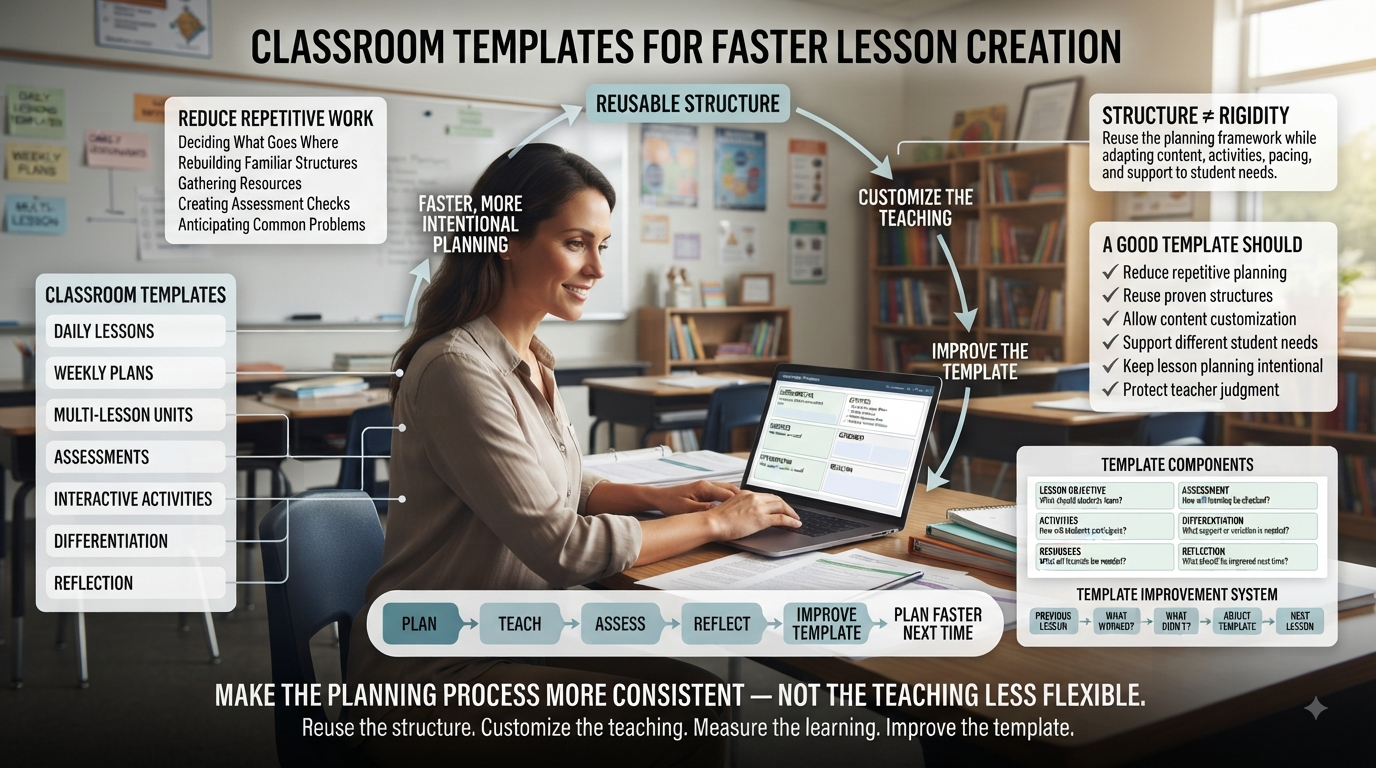
Classroom Templates for Faster Lesson Creation | Teachers rarely lose planning time because they don’t know how to teach. More often, time disappears in the repeated work around teaching: deciding what goes where, rebuilding familiar lesson structures, gathering the same types of resources, creating assessment checks, and trying to anticipate problems that have happened before.
A well-designed classroom template reduces that repetition without turning teaching into a rigid formula. Instead of planning every lesson from a blank page, teachers can reuse proven structures while still adapting the content, activities, pacing, and support to the needs of their students.
The goal is not to make every lesson look the same. It is to make the planning process more consistent, efficient, and intentional.
This guide explains how to build and organize classroom templates for daily lessons, weekly plans, multi-lesson units, assessments, interactive activities, differentiation, and reflection. It also shows how to improve templates over time so that every lesson you plan can make the next one faster and more effective.
The basic principle is simple:
Reuse the structure. Customize the teaching. Measure the learning. Improve the template.
When a template follows that cycle, it becomes more than a planning document. It becomes a practical system for reducing repetitive work while protecting the professional judgment that good teaching requires.
Looking for comprehensive classroom resources and educational technology insights? Explore GimkitApp for expert guides, teaching strategies, game modes, and the latest updates to enhance student engagement.
1. The Three Layers Every Fast Template Is Built On
The fastest planning systems separate information into three distinct layers, so you’re never re-deciding something you’ve already solved:
Most planning fatigue comes from treating all three layers as if they need to be rebuilt together. Once you separate them, you only ever touch the layer that actually needs to change for that day’s lesson.
2. Build the Core Template with Predictable Fill-In Fields
Repeated information should always live in the same place, so you move through planning in a consistent sequence instead of deciding where each piece belongs every time.
This structure is especially valuable when several lessons need to be prepared in one sitting — you’re filling in a known pattern rather than starting from a blank page each time.
3. Scale Up: Weekly Planning Templates
A single lesson template solves a single day’s problem. A weekly template lets you see how those days connect — and stops you from planning five reasonable lessons that don’t actually build on each other.
Day
Learning Focus
Main Activity
Assessment
Follow-Up
Monday
New concept
Introduction and modeling
Quick check
Practice
Tuesday
Application
Guided activity
Observation
Independent work
Wednesday
Deeper practice
Collaborative task
Short assessment
Review
Thursday
Review
Retrieval activity
Quiz or discussion
Corrections
Friday
Consolidation
Mixed practice
Weekly check
Next-step planning
This isn’t a rigid pattern to force every week into — it’s a quick-glance overview that surfaces gaps in progression before they become a problem mid-week.
4. Scale Further: Multi-Lesson Unit Templates
Some objectives simply can’t be reached in a single class period. A unit template connects several lessons around one outcome, so each one has a clear job:
Unit Goal
   ↓
Lesson 1 — Introduce
   ↓
Lesson 2 — Practice
   ↓
Lesson 3 — Apply
   ↓
Lesson 4 — Assess
   ↓
Lesson 5 — Review or Extend
This structure makes it obvious when a lesson doesn’t actually belong — if you can’t place it clearly into Introduce, Practice, Apply, Assess, or Extend, it’s worth asking whether it belongs in this unit at all.
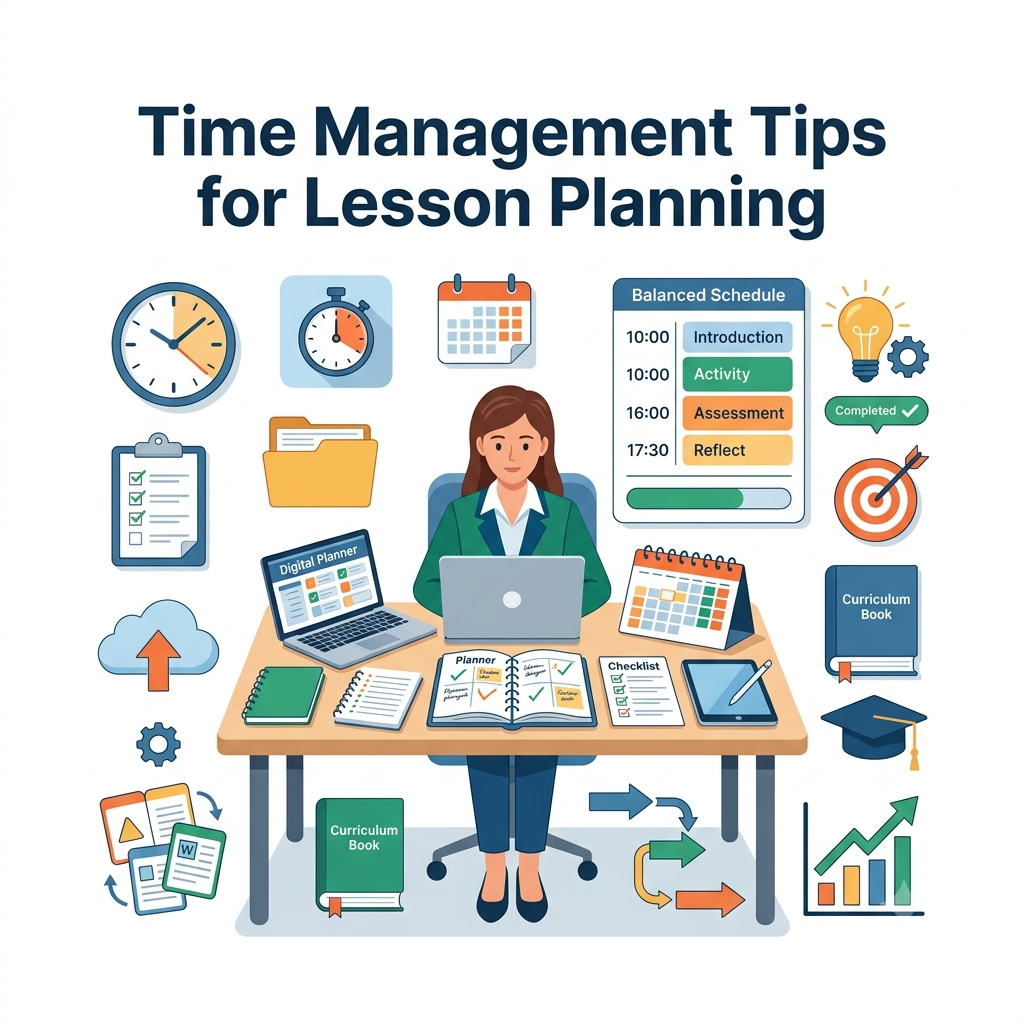
5. Plan for Time Pressure: The Must-Have Section
Over-planning usually comes from treating every activity as equally essential. Build in a fallback before you need it:
Must-Have (cannot be cut)
Core explanation
Essential practice
Learning check
Closure
Optional if Time Allows
Extension activity
Additional discussion
Challenge questions
Enrichment task
📌 Quick Note: A lesson that survives running short on time is more useful than one that only works when everything happens exactly on schedule.
6. Plan for Problems: The “What Could Go Wrong?” Field
Experienced teachers anticipate friction before it happens. Build that instinct directly into the template instead of relying on memory in the moment:
Possible Issue
Prepared Response
Students struggle with the instructions
Model one example before independent work
Activity finishes early
Have an extension task ready
Students need extra support
Use a prepared scaffold or guided example
Technology is unavailable
Keep a non-digital version of the activity ready
This single field is what turns a lesson outline into an actual classroom preparation tool — it forces the “what if” thinking to happen during planning, when you have time, instead of live in front of students.
Ready-Made Backup Activities
Keep a short list of backups that don’t require a full second lesson to prepare:
Additional practice questions
Pair discussion
Retrieval questions
Reflection prompts
Short written task
Extension problem
Offline alternative
Vocabulary review
These are especially valuable for lessons that depend on technology or on activities with unpredictable pacing.
7. Prepare for Student Questions in Advance
You can’t predict every question, but you can identify where confusion is most likely:
This pushes planning beyond “what will we do” into “what will students actually struggle to understand” — which is usually the more useful question.
8. Separate Objective from Success Criteria
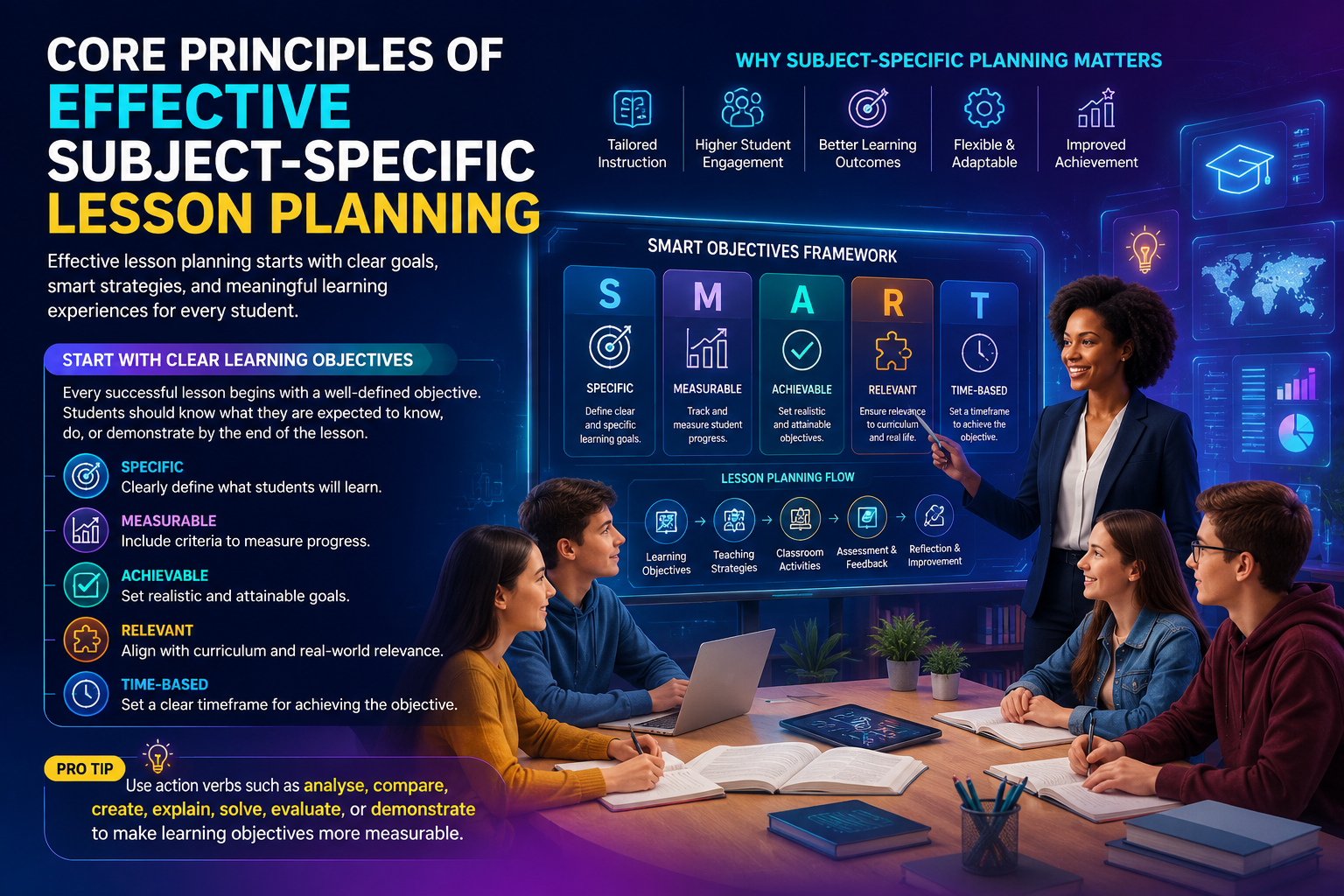
An objective describes the intended learning. Success criteria describe what achieving it actually looks like in student work — and the two are easy to conflate.
Objective: Students will compare two historical developments.
Success Criteria:
Identify both developments
Explain one important similarity
Explain one important difference
Support the comparison with relevant evidence
Writing both into the template keeps your teaching and your assessment aligned, and gives students a concrete target instead of a vague topic.
9. Plan from Outcomes, Not Activities
A weak template starts with: “What activity should students do?” A stronger one starts with: “What should students be able to demonstrate by the end?”
The activity then becomes a means to that end, not the starting point:
This ordering is what prevents choosing an activity purely because it’s engaging, without first checking whether it actually produces the evidence you need.
10. Build In a Grouping Decision
How students are grouped changes how an activity actually functions. Prompt yourself to choose deliberately rather than defaulting to habit:
Independent practice, reflection, assessment, personal application
The template doesn’t need to dictate the choice — it just needs to make sure the choice gets made intentionally.
11. Fold Resource Prep Into the Template Itself
Time gets lost before class hunting for materials that weren’t identified during planning. Build a resource checklist directly into the template:
Presentation or board materials
Worksheets
Question sets
Manipulatives
Books or reading materials
Digital resources
Student devices
Assessment materials
Backup resources
For anything involving technology, note exactly what needs to be set up before students arrive — this is the single most common source of lost lesson time.
For the latest gaming news, expert reviews, and walkthroughs, readers can also visit IGN, one of the world’s leading gaming websites.
12. Templates for Game-Based and Interactive Lessons
Interactive lessons carry more hidden preparation than a straight explanation, because you’re managing rules, grouping, timing, and feedback simultaneously. A dedicated template keeps that complexity organized:
Learning Objective
Game or Activity
Student Grouping
Instructions
Time Limit
Question or Task Set
Scoring or Success Criteria
Teacher Monitoring
Debrief
Assessment
The critical discipline here: the game supports the objective — it isn’t the objective. A high-energy review game can drive strong retrieval, but you still need to know exactly which concepts are being reviewed and how you’ll confirm understanding afterward.
Always Include a Debrief
Participation is not the same as understanding. A short debrief after any interactive activity reconnects it to the actual learning goal:
What did students learn?
Which concept caused difficulty?
What strategy worked?
What mistake appeared repeatedly?
What should be reviewed next?
This matters most after games, group work, simulations, projects, and open discussion — the formats where engagement is easiest to see and understanding is easiest to miss.
13. Extend the Template Past the Bell: Homework and Reflection
Follow-Up / Homework Field
Follow-Up Goal: ______
Student Task: ______
Estimated Time: ______
Required Resources: ______
Connection to Next Lesson: ______
This keeps homework tied to what was actually taught, instead of becoming a disconnected add-on.
Post-Lesson Reflection Field
The template shouldn’t end when the lesson does. A short reflection captured immediately afterward makes the next use of the template faster and sharper:
A template that accumulates this feedback over time becomes measurably more useful than one that was designed perfectly and never touched again.
14. Turn Proven Lessons Into New Templates
Not every template has to be designed in advance — some of the best ones are discovered after the fact. When a lesson works unusually well, reverse-engineer it:
What sequence did the lesson follow?
Which resources were needed?
How were students grouped?
How was learning checked?
Which parts could be reused elsewhere?
Which parts were specific only to that topic?
Strip out the parts specific to that one topic, keep the reusable structure, and you have a new template built from evidence rather than theory.
⭐ Expert Insight: A template that improves after repeated classroom use is almost always more valuable than one that was designed to be perfect on the first attempt. Treat every template as a draft that gets better with evidence.
15. Organize a Template Library So You Can Actually Find Things
A large, unsorted collection becomes just as slow as no template at all. A simple category structure keeps it usable as it grows:
Planning Templates
Daily Lesson
Weekly Plan
Unit Plan
Quick Lesson
Detailed Lesson
Activity Templates
Group Activity
Discussion
Practice
Project
Game-Based Activity
Assessment Templates
Formative Check
Review
Quiz Preparation
Exit Ticket
Reflection
Support Templates
Differentiation
Intervention
Scaffolding
Extension
Naming: Be Specific
Good
Avoid
Quick Daily Lesson Plan
Template 1
New Topic Lesson Plan
New Template
Group Activity Planner
Lesson Version 2
Differentiated Lesson Planner
Final Lesson Plan
Vague names are manageable with three templates. They become a real problem at thirty.
Avoid Version Chaos
It’s easy to end up with a folder full of Lesson Template Final, Final 2, Updated, Newest. The fix is simple: maintain one current master template, and create lesson-specific copies from it as needed. When you improve the master, older lesson documents stay untouched, and every future lesson starts from the improved version automatically.
16. Digital vs. Printable — Choose Based on Workflow, Not Preference Alone
Digital templates fit best when you want to…
Printable templates fit best when you want to…
Duplicate plans quickly
Take handwritten notes
Edit across multiple devices
Make quick in-the-moment annotations
Store and search lesson history
Have a physical classroom reference
Collaborate with colleagues
Plan offline
Reuse content instantly
Minimize screen time
Neither format is objectively better — the deciding factor is which one you’ll actually keep using consistently.
17. When Not to Use a Template
Templates speed up recurring work, but they can slow down genuinely new work. Start from a blank page instead when you’re:
Designing an unusual or one-off project
Planning a major new unit for the first time
Responding to an unexpected, immediate student need
Developing a brand-new teaching strategy
Creating a lesson that doesn’t resemble any existing format
A template exists to support professional judgment, not replace it. If it’s fighting the lesson you’re trying to build, set it aside.
18. The Complete Fast Lesson Creation Workflow
Combine every section above into one repeatable process:
Identify the learning outcome — decide what students should understand, demonstrate, or accomplish.
Select the closest template — start from the nearest existing structure rather than a blank document.
Align the activity with the objective — confirm students are actually practicing or demonstrating the target learning.
Add the assessment — decide what evidence will show whether the objective was met.
Plan differentiation — anticipate likely support and extension needs.
Check timing — confirm the essentials fit inside the actual class period.
Prepare a contingency — decide what happens if students finish early, struggle, or tech fails.
Review the plan — cut anything unnecessary; confirm the sequence is realistic.
Teach and reflect — record what to keep, change, or remove before the template is used again.
This is what separates a template from a static document — it’s a loop, not a one-time form.
19. Final Classroom Template Checklist
Run through this before any lesson goes live:
[ ] The learning objective is clear
[ ] The planned activity supports the objective
[ ] Expected evidence of learning is identified
[ ] Required materials are ready
[ ] The lesson fits the available time
[ ] Student grouping has been considered
[ ] Differentiation is planned where needed
[ ] Likely misconceptions are identified
[ ] A backup option exists where appropriate
[ ] The closing activity reinforces the main learning
[ ] Follow-up work connects to the lesson
[ ] The template is simple enough to complete quickly
20. How to Keep Improving the Template Itself
Treat the template as a working tool, not a finished product. After several uses, look for recurring friction:
Which field consistently takes too long to fill in?
Which section rarely gets used?
Which information keeps getting copied from previous lessons?
Which part is missing exactly when a problem occurs?
Which activity structures keep working, lesson after lesson?
The answers are direct evidence for what to trim, add, or restructure — the template gets sharper because it starts reflecting how you actually plan, not how planning is supposed to look in theory.
21. Build a Quick-Start Template for Limited Planning Time
Not every lesson gets planned during a quiet preparation period. Sometimes a teacher has only a few minutes to prepare, adjust a lesson, or respond to an unexpected change.
A separate quick-start template prevents time pressure from forcing you back to a blank page.
The purpose of this version is not to capture every possible planning detail. It captures only the decisions that are essential for a coherent lesson.
A quick-start template is particularly useful when:
A lesson needs to be adapted at short notice
A planned activity is no longer available
A substitute or replacement lesson is required
A teacher has limited preparation time
A previous lesson needs to be modified quickly
Students need an immediate review or intervention
The key is to keep this version deliberately smaller than the full template. If the quick-start template becomes almost as detailed as the main planning system, it loses its purpose.
22. Create a Template for Differentiation and Student Support
A lesson can have a strong structure and still fail to serve every learner equally. Differentiation is therefore worth treating as a repeatable planning component rather than an afterthought.
A simple differentiation template can include:
Core Learning Goal: ______
Students Who May Need Additional Support: ______
Scaffold or Support: ______
Alternative Explanation: ______
Extension Opportunity: ______
Independent Challenge: ______
How Support Will Be Reduced: ______
Evidence of Progress: ______
This structure keeps differentiation connected to the same learning goal as the main lesson.
For example, additional support should not automatically mean giving a student easier work. It might instead involve a worked example, visual support, sentence starter, vocabulary aid, guided practice, reduced task complexity, or additional processing time.
Likewise, extension should not simply mean “more questions.” A stronger extension may require students to explain their reasoning, apply the concept in a new context, compare approaches, evaluate evidence, or create their own example.
The template should make those decisions easier without forcing every student into the same support pathway.
23. Add a “Choose the Right Template” Decision Point
A growing template library is useful only when teachers can quickly identify which template fits the task.
Before starting, ask four questions:
1. What am I planning?
One lesson
Several connected lessons
A full unit
An assessment
An interactive activity
A review or intervention
2. How much planning time do I have?
Several days
One planning period
A few minutes
Immediate adaptation
3. What is the main instructional purpose?
Introduce
Practice
Apply
Assess
Review
Extend
Intervene
4. What level of detail is actually necessary?
Quick outline
Standard lesson plan
Detailed plan
Collaborative planning document
This prevents a common problem: using the most detailed template simply because it exists.
The best template is not the most comprehensive one. It is the smallest structure that captures the decisions needed for the lesson to succeed.
24. Create One Complete Example Before Expanding the Library
Templates become easier to understand when teachers can see how an empty structure becomes an actual lesson.
For example, a science lesson might begin with:
Learning Objective: Students will explain how changes in temperature affect the state of matter.
Opening Activity: Students predict what happens to an ice cube when heat is applied.
Main Activity: Students observe a demonstration and record changes.
Practice: Students classify several examples as solid, liquid, or gas and explain their reasoning.
Assessment: Students describe one change of state and identify what caused it.
Closure: Students write one sentence explaining the relationship between temperature and state of matter.
Likely Misconception: Students may assume that melting and dissolving are the same process.
Backup Option: Use prepared images and written scenarios if the demonstration cannot be completed.
The value of this example is not the particular science topic. It demonstrates how the template connects the learning outcome, activity, evidence, misconception, and contingency plan into one coherent lesson.
Once teachers understand that connection, they can reuse the same structure across subjects.
25. Measure Whether the Template Is Actually Saving Time
A template should not be considered successful simply because it looks organized.
Its real test is whether it reduces unnecessary planning effort while maintaining or improving lesson quality.
After several uses, consider tracking:
Measure
Question
Planning time
Does the template reduce the time needed to prepare?
Completion effort
Are some fields unnecessarily difficult to complete?
Lesson alignment
Does the activity still connect clearly to the objective?
Classroom usefulness
Does the plan help during actual teaching?
Adaptability
Can the structure handle different topics and learners?
Reuse
Are teachers actually returning to the template?
Reflection
Does each use produce information for improvement?
If a template consistently takes longer to complete than the planning process it replaced, it needs revision.
The goal is not to maximize the number of fields. The goal is to maximize useful decisions per minute of planning.
26. Keep the Template Flexible Enough for Professional Judgment
The strongest template is structured without becoming restrictive.
A rigid template may require every lesson to have the same number of activities, the same sequence, or the same assessment format even when the learning goal does not justify it.
A flexible template instead provides prompts:
What needs to happen?
What evidence will demonstrate learning?
What support might students need?
What can be removed if time becomes limited?
What should happen next based on the evidence?
This distinction matters because effective teaching is responsive. A template should reduce repetitive decisions, not eliminate decisions that require teacher expertise.
27. Build the Template Around Evidence, Not Just Completion
One of the easiest ways for a planning system to become inefficient is to turn completion into the goal.
A teacher can fill every field and still produce a weak lesson.
Instead, each major planning section should have a practical purpose:
Template Element
What It Should Help You Decide
Learning Objective
What students should learn
Success Criteria
What successful learning looks like
Activity
How students will engage with the learning
Assessment
What evidence will show progress
Differentiation
What support or challenge may be needed
Timing
What can realistically happen
Contingency
What happens when the plan changes
Reflection
What should improve next time
This keeps the template focused on instructional decisions rather than paperwork.
A useful test is simple: If removing a field would not affect the lesson, the field may not belong in the template.
28. Use a “Master + Modules” System as the Library Grows
Once a teacher has several templates, maintaining completely separate documents can create unnecessary duplication.
A better system is to maintain one core planning structure and attach reusable modules when needed.
A simple lesson may need only the master structure.
A collaborative lesson may add the group-work module.
A technology-dependent activity may add the technology backup module.
A lesson requiring additional support may add the differentiation module.
This approach keeps the main template short while allowing more complex lessons to expand when necessary.
29. Review Templates Periodically Instead of Updating Them Randomly
A template can accumulate unnecessary fields over time. One teacher adds a new section after a difficult lesson, another adds another field for a different situation, and eventually the template becomes longer than the planning process it was designed to simplify.
Set a regular review point instead.
For example, after a unit, term, or defined number of lessons, ask:
Which fields were consistently useful?
Which fields were rarely completed?
Which problems appeared that the template did not anticipate?
Which sections created unnecessary repetition?
Which reusable components should become separate modules?
What can be removed without reducing planning quality?
This creates controlled improvement instead of continuous template growth.
The objective is not to build the largest planning system possible. It is to build the smallest reliable system that consistently supports good planning.
30. The Ideal Classroom Template Is a Decision-Support Tool
At its best, a classroom template does more than store information.
It prompts the teacher to make the right decisions at the right time:
Before teaching:
What should students learn, and what will they need?
During planning:
Which activity will produce useful evidence of that learning?
Before class:
What resources, grouping, timing, and contingencies are required?
During the lesson:
What evidence shows whether students are progressing?
After the lesson:
What should be kept, changed, removed, or added next time?
This turns the template into a lightweight decision-support system rather than a form that exists mainly for documentation.
The strongest templates therefore become almost invisible in practice. Teachers stop thinking about the template itself and start using the structure automatically.
That is the real measure of success: less time spent organizing the planning process and more time spent making meaningful instructional decisions.
Frequently Asked Questions
1. What should a classroom lesson template include?
A useful classroom lesson template should include the learning objective, success criteria, lesson sequence, activities, assessment or evidence of learning, required resources, timing, student grouping, differentiation, and closure. For more complex lessons, it can also include likely misconceptions, contingency plans, and post-lesson reflection. The goal is not to include every possible field, but to capture the decisions that repeatedly affect lesson quality.
2. How do classroom templates reduce lesson planning time?
Classroom templates reduce planning time by separating reusable planning structure from lesson-specific content. Instead of rebuilding the same sequence, assessment format, resource checklist, or reflection prompts for every lesson, the teacher reuses an established framework and changes only the information that is specific to the topic and students. Over time, this reduces repetitive decision-making while preserving flexibility for instructional choices.
3. Should a teacher use the same template for every lesson?
Not necessarily. A single master structure can provide consistency, but different lesson purposes may require different template modules or formats. For example, an introductory lesson may emphasize explanation and modeling, while a review lesson may need retrieval practice and formative assessment. A flexible template system allows teachers to reuse the core structure while adding components for group work, assessment, differentiation, interactive activities, or technology-dependent lessons.
4. How can teachers tell whether a lesson template is actually effective?
A template should be evaluated by its effect on both planning efficiency and instructional usefulness. Teachers can compare preparation time, identify fields that are repeatedly unused, check whether activities remain aligned with learning objectives, and review whether the template helps anticipate common classroom problems. Post-lesson reflection is particularly useful because repeated observations reveal which sections consistently improve planning and which create unnecessary work.
5. Can classroom templates be used for differentiated instruction?
Yes. A classroom template can include dedicated fields for anticipated support needs, scaffolding, alternative explanations, extension tasks, and evidence of student progress. This allows differentiation to be planned alongside the main learning objective rather than added after the lesson has already been designed. The most effective approach is to keep the learning goal consistent while varying the level of support, challenge, resources, or pathways students use to reach it.
Professional Recommendations & Expert Reviews
Classroom Templates for Faster Lesson Creation give teachers a reusable starting structure instead of requiring every lesson to be built from scratch.
Classroom Templates for Faster Lesson Creation can reduce preparation time while keeping important parts of a lesson organized.
Classroom Templates for Faster Lesson Creation are especially useful when teachers regularly teach similar lesson formats.
Classroom Templates for Faster Lesson Creation can include spaces for learning objectives, activities, resources, practice, assessment, and reflection.
Classroom Templates for Faster Lesson Creation help teachers maintain consistency across different lessons without making every lesson identical.
Classroom Templates for Faster Lesson Creation work best when they are simple enough to adapt quickly.
Classroom Templates for Faster Lesson Creation can begin with a short section for the main learning objective.
Classroom Templates for Faster Lesson Creation can include a quick starter activity that activates prior knowledge.
Classroom Templates for Faster Lesson Creation can provide a dedicated space for introducing new concepts.
Classroom Templates for Faster Lesson Creation can include guided practice before students move toward independent work.
Classroom Templates for Faster Lesson Creation can also include an assessment section for checking whether the objective was achieved.
Classroom Templates for Faster Lesson Creation become more useful when teachers include approximate timings for each stage.
Classroom Templates for Faster Lesson Creation can help prevent teachers from spending too much time on one activity.
Classroom Templates for Faster Lesson Creation can include optional activities for students who finish early.
Classroom Templates for Faster Lesson Creation can also provide support ideas for learners who need additional explanation or practice.
Classroom Templates for Faster Lesson Creation allow teachers to duplicate a proven structure and replace only the lesson-specific content.
Classroom Templates for Faster Lesson Creation are useful for subjects where lessons follow recurring patterns.
Classroom Templates for Faster Lesson Creation can include separate versions for lectures, discussions, practical activities, revision, and assessment lessons.
Classroom Templates for Faster Lesson Creation help teachers avoid repeatedly writing the same instructions.
Classroom Templates for Faster Lesson Creation can include prepared prompts that encourage discussion and deeper thinking.
Classroom Templates for Faster Lesson Creation can make collaborative activities easier to organize by including roles, instructions, and expected outcomes.
Classroom Templates for Faster Lesson Creation can include spaces for digital resources, worksheets, videos, quizzes, or interactive activities.
Classroom Templates for Faster Lesson Creation should avoid unnecessary sections because excessive structure can make planning slower rather than faster.
Classroom Templates for Faster Lesson Creation work best when teachers keep frequently reused information separate from content that changes every lesson.
Classroom Templates for Faster Lesson Creation can include a quick differentiation section so teachers remember to plan for different learner needs.
Classroom Templates for Faster Lesson Creation can save additional time when common classroom routines are already built into the template.
Classroom Templates for Faster Lesson Creation can include a consistent closing activity that checks understanding before students leave.
Classroom Templates for Faster Lesson Creation are particularly helpful when teachers have limited preparation time between classes.
Classroom Templates for Faster Lesson Creation can make substitute teaching easier when lesson structures and instructions are clearly organized.
Classroom Templates for Faster Lesson Creation can be stored digitally so teachers can quickly duplicate and modify previous plans.
Classroom Templates for Faster Lesson Creation become more valuable when teachers review which sections they actually use and remove unnecessary ones.
Classroom Templates for Faster Lesson Creation can be improved over time based on classroom experience and student responses.
Classroom Templates for Faster Lesson Creation should leave enough flexibility for teachers to respond to unexpected questions or changes in class progress.
Classroom Templates for Faster Lesson Creation can include a short reflection area where teachers record what worked and what should change next time.
Classroom Templates for Faster Lesson Creation can gradually become personalized teaching systems rather than generic planning forms.
Classroom Templates for Faster Lesson Creation can also support team planning when teachers share common structures across a department.
Classroom Templates for Faster Lesson Creation help make lesson preparation more predictable by providing a familiar planning sequence.
Classroom Templates for Faster Lesson Creation should focus on instructional usefulness rather than simply making lesson plans look attractive.
Classroom Templates for Faster Lesson Creation are most effective when they reduce repetitive work while protecting time for thoughtful instructional decisions.
Classroom Templates for Faster Lesson Creation can turn previous successful lessons into reusable planning resources for future classes.
Classroom Templates for Faster Lesson Creation ultimately help teachers spend less time formatting and repeating routine planning tasks and more time selecting meaningful activities and learning experiences
Classroom Templates for Faster Lesson Creation can include a quick materials checklist so teachers can confirm everything needed before class begins.
Classroom Templates for Faster Lesson Creation can provide a standard section for homework or follow-up tasks, making lesson closure easier to manage.
Classroom Templates for Faster Lesson Creation can include common question stems that encourage students to explain, compare, justify, and apply ideas.
Classroom Templates for Faster Lesson Creation can help teachers prepare multiple lessons at once by keeping the planning process consistent.
Classroom Templates for Faster Lesson Creation can include estimated preparation time so teachers can prioritize activities that offer the greatest learning value.
Classroom Templates for Faster Lesson Creation can make revision planning quicker by organizing key concepts, practice questions, and common misconceptions in one place.
Classroom Templates for Faster Lesson Creation can include a quick technology check for lessons that depend on devices, internet access, or interactive tools.
Classroom Templates for Faster Lesson Creation can provide a backup activity when a planned resource, website, or classroom technology does not work.
Classroom Templates for Faster Lesson Creation can include a student participation section that helps teachers plan opportunities for discussion and active involvement.
Classroom Templates for Faster Lesson Creation can make assessment planning easier by linking each activity to a specific learning objective.
Classroom Templates for Faster Lesson Creation can include a space for common student mistakes, helping teachers prepare targeted explanations before the lesson.
Classroom Templates for Faster Lesson Creation can support lesson sequences by showing what students should already know before beginning the next activity.
Classroom Templates for Faster Lesson Creation can help teachers compare planned timing with actual classroom timing and improve future lessons accordingly.
Classroom Templates for Faster Lesson Creation become especially powerful when teachers build a small library of proven templates for different lesson purposes instead of relying on one structure for everything.
The Core Principle
The best classroom template never tries to plan the lesson for you. It removes the repetitive organizational work so you can spend your attention on the decisions that genuinely require judgment — what students need to understand, and how you’ll know they got there.
Reuse the structure. Customize the teaching. Measure the learning. Improve the template.
That cycle is what makes a template genuinely useful for faster lesson creation — it saves time without ever sacrificing instructional purpose, flexibility, or teacher expertise.