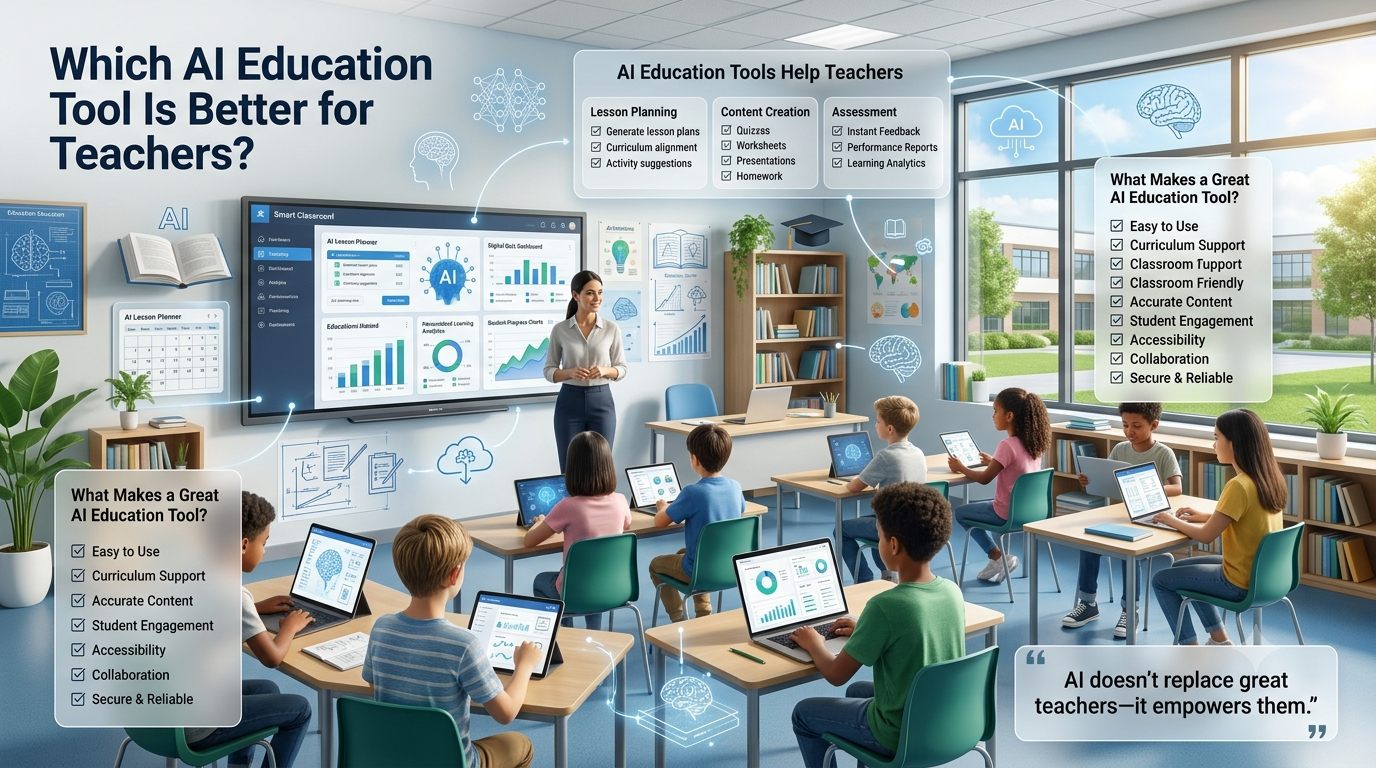
Which AI Education Tool Is Better for Teachers? A useful answer depends on the teaching task, institutional policies, and the quality of the final resource.Artificial intelligence is transforming education by helping teachers save time, personalize learning, and simplify everyday classroom tasks. From lesson planning and quiz creation to instant feedback and differentiated instruction, AI tools support educators without replacing them. However, with so many platforms available, choosing the right one can be difficult. This guide compares the best AI education tools based on features, classroom use, ease of use, pricing, and overall value, helping teachers select the solution that best fits their teaching style, student needs, and educational goals.For interactive classroom practice, explore our independent Gimkit learning resources.
What Are AI Education Tools?
AI education tools are software platforms that use artificial intelligence to support teaching, learning, assessment, and classroom management. Instead of simply digitizing existing teaching materials, these platforms analyze prompts, educational objectives, student performance, and instructional needs to generate customized resources within seconds.
Today’s AI-powered teaching assistants can create complete lesson plans, produce quizzes aligned with curriculum standards, generate worksheets at multiple difficulty levels, summarize academic articles, design presentations, translate learning materials, explain difficult concepts in simpler language, and even provide personalized tutoring support for students.
Unlike traditional educational software that follows fixed rules, AI systems adapt their responses based on user input. For example, a science teacher can request a lesson suitable for Grade 5 students with visual activities, while another educator can ask for university-level laboratory discussion questions on the same topic. The AI adjusts its output according to the educational context, making these tools significantly more flexible than conventional learning platforms.
As AI technology continues to improve, many education platforms now combine generative AI with classroom management features, analytics dashboards, collaboration tools, accessibility options, and curriculum alignment. This integration enables teachers to streamline multiple aspects of instruction from a single platform rather than relying on separate applications for every task.
Why Teachers Are Adopting AI in Modern Classrooms
Teachers often spend a significant portion of their week on tasks that occur outside classroom instruction. Planning lessons, creating assessments, grading assignments, preparing presentations, answering repetitive student questions, differentiating materials, and communicating with parents can consume many hours. AI tools reduce much of this administrative burden by automating routine work while still allowing educators to review and customize the final output.
Another major advantage is personalization. Modern classrooms include students with varying learning abilities, language backgrounds, interests, and support needs. Producing multiple versions of the same lesson manually is time-consuming, but AI can generate differentiated worksheets, simplified explanations, enrichment activities, and scaffolded learning materials in just a few minutes. This helps teachers provide more inclusive instruction without dramatically increasing preparation time.
AI also supports creativity. Rather than replacing teachers’ expertise, it serves as a brainstorming partner capable of suggesting classroom activities, discussion prompts, project ideas, role-playing scenarios, formative assessments, and interdisciplinary connections. Educators remain responsible for evaluating accuracy, adapting content to their students, and ensuring that lessons align with curriculum objectives.
Perhaps the greatest benefit is time savings. Many teachers report that AI allows them to reclaim hours each week that would otherwise be spent on repetitive administrative work. Those extra hours can be redirected toward student mentoring, classroom interaction, professional development, or improving instructional quality.
How We Evaluated the Best AI Education Tools
Not every AI platform is designed specifically for education, and a long feature list does not automatically translate into classroom value. To determine which tools are most useful for teachers, several practical criteria should be considered.
Evaluation Factor
Why It Matters for Teachers
Ease of Use
Teachers need intuitive interfaces with minimal learning curves.
Lesson Planning
Ability to generate structured, curriculum-aligned lesson plans.
Assessment Tools
Supports quizzes, rubrics, grading assistance, and formative assessment.
Supports multilingual learners and students with disabilities.
Privacy & Security
Protects student information and follows responsible data practices.
Value for Money
Offers meaningful functionality through free or affordable plans.
A high-quality AI education tool should improve teaching efficiency without creating unnecessary complexity. It should integrate naturally into existing classroom workflows while allowing teachers to retain full control over instructional decisions.
Quick Comparison of Leading AI Education Platforms
The AI education landscape includes general-purpose assistants, classroom management systems, assessment platforms, presentation tools, and subject-specific learning applications. Each excels in different teaching scenarios.
Each platform addresses different classroom needs. Some focus on instructional design, while others emphasize assessment, collaboration, writing support, or personalized learning. The best choice depends on your teaching responsibilities rather than simply selecting the platform with the most AI features.
Factors Teachers Should Consider Before Choosing an AI Tool
Selecting an AI platform involves more than comparing feature lists. The most effective solution is one that fits naturally into your teaching workflow and addresses your specific instructional challenges.
Before choosing an AI education tool, consider the following questions:
What age group do you teach?
Does the tool align with your curriculum?
Can it support differentiated instruction?
How much preparation time will it realistically save?
Does it integrate with your existing classroom technology?
Is student data handled responsibly?
Can you easily edit AI-generated content?
Does the free version provide enough functionality?
Will students use the platform independently, or is it designed primarily for teachers?
Can the platform scale as your instructional needs evolve?
Answering these questions helps narrow the options and ensures that the selected platform enhances teaching rather than adding unnecessary complexity.
Best AI Education Tools for Teachers Compared
Choosing the best AI education tool depends on what you need it to accomplish. Some platforms are built to streamline lesson planning, while others focus on classroom engagement, personalized tutoring, assessment, or content creation. Rather than searching for a single “perfect” solution, teachers often achieve the best results by combining two or three complementary tools that fit their instructional workflow.
The following platforms consistently stand out because they solve real classroom challenges, save preparation time, and offer features that support modern teaching practices.
ChatGPT: Best Overall AI Assistant for Teachers
AI assistants help teachers streamline lesson planning, generate educational resources, personalize learning, and save valuable preparation time across every subject.
ChatGPT has become one of the most versatile AI assistants available to educators. Instead of specializing in a single teaching task, it functions as a comprehensive instructional partner capable of generating lesson plans, quizzes, worksheets, discussion questions, classroom activities, assessment rubrics, writing prompts, emails, parent communication drafts, and differentiated learning materials.
One of its biggest advantages is flexibility. Teachers can customize nearly every response by specifying grade level, curriculum standards, learning objectives, classroom time, student ability, teaching style, or assessment format. This adaptability makes it suitable for nearly every subject area, from mathematics and science to literature, history, business studies, computer science, and foreign languages.
Experienced educators often use ChatGPT as a brainstorming assistant rather than accepting its first response. Refining prompts and reviewing generated content helps ensure accuracy, aligns lessons with local curriculum standards, and produces more engaging classroom materials.
Best Features
Feature
Classroom Benefit
Lesson planning
Generates structured lesson plans in minutes
Worksheet creation
Produces printable classroom activities
Quiz generation
Creates multiple question formats
Writing assistance
Drafts instructions, emails, and feedback
Content differentiation
Adjusts materials for varying ability levels
Brainstorming
Suggests projects, discussions, and activities
Pros
Supports nearly every subject.
Extremely flexible.
Saves hours of planning time.
Excellent for content generation.
Continuously improving capabilities.
Limitations
Responses require teacher review.
Does not automatically align with every curriculum.
Some advanced features require a paid subscription.
Best For
K–12 teachers
University instructors
Online educators
Curriculum designers
Professional trainers
MagicSchool AI: Built Specifically for Educators
Unlike general-purpose AI assistants, MagicSchool AI was developed specifically for teachers. Its interface includes ready-made templates for classroom tasks, allowing educators to generate lesson plans, behavior interventions, Individualized Education Program (IEP) support, assessment questions, parent communication, and classroom resources without writing complex prompts.
This education-first approach significantly reduces the learning curve. Teachers can simply select a template, enter a topic or objective, and receive classroom-ready materials within minutes.
Many schools appreciate MagicSchool AI because it focuses on instructional workflows rather than general AI conversations. The platform continues to expand its library of education-specific tools, making it particularly attractive for K–12 environments.
Best Features
Lesson planning templates
Rubric generation
Parent communication tools
Classroom behavior support
IEP assistance
Assessment creation
Ideal For
Elementary teachers
Middle school educators
High school teachers
School administrators
Khanmigo: AI Tutoring That Supports Learning
Khanmigo takes a different approach from many AI platforms. Instead of simply providing answers, it encourages students to think critically by guiding them through problems using questions, hints, and step-by-step reasoning.
For teachers, this creates opportunities to supplement classroom instruction with personalized support that encourages independent learning rather than answer copying.
The platform is especially useful in mathematics, science, and humanities, where conceptual understanding matters more than memorizing facts.
Strengths
Guided tutoring
Personalized feedback
Critical thinking support
Classroom-friendly interactions
Learning-focused conversations
Best Use Cases
Homework support
Independent study
Small-group instruction
Learning intervention
Canva Magic Studio: Best for Classroom Presentations
Visual learning plays a major role in student engagement, and Canva’s AI-powered features help teachers create professional educational materials without advanced design skills.
Instead of spending hours formatting slides, teachers can generate presentations, classroom posters, infographics, worksheets, certificates, flashcards, and social media graphics using AI-assisted design tools.
Presentation quality improves significantly while preparation time decreases, making Canva particularly valuable for educators who rely heavily on visual instruction.
Classroom Applications
Resource
AI Assistance
Presentation slides
AI-generated layouts
Posters
Classroom-ready designs
Infographics
Educational visuals
Worksheets
Attractive printable resources
Certificates
Automated designs
Classroom displays
Professional templates
Quizizz AI: Smarter Classroom Assessment
Assessment remains one of the most time-consuming teaching responsibilities. Quizizz AI reduces this workload by generating quizzes, adapting question difficulty, and providing detailed performance analytics after students complete assessments.
Teachers can create formative assessments in minutes rather than building every question manually.
Interactive quizzes also increase student participation through gamified learning experiences that feel more engaging than traditional paper-based tests.
Key Benefits
Automatic quiz generation
Performance reports
Homework assignments
Live classroom games
Curriculum-aligned question banks
Curipod: Interactive AI Lessons
Curipod focuses on active participation rather than passive learning. Teachers can generate complete interactive lessons that include polls, open-ended questions, collaborative activities, brainstorming exercises, drawing prompts, and reflective discussions.
Instead of presenting information through long lectures, Curipod encourages continuous student interaction throughout the lesson.
This makes it especially useful for maintaining engagement during longer classroom sessions or remote learning environments.
Excellent For
Student discussions
Interactive presentations
Classroom participation
Exit tickets
Reflection activities
Education Copilot: Fast Lesson Planning
Education Copilot specializes in reducing lesson preparation time. Teachers can quickly generate instructional objectives, lesson outlines, guided practice activities, project ideas, writing prompts, classroom exercises, and homework assignments.
Although less flexible than general AI assistants, its education-focused templates make it highly efficient for daily classroom planning.
Many teachers use Education Copilot when preparing multiple lessons across different subjects within limited planning periods.
Brisk Teaching: AI Inside Your Daily Workflow
Brisk Teaching integrates directly into browser-based teaching activities. Instead of switching between multiple applications, teachers can generate feedback, summarize articles, adjust reading levels, create quizzes, and provide writing suggestions while working inside familiar educational platforms.
Its workflow integration reduces interruptions and helps teachers remain productive throughout the school day.
Useful For
Google Docs
Google Classroom
Online articles
Student writing
Assignment feedback
Grammarly: Improving Student Writing
Although Grammarly is not exclusively an education platform, it remains one of the most valuable writing assistants for teachers and students.
Teachers use Grammarly to review instructional materials, improve communication with parents, and model effective writing practices. Students benefit from grammar suggestions, clarity improvements, vocabulary recommendations, and tone adjustments while developing stronger writing skills.
It works particularly well in language arts, higher education, and academic writing environments.
Microsoft Copilot: Productivity for Microsoft Schools
Schools using Microsoft 365 often benefit from Copilot’s integration across familiar applications such as Word, Excel, PowerPoint, Outlook, and Teams.
Teachers can summarize documents, generate lesson drafts, organize meeting notes, prepare presentations, analyze classroom data, and automate repetitive administrative work without leaving Microsoft’s ecosystem.
Its greatest advantage lies in improving productivity across multiple teaching tasks rather than specializing in instructional design alone.
Google Gemini: AI for Google Workspace Classrooms
Schools that rely heavily on Google Workspace may find Gemini particularly valuable because of its integration with Google Docs, Gmail, Drive, Sheets, and Classroom.
Teachers can brainstorm instructional ideas, summarize research, draft announcements, organize information, and generate educational content while remaining inside Google’s productivity tools.
This seamless integration reduces context switching and simplifies daily classroom workflows.
Feature Comparison of Leading AI Education Tools
Tool
Lesson Planning
Assessment
Presentations
Tutoring
Writing Support
Best For
ChatGPT
⭐⭐⭐⭐⭐
⭐⭐⭐⭐
⭐⭐⭐⭐
⭐⭐⭐⭐
⭐⭐⭐⭐⭐
All-around teaching
MagicSchool AI
⭐⭐⭐⭐⭐
⭐⭐⭐⭐
⭐⭐⭐
⭐⭐⭐
⭐⭐⭐⭐
K–12 teachers
Khanmigo
⭐⭐⭐
⭐⭐⭐⭐
⭐⭐
⭐⭐⭐⭐⭐
⭐⭐⭐
Student tutoring
Canva Magic Studio
⭐⭐
⭐⭐
⭐⭐⭐⭐⭐
⭐
⭐⭐
Visual learning
Quizizz AI
⭐⭐⭐
⭐⭐⭐⭐⭐
⭐⭐⭐
⭐⭐
⭐
Classroom assessment
Curipod
⭐⭐⭐⭐
⭐⭐⭐
⭐⭐⭐⭐⭐
⭐⭐
⭐⭐
Student engagement
Education Copilot
⭐⭐⭐⭐⭐
⭐⭐⭐
⭐⭐
⭐⭐
⭐⭐⭐
Lesson preparation
Brisk Teaching
⭐⭐⭐⭐
⭐⭐⭐⭐
⭐⭐
⭐⭐
⭐⭐⭐⭐
Teacher workflow
Grammarly
⭐
⭐
⭐
⭐
⭐⭐⭐⭐⭐
Writing improvement
Microsoft Copilot
⭐⭐⭐⭐
⭐⭐⭐
⭐⭐⭐⭐
⭐⭐
⭐⭐⭐⭐
Productivity
Google Gemini
⭐⭐⭐⭐
⭐⭐⭐
⭐⭐⭐
⭐⭐⭐
⭐⭐⭐⭐
Google Workspace
Which Tool Is Best for Different Teaching Needs?
Teaching Need
Recommended Tool
Complete AI assistant
ChatGPT
K–12 lesson planning
MagicSchool AI
Personalized tutoring
Khanmigo
Interactive classroom lessons
Curipod
Classroom quizzes
Quizizz AI
Visual presentations
Canva Magic Studio
Fast daily lesson planning
Education Copilot
Browser-integrated teaching
Brisk Teaching
Writing improvement
Grammarly
Microsoft schools
Microsoft Copilot
Google Workspace schools
Google Gemini
These recommendations reflect each platform’s primary strengths, but many teachers achieve the best results by combining tools—for example, using ChatGPT for lesson drafting, Canva for visual resources, Quizizz for assessments, and Grammarly to polish written communication.
Using AI Throughout the Teaching Workflow
The most effective teachers don’t rely on AI for a single task—they integrate it into their entire instructional workflow. From planning a lesson to analyzing student performance, AI can streamline repetitive work while leaving instructional decisions in the hands of educators. The goal isn’t to automate teaching; it’s to automate the administrative and creative tasks that consume valuable planning time.
A balanced workflow typically begins with lesson planning, continues through resource creation and classroom delivery, and ends with assessment, feedback, and reflection. Teachers remain responsible for reviewing AI-generated content, ensuring curriculum alignment, and adapting materials to their students’ needs.
AI helps teachers create lesson plans, classroom resources, assessments, worksheets, and differentiated learning materials in minutes while improving instructional efficiency.
Lesson planning is one of the most time-intensive responsibilities for educators. AI significantly reduces preparation time by generating structured lesson outlines based on learning objectives, grade level, subject, available classroom time, and instructional strategies.
Instead of starting with a blank page, teachers can use AI to create a complete lesson framework that includes learning outcomes, warm-up activities, guided instruction, collaborative exercises, formative assessments, and homework suggestions. This foundation can then be refined to match curriculum standards and classroom needs.
AI Can Generate
Daily lesson plans
Weekly teaching schedules
Unit plans
Curriculum maps
Learning objectives
Essential questions
Classroom activities
Homework ideas
Exit tickets
Reflection prompts
Professional Tip
Use AI to generate the first draft, but always personalize examples, classroom discussions, and assessments. Students respond better to lessons that reflect their interests, local context, and prior learning experiences.
Creating Classroom Resources in Minutes
Developing instructional materials often takes longer than delivering the lesson itself. AI accelerates this process by producing high-quality educational resources that teachers can customize rather than create from scratch.
For example, after designing a science lesson, a teacher can ask AI to generate vocabulary lists, printable worksheets, discussion questions, lab safety reminders, enrichment tasks, and differentiated practice activities for varying skill levels.
Common AI-Generated Resources
Resource
Classroom Purpose
Worksheets
Guided practice
Reading passages
Comprehension activities
Vocabulary lists
Language development
Flashcards
Revision
Graphic organizers
Concept mapping
Rubrics
Assessment consistency
Study guides
Exam preparation
Project instructions
Independent learning
AI for Differentiated Instruction
Every classroom includes learners with different abilities, backgrounds, and learning preferences. Preparing separate instructional materials for each group can be challenging, especially in large classes. AI simplifies this process by adapting the same content for multiple reading levels and learning needs.
For example, after creating one history lesson, teachers can ask AI to produce:
A simplified version for struggling readers.
A standard version for the majority of students.
An advanced extension for gifted learners.
Visual supports for English language learners.
Discussion questions for collaborative groups.
Independent enrichment activities.
This flexibility supports inclusive teaching while reducing preparation time.
Supporting Students with Different Learning Needs
Inclusive education requires instructional materials that accommodate diverse learners. AI assists teachers by adapting content without changing the core learning objectives.
Examples include:
Simplifying academic language.
Explaining concepts using everyday examples.
Generating visual learning supports.
Producing larger reading formats.
Creating scaffolded practice exercises.
Translating instructions into multiple languages.
Breaking complex tasks into manageable steps.
These adaptations help teachers create more accessible classrooms while maintaining academic expectations.
AI for Classroom Assessment
Assessment should measure understanding rather than consume excessive teacher time. AI helps educators design formative and summative assessments quickly while providing multiple question formats that evaluate different levels of thinking.
Instead of manually writing dozens of questions, teachers can generate assessments based on learning objectives, cognitive levels, or curriculum standards.
Assessment Types AI Can Create
Assessment
Purpose
Multiple-choice
Knowledge checks
Short answer
Understanding
Essay prompts
Critical thinking
Case studies
Application
Project rubrics
Performance evaluation
Reflection questions
Self-assessment
Exit tickets
End-of-class review
Practice tests
Exam preparation
Teachers should review every assessment for accuracy, clarity, and alignment with classroom objectives before using it with students.
Providing Faster, More Meaningful Feedback
Constructive feedback helps students improve, but writing individualized comments for every assignment is time-consuming. AI can generate feedback templates that teachers personalize based on each student’s work.
Rather than replacing teacher judgment, AI accelerates the writing process by suggesting clear, supportive, and actionable comments.
Effective AI-Assisted Feedback
Instead of writing:
“Needs improvement.”
Teachers can provide feedback like:
“Your explanation demonstrates a good understanding of the main concept. To strengthen your answer, include specific evidence and explain how it supports your conclusion.”
This approach encourages learning rather than simply identifying mistakes.
AI for Classroom Engagement
Student engagement increases when lessons encourage participation rather than passive listening. AI supports active learning by generating interactive activities tailored to specific topics and age groups.
AI Can Suggest
Classroom debates
Problem-solving challenges
Icebreakers
Role-playing scenarios
Group projects
Gamified quizzes
Discussion prompts
Brainstorming activities
Reflection journals
Peer review exercises
Teachers can adapt these activities to match available class time, student interests, and curriculum requirements.
Using AI to Create Better Presentations
Well-designed presentations improve understanding by combining concise explanations with meaningful visuals. AI presentation tools help teachers organize information logically while suggesting layouts, icons, diagrams, and images that reinforce learning objectives.
A high-quality classroom presentation should:
Focus on one idea per slide.
Include visual examples.
Avoid excessive text.
Use consistent formatting.
Encourage interaction rather than lecture.
AI accelerates presentation creation, but educators should ensure visuals remain age-appropriate and academically accurate.
AI for Homework and Independent Learning
Homework should reinforce classroom learning rather than simply increase workload. AI can generate meaningful assignments that encourage critical thinking, creativity, and practical application.
Examples include:
Research tasks.
Reflection journals.
Real-world problem solving.
Reading comprehension.
Practice exercises.
Collaborative projects.
Inquiry-based learning.
Creative writing.
STEM investigations.
Teachers can also request multiple difficulty levels to support differentiated homework.
AI in Online and Hybrid Classrooms
Online education requires additional planning because students often learn independently. AI assists by creating digital resources that maintain engagement outside traditional classrooms.
Useful applications include:
Interactive presentations.
Self-paced learning modules.
Automated practice quizzes.
Discussion questions.
Video lesson summaries.
Digital worksheets.
Virtual tutoring prompts.
These resources help maintain instructional consistency across face-to-face, hybrid, and fully online learning environments.
Responsible AI Use in Education
AI should enhance teaching—not replace professional judgment. Teachers remain responsible for verifying information, protecting student privacy, and ensuring that learning objectives drive instructional decisions.
Best Practices
Review all AI-generated content before classroom use.
Verify factual accuracy.
Align resources with curriculum standards.
Protect student data.
Encourage original student thinking.
Use AI as a teaching assistant rather than an answer generator.
Explain responsible AI use to students.
Common Mistakes to Avoid
Mistake
Better Approach
Using AI output without review
Edit and verify all materials
Sharing sensitive student data
Remove identifying information
Overusing AI-generated worksheets
Balance with teacher-created activities
Allowing AI to replace critical thinking
Use AI to support inquiry and discussion
Depending on one platform
Combine tools based on classroom needs
Expert Recommendations for Teachers
Educators who successfully integrate AI tend to follow a consistent strategy rather than relying on technology for every instructional task.
Recommended Workflow
Define the learning objective first.
Use AI to draft lesson materials.
Review for accuracy and curriculum alignment.
Add classroom-specific examples.
Differentiate resources for diverse learners.
Deliver interactive instruction.
Use AI-assisted assessment tools.
Analyze learning outcomes.
Revise future lessons based on student performance.
This workflow allows AI to reduce repetitive work while preserving the creativity, empathy, and professional expertise that only teachers can provide.
Emerging Trends in AI Education
AI is evolving rapidly, and future educational tools are expected to move beyond simple content generation toward intelligent learning support.
Some of the most promising developments include:
Personalized learning pathways powered by real-time performance data.
AI tutors that adapt to individual learning styles.
Voice-enabled classroom assistants.
Automatic curriculum mapping.
Real-time language translation for multilingual classrooms.
AI-supported accessibility tools for learners with disabilities.
Predictive analytics to identify students who may need additional support.
Deeper integration with Learning Management Systems (LMS).
While these innovations will continue to improve educational technology, the role of teachers will remain essential. AI can process information and automate tasks, but effective teaching still depends on human expertise, empathy, communication, and the ability to inspire students to learn.
Summary
Artificial intelligence is transforming education by helping teachers work more efficiently, personalize instruction, and create richer learning experiences. However, no single AI education tool is the best choice for every educator. The right platform depends on your teaching goals, subject area, grade level, technology ecosystem, and classroom workflow.
Teachers who primarily need help with lesson planning may benefit most from education-focused platforms, while those creating presentations, grading assignments, or supporting student writing may find greater value in specialized AI tools. In many cases, combining several complementary platforms produces better results than relying on one application for every task.
The most successful educators use AI as a collaborative assistant rather than a replacement for professional expertise. They review AI-generated content carefully, align materials with curriculum standards, personalize learning experiences, and encourage students to think critically instead of depending on AI for answers. When used responsibly, AI becomes a productivity partner that frees teachers to spend more time on meaningful instruction and student engagement.
Frequently Asked Questions
Which AI education tool is best for teachers overall?
For most educators, the best overall AI education tool is the one that supports multiple classroom responsibilities instead of solving only one problem. General-purpose AI assistants offer exceptional flexibility for lesson planning, worksheet creation, assessment design, classroom communication, and instructional brainstorming, while education-specific platforms simplify everyday teaching tasks with ready-made templates.
When choosing a tool, consider:
Grade level you teach
Subject specialization
Curriculum requirements
School technology ecosystem
Budget and available features
Many experienced teachers combine a general AI assistant with one or two specialized classroom tools for the best overall workflow.
Are AI education tools safe to use in schools?
Most reputable AI education platforms include privacy and security measures, but teachers should always follow their school’s technology policies before using any AI application with students.
Best practices include:
Never upload confidential student information.
Remove personally identifiable data.
Review school AI guidelines.
Verify platform privacy policies.
Check age restrictions where applicable.
Responsible AI use protects student privacy while allowing educators to benefit from productivity improvements.
Can AI replace teachers?
No. AI is designed to assist teachers, not replace them.
Artificial intelligence can generate instructional materials, automate repetitive tasks, and provide learning support, but it cannot replace the professional judgment, empathy, classroom management, creativity, and relationship-building skills that define effective teaching.
Teachers continue to make critical decisions regarding:
Learning objectives
Student assessment
Classroom culture
Instructional strategies
Individual support
Ethical decision-making
AI works best as an educational assistant rather than an instructor.
Which AI tool is best for lesson planning?
Teachers who spend significant time preparing lessons should look for AI tools that generate structured lesson plans, learning objectives, classroom activities, assessments, and differentiated instruction.
A quality lesson-planning platform should help teachers:
Save preparation time
Align lessons with standards
Generate engaging activities
Differentiate instruction
Create assessment ideas
Even with AI assistance, lesson plans should always be reviewed and adapted to match classroom needs and curriculum expectations.
What is the best free AI tool for teachers?
Several AI education platforms offer generous free plans that allow teachers to explore AI-assisted teaching before purchasing premium features.
When evaluating free tools, consider:
Monthly usage limits
Available templates
Classroom integration
Export options
Collaboration features
Upgrade pricing
The best free option depends on whether your priority is lesson planning, presentations, assessments, writing support, or classroom engagement.
How can teachers use AI responsibly?
Responsible AI use means maintaining teacher oversight while using technology to improve efficiency rather than replacing professional decision-making.
Teachers should always:
Verify factual accuracy.
Edit AI-generated materials.
Protect student privacy.
Encourage independent thinking.
Cite sources when appropriate.
Teach students responsible AI literacy.
Using AI ethically helps students develop digital responsibility alongside academic knowledge.
Can AI create differentiated learning materials?
Yes. One of AI’s strongest educational advantages is its ability to adapt instructional content for different learning needs.
Teachers can quickly generate:
Simplified reading passages
Advanced extension activities
Modified worksheets
Vocabulary support
English language learner resources
Scaffolded assignments
Enrichment projects
This makes differentiated instruction more practical, especially in classrooms with diverse learning abilities.
Which AI tools work best for online teaching?
Online educators benefit from AI platforms that simplify digital content creation, virtual assessments, presentation design, and student engagement.
Useful features include:
Interactive lessons
Self-paced learning resources
Automated quizzes
Video summaries
Digital worksheets
Discussion prompts
Writing feedback
These tools help maintain student participation while reducing preparation time for virtual instruction.
How should schools choose an AI education platform?
Schools should evaluate AI platforms using educational, technical, and administrative criteria rather than selecting tools solely based on popularity.
A practical evaluation framework includes:
Evaluation Area
Questions to Consider
Educational Value
Does it improve teaching and learning?
Ease of Use
Can teachers learn it quickly?
Security
Does it protect student data?
Accessibility
Does it support diverse learners?
Integration
Does it work with existing systems?
Cost
Is it sustainable for long-term use?
Professional Development
Are training resources available?
Testing a platform with a small group of teachers before school-wide adoption often leads to better implementation.
Will AI become a standard part of education?
AI is already becoming an integral part of modern education. Future platforms are expected to offer deeper personalization, smarter assessment, adaptive tutoring, learning analytics, accessibility improvements, and closer integration with classroom technologies.
Despite these advancements, effective education will continue to rely on skilled teachers who provide guidance, motivation, emotional support, and meaningful learning experiences that technology alone cannot deliver.
Worked teacher scenarios: applying the AI selection criteria
These are hypothetical evaluation exercises, not accounts of independent product tests or real classroom outcomes. Each one specifies what to ask for, what to verify, and what evidence would make a tool useful.
A ninth-grade science worksheet
A teacher needs a worksheet on energy transfer for students with uneven prerequisite knowledge. First write the target understanding independently: students should trace energy through a system and explain why the amount available for useful work changes. Ask each tool for six short questions, two visual explanations, and one unfamiliar transfer problem. Review the science for conservation-law errors, misleading analogies, and distractors that accidentally reveal the answer. Check whether the resource can be used without a paid account or inaccessible animation. Then ask two colleagues to evaluate it against the same rubric. Record how long correction takes. A polished layout earns no extra credit if the underlying explanation is wrong. The final classroom task should include a written explanation that students produce independently, so the teacher can see whether the generated materials supported understanding rather than mere recognition.
A differentiated reading passage
A literature teacher wants students to read a challenging passage while offering accessible support for learners with different language backgrounds. The prompt should preserve the passage’s central ideas, tone, and key terminology, then request optional vocabulary glosses and guiding questions rather than replacing the text with an oversimplified summary. Compare two AI tools on whether they preserve ambiguity and distinguish interpretation from factual claims. Ask a subject specialist to check quotations and references. Give students the option of the original passage alongside support materials. Assess comprehension with a question that requires evidence from the text, not a response that can be copied from the generated guide. The better tool is the one that reduces preparation time without changing what students are expected to think about.
A mathematics misconception check
A mathematics teacher asks a tool to produce multiple-choice questions about fractions, including distractors based on common errors. Inspect every calculation and check that there is exactly one defensible correct answer. Request an explanation of why each incorrect option might appeal to a learner. Compare that explanation with real errors seen in student work, not the tool’s unsupported assumptions. Run a small practice set and note which misconceptions actually appear. Then teach a targeted correction and give a different representation of the concept in an independent exit question. Do not equate the number of automatically generated questions with instructional quality. If one platform produces more items but requires extensive error correction, it may be less useful than a simpler tool that yields fewer, more accurate questions.
An accessible slide deck
A teacher preparing a social studies presentation asks an AI design tool for a concise set of slides about migration. The output must avoid invented statistics, stereotypes, or emotionally manipulative imagery. Inspect headings, reading order, color contrast, image descriptions, and whether visual material has appropriate attribution. Ask whether the slides can be exported and edited using software the school already supports. Provide a transcript or accessible text alternative if animations or complex visuals are involved. Test the material on a school projector and a small screen before class. During the lesson, students should compare evidence from multiple sources and discuss how definitions affect interpretation. A visually impressive deck that lacks accurate sourcing or meaningful student activity does not pass the evaluation.
Parent communication drafting
A teacher needs to explain a change in homework routines to families. Use a fictional class and no student names when testing AI-generated drafts. Ask for a plain-language message that describes the reason for the change, what families should expect, and whom they can contact. Check that the output does not promise services or accommodations the school has not authorized. Review tone, translation accuracy, accessibility, and whether the message avoids blaming students or parents. If translating, have a qualified bilingual reviewer examine important details. Time the entire process, including edits and approval. A template that consistently produces a clear, respectful message may save more time than a general chatbot requiring several rounds of prompting. The final communication remains the teacher’s responsibility.
A practical lab-safety checklist
A science or technical teacher asks an AI tool to draft a pre-lab safety checklist. This is a high-risk use case because an omitted instruction can matter more than a polished paragraph. Compare the draft against the institution’s approved procedures, equipment manuals, and the actual experiment. Have the responsible instructor or safety officer review it before distribution. Do not treat AI output as authoritative guidance about hazardous materials, protective equipment, disposal, or emergency response. Students still need supervised instruction and a demonstration of safe practice. The tool may be useful for formatting a checklist after the correct steps have been established independently, but it must not invent or replace the school’s safety protocol. If verification is slow or uncertain, ordinary approved templates are the better choice.
Feedback on a student argument
An English teacher wants to improve the speed of formative feedback on argumentative writing. Build a small set of synthetic essays with different strengths and weaknesses. Give the tool a rubric that emphasizes claims, evidence, counterarguments, organization, and clarity. Compare the generated comments with teacher judgments, noting where the tool rewards fluent prose despite weak reasoning or penalizes an unusual but valid argument. Check that feedback is specific, respectful, and actionable. Do not upload real identifiable student work until the school has approved the data pathway. The teacher should decide which comments to keep and discuss major revisions with students. Success means better feedback that students can use, not automatic grading or a larger volume of generic praise.
A bilingual classroom explanation
A geography teacher needs to explain climate graphs to students who speak different home languages. Ask the tool to produce a short glossary, a parallel-language explanation, and a set of visual interpretation questions. Check that terms such as precipitation, average, variability, and trend are translated consistently and that the numerical examples are correct. Invite a qualified bilingual colleague to review critical wording. Avoid presenting translation as a substitute for language-sensitive teaching. Students should still interpret a graph and explain what it does and does not show. Compare whether the tool makes the content accessible without removing the academic demand. Document the time needed to correct technical language, because a seemingly convenient translation may create new misconceptions if used without review.
An exam revision timetable
A teacher wants a three-week revision plan for a class preparing for a cumulative assessment. Provide a list of topics, lesson dates, and broad learning needs without identifying individual students. Ask the tool to schedule spaced retrieval, practice with authentic assessment formats, feedback, and time for students to revise mistakes. Check whether the plan is feasible within the actual timetable and whether it reserves enough time for independent practice. The teacher should adjust priorities based on evidence of misconceptions, not accept the tool’s default sequence. Compare the plan with a simple spreadsheet or existing departmental template. A complex AI-generated schedule offers no advantage if staff cannot maintain it or students cannot understand it. The goal is a practical revision routine with clear responsibility for each step.
A project-based learning rubric
A design teacher asks for a rubric evaluating a group project. Provide the intended learning outcomes, expected deliverables, and the distinction between group process and individual contribution. Ask the AI tool for observable criteria at several performance levels. Review the descriptors for vague words such as excellent, creative, or professional that do not tell students what to do. Check that the rubric does not unfairly privilege expensive materials, fluent English, or access to equipment outside school. Pilot the rubric on fictional project examples and compare judgments across teachers. Revise criteria before students begin work, then share the final rubric and invite clarifying questions. The useful AI contribution is a draft structure that helps educators think, not a supposedly objective grading authority.
A schoolwide professional-development session
A school leader is considering a staff workshop on AI-assisted planning. Start by surveying teachers about actual tasks they find difficult and their confidence with the existing software. Design a session around two approved use cases rather than a demonstration of dozens of impressive features. Use synthetic materials so no sensitive data enters the training environment. Include a live example of an incorrect AI answer and show how a teacher verifies it. Give participants time to adapt one resource, test accessibility, and discuss when not to use AI. Collect feedback on the practicality of the workflow rather than simply asking whether the demonstration was exciting. Follow up after several weeks to see whether the practice continued and what support teachers still need.
An institution-level vendor decision
A district is comparing two tools with overlapping features. The selection group should include teachers, technology staff, accessibility specialists, privacy officers, and relevant administrators. Define a small set of tasks that both vendors can complete under the same conditions. Require documentation about security, data handling, licensing, administrative controls, exportability, and support. Test performance with representative school devices and accounts, not only vendor demos. Ask each evaluator to record specific evidence, time spent, and unresolved risks. Decide in advance which failures disqualify a product regardless of other strengths. A vendor’s promise of future functionality should not be counted as a present capability. The final decision should explain which problem the chosen tool solves, what limitations remain, and when the choice will be reviewed.
Conclusion
Artificial intelligence has moved beyond being an experimental technology and is now a practical resource that helps teachers improve efficiency without compromising instructional quality. From lesson planning and assessment creation to classroom engagement and personalized learning, AI enables educators to spend less time on repetitive administrative work and more time supporting student success.
The best AI education tool ultimately depends on your teaching environment and professional goals. Teachers looking for an all-purpose instructional assistant may prefer a flexible AI platform capable of generating lessons, activities, assessments, and classroom resources. Those seeking specialized functionality may benefit from education-focused platforms designed specifically for lesson planning, student engagement, visual content creation, writing support, or formative assessment.
Rather than searching for a single perfect solution, consider building an AI toolkit that complements your existing teaching practices. Combining a general AI assistant with specialized classroom applications often provides the greatest flexibility and long-term value.
As AI continues to evolve, educators who embrace it thoughtfully—while maintaining professional oversight, protecting student privacy, and prioritizing meaningful learning—will be well positioned to create more engaging, inclusive, and effective classrooms. The future of education is not about replacing teachers with artificial intelligence; it is about empowering teachers with intelligent tools that enhance their expertise, creativity, and impact on student learning.
Independent evaluation framework for AI tools used by teachers
This editorial comparison is not a hands-on certification of every vendor, and no provider is universally best for every classroom. Product availability, features, pricing and data policies can change. Check the provider’s official terms and your institution’s rules before sharing protected data or buying licenses. The ten gates below provide a repeatable way to test an AI assistant against actual teaching tasks.
Use a common set of prompts and evaluate the final edited classroom resource, not the first impressive-looking response. Prioritize educational validity, human oversight, accessibility, and privacy over feature counts.
Ten evidence-based decision gates for educators
Privacy gate: can the tool handle the proposed inputs?
Start the evaluation before generating a single worksheet. List exactly which information a teacher would type or upload: curriculum text, classroom notes, identifiable student records, assessment results, copyrighted extracts, or staff communications. Distinguish public or synthetic examples from protected information. If the task requires student data, ask the school or district which approved environment, agreement, retention controls, access restrictions, and legal basis apply. Do not assume that a familiar consumer chatbot is approved simply because its interface is convenient. Run the first trial with invented names and fabricated records. Verify what the provider says about storage, model training, administrator controls, and account deletion in the actual plan being considered. A tool that cannot meet the school’s privacy conditions should fail the evaluation even if its generated lesson plan looks polished. Privacy is a threshold requirement, not a bonus point to be traded against creative features.
Curriculum gate: does the output match the intended standard?
Give each candidate tool the same learning objective, year level, content boundaries, and assessment expectations. Ask for a short sequence with an explanation of how each activity advances the objective. Then compare the result with your local curriculum documents rather than trusting the model’s claim that it is standards-aligned. Check whether the proposed questions genuinely assess the specified skill or merely use the right vocabulary. A mathematics task that claims to assess proof but asks students to recall theorem names is not aligned at the required cognitive level. A history task that claims to assess source evaluation but tests dates has a similar weakness. Mark the output for omissions, incorrect prerequisites, unsupported factual statements, and inaccessible language. The most useful tool is the one that produces a strong editable starting point while leaving teachers in control of instructional decisions.
Accuracy gate: test sources and difficult counterexamples
Prepare a small benchmark of questions for which the teacher already knows the correct answer and the required reasoning. Include straightforward facts, a deliberately ambiguous question, a misconception common among students, and a question for which evidence is insufficient. Evaluate whether the tool acknowledges uncertainty, cites sources that exist, and distinguishes claims from assumptions. Follow any reference links and confirm they support the actual statement, not merely a related topic. When an answer looks convincing but is wrong, document the failure and test whether the teacher can detect it efficiently. Repeat this test after major model or product updates. A tool that generates ten plausible paragraphs in seconds can still waste time if verification takes longer than writing the material manually. Accuracy testing should therefore include the real cost of human review, not just the apparent speed of generation.
Accessibility gate: multiple ways to participate
Test whether the generated material can be edited into accessible formats with meaningful headings, clear reading order, alt descriptions, captions where needed, and sufficient contrast. Ask whether students can access the task without a mouse or with assistive technology, and whether the platform’s interface creates unnecessary visual or cognitive demands. The teacher should check that simplified language does not remove the essential intellectual challenge. Multilingual support may help students access instructions, but translation accuracy still needs review, particularly for technical terms and culturally specific content. Consider a paper alternative for students with unreliable connectivity or incompatible devices. Do not confuse a vendor’s general accessibility statement with a successful test of the specific classroom workflow. A small pilot with the school’s accessibility specialists is more informative than marketing screenshots.
Workload gate: measure net teacher time saved
Choose a routine task such as drafting a parent-neutral classroom update, making five retrieval questions, or adapting a reading passage. Time the complete workflow with and without AI. Include prompt preparation, output review, fact checking, accessibility edits, formatting, copying into the learning platform, and correcting errors. A fast first draft may produce little net saving if it requires extensive rewriting. Repeat the task at least twice to reduce the effect of unfamiliarity. Record the quality of the final product as well as minutes spent, because a faster but weaker resource is not a productivity gain. Compare the result with reusable templates and ordinary software tools, which may be cheaper and more predictable. The goal is to free teacher time for feedback, relationships, and lesson design, not to maximize the number of AI-generated pages.
Assessment gate: avoid automatic judgments about students
AI can help brainstorm questions and draft rubrics, but consequential judgments about student learning require particular care. Before using generated feedback, decide what evidence the tool can legitimately analyze and what remains the teacher’s responsibility. Test sample responses at different quality levels, including unusual but valid approaches. Look for inconsistent grading, superficial praise, bias toward one writing style, and unsupported claims about motivation or ability. Avoid submitting identifiable student work to an unapproved service. Keep students informed about how feedback is produced where policy requires it. Use generated comments as suggestions for teacher review, not as unchallengeable verdicts. The quality measure should be whether students receive accurate, actionable guidance tied to the rubric, not whether the tool produces a large volume of feedback.
Engagement gate: compare activity with actual learning
An AI-powered presentation, quiz, or discussion prompt may make a lesson more lively. To determine its educational value, specify an independent learning check before the activity begins. For example, after an AI-assisted explanation of scientific models, ask students to apply the model to an unfamiliar case without AI help. In a language lesson, ask for a spontaneous explanation rather than another recognition question. Compare the results with the teacher’s usual lesson, while recognizing that one small classroom trial cannot establish a causal effect. Look for who participates, who is left out, and whether students can explain their reasoning. Engagement can support learning but is not a substitute for it. The strongest tool selection combines an accessible activity with credible evidence that students can do something meaningful afterward.
Budget gate: include hidden costs and renewal risk
Calculate the actual cost per teacher, school, or student under the provider’s current terms. Check whether the advertised price requires annual billing, minimum seats, institution verification, or a particular account type. Include staff onboarding, security review, migration, training, accessibility remediation, and ongoing administration. A tool with a free trial may become expensive when teachers rely on features that later require payment. Ask whether existing school licenses already include comparable functionality. Identify how content can be exported if the institution changes vendors. Treat marketing claims about unlimited access or future availability as time-sensitive until verified in current terms. A procurement decision should be reversible where practical and based on documented use cases rather than excitement about a new feature.
Student agency gate: preserve thinking and authorship
Determine which parts of an activity students should perform independently. If a task is designed to build argumentation, ask the tool for prompts, counterexamples, or feedback questions rather than a complete final essay. If the goal is to practice debugging, use AI to suggest tests or explain an error without immediately providing the corrected program. Agree on transparent classroom rules for assistance, attribution, and verification. Students need opportunities to make mistakes, revise, and develop confidence in their own reasoning. Teachers should examine whether a proposed workflow quietly transfers the central intellectual work from the student to the system. The most helpful AI tool supports learning processes and preserves meaningful human choices; it does not simply make completed assignments easier to submit.
Pilot gate: decide with a small repeatable trial
Before schoolwide adoption, choose two or three realistic tasks and a short trial period. Establish a baseline for completion time, output quality, accessibility, and student learning evidence. Record any privacy or reliability issues and the time needed for teacher corrections. Ask educators from different subjects to try the same task so that a tool is not selected solely because it suits one enthusiastic user. Review vendor documentation and product updates at the end of the trial, then decide whether to expand, limit, or discontinue use. Keep a written rationale that a future administrator can understand. A responsible pilot is not a popularity contest; it is a structured attempt to learn whether the technology solves a specific instructional problem without creating unacceptable new burdens.
Score only a tool you have actually tested. The calculator gives privacy and factual accuracy greater weight; it is a local decision aid, not a certification or independent product rating.
Enter your trial scores and calculate.
Connecting AI assistance with actual classroom learning
The decision should remain open to revision. A tool that worked for last year’s worksheet creation may not be the best choice for this year’s data-sensitive feedback process. Re-evaluate when features, institutional rules, student needs or vendor practices change. Maintain a teacher-reviewed sample of outputs and a short record of any problems. Successful adoption is demonstrated by dependable classroom materials, preserved professional judgment and student learning—not by the number of prompts submitted.