Introduction
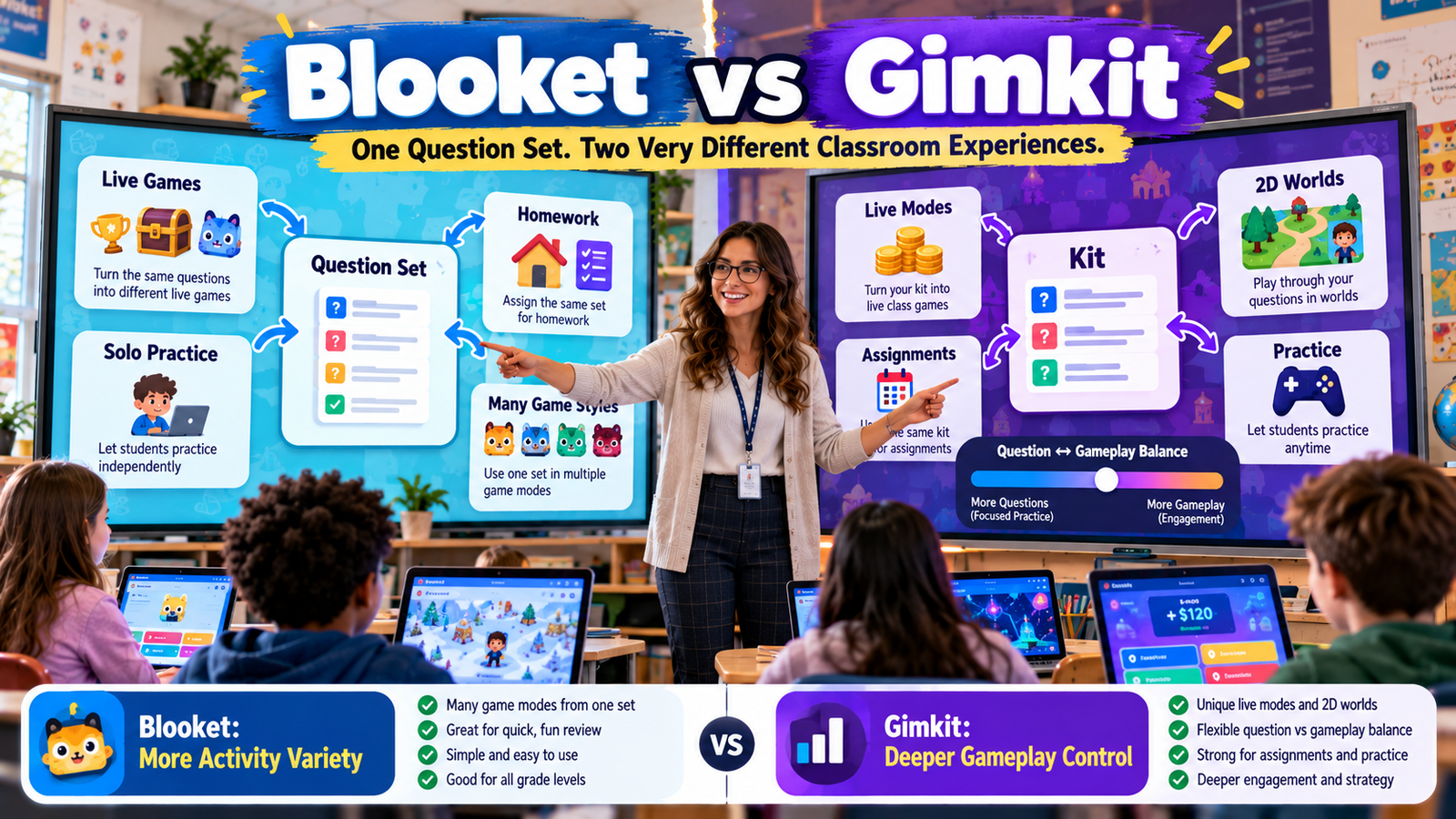
Blooket and Gimkit solve a similar classroom problem in two very different ways.
A teacher already has questions.
The real question is what happens after those questions exist.
Can the same content become a fast whole-class review? Can students use it independently? Can the experience feel different the next time without rebuilding the questions? Can it become homework? Can the teacher change how strongly gameplay competes with question answering?
That is the most useful way to understand Blooket vs Gimkit.
Blooket currently describes question sets as the building blocks for its games and says it has more than 25 game modes spanning live, solo, and homework use. The same set can therefore act as the content layer underneath many visibly different activities.
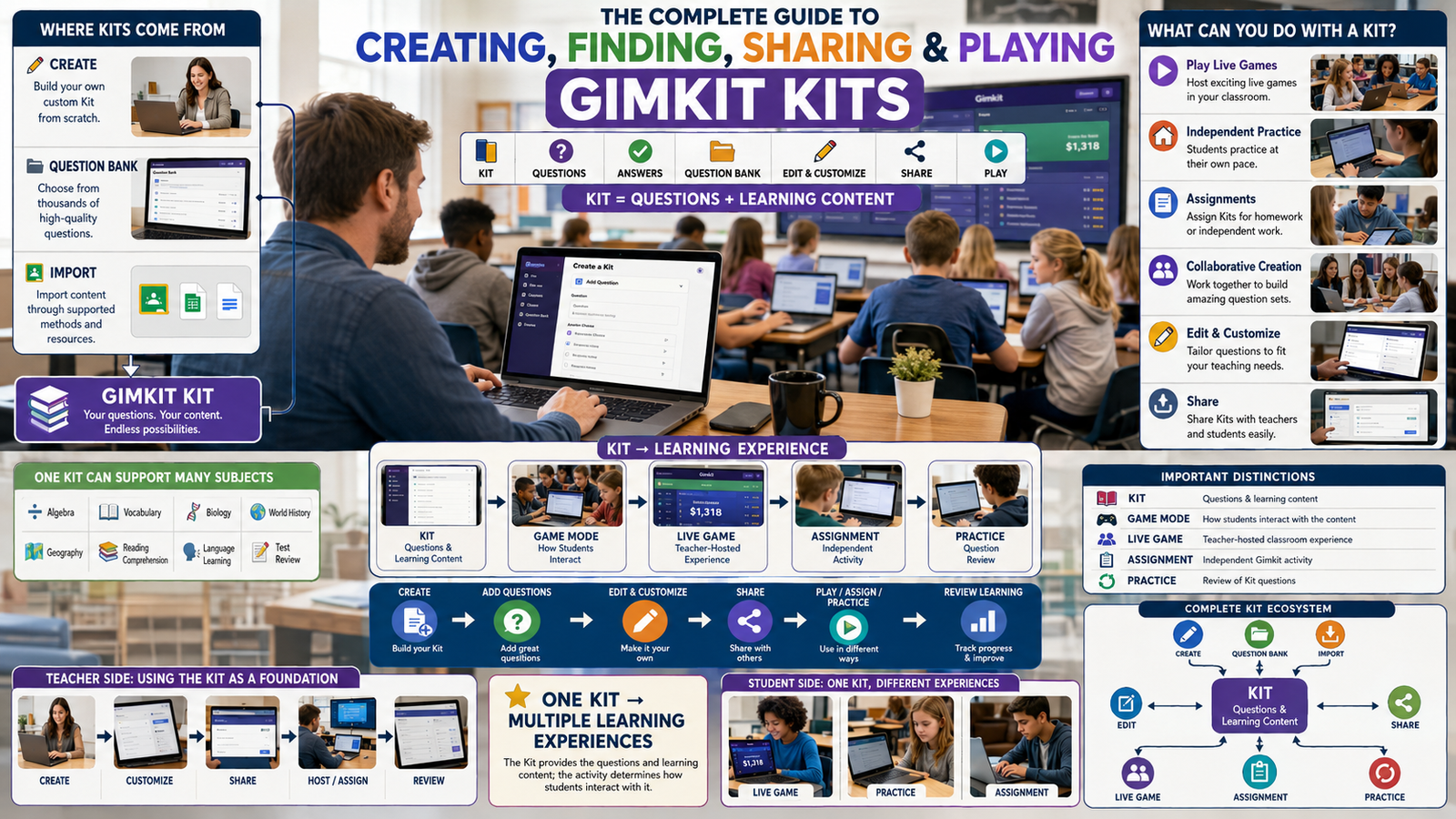
Gimkit uses a similar content-first structure through Kits. A teacher selects a Kit, then chooses a game mode through the Mode Picker. Gimkit’s current help documentation says different modes are designed around different experiences—some calming, some strategic, some collaborative—and its 2D modes let teachers alter the balance between answering questions and gameplay through mode-specific settings.
That leads to the core distinction:
Blooket currently offers the broader “same question set, many quick activity formats” model.
Gimkit currently gives teachers deeper control over how questions power the mechanics inside many of its game experiences.
Neither difference makes every classroom decision automatically easy.
The better fit depends on whether your priority is breadth of reuse or depth of gameplay control.
Gimkit App offers practical guides, resources, and tips for teachers and students exploring interactive learning and educational games.
Blooket vs Gimkit at a Glance
| Comparison area | Blooket | Gimkit |
|---|---|---|
| Core content object | Question Set | Kit |
| Reuse concept | One set can feed many game formats | One kit can feed many game modes |
| Current mode breadth | Blooket says 25+ modes | Gimkit describes many traditional and 2D modes |
| Live use | Strong | Strong |
| Solo use | Multiple dedicated solo modes | Practice links plus compatible gameplay modes |
| Homework | Question set can become homework; current flow lets students choose from available solo modes | Assignments let teacher choose a compatible mode |
| Game-mechanic depth | Varies by mode | Particularly strong in 2D mode customization |
| Question/game balance controls | Mostly determined by selected Blooket mode | Teachers can alter rewards per correct answer in 2D modes |
| Free mode access | Many core features free; some modes/features are Plus-only | Basic rotates featured free modes; Pro unlocks all modes |
| Independent no-game practice | Study mode / question-focused options within Blooket ecosystem | Dedicated Practice mode strips away game mechanics |
| Best reuse strength | Rapidly changing the feel of the same set | Changing how content interacts with deeper game systems |
Current product details can change, especially which modes are free, seasonal, solo-compatible, or homework-compatible. The framework above is therefore more durable than any fixed mode count beyond the current official claims.
The Most Important Similarity: Content and Gameplay Are Separate Layers
Both platforms become easier to understand when teachers separate questions from game mechanics.
In Blooket, the question set supplies the academic content. The selected game mode changes what students do around those questions. Blooket’s official documentation explicitly calls question sets the building blocks of all Blooket games.
In Gimkit, the Kit performs a similar role. Teachers create or choose a Kit and then select Play Live to open the Mode Picker, where a game experience is chosen.
This matters because teachers do not necessarily need to rebuild academic content every time they want a different classroom experience.
A vocabulary set can remain the vocabulary set.
A multiplication review can remain the multiplication review.
A science terms Kit can remain the science terms Kit.
What changes is the activity wrapped around it.
That separation is the foundation of both platforms’ reusability.
Why Question-Set Reuse Matters More Than It First Appears
Creating good review questions takes time.
Teachers need to:
- choose the content;
- write or find appropriate questions;
- check correct answers;
- remove ambiguity;
- match difficulty to students.
If every new classroom activity required rebuilding that content from scratch, game-based learning would quickly create more preparation work than it saves.
Reusable question libraries change the economics of teacher time.
The same carefully built content can support:
live review today → independent practice tomorrow → homework later → another game experience next week.
Blooket and Gimkit both support this idea.
The difference lies in how far each platform lets the teacher vary the surrounding experience.
How Blooket Reuses One Question Set
Blooket’s current system revolves around reusable Question Sets.
A teacher can create a set, use a set found through Discover, or work with imported content. Blooket currently supports spreadsheet imports and Quizlet imports, while its Question Sets help center also includes tools for creating, copying, merging, organizing, and using question-bank content. Some of the more advanced set-management functions require Blooket Plus.
Once the set exists, the teacher is no longer locked into one delivery style.
The same set may be used in:
- hosted live games;
- solo activities;
- homework;
- more direct study-style practice where available.
Blooket’s current Game Mode Previews page says the platform has more than 25 modes distributed across live-only, solo/homework-only, and modes that can work across live, solo, and homework contexts.
This is the clearest reason Blooket feels highly reusable.
The questions can stay familiar while the activity around them changes dramatically.
How Gimkit Reuses One Kit
Gimkit’s reuse model starts with the Kit.
Teachers can create questions from scratch, add questions from Gimkit’s Question Bank, or use other Kit-creation tools. The current Question Bank lets teachers search questions from public Kits or their own Kits and add individual questions to a new or existing Kit.
For live play, the teacher selects a Kit and opens the Mode Picker.
Gimkit says each mode is designed around a different kind of student experience. Mode labels help teachers identify characteristics such as Calming, Strategic, or Collaborative.
The important distinction is that Gimkit often treats the questions almost like fuel for a larger game system.
In many 2D modes, answering questions earns resources used inside the world.
That creates a stronger separation between:
answering the academic question
and
deciding how to use the reward generated by the answer.
This is one of Gimkit’s defining reuse strengths.
Blooket’s Biggest Reuse Advantage: Many Distinct Wrappers Around the Same Content
Blooket currently says it offers over 25 game modes. Its official mode overview separates them by where they can be used:
- live only;
- solo or homework;
- live, solo, and homework.
The result is a broad variety of activity wrappers.
The same Question Set might feel like:
- direct competition;
- tower defense;
- resource management;
- racing;
- survival;
- strategy;
- a more focused solo review.
The teacher can therefore preserve content while refreshing the experience.
For classrooms that repeatedly review the same vocabulary, facts, definitions, or short-answer concepts, this can reduce activity fatigue without forcing the teacher to rebuild the academic material.
Gimkit’s Biggest Reuse Advantage: Deeper Interaction Between Questions and Gameplay
Gimkit’s strongest difference is not simply that it also has many modes.
It is how deeply teachers can sometimes modify the relationship between questions and game mechanics.
Gimkit’s current game-options documentation says 2D modes include controls that let the host change how much progress students receive for correct answers.
Examples documented by Gimkit include adjusting:
- snowballs earned per correct answer in Snowbrawl;
- bait earned per correct answer in Fishtopia;
- energy earned per correct answer in modes such as Tag: Domination, Capture the Flag, and Farmchain.
This gives the teacher a distinctive lever.
If students are spending too much time inside the game world and not enough time answering questions, the teacher can reduce the gameplay reward per correct response.
If the mode is progressing too slowly, rewards can be increased.
That is a deeper kind of question-set reuse.
The questions remain the same.
But the teacher can change how much gameplay each correct answer buys.
A Simple Way to Understand the Difference
Imagine a teacher has one 20-question review set.
With Blooket, the teacher’s question is often:
“Which different game experience should wrap around these questions today?”
With Gimkit, the question can become:
“Which game experience should use these questions, and how should correct answers affect the mechanics of that experience?”
Both are flexible.
The flexibility operates at slightly different levels.
Live Classroom Variety: Blooket
Blooket’s hosted game system currently includes numerous live modes.
Its current host guide lists modes such as Monster Brawl, Deceptive Dinos, Gold Quest, Crypto Hack, Fishing Frenzy, Blook Rush, Battle Royale, Tower Defense, Café, Factory, Racing, and Classic among hostable examples, while its broader preview page also includes newer and seasonal modes.
The exact roster can change.
That is why teachers should use Blooket’s current mode picker rather than an old blog post when checking availability.
The evergreen point is that Blooket is deliberately designed to let a question set move through a large collection of differently themed games.
Live Classroom Variety: Gimkit
Gimkit also offers many modes, including a growing collection of 2D experiences.
Its current help center distinguishes traditional modes from 2D modes where students control characters called Gims and move through interactive game worlds.
The Mode Picker is central to the live workflow.
A teacher chooses the Kit, then chooses the experience, then configures the mode-specific options.
This workflow can make a Kit feel less like a quiz being reskinned and more like academic content being embedded into different game systems.
That is especially noticeable in modes where questions generate energy, currency, projectiles, bait, or other resources needed for progress.
Which Platform Makes One Question Set Feel More Different From Session to Session?
For pure breadth of transformations, Blooket currently has the clearer advantage.
Its official documentation explicitly markets more than 25 modes and organizes them across live, solo, and homework use.
That means teachers can reuse the same Question Set while changing:
- pace;
- competitive structure;
- visual theme;
- strategic layer;
- whether students work live or independently.
Gimkit can also make one Kit feel dramatically different, particularly across 2D modes.
But its distinctive strength is not merely the number of transformations.
It is the depth of interaction within those transformations.
Which Platform Gives Teachers More Control Over Game Balance?
This comparison favors Gimkit.
Gimkit explicitly documents controls for balancing question answering against gameplay in 2D modes.
That matters because game-based classroom tools always face one tension:
How much of the session is academic retrieval, and how much is gameplay?
With some Gimkit modes, the teacher can directly tune that ratio.
If one correct answer gives too much power, reduce the reward.
If students answer many questions but barely progress, increase it.
Blooket offers mode-specific settings and different modes have different question frequencies and gameplay profiles, but its official current documentation emphasizes selecting a suitable mode rather than providing the same universal question-to-game-reward balance controls described for Gimkit’s 2D modes.
Which Platform Is Easier for Quickly Changing the Classroom Feel?
For teachers who want to select a new activity quickly without thinking deeply about mechanical tuning, Blooket can be especially straightforward.
Find the set.
Choose Host.
Choose the mode.
Launch the session.
Because Blooket’s modes have clearly different themes and gameplay styles, the same question content can feel fresh with relatively little configuration.
Gimkit’s workflow is also straightforward, but its deeper game options can invite more deliberate setup.
That is a benefit when teachers want control.
It can also be more configuration than necessary when the goal is simply:
“Use these same questions in a different fun format for ten minutes.”
Solo Practice: Blooket’s Approach
Blooket supports direct solo play from a Question Set.
Its current documentation says students can choose a set and then select from available solo modes. The broader Blooket mode documentation now includes several experiences that work outside hosted class sessions.
This matters for reuse because teacher-created content does not have to remain tied to the teacher being present.
The question set can move from:
teacher-hosted activity
to:
student-controlled independent practice.
The academic content remains reusable even when the classroom structure changes.
Homework: Blooket Gives Students More Choice Than Many Teachers Expect
Blooket’s current homework workflow is particularly important in this comparison.
When a teacher assigns a Question Set as homework, current documentation says students can choose from the available solo game modes to reach the assignment’s correct-answer goal, and they can switch modes if they change their mind.
That is a significant design choice.
The teacher controls:
- the question content;
- the assignment window;
- the required correct-answer goal.
The student can control more of the game wrapper.
This means one homework assignment can offer different experiential paths through the same academic content.
For question-set reuse, that is one of Blooket’s strongest current features.
Gimkit Assignments Work Differently
Gimkit also converts Kits into asynchronous assignments, but the structure is more teacher-directed.
Current Gimkit documentation says the teacher selects:
- the Kit;
- the compatible game mode;
- assignment options and goals.
Assignments can use 2D modes that work independently and do not require team or group interaction. Gimkit says assignments are currently a Gimkit Pro feature.
So the contrast is useful:
Blooket homework: teacher assigns the question content and students currently receive choice among available solo game modes.
Gimkit assignment: teacher chooses the Kit and the assignment’s compatible mode.
Neither is inherently better in every classroom.
They prioritize different types of control.
Student Choice vs. Teacher Control in Homework
This is one of the clearest Blooket vs Gimkit distinctions.
Blooket’s current homework design gives students more autonomy over the game experience.
That can help when:
- students have different gameplay preferences;
- the teacher wants one content target with several motivational paths;
- repeated homework uses the same set;
- students become bored with one mode faster than the academic content becomes obsolete.
Gimkit gives more of that decision to the teacher.
That can help when:
- the game mechanics are part of the instructional plan;
- the teacher wants everyone completing the same type of experience;
- one mode’s goals fit the assignment particularly well.
The right choice depends on whether you value student-selected wrapper or teacher-selected wrapper.
Gimkit Practice Mode Adds a Different Kind of Reuse
Gimkit also provides a dedicated Practice mode.
This mode removes due dates, game mechanics, and gameplay systems entirely.
Students simply answer the Kit’s questions and receive correct/incorrect feedback.
This is important because it expands Gimkit’s reuse model beyond games.
The same Kit can function as:
game content
or
plain question practice.
That makes it easier for teachers to use one content object across both high-engagement and low-distraction contexts.
A Kit does not have to remain gamified simply because it was created inside Gimkit.
Blooket Study Mode Serves a Similar Need
Blooket’s Study mode also reduces the emphasis on complex gameplay.
Current Blooket documentation describes Study as a solo review experience focused on presenting questions in a flashcard-style format with immediate correct/incorrect feedback.
This gives Blooket its own low-gameplay reuse path.
The important principle is that both ecosystems recognize the same classroom reality:
Sometimes the teacher wants game mechanics.
Sometimes the teacher wants the same questions without the game becoming the center of attention.
Question Creation and Reuse: Blooket
Blooket offers several ways to build or adapt Question Sets.
Current official documentation covers:
- creating a set;
- finding public sets;
- spreadsheet import;
- Quizlet import;
- copying sets;
- merging sets;
- adding questions through a Question Bank;
- organizing sets into folders.
Some advanced functions such as copying public sets, merging, and Question Bank access are currently associated with Blooket Plus.
This ecosystem makes Blooket useful not only for reusing the same set in games, but also for recombining question content into new sets.
That is a different form of reuse.
Question Creation and Reuse: Gimkit
Gimkit lets teachers build Kits from scratch and use its Question Bank to search public or personal Kits for questions that can be added individually.
This gives teachers another modular workflow.
Instead of treating an entire public Kit as one indivisible object, a teacher can pull selected questions into a more focused Kit.
That is valuable when existing public content is useful but broader than the intended lesson.
The result is:
reuse questions → build a Kit → reuse the Kit across modes.
Which Platform Is Better for Teachers Who Already Have Question Banks?
The answer depends on the form of the existing content.
Blooket explicitly supports spreadsheet and Quizlet import workflows.
That can make migration especially convenient when a teacher’s existing question bank already lives in those formats.
Gimkit’s Question Bank is strong when a teacher wants to search existing Gimkit content and assemble a custom Kit from selected questions.
So the distinction is:
Blooket: strong external-question import pathways plus internal set tools.
Gimkit: strong internal question reuse through the Kit ecosystem and Question Bank.
Which Platform Gives One Set More “Lives”?
Think of each Question Set or Kit as an investment.
The more classroom contexts it can serve, the more “lives” that content has.
A Blooket set can potentially become:
- one live mode;
- another live mode;
- solo play;
- homework with student-selected game choices;
- focused study.
A Gimkit Kit can become:
- multiple live modes;
- 2D game experiences;
- teacher-selected assignments where supported;
- plain Practice mode;
- a source of questions for other Kits.
Both provide substantial reuse.
Blooket currently stretches one Question Set across a wider menu of explicit game-delivery combinations.
Gimkit stretches one Kit across deeper mechanic configurations and a strong 2D ecosystem.
Free Access Changes the Practical Comparison
A feature can technically exist and still not be equally accessible on every plan.
Blooket currently says its Starter experience is free, while Plus adds features including Plus-only game modes, larger live games, enhanced reports, Question Bank access, copy/duplicate tools, longer homework deadlines, and merging.
Gimkit currently says Basic is free and typically rotates a small number of featured modes, while Pro unlocks all game modes and Assignments.
This affects real-world reuse.
A teacher comparing only the total universe of modes may overestimate how many are available inside the plan they actually use.
Always distinguish:
platform capability
from
your current account’s capability.
Blooket Free vs. Paid Reuse
Under Blooket Starter, teachers still have the core ability to create/discover sets and use game modes.
Plus expands reuse through tools such as:
- more game modes;
- copying and duplication;
- merging sets;
- Question Bank access;
- longer homework deadlines.
That means Blooket’s paid value is not only “more games.”
It also makes the content library easier to modify and recombine.
For teachers with many existing sets, those content-management features can matter as much as the modes themselves.
Gimkit Basic vs. Pro Reuse
Gimkit Basic supports free live use with featured modes, classes, and reports.
Its current Pro FAQ says free-mode availability rotates and that there are generally three free modes available at a given time. Pro unlocks unrestricted mode access and Assignments.
That makes plan level especially important if your goal is:
one Kit → many different game experiences throughout the year.
A Pro teacher has far more mode choice available at once than a Basic teacher.
Which Platform Better Avoids Rebuilding Questions?
Both.
That is the most important common benefit.
Neither platform expects the teacher to rebuild the same questions for every activity.
Blooket reuses Question Sets.
Gimkit reuses Kits.
The practical difference is how each ecosystem expands around the questions.
If the teacher’s main time-saving goal is simply:
“I want to create quality questions once and keep finding new ways to use them,”
both platforms satisfy that need well.
Which Platform Better Prevents Activity Fatigue?
Blooket has the stronger case when fatigue comes from students seeing the same activity format repeatedly.
Its current 25+ mode claim gives one set many visually and mechanically different wrappers.
Gimkit can also reduce fatigue, particularly because its 2D modes can feel significantly different from one another.
However, Gimkit’s strongest advantage becomes clearer when fatigue comes from shallow gameplay.
Its more elaborate mode mechanics and balance controls can make repeated Kit content interact with deeper systems.
So:
Blooket fights repetition with breadth.
Gimkit fights repetition with depth.
Which Platform Is Better for a 5–10 Minute Review?
Blooket is especially well suited to the teacher who wants:
choose set → choose mode → host → play.
Many of its modes publish ideal play times and difficulty/skill descriptors, helping teachers pick something that fits the available window.
Gimkit can absolutely support short sessions as well.
But some 2D experiences are richer worlds where students may benefit from enough time to understand the mechanics and use the resources they earn.
For very quick mode-switching around a fixed set, Blooket often has the simpler advantage.
Which Platform Is Better for Longer Strategic Sessions?
Gimkit has a stronger argument here.
Its 2D modes can involve movement, resource collection, strategy, collaboration, or direct player interaction.
For example, its current documentation describes Don’t Look Down as an obstacle-course mode where questions fuel progress through multiple summits.
The academic Kit stays constant.
But the game can create a more sustained strategic experience around it.
That makes Gimkit particularly attractive when the teacher wants the game system itself to carry more of the engagement.
Which Platform Is Better for Students Who Prefer Different Games?
Blooket’s current homework design is unusually flexible because students can choose from available solo game modes to complete the assigned correct-answer goal.
That can be beneficial in heterogeneous classrooms.
One student may prefer a strategy-oriented mode.
Another may prefer a more direct mode.
Another may prefer a simpler solo experience.
The academic target remains the same.
The motivational wrapper can differ.
Gimkit assignments currently place more of the mode decision with the teacher.
Which Platform Gives Teachers More Consistency?
Gimkit’s teacher-selected assignment mode can be useful when consistency matters.
If every student is expected to complete the same gameplay structure, the teacher has greater control over the experience.
That may be useful when:
- the mode objective is part of the lesson;
- the teacher wants comparable completion conditions;
- students should not choose based on preference.
Blooket’s more student-directed homework mode selection favors autonomy.
Gimkit’s assignment structure favors standardization.
Does More Game Variety Automatically Mean Better Learning?
No.
A platform can have many modes and still be used poorly.
A teacher could switch activities constantly without giving students enough time to build fluency.
The educational value still depends on:
- quality of the questions;
- alignment with instruction;
- appropriate difficulty;
- how results are used;
- whether students are actually thinking about the academic content.
The purpose of activity variety should be to refresh practice without fragmenting learning.
Changing the game wrapper does not justify changing the learning objective every five minutes.
The Best Way to Reuse One Set Without Creating Cognitive Noise
A useful teacher pattern is:
Keep the academic content stable.
Use the same set long enough that students know what they are practicing.
Change the delivery experience.
Use a different mode when engagement would benefit.
Keep the learning goal explicit.
Students should know that the game changed—not the skill being practiced.
This is where both Blooket and Gimkit become valuable.
The game can change while the academic thread remains intact.
Example: One Vocabulary Set Across a Week
Imagine a teacher has one vocabulary question set.
Monday
Use a quick live activity to establish familiarity.
Tuesday
Reuse the same content in a different game mode.
Wednesday
Use a lower-distraction practice experience.
Thursday
Assign independent work.
Friday
Return to live play with another wrapper.
This schedule is only an example, not an official recommendation from either platform.
The important idea is that the questions stay coherent while the experience changes.
Example: One Multiplication Set in Blooket
A multiplication set can move through Blooket without being rebuilt.
The teacher may:
- host one mode for live review;
- use another mode later;
- let students play solo;
- assign the set for homework.
Current Blooket homework functionality can let students choose among available solo modes while working toward the correct-answer goal.
The mathematical content remains multiplication.
The activity changes around it.
Example: One Multiplication Kit in Gimkit
The same idea works differently in Gimkit.
The teacher might:
- use one live mode;
- switch to a 2D mode;
- change question-to-game reward balance;
- share the Kit’s Practice link;
- create a compatible Pro Assignment.
The Kit remains stable while the teacher changes both the mode and, in some 2D modes, the economy connecting correct answers to gameplay.
That is a deeper mechanic-level form of reuse.
Blooket Is More “Mode-First”
Blooket’s Question Sets feel like portable content modules.
The teacher often asks:
Which Blooket game should I put this set into?
Because the game identities are highly visible, switching modes can transform the classroom feel immediately.
That makes Blooket particularly good for teachers who want to reuse the same knowledge target without making practice feel repetitive.
Gimkit Is More “System-First”
Gimkit’s Kits also travel across modes, but the surrounding modes can have more elaborate systems.
The teacher may think less in terms of:
“Which skin should wrap around these questions?”
and more in terms of:
“Which gameplay system should these questions power?”
That is why mode-specific balance controls matter.
The questions feed the mechanics.
The mechanics can then become a strategic environment in their own right.
Which Is Simpler for New Teachers?
For a teacher whose only goal is to reuse an existing set quickly in a variety of activities, Blooket can feel easier to understand.
The mental model is simple:
Question Set → Game Mode.
Gimkit’s basic workflow is also simple:
Kit → Mode Picker → Game Options.
But the richer 2D modes and balance settings create more decisions for teachers who want to use them fully.
More control is useful.
It is not always simpler.
Which Is More Flexible for Experienced Game-Based Teachers?
Experienced teachers may appreciate Gimkit’s deeper tuning.
If a teacher understands:
- how long a class can play;
- how quickly students answer;
- whether gameplay is overpowering questions;
- how resource rewards affect engagement;
the balance options can become powerful instructional controls.
Blooket’s flexibility is broader and faster.
Gimkit’s can become more granular.
Which Platform Is Better for Content Libraries Built Over Years?
Both can work well, but the surrounding tools differ.
Blooket currently provides advanced Plus tools such as:
- folders;
- copying;
- merging;
- Question Bank access.
Gimkit supports folders and Question Bank-based content reuse within Kits, allowing teachers to pull individual questions from existing content.
The real decision is whether your library management style is:
set-centric
or
question-centric and modular.
Teachers with large libraries should evaluate the content-management workflow, not only the student game experience.
Which Is Better for Classroom Review?
For fast, repeated review where the teacher wants frequent changes in theme and mechanics with minimal setup, Blooket has a strong advantage.
For review where the teacher wants game mechanics to become a larger strategic environment and wants more direct control over the question/gameplay relationship, Gimkit has a strong advantage.
The same academic content can work well in either.
The desired shape of the classroom experience determines the better fit.
Which Is Better for Homework?
Under current documented behavior:
Blooket offers flexible homework where students can select an available solo mode and work toward the teacher’s correct-answer goal.
Gimkit offers Pro Assignments where the teacher chooses the compatible game mode and assignment goals.
So:
Blooket homework favors student choice.
Gimkit assignments favor teacher control.
That is more useful than simply declaring one homework system “better.”
Which Is Better for Plain Practice Without Gamification?
Both now provide routes toward this use.
Blooket’s Study mode focuses on question-by-question review rather than elaborate game mechanics.
Gimkit’s Practice mode explicitly removes game mechanics, due dates, modes, and reporting, leaving only questions and correct/incorrect feedback.
Gimkit’s separation is especially clean because Practice mode is clearly positioned as a mode-free Kit practice link.
Blooket provides a comparable academic-review direction through Study.
Which Is Better for Teachers Who Want Student Autonomy?
Blooket currently provides more obvious autonomy in the homework experience because students can choose among available solo game modes.
That autonomy can help motivation without changing the assigned academic content.
Gimkit gives the teacher stronger control over the assignment mode.
A teacher should decide whether autonomy itself is part of the instructional plan.
Which Is Better for Teachers Who Want Mechanical Control?
Gimkit.
Its documented 2D game-balance options are one of the clearest differences between the platforms.
Teachers can change how much game resource a correct answer produces.
That lets them directly respond to:
“Students are gaming too much and answering too little.”
or:
“Students are answering enough, but the game is barely progressing.”
This is more granular than simply switching modes.
Blooket vs Gimkit: The Strongest Decision Framework
Use Blooket when your main priority is:
- using one question set in many noticeably different formats;
- quick activity changes;
- student choice during current homework workflows;
- large breadth of game styles;
- easy live/solo/homework reuse.
Use Gimkit when your main priority is:
- deeper 2D game systems;
- controlling how correct answers affect gameplay;
- teacher-selected assignment modes;
- strategic or collaborative game experiences;
- switching between gameplay and a completely stripped-down Practice mode.
Both platforms reuse content extremely well.
They simply optimize different dimensions of reuse.
What Teachers Should Not Use This Comparison to Decide
This article intentionally does not try to answer every possible Blooket vs Gimkit question.
It does not determine:
- which has better privacy policies;
- which subscription offers better financial value;
- which has better reports overall;
- which platform is safer for a specific district;
- which one has the strongest individual game mode;
- which one is best for every age group.
Those are separate search intents.
Trying to answer all of them here would weaken this page’s information territory and duplicate future articles.
The question this page owns is:
How much can one Question Set or Kit be reused across meaningfully different learning activities?
Blooket vs Gimkit for One Question Set: Final Comparison
| Need | Stronger fit |
|---|---|
| Maximum visible mode breadth around one set | Blooket |
| Deep 2D gameplay systems | Gimkit |
| Student-selected homework game wrapper | Blooket |
| Teacher-selected assignment gameplay | Gimkit |
| Fine control of question-to-game reward balance | Gimkit |
| Quick mode switching for repeated class review | Blooket |
| Plain no-mechanics question practice | Gimkit has especially explicit Practice mode |
| Importing spreadsheet/Quizlet question banks | Blooket |
| Pulling individual questions from public platform content | Both support internal question-bank workflows |
| Turning one content object into many classroom experiences | Both |
These are feature-fit conclusions based on the current official workflows, not claims that one platform is universally superior.
Frequently Asked Questions About Blooket vs Gimkit
Is Blooket better than Gimkit?
Blooket is better suited to teachers whose main priority is turning the same Question Set into many quickly selectable activity styles. Blooket currently says it offers more than 25 game modes distributed across live, solo, and homework use.
Gimkit becomes especially strong when teachers want deeper interaction between questions and gameplay. Its 2D modes can let teachers control how much progress or game resource students receive for each correct answer.
So there is no universal answer. For breadth of reusable activity formats, Blooket has the clearer advantage. For depth of game-mechanic control, Gimkit has the clearer advantage.
Can the same Blooket Question Set be used in different games?
Yes. Blooket explicitly describes Question Sets as the building blocks for its games, and its current mode documentation says the platform has over 25 game modes across live, solo, and homework contexts.
That is one of Blooket’s central strengths. Teachers can preserve the academic questions while changing the gameplay environment. The same vocabulary, multiplication, science, or review set can therefore be reused without recreating the questions each time. Exact mode availability may change, so teachers should use the current Blooket mode selector rather than relying on an old fixed list.
Can the same Gimkit Kit be used in different game modes?
Yes. Teachers select a Kit and then choose a mode through Gimkit’s Mode Picker. The same Kit can therefore power different live experiences without having to rebuild its questions.
Gimkit’s reuse becomes particularly interesting in 2D modes because correct answers can feed different resources depending on the game. The teacher can also adjust those reward values in supported modes. This means one Kit can behave differently not only visually but mechanically depending on the mode and game settings selected.
Which has more game modes, Blooket or Gimkit?
Blooket currently makes the clearer numerical claim: its official Game Mode Previews page says it has over 25 different game modes.
Gimkit’s current documentation describes many traditional and 2D modes but does not present the same stable total in the official sources used for this article. Mode availability can also depend on subscription level; Gimkit says Basic rotates featured free modes while Pro unlocks all modes.
Because mode catalogs change, the more durable comparison is that Blooket emphasizes broad mode variety, while Gimkit’s 2D ecosystem emphasizes deeper game systems and customization.
Which is better for homework, Blooket or Gimkit?
They use different models. Blooket’s current homework workflow lets a teacher assign a Question Set and then lets students choose among available solo game modes while working toward the correct-answer goal.
Gimkit Assignments currently require Gimkit Pro. The teacher chooses the Kit, a compatible mode, and the assignment goals.
Blooket therefore favors student choice in the game wrapper, while Gimkit favors teacher control over the assignment experience. The better approach depends on how much autonomy the teacher wants students to have.
Can students practice without playing a full game?
Yes on both platforms, although the workflows differ.
Blooket’s Study mode is designed around question-focused solo review with immediate feedback rather than complex gameplay.
Gimkit has a dedicated Practice mode that removes modes, game mechanics, due dates, scoring, and reporting, leaving questions and correct/incorrect feedback.
Gimkit’s Practice mode creates a particularly clear separation between “use this Kit as a game” and “use this Kit simply as practice.”
Is Blooket free?
Blooket says its core platform can be used for free, while Blooket Plus adds features such as Plus-only modes, enhanced reports, larger hosted games, Question Bank tools, copying, merging sets, and longer homework deadlines.
That means teachers can use Question Sets and game-based activities without Plus, but the full reuse and content-management toolkit is broader for paid subscribers. When comparing Blooket vs Gimkit, it is important to compare the features actually available on the plan you expect to use rather than comparing only each platform’s maximum capability.
Is Gimkit free?
Gimkit currently offers a free tier called Gimkit Basic. Its Pro FAQ says Basic includes featured game modes, classes, and reports, while the available free modes rotate. The same page says there are generally around three featured free modes available at a time, whereas Pro unlocks all game modes and Assignments.
This distinction matters for question reuse. A Kit may technically work across many modes in the overall Gimkit ecosystem, but a Basic account will not necessarily have all those modes available simultaneously.
Which is easier for teachers who already have Quizlet sets?
Blooket currently has a documented Quizlet import workflow. Teachers can use Quizlet Import when creating or editing a Question Set and bring existing Quizlet material into Blooket.
Blooket also supports spreadsheet imports.
That gives Blooket a particularly convenient route for teachers moving external question-bank content into the platform. Once imported, the set can be reused across Blooket’s activity ecosystem rather than rebuilt for each game.
Which platform is better for changing gameplay without changing questions?
Both are built for this, but they excel differently.
Blooket currently provides broader visible variety because one Question Set can feed a large collection of game modes across live, solo, and homework use.
Gimkit offers deeper control in some game modes because the teacher can modify how correct answers translate into in-game resources or progress.
Choose Blooket when you want the activity itself to change frequently. Choose Gimkit when you want to shape the mechanics connecting questions to gameplay more precisely.
Which is better for short review games?
Blooket can be especially convenient for short reviews because its mode documentation provides information such as suggested time, difficulty, skills, and question frequency for individual modes, helping teachers choose a format that fits a short classroom window.
Gimkit can also be used for short live sessions, but some of its 2D modes have richer mechanics that may be more enjoyable when students have enough time to use them. The decision should be based on the lesson window. If you simply need a quick new wrapper around existing questions, Blooket often has the simpler fit.
Which platform is more strategic?
Gimkit has a particularly strong strategic side through its 2D modes and mode-specific game options. Gimkit’s documentation describes 2D modes as potentially more complex and strategic than traditional modes and gives teachers controls over how correct answers translate into gameplay resources.
Blooket also has strategic modes, including several that explicitly emphasize strategy or resource decisions.
The difference is that strategy often feels more central to Gimkit’s broader 2D game ecosystem.
Can one Blooket homework assignment let students choose different games?
Under Blooket’s current homework workflow, yes. The official student and teacher documentation says students can choose among available solo game modes to complete the assigned correct-answer goal and can switch modes later.
This means two students can work on the same assigned Question Set and correct-answer target while using different gameplay experiences. That is a distinctive form of content reuse and student choice.
Can teachers control how much gameplay happens in Gimkit?
In supported 2D modes, yes. Gimkit’s current game-options documentation says hosts can modify how much in-game resource players earn per correct answer. Examples include snowballs, bait, or energy depending on the mode.
This gives teachers a direct way to change the balance between academic questioning and game progression. If students are spending too much time playing and too little time answering, rewards can be reduced. If gameplay progresses too slowly, they can be increased.
Which is better for reusing one question set all year?
Both can support long-term reuse.
Blooket is particularly strong when the teacher wants to keep changing the game format around stable questions.
Gimkit is particularly strong when the teacher wants the same Kit to move through different game systems, including deeper 2D mechanics and a no-game Practice mode.
For year-long use, question quality matters more than novelty. A well-designed reusable set or Kit should remain academically useful even when the surrounding game changes.
Final Verdict: Blooket vs Gimkit for Reusing One Question Set
For the specific question this article is designed to answer, the distinction is clear.
Blooket currently provides the stronger breadth of reuse. One Question Set can move through a large catalog of live and independent experiences, and Blooket’s current homework system even allows students to choose among available solo modes while completing the same assigned content.
Gimkit provides the stronger depth of reuse. One Kit can power multiple modes, but the key advantage is how deeply questions can interact with the surrounding game. In supported 2D modes, teachers can tune how much game resource each correct answer generates, giving them direct control over the balance between questioning and gameplay.
So the most useful conclusion is not simply:
Blooket wins or Gimkit wins.
It is:
Choose Blooket when you want one question set to become the widest range of quickly interchangeable classroom activities.
Choose Gimkit when you want one Kit to power deeper, more configurable gameplay systems.
Both platforms make high-quality questions more reusable.
They simply extract that value in different ways.