How to Read Gimkit Student Reports-Student reports are one of the most valuable features in Gimkit because they transform gameplay into meaningful learning data. While students see an engaging quiz game, teachers gain detailed insights into how well learners understand concepts, which questions create confusion, and where additional instruction is needed. Instead of relying solely on final scores, educators can examine patterns that reveal both strengths and learning gaps.
Understanding these reports helps teachers make evidence-based decisions rather than assumptions. A student who earns a high score may still struggle with specific concepts, while another student with a lower score may demonstrate strong accuracy but work at a slower pace. Reading reports correctly allows teachers to recognize these differences and respond with targeted instruction.
Whether you use Gimkit for live classroom games, homework assignments, review sessions, formative assessments, or independent practice, learning how to interpret student reports will improve lesson planning, classroom interventions, assessment strategies, and long-term student growth. This guide explains every important report element—from basic metrics to advanced performance analysis—so teachers can confidently use data to support learning.
Why Gimkit Student Reports Matter
Student reports provide much more than a list of scores. They help teachers understand how students think during learning activities, which concepts they understand, and where misconceptions remain. Instead of guessing why students struggled during a quiz, educators can use concrete performance data to identify patterns that deserve attention.
This information becomes especially valuable when planning future lessons. Rather than reteaching an entire chapter, teachers can focus only on concepts that multiple students answered incorrectly. This targeted approach saves instructional time while improving learning outcomes.
Reports are equally useful for measuring progress over several weeks. Teachers can compare results from multiple activities to determine whether students are improving, remaining consistent, or beginning to struggle with increasingly difficult material.You should get in touch on our Athentic –Official Gimkit Live App
What Information Gimkit Student Reports Include
The exact information available depends on how the activity was created and completed, but most Gimkit reports present several categories of classroom data that help teachers evaluate both individual and class performance.
Common information includes:
Report Element
Purpose
Teacher Insight
Student Scores
Measures overall performance
Identifies high and low performers
Correct Answers
Evaluates content mastery
Shows understanding of concepts
Incorrect Answers
Reveals misconceptions
Identifies topics needing review
Accuracy Percentage
Measures consistency
Indicates confidence and knowledge
Question Results
Shows performance by question
Finds confusing or difficult questions
Assignment Completion
Confirms participation
Tracks student engagement
Overall Class Results
Summarizes class performance
Helps plan future instruction
Looking at these metrics together provides a much clearer picture than focusing on scores alone.
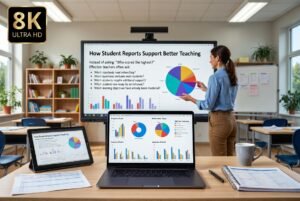
How Student Reports Support Better Teaching
Student reports provide meaningful insights that help teachers identify learning gaps, plan interventions, and improve future classroom instruction through data-driven decision-making.
The primary purpose of student reports is to improve instructional decision-making. Every report contains information that can influence future classroom activities, assessment strategies, and personalized support.
Instead of asking:
“Who scored the highest?”
Effective teachers often ask:
Which standards need reteaching?
Which questions confused most students?
Which students require additional support?
Which students are ready for enrichment?
Which learning objectives have already been mastered?
This shift changes reports from simple grading tools into instructional planning resources.
Where Teachers Can Find Student Reports
After students complete a Gimkit activity, reports become available within the teacher’s account. Activities completed during live games, homework assignments, and many other learning sessions generate results that can be reviewed after completion.
Teachers typically begin by opening the activity they want to review. Selecting the completed session displays the available performance data, allowing educators to move from overall class results to detailed student-level information.
Most experienced teachers follow a consistent review sequence:
Examine overall class performance.
Review average accuracy.
Identify difficult questions.
Analyze individual students.
Compare current performance with previous activities.
Plan instructional adjustments.
Following the same workflow each time makes report analysis more efficient and helps ensure that important insights are not overlooked.
Understanding the Student Report Dashboard
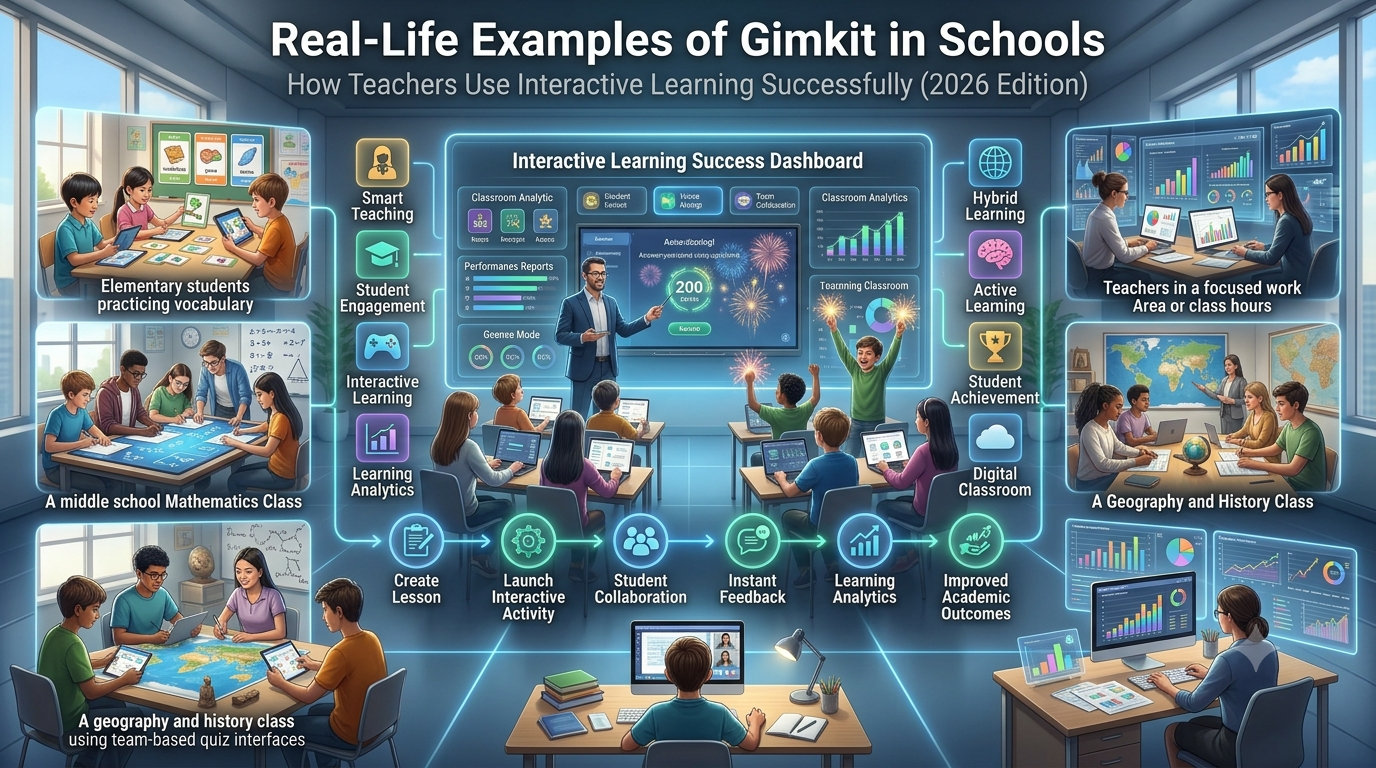
The report dashboard serves as the central location for reviewing classroom performance. Rather than presenting raw numbers alone, it organizes information into sections that allow teachers to move from broad classroom trends to detailed student analysis.
A typical review begins with class-wide statistics before narrowing down to individual learners and question-level performance. This top-down approach prevents teachers from focusing on isolated scores without understanding the broader classroom context.
This structured process helps teachers connect assessment data directly to instructional decisions.
Types of Gimkit Reports Teachers Commonly Review
Different classroom activities generate reports that serve different instructional purposes. Understanding these report types helps teachers choose the right data for each teaching objective.
Report Type
Best Used For
Primary Goal
Live Game Reports
Classroom review sessions
Immediate feedback
Homework Reports
Independent practice
Monitor completion and understanding
Student Reports
Individual evaluation
Personalized support
Class Reports
Whole-class analysis
Lesson planning
Question Reports
Question effectiveness
Identify confusing questions
Assignment Reports
Progress tracking
Measure participation and consistency
Each report answers different questions, making them valuable at various stages of the teaching process.
Understanding the Most Important Performance Metrics
Reading reports becomes much easier once teachers understand what each metric actually measures. Looking at a single number in isolation rarely provides enough context, but combining several metrics reveals meaningful learning patterns.
Student Score
The student score summarizes overall performance during an activity. While useful for identifying general achievement, it should never be the only measure used when evaluating student understanding.
A high score may reflect both strong knowledge and effective gameplay strategies, whereas a lower score may result from slower pacing rather than weak content knowledge. Always interpret scores alongside accuracy and question performance.
Accuracy Percentage
Accuracy percentage indicates how consistently a student selected correct answers throughout the activity.
This metric often provides a clearer picture of conceptual understanding than total points because it reflects the quality of responses rather than in-game performance.
Teachers frequently rely on accuracy to identify students who understand the material but may need more time or confidence during assessments.
Correct and Incorrect Responses
The number of correct and incorrect answers highlights specific strengths and weaknesses within an assignment.
Rather than focusing only on totals, experienced educators look for patterns. If several incorrect responses relate to the same concept, the issue may involve a misunderstanding of that topic rather than random mistakes.
This makes reports valuable tools for planning targeted review lessons.
Completion Status
Completion data helps teachers determine whether students finished the assigned activity within the expected timeframe.
Incomplete work does not always indicate academic difficulty. Students may encounter technical interruptions, time constraints, or connectivity issues. Reviewing completion alongside other metrics provides a more balanced interpretation.
Question-Level Performance
Question analysis is often the most informative section of a report because it reveals exactly which concepts challenged students.
Instead of simply showing who struggled, it explains where they struggled. Teachers can quickly identify questions that produced unusually low accuracy across the class and investigate whether the issue stems from difficult content, unclear wording, or insufficient instruction.
Understanding Report Data as a Complete Picture
One of the most common mistakes is interpreting a single metric without considering the others. Effective report analysis involves combining multiple indicators to build a complete understanding of student learning.
For example:
Observation
Possible Interpretation
Recommended Action
High score + High accuracy
Strong content mastery
Offer enrichment activities
High score + Low accuracy
Effective gameplay but inconsistent understanding
Review misconceptions
Low score + High accuracy
Understands concepts but works slowly
Provide additional time and practice
Low score + Low accuracy
Needs instructional support
Plan targeted intervention
Looking at multiple indicators together leads to more accurate instructional decisions than relying on scores alone.
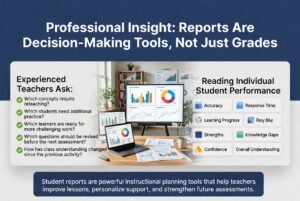
Professional Insight: Reports Are Decision-Making Tools, Not Just Grades
Student reports provide teachers with valuable insights into learning progress, helping them identify strengths, address knowledge gaps, personalize instruction, and improve future classroom assessments.
Experienced teachers rarely treat student reports as final judgments of performance. Instead, they use them to guide instructional planning, differentiate learning, and improve future assessments.
The greatest value of Gimkit reports lies in their ability to answer practical classroom questions, such as:
Which concepts require reteaching?
Which students need additional practice?
Which learners are ready for more challenging work?
Which questions should be revised before the next assessment?
How has class understanding changed since the previous activity?
Approaching reports with these questions transforms assessment data into actionable teaching strategies, ensuring that every completed Gimkit activity contributes to continuous student improvement rather than simply recording a grade.
Reading Individual Student Performance
The individual student report is where Gimkit becomes much more than a classroom game. Instead of viewing a single score, teachers can examine how one student interacted with the content, identify areas of confidence, and recognize concepts that still require reinforcement. Looking beyond points provides a more accurate picture of learning progress.
A productive approach is to evaluate multiple performance indicators together. For example, a student who answers most questions correctly but takes longer may understand the material well and simply need more confidence or processing time. Another student may earn many in-game points through efficient gameplay yet still make frequent content mistakes. Viewing the complete report prevents these differences from being overlooked.
A Practical Workflow for Reviewing Individual Reports
Following a consistent review process makes it easier to interpret reports and avoid jumping to conclusions based on a single statistic.
Open Student Report
        │
        ▼
Review Overall Accuracy
        │
        ▼
Check Correct vs Incorrect Answers
        │
        ▼
Identify Difficult Topics
        │
        ▼
Compare With Previous Assignments
        │
        ▼
Plan Individual Support
Using the same workflow after every assignment also makes long-term progress easier to measure.
Understanding Accuracy, Speed, and Mastery
These three indicators often work together, but they measure different aspects of student performance. Treating them as interchangeable can lead to incorrect conclusions.
Metric
What It Measures
What It Can Reveal
Accuracy
Percentage of correct answers
Conceptual understanding
Response Speed
How quickly questions are answered
Confidence, fluency, or hesitation
Mastery
Consistent success across concepts over time
Long-term learning progress
A balanced interpretation considers all three rather than emphasizing only one.
Accuracy Reflects Understanding
Accuracy is often the strongest indicator of whether a student understands the learning objective. High accuracy suggests that the student consistently applies correct knowledge rather than relying on guessing.
However, perfect accuracy should still be interpreted in context. If the activity contains mostly recall questions, additional application or critical-thinking tasks may still be needed to confirm deeper understanding.
Speed Should Never Be Judged Alone
Fast responses are not always better responses.
Some students answer quickly because they are confident and well prepared. Others may answer rapidly without reading carefully, increasing the likelihood of mistakes. Likewise, slower students are not necessarily struggling—they may simply process information more deliberately.
When reviewing reports, compare speed alongside accuracy rather than treating it as a standalone measure.
Mastery Develops Over Multiple Activities
One assignment provides only a snapshot. True mastery becomes visible when teachers compare results across several Gimkit activities covering similar learning objectives.
Patterns such as steadily improving accuracy, fewer repeated mistakes, and stronger performance on increasingly challenging questions indicate meaningful learning growth.
Analyzing Class Performance
After reviewing individual students, the next step is to evaluate the class as a whole. Class-level reports reveal patterns that individual reports cannot show, helping teachers determine whether challenges are isolated or widespread.
For example, if only two students answer a question incorrectly, individualized support may be appropriate. If most of the class struggles with the same concept, the instructional approach or lesson sequence may need adjustment.
Looking for overall trends also helps teachers prioritize limited classroom time more effectively.
Identifying Classroom Trends
Rather than focusing on individual names first, experienced teachers often begin by asking broader instructional questions.
Some useful observations include:
Are most students achieving high accuracy?
Did one topic produce significantly lower results?
Are mistakes concentrated within a single learning objective?
Did performance improve compared with previous lessons?
Are advanced learners ready for extension activities?
These questions shift attention from grading to instructional planning.
Measuring Overall Class Understanding
Class summaries help teachers determine how successfully learning objectives were achieved across the entire group.
Classroom Pattern
Possible Meaning
Suggested Response
High average accuracy
Students understand the material well
Move to more advanced concepts
Mixed accuracy
Uneven understanding across the class
Differentiate instruction
Low accuracy on one topic
Specific concept needs review
Reteach targeted content
Low accuracy across all topics
Lesson may require redesign
Revisit foundational instruction
Looking for these patterns saves time compared with reviewing every report independently before identifying broader classroom needs.
Understanding Question-Level Analysis
Question-level reports are among the most valuable features because they reveal exactly which questions challenged students. Instead of simply knowing that performance declined, teachers can identify the specific concepts responsible.
This information supports continuous improvement for both instruction and assessment design.
Question analysis helps teachers answer questions such as:
Which question had the lowest success rate?
Were incorrect answers concentrated around one concept?
Did students misunderstand the wording?
Was the question significantly more difficult than others?
Does the topic require additional examples?
These insights improve future lessons while also strengthening future quizzes.
Evaluating Difficult Questions
Not every low-scoring question indicates poor student understanding. Sometimes the issue lies within the question itself.
When reviewing question-level data, teachers should consider whether the question:
Uses unnecessarily complex wording.
Includes distracting answer choices.
Tests multiple ideas simultaneously.
Requires knowledge not yet taught.
Contains ambiguous wording.
Improving assessment quality often leads to more meaningful reports in future activities.
Finding Learning Gaps Through Report Patterns
Learning gaps become easier to recognize when teachers compare multiple pieces of report data instead of reviewing isolated numbers.
For example:
Report Pattern
Likely Learning Gap
Correct recall questions but incorrect application questions
Difficulty applying knowledge
Strong early performance followed by declining accuracy
Fatigue or increasing question difficulty
Consistent mistakes within one unit
Weak conceptual understanding
Random incorrect answers across many topics
Possible guessing or inconsistent focus
Recognizing these patterns allows teachers to provide targeted interventions rather than broad reteaching.
Practical Classroom Example
Imagine a science teacher assigns a Gimkit activity covering ecosystems.
The class average appears satisfactory, but the teacher notices that one question about food webs has an unusually low success rate. After reviewing the report, it becomes clear that nearly every student confused energy flow with nutrient cycling.
Instead of repeating the entire unit, the teacher begins the next lesson with a focused mini-review, demonstrates a visual food web model, and provides several additional practice questions on that specific concept. During the following Gimkit activity, accuracy for that topic improves substantially.
This example illustrates how reports help teachers make efficient, evidence-based instructional decisions.
Professional Workflow for Reviewing Every Gimkit Report
Experienced educators often follow a structured routine after each completed activity.
Review Class Summary
        │
        ▼
Identify Lowest Performing Topics
        │
        ▼
Analyze Difficult Questions
        │
        ▼
Review Individual Students
        │
        ▼
Group Students by Learning Needs
        │
        ▼
Plan Next Lesson
        │
        ▼
Monitor Improvement in Future Reports
Following a repeatable workflow ensures that reports consistently inform instruction rather than becoming data that is collected but rarely used.
Common Mistakes When Reading Individual Reports
Even detailed reports can be misunderstood if teachers focus on only one metric or overlook the broader instructional context.
Some common mistakes include:
Mistake
Why It Creates Problems
Better Practice
Judging students only by score
Scores do not explain understanding
Review accuracy and question performance together
Ignoring class-wide patterns
Broader learning gaps may be missed
Analyze class summaries before individual reports
Assuming fast answers indicate mastery
Speed does not always equal understanding
Compare response speed with accuracy
Overreacting to one assignment
Single activities provide limited evidence
Track progress across multiple reports
Skipping question analysis
Assessment issues remain hidden
Review low-performing questions after every activity
Avoiding these mistakes helps teachers make fairer evaluations and more effective instructional decisions.
Expert Recommendation: Turn Data Into Action
The most effective teachers do not stop after reading a report—they use the information to shape what happens next. Every report should lead to at least one instructional decision, whether that involves reteaching a concept, grouping students for additional support, assigning targeted homework, or preparing enrichment activities for learners who have already demonstrated mastery.
When reports become part of a regular teaching routine rather than an end-of-activity summary, Gimkit evolves from an engaging quiz platform into a powerful formative assessment tool that supports continuous improvement for both teachers and students.
Using Gimkit Reports to Improve Future Lessons
The real value of Gimkit reports begins after the game ends. Reports should guide instructional decisions, helping teachers refine upcoming lessons based on actual student performance rather than assumptions. When teachers consistently use report data to adjust instruction, classroom activities become more targeted, efficient, and responsive to student needs.
Instead of reteaching an entire chapter because several students performed poorly, reports help identify the exact concepts that require additional attention. This focused approach reduces unnecessary repetition while giving students more opportunities to strengthen specific skills.
Repeating this process throughout a unit creates a continuous feedback loop that supports both teaching quality and student achievement.
Using Report Data for Differentiated Instruction
Not every student learns at the same pace or in the same way. Gimkit reports help teachers recognize these differences and provide instruction that matches individual learning needs.
Rather than assigning identical follow-up work to the entire class, teachers can group students according to performance patterns observed in the reports.
Student Group
Report Indicators
Recommended Support
Advanced Learners
High accuracy across most topics
Extension projects and challenging questions
Developing Learners
Moderate accuracy with isolated weaknesses
Targeted review activities
Students Needing Support
Low accuracy on multiple concepts
Small-group instruction and guided practice
Inconsistent Performers
Fluctuating results across activities
Monitor habits, confidence, and engagement
Differentiated instruction becomes more objective because decisions are based on evidence rather than classroom impressions.
Planning Small-Group Instruction
Student reports simplify the process of creating effective learning groups.
For example, after reviewing a mathematics assignment, a teacher may discover that one group struggles with fractions, another with decimals, while a third has mastered both topics. Instead of repeating the same lesson for everyone, each group receives instruction aligned with its specific needs.
This targeted strategy allows classroom time to be used more efficiently while increasing student engagement.
Identifying Students Who Need Immediate Intervention
One weak assignment does not necessarily indicate a long-term problem, but recurring patterns deserve attention.
Teachers should watch for students who consistently:
Miss questions related to the same learning objective.
Show declining accuracy over multiple activities.
Complete assignments without noticeable improvement.
Demonstrate uneven understanding across similar topics.
Frequently leave assignments unfinished.
Early identification allows teachers to provide timely support before learning gaps become more difficult to address.
Tracking Student Progress Over Time
One of the strongest uses of Gimkit reports is monitoring growth throughout a semester rather than evaluating isolated performances.
When teachers compare reports from multiple activities, they can identify meaningful learning trends that are impossible to see in a single assessment.
Some useful questions include:
Is student accuracy improving each week?
Are previously difficult concepts becoming strengths?
Which students continue to struggle despite additional instruction?
Has class performance improved after reteaching?
Which instructional strategies produce the best results?
Long-term analysis supports more informed instructional planning and helps measure the effectiveness of classroom interventions.
Creating Progress Monitoring Tables
Keeping a simple tracking system helps teachers identify long-term patterns.
Week
Topic
Average Accuracy
Main Learning Gap
Follow-Up Action
Week 1
Vocabulary
72%
Academic terms
Vocabulary review
Week 2
Reading
81%
Inference questions
Guided reading practice
Week 3
Grammar
88%
Verb agreement
Short revision activity
Week 4
Mixed Review
91%
Minor punctuation errors
Independent practice
Over several weeks, this type of record provides valuable evidence of student improvement and instructional effectiveness.
Using Reports to Improve Homework Assignments
Homework reports can reveal much more than whether students completed an assignment. They also show how independently students understood the material outside the classroom.
Which learners may need additional support before the next lesson.
This information helps ensure that future homework reinforces learning rather than causing unnecessary frustration.
Supporting Parent-Teacher Communication
Student reports also provide objective evidence during conversations with parents or guardians.
Instead of discussing only grades, teachers can explain specific learning patterns using report data.
For example:
Improvement in accuracy over several weeks.
Consistent success in particular subject areas.
Topics requiring additional practice.
Evidence of increased participation.
Progress following targeted intervention.
These conversations become more constructive because they focus on measurable learning rather than general impressions.
Using Reports to Set Student Learning Goals
Reports are valuable not only for teachers but also for students. Sharing selected performance data encourages learners to reflect on their own progress and take greater ownership of improvement.
Instead of emphasizing scores alone, teachers can help students establish practical goals such as:
Increase accuracy by 10% over the next three activities.
Reduce repeated mistakes on one specific topic.
Complete assignments more consistently.
Improve understanding of challenging concepts.
Review incorrect answers before the next assessment.
Specific, measurable goals encourage continuous growth rather than competition alone.
Recognizing Trends Across the Entire Class
Looking at multiple reports over time often reveals broader instructional trends.
This cycle ensures that every activity contributes to future learning instead of serving only as a record of past performance.
Expert Recommendation: Build a Data-Informed Classroom
Teachers who consistently analyze Gimkit reports develop a clearer understanding of how their students learn. Over time, reports reveal patterns that influence lesson planning, assessment design, grouping strategies, and curriculum pacing. Rather than relying on intuition alone, educators can make instructional decisions supported by evidence collected throughout the learning process.
When used thoughtfully, Gimkit reports become far more than classroom statistics. They act as a practical decision-making tool that helps teachers personalize instruction, strengthen student understanding, monitor progress over time, and create a more responsive learning environment where every assessment contributes to meaningful academic growth.
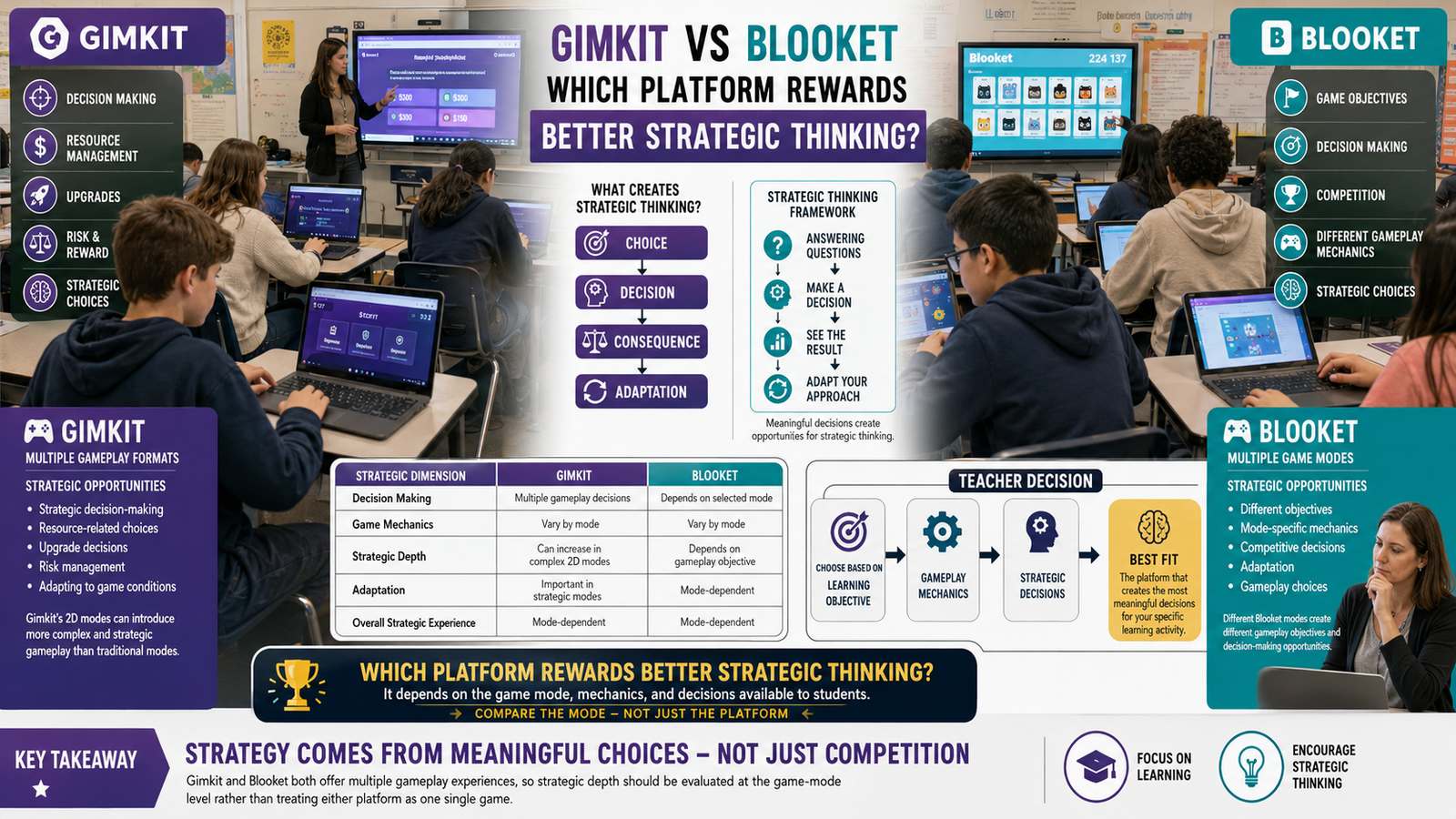
Gimkit Student Reports vs Other Classroom Quiz Platforms
Teachers often compare Gimkit, Kahoot!, Quizizz, Blooket, Nearpod, and Google Classroom when selecting an assessment platform. While all of these tools provide some level of reporting, they differ significantly in the type of data they collect, how the information is presented, and how useful it is for instructional planning.
The best platform depends on your teaching goals. If your priority is maximizing classroom excitement, one platform may stand out. If you want detailed formative assessment data that supports lesson planning and student interventions, another may be a better fit.
Comparison of Reporting Features
Feature
Gimkit
Kahoot!
Quizizz
Blooket
Nearpod
Individual Student Reports
✔ Detailed
✔ Yes
✔ Detailed
Limited
✔ Comprehensive
Class Performance Summary
✔
✔
✔
✔
✔
Question-Level Analysis
✔
✔
✔ Advanced
Basic
✔
Homework Reports
✔
✔
✔
Limited
✔
Progress Monitoring
Moderate
Moderate
Strong
Basic
Strong
Interactive Learning Focus
Excellent
Excellent
Excellent
Excellent
Moderate
Lesson Planning Support
Strong
Moderate
Strong
Basic
Strong
Each platform serves different instructional needs, so teachers should evaluate reporting features alongside classroom objectives rather than selecting a tool based solely on popularity.
When Gimkit Reports Are Most Useful
Gimkit reports are particularly effective when teachers want to combine student engagement with ongoing formative assessment. Because reports are generated after interactive learning sessions, they provide immediate evidence of student understanding while the lesson is still fresh.
They are especially valuable for:
Exit tickets after new instruction.
Review sessions before assessments.
Homework completion monitoring.
Formative assessments.
Unit revision activities.
Identifying misconceptions before summative tests.
Using reports shortly after each activity allows teachers to make instructional adjustments before misconceptions become long-term learning gaps.
Troubleshooting Common Reporting Issues
Occasionally teachers may find that expected report information is unavailable or incomplete. In many situations, the issue is related to the activity setup or completion status rather than the reporting system itself.
Before assuming a technical problem exists, verify that the activity finished correctly and that student participation was successfully recorded.
Reports Are Not Showing
If a completed activity does not appear in your reports, consider checking the following:
Confirm the activity has ended.
Refresh the teacher dashboard.
Verify that students joined the correct game.
Check your internet connection.
Ensure you are viewing the intended assignment or class.
Most reporting delays are temporary and resolve after the activity has fully synchronized.
Missing Student Results
Sometimes one or more students may not appear in a completed report.
Possible reasons include:
Possible Cause
What to Check
Student joined late
Verify participation records
Activity was not completed
Check completion status
Connection interruption
Confirm whether answers were submitted
Incorrect game session
Ensure students entered the correct game
Reviewing participation records usually helps determine why data may be incomplete.
Unusual Accuracy Results
Occasionally teachers notice unusually high or low accuracy percentages.
Before drawing conclusions, consider whether:
Students guessed rapidly.
The questions were unusually difficult.
Instructions were misunderstood.
Technical interruptions affected gameplay.
The quiz included unfamiliar content.
Looking at multiple assignments provides a more reliable measure of student understanding than relying on a single activity.
Advanced Techniques for Interpreting Student Reports
As teachers become more comfortable using reports, they often begin looking beyond basic metrics to identify deeper learning patterns.
Rather than asking “Who scored the highest?”, experienced educators ask questions such as:
Which misconceptions appear repeatedly?
Which standards require additional reinforcement?
Which instructional methods produced the strongest results?
Are certain question formats consistently more difficult?
Which students demonstrate steady improvement over time?
These questions transform reports into tools for continuous instructional improvement.
Building a Long-Term Assessment Strategy
Individual reports are useful, but the greatest value comes from reviewing multiple activities throughout a unit or semester.
Over time, this process helps teachers identify both class-wide trends and individual growth.
Pros and Cons of Using Gimkit Student Reports
Every reporting system has strengths and limitations. Understanding both helps teachers use reports more effectively.
Pros
Cons
Easy to review after activities
Single reports should not determine final achievement
Helps identify learning gaps
Requires thoughtful interpretation
Supports differentiated instruction
Some metrics require classroom context
Provides immediate formative assessment
Trends are more meaningful than isolated results
Improves lesson planning
Teachers need consistent review routines
When combined with classroom observations and other assessments, Gimkit reports become much more valuable than grades alone.
Best Practices Checklist
Following consistent practices ensures reports contribute to better teaching decisions.
Teacher Checklist
✔ Review reports soon after each activity.
✔ Focus on concepts before individual scores.
✔ Analyze question-level performance.
✔ Compare results across multiple assignments.
✔ Identify patterns instead of isolated mistakes.
✔ Use reports to guide future lessons.
✔ Share appropriate feedback with students.
✔ Monitor improvement throughout the unit.
✔ Adjust instruction based on evidence.
✔ Archive reports for long-term progress tracking.
Decision Guide: How Should Teachers Use Student Reports?
Different classroom situations require different approaches. The guide below can help determine the most appropriate action.
If You Notice…
Recommended Response
Most students missed one concept
Reteach that concept
Only a few students struggled
Provide targeted intervention
Accuracy improved since last activity
Increase difficulty gradually
Results remain unchanged
Adjust instructional strategy
Students mastered the objective
Move to the next learning goal
Using reports as decision-making tools rather than grading tools encourages continuous learning.
Expert Recommendations
Teachers who gain the greatest value from Gimkit reports usually follow several consistent habits:
Review reports immediately after every activity.
Compare multiple metrics instead of relying on scores alone.
Track growth over several weeks.
Use reports to create flexible learning groups.
Revise lessons based on recurring misconceptions.
Encourage students to reflect on their own performance.
Combine report data with classroom observations for balanced evaluation.
These practices help turn assessment data into practical teaching improvements.
Summary
Gimkit student reports provide teachers with meaningful information that extends well beyond final scores. By examining class summaries, individual performance, question-level analysis, and long-term learning trends, educators can make informed instructional decisions that support student success.
The most effective use of reports involves identifying learning gaps, adjusting instruction, monitoring progress over time, and helping students develop a deeper understanding of course material. Rather than treating reports as end-of-unit records, successful teachers integrate them into an ongoing cycle of assessment, reflection, and instructional improvement.
70+ Expert Tips & Expert Hidden Reviews for you
How to Read Gimkit Student Reports begins with understanding that reports measure learning progress, not just final scores.
How to Read Gimkit Student Reports helps teachers identify both individual student performance and overall class trends.
How to Read Gimkit Student Reports starts by reviewing the overall accuracy percentage for each student.
How to Read Gimkit Student Reports becomes more useful when teachers compare accuracy instead of focusing only on rankings.
How to Read Gimkit Student Reports highlights concepts that students have mastered and topics requiring additional instruction.
How to Read Gimkit Student Reports allows teachers to identify common misconceptions shared by multiple students.
How to Read Gimkit Student Reports helps educators determine whether students struggle with specific questions or entire learning objectives.
How to Read Gimkit Student Reports becomes more meaningful when reports are reviewed shortly after classroom activities.
How to Read Gimkit Student Reports supports formative assessment by providing evidence before major classroom tests.
How to Read Gimkit Student Reports helps teachers plan targeted review sessions based on actual classroom performance.
How to Read Gimkit Student Reports encourages educators to recognize consistent improvement rather than isolated high scores.
How to Read Gimkit Student Reports becomes more valuable when teachers analyze long-term learning patterns.
How to Read Gimkit Student Reports helps identify students who may benefit from additional academic support.
How to Read Gimkit Student Reports allows teachers to recognize advanced learners ready for more challenging activities.
How to Read Gimkit Student Reports improves lesson planning by highlighting areas that require reteaching.
How to Read Gimkit Student Reports becomes more accurate when multiple classroom activities are evaluated together.
How to Read Gimkit Student Reports helps teachers evaluate the effectiveness of their instructional strategies.
How to Read Gimkit Student Reports supports differentiated instruction through data-driven classroom decisions.
How to Read Gimkit Student Reports encourages reviewing question-level performance instead of only overall results.
How to Read Gimkit Student Reports helps identify questions that many students answered incorrectly.
How to Read Gimkit Student Reports allows educators to improve future quizzes by revising confusing or ineffective questions.
How to Read Gimkit Student Reports supports meaningful classroom discussions about common learning challenges.
How to Read Gimkit Student Reports becomes more effective when combined with teacher observations during lessons.
How to Read Gimkit Student Reports helps monitor student progress across multiple assignments and review sessions.
How to Read Gimkit Student Reports encourages continuous improvement through regular analysis and instructional adjustments.
How to Read Gimkit Student Reports provides valuable insights for planning personalized learning experiences.
How to Read Gimkit Student Reports helps teachers make informed decisions based on measurable classroom evidence.
How to Read Gimkit Student Reports strengthens student learning by transforming assessment data into practical teaching strategies.
How to Read Gimkit Student Reports becomes a valuable instructional tool when reports guide future lesson planning instead of serving only as performance records.
How to Read Gimkit Student Reports ultimately enables teachers to understand student strengths, identify learning gaps, personalize instruction, improve classroom assessments, and support continuous academic growth through informed, data-driven educational decisions.
How to Read Gimkit Student Reports helps teachers identify trends that may not be visible during normal classroom instruction.
How to Read Gimkit Student Reports becomes more effective when reports are compared across multiple learning sessions.
How to Read Gimkit Student Reports highlights whether students consistently struggle with the same concepts over time.
How to Read Gimkit Student Reports helps educators determine if learning objectives have been successfully achieved.
How to Read Gimkit Student Reports encourages teachers to focus on learning growth rather than individual leaderboard positions.
How to Read Gimkit Student Reports provides valuable evidence for adjusting lesson pacing according to student understanding.
How to Read Gimkit Student Reports helps identify topics that require additional classroom discussion and clarification.
How to Read Gimkit Student Reports becomes more meaningful when teachers review both class-wide and individual performance.
How to Read Gimkit Student Reports supports personalized instruction by highlighting each student’s academic strengths and weaknesses.
How to Read Gimkit Student Reports encourages teachers to prioritize concepts with the lowest class accuracy rates.
How to Read Gimkit Student Reports helps evaluate whether classroom instruction effectively prepared students for assessment activities.
How to Read Gimkit Student Reports identifies students who demonstrate steady improvement across multiple assignments.
How to Read Gimkit Student Reports helps teachers recognize when high participation does not always reflect strong understanding.
How to Read Gimkit Student Reports supports more effective classroom interventions through evidence-based instructional planning.
How to Read Gimkit Student Reports becomes increasingly valuable when reports are reviewed after every major learning unit.
How to Read Gimkit Student Reports helps educators identify questions that may require clearer wording or better instructional preparation.
How to Read Gimkit Student Reports encourages teachers to compare classroom performance with intended learning outcomes.
How to Read Gimkit Student Reports provides useful insights for organizing future review sessions more efficiently.
How to Read Gimkit Student Reports helps determine whether additional practice is needed before introducing new material.
How to Read Gimkit Student Reports allows teachers to recognize positive learning trends throughout the academic year.
How to Read Gimkit Student Reports improves instructional quality by transforming assessment data into practical classroom actions.
How to Read Gimkit Student Reports encourages teachers to analyze reports objectively instead of relying on assumptions about student performance.
How to Read Gimkit Student Reports helps create more balanced and effective future assessments through continuous refinement.
How to Read Gimkit Student Reports supports informed classroom decisions by providing measurable evidence of student learning.
How to Read Gimkit Student Reports becomes more useful when combined with quizzes, assignments, and classroom observations.
How to Read Gimkit Student Reports helps teachers identify both short-term progress and long-term academic development.
How to Read Gimkit Student Reports encourages continuous reflection on teaching strategies and assessment effectiveness.
How to Read Gimkit Student Reports strengthens differentiated instruction by helping teachers address diverse learning needs.
How to Read Gimkit Student Reports demonstrates that meaningful assessment focuses on understanding student progress instead of simply recording scores.
How to Read Gimkit Student Reports ultimately enables educators to make confident instructional decisions by interpreting classroom data accurately, identifying learning gaps, improving future assessments, supporting individualized instruction, and creating more effective learning experiences that promote continuous student achievement.
How to Read Gimkit Student Reports helps teachers recognize whether classroom objectives have been achieved before moving to the next lesson.
How to Read Gimkit Student Reports becomes more insightful when performance trends are tracked over several weeks instead of a single activity.
How to Read Gimkit Student Reports encourages educators to use assessment data to refine teaching strategies and improve future learning outcomes.
How to Read Gimkit Student Reports helps identify students who consistently improve, even if they are not always among the highest scorers.
How to Read Gimkit Student Reports supports effective lesson planning by revealing which concepts require additional review or reinforcement.
How to Read Gimkit Student Reports becomes more valuable when teachers compare student understanding across different units and subjects.
How to Read Gimkit Student Reports encourages evidence-based instruction by replacing assumptions with measurable classroom performance data.
How to Read Gimkit Student Reports helps teachers create targeted intervention plans that address specific learning challenges before they grow larger.
How to Read Gimkit Student Reports transforms assessment results into practical teaching improvements through continuous analysis and thoughtful instructional adjustments.
How to Read Gimkit Student Reports ultimately demonstrates that student reports are not simply score summaries but valuable instructional resources that help teachers monitor progress, personalize learning, improve assessment quality, strengthen classroom instruction, and support long-term academic success for every learner.
Frequently Asked Questions
How often should teachers review Gimkit student reports?
Teachers should review reports after every significant activity. Immediate analysis allows misconceptions to be addressed while the material is still fresh. Consistent review also makes it easier to track long-term progress and adjust lesson plans based on current classroom performance rather than waiting until the end of a unit.
Key points:
Review after live games and homework.
Compare results across multiple activities.
Use findings to plan the next lesson.
Which metric is the most important in a Gimkit student report?
No single metric tells the complete story. Accuracy, question-level performance, completion status, and overall trends should all be considered together. Looking at multiple indicators provides a more balanced understanding of student learning than relying solely on scores.
Key points:
Combine accuracy with question analysis.
Consider classroom context.
Avoid judging performance from one statistic.
Can Gimkit reports help identify learning gaps?
Yes. Reports make it easier to recognize concepts that students consistently misunderstand. Teachers can identify recurring incorrect responses, low-performing questions, and class-wide patterns that point to specific instructional needs, allowing them to plan targeted review sessions.
Key points:
Identify difficult concepts quickly.
Focus reteaching where it is needed.
Reduce unnecessary repetition.
Should student reports be used for grading?
Reports work best as formative assessment tools. While they can contribute to participation or progress grades, they are most valuable for monitoring understanding, identifying misconceptions, and guiding future instruction. Many teachers combine report data with quizzes, projects, discussions, and other assessments to create a more complete evaluation.
Key points:
Support ongoing learning.
Use alongside other assessments.
Focus on improvement, not just grades.
How can teachers encourage students to learn from their reports?
Teachers can help students review their strengths, identify areas for improvement, and set measurable goals for future activities. Encouraging reflection builds ownership of learning and helps students focus on progress rather than competition.
Key points:
Review mistakes constructively.
Set realistic improvement goals.
Celebrate consistent growth.
Are Gimkit reports useful for parent conferences?
Yes. Reports provide objective evidence of student performance and progress over time. Instead of discussing only grades, teachers can explain specific strengths, recurring challenges, and the instructional strategies being used to support continued improvement.
Key points:
Share measurable progress.
Highlight strengths and growth.
Discuss targeted support plans.
Conclusion
Learning how to read Gimkit student reports is an essential skill for teachers who want to make informed, data-driven instructional decisions. The reports provide valuable insights into student understanding, classroom trends, and assessment effectiveness, allowing educators to move beyond simple scores and focus on meaningful learning outcomes.
When reports are reviewed consistently and combined with thoughtful teaching practices, they become a powerful component of formative assessment. They help identify misconceptions early, support differentiated instruction, improve lesson planning, and track progress over time. By turning assessment data into actionable strategies, teachers can create more responsive classrooms where every Gimkit activity contributes to continuous student growth and long-term academic success.