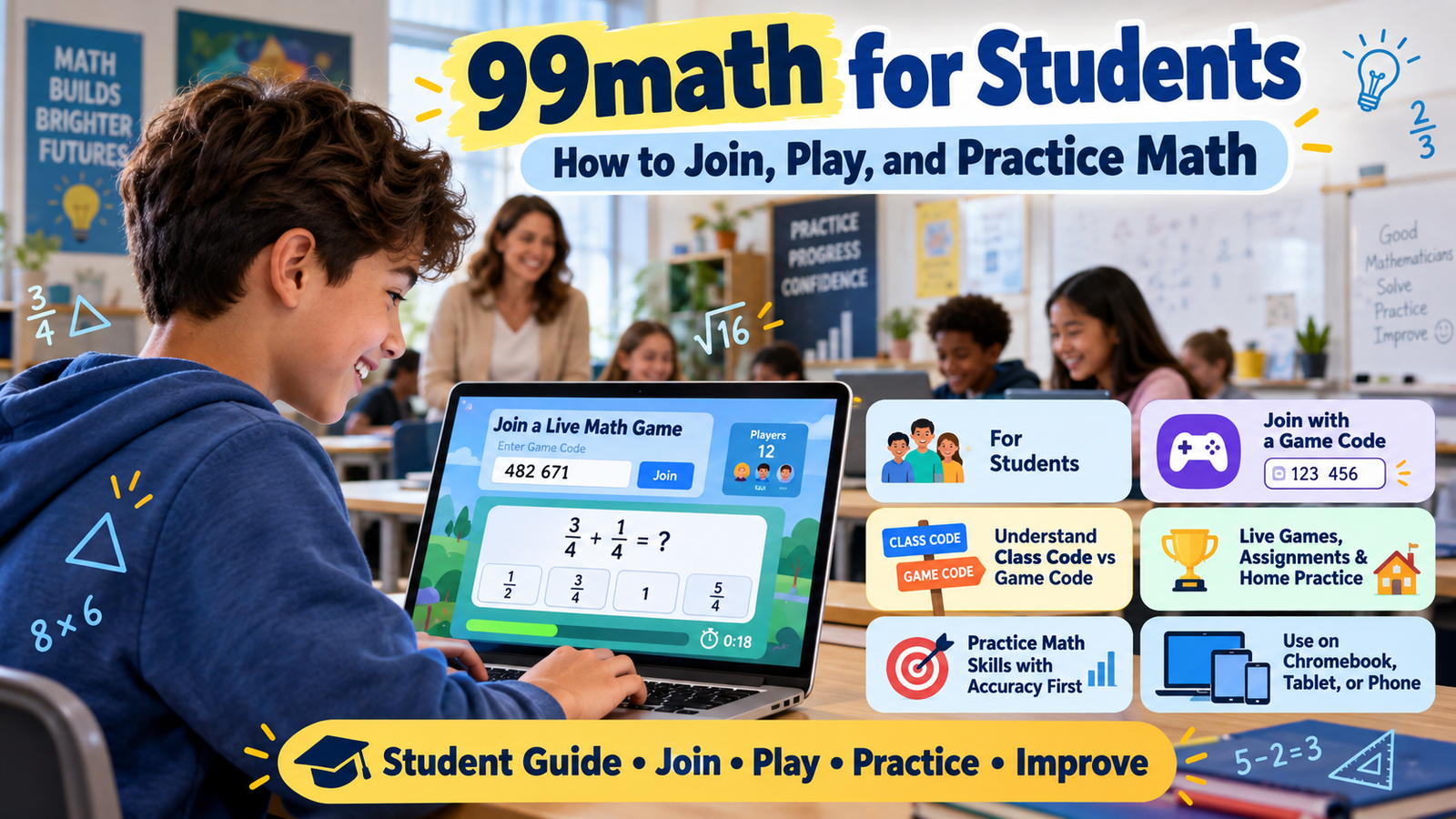
99math for students is a math-practice experience that combines live classroom games, individual assignments, and home practice in one platform. A student may first encounter 99math when a teacher displays a game code, but the platform can also be used through a student account for assigned practice and continued learning outside a live session.
The most important distinction for a new student is simple: joining a live 99math game is not the same thing as joining a 99math class or signing into a student account.
Students can currently join a live group game by entering the game code shown by the teacher. If the student is already signed in, 99math provides an Enter Code option on the student homepage. Students who are not signed in can also use the live-game joining flow. 99math Support
A class code serves a different purpose. It connects a student account with a particular class rather than opening a single live game. 99math explicitly distinguishes class codes from game codes in its current support documentation. 99math Support
This guide covers the complete student side of 99math: how to join, how accounts work, how class and game codes differ, how assignments appear, how to practice more effectively, what to do when something goes wrong, and how to use the platform without turning math practice into random button pressing.
Gimkit App offers practical guides, resources, and tips for teachers and students exploring interactive learning and educational games.
What Is 99math for Students?
99math is a fluency-focused math platform built around repeated mathematical practice.
For students, it can appear in several forms:
Student situation
Main action
Teacher starts a live class activity
Enter a game code
Student has an existing account
Sign in and use the student homepage
Teacher gives individual practice
Open and complete the assignment
Student needs to join a teacher’s class
Enter a class code
Student practices outside school
Use available home or individual practice
99math currently describes its product as combining live group games, individual practice, home practice, and teacher reporting. Its public site lists hundreds of math skills covering kindergarten through grade 8, with selected topics extending beyond that range. 99math
For a student, however, the platform does not need to feel complicated.
The typical workflow is:
Join → solve → check → improve.
The technology is only useful when it helps the student become more accurate, more confident, and more independent with the mathematics being practiced.
How to Join a 99math Game as a Student
A live 99math game normally begins with a code displayed by the teacher.
The current student joining process is straightforward.
Get the current game code from your teacher.
Open the 99math student joining page or your logged-in account.
Enter the game code exactly.
Enter the requested student name when applicable.
Join the lobby.
Wait for the teacher to start the live round.
Begin answering the math problems once the activity starts.
99math states that signed-in students can use Enter Code on their homepage, while students who have not logged in can still enter a live game through the joining page. 99math Support
That makes live participation relatively quick because a teacher does not necessarily need every student to create an account before a class game can begin.
Do Students Need a 99math Account to Play?
Not for every live group game.
99math’s current documentation says students can enter a live group activity using the displayed game code. Its own live-game guide also says accounts are not required for basic group participation, although students may sign in when accounts are being used. 99math blog
A student account becomes more useful when the experience continues beyond one live round.
An account can matter for:
individual assignments;
joining a persistent class;
home practice;
keeping one consistent student identity;
account-based progress or features;
avoiding different nicknames appearing in reports.
A useful rule is:
One live class game: the game code may be enough.
Repeated school use: use the student account your teacher expects you to use.
Game Code vs. Class Code: The Difference Students Must Know
This is one of the easiest parts of 99math to misunderstand.
A game code opens a particular live game.
A class code connects a student account with a class.
99math’s support documentation explicitly says a class code is not the same as the code generated for a group game. 99math Support
Code type
Purpose
How long it matters
Game code
Join a specific live game
Mainly for that game session
Class code
Join a particular class
Connects the account to that class
Imagine your teacher says:
“We are playing a game now.”
You probably need a game code.
If your teacher says:
“Add yourself to my 99math class.”
You need a class code.
Trying to use one code in the wrong place can make a correct code appear broken.
How to Join 99math When You Are Already Signed In
Students with an existing account have a direct joining route.
According to 99math, logged-in students can click Enter Code on their homepage and type the current live-game code. 99math Support
A simple routine is:
Sign in to the account you normally use.
Confirm that your student profile is correct.
Select Enter Code.
Type the teacher’s current game code.
Join the lobby.
Wait for the activity to begin.
Using the same account consistently can reduce confusion later.
99math notes that when a student is not logged in during certain activities, a report can display a nickname rather than the student’s normal account name. 99math Support
That is why students who already have assigned accounts should generally avoid creating new identities for every session.
What Happens After You Join a Live Game?
After a valid game code is entered, the student reaches the lobby.
The teacher sees students appear and controls when the activity starts. 99math’s current teacher documentation describes the lobby as the stage where joined students appear before the teacher begins the live game. 99math Support
While waiting, students should check:
that their displayed name is recognizable;
that they joined the correct session;
that the page is fully loaded;
that the device input is working;
that browser zoom is not hiding controls;
that unnecessary tabs are closed.
The lobby is not the time to start guessing what the questions will be.
It is preparation time.
How a Live 99math Round Works
A live round places students in the same classroom activity while each student solves mathematics on their own device.
99math describes these games as fluency-focused group activities built around solving generated math problems accurately. 99math Support
The skill depends on what has been selected for that session.
Current topic coverage on the 99math site includes areas such as:
addition;
subtraction;
multiplication;
division;
number sense;
fractions;
decimals;
equations;
geometry;
measurement;
percentages;
integers;
exponents;
mixed operations.
The site’s current curriculum listing reports 731 skills across 28 topics, with full K–8 alignment and selected higher-grade topics. 99math
A student should therefore pay attention to the skill being practiced rather than assuming every 99math session is simply a multiplication game.
Accuracy Comes Before Speed
Live games naturally create a sense of urgency.
That does not mean the best learning strategy is to answer everything as quickly as physically possible.
A fast wrong answer is still wrong.
A better routine is:
Read the problem → identify the operation → solve → check → submit.
As the underlying skill becomes more familiar, speed can increase naturally.
Consider these two students.
Student A answers 30 questions very quickly but misses 12.
Student B answers 25 questions but misses only 2.
Student B may currently have the stronger mathematical foundation even if Student A appears faster.
The long-term target is accurate fluency, not uncontrolled speed.
What Math Fluency Actually Means
99math describes its platform as focused on math fluency. 99math Support
For a student, fluency means more than memorizing answers or being the first person to click a button.
It involves being able to solve familiar mathematical tasks:
accurately;
efficiently;
with less unnecessary hesitation;
using appropriate mathematical relationships;
and with enough understanding to recognize unreasonable answers.
For example, a student may know that:
7 × 8 = 56
That knowledge can also help with:
56 ÷ 8 = 7
and
56 ÷ 7 = 8
Fluency becomes stronger when mathematical relationships are connected instead of memorized as completely unrelated facts.
A Better Student Strategy for Live Games
A useful live-game strategy can be summarized in four rules.
1. Read the entire problem
Do not answer based on the first number you see.
A subtraction sign can be mistaken for a division sign when a student is rushing.
A decimal point can be missed.
A negative sign can completely change an answer.
2. Use known relationships
Do not treat every problem as new.
If you know:
5 × 9 = 45,
then:
6 × 9
is one more group of 9:
45 + 9 = 54.
3. Check whether the answer makes sense
Estimation can catch major mistakes.
If a problem is approximately 40 × 10, an answer of 37 is probably not reasonable.
4. Reset after a mistake
One incorrect answer should not produce five more.
When an answer is wrong, mentally clear the previous question and focus only on the next one.
How Students Can Practice Multiplication More Effectively
Multiplication becomes easier when facts are organized instead of treated as an enormous list.
Start with strong anchor facts.
These often include:
×0;
×1;
×2;
×5;
×10.
Then use those facts to reason toward harder ones.
Suppose you need:
7 × 6
You may know:
7 × 5 = 35
Adding one more group of 7 gives:
42
This strategy is useful while facts are still becoming automatic.
Over time, frequent correct practice can reduce the need to reconstruct every answer from scratch.
How Students Can Practice Division
Division and multiplication should not feel like unrelated subjects.
For:
56 ÷ 8
ask:
8 × what equals 56?
The answer is 7.
This turns division into a missing-factor problem.
Another useful check is size.
If 72 is divided by 9, an answer greater than 72 would be a strong signal that something went wrong.
The faster a student notices unreasonable results, the less likely one careless response is to become a repeated habit.
How to Approach Fractions Without Rushing
Fractions often require more attention than basic fact recall.
Before answering, identify:
the numerator;
the denominator;
the operation;
whether denominators match;
whether equivalent fractions are needed;
whether simplification matters.
For example:
1/4 + 1/4
is very different from:
1/4 + 1/3
Rushing can cause a student to apply the same method to both.
A game interface should never replace the actual mathematical decision being made.
How to Handle Decimals More Carefully
Decimal errors often come from place value.
Students should pay attention to whether a number represents:
tenths;
hundredths;
thousandths.
For example:
0.4 is forty hundredths.
0.04 is four hundredths.
Those numbers are not equal.
Before pressing an answer in a fast activity, visually check the decimal point.
A single small dot can completely change the value of the number.
How 99math Assignments Work for Students
Live games are only part of 99math.
Teachers can also create individual assignments.
99math’s current documentation says teachers choose a class, select specific skills, determine the number of problems, and may set a deadline. The assignment appears automatically for students who are logged into the appropriate accounts. 99math Support
From a student perspective, the process is much simpler:
Sign in to the correct student account.
Check for the assigned task.
Open the activity.
Complete the required problems.
Review weak areas when necessary.
Check whether other assignments remain.
An assignment is different from a live game because students generally complete it at their own pace rather than waiting for a shared classroom round to begin.
How Long Does a 99math Assignment Remain Available?
99math currently says an assignment stays visible until its deadline.
If the teacher does not set a deadline, it remains visible for two weeks.
The support documentation also says that after a student completes an assignment, it can remain active during the available period so the student can practice it again. 99math Support
That means completion and disappearance are not necessarily the same thing.
A completed assignment may still be useful.
If a student struggled with a particular skill, another attempt can be used for focused improvement rather than just repeating the activity for the sake of repetition.
What to Do If Your Assignment Does Not Appear
99math currently recommends refreshing the page when students cannot see an assignment.
The company also says assignments can be found in the student account menu if the initial assignment pop-up has been closed. 99math Support
Use this troubleshooting order:
Refresh the page once.
Confirm you are logged in.
Confirm you are using the correct account.
Check the student account menu.
Check whether the deadline has passed.
Confirm that your account belongs to the correct class.
Ask the teacher to verify the assignment.
Do not immediately create another student account.
Duplicate accounts can make it harder to know which profile contains the real assignment.
Individual Practice vs. Live Group Games
These two experiences serve different purposes.
Live group game
Individual practice
Class participates together
Student works independently
Uses a live session
Can be assigned for individual work
Teacher controls the live round
Student completes practice personally
Shared competitive atmosphere
More self-paced
Good for class energy
Good for targeted repetition
99math’s current public product description includes both live group games and individual practice as distinct parts of the platform. 99math
Students should therefore change their mindset depending on the task.
A live game may feel competitive.
An individual assignment should feel more like targeted practice.
How to Join a 99math Class
A class is different from a live game.
Students can join a class using a class code.
99math currently says students can create or use their account, choose Join a Class, and enter the class code provided by the teacher. This option is also available for students joining classes connected with Google or Clever workflows. 99math Support
Use this checklist:
sign in to the correct student account;
choose Join a Class;
enter the class code exactly;
confirm the class when prompted;
return to the student homepage;
check for assigned work.
Never post a classroom code publicly unless the teacher specifically intends it to be shared that way.
Why a Consistent Student Account Matters
Using one account consistently can prevent several problems.
If a student repeatedly switches between guest joining, new usernames, and different sign-in methods, activity can become fragmented.
Consistent accounts can help keep:
assignments;
class membership;
names;
practice;
login information
associated with one student identity.
99math notes that students who participate without being logged in can sometimes appear by nickname rather than full account identity in reports. 99math Support
For students who use the platform repeatedly, consistency is usually easier than creating a new identity every time.
Student Nicknames vs. Usernames
99math currently treats nicknames and usernames differently.
Its support documentation says a student can change a nickname by clicking it inside the account.
However, the username cannot currently be changed after it has been created. 99math Support
That distinction matters.
A nickname is mainly a display identity.
A username may be part of the login identity.
If a username was created incorrectly, do not assume changing the nickname will change the login information.
Why a Student Name May Turn Into an Animal Name
99math uses a profanity filter for student names.
The company’s support documentation says that when the filter detects a name it considers inappropriate, the system can replace it with an animal name. 99math also acknowledges that legitimate names can sometimes be incorrectly flagged. 99math Support
If this happens:
tell your teacher;
do not repeatedly create new accounts;
ask the teacher to review the student name;
use the corrected account afterward.
99math also says having students log in before a live game can help their normal account names appear rather than triggering repeated guest-name issues. 99math Support
Student Account Verification
99math currently requires student-account verification as part of its privacy process.
According to the official support documentation:
teacher-created student accounts are automatically verified;
parent-created student accounts may require additional verification;
during defined school hours, a student can verify by joining a class with a teacher-provided class code;
during home hours, parent email verification may be used.
99math currently defines school hours in this process as before 3:00 p.m. local device time and home hours as beginning at 3:00 p.m. 99math Support
Because account flows can change over time, students should always follow the instructions currently displayed in the platform rather than relying on an old screenshot or video.
What If You Forget Your 99math Password?
The recovery method depends on how the account was created.
99math says teachers can help students recover certain school-created accounts.
For username-and-password accounts connected with a class, a teacher can reset the password from the class management area. For teacher-created accounts, login details can also be made available through teacher tools. 99math Support
Parent-managed accounts can use different recovery options depending on the original sign-up method. 99math Support
For a student, the safest sequence is:
Determine which login method you normally use.
Stop repeatedly guessing the password.
Ask the teacher or parent who manages the account.
Recover the existing account.
Avoid creating a duplicate account unless instructed.
Google, Clever, or Username: Which Login Should a Student Use?
There is no single correct login method for every school.
99math currently supports student accounts associated with Google, Clever, and username-based workflows. It also allows students to join imported classes through a class code when appropriate. 99math Support
Students should use the login method selected by their school or teacher.
If you normally use Google, continue using Google.
If your school launches 99math through Clever, use Clever.
If your teacher created a username for you, use that username.
Switching methods unnecessarily can create confusion over which account owns the assignment.
What Devices Can Students Use?
99math’s current public site says the service works in browsers on devices including:
Chromebooks;
laptops;
iPads;
phones.
It also says student apps are available for home use on iOS and Android. 99math
Students therefore do not need one particular brand of computer.
What matters more is that the browser or app is functioning correctly and that the device is connected to a stable network.
Using 99math on a Chromebook
Chromebooks are common in U.S. classrooms.
For a smooth experience:
use the school-approved browser;
close unnecessary tabs;
make sure the page is not zoomed unusually;
stay signed into the correct school account;
avoid opening multiple copies of the game;
keep the device charged.
If the platform does not load on a school Chromebook while it works elsewhere, the issue may involve school network restrictions rather than the student’s account.
99math maintains school-network whitelisting guidance for administrators when required. 99math Support
Students normally do not need to change those network settings themselves.
Using 99math on a Phone or Tablet
Phones and tablets can also support 99math use.
Students should make sure:
the screen orientation is comfortable;
browser zoom does not hide buttons;
the on-screen keyboard does not cover the question;
battery level is sufficient;
notifications are minimized during a live game;
the network connection is stable.
A smaller screen can make careless tapping more likely, so take a fraction of a second to confirm each answer button before submitting.
What Math Topics Does 99math Cover?
99math currently lists 731 skills across 28 topics on its main site.
The listed areas include:
addition;
subtraction;
multiplication;
division;
number patterns;
comparing and ordering;
fractions;
time;
money;
rounding;
number sense;
mixed operations;
equations;
geometry;
units of measurement;
decimals;
fraction operations;
decimal operations;
percentage;
exponents;
number sequences;
integers.
The company states that its curriculum coverage is complete from kindergarten through grade 8 with selected content for grades 9–12. 99math
Students should therefore treat 99math as a broader fluency-practice platform rather than a tool only for elementary multiplication tables.
How to Make 99math Practice More Valuable
Practice becomes useful when it produces information.
After a session, ask:
What did I get wrong repeatedly?
A single error can be accidental.
Repeated errors often reveal a pattern.
Examples include:
multiplication facts involving 7;
subtraction across zeros;
fraction comparisons;
decimal place value;
negative numbers;
unit conversions.
Once the pattern is visible, practice can become targeted.
Instead of replaying everything, concentrate on the specific area causing difficulty.
The Attempt–Review–Repeat Method
A simple student learning cycle can make practice more purposeful.
Step 1: Attempt
Complete the activity normally.
Step 2: Review
Identify recurring mistakes.
Step 3: Understand
Ask why the error happened.
Was it:
a fact you did not remember;
a sign you misread;
a concept you do not understand;
a typing mistake;
a place-value issue?
Step 4: Repeat
Practice the weak area again.
Step 5: Check transfer
See whether the same skill is easier in regular schoolwork.
That last step matters.
The goal is not only to improve inside 99math.
The goal is to improve mathematics.
What Students Should Track Besides Rank
Competition can be motivating, but class rank is only one piece of information.
Students can also watch for:
Accuracy
Are you getting a larger percentage of problems correct?
Confidence
Do familiar questions feel less intimidating?
Recall time
Do basic facts come to mind faster?
Error frequency
Are repeated mistakes becoming less common?
Independence
Do you need fewer hints?
Transfer
Can you solve similar questions outside 99math?
These measures reveal learning more clearly than a single podium position.
How to Recover After a Wrong Answer
A mistake can create frustration.
Frustration can create another mistake.
Then another.
The solution is a short mental reset.
After a wrong answer:
accept that the previous question is finished;
look only at the new problem;
identify the operation;
solve carefully;
submit once.
Do not try to “win back” lost time by rushing the next three questions.
That usually makes the problem worse.
What to Do When the Same Problem Type Keeps Going Wrong
Repeated mistakes deserve investigation.
Suppose you repeatedly miss:
7 × 8
6 × 7
9 × 7
The pattern suggests difficulty with the 7-times table.
A better plan is:
isolate the difficult facts;
connect them with known facts;
practice the small group;
return to mixed practice;
see whether accuracy improves.
Now imagine the problem is:
3/4 vs. 5/8
and you keep guessing incorrectly.
That may not be a memory problem.
It may be a conceptual problem.
In that situation, ask for an explanation rather than simply repeating the same misunderstanding.
How Long Should Students Practice?
There is no universal perfect practice length for every student.
Age, attention span, skill difficulty, teacher expectations, and the reason for practicing all matter.
A useful approach is to favor focused practice over exhausted practice.
For example:
several focused minutes on multiplication facts;
a short break;
another targeted session later.
This can be more productive than continuing until attention disappears.
Stop and ask for help when repeated practice is not producing understanding.
A Simple 10-Minute Home Practice Routine
A student can use this structure when extra practice is appropriate.
Time
Activity
Minute 1
Sign in and choose the correct task
Minutes 2–4
Warm up with familiar problems
Minutes 5–8
Focus on the target skill
Minute 9
Retry difficult examples
Minute 10
Identify one area to improve next time
This is not an official 99math requirement.
It is simply a practical routine for keeping independent practice focused.
The teacher’s assignment instructions should always take priority.
Can Students Practice 99math at Home?
Yes.
99math currently promotes home practice as part of its student experience. Its public site describes homework and home practice alongside live group and individual activities. 99math
Students should use the same account their school or parent expects them to use.
At-home practice is most valuable when it targets a real need rather than becoming endless screen time.
A good question is:
What skill am I trying to improve today?
What Is 99math Math Pass?
99math currently offers a student subscription called Math Pass.
According to official support documentation, Math Pass is aimed at home practice and currently includes:
Students do not need to assume that paying is required for every 99math activity.
99math currently states that a free version remains available to teachers and students and includes live group practice, individual practice, and home practice. 99math Support
Because subscriptions can change, families should check the current official product page before making a purchase decision.
Does Math Pass Make a Student Better at Math?
A subscription itself does not create mathematical understanding.
Extra practice access may give a student more opportunities to practice, but improvement still depends on what the student actually does.
Useful practice involves:
working on an appropriate skill;
solving accurately;
noticing mistakes;
correcting misunderstandings;
practicing consistently;
applying the skill elsewhere.
Cosmetic rewards can make a platform more engaging.
They are not the same thing as mastery.
Is 99math Free for Students?
99math currently says it offers a free version for teachers and students.
The company identifies live group practice, individual practice, and home practice among features available without requiring the premium educator license. 99math Support
Paid products also exist.
For students, Math Pass is one of those optional products.
Teachers and schools also have premium licensing options with additional educator-focused functionality. 99math Support
Those teacher premium details belong to a different article and do not need to be fully explained here.
Student Privacy and Account Safety
Students should treat 99math as an educational account.
99math’s current public site states that it has no ads, does not sell student data, describes itself as COPPA and GDPR compliant, and identifies its role as a FERPA school official in its district information. 99math
Students should still follow basic privacy habits:
keep passwords private;
do not share another student’s account;
do not publish class codes unnecessarily;
use only the personal information required;
log out on shared devices when appropriate;
ask a teacher or parent before changing important account settings.
Formal privacy decisions should always be based on the current official privacy policy and school requirements.
Should Students Share Their Password?
No.
Sharing an account can create problems with:
assignments;
identity;
progress records;
account settings;
class membership.
If one student completes another student’s work, the activity no longer represents the correct learner.
If a password is forgotten, recover or reset it.
Do not solve the problem by borrowing a friend’s account.
What If 99math Is Not Loading?
Use a simple troubleshooting sequence.
1. Check the internet connection
Open another normal website.
If everything is failing, the problem may be the network.
2. Refresh once
A temporary loading problem may disappear after one refresh.
3. Check the game code
One mistyped digit can block entry.
4. Ask whether the teacher started a new session
A new game can have a new code.
5. Check whether classmates are affected
If the whole class is having the same problem, it may not be your device.
6. Report the exact symptom
Instead of saying:
“99math doesn’t work,”
say:
“The game code says invalid.”
or:
“The page opens, but the assignment is missing.”
Specific symptoms are much easier to fix.
What If a Game Code Does Not Work?
Possible causes include:
the code was typed incorrectly;
the code belongs to an older game;
the teacher restarted the activity;
you were given a class code instead;
you are entering it in the wrong place;
the session has ended.
Always use the current code given by the person running your actual session.
Do not search online for random game codes.
A random code can lead to an unrelated activity and disrupt someone else’s session.
What If You Joined the Wrong Game?
Leave it and get the correct code.
Before continuing, check:
whether the skill matches the teacher’s instructions;
whether the classroom context makes sense;
whether the teacher confirms the code.
A code being valid does not automatically mean it is the right code for you.
What If Your Name Appears Incorrectly?
First determine whether the problem is your nickname, username, or a filtered name.
99math currently allows students to change a nickname from within their account, while usernames are not changeable after creation. 99math Support
If the system replaces a real name with an animal name, the profanity filter may have flagged it. In that situation, ask the teacher to correct the student record. 99math Support
Do not create several accounts to solve a display-name problem.
How Parents Can Help Without Giving Answers
Parents can support practice without doing the mathematics for the child.
Useful prompts include:
What operation do you see?
Which fact do you already know?
Does that answer seem reasonable?
What type of question keeps causing difficulty?
Can you explain how you solved it?
The goal is to keep the thinking with the student.
Typing the correct answer for the child may improve the screen result, but it does not improve the student’s math.
Using 99math When Competition Feels Stressful
Not every student responds to competition in the same way.
If a leaderboard makes you rush, choose a personal goal instead.
Examples:
improve accuracy;
make fewer subtraction errors;
answer calmly after a mistake;
improve one difficult fact family;
finish the round without guessing.
This changes the question from:
“Did I beat everyone?”
to:
“Did I improve?”
If timed practice consistently prevents you from showing what you know, tell your teacher.
What 99math Can Help With
99math is particularly suited to repeated mathematical practice.
The platform currently emphasizes fluency, live group games, individual assignments, and home practice. 99math
Students may use it to strengthen:
arithmetic recall;
calculation accuracy;
repeated skill practice;
familiarity with common problem types;
confidence with previously learned skills.
It can also make repetitive practice feel more interactive.
What 99math Cannot Replace
A practice platform is not every part of mathematics.
Students still need:
explanations;
conceptual teaching;
written reasoning;
problem-solving;
mathematical discussion;
feedback;
instruction when a concept is misunderstood.
Suppose a student knows what multiplication means but recalls facts slowly.
Repeated fluency practice may be useful.
Now suppose a student does not understand why adding fractions sometimes requires common denominators.
That student may need instruction before additional repetition.
Practice works best when it matches the actual learning need.
A Complete Student Workflow
Before class
charge the device;
know which login method your class uses;
open the correct student account if required.
When a teacher starts a live game
get the current game code;
enter it carefully;
check your displayed name;
wait in the lobby;
listen for teacher instructions.
During the game
prioritize accuracy;
read the operation;
use known facts;
check whether answers make sense;
reset after mistakes.
After the game
notice repeated errors;
identify one weak skill;
ask a question if you do not understand the mistake.
When doing assignments
sign in to the correct account;
check active tasks;
finish before the deadline;
repeat difficult practice when helpful.
At home
use the same account;
practice with a purpose;
stop when fatigue starts creating careless errors.
Common 99math Student Mistakes
Common mistake
Better action
Confusing a game code with a class code
Confirm which code the teacher gave you
Creating a new account after one login problem
Recover the existing account
Using a different nickname every game
Use the assigned account consistently
Rushing every answer
Build accuracy before speed
Ignoring repeated mistakes
Identify the weak skill
Assuming a missing assignment was never assigned
Refresh and check the account menu
Sharing passwords
Keep login information private
Practicing while frustrated
Pause and seek clarification
Focusing only on leaderboard rank
Track accuracy and improvement
Entering random online game codes
Use your actual teacher’s code
Frequently Asked Questions About 99math for Students
Can students join 99math without an account?
Yes. Students can currently join a live 99math group game without first creating a full account. A teacher displays the live game code, and students enter that code through the joining flow. Students who already have accounts can instead sign in and use Enter Code from their homepage. 99math Support
An account becomes more important for repeated use. Individual assignments, persistent class membership, student identity, and ongoing practice work more naturally when students use the account their teacher or parent expects. If your school uses 99math regularly, avoid making extra accounts simply because a one-time guest join is possible.
How do I join a 99math game?
Get the current game code from your teacher. If you are signed in, open your student homepage and select Enter Code. If you are not logged in, use the student joining flow and enter the displayed code. Once the code is accepted, you enter the lobby and wait for the teacher to begin the activity. 99math Support
If a code does not work, enter it again carefully and make sure you are using a game code rather than a class code. The two serve different purposes. Also confirm that the teacher has not restarted the game and displayed a newer code.
What is the difference between a class code and a game code?
A game code opens a particular live group activity. A class code connects a student’s account to a specific class. 99math explicitly states that these two codes are different. 99math Support
Use the game code when the teacher says the class is about to play a live round. Use the class code when the teacher wants your student account to become part of the class roster. If you repeatedly receive an invalid-code message, ask which type of code you were given before creating another account or trying random pages.
Why can’t I see my 99math assignment?
First refresh the page. 99math currently recommends this when an assignment is missing. The platform also says that assignments can be accessed through the student account menu if the initial assignment pop-up was closed. 99math Support
If refreshing does not help, confirm that you are signed in to the correct student account and connected to the expected class. Also check whether the deadline has already passed. If other students can see the activity and you cannot, ask the teacher to verify your class membership and assignment status before creating a replacement account.
How long do 99math assignments stay visible?
99math currently says an assignment remains visible until the deadline selected by the teacher. When no deadline is set, the assignment stays visible for two weeks. A completed assignment can also remain active during that period so students can practice it again. 99math Support
That means students can sometimes use a completed assignment for additional practice. The best reason to repeat it is to improve a specific weak area identified during the first attempt. Repeating without paying attention to mistakes is much less useful than intentionally working on the questions or facts that caused difficulty.
Is 99math free for students?
99math currently offers a free version for teachers and students. The company says live group practice, individual practice, and home practice are among the features that remain available in the free offering. 99math Support
Optional paid products also exist. Math Pass is currently a student subscription focused on extended home practice and additional customization or reward features. Because plans and features can change, families should verify the current official subscription information before buying anything rather than relying on an old article or screenshot.
What is 99math Math Pass?
Math Pass is an optional student subscription offered by 99math. The current support page says it provides extended home-practice time, exclusive avatar customization, and additional in-game rewards. 99math Support
Students should not confuse Math Pass with basic access to the entire platform. 99math still describes a free student experience that includes several core practice options. Math Pass is an additional home-practice product. Whether it is useful depends on how much a student uses home practice and whether the additional features matter to the family. Always review the latest official terms before purchasing.
What should I do if I forgot my 99math password?
First identify how the account was created. 99math says teachers can reset passwords or retrieve login information for certain student accounts managed through their classes. 99math Support
If a parent manages the account, recovery can depend on whether it was created through email, username, Google Classroom, or Clever. 99math Support
Do not create a second account simply because you cannot remember the first password. Doing so can split assignments and practice across different profiles. Ask the teacher or parent responsible for the account to help recover the existing login.
Can I change my 99math username?
99math currently says student usernames cannot be changed after creation. However, a student can change the nickname displayed in the account. 99math Support
This distinction is important. Changing a nickname does not necessarily change the information used to log in. If a username has been created incorrectly, ask the teacher or account manager what the best solution is before deleting or recreating anything. When the issue only involves the visible nickname, changing that display name may be sufficient.
Why did my 99math name change to an animal?
99math uses a profanity filter on names. According to its current support documentation, a name can be replaced with an animal name when the filter believes the original text may be inappropriate. The company notes that legitimate names can sometimes be flagged incorrectly. 99math Support
If this happens, tell the teacher. The teacher can review the student record and correct the name when appropriate. Do not make several new accounts as a workaround. 99math also recommends using logged-in student accounts for live games when consistent student names are important.
Can I use 99math on a Chromebook, iPad, or phone?
Yes. 99math currently says its browser experience works on Chromebooks, laptops, iPads, and phones. It also offers student apps for iOS and Android for home use. 99math
School-managed devices can still have network or browser restrictions, so follow your school’s normal instructions. If 99math loads at home but not on a school device, the issue may involve school filtering rather than your student account. In that case, tell the teacher instead of trying to change administrator-level settings yourself.
Is 99math only for multiplication?
No. 99math currently lists hundreds of skills across many math topics, including addition, subtraction, multiplication, division, fractions, decimals, geometry, measurement, percent, integers, equations, exponents, number sense, and more. 99math
The exact skill in a student’s session depends on what has been selected for the activity or assignment. A class may use 99math for multiplication facts one day and decimals or fractions another day. Students should therefore look at the current skill instead of assuming the platform is only a multiplication game.
Should I answer as fast as possible?
Accuracy should come first. Speed becomes useful when it results from stronger understanding and more fluent recall. Randomly pressing answers may increase the number of attempts but does not build dependable mathematical skill.
Use a simple sequence: read the problem, identify the operation, solve it, check whether the result is reasonable, and then submit. As you become more familiar with the skill, you may naturally answer faster. If the competitive element makes you rush, set a personal goal such as fewer mistakes or better accuracy instead of focusing only on finishing first.
Can I practice a completed assignment again?
Under 99math’s current assignment rules, a completed assignment can remain active while it is still within its availability period. If there is no deadline, assignments currently remain visible for two weeks. 99math Support
Repeating an assignment can be useful when the first attempt exposed a weak skill. Before starting again, identify exactly what caused trouble. Maybe multiplication facts involving 7 were slow, fraction comparisons were confusing, or decimal placement caused errors. A second attempt becomes much more valuable when it has a clear learning target.
Is 99math safe for students?
99math’s public materials currently state that the service has no ads, does not sell student data, is COPPA and GDPR compliant, and operates as a FERPA school official in its district-oriented information. 99math
Students should still use normal privacy habits. Keep passwords private, avoid sharing class codes publicly, do not use another person’s account, and log out from shared devices when required. For formal decisions about privacy or school compliance, parents and schools should review the current 99math privacy policy and applicable school agreements rather than relying only on a general guide.
What is the best way to improve with 99math?
Treat each session as deliberate math practice rather than simply a game. Focus on accuracy, identify repeated mistakes, and find out why those mistakes are happening. If the problem is a fact you cannot recall, targeted repetition may help. If the problem is a concept you do not understand, ask for an explanation before repeating the same error.
A useful improvement cycle is: practice, review errors, isolate the weak skill, practice that skill again, and then see whether it becomes easier in normal classwork. The most meaningful sign of progress is not only a better game result—it is stronger mathematics outside the game.
Final Takeaway
99math for students becomes much easier to use once its main student functions are separated clearly.
A game code gets a student into a live activity.
A class code connects a student account with a class.
A student account provides continuity for assignments and repeated practice.
An assignment provides targeted individual work.
Home practice extends the learning experience beyond the live classroom game. 99math Support
For students, the best approach is simple: use the correct account, join the correct activity, protect accuracy before speed, pay attention to repeated errors, and use every practice session to strengthen a specific mathematical skill.
The game can make repetition more engaging.
The real result is what the student can do with the math after the game is over.