Questrivo Guide-Interactive learning works best when creating content, delivering activities, tracking progress, and managing learners are part of the same workflow. Questrivo is being developed around exactly that idea.
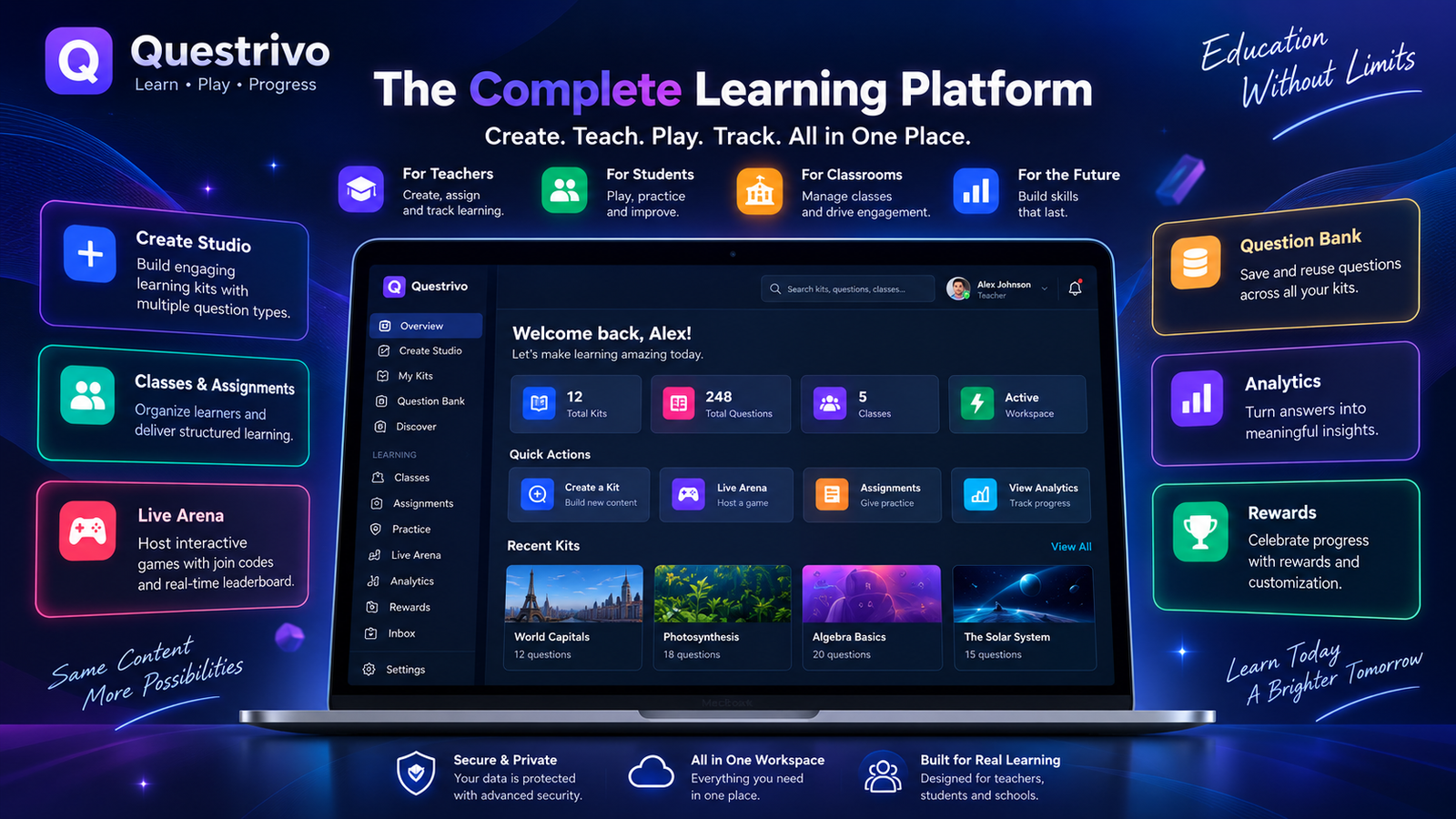
Questrivo is an independent interactive learning platform that brings together learning kits, question creation, reusable question banks, classes, assignments, adaptive practice, live learning sessions, analytics, rewards, collaboration, and progress tracking inside one connected workspace.
Instead of giving teachers a collection of disconnected tools, Questrivo provides a central dashboard from which learning content can be created, organized, reused, assigned, played, and analyzed.
This guide walks through the Questrivo interface piece by piece, explaining what each major area does, how the different systems connect, and how teachers and learners can use the platform effectively.
Getting Started with Questrivo
Access to a personal Questrivo workspace begins through the dedicated login system.
Users first visit the Questrivo Login page, where authentication takes place before private dashboard information is loaded.
Once authentication succeeds, the user is taken into the main Questrivo dashboard.
This separation is important because the dashboard contains account-specific information such as owned kits, learning activity, classes, assignments, rewards and notifications.
If an unauthenticated visitor attempts to access the dashboard directly, Questrivo’s current dashboard configuration points the visitor back to the dedicated login page.
Why Questrivo uses an authenticated workspace
A public informational website and a private learning application have different purposes.
Public pages can explain Questrivo and its features. The authenticated workspace is where users actually create and manage learning experiences.
This also provides a foundation for protecting user-specific information through database authorization rather than simply hiding elements on a webpage.
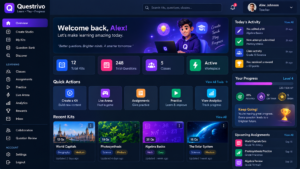
Questrivo Dashboard: Your Learning Command Center
The Questrivo dashboard brings learning kits, classes, assignments, practice, Live Arena, analytics, rewards, and progress tools together in one organized workspace.
After signing in, the Dashboard Overview is the user’s main starting point.
The current Questrivo interface organizes its major tools into a persistent navigation system containing areas such as Overview, Create Studio, My Kits, Question Bank, Discover, Classes, Assignments, Practice, Live Arena, Analytics, Rewards, Inbox and Settings.
Overview
Overview provides a fast summary of what is happening inside the account.
Rather than forcing a teacher to open several different pages, important workspace information can be surfaced immediately.
Quick Actions
Frequently used actions can be reached without navigating deeply through menus.
For example, a teacher who wants to begin building content can move directly into Create Studio, while another user may want to open Practice or prepare a Live Arena session.
Recent Kits
Recent content gives users a shortcut back to material they have been working on.
This becomes especially useful when a teacher owns dozens or eventually hundreds of learning kits.
Workspace statistics
Questrivo’s dashboard is designed to use actual application information rather than fabricated engagement numbers. Its overview can represent real kit, question and learning activity stored for the account.
The result is a dashboard that acts as a control center, not simply a decorative homepage.
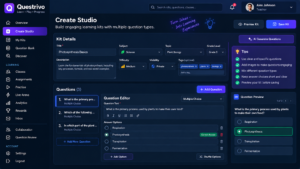
Create Studio: Build a Complete Learning Kit
Questrivo Create Studio provides a structured workspace for building learning kits, configuring educational metadata, creating questions, selecting correct answers, and previewing content before saving.
The Create Studio is one of the most important parts of Questrivo.
It is where a teacher or creator transforms an idea into structured learning content.
A Questrivo kit can contain much more than a title and a collection of random questions.
The existing creator architecture supports metadata such as title, description, subject, topic, grade or level, language, difficulty, visibility, publication status, folders and tags.
Kit Title
The title tells learners what the activity covers.
A useful title should be specific enough to identify the lesson quickly.
For example:
Introduction to Photosynthesis
is more useful than:
Science Quiz 1
Description
The description can explain what learners should expect from the kit.
Teachers can use this area for learning objectives, instructions or a brief topic summary.
Subject and Topic
Subject and topic information help organize content.
These fields also create a stronger foundation for future search, recommendations and learning analytics.
Difficulty
Difficulty allows content to be categorized according to the expected challenge level.
This becomes especially valuable when questions are later reused in adaptive practice.
Visibility
Not every learning resource needs to be public.
Questrivo’s content -Questrivo Guide prvides model supports different visibility and publication states so creators can control how their material is used.
Question Builder
The current question architecture supports several question formats, including multiple-choice and other normalized question types.
Questions can contain answer options and structured information needed by the learning system.
Add Question
A kit is not limited to one question.
Creators can progressively build a complete learning activity by adding additional questions.
Preview
Previewing content before publishing or using it helps identify errors in wording, answer choices and organization.
Save Kit
Saving connects the kit to the authenticated user’s account rather than leaving it as temporary browser content.
This is the foundation that allows the same resource to later appear in My Kits, assignments, practice and live-learning workflows.
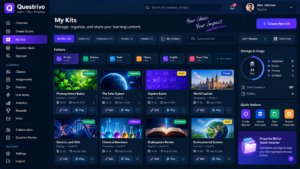
My Kits: Manage Your Learning Library
The Questrivo My Kits workspace helps teachers organize, search, filter, edit, and manage their saved learning kits from one central content library.
Show kit cards, search field, folder controls, filters for published/private/draft content, sorting controls and Edit/Open
actions.
Creating content is only useful if that content remains manageable.
That is the purpose of My Kits.
This section functions as the user’s personal content library.
Search
Users can search their existing resources instead of manually scanning the entire collection.
Content filters
The existing interface supports organization around states such as:
Draft
Published
Private
Public
Unlisted
Sorting
Content can also be organized using properties such as creation date, update date, title and question count.
Folders
Folders become increasingly important for teachers managing multiple subjects or classes.
A teacher could organize content into structures such as:
Biology → Grade 9 → Unit 2
or:
Exam Preparation → Mathematics
The purpose of My Kits is therefore not simply to display saved content. It is to make Questrivo useful as a long-term teaching-content workspace.
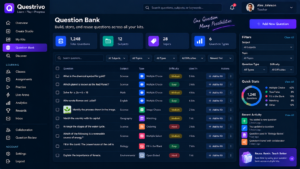
Question Bank: Build Once, Reuse Again
The Questrivo My Kits workspace helps teachers organize, search, filter, edit, and manage their saved learning kits from one central content library.
Teachers often reuse concepts across multiple lessons.
Rewriting the same question repeatedly wastes time.
Questrivo’s Question Bank addresses this problem by treating questions as reusable learning resources.
The interface can work with the user’s own questions as well as permitted public content.
Questions can be organized or searched according to characteristics such as:
keywords,
difficulty,
type,
subject,
topic.
The Create Studio already includes a workflow for bringing questions From Bank into content creation.
Example
Imagine a science teacher creates a strong question explaining cellular respiration.
That question might be useful in:
a chapter review,
an exam-preparation kit,
homework,
adaptive practice,
a live activity.
Instead of recreating it five times, the teacher can reuse the structured question.
That makes the Question Bank one of Questrivo’s most important productivity systems.
Discover: Find Public Learning Content
The Questrivo Question Bank helps teachers organize reusable questions, filter them by subject, topic, type and difficulty, and add suitable questions to learning kits.
Not every useful resource needs to originate from the same account.
The Discover section provides the foundation for finding public learning content.
Questrivo’s implementation deliberately separates discoverable information from protected kit data. Public discovery uses the dedicated kit_discovery surface rather than simply exposing protected kit content.
This distinction matters.
A public search system should expose only content intended for discovery.
Private teaching resources should remain private.
As Questrivo’s public library grows, Discover can become a way for teachers and learners to find useful material by subject, topic, difficulty and other educational characteristics.
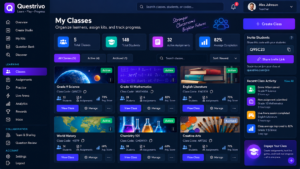
Classes: Organize Learners and Teaching Activity
Questrivo Classes provides teachers with one organized workspace for managing classes, learners, assignments, invitations and classroom progress.
Learning platforms become much more useful when content can be connected to actual groups of learners.
The Classes module provides that organizational layer.
Instead of treating every learner as an unrelated individual, teachers can organize activity around classes.
Teachers can create and manage their instructional groups.
Membership
Class membership allows learning activity to be associated with the correct educational group.
Assignments
Kits can then be used as structured work for those classes.
Progress
Over time, class-level information can help teachers understand how a group is performing rather than examining learners in complete isolation.
Importantly, class access is backed by database authorization. Questrivo does not rely only on whether a front-end button happens to be visible.
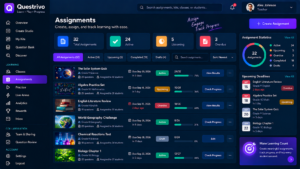
Assignments: Turn Content into Structured Learning Work
The Questrivo Assignments workspace helps teachers organize learning activities, monitor completion progress, review deadlines, and access student results.
A learning kit becomes more powerful when a teacher can assign it to learners.
The Assignments module connects reusable Questrivo content with classroom activity.
The advanced assignment foundation includes support for properties such as:
game-mode association,
game settings,
multiple completions,
saved progress.
Select a kit
The teacher begins with existing learning content.
This avoids maintaining a separate copy of the same material solely because it is being assigned.
Connect the class
The assignment can be associated with the appropriate learning group.
Configure the activity
Assignment settings determine how the learning experience should behave.
Track completion
Once learners interact with assignments, the system can use stored activity to build a more meaningful picture of participation and performance.
This creates a useful content lifecycle:
Create once → assign when needed → collect activity → analyze results.
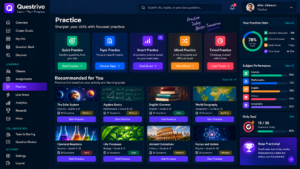
Practice: Learn at Your Own Pace
Questrivo Practice gives learners a focused environment for answering questions, practicing topics, monitoring performance, and working toward learning goals.
Not every learning experience needs to happen in a live classroom.
Questrivo includes a dedicated Practice environment for self-paced learning.
The learner can configure a practice session based on accessible content and difficulty.
The basic learning loop is straightforward:
Question → Answer → Feedback → Next Question → Progress
But the data produced by that loop is what makes the feature valuable.
Immediate feedback
Students can understand whether their response was correct instead of waiting until much later.
Accuracy
Recorded answers can contribute to actual performance information.
Streaks
Consistent correct performance can be represented through learning streaks.
Mastery
Repeated activity can contribute to topic-level understanding rather than treating every answer as an isolated event.
The Practice system therefore connects directly with Questrivo’s broader analytics and progress architecture.
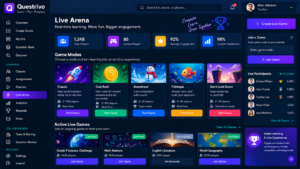
Live Arena: The Real-Time Learning Environment
Questrivo Live Arena provides the foundation for hosting real-time learning sessions with game modes, join codes, participant lobbies, and host controls.
Live Arena is Questrivo’s real-time learning layer.
Its current host-side system allows an educator to prepare a live session using existing learning content.
The host can work with:
a selected kit,
an enabled game mode,
session configuration,
join code,
participant lobby,
session state,
start/pause/resume/end controls.
The current dashboard reads game modes from game_modes, live sessions from live_sessions, and participants from the live-player infrastructure.
Power Rush
The initial original game-mode foundation is called Power Rush.
Its configuration is designed around fast interactive learning, including timing, scoring-related state, streak momentum and leaderboard support.
Join Code
A live session receives a code that can identify the correct session.
Lobby
The host can see participants associated with the live room.
Session controls
A host can manage the lifecycle of the session rather than creating an uncontrolled activity.
Real-time architecture
The backend already separates several important concepts:
live session,
live players,
shared game state,
individual player state,
answers,
final results.
This is a much stronger architecture than trying to store an entire multiplayer game inside one generic record.
Current development status
There is an important distinction between the host-side Live Arena/backend foundation and the complete public student gameplay client.
The host/session foundation exists, while the full student-facing join/gameplay engine still needs its final secure production layer.
Questrivo should therefore describe Live Arena accurately while that final player experience is completed.
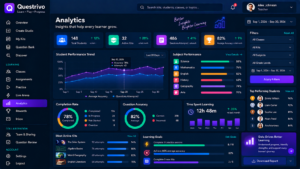
Analytics: Turn Answers into Learning Insight
Questrivo Analytics turns recorded learning activity into useful insights, helping users understand accuracy, attempts, subject performance, learning time, and progress.
A quiz tells you whether an answer was correct.
A learning platform should tell you much more.
The Analytics system is designed to turn recorded activity into information teachers and learners can actually use.
The current dashboard architecture can represent areas including:
recorded attempts,
correct responses,
accuracy,
current streak,
best streak,
XP,
level,
practice time,
topic mastery,
weaker learning areas.
Topic performance
Looking only at total accuracy can hide important information.
A learner might achieve 75% overall while performing extremely well in one topic and struggling badly in another.
Topic-level analysis helps reveal that difference.
Weak areas
Identifying weaker areas creates the foundation for smarter future practice.
Instead of giving every learner exactly the same repetition, a learning system can increasingly focus attention where it is needed.
Game Reports
The advanced backend can also preserve final live-session results.
A game result can contain:
final rank,
score,
XP earned,
correct answers,
incorrect answers,
accuracy,
average response time,
reward information.
This means a leaderboard does not have to disappear without leaving useful learning information behind.
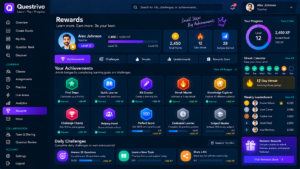
Rewards Vault: Recognize Learning Activity
Questrivo Rewards adds a progression layer to learning through XP, achievements, streaks, challenges, and cosmetic rewards while keeping academic performance separate from rewards.
Questrivo also contains a Rewards Vault and cosmetic progression foundation.
The dashboard can work with:
reward balance,
lifetime earned rewards,
reward transactions,
owned cosmetics,
active cosmetic catalog items.
The important design principle is that rewards remain separate from academic correctness.
A cosmetic item should not make a wrong answer correct or give one learner an academic advantage.
Secure reward balances
Questrivo does not simply allow normal browser JavaScript to award itself unlimited currency.
The reward data model and policies deliberately restrict normal client access. Users can read their appropriate reward information without receiving unrestricted control over the underlying economy.
That becomes increasingly important as the progression system grows.
Collaboration Center: Build Learning Content Together
Creating educational content is often collaborative.
Questrivo’s newer Collaboration Center is backed by the kit_collaborators system.
Three collaboration roles are defined:
Viewer — access without full editing authority.
Contributor — can participate in content contribution workflows.
Membership can also have states such as invited, active or removed.
This makes collaboration more controlled than simply giving everyone ownership of the same resource.
A curriculum team, for example, can work together while the original kit owner retains appropriate management authority.
Question Review: Controlled Community Contribution
Collaboration becomes even more useful when contributors can suggest content without directly changing everything.
Questrivo’s question-submission architecture supports a structured review process:
Submit → Pending Review → Approve or Reject
A submission can contain the proposed question, submitter, status, reviewer and review note.
Database policies distinguish between contributors submitting content and kit owners reviewing it.
This can be valuable for:
teacher teams,
curriculum collaboration,
supervised student contributions,
community-created question sets.
It provides collaboration without sacrificing editorial control.
Inbox and Notifications
Different learning systems need a common communication layer.
Questrivo’s Inbox provides that foundation.
Notifications can represent events connected to areas such as assignments, rewards, achievements, live activity or collaboration.
Users can work with unread messages, priority information and dismissal/read states.
Access to private notifications is restricted to the appropriate account through database policies.
As Questrivo expands, the Inbox can therefore become the central place where different parts of the platform communicate with the learner or teacher.
How All Questrivo Features Work Together
The real strength of the platform is not any one menu item.
It is the connection between them.
Consider a complete teacher workflow:
1. Create a question
The teacher develops educational content.
2. Save and reuse it
Useful questions can become part of the Question Bank.
3. Build a kit
Questions are organized around a learning objective.
4. Manage the kit
The resource remains accessible through My Kits.
5. Collaborate
Other approved users can participate in content development.
6. Assign it
The teacher can connect content to structured class work.
7. Practice it
Learners can work independently.
8. Use it in Live Arena
The same educational content can support interactive sessions as the live gameplay layer develops.
9. Record performance
Answers and activity create meaningful learning data.
10. Analyze progress
Accuracy, mastery and weaker topics help explain what happened.
11. Reward engagement
Progression and cosmetic systems can recognize participation without changing academic results.
That connected lifecycle is what Questrivo is being built around.
Security Is Part of the Product
Questrivo uses Supabase Row Level Security across important application data rather than treating browser controls as the security boundary.
The advanced foundation contains authorization rules covering areas such as live sessions, player information, answers, results, rewards, notifications, collaborators and question submissions.
This matters because educational applications may contain account-specific and classroom-specific information.
For example, hiding a teacher-only button with CSS would not stop someone from manually making a database request.
Proper database authorization can.
The guest live-session architecture similarly uses controlled functions for joining and retrieving permitted session information rather than exposing every internal live-game record directly.
Questrivo Today and Where It Is Going
Questrivo already has a broad application foundation.
The current authenticated workspace includes or integrates interfaces for:
Create Studio, My Kits, Question Bank, Discover, Classes, Assignments, Practice, Live Arena hosting, Analytics, Rewards, Inbox, Settings, Collaboration, Question Review and Game Reports.
The backend goes further by preparing dedicated structures for live players, game state, player state, answers, results, rewards and other advanced systems.
The major live-learning component still being completed is the full public student join and gameplay experience with server-authoritative answer validation and scoring.
Keeping that distinction clear is important.
A professional product guide should document what users can actually access while also explaining the architecture being developed for future capabilities.
Who Can Use Questrivo?
Teachers
Teachers can create and organize learning content, prepare assignments, manage classes, reuse questions, review performance and collaborate on educational resources.
Students
Students can use Questrivo for practice, assigned learning, progress tracking and increasingly interactive learning experiences.
Learning Teams
Collaboration and review systems make Questrivo relevant beyond individual teachers.
Multiple educators can contribute to structured learning resources while maintaining appropriate permissions.
Schools
Classes, assignments, analytics, reusable content and controlled access provide the foundation required for broader educational workflows.
Final Thoughts
Questrivo is being built around a simple principle:
A learning activity should not end when the final question is answered.
The content should remain reusable.
The learner’s activity should contribute to meaningful progress.
Teachers should be able to understand the results.
Strong questions should be reusable across lessons.
Classes and assignments should connect with the same content system.
Interactive experiences should remain connected to learning data.
And engagement systems should encourage participation without compromising academic integrity.
By bringing these components together, Questrivo is developing from a question-creation tool into a broader interactive learning workspace for creating, teaching, practicing, playing and tracking progress.
Explore Questrivo
Users can begin through the Questrivo login experience and enter their personal learning workspace after authentication.
Questrivo — Learn • Play • Progress
For the latest gaming news, expert reviews, and walkthroughs, readers can also visit IGN, one of the world’s leading gaming websites.