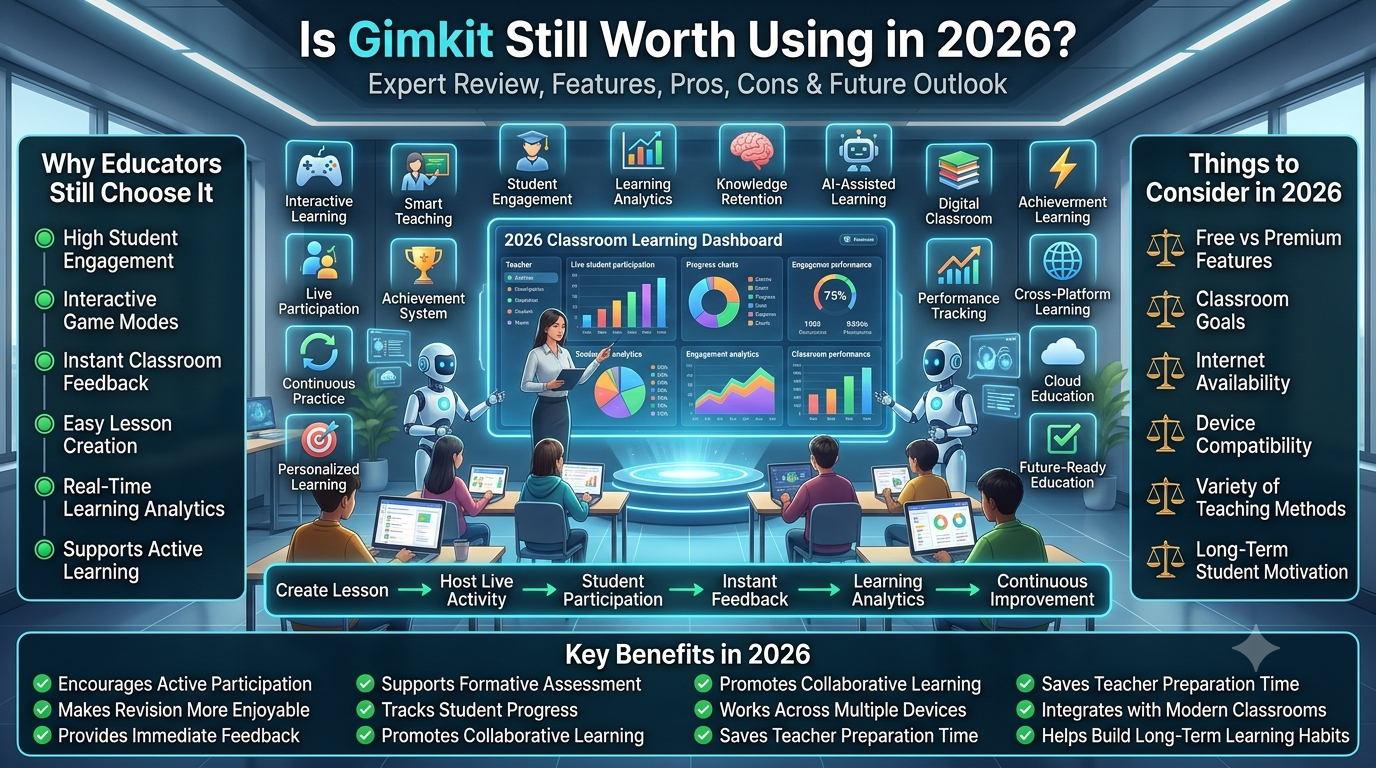
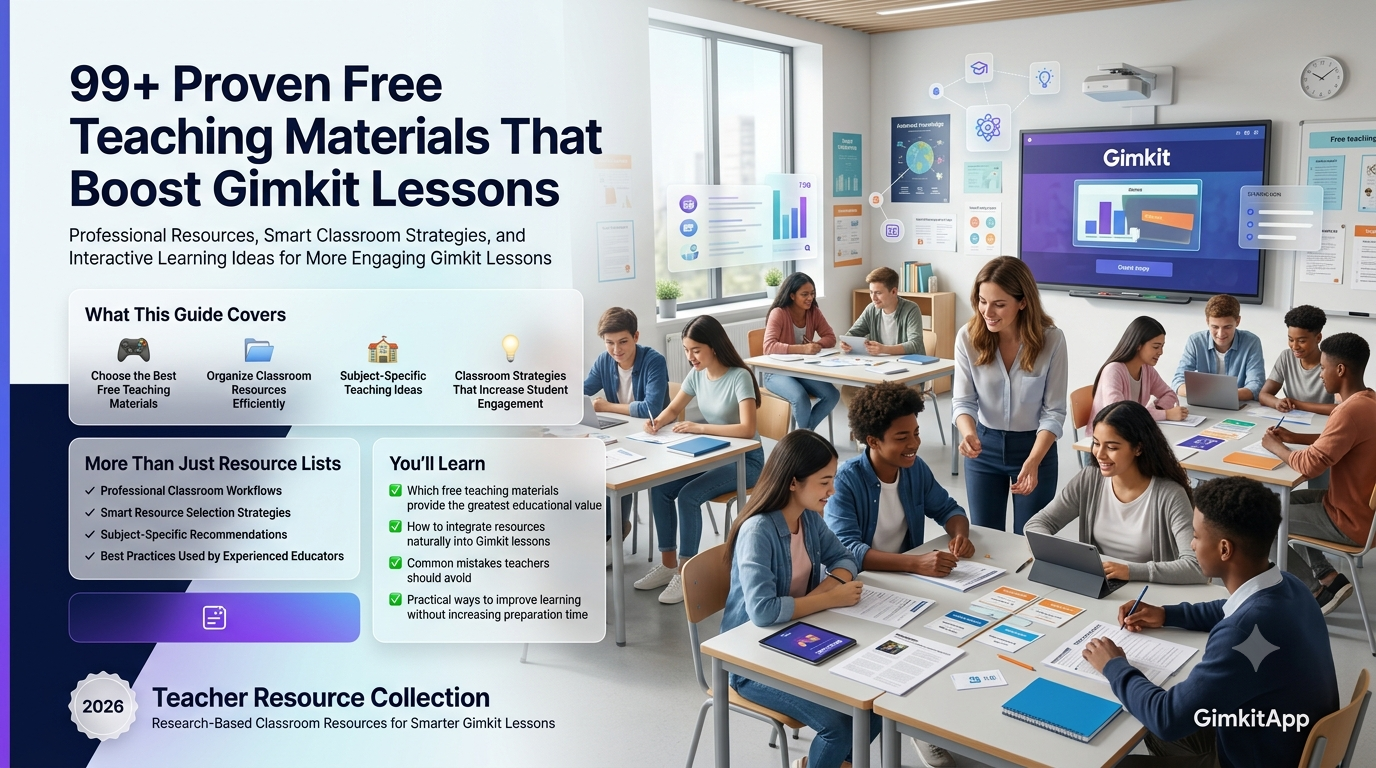
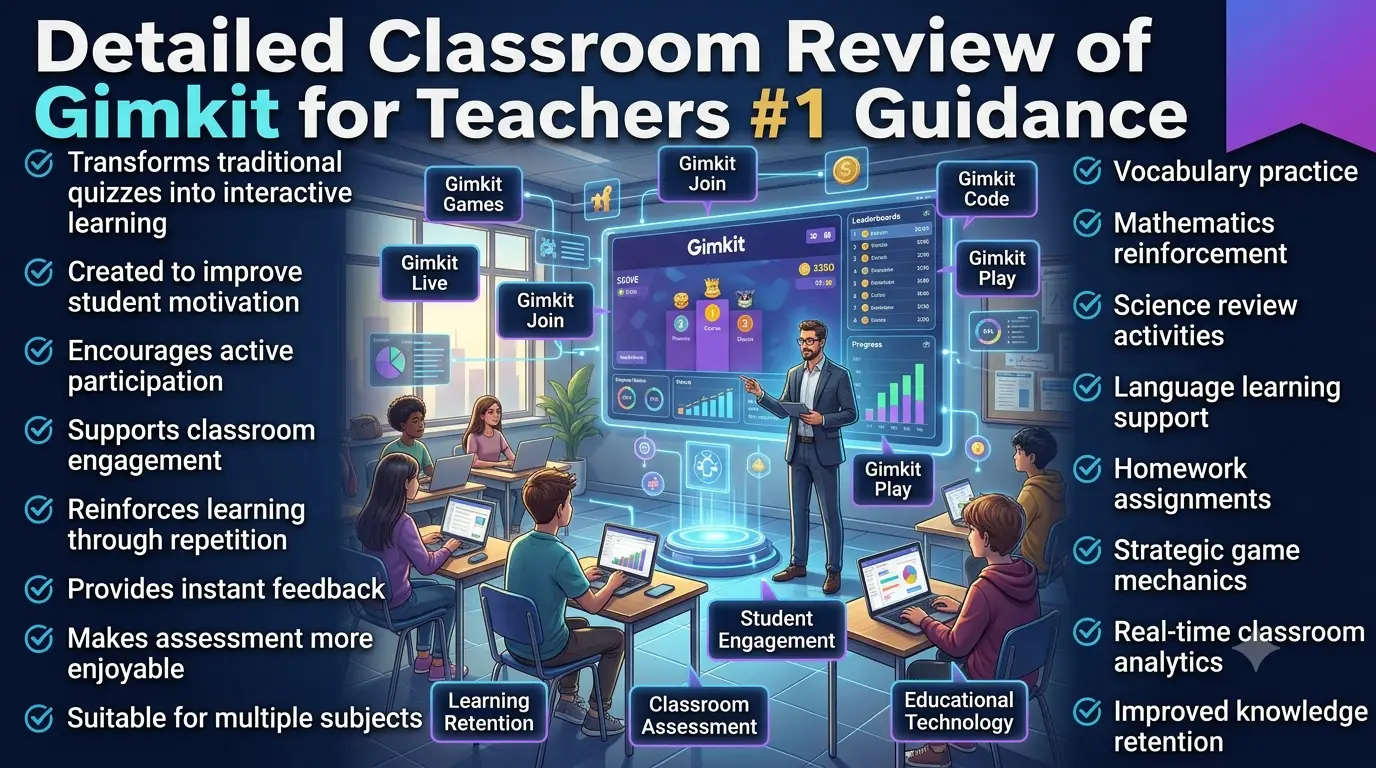
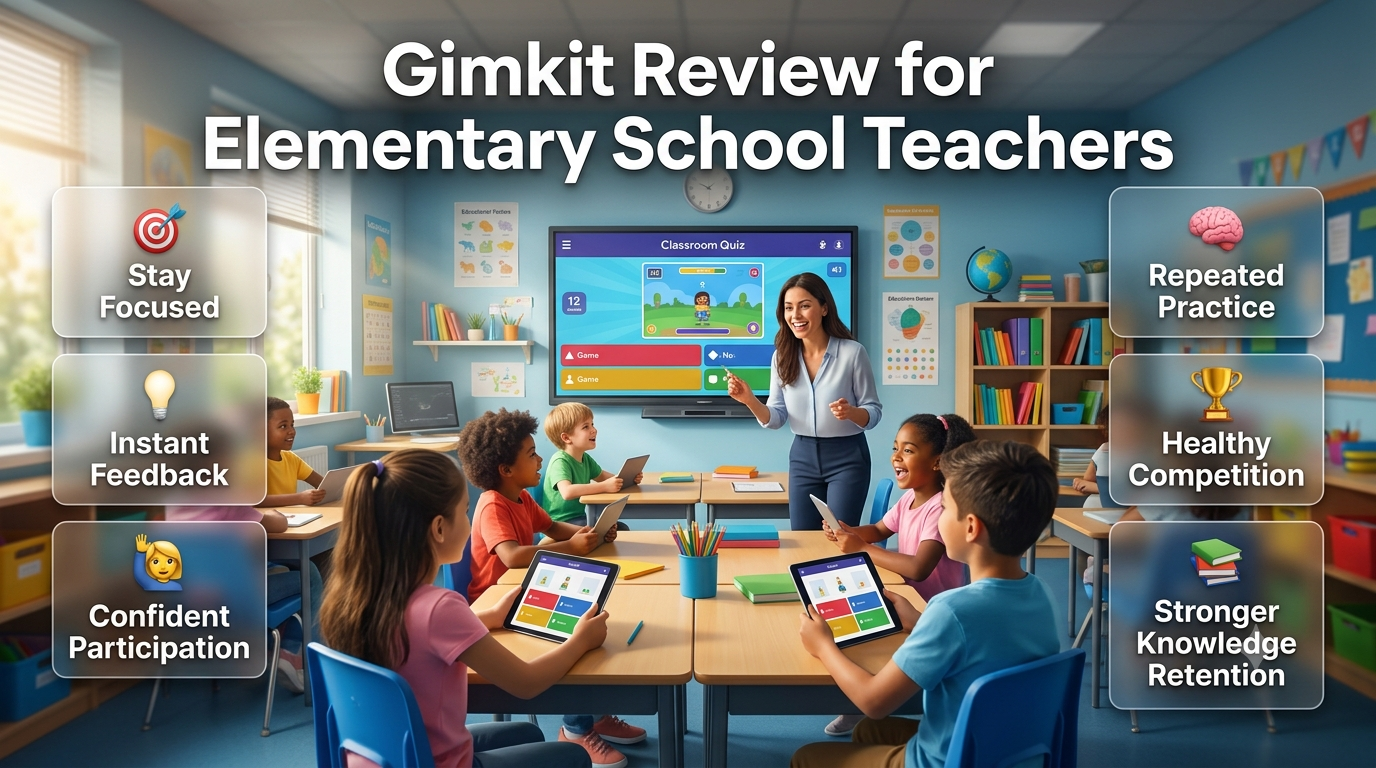
Is Gimkit Still Worth Using in 2026 expert Guide cover-Digital learning platforms continue to evolve as classrooms embrace more interactive teaching methods, and Gimkit remains one of the most recognized names in game-based education. Originally designed by a student, the platform has grown into a versatile learning ecosystem where quizzes become engaging competitions through creative game modes, strategic gameplay, and real-time participation.
As schools increasingly focus on student engagement rather than passive memorization, many teachers and students are asking a common question: Is Gimkit still worth using in 2026? The answer depends on several factors, including classroom goals, available features, pricing, competition, and the platform’s ongoing innovation.
This guide provides a complete evaluation of Gimkit’s current strengths, limitations, educational value, pricing considerations, and future potential. Whether you are a teacher searching for the best classroom engagement tool, a student wondering if the platform remains enjoyable, or a school administrator comparing educational technology solutions, this article explores every angle.
Throughout this guide, you’ll also discover practical insights related to Gimkit Live,Gimkit Classroom, Gimkit Learning, Gimkit Quiz, and many other important aspects that influence the platform’s value today.In this article you will be guide as a expert teache. Any problem- fixes are aavailable here to stay you on the Gimkit success way at the end.
Why Gimkit Continues to Stand Out
Many educational platforms offer quizzes, but Gimkit differentiates itself by transforming every question into a strategic game rather than a simple test. Instead of rewarding only correct answers, players earn in-game currency that can be invested in upgrades, bonuses, and tactical advantages.
This creates a learning experience where knowledge and decision-making work together. Students remain engaged for longer sessions because every answer contributes to both academic progress and gameplay strategy.
Unlike traditional quiz software, Gimkit focuses on long-term engagement instead of short bursts of excitement.
Core Strengths
Feature
Educational Benefit
Strategic gameplay
Encourages critical thinking
Live competitions
Builds classroom participation
Assignment mode
Supports independent learning
Multiple game modes
Prevents repetitive lessons
Automatic grading
Saves teacher preparation time
Question banks
Simplifies lesson planning
How Gimkit Has Evolved Over Time
The platform has changed significantly since its early releases. Instead of remaining just another classroom quiz application, it has gradually expanded into a flexible educational environment.
Recent improvements have focused on increasing classroom customization, improving game stability, introducing fresh gameplay experiences, and making lesson management easier for teachers.
Today’s platform offers considerably more flexibility than earlier versions.
Some notable developments include:
Improved multiplayer performance
More classroom management tools
Better assignment options
Enhanced reporting features
Additional creative game modes
Faster loading across modern browsers
Improved student accessibility
These changes have helped maintain its popularity despite growing competition.
Who Benefits Most From Gimkit?
Although Gimkit is widely recognized as a classroom tool, its usefulness varies depending on the type of learner or educator.
User Type
Primary Benefit
Elementary teachers
Higher classroom engagement
Middle school educators
Interactive review sessions
High school teachers
Competitive revision activities
College instructors
Knowledge reinforcement
Homeschool families
Independent practice
Students
Fun exam preparation
The platform performs especially well in environments where participation and motivation are equally important as assessment.
Educational Value Beyond Simple Quizzes
One reason many educators continue recommending Gimkit is that it encourages repeated exposure to learning material without feeling repetitive.
Students naturally answer more questions because they want to improve their in-game performance.
Instead of studying through passive reading, learners repeatedly interact with concepts while remaining motivated by game progression.
Educational advantages include:
Active recall practice
Immediate feedback
Increased participation
Reduced classroom boredom
Better long-term retention
Collaborative learning opportunities
Competitive motivation
These characteristics align well with modern instructional practices that prioritize engagement alongside academic achievement.
Comparing Gimkit With Traditional Classroom Reviews
Many teachers previously relied on worksheets, paper quizzes, or slideshow review sessions.
While these methods still have educational value, they often struggle to maintain student attention throughout an entire class period.
Gimkit introduces continuous interaction that keeps students involved from beginning to end.
Traditional Review
Gimkit Learning
Passive participation
Active engagement
Fixed pace
Dynamic gameplay
Limited excitement
Competitive atmosphere
Manual grading
Automatic scoring
One learning style
Multiple interaction styles
Minimal replay value
High replay potential
For many classrooms, this difference significantly improves lesson energy.
Current Features That Keep Gimkit Competitive
The platform continues to receive updates that help it compete with newer educational technologies.
Some of the most appreciated features include flexible hosting options, creative gameplay mechanics, assignment support, and customizable question sets.
Teachers also benefit from simplified classroom organization through the Gimkit Dashboard, where classes, reports, and assignments remain centralized.
Feature Overview
Category
Highlights
Classroom Management
Organized student groups
Game Hosting
Flexible live sessions
Assignments
Self-paced learning
Analytics
Performance tracking
Question Editing
Easy content customization
Accessibility
Cross-device compatibility
Why Students Still Enjoy Playing Gimkit
Student engagement remains one of Gimkit’s strongest advantages.
Unlike platforms where every participant follows exactly the same experience, Gimkit gives players meaningful choices during gameplay.
The ability to earn virtual currency, purchase upgrades, manage risk, and compete against classmates creates an experience that feels closer to modern video games than traditional educational software.
Students frequently appreciate:
Strategic decision-making
Fast-paced gameplay
Friendly classroom competition
Different game environments
Progression mechanics
Immediate rewards
Social interaction
These elements help maintain attention even during lengthy review sessions.
Expert Insight: Engagement Matters More Than Novelty
Many educational technologies experience rapid popularity before fading away once the novelty disappears.
Gimkit has avoided this problem by continually introducing fresh mechanics rather than relying on its original concept alone.
Teachers who rotate different Gimkit Mode options throughout the school year often report that students remain interested because each session feels different.
The most successful classrooms typically use the platform strategically rather than every single day. Mixing game-based learning with discussions, projects, and traditional instruction creates a balanced educational experience while preserving the excitement that makes Gimkit effective.
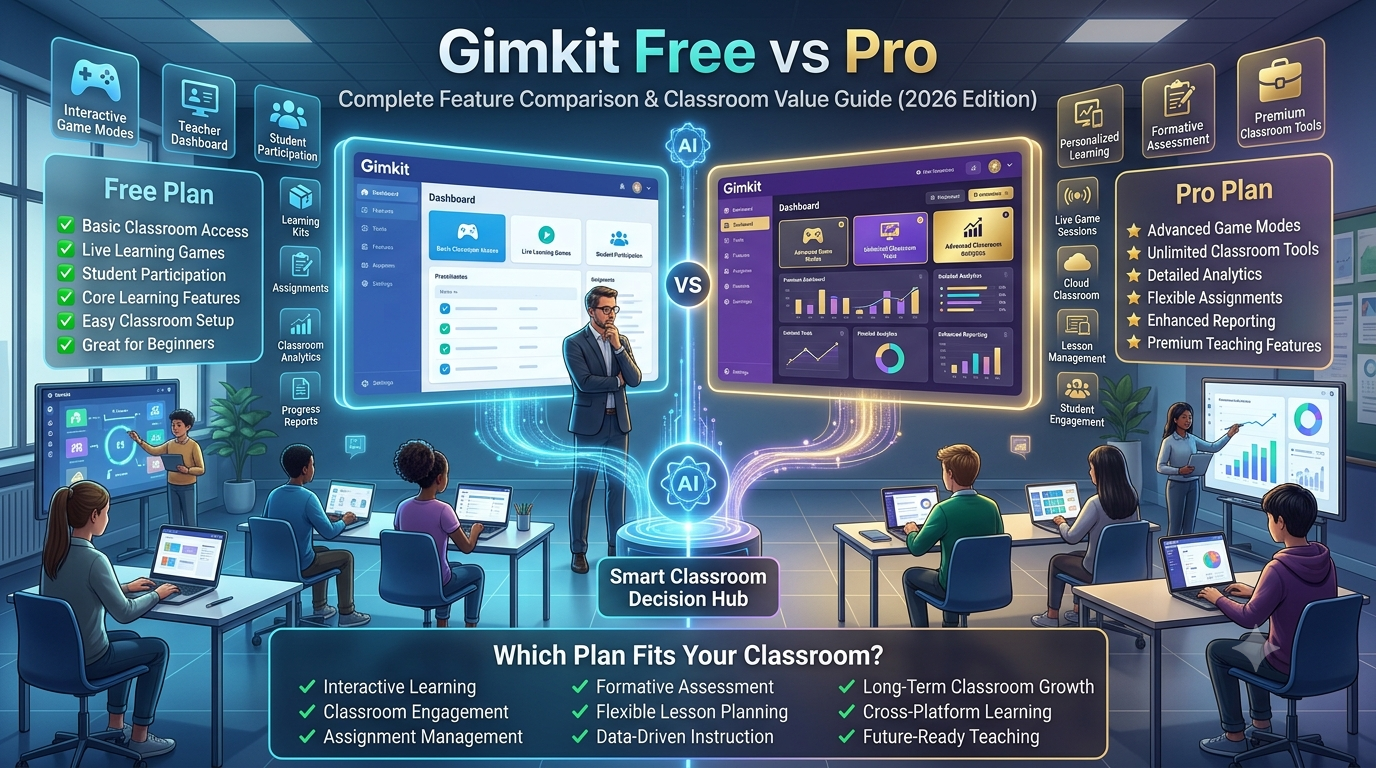
Gimkit Free vs Paid: Is the Subscription Worth It?
Choosing between the free version and the premium subscription is one of the biggest decisions for educators considering Gimkit. While both versions allow teachers to create engaging learning experiences, the difference lies in flexibility, classroom scale, and access to advanced features.
For occasional classroom reviews, the free version may be enough. However, teachers who regularly conduct Gimkit Live sessions or assign independent practice usually find the premium plan much more practical because it removes many limitations.
Feature Comparison
Feature
Free Version
Paid Version
Create basic quizzes
✔
✔
Host live games
✔ (limited)
✔
Advanced game modes
Limited
Full access
Assign homework
Limited
✔
Detailed reports
Basic
Advanced
Classroom management
Basic
Enhanced
Content customization
Limited
Extensive
Priority access to new features
No
Yes
When the Free Version Is Enough
The free plan works well if you:
Teach only a few classes.
Host review games occasionally.
Want to explore the platform before subscribing.
Need simple quiz-based activities.
Are introducing students to game-based learning.
When Upgrading Makes Sense
A premium subscription becomes valuable when you:
Host multiple classes every week.
Use Gimkit Classroom as part of your regular curriculum.
Need advanced reporting.
Create numerous custom Gimkit Kit collections.
Want access to every available game mode.
Professional Recommendation
Instead of upgrading immediately, many experienced educators spend a few weeks testing classroom engagement with the free version. If students respond positively and the platform becomes a regular teaching tool, the premium plan usually delivers enough additional value to justify the investment.
The Newest Game Modes Keeping Gimkit Fresh
One reason Gimkit continues attracting educators is its commitment to introducing creative gameplay experiences rather than relying on a single quiz format.
Every new mode changes how students interact with questions, encouraging different learning behaviors instead of repeating identical gameplay.
Popular Gameplay Styles
Game Style
Best For
Team competition
Group collaboration
Individual strategy
Independent practice
Resource management
Critical thinking
Survival challenges
Quick review sessions
Exploration-based modes
Long classroom activities
Cooperative objectives
Communication skills
Instead of simply answering questions, students often manage resources, unlock abilities, complete objectives, and make strategic decisions.
This variety reduces classroom fatigue and encourages repeated participation throughout the school year.
Benefits of Multiple Modes
Lessons feel less repetitive.
Students with different learning styles remain engaged.
Teachers can match gameplay to lesson objectives.
Review sessions become more dynamic.
Classroom participation improves naturally.
Classroom Management Has Become Much Easier
Modern classrooms require more than engaging games. Teachers also need efficient organization tools that reduce administrative work.
The Gimkit Dashboard provides a central location for managing classes, assignments, reports, and learning progress.
Instead of switching between multiple platforms, educators can monitor classroom activity from one interface.
Teacher Productivity Features
Management Tool
Classroom Benefit
Student organization
Easier class setup
Assignment scheduling
Saves preparation time
Performance tracking
Identifies learning gaps
Question editing
Quick lesson updates
Class grouping
Better organization
Activity history
Monitors participation
These improvements allow teachers to spend more time teaching rather than managing technology.
Performance Across Different Devices
Device compatibility has become increasingly important as schools adopt mixed technology environments.
Fortunately, Gimkit performs well on most modern devices when supported browsers and stable internet connections are available.
Device Compatibility
Device
Performance
Windows laptops
Excellent
Chromebooks
Excellent
MacBooks
Excellent
Android tablets
Very Good
iPads
Very Good
Smartphones
Good
Interactive classroom displays
Good
Best Practices for Smooth Gameplay
✔ Keep browsers updated.
✔ Use a reliable internet connection.
✔ Close unnecessary browser tabs.
✔ Restart devices before large classroom sessions.
✔ Test audio and display settings before class begins.
Teachers preparing large Gimkit Host sessions often perform a quick connection test before students join to minimize technical interruptions.
Smart Learning Features That Improve Classroom Outcomes
Modern educational technology is expected to do more than present questions. Teachers need tools that simplify lesson planning while helping students improve over time.
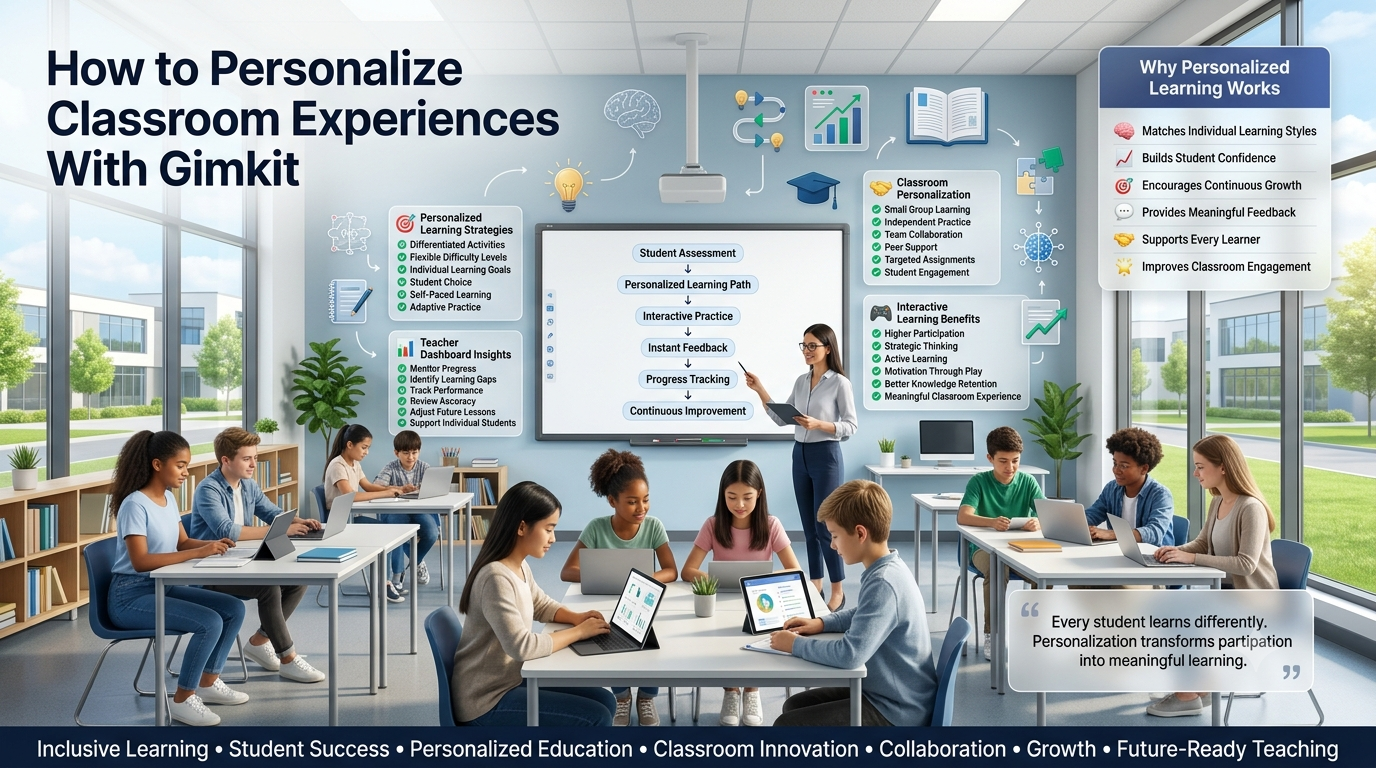
Gimkit supports this goal by making it easy to organize question sets, reuse previous activities, monitor participation, and adapt lessons based on classroom performance.
Instead of treating every review session as an isolated event, teachers can build a growing library of Gimkit Quiz content that aligns with their curriculum.
Learning Advantages
Faster lesson preparation.
Reusable question libraries.
Flexible assignment options.
Better review scheduling.
Easier differentiation between classes.
Continuous learning opportunities.
These workflow improvements are especially helpful for educators managing multiple subjects or large numbers of students.
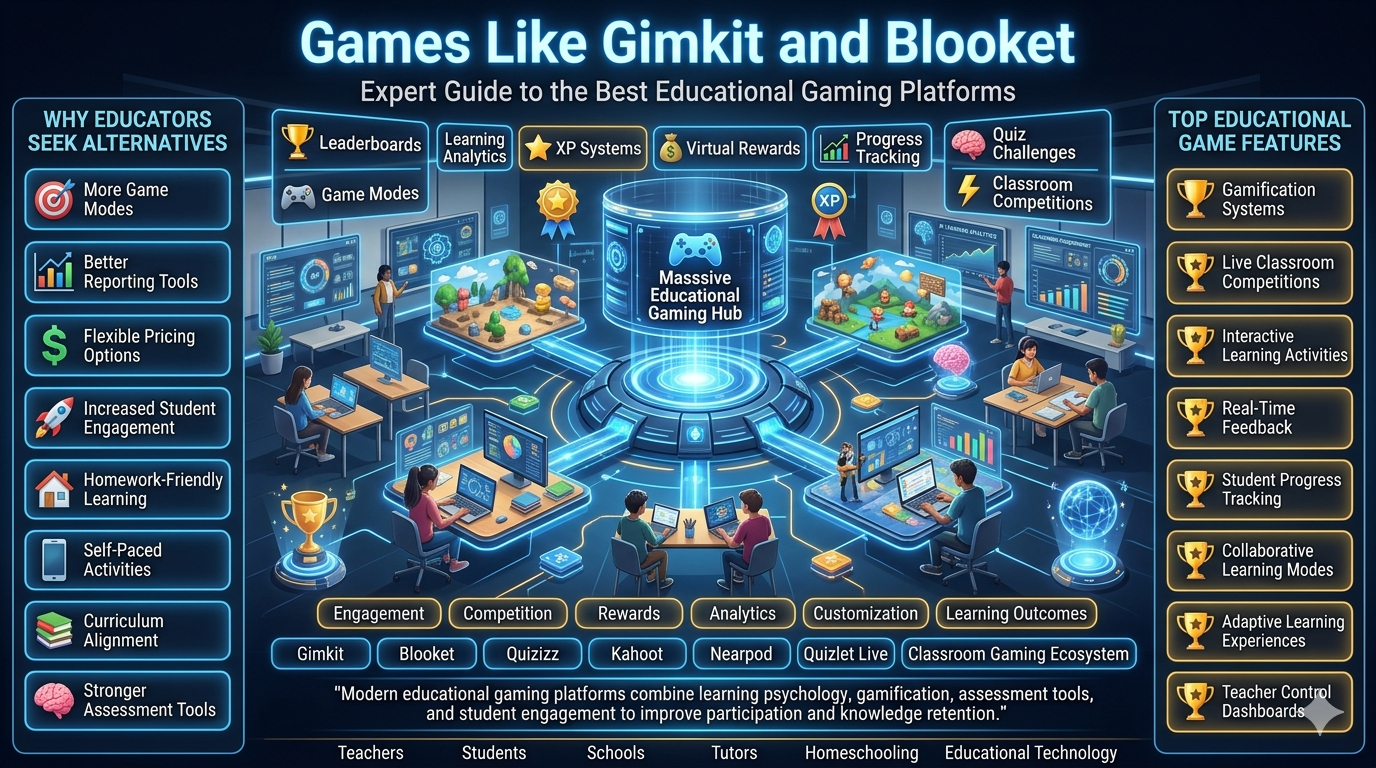
How Gimkit Compares With Other Quiz Platforms
Educational gaming has become highly competitive, with several platforms offering engaging classroom experiences.
Each platform has its own strengths, making the best choice dependent on teaching style rather than popularity alone.
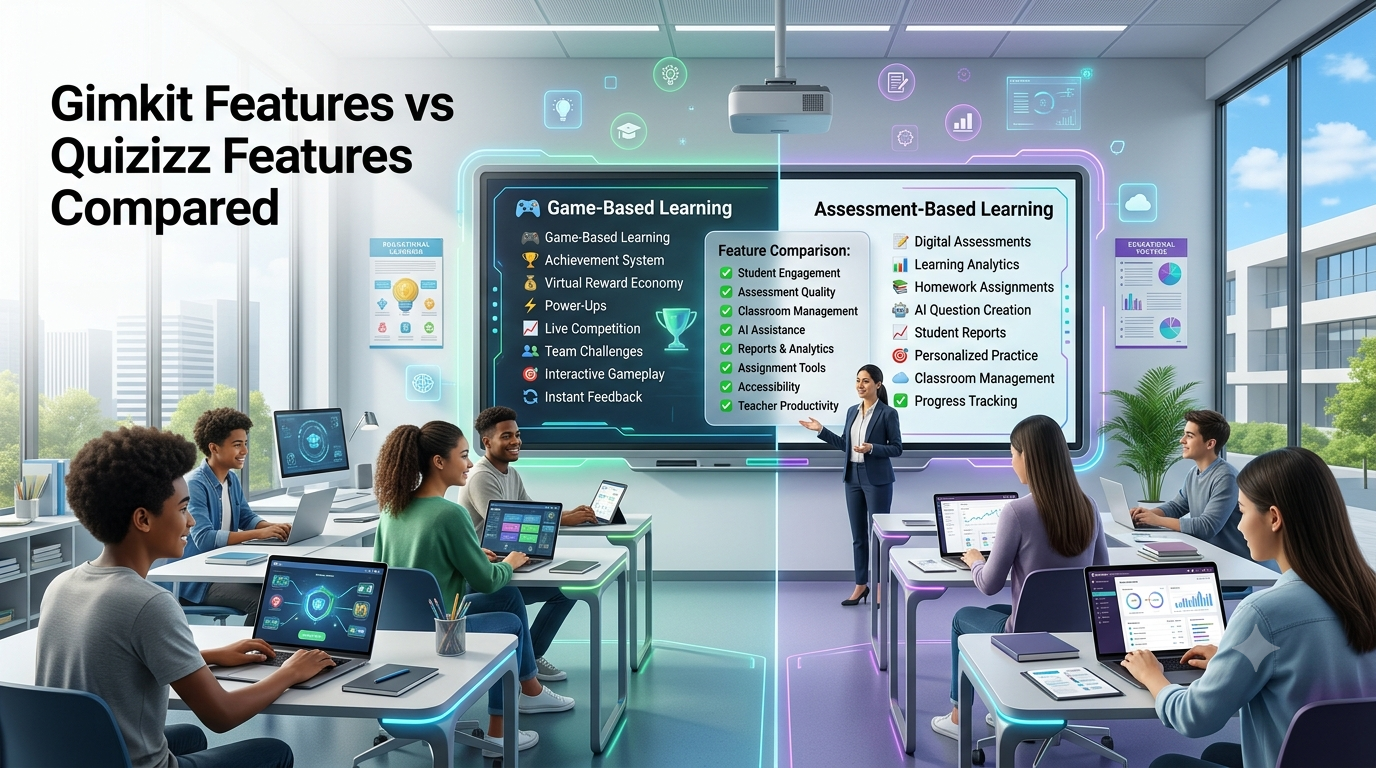
Platform Comparison
Feature
Gimkit
Kahoot
Quizizz
Blooket
Strategic gameplay
Excellent
Basic
Moderate
Good
Classroom management
Excellent
Good
Excellent
Moderate
Assignment support
Excellent
Good
Excellent
Limited
Variety of game modes
Excellent
Moderate
Good
Excellent
Student progression
Excellent
Limited
Good
Moderate
Customization
Extensive
Moderate
Good
Moderate
Where Gimkit Excels
Strong strategic gameplay.
Long-term student engagement.
Excellent teacher tools.
Flexible classroom integration.
Creative learning experiences.
Continuous platform development.
Where Competitors May Be Better
Faster setup for very short quizzes.
Simpler interfaces for younger learners.
Different visual styles that suit specific classrooms.
Alternative pricing structures.
Rather than replacing every other learning platform, many teachers combine multiple tools throughout the school year to keep lessons varied and engaging.
Pros and Cons for Teachers
Every educational platform has strengths and trade-offs. Understanding both helps educators decide whether Gimkit matches their teaching goals.
Advantages
Benefit
Why It Matters
High engagement
Students participate more actively
Easy quiz creation
Saves planning time
Creative gameplay
Encourages repeated practice
Flexible assignments
Supports classroom and homework
Automatic grading
Reduces workload
Detailed analytics
Helps identify learning needs
Limitations
Limitation
Impact
Some advanced features require a subscription
May affect budgets
Stable internet recommended
Poor connections reduce performance
Strategy may distract some students
Requires clear classroom expectations
Learning curve for new teachers
Initial setup takes time
Industry Best Practice
Teachers achieve the best results when they clearly explain lesson objectives before launching a game. This ensures students focus on learning outcomes rather than viewing the activity solely as entertainment.
Pros and Cons for Students
Students often evaluate educational tools differently than teachers. Enjoyment, competition, accessibility, and rewards play a larger role in their experience.
Student Benefits
Interactive learning instead of passive review.
Immediate feedback after each answer.
Motivation through game progression.
Friendly classroom competition.
Opportunities to improve with repeated practice.
Greater confidence before exams.
Possible Challenges
New players may need time to understand strategies.
Competitive students can focus too much on rankings.
Slow internet may interrupt gameplay.
Some advanced classroom activities depend on teacher settings.
When used thoughtfully, Gimkit Activities balance fun with meaningful academic practice, helping students stay engaged while reinforcing important concepts.
Is Gimkit Still the Best Choice for Schools in 2026?
The answer depends on your educational goals rather than simply choosing the platform with the most features. Schools looking for an engaging, game-based learning environment that encourages active participation will still find Gimkit to be one of the strongest options available.
Its biggest advantage is that it transforms review sessions into interactive learning experiences without requiring teachers to redesign their curriculum. Lessons, vocabulary practice, exam preparation, and formative assessments can all be integrated into Gimkit Learning with minimal preparation.
However, schools should also consider factors such as budget, technology availability, teacher training, and student age groups before making it a primary classroom tool.
Decision Matrix for Schools
School Requirement
Is Gimkit a Good Fit?
Why?
Interactive classroom reviews
✔ Excellent
Highly engaging live gameplay
Daily formative assessment
✔ Excellent
Flexible assignments and reports
Hybrid or remote learning
✔ Very Good
Self-paced and live options
Elementary education
✔ Good
Simple enough with teacher guidance
Middle & high school
✔ Excellent
Strategy-based gameplay appeals to older students
College-level review
✔ Good
Effective for revision and knowledge checks
Budget-conscious schools
Depends
Free version is useful, premium offers greater value
Privacy, Security, and Classroom Safety
Educational technology should protect student information while providing a safe learning environment. Gimkit includes tools that help teachers manage classroom participation and control how games are accessed.
Teachers can create controlled learning spaces where only invited students can participate, reducing the chances of unwanted interruptions during live sessions.
Good Security Practices
Practice
Benefit
Use trusted classroom accounts
Keeps activities organized
Share Gimkit Code only with intended participants
Prevents unauthorized access
Review class settings before hosting
Ensures appropriate permissions
Keep browsers updated
Improves security and compatibility
Monitor student display names
Maintains a respectful classroom environment
Teacher Checklist
✔ Create organized class groups.
✔ Review participant lists before starting games.
✔ Remove inappropriate usernames if necessary.
✔ Regularly update classroom question sets.
✔ Encourage students to use school-approved devices when available.
By combining platform features with good classroom management, educators can provide a safe and productive learning experience.
Common Situations Where Gimkit Delivers the Most Value
Although Gimkit works across many subjects, it shines in specific teaching scenarios where repetition, participation, and instant feedback are especially important.
Excellent Use Cases
Weekly revision sessions.
Vocabulary practice.
Science terminology review.
Mathematics fact fluency.
History and geography quizzes.
Language learning activities.
End-of-unit assessments.
Exam preparation.
Homework reinforcement.
Classroom competitions.
Teachers often rotate between Gimkit Live, assignments, and collaborative activities to keep lessons fresh while reinforcing key concepts.
Situations Where Another Tool May Be Better
No educational platform is perfect for every lesson. In some situations, another teaching method—or a different digital tool—may be more appropriate.
For example, lessons that require lengthy written responses, project-based collaboration, or detailed discussions may benefit from learning management systems, document collaboration tools, or traditional classroom activities.
Consider Alternatives When You Need
Teaching Goal
Better Approach
Essay writing
Word processors or LMS assignments
Group research projects
Collaborative document tools
Long-form discussions
Classroom conversations or forums
Laboratory work
Hands-on activities
Creative presentations
Presentation software
Portfolio assessment
Digital portfolio platforms
Using Gimkit alongside other instructional methods creates a balanced learning environment rather than relying on one platform for every objective.
Expert Recommendations for Getting the Best Results
Experienced educators rarely use game-based learning every day. Instead, they incorporate it strategically to maximize student motivation and prevent the novelty from wearing off.
Professional Best Practices
Use Gimkit Quiz sessions before major exams.
Alternate between different Gimkit Mode options.
Create subject-specific Gimkit Kit collections for easy reuse.
Mix individual and team competitions.
Review game results to identify topics needing additional instruction.
Encourage participation rather than focusing only on leaderboards.
Update question banks regularly to match current lessons.
Expert Insight
The most successful teachers treat Gimkit as a reinforcement tool, not a replacement for instruction. Students learn concepts through teaching, discussion, and practice, while game-based activities strengthen understanding through repetition and engagement.
Future Outlook: What Can Users Expect?
Educational technology continues to evolve, and platforms that adapt to classroom needs are more likely to remain relevant.
Looking ahead, teachers can reasonably expect continued improvements in areas such as:
Expanded classroom management tools.
Additional creative game modes.
Improved accessibility features.
Better reporting and analytics.
More flexible assignment options.
Faster performance across devices.
Enhanced collaboration features.
As digital classrooms become more common, platforms that combine engagement with meaningful educational value are likely to remain important parts of modern teaching.
Final Verdict: Is Gimkit Still Worth Using in 2026?
For most educators, the answer is yes. Gimkit continues to provide a unique blend of game-based learning, strategic thinking, and classroom engagement that few competitors replicate in the same way.
Teachers who want to increase participation, reinforce lesson content, and make review sessions more enjoyable will likely find lasting value in the platform. Students benefit from interactive gameplay that encourages repeated practice without making learning feel repetitive.
The free version offers a practical starting point, while the premium subscription is better suited to teachers who use the platform regularly and want access to its full range of classroom tools.
Quick Decision Table
Scenario
Recommendation
New teacher exploring game-based learning
Start with the free version
Teacher using quizzes occasionally
Free plan is often sufficient
Teacher hosting multiple classes weekly
Premium plan is worthwhile
School seeking long-term engagement
Strong choice
Students preparing for exams
Highly recommended
Classrooms needing collaborative review
Excellent fit
Ultimately, Gimkit remains one of the most effective educational gaming platforms because it balances entertainment with purposeful learning. When integrated thoughtfully into classroom instruction, it can improve participation, reinforce knowledge, and create memorable learning experiences for both Gimkit Teachers and Gimkit Students.
Frequently Asked Questions (FAQs)
Does Gimkit improve student engagement?
Many teachers find that students participate more actively during game-based review sessions than with traditional worksheets or lectures. Strategic gameplay, instant feedback, and friendly competition encourage sustained involvement.
Is the premium version necessary?
Not always. Casual users can accomplish many classroom goals with the free version. However, educators who frequently host games, manage multiple classes, or need advanced reporting generally benefit more from the premium subscription.
Is Blooket or Gimkit More Popular?
Both platforms are extremely popular, but they appeal to slightly different audiences. Blooket generally has broader popularity among younger students because of its colorful visuals, collectible characters, and simple game mechanics. Gimkit, however, is highly favored by middle school and high school teachers who want deeper educational value through strategy-based gameplay rather than pure entertainment. While neither platform publicly shares current active-user numbers for 2026, both remain among the leading game-based learning tools used in classrooms worldwide.
Key Differences
Blooket: Better for quick, fun classroom games.
Gimkit: Better for long-term learning and strategic thinking.
Blooket attracts younger learners more easily.
Gimkit offers stronger classroom management and analytics.
Many teachers use both platforms depending on the lesson objective.
What Is 67 Mode in Gimkit?
There is no official game mode called “67 Mode” in Gimkit. As of 2026, Gimkit has not released or documented any feature, season, or gameplay option with this name. Most references to “67 Mode” come from social media, YouTube videos, or community discussions where users create unofficial names, private challenges, or custom game variations. If someone mentions “67 Mode,” they are usually referring to a fan-created challenge rather than a built-in feature. Always rely on the official game mode list available within Gimkit.
Important Facts
It is not an official Gimkit mode.
It does not appear in the official dashboard.
It is often confused with custom challenges.
Teachers cannot officially select “67 Mode.”
Check official updates before believing viral gameplay claims.
Is Gimkit Worth It?
Yes, Gimkit remains worth using in 2026 for educators who regularly incorporate interactive review sessions into their teaching. Its combination of live competitions, assignments, strategy-based mechanics, and detailed performance tracking helps increase student participation while reinforcing learning objectives. Although the free version is useful for occasional use, teachers who host games frequently or want access to every game mode and advanced classroom tools usually receive much greater value from the Pro subscription. Overall, it balances engagement with meaningful educational outcomes better than many traditional quiz platforms.
Reasons Teachers Recommend It
Encourages active learning.
Keeps students engaged longer.
Supports homework assignments.
Offers detailed progress reports.
Frequently receives feature updates.
How Long Can a Gimkit Game Last?
There is no fixed duration for a Gimkit game. Teachers control the length based on classroom objectives, available time, and the selected game mode. Short review sessions may last around 10–15 minutes, while larger classroom competitions often run for 20–30 minutes. Assignment-based activities can remain available for hours or even several days, allowing students to complete them independently. The flexibility to customize session length makes Gimkit suitable for warm-up activities, exam reviews, homework, and extended classroom practice.
Typical Session Lengths
Quick warm-up: 10–15 minutes
Standard classroom review: 20–30 minutes
Extended competitions: 30–45 minutes
Homework assignments: Teacher-defined deadlines
Self-paced practice: Flexible completion time
How Has the Platform Evolved, and What Are the Current 2026 Features?
Gimkit has evolved from a simple classroom quiz platform into a comprehensive learning environment focused on engagement and flexibility. Teachers can now create custom Kits, organize classes, assign homework, monitor student progress, and choose from numerous interactive game modes. The platform also offers image and audio support, detailed analytics, cross-device compatibility, and an improved teacher dashboard. Continuous updates have expanded customization options and gameplay variety, helping Gimkit remain competitive in the rapidly growing educational technology market.
Current Highlights
Multiple live game modes.
Assignment and homework support.
Detailed classroom analytics.
Image and audio questions.
Organized teacher dashboard.
Cross-platform browser compatibility.
Is Gimkit Still Effective for Actual Learning, or Is It Just a Distraction?
When integrated into a well-planned lesson, Gimkit is an effective learning tool rather than a distraction. Its strategic gameplay encourages students to repeatedly answer questions, strengthening memory through active recall and immediate feedback. While the competitive elements can be exciting, teachers maintain control over game settings and learning objectives. The platform works best as a reinforcement tool after concepts have already been taught, helping students review material in a motivating environment instead of replacing traditional instruction.
Educational Benefits
Reinforces classroom instruction.
Improves participation.
Encourages repeated practice.
Provides instant feedback.
Supports collaborative learning.
Works best alongside traditional teaching.
How Do the Free vs. Paid Restrictions Look Under the Current Pricing Model?
Gimkit’s Basic plan allows teachers to create Kits and host games, but access to game modes is limited because only a rotating selection of free modes is available at any given time. The Pro plan unlocks all game modes, homework assignments, image and audio questions, and advanced classroom features. As of 2026, individual Pro pricing is $14.99 per month or approximately $59.88 per year, making the annual subscription the better value for regular users. Schools can also purchase group licensing options.
Feature
Basic
Pro
Create Kits
✔
✔
Live Games
✔
✔
All Game Modes
Limited
✔
Homework Assignments
✖
✔
Image & Audio Questions
✖
✔
Advanced Reports
Basic
✔
Annual Price
Free
About $59.88/year
Expert Review for your Further Clearification
Is Gimkit Still Worth Using in 2026? remains a common question among teachers and students as educational technology continues to evolve. Despite increasing competition, Gimkit continues to be a popular choice for interactive classroom learning because it combines academic content with engaging game mechanics.
Is Gimkit Still Worth Using in 2026? depends largely on your teaching goals. Educators looking for active participation, formative assessment, and game-based review often find that the platform still delivers strong educational value.
Is Gimkit Still Worth Using in 2026? demonstrates that game-based learning continues to motivate students by transforming traditional review sessions into interactive classroom experiences that encourage consistent participation.
Is Gimkit Still Worth Using in 2026? highlights that the platform remains effective when teachers create high-quality question sets aligned with curriculum standards rather than relying solely on game mechanics.
Is Gimkit Still Worth Using in 2026? shows that immediate feedback continues to be one of its greatest strengths, allowing students to recognize mistakes and improve their understanding while learning is taking place.
Is Gimkit Still Worth Using in 2026? encourages educators to integrate the platform with broader lesson plans instead of treating it as a replacement for comprehensive classroom instruction.
Is Gimkit Still Worth Using in 2026? emphasizes that the variety of available game modes helps reduce repetition, keeping classroom activities engaging throughout the academic year.
Is Gimkit Still Worth Using in 2026? demonstrates that both live games and self-paced assignments provide flexibility for in-person, hybrid, and independent learning environments.
Is Gimkit Still Worth Using in 2026? highlights that teachers can use classroom reports to identify learning gaps, monitor progress, and adjust future instruction based on student performance.
Is Gimkit Still Worth Using in 2026? remains relevant because students generally respond well to interactive learning environments that reward participation and encourage repeated practice.
Is Gimkit Still Worth Using in 2026? shows that the platform continues to support differentiated instruction by allowing teachers to adapt activities for various learning levels and classroom needs.
Is Gimkit Still Worth Using in 2026? demonstrates that meaningful learning depends more on thoughtful lesson design than on technology alone, making teacher involvement essential for success.
Is Gimkit Still Worth Using in 2026? encourages schools to evaluate both the free and premium plans based on classroom size, instructional frequency, and long-term educational objectives.
Is Gimkit Still Worth Using in 2026? highlights that the platform works best when combined with discussions, written activities, and other instructional methods that reinforce learning beyond gameplay.
Is Gimkit Still Worth Using in 2026? continues to attract educators because its interface is generally easy to learn, allowing teachers to create and deliver classroom activities with minimal setup time.
Is Gimkit Still Worth Using in 2026? demonstrates that students often remain more engaged when educational review feels interactive rather than repetitive, particularly during revision sessions before assessments.
Is Gimkit Still Worth Using in 2026? encourages educators to review new platform features regularly, ensuring they continue using the most effective tools available for classroom instruction.
Is Gimkit Still Worth Using in 2026? shows that long-term educational value comes from consistent implementation, quality instructional content, and ongoing analysis of student learning outcomes.
Is Gimkit Still Worth Using in 2026? remains a strong option for classrooms that prioritize engagement, formative assessment, and active participation while maintaining clear educational objectives.
Is Gimkit Still Worth Using in 2026? ultimately demonstrates that the platform continues to be a valuable educational resource when used intentionally. Its combination of interactive gameplay, flexible learning options, classroom analytics, and student-centered engagement makes it a worthwhile choice for many teachers, provided it complements effective teaching practices rather than replacing them.
2026 editorial review: what the evidence actually supports
Short answer: Gimkit remains a useful option for question-based retrieval, classroom review and selected collaborative activities when its modes, questions and device demands fit the lesson. It is not a replacement for explicit teaching, extended writing, laboratory work, teacher observation or validated assessment. The decisive question is not whether the interface looks entertaining; it is whether students can demonstrate the intended knowledge after the game ends.
This review distinguishes official product functionality from our independent classroom-planning advice. Gimkit’s current documentation describes a Mode Picker, mode-specific options, live sessions, question Kits, game reports, classes, a free Basic tier with rotating featured modes and a paid Pro tier with wider mode access and assignments. Those descriptions are product facts, not evidence that any specific class will learn more. Learning outcomes depend on question quality, students’ prior knowledge, feedback, time allocation and what happens after a mistake.
Features and plan limits can change. Rather than treating a dated screenshot or a third-party price as authoritative, educators should check the official Gimkit Pro FAQ, the current player-limit guidance and the Mode Picker explanation before making a purchasing or deployment decision. This article is an independent editorial assessment, not an affiliation or endorsement.
A decision that starts with the learning objective
Consider two teachers who both have a twenty-minute review period. One wants students to recall a set of biology terms; the other wants students to construct and defend a scientific explanation. The first objective is relatively compatible with short, accurate questions and repeated retrieval. The second requires reasoning, evidence selection, written justification and feedback that a game leaderboard cannot fully capture. Calling both activities “review” hides an important difference in the kind of thinking students need to perform.
Before choosing Gimkit, write one sentence beginning “After this lesson, students should be able to…” and use a verb that names observable work. “Identify the parts of a cell” suggests recognition and recall. “Explain how membrane transport affects a cell in a changing environment” suggests a chain of reasoning. A game can still introduce vocabulary for the latter, but the teacher needs a second activity that asks for an explanation. The distinction is especially useful for older students, for whom engaging practice should not displace deeper subject-specific work.
Choose two or three sample questions before creating a full Kit. Ask whether a correct answer requires the desired knowledge or could be obtained by guessing, noticing a pattern or remembering the position of a choice. Check whether the distractors represent real misconceptions rather than obviously silly alternatives. For quantitative topics, verify units, numerical precision and the assumptions behind the answer. For reading or history, distinguish a factual recall item from an interpretation that could reasonably support more than one defensible answer.
A practical trial is to ask a colleague or student to explain why each correct choice is right and why a plausible wrong choice is wrong. If the explanation is ambiguous, revise the question before placing it inside a timed game. The quality of the Kit matters more than the novelty of the mode. For detailed item-writing guidance, consult the site’s Gimkit question-quality resource rather than assuming the game mechanics can compensate for a weak prompt.
What Basic can do, and when Pro adds genuine value
It is easy to overstate the difference between a free and paid classroom product. Gimkit Basic is not simply a trial that prevents meaningful instruction: the official Pro FAQ describes access to featured modes, class rostering and reports. Pro adds unrestricted access to all game modes, assignments for independent work and additional question-media features. That distinction means a teacher who hosts a short live review with a currently featured mode may not need to upgrade at all. A teacher who regularly assigns independent work or needs a particular Pro-exclusive mode has a different workflow.
Do not purchase a subscription because students enjoyed one demonstration. Write down the feature that actually blocks the next lesson. If the obstacle is poor question design, unclear instructions, low device availability or a missing feedback routine, paying for additional modes does not resolve it. If the obstacle is an assignment workflow or reliable access to a specific mode, the paid tier may be worth considering. The relevant unit of value is instructional use over time, not a count of features on a pricing table.
Basic and Pro access should also be distinguished from player maximums. Gimkit’s published limits separate the general live-game hard limit from the smaller limit for 2D modes and the limit on Pro-exclusive modes when hosted from Basic. Actual performance also depends on the reliability of devices and networks. A school should test its real class size and chosen mode instead of assuming every session can use the largest published number. See the site’s dedicated pricing and plan guide for a more detailed purchasing workflow.
For a purchasing decision, document who pays, whether approval is needed, how many educators will actually use the feature, how access is managed when staff change roles, and whether the proposed classroom activities can be delivered without the subscription. Avoid hard-coded dollar amounts in a reusable plan: check the official billing interface on the date the school makes its decision. A simple pilot should answer whether the added capability changes the quality or frequency of useful practice, not merely whether it produces a more colorful game.
Understanding the difference between a game report and a learning assessment
Gimkit documents reports for hosted Kits that the teacher owns. Its Game Reports help article identifies Student Overview, General Overview and Question Breakdown views. These can help an educator find frequently missed questions or decide which ideas need to be revisited. However, a report describes performance within the particular questions and conditions of that activity. It does not independently establish long-term retention, transfer to a new problem or mastery of an entire curriculum standard.
Imagine that a class of twenty-four students answers a question about equivalent fractions. Eighteen choose the expected response, and six do not. That result is a prompt for investigation, not a final diagnosis. The six errors could reflect confusion about numerator and denominator, hurried reading, unfamiliar notation or an ambiguous item. A teacher can display a new, differently worded example, ask students to explain their reasoning privately, and compare the new responses. That second piece of evidence helps distinguish a recurring misconception from a one-off error.
Game ranking deserves special care because some modes reward resource decisions, movement, collaboration or speed as well as correct answers. A high rank can be compatible with strong knowledge, but it is not a direct standardized measure of it. The reverse also matters: a learner who moves slowly or struggles with the interface may understand the academic content. Teachers should avoid using leaderboard positions alone for grades, public ability labels or high-stakes decisions. Instead, look at question-level response patterns and gather evidence from discussion, independent explanation or another assessment method.
A useful evidence cycle has four parts: identify one learning target, observe a response pattern, ask a short independent follow-up question and plan the next instructional move. The move might be reteaching, targeted practice, peer explanation, a worked example or a more demanding transfer task. The aim is to turn participation into information that changes teaching. The educational evidence guide explores why these interpretations need multiple sources rather than one convenient metric.
Choosing modes by classroom purpose rather than popularity
The official Mode Picker displays descriptions and labels that help educators identify experiences emphasizing qualities such as collaboration, strategy or calmer play. Those labels are useful starting points, but they do not remove the need for a classroom trial. A mode with exciting movement may be excellent for a group that already knows the interface and less suitable for students who need extra time to decode written questions. A collaborative mode can encourage conversation, yet it may also allow one confident student to make most decisions unless the teacher explicitly structures participation.
For a ten-minute recall activity, select a mode with simple rules and keep the academic objective visible. For a thirty-minute team task, spend time assigning roles, explaining how teammates share decisions and checking whether every student must engage with the questions. For a class with limited device access, verify how the selected mode handles participation before planning a whole-class session. The same Kit can feel very different across modes, so a teacher should not treat one successful session as proof that all modes are equally appropriate.
Gimkit’s game-options documentation distinguishes standard options from mode-specific settings. Depending on the selected mode, teachers may be able to adjust game goals, late joining, class connections and the balance between answering questions and earning gameplay resources. That last adjustment can be especially important in 2D experiences: more reward per correct response may increase movement and exploration, while less reward can require more question interaction. Neither extreme is automatically best; the teacher should check whether students still have enough time to think about the content.
Try a three-question rehearsal with a colleague before introducing an unfamiliar mode. Confirm the controls, what the host sees, how the game ends and what happens when a student joins late. Keep a backup activity ready if the mode is too complex or a device cannot load it. The site’s mode comparison directory provides background on distinct gameplay formats, while the official game-options article remains the authority for settings actually available in the live interface.
Realistic classroom scenarios: when the platform earns its place
Scenario A: a seven-minute language warm-up
A language teacher wants to check whether students recognize recently introduced words. The teacher selects twelve carefully reviewed prompts and runs a short live session. Immediately afterward, students write two original sentences using words they missed. This second step matters because choosing the right translation is not the same as producing language in context. The game earns its place by making initial retrieval efficient; the follow-up supplies evidence of productive use. If many students miss the same word, the teacher can revisit pronunciation, morphology or a confusing example before moving forward.
Scenario B: a mathematics misconception check
A mathematics class has studied proportional relationships. The teacher writes a set of questions that distinguish additive reasoning from multiplicative reasoning. After the game, students receive a new word problem without answer choices and explain their method on paper. The teacher compares patterns rather than declaring the highest game scorer the strongest mathematician. If students can select a ratio from four choices but cannot construct an equation, the lesson has revealed a useful gap. The next instructional step is a worked example followed by independent practice, not another faster round of the same multiple-choice item.
Scenario C: a history retrieval review
A history teacher uses a Kit to revisit dates, terms and the sequence of events before a discussion about causation. The game helps students recover factual context, but it cannot by itself evaluate competing historical interpretations. The teacher then presents two short sources and asks students to explain which claim each source supports and what the source cannot establish. This sequence gives a legitimate role to quick retrieval without confusing it with document analysis. The teacher also checks that game prompts do not present contested interpretations as unquestionable facts.
Scenario D: a mixed-access classroom
Some students have modern laptops, others use older shared devices, and one learner needs additional reading time. The teacher checks browser compatibility, plans a non-game alternative that practices the same target, and avoids making public speed rankings the sole definition of success. If the 2D mode requires WebGL that a device cannot support, the teacher changes the format rather than excluding the student. The independent alternative might be a printed question set, a partner explanation task or a teacher-led response routine. The instructional target stays consistent even when the delivery method differs.
A fair comparison with other educational platforms
Comparing Gimkit with Kahoot, Blooket, Quizizz/Wayground or a conventional learning management system is not a contest to crown a universal winner. These products are designed around different interaction patterns, and their features and branding change. A meaningful comparison begins with a teacher’s task: live whole-class questioning, independent assignment, detailed reporting, collaborative discussion, creative exploration or a sustained writing project. A platform that excels at one task may be unnecessary for another.
When comparing live classroom tools, ask whether students see questions on their own devices, how pacing is controlled, how easy it is to review incorrect responses and what the host must manage during the activity. When comparing independent work, ask whether the activity can be assigned asynchronously, how completion is tracked, whether the learner can revisit errors and what the teacher can inspect afterward. For reporting, compare the actual question-level evidence available rather than screenshots of colorful dashboards. If the lesson requires long-form writing, oral argument, coding or laboratory observation, a game may be a warm-up but not the primary work surface.
Run a small pilot using the same academic target and a comparable question set. Record preparation time, student access problems, the percentage of students able to participate, and the quality of follow-up explanations. Do not compare the loudest session with the quietest session and assume excitement proves superior learning. The strongest tool is the one that supports the intended practice without introducing unnecessary barriers. This approach also prevents buying several overlapping subscriptions that solve essentially the same narrow problem.
A school evaluating alternatives should involve teachers who will use the product, the staff who support devices and networks, and people responsible for accessibility and student data. Each group sees different risks. A demonstration can reveal an engaging interface, but it cannot substitute for checking vendor documentation, actual account settings, classroom constraints and institutional policies. Gimkit’s role is best described as a question-based game environment within a broader instructional toolkit, not as an all-purpose education platform.
Accessibility, participation and classroom dignity
Accessibility is not satisfied merely because a game opens in a browser. A teacher should consider reading load, color contrast, text size, input controls, motor demands, auditory cues, device availability, bandwidth and the cognitive effort required to understand game rules. Some students may be highly knowledgeable but slower at navigating a two-dimensional map or processing rapid on-screen instructions. Others may find competition energizing; some may find public ranking discouraging. These differences should influence the lesson design before the class begins.
Offer a low-pressure rehearsal, explain what will count as evidence of learning and avoid assigning grades solely from speed or leaderboard placement. Where appropriate, let students demonstrate the same learning target through an alternative response format. A pair activity can help a learner access a device, but pairing alone does not guarantee equitable participation; teachers should observe who actually answers and who makes decisions. If one student consistently takes control, assign rotating roles or move to an independent response check.
For multilingual learners, make instructions concise and verify that question wording measures the target concept rather than unnecessary language complexity. For students who benefit from predictable routines, explain how the game starts, how long it lasts and what happens afterward. If a mode uses loud sounds or visually busy movement, consider a calmer alternative. Accessibility decisions should be informed by the school’s own obligations and by actual student needs; an independent article cannot certify the product’s compliance or replace an individualized accommodation plan.
Privacy matters too. Use school-approved account practices, share live join links only with intended participants, and avoid placing identifiable student results in public screenshots or third-party calculators. The planning tool below intentionally uses anonymous class-level estimates only. Teachers should confirm the current vendor terms and district policies before using accounts or exporting reports. The safest workflow is one that collects only the information needed to make the instructional decision.
Device and network readiness: a preflight that avoids lost lesson time
A game that works on a teacher’s laptop may behave differently on school-managed devices. Before scheduling a large session, test the selected mode on the same browser version and device type students will use. Gimkit’s troubleshooting documentation identifies WebGL as a requirement for its 2D modes and provides steps for diagnosing browser graphics settings. A teacher should not promise that every old phone, tablet or restricted Chromebook can run every mode. If a school’s browser policies disable graphics acceleration or required network connections, the issue may require IT support.
Test the real classroom network during a normal school day, not only on a quiet weekend. Ask a small group to join, load the chosen mode and complete a few questions. Check for slow initial loading, frozen movement, disconnects and unexpected login barriers. Have the host keep the game code or link visible through the joining period and prepare a paper or simple browser-based alternative. A short preflight is more useful than an elaborate emergency plan created after half the lesson has already been lost.
Class size also affects planning. Gimkit’s published hard limits distinguish 2D modes from general live games; the technical maximum is not a guarantee of reliable performance on every connection. The mode and account tier can introduce additional limits. A teacher expecting a large event should verify those constraints and consider whether a smaller-group format would support better learning. For regular lessons, the objective is not to maximize the number of simultaneous players but to keep participation stable and leave time for feedback.
When an activity fails, separate three possible causes: the account or join procedure, the browser or graphics environment, and the network or game-server connection. Ask students to describe the exact error rather than repeatedly entering new codes. Check official status and compatibility information before changing unrelated settings. Do not request student passwords, bypass school controls or suggest installing unapproved software. The best troubleshooting routine is documented, calm and consistent with school IT policy.
How to run a four-week evidence-based pilot
Week one: establish the baseline. Identify one curriculum objective and use a brief independent check before introducing the game. Keep the check low-stakes and make sure its questions align with the same knowledge you plan to practise. Record preparation time and any accessibility barriers. Do not compare two different topics and call the difference a platform effect. The baseline is a reference point, not a prediction of future scores.
Week two: test a live review. Use a familiar mode and a well-reviewed Kit. Ask students to complete a short independent explanation after the session. Record which questions caused difficulty, whether the activity ran reliably and whether students could explain their reasoning without answer choices. If the session consumed too much time in setup, simplify the mode or shorten the game. A highly entertaining session that displaces feedback may not be a good trade-off.
Week three: change one variable. Adjust the mode, the length of play or the feedback routine, but avoid changing all three at once. A comparison becomes hard to interpret when every condition differs. If the goal is better retrieval, try a spaced revisit of previously missed concepts rather than another round with identical prompts. Ask students which instructions were confusing and whether the game helped them notice an error. Treat student opinions as useful experience data, not proof of learning.
Week four: review and decide. Use a comparable independent check and review the pattern alongside preparation time, participation, device issues and student feedback. A small classroom pilot cannot establish a causal effect for every learner, but it can reveal whether the workflow is feasible and what to improve. Keep Basic if it meets the objectives; consider Pro only when a needed feature has demonstrated value. Retain another teaching method for targets that the game does not measure well.
Document the decision in one paragraph: the objective, the evidence collected, the limitations of that evidence and the next action. For example, “Students completed more retrieval opportunities and identified two recurring misconceptions, but device delays reduced practice time; we will keep the question set, simplify the mode and retest.” This is a stronger professional conclusion than “the class loved it” or “our leaderboard improved.”
When Gimkit is not the right instructional choice
There are lessons in which the best decision is not to open a game at all. If students are encountering an unfamiliar complex concept for the first time, explicit explanation, modeling and guided practice may be more appropriate than fast answer selection. If the objective is to write an extended argument, a writing environment and substantive feedback are essential. If learners need to manipulate physical materials, collect data or practise a safety procedure, a virtual quiz cannot replace the relevant hands-on experience. These are not failures of Gimkit; they are boundaries of the activity format.
Consider the opportunity cost of setup. A ten-minute class period may not justify an elaborate mode that takes eight minutes to explain. In that situation, a two-question exit check, mini-whiteboards or a short conversation may yield better evidence. If students are already overexposed to competitive review, novelty may no longer be a useful motivator. Rotate methods based on learning purpose rather than assuming a game should appear in every lesson.
A teacher should also pause when the game produces recurring distress, exclusion or off-task behavior. First inspect the structure: Are the questions too difficult? Are instructions unclear? Are students being publicly compared in ways that undermine confidence? Can the teacher change the mode or remove the unnecessary competitive element? If not, use another approach. Educational technology should serve learners, not require learners to accommodate an activity that does not fit them.
Finally, avoid using the platform as a substitute for professional judgment. Automated reports cannot know why a student misunderstood a word, whether a student was distracted by a device problem or whether an answer reflects guessing. The teacher’s observation, follow-up question and knowledge of the curriculum remain indispensable. A game can provide another lens on learning; it cannot replace the entire picture.
Interactive 2026 Classroom Fit & Evidence Planner
This independent tool uses your local selections to suggest a teaching workflow. It does not connect to Gimkit, store student information, predict learning outcomes or calculate an official subscription recommendation. Its purpose is to make trade-offs explicit before a lesson. Use anonymous class-level estimates only.
Choose your classroom conditions, then build a plan.
Decision checklist for school leaders and teachers
For an individual teacher, the first question is practical: can the class join and complete the selected activity reliably, and does it help learners practise something worth practising? For a department head, the question expands to whether the activity fits the curriculum and whether colleagues can maintain its question quality. For an administrator, the question includes licensing, student data, accessibility, network support, procurement rules and continuity if a staff member leaves. Each decision requires evidence at the right level.
Ask a teacher to demonstrate the entire cycle, not only the game screen: selecting a Kit, checking questions, hosting, handling late joins, reviewing errors and planning the next lesson. Request a sample of the follow-up work students produced. A polished leaderboard without an instructional next step is not a sufficient demonstration. If a proposed schoolwide rollout depends on a particular paid feature, verify that feature in the actual account tier and record who will maintain it.
Evaluate recurring costs against actual usage. If a teacher uses a premium feature once a semester, the benefit may not justify the expense; if a department routinely needs independent assignments and uses the results to adapt instruction, the value case may be stronger. These are local judgments, not universal recommendations. Revisit the decision at the end of a term because classes, budgets, available modes and vendor offerings can change.
The final criterion is reversibility. A good adoption plan can be paused or modified without disrupting the curriculum. Keep copies of the underlying questions and maintain alternative methods for reviewing the same objectives. A tool is most sustainable when teachers can choose it for a specific purpose and decline it when another method is better. That flexibility is a strength of instructional planning, not a lack of commitment to technology.
For a deeper implementation workflow, the site’s teacher hosting guide covers host controls and joining. For a different perspective, use the mode directory to understand why the same Kit can support different kinds of activity. The central recommendation remains consistent: verify the current feature, pilot with a meaningful objective, review learning evidence and use the game only where it contributes to that sequence.
Conclusion
Gimkit continues to earn its place as one of the leading game-based learning platforms by combining engaging gameplay with practical classroom tools. Rather than replacing traditional teaching methods, it enhances them by making review sessions more interactive, collaborative, and motivating.
Its strengths lie in flexible teaching options, creative game modes, reusable content libraries, and an intuitive workflow that supports both teachers and students. While no single platform is ideal for every educational scenario, Gimkit remains an excellent choice for classrooms seeking to increase participation and reinforce learning in an enjoyable way.
Whether you're exploring Gimkit Review, organizing your first Gimkit Host session, building a new Gimkit Guide for students, or expanding your collection of Gimkit Activities, the platform continues to offer meaningful value for modern education and is well-positioned to remain a trusted classroom resource in the years ahead.