A teacher comparing Blooket vs Quizizz often does not need another blank quiz creator.
The teacher already has content.
That content may be sitting in:
Google Forms;
Excel sheets;
Google Sheets;
Quizlet;
old worksheets;
PDFs;
PowerPoint files;
Google Slides;
YouTube videos;
webpages;
last year’s quizzes;
public teacher-created resources.
The real problem is usually:
How much of this work can I reuse without rebuilding it from scratch?
That question produces a much more useful comparison between Blooket and Quizizz.
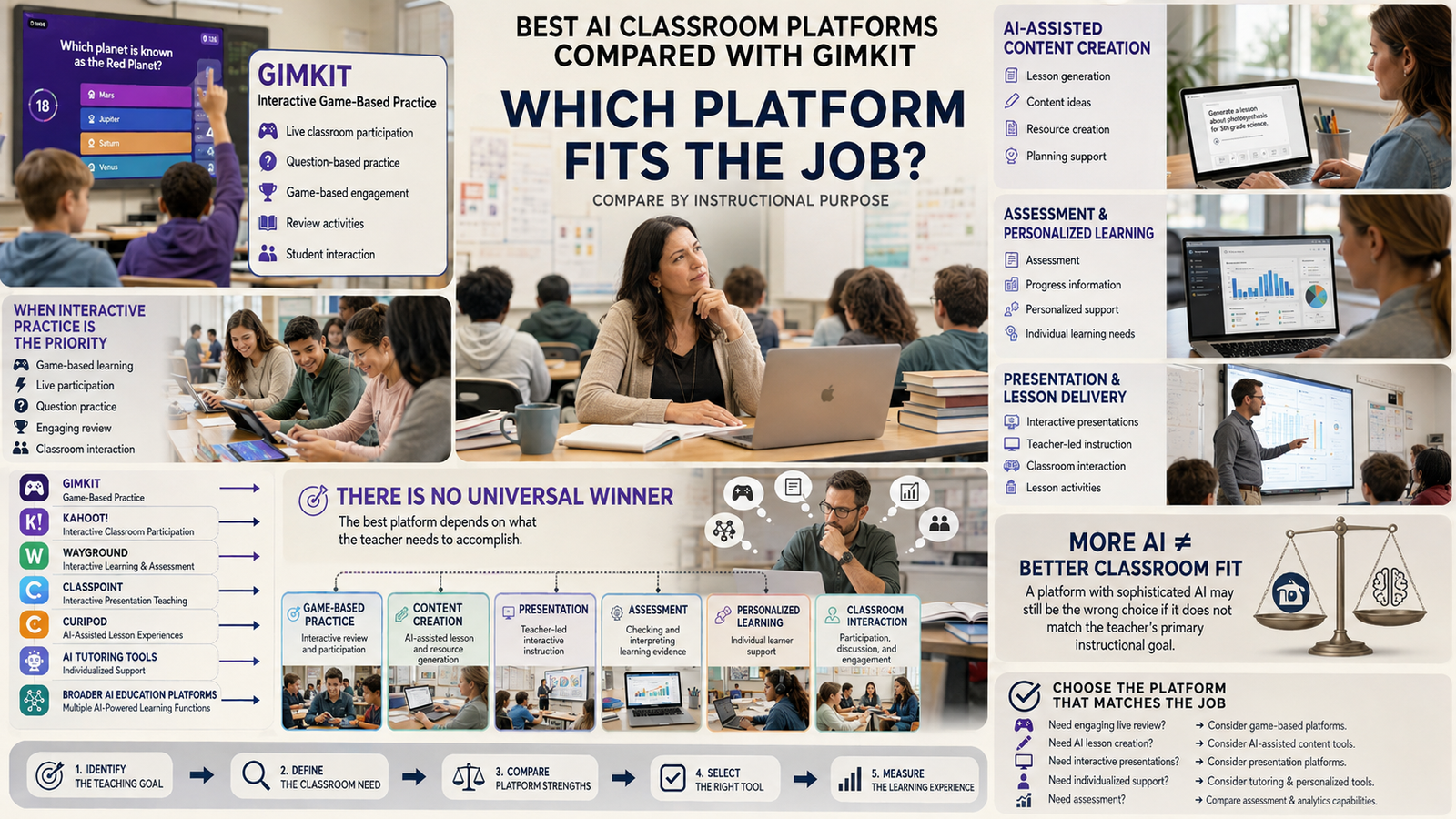
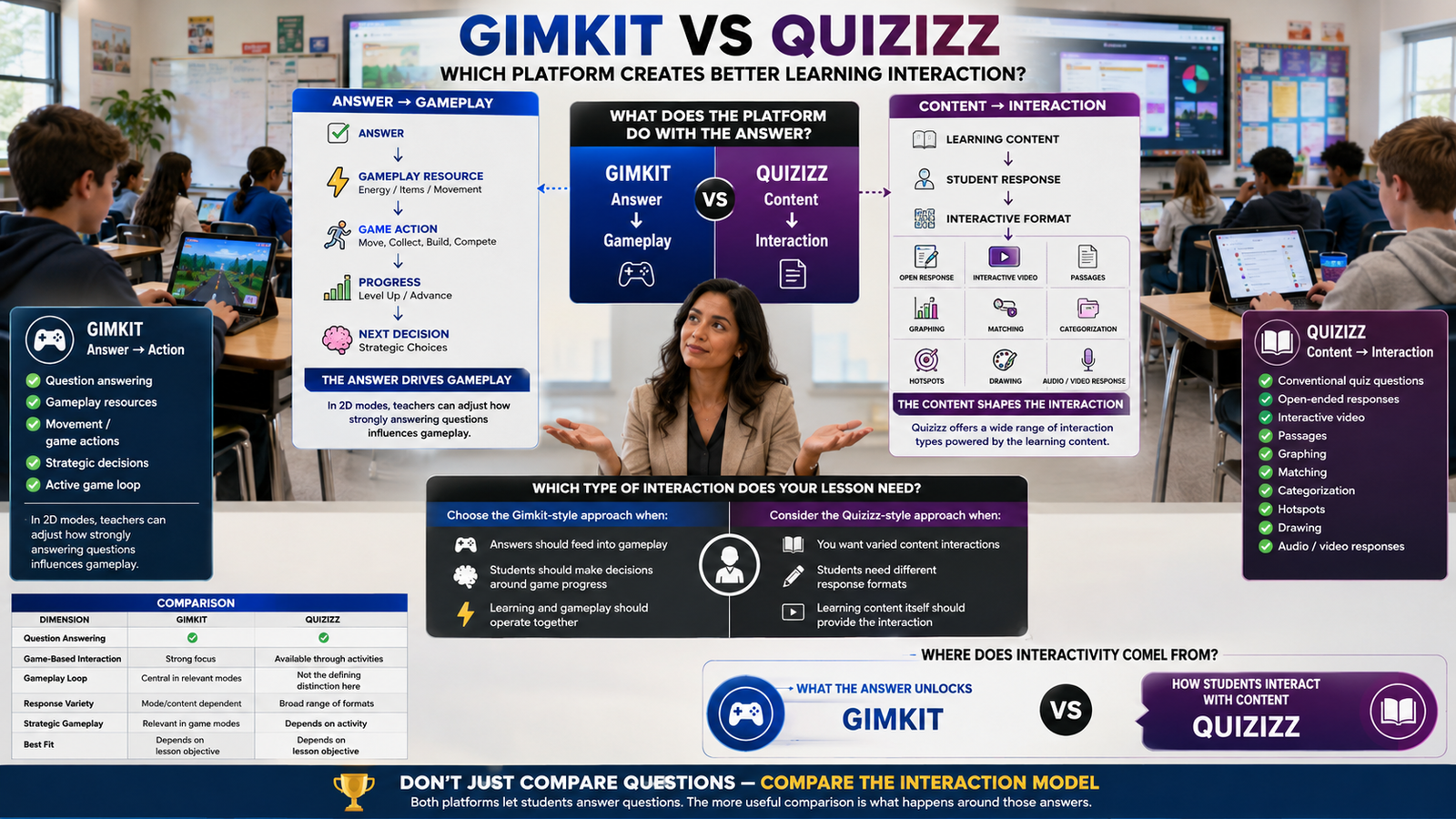
There is also an important naming update. Quizizz is now Wayground. The company says the name changed while existing accounts, classes, resources, integrations, and prior links continued working. Quizizz URLs redirect to Wayground, so teachers searching for “Blooket vs Quizizz” are now effectively comparing Blooket with the current Wayground platform. Wayground
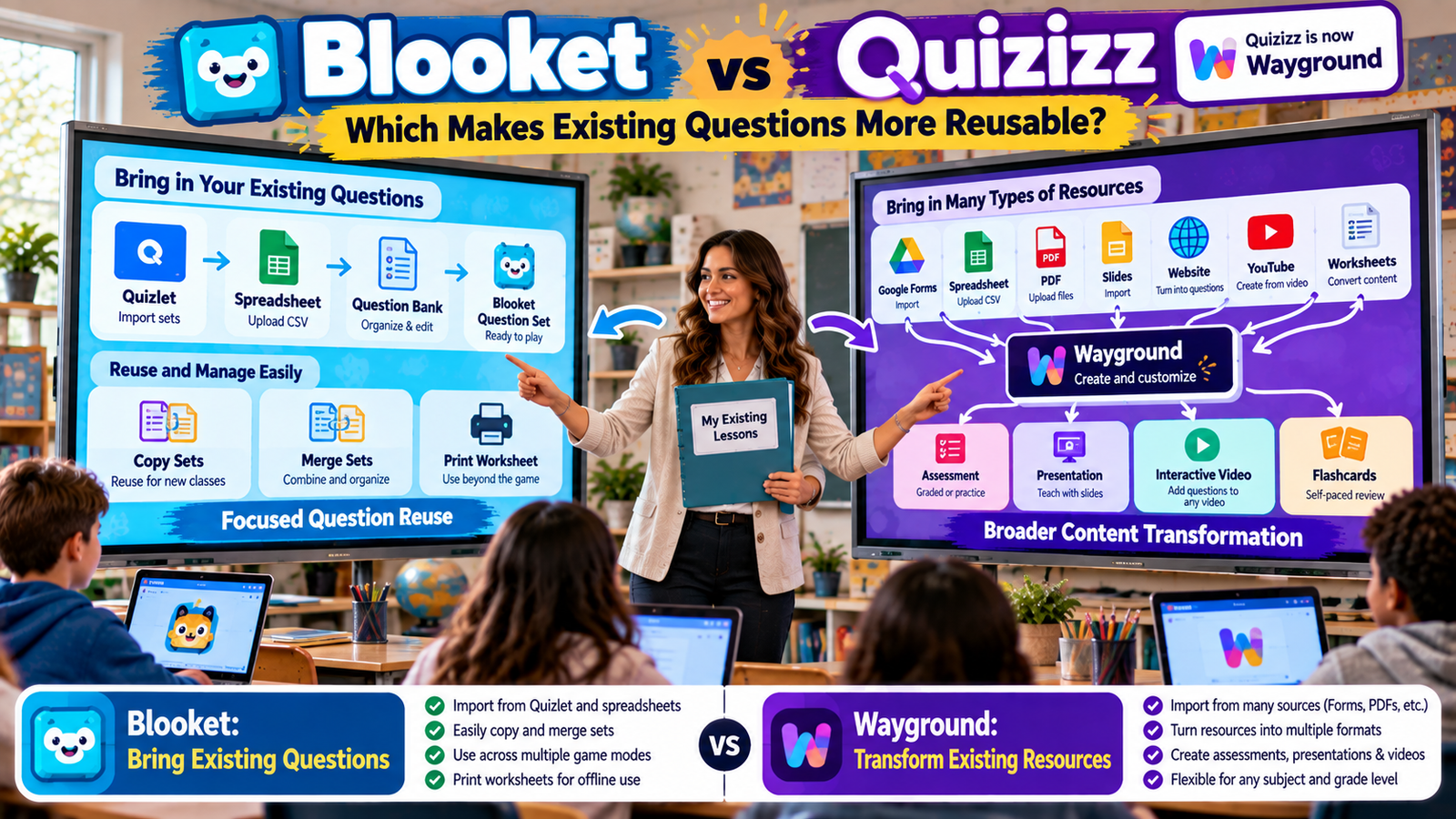
The two platforms now approach content reuse very differently.
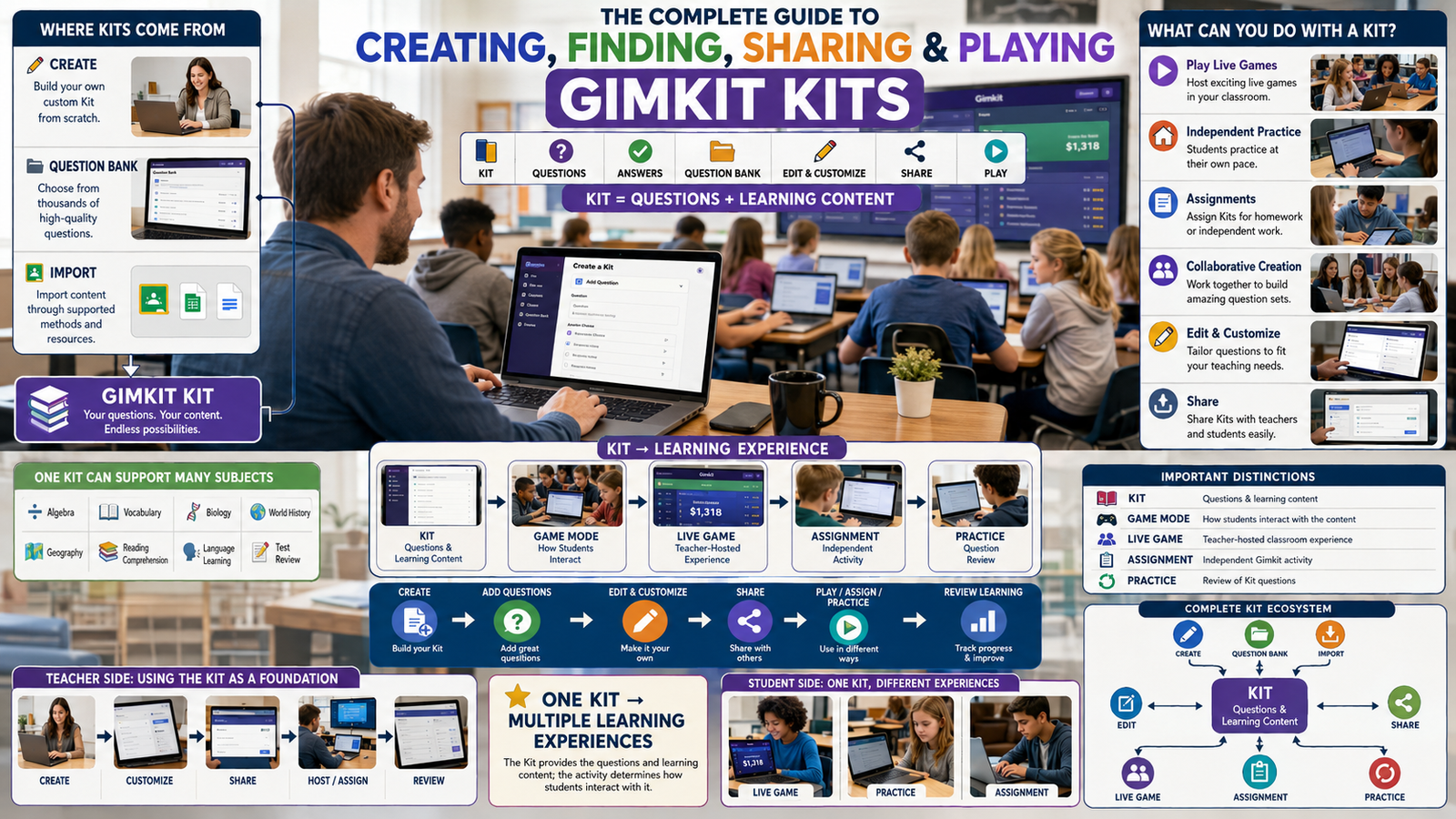
Blooket remains centered on the Question Set. Its current help center organizes Question Set tools around creating, importing, discovering, copying, merging, organizing, printing, and pulling questions from other sets. Blooket
Wayground has expanded beyond quizzes into a broader instructional-resource system. Its current tools can create Assessments, Presentations, Interactive Videos, Passages, and Flashcards, and its AI workflows can transform documents, spreadsheets, Google Forms, webpages, videos, and other material into interactive resources. Wayground
That creates the core difference:
Blooket is highly efficient when your existing material is already question-and-answer content.
Wayground is stronger when your existing material comes in many different formats and needs to be converted, remixed, or transformed.
This guide focuses entirely on that distinction.
Gimkit App offers practical guides, resources, and tips for teachers and students exploring interactive learning and educational games.
Blooket vs Quizizz at a Glance
Existing-content task
Blooket
Quizizz / Wayground
Import spreadsheet questions
Yes
Yes
Import Quizlet sets
Yes, dedicated workflow
No equivalent dedicated workflow identified in current docs
Import Google Forms
No comparable native route identified
Yes
Copy public resources
Yes, full public-set copying is Plus
Yes
Reuse individual public questions
Question Bank, Plus
Yes, Library import
Merge old quizzes
Dedicated Merge tool, Plus
Can combine selected content from multiple resources
Import PDF or Word files
No comparable native document conversion documented
Yes
Import PowerPoint
No comparable native conversion documented
Yes
Import Google Slides
Not as a presentation workflow
Yes
Generate from webpage
No comparable native import workflow documented
Yes
Generate from YouTube
No comparable native conversion workflow documented
Yes
Convert quiz into flashcards
No comparable native transformation
Yes
Build interactive video from existing video
No
Yes
Generate differentiated versions
Manual editing/copying
Native supported workflow
Print digital questions
Yes
Yes / Paper Mode options
AI support
Khanmigo-generated Question Sets
Integrated AI across multiple source formats
Core strength
Focused question reuse
Broad resource transformation
These are current product capabilities as verified from official documentation in September 2026. Plan availability and AI capabilities can change, so volatile features should be rechecked during future content updates. Blooket
Quizizz Is Now Wayground—Why That Matters for Existing Content
The rebrand matters more in this article than it would in a generic comparison.
Why?
Because teachers may worry that an older Quizizz content library is now obsolete.
Wayground’s official rebrand guidance says that is not the case.
Existing:
accounts;
classes;
resources;
join links;
integrations
continued working after the rename, and old Quizizz links redirect to Wayground. Wayground
So if you created hundreds of Quizizz activities before the rebrand, they did not suddenly become a separate legacy platform.
They remain part of the current Wayground ecosystem.
For content reuse, that continuity is important.
A platform becomes much less valuable if teachers must rebuild their library whenever branding changes.
In this case, the product name changed while the resource library continued.
What “Reusable Content” Should Actually Mean
Teachers sometimes use “reuse” to mean:
“Can I duplicate this quiz?”
That is only one level.
A modern content-reuse system can potentially support several layers.
Import
Move content from another system into the platform.
Copy
Duplicate a complete resource.
Extract
Pull questions or information out of a file.
Remix
Select only useful parts from several resources.
Merge
Combine existing resources.
Transform
Turn one instructional format into another.
Differentiate
Adapt one resource into versions for different learners.
Republish
Use the resulting material in live, independent, homework, print, or other formats.
The stronger the reuse ecosystem, the less often teachers have to start from a blank page.
That is the standard used throughout this comparison.
Blooket’s Core Reuse Model: The Question Set
Blooket’s architecture is intentionally focused.
The Question Set is the central reusable object.
Blooket’s official Question Sets help section describes Question Sets as the building blocks of Blooket and includes dedicated workflows for:
Teachers do not have to decide whether their content belongs in one of ten resource categories.
If the material can become questions and answers, it can become a Blooket Question Set.
That is particularly efficient for:
vocabulary;
factual review;
math facts;
terminology;
short-answer recall;
multiple-choice question banks.
Blooket is therefore less of a general content-conversion system and more of a highly focused question library.
Wayground’s Core Reuse Model: The Resource
Wayground has a broader architecture.
Its current Library can contain different resource types, including Assessments/Quizzes, Lessons or Presentations, Interactive Videos, Passages, and Flashcards. Wayground
That changes the starting question.
With Blooket, the teacher often asks:
“How can I get these questions into Blooket?”
With Wayground, the teacher can ask:
“What can this existing resource become?”
A slide deck may remain a presentation while gaining questions.
A video may become interactive.
A quiz may become flashcards.
A PDF may become an assessment.
A public resource may be copied and edited.
Several resources may be remixed together.
That is a wider definition of reuse.
Spreadsheet Import: Both Platforms Handle Question Banks Well
Spreadsheets are one of the cleanest formats for bulk question migration.
If a teacher already stores questions in Excel or Google Sheets, both platforms provide strong options.
How Blooket Spreadsheet Import Works
Blooket currently supports spreadsheet import into new and existing Question Sets.
Teachers use Blooket’s provided spreadsheet template, edit it in Google Sheets or Excel, save or download it as CSV, and upload it into the platform. Blooket
The template can contain:
question text;
up to four answer options;
correct-answer numbers;
time limits.
Blooket also currently supports marking spreadsheet rows as Typing Answer questions through the documented import format. Blooket
This is ideal when the teacher already has:
hundreds of factual questions;
vocabulary banks;
reusable exam questions;
math-fact sets;
question databases.
Instead of entering every question manually, the spreadsheet becomes the migration layer.
How Wayground Spreadsheet Import Works
Wayground also supports spreadsheet imports.
Its current Assessment creator lets teachers import questions from Excel or Google Sheets, review the imported items, edit them, and then publish the resource. Wayground
Wayground AI also recognizes spreadsheet upload as one of its supported existing-content workflows. Wayground
So spreadsheet users are in a good position with either platform.
The meaningful difference comes after import.
In Blooket, the spreadsheet becomes a Question Set.
In Wayground, the imported questions enter a broader Assessment system where question types, AI transformations, differentiation, other resource types, and wider instructional workflows may become available.
For Pure Spreadsheet Question Banks, Blooket Can Be the Cleaner Choice
More features do not automatically mean a better workflow.
Suppose you have 500 simple multiple-choice questions.
You want:
spreadsheet → question set → classroom game
Blooket provides a very direct route.
There are relatively few structural decisions to make.
That can be an advantage when the material is already organized exactly the way Blooket expects.
A broader platform may offer more transformations, but you may not need them.
For clean question banks, simplicity has value.
Blooket’s Dedicated Quizlet Import Is a Major Legacy-Content Advantage
One of Blooket’s strongest content-reuse features is its dedicated Quizlet import process.
The official workflow lets teachers locate a Quizlet set, export its term-and-definition data, paste that information into Blooket, verify the structure, optionally flip terms and definitions, and add the content to the Blooket Question Set. Blooket
This is particularly valuable for teachers who spent years building:
vocabulary sets;
language-learning terms;
science definitions;
historical terms;
flashcard-style review.
Those teachers do not have to manually recreate the content.
The existing Quizlet library becomes a source for Blooket.
When Blooket’s Quizlet Import Is Especially Valuable
Imagine a language teacher with 150 Quizlet sets.
Each set contains:
term → definition
Rebuilding them manually would require enormous time.
Blooket can reuse those sets much more directly.
Once imported, the teacher can edit the resulting Question Set and use it like any other Blooket content.
For this exact scenario, Blooket has one of the cleanest workflows in the comparison.
Wayground’s Strongest Legacy-Content Advantage: Google Forms
Wayground currently supports importing Google Forms directly into its Assessment workflow.
Teachers can connect their Google account, select an existing Form, import the questions, review them, modify question types or options, and publish the new Assessment. Wayground
This can be extremely valuable in schools where Google Forms has been used for years.
Many teachers already have libraries of:
exit tickets;
quizzes;
unit checks;
bell ringers;
formative assessments;
homework forms.
Without direct import, those resources can become trapped inside Google Forms.
Wayground gives them another life.
Blooket vs Wayground for Google Forms
This is one of the clearest comparison points.
Wayground: native documented import.
Blooket: the current official Blooket materials reviewed here do not describe a comparable direct Google Forms import.
That does not mean Google Form questions are unusable in Blooket.
A teacher could:
move them into a spreadsheet;
copy them manually;
use another conversion process.
But each additional step adds friction.
If your school already has a large Google Forms library, Wayground currently offers the more direct migration route.
PDF Worksheets: Wayground Has a Large Advantage
Many teachers’ best resources are not stored in quiz platforms at all.
They are PDFs.
Examples include:
worksheets;
study guides;
textbook practice;
printable unit reviews;
department-created tests;
old handouts.
Wayground AI currently allows teachers to upload documents including PDF, PPT/PPTX, DOC/DOCX, PNG, and JPG files and use their content to create draft Assessments. Wayground
Wayground’s newer Assessment workflow also supports uploading lesson slides, worksheets, or other documents directly and turning them into questions. Wayground
This is a fundamentally different reuse model from manually recreating a worksheet.
What PDF-to-Assessment Conversion Actually Saves
Suppose a teacher has a 12-page review packet.
The old workflow might be:
read the packet;
identify useful content;
rewrite questions;
create answer options;
enter everything into a digital platform.
With Wayground AI, the platform can generate a first draft from the existing document.
The teacher still has to:
verify correctness;
delete poor questions;
fix distractors;
check alignment;
adjust difficulty.
But the initial transcription and drafting burden can be much lower.
Wayground explicitly warns that AI-generated content may contain inaccuracies and should be reviewed before publishing. Wayground
That warning should be treated as part of the workflow, not ignored.
Blooket Does Not Currently Offer the Same Native PDF Conversion Workflow
Blooket’s documented content-creation routes currently include:
The current official documentation reviewed for this article does not describe a direct:
upload PDF → extract questions into Blooket
workflow.
A teacher can still move PDF content into Blooket.
But the teacher generally needs an intermediate step:
PDF → extracted questions → spreadsheet/manual creation → Blooket
That makes Wayground more efficient for teachers whose archive is document-heavy.
Word Documents and PowerPoints Also Favor Wayground
Wayground AI’s current supported document formats include Word and PowerPoint formats as well as PDF and images. Wayground
That matters because many teachers have older teaching materials in:
.doc;
.docx;
.ppt;
.pptx.
These files may contain years of subject expertise.
A modern platform that can start from those files saves the teacher from manually translating everything into question fields.
Again, AI output requires review.
But the existing resource can serve as the starting point.
Google Slides Reuse Goes Beyond Question Extraction
Wayground’s current Presentation tool can import PDF content and Google Slides-related presentation content, then turn that material into an interactive Presentation that can include questions and other elements. Wayground
That is different from merely extracting questions.
Suppose a teacher has a highly polished slide deck with:
explanations;
diagrams;
images;
examples;
sequence.
The teacher may not want to destroy that structure just to produce a quiz.
Wayground can preserve a presentation-oriented format and add interactivity around it.
Blooket is not designed primarily for that job.
Blooket would make more sense when the teacher wants to extract the review questions from the presentation and turn those questions into a game.
The Difference: Preserve the Resource or Extract the Questions
This is a useful decision rule.
Use Blooket when you want to:
extract the question-and-answer core from existing material.
Use Wayground when you want to:
preserve more of the original instructional resource while adding interaction.
That distinction explains why the platforms can both be excellent without being interchangeable.
Wayground Can Turn Webpages Into Assessments
Wayground AI currently supports generating an Assessment from a public webpage URL. Wayground
That creates a useful workflow for teachers who already use online reading material.
an educational website already contains the explanation;
the teacher wants a quick comprehension check.
The platform becomes a bridge between published instructional material and interactive assessment.
Webpage Conversion Is Especially Useful for Current-Events and Reading Tasks
A teacher may find an excellent current article but not have a matching quiz.
The content already exists.
The problem is creating the assessment layer.
Wayground can automate part of that conversion.
That does not mean the generated questions should be accepted blindly.
The teacher still needs to verify:
factual accuracy;
reading level;
importance of each question;
whether the questions actually test the intended understanding.
The value is speed of first draft.
YouTube Reuse Strongly Favors Wayground
Wayground AI currently supports generating assessment questions from YouTube videos. Wayground
Wayground also has a dedicated Interactive Video resource.
Teachers can use:
YouTube;
Vimeo;
uploaded video files;
Google Drive;
OneDrive
and add questions or notes at specific points in the video. Wayground
This is one of the largest differences between the platforms.
Blooket reuses questions.
Wayground can reuse the video itself.
What an Interactive Video Changes
A normal classroom video can be passive.
Students watch from beginning to end.
An Interactive Video changes the structure to:
watch → pause → answer → continue
Questions can appear at relevant timestamps.
That means a video the teacher already uses can become an active-learning resource without creating a separate quiz from scratch.
This is genuine resource transformation.
The instructional object itself changes.
Blooket Is Better When the Video Only Needs a Follow-Up Game
There is still a natural Blooket use case.
Suppose the teacher does not want questions embedded in the video.
The teacher wants:
watch the video → play a review game
In that scenario, Blooket is perfectly suitable.
The teacher can create or import a Question Set based on the video’s content.
The difference is that Blooket does not currently make the video itself part of the Question Set workflow in the same way Wayground’s Interactive Video does.
Public Content Reuse: Both Platforms Are Strong
Teachers do not always want to migrate their own content.
Sometimes another teacher has already created something useful.
Both platforms provide public-resource ecosystems that can reduce duplicate work.
Blooket Discover and Public Question Sets
Blooket’s Question Set system supports finding public sets through its discovery tools. Blooket
A teacher can find an existing set and use it rather than starting over.
If the resource is almost right but requires editing, Blooket Plus currently allows the teacher to make a copy of a public Question Set.
The duplicated version becomes editable inside the teacher’s own My Sets library while the original remains unchanged. Blooket
This is extremely practical.
Most public resources are not perfect for every classroom.
Copying turns:
“almost useful”
into:
“editable starting point.”
Blooket Question Bank: Reuse Individual Questions Instead of Entire Sets
Blooket Plus currently includes the Question Bank.
Teachers can search their own sets or public sets and add:
This is a powerful feature because teachers rarely need every question from another person’s set.
Imagine building a unit review from:
6 questions from Chapter 1;
5 from Chapter 2;
4 from a colleague’s public set;
5 new questions.
The Question Bank makes the existing library modular.
Questions become reusable pieces rather than being trapped inside one original set.
Wayground Library Offers a Similar but Broader Remix Model
Wayground’s Library also lets teachers reuse existing public material.
Current documentation says teachers can combine questions or slides from publicly available resources and add them to their own work. It also supports Quick Teleport-style question reuse from existing Assessments. Wayground
That gives Wayground the same core advantage:
you do not need to copy an entire resource just to reuse part of it.
But because Wayground’s library contains multiple resource types, the remix system extends beyond questions.
A teacher may reuse:
questions;
slides;
other resource components
depending on what is being created.
Blooket Question Bank vs. Wayground Library Reuse
The difference is not that one supports reuse and the other does not.
Both do.
The difference is scope.
Blooket
Question-centric.
The teacher is building a Question Set.
Wayground
Resource-centric.
The teacher may be building an Assessment, Presentation, Passage, Interactive Video, or another supported resource.
If your work is almost entirely quizzes, Blooket’s narrower system may feel simpler.
If you routinely mix questions with instructional media, Wayground’s wider system becomes more valuable.
Copying Entire Resources
Sometimes remixing individual questions is unnecessary.
The teacher wants the entire resource.
Both platforms support that approach.
Copying a Blooket Public Set
Blooket Plus currently lets teachers make a full copy of public Question Sets.
The duplicate opens as an editable version and is saved to the teacher’s My Sets area. Blooket
This works well when:
90% of the resource is already right;
the teacher wants to localize wording;
several questions need to be removed;
difficulty must be adjusted;
the teacher wants permanent control of the edited version.
Copying a Wayground Resource
Wayground currently uses Copy and Edit for resources in its Library.
Supported resource types in the current documentation include Assessments/Quizzes, Lessons, Interactive Videos, Passages, and Flashcards.
The copy becomes the teacher’s editable version, and editing it does not modify the source resource. Wayground
Again, the distinction is scope.
Blooket copies Question Sets.
Wayground can duplicate multiple kinds of instructional resource.
Merging Existing Material: Blooket’s Dedicated Tool Is Very Clean
Blooket Plus includes a dedicated Merge Question Sets feature.
The teacher chooses the first set, selects another set, and Blooket copies the second set’s questions into the first. Blooket
This is particularly useful for:
combining chapter quizzes;
creating final-exam review;
consolidating duplicate topic sets;
building cumulative practice.
For the simple job:
Set A + Set B = larger Set A
Blooket’s approach is extremely direct.
Wayground Combines Resources Through Import and Remix
Wayground’s current Library workflow allows teachers to combine content from multiple resources by importing selected questions or slides into the resource being created. Wayground
That makes the process more flexible.
A teacher might build:
Questions from Resource A
plus:
slides from Resource B
plus:
new teacher-created material
rather than simply combining two complete quizzes.
So:
Blooket Merge = simple consolidation.
Wayground remix = selective assembly.
Both are valuable.
They solve slightly different organization problems.
Printing: Blooket Gives Question Sets an Offline Life
Blooket currently allows teachers to turn Question Sets into printable worksheets.
The printable view can be customized to show or hide elements such as:
descriptions;
images;
correct answers.
Teachers can then print the worksheet or save it as a PDF. Blooket
This gives one Question Set another use case:
digital game resource → paper worksheet
That is a simple but meaningful form of reuse.
Why Printing Still Matters
A digital platform does not eliminate situations where paper is useful.
Teachers may need:
substitute work;
emergency offline practice;
device-free homework;
small-group worksheets;
printed answer keys;
accommodations requiring another format.
Blooket’s print workflow means a digital Question Set is not trapped inside Blooket gameplay.
The content can leave the platform when necessary.
Wayground’s Paper Mode Goes Further Than Printing
Wayground also supports paper-based use, but one of its current options is more interactive.
Paper Mode lets a teacher project Assessment questions while students answer using reusable printed QR Q-cards. The teacher scans the cards with the Wayground mobile app, which records responses and produces reports. Wayground
This creates a different transformation:
digital assessment → device-light live classroom assessment
Students do not each need a personal device.
The teacher still gets digital response data.
That is broader than simply printing a worksheet.
Important Limitation of Wayground Paper Mode
Paper Mode currently works with multiple-choice Assessment questions. Wayground
That matters because not every Wayground question format will transfer into Paper Mode.
Teachers should not assume that every digital resource can automatically become a QR-card activity.
The reuse pathway depends on the underlying question type.
AI-Assisted Reuse: Blooket’s Khanmigo Workflow
Blooket currently offers AI-generated Question Sets through the Khanmigo Blooket Generator, developed by Khan Academy.
Teachers can provide:
grade level;
topic;
standards or learning objectives;
additional instructions.
The tool generates draft questions, teachers review and edit them, and selected questions can then be exported into Blooket. Blooket
Once exported, the set behaves like a normal Blooket Question Set and can be edited.
Khanmigo Is More About Creating Than Converting
This distinction is important for Article #8.
Khanmigo is useful when the teacher says:
“I need a Question Set about this topic.”
Wayground’s AI workflows can also do that.
But Wayground goes further into:
“I already have this document, form, webpage, image, or video—turn it into something interactive.”
That makes Wayground’s AI more directly relevant to existing-content conversion.
Wayground AI’s Existing-Content Routes
Wayground AI currently supports Assessment generation from several sources, including:
The same academic information gains another instructional function.
Blooket’s Equivalent Strength Is Reusing the Same Questions in Gameplay
Blooket does not currently document an equivalent quiz-to-flashcards conversion.
Its strength is different.
Once content is in a Question Set, the set remains reusable throughout the Blooket game ecosystem.
That makes Blooket highly effective when the resource itself does not need to change type.
The teacher wants:
same questions → different uses
rather than:
same knowledge → different resource types.
Wayground Can Turn Videos Into Interactive Resources
Wayground’s current Interactive Video feature accepts YouTube, Vimeo, or uploaded video sources and lets teachers add questions and notes at specific moments. Wayground
AI can also generate questions at relevant points along the timeline.
This can convert an existing video lesson into something students actively respond to.
That is an important reuse category because video libraries are often underused.
Teachers may already have excellent videos.
The missing piece is accountability or interaction.
Wayground adds that layer.
Wayground Can Turn Existing Presentation Material Into Interactive Lessons
Wayground’s Presentation workflow can import PDF content and presentation material and then combine slides with interactive components. Wayground
This is particularly useful for teachers who already have years of slide-based instruction.
Instead of:
throw away old PowerPoint → build new digital activity
the workflow can become:
reuse old presentation → add interaction
That preserves teacher investment.
Wayground Can Create Differentiated Versions From Existing Resources
One of Wayground’s strongest current reuse features is Differentiated Versions.
For supported Assessments/Quizzes and Passages, teachers can generate alternative versions with different difficulty levels and question counts. Current documentation says the feature supports selected subjects and allows multiple generated versions. Wayground
This changes reuse from:
one resource used again
to:
one resource becomes several learner-appropriate versions.
That is a major difference.
Why Differentiated Reuse Matters
Teachers often already have a strong grade-level resource.
The problem is not that the questions are bad.
The problem is that the same version does not fit every student equally.
Traditional differentiation can require:
copy the assessment;
rewrite questions;
simplify language;
reduce question count;
create another copy;
repeat for another group.
Wayground can automate part of this version creation.
The teacher still needs to inspect the output.
But the original resource becomes a reusable foundation rather than a fixed one-size-fits-all file.
Blooket Can Be Differentiated, but the Work Is More Manual
Blooket teachers can create separate versions through familiar content-management tools.
For example:
copy a set;
remove difficult questions;
add easier questions;
use the Question Bank;
merge another set;
create another version.
These are perfectly workable strategies.
However, current Blooket documentation does not describe a direct equivalent to Wayground’s automatic differentiated-version system.
That means Blooket differentiation is primarily:
teacher edits the resource
while Wayground can also offer:
system generates alternate versions for teacher review.
Existing Resource Libraries Scale Differently
The bigger a teacher’s content library becomes, the more important organization is.
Reuse only saves time if the teacher can find the resource again.
Blooket Library Organization
Blooket Plus currently includes folders for organizing Question Sets and favorites. Blooket
This matches its focused architecture.
The teacher manages a question-centered library.
That simplicity can be helpful.
There are fewer resource categories to remember.
Wayground Library Organization
Wayground’s current My Library is broader.
Its organization includes areas such as:
Created;
Drafts;
Previously used;
Shared with me;
Standards-tagged;
All activities;
Teams;
Collections;
District library.
Teachers can also filter resources by activity type and creation time. Wayground
This makes sense because the library contains multiple resource types rather than only quiz-style sets.
For schoolwide reuse and team collaboration, that broader architecture can matter.
A Teacher With 500 Simple Questions
Consider a teacher with 500 clean multiple-choice questions in spreadsheets.
The teacher wants to:
organize them;
import them;
use them in classroom games;
occasionally print them.
Blooket is extremely well suited to this scenario.
Its spreadsheet import and Question Set system are direct. Blooket
Wayground can also handle the content.
But many of Wayground’s broader resource-conversion capabilities would not necessarily add value.
This is an example where Blooket’s narrower scope becomes a benefit rather than a limitation.
A Teacher With Ten Years of Mixed Digital Files
Now consider another teacher.
Their archive contains:
50 Google Forms;
200 PDFs;
30 PowerPoints;
20 Google Slides lessons;
YouTube links;
spreadsheets;
old Quizizz activities.
This teacher has a very different problem.
They do not need only a question platform.
They need a content migration and transformation environment.
Wayground’s current ability to work with forms, spreadsheets, documents, links, videos, public resources, presentations, and multiple resource types makes it much better aligned with that situation. Wayground
Example: Reusing an Old Multiple-Choice Test
Suppose a teacher has a 30-question assessment in spreadsheet form.
In Blooket
The teacher can import the spreadsheet into a Question Set.
Then those questions can remain an Assessment but may also be:
edited into different question types;
enhanced;
differentiated;
transformed into Flashcards;
integrated with other resource workflows. Wayground
The better platform depends on whether the teacher wants reuse or transformation.
Example: Reusing a Google Form Exit Ticket
A teacher has a Google Form used every year.
The goal is to bring it into a more interactive environment.
Wayground has a direct current import route. Wayground
That reduces migration steps.
With Blooket, the teacher would generally need to convert those questions into a supported Blooket format before import.
For one Form, that may be easy.
For 100 Forms, the extra friction becomes significant.
Example: Reusing a PDF Worksheet
A teacher has a worksheet that took hours to create.
They want to turn it into digital assessment.
Wayground can accept the document as a source and generate draft questions. Wayground
The teacher then reviews and edits.
In Blooket, the content would first need to become:
manually entered questions;
spreadsheet rows;
another supported question format.
If the teacher’s archive is mostly PDFs, Wayground’s workflow is substantially more direct.
Example: Reusing a Quizlet Vocabulary Set
This scenario reverses the advantage.
A teacher already has the exact vocabulary content in Quizlet.
Blooket has a dedicated Quizlet import workflow. Blooket
That is a highly efficient bridge between the two systems.
For teachers with substantial Quizlet archives, Blooket may require less preparation.
Example: Reusing a YouTube Lesson
Suppose the teacher already uses a 12-minute science video.
Blooket route
Watch the video and create or import a Question Set to review it afterward.
Wayground route
Turn the video itself into an Interactive Video or generate an Assessment from the YouTube content. Wayground
The distinction is clear.
Blooket reuses the knowledge from the video.
Wayground can reuse the video as the instructional object itself.
Example: Reusing Several Public Teacher Resources
Suppose three existing resources each contain useful material.
Blooket
Use Question Bank to pull selected questions from multiple sets. Blooket
Wayground
Import questions or other supported components from multiple public resources into the resource you are building. Wayground
Both save time.
Wayground simply has a wider definition of what a reusable component can be.
Example: Combining Two Old Unit Reviews
If two Blooket sets should become one cumulative review, the Plus Merge feature is extremely straightforward.
It copies questions from the second set into the first. Blooket
Wayground can also combine assessment content by importing questions from existing resources.
But for a simple two-set consolidation, Blooket’s dedicated Merge tool is arguably the cleaner workflow.
Not every broader tool is automatically more efficient for every task.
Example: Creating Easier and Harder Versions
Suppose a teacher has one strong assessment but needs:
standard version;
reduced-question version;
easier-reading version.
With Blooket, the teacher can manually duplicate and edit the Question Set.
With Wayground, supported resources can use Differentiated Versions to generate alternate difficulty and question-count configurations for teacher review. Wayground
That gives Wayground a major advantage when differentiation is part of the reuse goal.
The Importance of Question-Type Flexibility After Import
Importing a question is only the first stage.
The next question is:
Can the teacher improve the format afterward?
Wayground currently supports 18 question types in Assessments and lets teachers change a question’s type during editing. Wayground
So an old multiple-choice bank does not need to remain entirely multiple choice.
Some questions may be redesigned for:
drag-and-drop;
fill-in-the-blank;
categorization;
polling;
other supported formats.
That increases the instructional value of imported content.
Blooket Keeps the Format Narrower—and That Can Be Intentional
Blooket does not attempt to provide the same range of assessment formats.
Its Question Set model stays closer to the quick-response question structure needed for game-based practice.
That can make imported material easier to manage.
The teacher does not have to redesign everything.
The content remains focused on efficient question answering.
For classrooms where that is exactly the objective, a narrower format is not necessarily a disadvantage.
Which Platform Requires Less Cleanup After Import?
There is no universal answer.
Structured spreadsheet data
Usually cleaner because columns already identify questions and answers.
Both platforms can import it effectively.
Quizlet term-definition content
Blooket’s dedicated workflow is highly structured.
PDFs, documents, webpages, and videos
Wayground AI can reduce manual conversion work, but AI-generated questions require more teacher verification.
So automation trades:
manual transcription
for:
editorial review.
That can still be a major time saving.
But teachers should not treat an AI-converted resource as finished simply because it generated successfully.
Do Not Measure Reuse Only by the Number of Import Formats
This is important.
A platform with 20 import sources can still waste teacher time if the final resources require heavy repair.
The real measure should be:
How long does it take to go from my current material to something I trust enough to use with students?
That includes:
import;
cleanup;
verification;
editing;
organization.
Blooket can win that contest when the input is already clean question data.
Wayground can win when the alternative would have required large amounts of manual conversion.
Blooket’s Best Reuse Workflow
For many teachers, the strongest Blooket workflow is:
Existing question source → Blooket Question Set → edit → organize → reuse
That is why the platform now feels broader than the old “Quizizz” identity suggested.
Which Platform Is Better for Teachers Who Hate Rebuilding?
That depends on what they are rebuilding.
If they hate retyping questions from spreadsheets or Quizlet:
Blooket is excellent.
If they hate converting PDFs, Forms, slides, webpages, and videos into interactive learning materials:
Wayground currently handles more of that work natively.
The source format should drive the decision.
Which Platform Is Better for Teachers With Mostly Question Banks?
Blooket.
Not because Wayground cannot handle question banks.
It can.
But Blooket’s entire resource architecture is designed around the Question Set.
For a teacher who thinks in:
question → answer → reusable set
Blooket provides an efficient mental model.
Which Platform Is Better for Teachers With Mixed Resources?
Wayground.
If your teaching archive contains many file types, the broader import ecosystem becomes valuable.
Wayground can currently start from forms, spreadsheets, documents, web content, video, public resources, and other formats. Wayground
That removes more intermediate conversion work.
Which Platform Is Better for Existing Quizlet Libraries?
Blooket currently has the stronger documented route because Quizlet import is a dedicated Question Set workflow. Blooket
For teachers who spent years building Quizlet vocabulary sets, that can be a decisive practical benefit.
Which Platform Is Better for Existing Google Forms?
Wayground.
Google Forms import is explicitly supported. Wayground
This is particularly valuable for Google Workspace-heavy schools.
Which Platform Is Better for Existing PDFs and Documents?
Wayground.
Its AI can extract or generate Assessment questions from supported document formats. Wayground
Blooket currently requires a more manual or intermediate conversion process.
Which Platform Is Better for Existing Presentations?
Wayground has the clearer advantage when the teacher wants to preserve the presentation structure.
Its Presentation workflow supports imported material and can add interactive elements. Wayground
Blooket makes more sense if the teacher only wants to turn the important content into game questions.
Which Platform Is Better for Existing Videos?
Wayground.
Interactive Video makes the video itself reusable as an interactive resource. Wayground
Blooket works better as a separate review layer after the video.
Which Platform Is Better for Combining Several Old Quizzes?
For straightforward set consolidation:
Blooket’s Merge feature is extremely efficient.
For selective remixing across several resource types:
Wayground is more flexible.
That is an example where “better” depends on how complicated the final resource needs to become.
Which Platform Is Better for Reusing Public Teacher Content?
Both are strong.
Blooket offers public-set discovery, Plus copying, and Plus Question Bank tools. Blooket
Wayground offers public Library discovery, Copy and Edit, and import of content into new resources. Wayground
Wayground has the broader resource types.
Blooket has the simpler question-centered system.
Which Platform Is Better for Differentiating Existing Material?
Wayground currently has the stronger native tool.
Its differentiated-version feature can generate alternate versions of supported Assessments and Passages with adjusted reading difficulty and question counts. Wayground
Blooket differentiation is more manual through copying and editing.
Which Platform Is Better for Turning One Resource Into Another?
That means a free Blooket teacher can still create, discover, and import content, but the deeper remixing and library-management workflow expands under Plus.
Wayground also has plan-dependent capabilities.
Therefore, the fairest comparison is not:
maximum Blooket vs maximum Wayground
unless you actually intend to use those plans.
Always compare the tools available to your account.
The Best Platform Based on Your Starting Material
Your existing resource
Better fit
Quizlet set
Blooket
Clean spreadsheet question bank
Both
Existing Blooket set
Blooket
Public Blooket Question Sets
Blooket
Google Form
Wayground
PDF worksheet
Wayground
Word document
Wayground
PowerPoint
Wayground
Google Slides lesson
Wayground
Website article
Wayground
YouTube video
Wayground
Existing Quizizz resource
Wayground
Need simple two-set merge
Blooket
Need mixed-format remix
Wayground
Need automatic variants
Wayground
Need printable conventional worksheet
Blooket is especially simple
Need live paper response collection
Wayground
Need simple game-question library
Blooket
Need broader instructional-content hub
Wayground
A Better Decision Rule Than “Which Platform Has More Features?”
Ask three questions.
1. Where does my content live now?
Quizlet? Spreadsheet? Google Forms? PDFs? Slides? Video?
2. What should it become?
A game Question Set? Assessment? Interactive presentation? Video activity? Flashcards?
3. How much transformation am I willing to manage?
Do you want a simple import?
Or do you want AI-assisted conversion, differentiation, and format changes?
These three questions will usually reveal the better platform faster than a generic feature checklist.
Blooket’s Reuse Philosophy in One Sentence
Bring questions into one clean system and keep reusing those questions.
That is why Blooket works so well for teachers with mature question banks.
Its Question Set architecture is focused enough that content management remains understandable even as the library grows.
Wayground’s Reuse Philosophy in One Sentence
Bring existing instructional material into one ecosystem and reshape it into the resource students need.
That broader philosophy explains why the platform evolved beyond the Quizizz name.
It now handles much more than conventional quizzes. Wayground
Common Content-Reuse Mistakes to Avoid
Importing Without Reviewing
An imported resource may contain outdated information or poor questions.
Import is not quality control.
Treating AI Conversion as Final
Both Blooket’s Khanmigo workflow and Wayground’s AI workflows expect teacher review. Blooket
Copying Public Content Without Checking Alignment
A public resource may target:
a different grade;
different standards;
different terminology;
different instructional sequence.
Copying saves creation time.
It does not remove the need for professional judgment.
Creating Too Many Copies
Reuse can become clutter.
Use folders, Collections, clear naming, and version labels so the library remains understandable.
Transforming Content Just Because You Can
Not every quiz needs to become flashcards.
Not every PDF needs to become a game.
The final format should serve the learning objective.
A Practical Content-Migration Checklist
Before importing an old resource, ask:
Question
Why it matters
Is the academic content still accurate?
Prevents migrating outdated material
Does the format fit the current learning goal?
Avoids unnecessary conversion
Is this a full resource or only a question source?
Helps choose Blooket vs Wayground
Do I need to preserve slides/video/context?
Favors broader resource tools
Do students need multiple versions?
Differentiation may matter
Will I reuse this frequently?
Justifies cleanup and organization
Does AI-generated output need checking?
Always yes
Can this be simplified before import?
Cleaner source often means cleaner result
This framework helps teachers avoid migrating low-value clutter simply because the platform can accept it.
Frequently Asked Questions About Blooket vs Quizizz
Is Quizizz still called Quizizz?
No. Quizizz officially became Wayground. The company states that the product name and website changed while existing accounts, classes, resources, contracts, integrations, and links continued to work. Old Quizizz URLs redirect to Wayground. Wayground
Teachers still search for “Quizizz,” so Blooket vs Quizizz remains a useful search phrase. In current product terminology, however, this comparison is really between Blooket and Wayground. Existing Quizizz libraries were not discarded during the transition.
Which is better for reusing existing questions, Blooket or Quizizz?
Blooket is particularly efficient when existing material is already organized as questions and answers. Its current tools include spreadsheet import, Quizlet import, public Question Sets, Question Bank reuse, copying, merging, and printing. Blooket
Wayground is stronger when existing material comes from many formats. It can currently work from spreadsheets, Google Forms, documents, webpages, videos, images, and public resources, then transform that material into several resource types. Wayground
So Blooket is the cleaner question-reuse system; Wayground is the broader content-conversion system.
Can I import a spreadsheet into Blooket?
Yes. Blooket supports CSV/spreadsheet import into new and existing Question Sets. Teachers use Blooket’s template, enter questions and answer choices, identify correct answers, download the sheet as CSV, and upload it. Typing Answer questions can also be specified through the documented template format. Blooket
This is particularly useful for large question banks because it avoids manual one-question-at-a-time entry.
Can I import a spreadsheet into Wayground?
Yes. Wayground currently supports importing spreadsheet-based Assessments from Excel or Google Sheets-style files. Teachers can review and edit the resulting questions before publishing. Wayground
Its AI import workflow also includes spreadsheet uploads. Wayground
The difference is that imported Wayground questions can later participate in a wider resource and transformation ecosystem.
Can Blooket import Quizlet?
Yes. Blooket has a dedicated Quizlet import workflow. Teachers export a Quizlet set, paste the term-definition data into Blooket, verify the formatting, optionally reverse questions and answers, and add the items to the Question Set. Blooket
This makes Blooket particularly useful for teachers who already have large vocabulary or flashcard collections in Quizlet.
Can Wayground import Google Forms?
Yes. Wayground currently allows teachers to connect a Google account, choose an existing Google Form, import its questions into an Assessment, and then edit the result before publishing. Wayground
For teachers or districts with years of Google Form assessments, this can eliminate a substantial amount of manual rebuilding.
Can Wayground turn a PDF into a quiz?
Yes. Wayground AI currently supports document-based Assessment creation using formats including PDF, PPT/PPTX, DOC/DOCX, JPG, and PNG. The system generates draft questions from the source content, which teachers can review and edit. Wayground
Wayground explicitly warns teachers to review AI-generated content because inaccuracies can occur. Wayground
Can Blooket turn a PDF directly into a Question Set?
The current official Blooket documentation reviewed for this article does not describe a native PDF-to-Question-Set conversion workflow. Blooket currently documents creation through manual entry, spreadsheet import, Quizlet import, public Question Sets, Question Bank tools, and Khanmigo-generated sets. Blooket
A teacher can still use PDF content in Blooket after manually extracting it or converting it into a supported format such as a spreadsheet.
Can I copy another teacher’s Blooket set?
Yes, if the relevant functionality is available to your account. Blooket currently identifies copying public Question Sets as a Plus feature. The duplicate becomes an editable set in My Sets, while the source remains unchanged. Blooket
Blooket Plus also provides Question Bank access when you want only selected questions rather than a full copy. Blooket
Can I copy another teacher’s Wayground resource?
Yes. Wayground currently offers Copy and Edit for public Library resources. The copied version becomes your editable resource, and edits do not affect the original. Current documentation covers several resource types, including Assessments, Lessons, Interactive Videos, Passages, and Flashcards. Wayground
That broadens reuse beyond quiz duplication.
Can Blooket combine multiple Question Sets?
Yes. Blooket Plus currently includes a Merge feature that copies questions from one Question Set into another. Blooket
Blooket Plus also offers the Question Bank for more selective reuse, allowing teachers to add individual or all questions from personal or public sets. Blooket
Merge is ideal for combining full sets, while Question Bank is better for custom remixing.
Can Wayground combine questions from multiple resources?
Yes. Wayground’s current Library workflow allows teachers to import selected questions or other supported content from existing resources and combine material from multiple sources into their own resource. Wayground
This makes the system useful when several existing resources are partly useful but none is perfect on its own.
Can Wayground generate questions from a website?
Yes. Wayground AI currently supports creating Assessments from webpage URLs. Wayground
The teacher can use an existing public webpage as the content source and then review the generated questions before publishing.
This can be especially useful for reading comprehension and informational-text activities.
Can Wayground generate questions from YouTube?
Yes. Wayground AI supports generating Assessment questions from YouTube content, and Wayground’s Interactive Video resource can place questions directly into a video timeline. Wayground
That makes Wayground particularly useful for teachers who already rely heavily on video instruction.
Does Blooket have AI question generation?
Yes. Blooket currently documents the Khanmigo Blooket Generator from Khan Academy. Teachers specify a grade level, topic, learning objective or standards, and other instructions, then review generated questions before exporting them into Blooket. Blooket
The workflow is particularly useful for generating new question sets. Wayground’s AI is more deeply integrated into converting existing documents and media, which is why the two AI systems serve different roles in this article’s comparison.
Can Wayground convert a quiz into flashcards?
Yes. Wayground currently lets teachers convert an existing Assessment/Quiz into Flashcards using Wayground AI. Teachers can review and edit the generated cards before saving them. Wayground
This is an example of content transformation rather than simple duplication: the same underlying knowledge becomes a different study resource.
Can either platform create printable material?
Yes.
Blooket can convert Question Sets into printable worksheets with configurable options such as whether to display images or correct answers. Blooket
Wayground also supports paper-based delivery, including Paper Mode, where students use reusable QR Q-cards and the teacher scans their answers using the Wayground mobile app. Wayground
The Blooket workflow is simpler for conventional worksheets; Wayground offers a more interactive paper/digital hybrid.
Which is better for a teacher with old Quizlet sets?
Blooket has the stronger current workflow because Quizlet import is directly documented as a Question Set creation method. Blooket
That can save substantial time for vocabulary-heavy subjects where teachers already maintain large Quizlet libraries.
Which is better for a teacher with old Google Forms?
Wayground currently has the stronger fit because Google Forms can be imported directly into the Assessment creator. Wayground
If a district has used Forms for years, this can make migration considerably easier.
Which is better for teachers with PDFs, slides, and videos?
Wayground currently provides the broader native toolkit. Documents can become Assessments, presentations can be imported into interactive Presentations, and videos can become Interactive Videos or serve as AI question sources. Wayground
Blooket is better suited to extracting the questions or knowledge from those resources and putting that material into a focused Question Set.
Which is better for differentiation?
Wayground currently has a stronger built-in system for supported resources. Its Differentiated Versions feature can generate alternate difficulty levels and question counts for eligible Assessments and Passages. Wayground
Blooket can still support differentiated Question Sets through manual copying and editing, but it does not currently document the same automatic version-generation workflow.
Which platform is easier?
Blooket is often easier when the job is narrow:
I have questions and want a reusable game set.
Wayground is more capable when the job is broad:
I have many kinds of existing instructional material and want to transform them into several digital resources.
Simplicity and breadth are different strengths.
The right platform is the one that removes the most steps from your actual workflow.
Final Takeaway
The most useful Blooket vs Quizizz comparison is not about which platform can create a quiz.
Both can.
The real difference appears when a teacher already owns years of material and asks:
“How much of this can I reuse without starting over?”
Blooket currently provides an excellent focused Question Set ecosystem.
The resulting content can then live as different resource types, including Assessments, Presentations, Interactive Videos, Passages, and Flashcards, with additional reuse through copying, remixing, AI enhancement, and supported differentiated versions. Wayground
So the cleanest conclusion is:
Choose Blooket when your existing content is already a question bank and you want a focused, efficient path into reusable game-based Question Sets.
Choose Wayground when your existing content is spread across forms, documents, slides, webpages, videos, and older resources and you want a broader system for converting and transforming that material.
Blooket specializes in reusing questions.
Wayground increasingly specializes in reusing instructional content.