Gimkit Multiplayer: How Shared Live Games Really Work
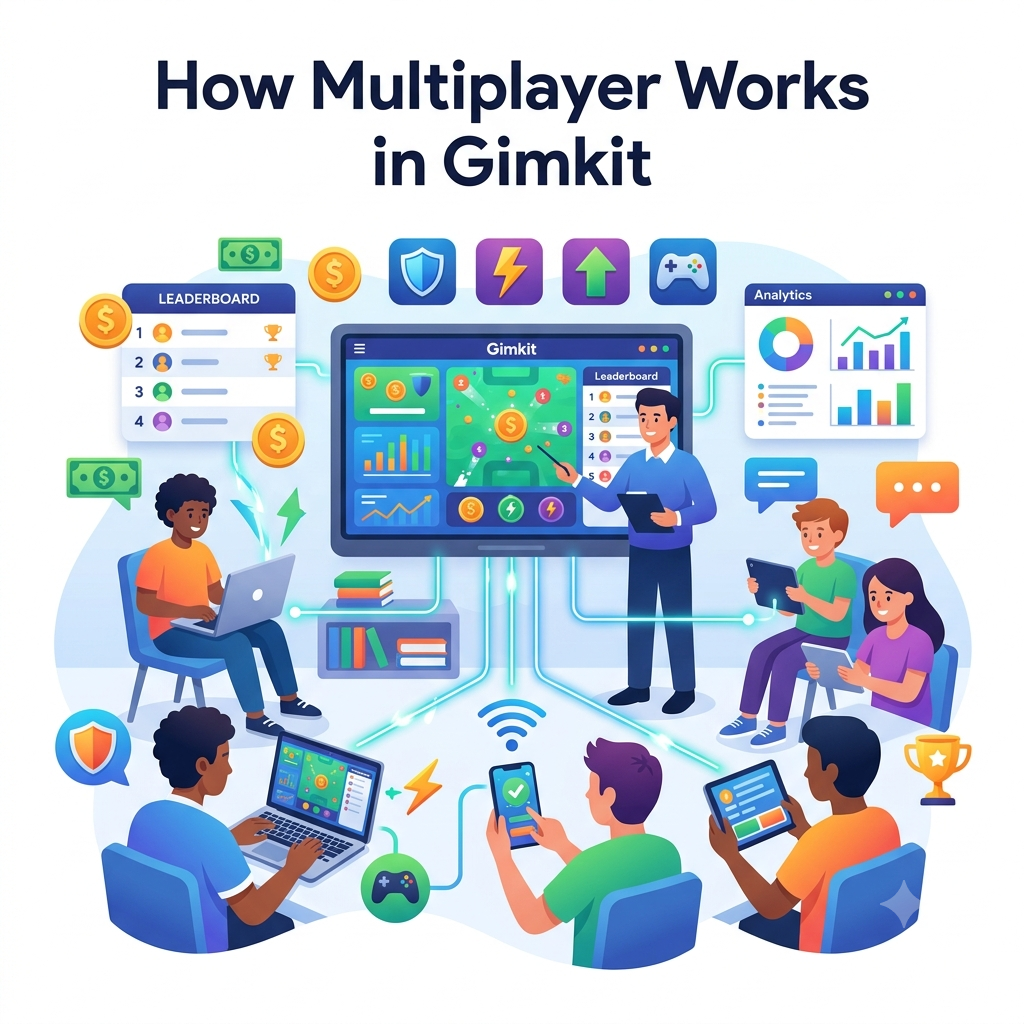
Gimkit Multiplayer connects players to the same hosted live session, allowing their actions to contribute to a shared game experience. How they compete, cooperate, move, earn resources or complete objectives depends on the selected Gimkit game mode.
This guide explains what happens between a live-game lobby, participating devices, the game server and other players. It also examines late joining, participant limits, real-time updates, network delays and the difference between a shared session and an individual assignment.
Explore the independent Multiplayer Session Dynamics & Network Events Lab to see how fictional join requests, capacity rules and simulated message delays can affect a shared virtual session.
The actual implementation is maintained by Gimkit. This article illustrates the documented functional relationships without claiming access to private server architecture.
How does multiplayer work in Gimkit?
In Gimkit Multiplayer, a host starts a live activity using a Kit and a selected game mode. Players connect through the current game's joining options, gather in the lobby and participate in one shared session after the host starts it.
The server and connected clients exchange game information so player activity can be reflected within the session. The specific information being exchanged depends on the mode. A non-2D game may present different progress displays from a 2D game in which players navigate an environment.
This is an important correction to the older version of the article. Not every multiplayer mode uses the same virtual-cash or upgrade sequence. Gimkit's official game-options documentation provides examples in which answering questions produces snowballs, fishing bait or energy. The mode determines the consequences of those resources.
The game has standard hosting settings and additional mode-specific options. Documented standard controls include connecting a Class, allowing late joining and using the Nickname Generator where compatible. The host also chooses a game goal suitable for the selected mode.
Multiplayer requires more than a web page loading successfully. Gimkit's server-connection guidance explains that its real-time communication uses secure WebSockets. A network can be capable of ordinary browsing while restricting the connection needed for a shared game.
The official player maximum is 500 students for general live games, with a separate hard limit of 60 for 2D modes. Access-related restrictions may further reduce the usable participant count, particularly for Basic educators selecting Pro-exclusive modes and for Student-account hosting.
After a session ends, the educator can review available official reports. Those reports are a different resource from a real-time leaderboard or the fictional network observations produced by the independent simulator on this page.
Players participate together
One hosted activity has multiple connected participants, each interacting under the chosen mode's rules.
State must reach devices
Connection reliability can affect when players receive game updates and whether shared state feels responsive.
Capacity and joining matter
Participant caps, entitlement restrictions and late-joining controls affect which players can enter.
The components of a Gimkit multiplayer experience
1. Multiplayer begins with a hosted live session
A shared game needs an active host-controlled session. In Gimkit, the educator selects a Kit, chooses a game mode and configures the supported options before starting the activity. These decisions establish the context in which multiple people participate.
A Kit alone is not a running multiplayer game. It contains the question content used during supported activities. The live session is the temporary experience through which that content is presented and connected with game mechanics.
The distinction matters because students need information associated with the current session, not simply the title of the Kit. A Kit can be reused for several activities, while each hosted session has its own joining and lifecycle conditions.
This page examines how participants share that temporary experience. It leaves the complete hosting-control interface to the dedicated Gimkit Host page.
2. The host establishes the session state
Before players participate, Gimkit presents settings that define how the session should operate. Some options are common across modes, while others apply only to the selected format.
The host can decide whether late joining should remain enabled and whether to connect an existing Class. The game goal and available customisations depend on the selected mode.
These settings influence everyone entering that particular activity. Multiplayer is not simply a collection of unrelated individual quiz pages; participants are joining a shared environment whose rules have already been established.
The independent laboratory models only the interaction consequences of a few documented boundaries. It does not reproduce the full game-options menu or imply that the visitor is configuring a real Gimkit session.
3. A lobby is the pre-game gathering state
The Gimkit lobby appears before the host starts the live game. It is where joining players become visible within the session and where the host can prepare the group for the activity.
Official hosting guidance describes a different appearance for 2D and non-2D lobbies. In 2D modes, characters can appear as participants join. In non-2D modes, the host can review names before gameplay begins.
The lobby separates admission from active gameplay. A participant who has joined but is waiting for the host to start is not necessarily performing the game objectives yet.
In the laboratory, the first simulated seconds represent the lobby. A separate transition marks the beginning of the fictional live phase so visitors can observe what changes when joining continues after the activity starts.
4. Multiple devices share one session context
Each participant uses their own compatible device or browser session to interact with the hosted game. The shared session coordinates the relevant game information across those connected participants.
This makes Gimkit Multiplayer fundamentally different from completing an independent Practice link alone. In a multiplayer activity, the game may be affected by the presence and actions of other participants.
Exactly how players influence one another depends on the mode. Competition, collaboration, movement and strategic interactions are not identical across the entire product.
The important common feature is simultaneous participation within a hosted activity rather than a single universal rule about virtual money, upgrades or ranking.
5. Shared state must remain understandable to clients
A real-time multiplayer system needs connected devices to receive relevant information as events occur. A game may need to communicate changes in player resources, positions, actions or objectives.
Gimkit's official Midgame Issues guidance describes small packets carrying changing information such as balances, upgrade levels and powerups. It explains that lost packets can cause players to observe delayed or incorrect game states.
That documentation supports the general importance of real-time state delivery. It does not publish every internal message type, server algorithm or synchronisation interval used by Gimkit.
The laboratory therefore uses deliberately fictional messages to demonstrate these concepts. Its simulated packet counts must not be interpreted as measurements of Gimkit's proprietary network.
6. The selected mode changes the meaning of multiplayer
Multiplayer describes the participation structure, while the game mode determines the rules that give player actions meaning.
Some modes emphasise independent progress. Others organise players around teams, shared objectives, spatial movement or competition involving particular resources.
Gimkit's Game Options documentation provides examples of 2D modes using rewards such as bait, snowballs and energy. Therefore, a statement that every correct answer always becomes spendable cash would be inaccurate.
This guide focuses on the common session and communication model. Individual modes have their own dedicated pages for exact mechanics, goals, maps and strategy.
7. A multiplayer session has a temporary lifecycle
A live game can be understood as moving through broad phases: preparation, lobby, active gameplay and completion.
During preparation, the host selects the Kit, mode and settings. During the lobby, participants enter. During gameplay, activity takes place according to the selected rules. After the game ends, the host may review the available results.
The temporary nature of this lifecycle is important. A game code belongs to a specific hosted experience rather than functioning as a permanent Class membership identifier.
The simulator provides a simplified lobby-to-live transition. It is a teaching model, not an exact reconstruction of Gimkit's internal state machine.
8. The host and participants have different responsibilities
The host selects the game configuration, manages the session and decides when to begin. Participants join through supported methods and interact with the game after entering.
In 2D gameplay, Gimkit documents that a host may choose to enter as a player or spectator. The host's visible experience can therefore vary depending on that selection.
A multiplayer explanation should distinguish these roles rather than treating the teacher's display as the same interface every student sees.
The lab avoids real host controls and concentrates on whether simulated participants have entered, whether they can enter after the start and how updates may be delayed during the shared activity.
What happens between players and the game server?
9. A live connection carries more than static page content
Ordinary websites often deliver documents that change only when the browser requests a new page or refreshes existing content. A multiplayer game needs much more frequent communication because participant activity may change the state of the shared session.
A player's device must receive the game information relevant to its current experience. Depending on the mode, that might include updates about resources, positions or other gameplay events.
Gimkit's official network support material specifically discusses WebSocket communication with its game servers. WebSockets support persistent communication rather than requiring a complete new page navigation for each update.
This is why successful access to the Gimkit homepage does not, by itself, prove that a school network can support live multiplayer communication.
10. Gimkit documents secure WebSocket requirements
Gimkit's connection troubleshooting guide identifies secure WebSockets as important to its game-server communication. It also explains that a school firewall or proxy can prevent that connection.
The official guidance refers to the wildcard domain `*.gimkitconnect.com` and the need for relevant firewall and WebSocket access on ports 80 and 443.
This technical detail is useful when a session fails on a managed school network even though other websites continue to work.
The laboratory does not make its own connection to that domain. A real compatibility check must be performed using Gimkit's official diagnostic page or by an authorised network administrator.
11. Latency describes delay, not necessarily failure
Latency is the time taken for information to travel through a communication path. In a multiplayer experience, greater delay can make changes feel less immediate.
A response might be correct at the player's device while the related event takes longer than expected to reach the service or for an update to return.
The effect depends on the game mode and on how the product manages communication. An independent website cannot determine Gimkit's internal handling of every delayed message.
The simulator uses clearly labelled artificial delay ranges to show the principle. Those values are hypothetical settings for visualisation, not measurements of the visitor's ping or official Gimkit performance targets.
12. Packet loss describes information that does not arrive
Packet loss occurs when some transmitted information fails to reach its intended destination. Gimkit's Midgame Issues article connects this problem with unexpected changes or failures in displayed gameplay state.
For example, a player may observe an update arriving late or fail to see a change when expected. The exact user-facing effect will depend on what information was lost and how the service responds.
Packet loss is not equivalent to an incorrect academic answer. It is a communication problem and should be investigated separately from learning performance.
The simulator marks fictional messages as delivered, pending or lost. It does not claim that a real server uses the same packet-loss probabilities or presentation logic.
13. Congestion can occur on a fast network
An internet connection may have adequate nominal speed while still experiencing congestion when many devices exchange information simultaneously.
Gimkit's support documentation identifies network congestion as a possible cause of packet loss. This can be relevant on heavily used wireless networks where numerous clients share limited radio resources.
The practical result may be inconsistent updates rather than a complete inability to load a website.
In the lab, the Congested preset increases artificial message delay and loss compared with Stable. The difference illustrates how an unstable communication environment might produce more pending or missed updates.
14. Delayed state can be different from a disconnected player
A device that has not received a recent update is not necessarily disconnected. The connection may still exist while particular information is delayed or missing.
This distinction matters because a teacher observing an unexpected display should not assume that every delayed update represents a student intentionally leaving a session.
The independent simulator tracks stale displays separately from fictional disconnections. A Seat can remain connected while its most recently delivered update becomes old relative to the simulated clock.
Those labels are educational approximations. They do not reproduce Gimkit's actual connection-status algorithms.
15. Message delivery is not academic performance
The network can deliver a response successfully without proving that the underlying answer was academically correct. Communication quality and learning accuracy are different measurements.
A teacher should avoid interpreting slow game activity as direct evidence that a learner lacks understanding. Device performance and connection conditions may influence what is visible.
The Session Dynamics Lab therefore does not manufacture student scores, answer accuracy or grades.
Its numbers describe fictional admission requests and network messages. The goal is to understand the multiplayer communication model without repeating the assessment tools elsewhere on the site.
16. Stable gameplay still depends on the selected mode
Even when a classroom has reliable internet access, different modes may impose different demands on devices and users.
Gimkit's 2D modes include visual game environments. Its troubleshooting guidance separately discusses WebGL, a browser technology used for graphical rendering.
Consequently, diagnosing a multiplayer experience requires more than examining the number of players. A problem might involve the network, supported browser features or the demands of the chosen experience.
The laboratory models general live and 2D capacity categories but does not perform real WebGL tests. The official diagnostic tools should be used for actual compatibility questions.
Multiplayer Session Dynamics & Network Events Lab
Configure a fictional multiplayer cohort, apply published participant-limit rules, simulate lobby and late joining, and watch how artificial network delay and packet loss affect the delivery of shared-state messages.
See joining, shared updates and connection problems as separate events.
This is an independent educational model. It does not connect to Gimkit servers, inspect real students, create live games, measure the visitor's latency or replicate a proprietary network protocol.
1. Configure a fictional multiplayer scenario
2. Run the fictional live session
Lobby / Not started3. Network event timeline
Each bar shows fictional delivered and lost messages during a simulated second. The chart is not a real server diagnostic.
4. Most recent fictional participant states
5. Event console
Session admission, delivery and connection events appear here in simulated chronological order.
6. Export a technical explanation of your scenario
This lab can retain configuration fields in local browser storage. Exports contain fictional session values only, with no real student identities, game credentials or official Gimkit measurements.
What exactly is simulated?
The application represents a group of fictional participants using numbered Seats. At each simulated second, a chosen number attempt to enter the shared session. Requests made before the fictional start are accepted up to the effective documented cap. Later requests follow the selected Join in Late policy.
A simplified event generator sends fictional connection acknowledgements and state updates. The Stable, Congested and Disrupted network settings change the model's artificial delay and loss assumptions. Messages can be delivered, remain pending or be marked as lost.
The simulator maintains counters for accepted, denied and not-yet-attempted participants. It also distinguishes delayed updates from Seats that are explicitly marked disconnected through the demonstration control.
The displayed mean delay is calculated from delivered synthetic messages only. It is not an actual ping time, browser benchmark or performance guarantee. The event log and timeline make the assumptions inspectable rather than hiding them behind a vague network health score.
Published limits are applied separately. The general live limit is five hundred; the 2D hard cap is sixty; Basic access to Pro-exclusive modes is limited to five players; and Student-account hosting has its own five-player limit. The effective cap is the smallest applicable documented limit.
The lab does not model real packet retransmission, server-side reconciliation, authority checks, game-specific mechanics or private matchmaking. Its goal is to make a few general multiplayer concepts understandable without pretending to implement Gimkit itself.
How many players can join Gimkit Multiplayer?
17. The general documented live-game cap is 500
Gimkit's official Player Maximums article states that the hard limit for a live game is five hundred students. This represents a published technical maximum rather than a promise that every network or device combination will handle the same number equally well.
The Help Center explicitly explains that more players require faster and more reliable connectivity to keep up with the shared game.
An educator planning a large activity should therefore consider both the documented cap and practical network reliability. Staying below five hundred does not guarantee that a congested school network will perform perfectly.
The simulator uses five hundred as the general non-2D upper bound before other applicable restrictions are considered.
18. Every 2D mode has a separate 60-player hard cap
Gimkit publishes a separate sixty-student hard maximum for 2D game modes.
This restriction is important for large classes or combined-school events. An educator cannot treat a 2D live session as having the same participant limit as a general non-2D game.
The distinction does not mean that every 2D game will perform identically for a group of sixty. Device support, WebGL availability and network conditions remain separate practical considerations.
In the lab, choosing 2D reduces the modeled maximum to sixty before the application checks subscription or host-account constraints.
19. Basic users face a five-player Pro-exclusive mode restriction
Gimkit Basic provides access to rotating Featured modes. The official Player Maximums guide says that Pro-exclusive modes are limited to five players when hosted by Basic members.
This is an access-related restriction rather than the general live-game hard cap. A session can be technically non-2D and still have a lower permitted player count because of the host's entitlement and the selected mode's current status.
Featured and Pro-exclusive categories rotate, so a visitor should not assume a particular named mode retains one category indefinitely.
The simulator applies the documented five-player restriction only when the Basic host and Pro-exclusive category are selected together.
20. Student-account hosting has its own five-player maximum
The official Player Maximums article also specifies that someone logged in as a student is limited to hosting a maximum of five players.
This is a different condition from the Basic educator restriction on Pro-exclusive modes. Both can produce a five-player effective cap, but they arise from different account and access circumstances.
A reliable comparison should preserve that distinction instead of suggesting that every small game is caused by a Pro subscription problem.
The lab includes Student-account hosting as a separate scenario so the applicable limit is visible.
21. The effective limit is the smallest applicable cap
When several constraints apply to a hypothetical session, the permitted participant count cannot exceed the most restrictive relevant rule.
For example, a Pro educator using a 2D game encounters the sixty-player hard cap. A Basic educator selecting a currently Pro-exclusive 2D mode encounters the lower five-player restriction instead.
The same logic applies to Student-account hosting, which has a documented five-player maximum.
The lab takes the smallest applicable cap when determining whether a fictional joining request can be accepted. It does not add unrelated limits together or invent additional licensing capacity.
22. A capacity denial differs from a network failure
A participant may be unable to join because the session has reached its applicable cap. A separate participant might encounter connection problems even when the session has available capacity.
Those situations require different interpretation. Increasing connection speed cannot change a published product limit, while using a smaller cohort does not automatically resolve a firewall that blocks secure WebSockets.
The simulator maintains separate counters and explanations for admission denials and artificial message delivery.
Its admission calculation is intended to clarify documented capacity rules, not diagnose an actual join-error message.
23. Join in Late changes admission after the start
Gimkit documents a Join in Late setting available during game configuration. Live games allow late joining by default, and the host can turn that behavior off.
The setting is persistent between games according to the official Help article, so educators should verify its current state rather than assume it always returns to the default.
In the simulator, attempts arriving after the fictional start are admitted when late joining is enabled and capacity remains. When disabled, those attempts are denied under the model.
The application intentionally does not generate an official error message or claim to reproduce the exact order of Gimkit's internal checks.
24. Timing and capacity are separate admission conditions
A fictional player can arrive early while capacity remains and be admitted. Another can arrive after the game starts and still be admitted if late joining is allowed.
A third attempt may be denied because the effective cap has already been reached. A fourth may be denied because the host has disabled late joining.
These distinctions explain why a multiplayer session cannot be understood from participant count alone.
The lab records capacity denials separately from late-joining denials and presents both in its exported report.
Competition, cooperation and shared game events
25. Multiplayer does not always mean teammates
A multiplayer activity contains multiple participants, but those participants do not necessarily form a single team.
Some Gimkit formats emphasise individual competition. Others use team objectives, cooperation or opposing groups. The game mode defines how those relationships work.
This is why describing all multiplayer as collaborative would be inaccurate. Multiple people can interact in one session without sharing the same goal.
Detailed group-formation and team-learning theory belongs to the site's separate Team-Based Gameplay article. Here the concern is the common shared-session infrastructure that supports those different relationships.
26. Cooperative modes share some objectives
In cooperative formats, participants may contribute toward an objective rather than pursuing only personal success.
The exact interaction can vary. A selected mode may ask players to complete tasks, support shared progress or respond to challenges in a common environment.
The important lesson is that the same multiplayer infrastructure can support both cooperative and competitive behaviors.
This guide does not assign fictional teams or invent a universal shared scoring formula because individual modes define those mechanics differently.
27. Competitive formats can involve individual strategies
Multiplayer competition may allow participants to work toward their own standing or objective while observing the wider group's progress.
The existence of a shared session makes the activity multiplayer even if each learner answers questions independently.
This creates two dimensions: individual interaction with content and collective participation in one game environment.
The lab represents this shared environment through connected fictional Seats but deliberately does not allocate academic scores or simulate mode-specific competition.
28. Resource mechanics are mode-specific
Some Gimkit modes involve virtual currency, while other modes use different resources connected with their gameplay.
Official documentation provides examples such as bait in Fishtopia, snowballs in Snowbrawl and energy in several other 2D modes.
These details are important because an article claiming that every multiplayer mode uses a cash shop misrepresents the product.
A multiplayer explanation should instead describe a common question-to-gameplay relationship whose output varies by mode. The exact mechanics should be examined in the relevant mode's official explanation.
29. Player interactions can influence the visible session
In a shared game, relevant actions may change what other players see or experience. The effect may involve a shared objective, a changing resource state or movement within a game environment.
The network has to communicate the appropriate information so participating devices can reflect those changes.
This does not mean that every player receives every possible internal message. Real services may use specific technical approaches to determine which updates matter.
The lab simplifies that complexity by sending synthetic state-update events to selected fictional connected Seats. It is a conceptual illustration rather than a claim about Gimkit's internal routing decisions.
30. A leaderboard is one possible view of shared progress
Gimkit's hosting guide describes a leaderboard screen in non-2D modes. The host's display can show a different experience in 2D games, depending on whether they enter as a player or spectator.
A leaderboard can provide a visible representation of progress, but it does not define all forms of multiplayer.
Some experiences emphasise location, teams, objectives or resources beyond a simple ranking.
The independent simulator focuses on how shared events are delivered rather than recreating a leaderboard that might incorrectly imply a universal scoring method.
31. Other players can change the character of the experience
A question set used in individual review can feel very different when several people participate in a shared game.
The selected mode may introduce common goals, competition, spatial movement or other interactions that do not exist in simple Practice Mode.
The educational content and gameplay format therefore need to be understood separately. A Kit can stay the same while its multiplayer context changes.
The session lab illustrates the communication and admission side of that shared context without copying the actual mechanics of a particular mode.
32. The game goal determines when a session finishes
Gimkit's official Game Options documentation describes different types of game goals, including time-based and mode-dependent objectives.
The end condition is therefore not identical for every multiplayer activity.
The official hosting guide also describes host controls for ending a game. These controls belong to the authenticated live session, not to an independent informational page.
The simulator uses a fixed illustrative maximum duration only to stop its fictional event generation. That input is not a real Gimkit game-goal control.
Why Gimkit Multiplayer sometimes feels slow or disconnected
33. A successful website load is not a complete connection check
A school computer may open the Gimkit homepage correctly while still having trouble joining or maintaining a live game connection.
Gimkit's troubleshooting guide explains that real-time multiplayer depends on communication with its game servers, including secure WebSockets.
A network administrator might therefore need to investigate proxy or firewall rules rather than focusing only on whether a normal web page loads.
The official Gimkit compatibility check is the appropriate destination for testing actual support. The independent simulator is not a replacement.
34. School firewalls may block the relevant traffic
Gimkit's technical guidance identifies access to `*.gimkitconnect.com` as an important requirement for its game-server communication.
The documentation says managed network environments may block the required WebSocket connection or interfere through proxy and SSL-inspection policies.
These issues can produce a situation in which ordinary browsing works while real-time gameplay fails or behaves inconsistently.
School users should work through approved IT support processes rather than changing institutional security settings without authorisation.
35. Packet loss can cause stale or missing state updates
Gimkit's Midgame Issues article discusses packet loss in relation to game balances not updating, upgrades not activating and other unexpected behavior during an active game.
The general explanation is that information sent between the server and connected devices may fail to arrive as intended.
This is different from a player intentionally choosing an incorrect answer or forgetting how the game works.
In the simulator, lost messages can leave a fictional Seat without a recently delivered update. The displayed stale count illustrates this possibility, although the real Gimkit service may apply additional recovery mechanisms that the demonstration does not model.
36. Network congestion and latency can reinforce one another
An overloaded connection may experience both longer delays and greater packet loss. The symptoms can look like irregular progress, delayed updates or inconsistent responsiveness.
Gimkit describes wireless network congestion as a common source of such problems.
The educational implication is that apparent gameplay difficulty should not automatically be attributed to the selected Kit or the student's understanding.
The simulator's network presets illustrate progressively more disruptive conditions while keeping the fictional question content completely outside the model.
37. WebGL is relevant to 2D game rendering
Gimkit's troubleshooting resources explain that WebGL is required for its 2D modes.
A device may therefore encounter a 2D-specific problem even when another kind of live game works. This differs from a general server outage or a blocked joining link.
The appropriate response is to use the official browser compatibility guidance and check whether WebGL is supported and enabled.
The lab applies the 2D participant cap but cannot inspect graphics drivers or diagnose real browser rendering capability.
38. Disconnecting and rejoining should be understood separately
A participant can become disconnected from an active multiplayer experience for reasons unrelated to their account identity or the game's academic questions.
Restoring a connection is a technical process. Whether the real game resumes a player's prior state depends on the service and the selected experience.
The simulator includes explicit Disconnect and Reconnect controls to demonstrate the distinction between a connected fictional Seat and one that has been marked offline.
These controls do not promise that a real Gimkit session reconnects with identical timing or state restoration.
39. An apparent outage should be checked against official status
If multiple participants cannot connect, a teacher may wonder whether the issue is local or service-wide.
Gimkit recommends checking its service status before proceeding with more detailed local troubleshooting.
The official status page can help distinguish a reported platform incident from a school-specific network problem, although a green status does not prove every individual device is healthy.
The independent lab has no connection to the status service and cannot assert whether Gimkit is currently online or experiencing an outage.
40. A real compatibility test belongs on Gimkit's domain
Gimkit's documented diagnostic route is `gimkit.com/check`. It evaluates the compatibility requirements relevant to its own service.
A third-party simulation should not claim to perform those same checks merely because it can execute JavaScript in the visitor's browser.
The lab's artificial Stable, Congested and Disrupted conditions are teaching scenarios rather than evidence about the current network.
Visitors experiencing actual connection problems should use official tests and authorised support channels. A financial, academic or network diagnosis should not be inferred from this simulator's fictional numbers.
Multiplayer situations that explain how shared sessions behave
41. Twenty-five students join before the start
A teacher prepares a non-2D live session and expects twenty-five participants. The group enters before the host starts the game.
Under the normal documented participant cap, twenty-five is below the maximum. The question of whether those students can actually join still depends on their devices, connectivity and the selected access category.
The simulator can represent this situation by selecting a twenty-five-player cohort and an arrival rate large enough to admit the fictional players during the lobby.
The result demonstrates that membership in a hosted session and receipt of subsequent state updates are two different aspects of multiplayer communication.
42. Forty students attempt to join after late entry is disabled
Imagine that only some learners enter before the host starts the activity. Additional students try to join afterward, but the host has turned off Join in Late.
The documented setting affects admission after the game begins. It does not necessarily mean the total player cap has already been reached.
The simulator demonstrates this by rejecting late fictional requests under the selected policy while recording them separately from capacity denials.
This helps show why an admission failure should not automatically be described as a server-capacity or bandwidth problem.
43. A 2D session is planned for seventy participants
An educator hopes to involve seventy learners in a single 2D live game.
Gimkit's official hard limit for 2D modes is sixty. The group therefore exceeds the published capacity even before considering network reliability.
The simulator displays the sixty-player applicable cap and refuses additional fictional admissions once that threshold is reached.
The model does not bypass the restriction or suggest that a paid subscription removes it. Actual alternatives must be checked through Gimkit's current supported options.
44. A Basic host selects a Pro-exclusive mode for thirty students
A Basic educator may be able to use currently Featured modes with their supported participant rules.
However, Gimkit documents a five-player limit for Basic educators using Pro-exclusive modes.
The simulator applies the lower five-player cap when those conditions are selected. The result is an access restriction, not evidence that the network can support only five devices.
Because mode classifications rotate, the teacher must confirm whether a particular mode is currently Featured or Pro-exclusive rather than relying on an old list.
45. The group is admitted but updates are delayed
Suppose the participants entered successfully, yet some devices appear to receive shared-state changes later than others.
This situation illustrates the difference between admission and ongoing communication. The session may have accepted the players even though individual updates are delayed or lost afterward.
The lab's Congested preset makes artificial delivery delays longer and creates a greater chance of fictional packet loss.
The resulting pending-message count should be interpreted only within the simulation. It is not a prediction of how many real Gimkit updates a particular school network would lose.
46. A busy network experiences a temporary update burst
Multiplayer traffic may become more intense when many game events occur near one another. The practical effect depends on the service, the game mode and the available network capacity.
The lab includes an Inject Update Burst button that generates additional fictional state messages for currently connected Seats.
Watching the pending queue after the burst helps demonstrate why message arrival and processing need not appear instantaneous.
The control is an original learning feature rather than a documented Gimkit command. It does not send traffic to the actual service or load-test the visitor's internet connection.
47. A player disconnects while others remain active
In a shared session, one player's device may experience a connection problem while the rest of the group continues.
The simulator can mark one fictional connected Seat as Disconnected without ending the entire modeled session.
Another control can return that Seat to the illustrative connected state. This shows that an individual connection event does not have to be identical to the lifecycle of the whole game.
The real consequences of reconnecting depend on Gimkit's implementation and the selected mode. The demonstration should not be used as a guarantee of recovery behavior.
48. A class sees inconsistent state but no confirmed outage
Several learners report delayed changes while the official status page shows no published broad incident.
That observation may justify investigating the school's local connection, proxy restrictions or compatibility checks. It does not prove a specific technical cause.
Gimkit's support documentation provides a structured path through server status, `gimkit.com/check` and firewall or WebSocket requirements.
The lab's exportable report can help explain network concepts to educators, but it is not evidence that any of its fictional losses occurred on their real network.
Different multiplayer problems require different interpretations
| Observed situation | Relevant concept | What to verify |
|---|---|---|
| Player cannot enter after the game starts | Late joining policy | Current Join in Late setting and session state |
| More than 60 students requested in 2D | Published hard cap | Applicable 2D participation limit |
| Basic educator uses Pro-exclusive mode | Access-based player cap | Current Featured or Pro-exclusive status |
| Website loads but multiplayer connection fails | Secure WebSockets | Official compatibility test and school network policy |
| Updates appear late | Latency or congestion | Official network diagnostics and connectivity |
| Balances or other game state appear incorrect | Possible packet loss | Gimkit's Midgame Issues guidance |
| 2D scene fails to render | Browser graphics requirements | WebGL support and official troubleshooting |
| Only one participant loses connectivity | Individual connection disruption | Device, network and current official session |
| Teacher needs detailed team strategies | Mode-specific interaction | Relevant Team or mode documentation |
Where multiplayer architecture ends and specialist guides begin
This page explains the common shared-session structure and connection model. For detailed classroom collaboration principles, read the separate Team-Based Gameplay Explained guide. That resource focuses on communication, cooperation and shared learning goals rather than network events.
If the immediate problem is a real joining error rather than understanding multiplayer architecture, the site's Unable to Join Game troubleshooting guide covers a different intent: identifying and responding to unsuccessful entry attempts.
Neither of those guides replaces the official server checks linked below.
Gimkit Multiplayer FAQs
What is Gimkit Multiplayer?
Gimkit Multiplayer is a hosted live experience in which multiple participants connect to one shared game session. Their interaction follows the selected mode's rules.
Does every Gimkit multiplayer mode use virtual cash?
No. Different modes have different resource systems. Official examples include bait, snowballs and energy in particular 2D modes.
Do players always compete against each other?
No. The selected mode can emphasise individual competition, teamwork, cooperation or other shared objectives.
Does multiplayer require a host?
A standard live Gimkit activity is hosted through the official account and game configuration workflow.
What is the difference between a Kit and a live session?
A Kit contains question content. The hosted session uses a Kit with a selected gameplay mode and live settings.
Where do students join a live multiplayer game?
The official joining destination is gimkit.com/join. The host may also provide a direct link or QR code.
Do students always need to enter a code?
No. Joining can also use a direct link, QR code or supported Class-connected route.
What is the multiplayer lobby?
It is the pre-game gathering state where participants join before the host begins the activity.
What happens when the host starts the game?
Players enter the active shared experience according to the selected mode and settings. The precise visual and gameplay behavior differs by mode.
Can students join after the game starts?
Gimkit has a Join in Late setting. It is enabled by default, but the host can disable it.
Does Join in Late reset automatically for every game?
Gimkit's documentation says the selected setting is saved between games. Hosts should check its state when configuring another session.
What is the general Gimkit multiplayer player cap?
The official hard limit for general live games is 500 students.
How many players can join a 2D game?
Gimkit documents a separate hard maximum of 60 students for 2D game modes.
Can Basic users host more than five players?
Basic educators can use the supported limits for currently Featured modes. A five-player restriction applies when Basic members use Pro-exclusive modes.
How many players can a Student account host?
Gimkit's Player Maximums documentation states that Student-account hosting is limited to five players.
Does paying for Pro remove every technical maximum?
No. Subscription access and published hard participation caps are separate conditions.
What does Featured mean?
Gimkit Basic includes access to rotating Featured modes. Current availability should be verified in the official Mode Picker.
What is a Pro-exclusive mode?
It is a mode whose unrestricted access belongs to the Pro offering rather than the current free Featured selection.
Can the game mode affect multiplayer interaction?
Yes. The mode determines gameplay goals, resources, movement and whether particular interactions are competitive or collaborative.
What is latency in multiplayer gaming?
Latency is the delay involved in communication between connected systems. Greater delay can make real-time changes feel less immediate.
What is packet loss?
Packet loss occurs when some transmitted information fails to reach its destination. Gimkit links packet loss to various midgame state-update problems.
Can packet loss affect displayed resources?
Yes. Gimkit's Midgame Issues article mentions balances, upgrades and powerups that fail to update as possible symptoms associated with packet loss.
Does packet loss mean a student answered incorrectly?
No. Packet loss is a network communication condition, not an academic response.
Why can a website load when a multiplayer game does not?
Real-time gameplay needs additional communication such as secure WebSockets. A school firewall or proxy can interfere with those connections even when ordinary browsing works.
What domain is relevant to Gimkit game-server connections?
Gimkit identifies the wildcard `*.gimkitconnect.com` in its official networking guidance.
Which ports are discussed in official firewall guidance?
Gimkit's troubleshooting article identifies ports 80 and 443 for the relevant domain access.
How can I check real Gimkit browser compatibility?
Use the official compatibility page at gimkit.com/check.
Where can I see official Gimkit service status?
Gimkit's troubleshooting documentation links to its status service at gimkit.crisp.watch/en/.
Do 2D modes require WebGL?
Gimkit's troubleshooting documentation says WebGL is required for its 2D game modes.
Does a green status page guarantee my device works?
No. Platform-wide status and an individual device's connection or browser compatibility are different questions.
Can a network be fast but congested?
Yes. Local traffic and wireless congestion can affect real-time reliability even when an internet service has substantial nominal bandwidth.
What is a stale client in this simulation?
It is a fictional connected Seat whose most recently delivered model update is old relative to the simulation clock. This is not an official Gimkit status.
What does the Multiplayer Dynamics Lab calculate?
It applies documented participant caps to fictional joining requests and simulates message delivery, loss, delays and participant connection states.
Does the lab connect to actual Gimkit servers?
No. It runs independently in the browser and generates fictional events without a Gimkit API connection.
Does the lab measure my real ping?
No. Delay values are artificial numbers assigned by the selected network preset.
Does the lab perform a real packet-loss test?
No. It generates synthetic lost-message events to demonstrate the concept.
Does Stable mean my actual network is healthy?
No. Stable is a hypothetical simulation setting, not a result from testing the visitor's connection.
Can I change the number of fictional players?
Yes. Enter a cohort size, build the scenario and advance simulated time to observe admissions.
Can I simulate late joining being disabled?
Yes. Set Join in Late to No and rebuild the model. Requests arriving after the simulated start will be denied.
Can I demonstrate 2D player limits?
Yes. Selecting 2D applies the documented sixty-player hard cap, subject to any lower applicable account or access restriction.
Can I demonstrate Basic access restrictions?
Yes. A Basic educator using a modeled Pro-exclusive mode is limited to five fictional admissions.
Why is there a random seed?
The seed allows the same simulation settings and sequence of actions to reproduce the same synthetic event pattern.
What does Inject Update Burst do?
It creates additional fictional state messages for currently connected Seats. It does not send real traffic to Gimkit.
Can I simulate a participant disconnecting?
Yes. The lab can mark one fictional Seat as disconnected and subsequently reconnect it within the model.
Does the simulator create real teams?
No. It concentrates on session connectivity and admission. Team formation and strategy belong to different specialist topics.
Does this tool create a real game code?
No. Only Gimkit's authenticated hosting service can supply official joining information for a real session.
Can I export the results?
Yes. The lab offers a copyable brief, TXT, CSV timeline and JSON scenario export, along with print and scenario-settings import.
Does imported JSON restore a real game?
No. It restores local scenario settings and restarts the fictional model. It cannot access or resume a real Gimkit game.
Can a high leaderboard position prove academic mastery?
No. The interpretation depends on gameplay mechanics and what evidence the activity actually provides. Official reports and additional checks may be useful.
Is this page affiliated with Gimkit?
No. GimkitApp.com is an independent educational resource and is not operated or endorsed by Gimkit.
Source references for multiplayer behavior and limits
Product-specific rules in this article were checked against official Gimkit documentation. The real service's internal network architecture, exact message timings and mode-specific implementation details are not disclosed by the educational simulator.
Understand the shared session—not just the scoreboard.
Multiplayer depends on game-specific rules, appropriate access, valid joining conditions and the network communication needed to keep connected participants informed.
Return to Multiplayer Dynamics Lab ↑