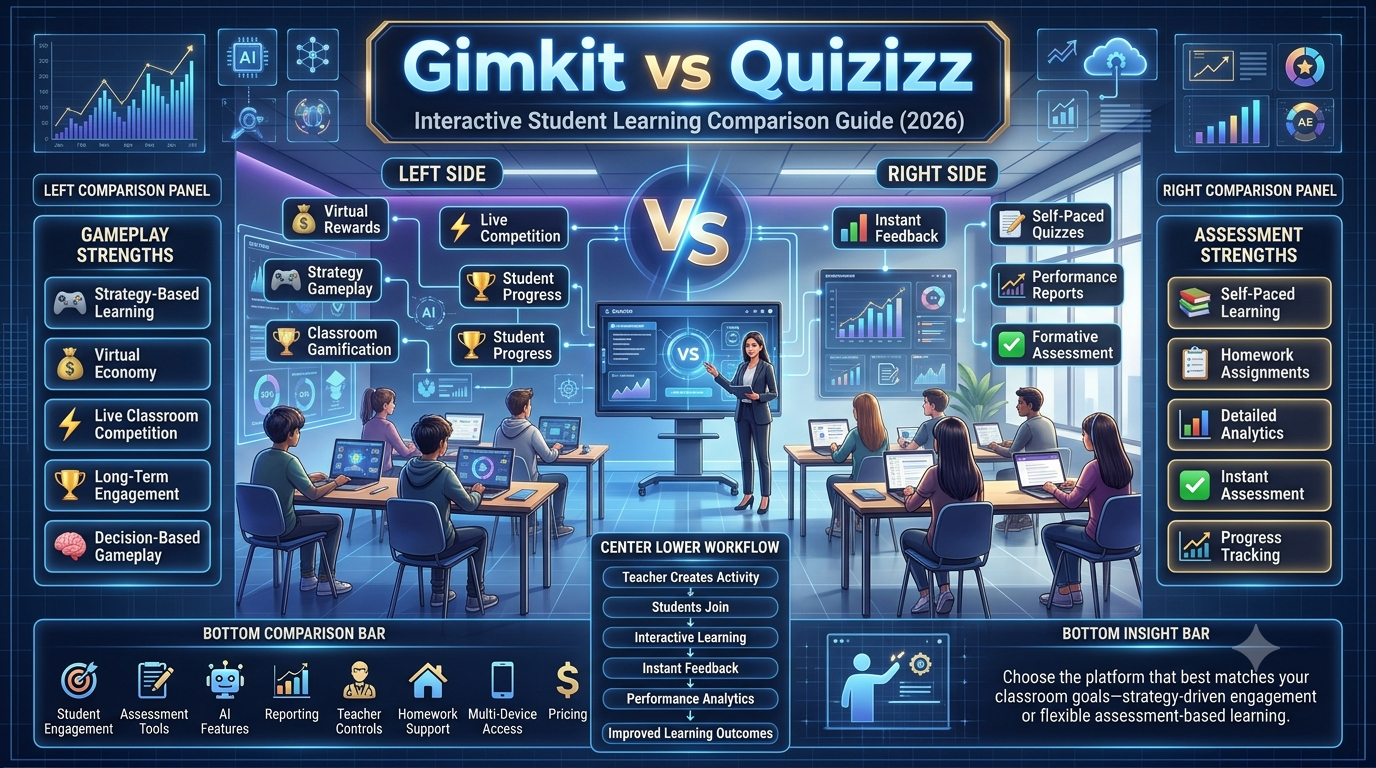
Gimkit Features vs Quizizz Features Compared-Interactive learning platforms have transformed classrooms by making lessons more engaging, competitive, and personalized. Among the most widely discussed educational game platforms are Gimkit and Quizizz. Both help teachers create quizzes, assignments, and live classroom activities, but they take very different approaches to student engagement. Gimkit focuses heavily on game mechanics, strategy, and virtual economies, while Quizizz emphasizes assessment, accessibility, and flexible learning experiences.
Choosing between these platforms isn’t simply about selecting the one with more features. Teachers, schools, tutors, and homeschool educators need to consider classroom goals, student age groups, lesson types, assessment requirements, reporting capabilities, integration with existing learning management systems, and long-term scalability. A platform that works exceptionally well for a middle school science class may not be the best choice for university review sessions or corporate training.
This comprehensive comparison explores every major feature of Gimkit and Quizizz, from gameplay and question types to analytics, AI-assisted content creation, accessibility, pricing, classroom management, and future developments. Whether you’re looking to increase classroom participation, improve assessment quality, or create memorable learning experiences, this guide will help you understand where each platform excels and which one best fits your teaching style.
Although both platforms belong to the educational technology category, they were designed with different priorities in mind.
Gimkit is a game-based learning platform that turns quizzes into strategic competitions. Students earn virtual currency by answering questions correctly and can spend those earnings on upgrades, power-ups, and in-game advantages. This unique economy system encourages repeated practice and rewards strategic thinking alongside knowledge.
Originally developed by a high school student, Gimkit has become especially popular among teachers looking to boost classroom engagement through interactive gameplay. Its live game modes encourage participation without making learning feel like a traditional assessment.
Quizizz, on the other hand, is a comprehensive assessment and learning platform designed to support quizzes, homework, lessons, presentations, and formative assessments. Rather than focusing on an in-game economy, Quizizz emphasizes flexibility, self-paced learning, detailed analytics, and easy content sharing among educators.
Because of its broad feature set, Quizizz is commonly used not only in K–12 education but also in higher education, tutoring, and workplace training.
While both platforms aim to improve learning outcomes, their methods differ significantly. Understanding these differences is the first step toward choosing the right tool for your educational environment.
Quick Feature Comparison
Feature
Gimkit
Quizizz
Primary Focus
Game-Based Learning
Assessment & Interactive Learning
Live Games
✔ Excellent
✔ Excellent
Homework Assignments
✔ Yes
✔ Yes
Strategy-Based Gameplay
✔ Extensive
Limited
Virtual Currency System
✔ Yes
No
Power-Ups
✔ Yes
No
AI Question Generation
Available
Available
Detailed Analytics
Good
Excellent
Lesson Presentations
Limited
Extensive
Student Self-Paced Mode
✔ Yes
✔ Yes
Google Classroom Integration
✔ Yes
✔ Yes
Microsoft Teams Integration
✔ Yes
✔ Yes
Question Bank
Large
Very Large
Teacher Collaboration
Moderate
Strong
Mobile Compatibility
Excellent
Excellent
Classroom Engagement
Outstanding
Outstanding
Understanding the Different Teaching Philosophies
The biggest distinction between Gimkit and Quizizz lies in how they motivate students.
Gimkit: Learning Through Strategy and Gameplay
Gimkit is built around the idea that students stay engaged longer when learning resembles a game rather than a test. Every correct answer rewards players with virtual cash, which they can reinvest to increase future earnings, unlock upgrades, or activate special abilities depending on the selected game mode.
This creates a feedback loop where knowledge, strategy, and decision-making work together. Students are motivated not only to answer correctly but also to think strategically about how they manage their in-game resources.
Because of this design, Gimkit is particularly effective for:
Classroom review sessions
Vocabulary practice
Mathematics drills
Science revision
Language learning
Competitive classroom activities
Teachers often find that even students who are usually reluctant to participate become more involved because the game mechanics reduce the pressure associated with traditional quizzes.
Quizizz: Learning Through Continuous Assessment
Quizizz approaches learning from a different perspective. Instead of building a virtual economy, it focuses on making assessments engaging without distracting from instructional goals.
Students answer questions individually, often at their own pace, while teachers receive detailed performance reports. Built-in memes, instant feedback, explanations, and progress tracking help maintain engagement while keeping the primary emphasis on learning outcomes.
Quizizz is especially suitable for:
Daily formative assessments
Homework assignments
Unit tests
Exit tickets
Independent practice
Hybrid and remote learning
Professional training
Its flexible structure allows educators to combine instruction and assessment within the same platform, making it a versatile choice across many educational settings.
User Interface and Learning Experience
A platform’s interface has a significant impact on both teacher productivity and student engagement.
Gimkit Interface
Gimkit features a modern, game-inspired design with vibrant visuals, animated transitions, and intuitive controls. Teachers can quickly create kits, launch live games, or assign homework from a streamlined dashboard.
Students experience an interface that feels closer to a multiplayer game than a traditional educational application. Important information such as earnings, upgrades, timers, and scores is presented clearly without overwhelming the player.
This design works particularly well for younger learners and classrooms that thrive on competition and interaction.
Quizizz Interface
Quizizz adopts a cleaner, education-first interface. Navigation is straightforward, allowing teachers to access quizzes, lessons, reports, and assignments from a centralized dashboard.
Students encounter simple layouts with clear question displays, answer choices, progress indicators, and instant feedback. Because there are fewer game mechanics competing for attention, learners can focus more directly on the content being assessed.
The interface also scales effectively across different age groups, making it suitable for elementary students, university learners, and adult training programs alike.
Account Types and User Roles
Both platforms provide different account options tailored to various educational needs.
User Type
Gimkit
Quizizz
Teacher Accounts
✔
✔
Student Accounts
✔
✔
School Accounts
✔
✔
District Licensing
✔
✔
Individual Learning
Limited
✔
Business Training
Limited
✔
Teacher Accounts
Teacher accounts unlock content creation tools, assignment management, reporting dashboards, classroom organization, and integration with external educational platforms. Premium subscriptions typically expand access to advanced features, larger content libraries, and enhanced analytics.
Student Accounts
Students can join activities using game codes or classroom invitations. While many activities do not require account creation, signed-in users often gain access to progress tracking, saved work, and personalized learning experiences.
School and District Accounts
For larger institutions, both platforms offer centralized management features that simplify user administration, licensing, and reporting across multiple classrooms. These options are particularly useful for schools seeking consistent implementation and easier oversight.
Device Compatibility and Accessibility
Modern classrooms rely on a variety of devices, and both Gimkit and Quizizz are designed to work across multiple platforms.
Platform
Gimkit
Quizizz
Windows
✔
✔
macOS
✔
✔
Chromebook
✔
✔
Android
✔
✔
iPhone & iPad
✔
✔
Web Browser
✔
✔
Both services operate primarily through web browsers, eliminating the need for complex software installations. This makes deployment easier for schools with mixed-device environments and supports learning in classrooms, at home, or on the go.
Accessibility features such as keyboard navigation, readable interfaces, and compatibility with common classroom devices contribute to a smoother experience for diverse groups of learners. However, educators should always review the latest accessibility documentation to ensure the platform meets the specific needs of their students.
Live Classroom Features
Live classroom sessions are where both Gimkit and Quizizz truly shine, but they create very different learning experiences. While both platforms allow teachers to host interactive quizzes in real time, the way students participate, collaborate, and stay engaged varies considerably.
Gimkit transforms the classroom into a multiplayer game where academic success directly influences in-game progress. Every correct answer becomes a resource that students can invest strategically, making each decision meaningful beyond simply earning points. Quizizz, meanwhile, focuses on maintaining the flow of instruction while collecting valuable assessment data. Students answer questions individually, receive immediate feedback, and progress through activities in a structured yet engaging environment.
The best choice depends largely on your teaching objectives. If your goal is maximum engagement and excitement, Gimkit often stands out. If you prioritize consistent assessment and detailed learning insights, Quizizz provides a more balanced instructional experience.
Live Classroom Features Comparison
Feature
Gimkit
Quizizz
Live Game Hosting
✅
✅
Join Code
✅
✅
Teacher-Controlled Sessions
✅
✅
Student Self-Paced Option
✅
✅
Automatic Leaderboards
✅
✅
Team Play
Available in selected modes
Available
Instant Feedback
✅
✅
Real-Time Performance Tracking
✅
✅
Game Mode Selection
Extensive
Moderate
Interactive Classroom Experience
Excellent
Very Good
Gimkit Live Features
Gimkit was designed primarily as a live classroom platform, and its game modes are the heart of the experience. Instead of answering a series of questions for points alone, students participate in a dynamic environment where every correct response contributes to their virtual economy.
The teacher begins by selecting a game mode, sharing a join code, and starting the session. Once students enter, the classroom becomes an active learning environment where participants continuously answer questions, earn virtual money, purchase upgrades, and compete with classmates.
Unlike traditional quiz platforms, the gameplay continues evolving throughout the session. Students constantly make decisions about whether to invest their earnings, save resources, or unlock advantages. This strategic layer encourages sustained attention because success depends on both knowledge and decision-making.
Benefits of Gimkit Live
Encourages continuous participation
Reduces boredom during review sessions
Motivates reluctant learners
Rewards consistent accuracy
Supports repeated practice without feeling repetitive
Creates memorable classroom experiences
Quizizz Live Features
Quizizz takes a more structured approach to live learning. Teachers launch a quiz, students join with a code, and everyone progresses through questions either together or at their own pace, depending on the chosen settings.
Rather than emphasizing strategy, Quizizz emphasizes learning outcomes. Students receive immediate feedback after every response, helping them recognize mistakes while the lesson is still in progress. Teachers can monitor live reports showing class accuracy, question difficulty, and individual performance.
Because gameplay elements remain relatively lightweight, Quizizz works particularly well during formal classroom instruction where maintaining lesson focus is important.
Advantages of Quizizz Live
Easy classroom management
Clear instructional flow
Immediate formative assessment
Detailed teacher monitoring
Minimal learning curve
Suitable for all age groups
Game Modes Comparison
One of the biggest reasons teachers choose Gimkit over competitors is the variety of game modes available. These modes fundamentally change how students interact with educational content.
Quizizz also offers different activity styles, but its variations are generally centered around assessment delivery rather than completely different gameplay mechanics.
Gimkit Game Modes
Gimkit regularly introduces new game modes, keeping classroom activities fresh throughout the school year. Instead of repeating the same quiz format, teachers can present familiar content through entirely different experiences.
Popular Gimkit modes include:
Classic
The original mode where students earn money by answering questions correctly and spend it on upgrades to increase future earnings.
Best for:
Vocabulary review
Mathematics practice
Science revision
Individual competition
Team Mode
Students work together toward shared objectives rather than competing individually. Collaboration becomes just as important as individual knowledge.
Ideal for:
Group learning
Classroom cooperation
Peer discussion
Collaborative review
Trust No One
Inspired by social deduction games, this mode combines quiz answering with mystery-solving mechanics. Students must identify hidden roles while continuing to answer academic questions.
Excellent for:
Middle school engagement
End-of-unit review
Classroom excitement
Critical thinking
Capture the Flag
Students compete strategically to control objectives while answering questions to gain advantages.
Develops:
Teamwork
Strategic planning
Fast recall
Communication skills
Fishtopia
Students answer questions to collect resources and progress through a relaxing fishing-themed experience.
Popular because it:
Reduces classroom pressure
Appeals to casual learners
Encourages long-term participation
Snowbrawl
A winter-themed competitive mode that combines quiz accuracy with strategic gameplay.
Suitable for:
Holiday lessons
Classroom competitions
Seasonal activities
Quizizz Activity Modes
Quizizz focuses on flexible instructional delivery rather than highly varied gameplay.
Teachers can choose between:
Live Quiz
Entire classroom participates simultaneously.
Best for:
Daily review
Warm-up activities
Lesson checks
Exit tickets
Homework Mode
Students complete quizzes independently before the assigned deadline.
Useful for:
Homework
Remote learning
Revision
Exam preparation
Instructor-Paced Mode
The teacher controls when each question appears.
Recommended for:
Classroom discussions
Teacher explanations
Collaborative analysis
Student-Paced Mode
Each learner progresses independently.
Advantages include:
Differentiated instruction
Reduced pressure
Flexible timing
Accessibility
Which Platform Offers Better Game Modes?
Category
Winner
Creativity
Gimkit
Variety
Gimkit
Competitive Gameplay
Gimkit
Classroom Flexibility
Quizizz
Formal Assessment
Quizizz
Student Motivation
Gimkit
Independent Learning
Quizizz
For teachers wanting every review session to feel different, Gimkit offers significantly greater variety. For educators seeking consistent instructional workflows, Quizizz remains the more predictable option.
Homework and Assignments
Homework has become a core feature of modern educational platforms, especially with hybrid and remote learning. Both Gimkit and Quizizz allow teachers to assign activities outside the classroom, but they differ in how those assignments are experienced.
Gimkit Assignments
Gimkit assignments preserve much of the platform’s game-based philosophy. Students complete question sets independently while continuing to earn virtual currency and interact with familiar mechanics.
Teachers can configure:
Assignment deadlines
Required completion
Student access
Question sets
Classroom organization
Because gameplay remains intact, students often spend more time voluntarily practicing than they would with traditional homework.
Quizizz Assignments
Quizizz offers one of the strongest homework systems among educational quiz platforms.
Teachers can:
Schedule assignments
Set availability windows
Randomize questions
Shuffle answers
Limit attempts
Enable explanations
Monitor completion progress
Detailed analytics allow instructors to identify struggling students before the next lesson begins.
Homework Comparison
Feature
Gimkit
Quizizz
Homework Assignments
✅
✅
Due Dates
✅
✅
Multiple Attempts
Limited
Extensive
Progress Tracking
Good
Excellent
Automatic Grading
✅
✅
Teacher Reports
Good
Excellent
Student Motivation
Excellent
Very Good
Question Types Comparison
Question variety determines how effectively teachers can assess different learning objectives.
Gimkit Question Types
Gimkit primarily focuses on rapid-response gameplay, making multiple-choice questions its strongest format.
Supported formats generally include:
Multiple Choice
Text Input
Image-Based Questions
Basic Media Integration
The emphasis remains on maintaining game speed rather than offering dozens of assessment formats.
Quizizz Question Types
Quizizz provides a much broader assessment toolkit suitable for diverse classroom needs.
Teachers can create:
Multiple Choice
Fill in the Blank
Checkbox Questions
Polls
Open-Ended Questions
Match Questions
Reorder Activities
Audio Questions
Video Questions
Image Questions
Slide-Based Lessons
This wider range allows teachers to assess higher-order thinking skills in addition to factual recall.
Question Type Comparison
Assessment Feature
Gimkit
Quizizz
Multiple Choice
✅
✅
Text Entry
✅
✅
Poll Questions
❌
✅
Open Response
Limited
✅
Audio Questions
Limited
✅
Video Questions
Limited
✅
Slide Lessons
❌
✅
Interactive Lessons
Limited
✅
Multimedia Support
Modern classrooms increasingly rely on visual and multimedia resources to improve engagement and comprehension.
Gimkit Multimedia
Gimkit supports images and selected media elements that complement its game-focused experience. Teachers can enhance questions with visuals, making subjects like geography, biology, history, and science more interactive.
However, multimedia serves primarily as a supporting feature rather than the central instructional tool.
Quizizz Multimedia
Quizizz offers a richer multimedia experience by allowing teachers to integrate:
Images
Audio clips
Educational videos
Interactive slides
Animated presentations
Lesson content between questions
This flexibility enables educators to build complete learning experiences rather than standalone quizzes.
AI Features
Artificial intelligence is becoming increasingly important in educational technology, helping teachers save time while improving lesson quality.
Gimkit AI Capabilities
Gimkit has introduced AI-assisted tools that help educators generate question sets more efficiently. Instead of building every quiz manually, teachers can create draft content based on topics or existing materials and then refine it to match their classroom needs.
AI assistance is intended to speed up preparation while leaving instructional decisions in the teacher’s hands.
Quizizz AI Capabilities
Quizizz has expanded its AI features to support a wider range of classroom tasks. Teachers can generate quizzes from topics or source materials, create lesson drafts, and adapt content for different learning objectives. These tools reduce preparation time while making it easier to personalize activities for diverse classrooms.
As with any AI-generated material, educators should review questions for accuracy and alignment with their curriculum before assigning them to students.
Student Engagement Tools
Keeping students motivated throughout an activity is essential for effective learning.
Engagement Feature
Gimkit
Quizizz
Leaderboards
✅
✅
Rewards
Extensive
Moderate
Power-Ups
✅
❌
Memes
❌
✅
Virtual Economy
✅
❌
Strategy-Based Gameplay
✅
❌
Instant Feedback
✅
✅
Classroom Competition
Excellent
Very Good
Gimkit’s virtual economy, upgrades, and power-ups create a highly immersive experience that encourages repeated participation. Quizizz, on the other hand, keeps students engaged through immediate feedback, playful visuals, memes, and accessible quiz formats without adding complex game mechanics.
Expert Reviews & Instant Guidance for you through expert points
Gimkit Features vs Quizizz Features Compared begins by recognizing that both platforms support interactive learning, formative assessment, and classroom engagement, but they achieve these goals through different feature sets and instructional approaches.
Gimkit Features vs Quizizz Features Compared highlight that Gimkit emphasizes strategy-based gameplay, while Quizizz focuses on structured quizzes, assignments, and assessment-driven classroom activities.
Gimkit Features vs Quizizz Features Compared demonstrate that both platforms allow teachers to create custom question sets aligned with curriculum objectives and classroom learning outcomes.
Gimkit Features vs Quizizz Features Compared show that Gimkit incorporates an in-game economy with upgrades and strategic decision-making, whereas Quizizz centers on quiz accuracy and learner progress.
Gimkit Features vs Quizizz Features Compared encourage educators to select features based on teaching objectives rather than simply choosing the platform with more tools.
Gimkit Features vs Quizizz Features Compared reveal that both platforms provide immediate feedback, helping students recognize mistakes and improve their understanding during learning activities.
Gimkit Features vs Quizizz Features Compared support formative assessment by giving teachers access to classroom performance reports and learning insights after each activity.
Gimkit Features vs Quizizz Features Compared demonstrate that educators can customize activities to match different subjects, grade levels, and instructional goals.
Gimkit Features vs Quizizz Features Compared highlight that both platforms offer self-paced learning options alongside live classroom sessions, increasing instructional flexibility.
Gimkit Features vs Quizizz Features Compared show that teachers can reuse and modify existing question sets, reducing lesson preparation time throughout the academic year.
Gimkit Features vs Quizizz Features Compared emphasize that classroom engagement depends not only on platform features but also on thoughtful lesson planning and instructional design.
Gimkit Features vs Quizizz Features Compared encourage educators to evaluate reporting capabilities when selecting a platform for ongoing student progress monitoring.
Gimkit Features vs Quizizz Features Compared demonstrate that both platforms support collaborative learning while encouraging individual knowledge development.
Gimkit Features vs Quizizz Features Compared highlight that interactive review activities can improve participation, confidence, and long-term knowledge retention across multiple subjects.
Gimkit Features vs Quizizz Features Compared show that teachers can integrate both platforms into blended, hybrid, or traditional classroom environments with relative ease.
Gimkit Features vs Quizizz Features Compared recommend considering classroom size, teaching frequency, and curriculum requirements before choosing between available feature sets.
Gimkit Features vs Quizizz Features Compared illustrate that regular platform updates continue introducing new instructional tools and classroom management improvements.
Gimkit Features vs Quizizz Features Compared emphasize that flexibility allows educators to adapt learning experiences according to student needs and lesson objectives.
Gimkit Features vs Quizizz Features Compared demonstrate that performance analytics help teachers identify strengths, weaknesses, and concepts requiring additional classroom attention.
Gimkit Features vs Quizizz Features Compared encourage educators to balance competition with meaningful learning, ensuring educational outcomes remain the highest priority.
Gimkit Features vs Quizizz Features Compared show that both platforms support repeated practice, making them valuable resources for exam preparation and concept reinforcement.
Gimkit Features vs Quizizz Features Compared highlight that successful classroom implementation depends more on instructional quality than on the number of available features.
Gimkit Features vs Quizizz Features Compared recommend experimenting with both platforms to determine which features best support specific classroom objectives and teaching styles.
Gimkit Features vs Quizizz Features Compared demonstrate that combining interactive technology with effective teaching strategies creates more engaging and productive learning experiences.
Gimkit Features vs Quizizz Features Compared ultimately show that both platforms provide powerful educational features designed to improve student engagement, classroom participation, formative assessment, and knowledge retention. Gimkit stands out for its strategy-driven gameplay and resource management mechanics, while Quizizz excels in structured assessments, flexible quiz delivery, and comprehensive reporting. The best choice depends on instructional goals, classroom dynamics, and the learning experience educators want to create.
Teacher Dashboard Comparison
The teacher dashboard serves as the command center for lesson planning, classroom management, student monitoring, and performance analysis. While both Gimkit and Quizizz provide intuitive dashboards, they are built with different priorities. Gimkit emphasizes launching engaging game sessions quickly, whereas Quizizz focuses on organizing instructional content, assessments, and analytics in one centralized workspace.
Teachers who regularly switch between quizzes, homework, lessons, and reports often appreciate Quizizz’s structured interface. In contrast, educators who primarily use interactive review games may find Gimkit’s streamlined dashboard faster and more efficient during live instruction.
Gimkit Teacher Dashboard
Gimkit’s dashboard is designed to minimize setup time so teachers can move from planning to gameplay in just a few clicks. The home screen provides quick access to Kits (question sets), Classes, Assignments, Reports, and Live Games.
Creating a new activity follows a straightforward workflow. Teachers select or create a Kit, choose a game mode, adjust settings, and launch the session. Because the interface prioritizes speed, there are fewer menus to navigate compared to larger learning management platforms.
Dashboard Highlights
Organized Kit library
Quick game launching
Class management tools
Assignment creation
Activity reports
Recent sessions history
AI-assisted content creation (where available)
For teachers who conduct frequent classroom review sessions, this simplified design reduces preparation time and keeps the focus on instruction rather than software navigation.
Quizizz Teacher Dashboard
Quizizz offers a broader instructional workspace that extends beyond quizzes. In addition to assessments, teachers can create interactive lessons, homework assignments, presentations, and learning activities from the same dashboard.
The platform organizes resources into dedicated sections, making it easier to manage multiple classes, subjects, and academic terms.
Teachers can quickly access:
Quiz library
Lesson builder
Assignment manager
Reports
Question bank
Class organization
AI content tools
Shared resources
This broader feature set makes Quizizz especially attractive for educators who want one platform to support daily teaching, assessment, and progress monitoring.
Dashboard Comparison
Feature
Gimkit
Quizizz
Clean Interface
✅
✅
Lesson Builder
Limited
✅
Game Launch Speed
Excellent
Very Good
Assignment Manager
✅
✅
Question Library
Good
Excellent
AI Tools
✅
✅
Resource Organization
Good
Excellent
Classroom Management
Good
Excellent
Reports and Analytics
Collecting student performance data is one of the biggest advantages of digital learning platforms. Detailed reports help teachers identify learning gaps, evaluate lesson effectiveness, and make informed instructional decisions.
Although both platforms provide reporting tools, Quizizz generally offers deeper analytics, while Gimkit focuses more on gameplay performance and participation trends.
Gimkit Analytics
After each game or assignment, Gimkit generates reports that summarize student performance. Teachers can review overall accuracy, question-level statistics, and individual student results to understand how well learners performed.
Useful insights include:
Correct and incorrect responses
Student rankings
Earnings and gameplay statistics
Completion rates
Accuracy percentages
Frequently missed questions
These reports are particularly valuable for identifying topics that require additional review before moving on to new material.
Best Use Cases
End-of-unit review
Vocabulary practice
Quick formative checks
Classroom competitions
Skill reinforcement
Quizizz Analytics
Quizizz provides one of the most comprehensive reporting systems among educational quiz platforms. Reports go beyond simple scores to reveal patterns in student understanding, question difficulty, and learning progress over time.
Teachers can analyze:
Individual performance
Class averages
Question difficulty
Accuracy by question
Time spent per question
Assignment completion
Participation history
Improvement trends
Because reports remain available after activities end, educators can revisit data when planning future lessons or parent conferences.
Analytics Comparison
Reporting Feature
Gimkit
Quizizz
Student Scores
✅
✅
Class Reports
✅
✅
Question Analysis
✅
✅
Time Analysis
Limited
✅
Assignment Tracking
Good
Excellent
Long-Term Progress
Limited
Better
Download Reports
✅
✅
Performance Insights
Good
Excellent
Assessment Features
Although both platforms support formative assessment, their instructional philosophies shape how assessments are delivered.
Gimkit Assessments
Gimkit assessments prioritize engagement without removing academic rigor. Instead of traditional testing environments, students demonstrate understanding while participating in game-based activities.
This approach is particularly effective for:
Knowledge review
Vocabulary practice
Formula memorization
Language learning
Science terminology
Mathematics fluency
Because students often answer the same concepts multiple times during gameplay, teachers gain insight into both accuracy and consistency.
However, Gimkit is generally better suited for formative assessment than high-stakes testing.
Quizizz Assessments
Quizizz provides greater flexibility for formal classroom assessment. Teachers can build quizzes with multiple question formats, control pacing, randomize questions, enable answer explanations, and schedule assignments.
This versatility supports a wide range of instructional goals, including:
Formative assessments
Summative quizzes
Exit tickets
Diagnostic tests
Homework
Exam preparation
Practice tests
The combination of detailed analytics and flexible settings makes Quizizz a strong option for measuring student learning across different educational contexts.
Assessment Comparison
Assessment Area
Gimkit
Quizizz
Formative Assessment
Excellent
Excellent
Summative Assessment
Good
Excellent
Diagnostic Testing
Good
Excellent
Homework Assessment
Good
Excellent
Exam Preparation
Very Good
Excellent
Classroom Review
Outstanding
Excellent
Classroom Management
Managing students efficiently becomes increasingly important as class sizes grow. Both platforms provide tools to organize classes, monitor participation, and simplify instructional workflows.
Gimkit Classroom Management
Teachers can create classes, invite students, organize Kits, assign homework, and launch games without extensive setup. During live sessions, instructors can monitor participation and adjust game settings as needed.
Strengths include:
Simple class organization
Easy student joining
Live monitoring
Flexible assignments
Quick activity setup
The platform minimizes administrative tasks so teachers can focus on classroom interaction.
Quizizz Classroom Management
Quizizz includes a broader set of classroom management tools suitable for schools that rely heavily on digital instruction.
Teachers can:
Create multiple classes
Organize by subject
Assign activities
Track homework
Manage reports
Schedule future assignments
Reuse content
Share resources with colleagues
These features make Quizizz particularly effective for teachers managing several classes or large student groups.
Classroom Management Comparison
Management Tool
Gimkit
Quizizz
Multiple Classes
✅
✅
Student Groups
✅
✅
Assignment Scheduling
Good
Excellent
Live Monitoring
Excellent
Excellent
Resource Organization
Good
Excellent
Content Reuse
✅
✅
Learning Management System (LMS) Integration
Many schools rely on Learning Management Systems (LMS) to centralize instruction, assignments, and communication. Seamless integration reduces duplicate work and helps teachers keep student information organized.
Both Gimkit and Quizizz support integration with widely used educational platforms, though the depth of available features may vary depending on the institution’s setup and subscription level.
Common benefits include:
Easier classroom setup
Streamlined assignment sharing
Improved workflow
Reduced manual data entry
Better organization across digital classrooms
Google Classroom Integration
Google Classroom remains one of the most widely adopted classroom management systems, making compatibility an important consideration.
Gimkit
Teachers can connect classes, share assignments, and simplify student access through Google Classroom. This integration helps reduce setup time and minimizes the need for manual enrollment.
Benefits
Faster classroom setup
Easy assignment sharing
Simplified student access
Better workflow
Quizizz
Quizizz offers strong Google Classroom support, allowing educators to assign quizzes directly, sync classes, and monitor student progress within their instructional workflow.
Advantages include:
Automatic class synchronization
Assignment distribution
Student roster management
Simplified grading workflow
Improved classroom organization
Microsoft Teams Integration
Schools using Microsoft 365 often depend on Microsoft Teams for communication and collaboration.
Both platforms support Microsoft Teams integration to varying degrees, enabling teachers to share activities and streamline classroom workflows.
Key benefits include:
Centralized communication
Assignment sharing
Easier student access
Improved digital classroom management
For institutions already invested in the Microsoft ecosystem, this compatibility reduces friction when introducing interactive learning activities.
Accessibility Features
Accessibility ensures that interactive learning tools remain usable for students with diverse abilities and learning needs. While specific accessibility implementations continue to evolve, both platforms include features intended to support inclusive learning environments.
Common considerations include:
Keyboard navigation
Clear interface layouts
Readable fonts
Responsive design
Compatibility with common classroom devices
Adjustable pacing in appropriate activity modes
Educators should review the latest accessibility documentation from each platform to determine whether available features align with the needs of their students and institutional requirements.
Accessibility Comparison
Accessibility Area
Gimkit
Quizizz
Browser-Based Access
✅
✅
Chromebook Support
✅
✅
Mobile Friendly
✅
✅
Self-Paced Learning
✅
✅
Teacher-Controlled Sessions
✅
✅
Flexible Assignment Timing
Good
Excellent
Mid-Article Verdict
At this stage of the comparison, a clear pattern has emerged:
Choose Gimkit if your priority is maximizing classroom engagement through immersive game mechanics, strategic play, and highly interactive live sessions.
Choose Quizizz if you need a versatile platform that combines assessments, lessons, analytics, and classroom management in a single, well-rounded ecosystem.
Neither platform is universally “better.” The right choice depends on your instructional goals, student age group, classroom environment, and the balance you want between entertainment and assessment.
Customization Options
Customization allows teachers to adapt learning activities to different classroom environments, learning objectives, and student needs. While both Gimkit and Quizizz offer customization tools, they focus on different aspects of the teaching experience. Gimkit emphasizes game configuration and player interaction, whereas Quizizz provides broader instructional customization for quizzes, lessons, assignments, and assessments.
Teachers who regularly modify activities for different classes will appreciate the flexibility offered by both platforms, although the available options vary depending on subscription level and activity type.
Gimkit Customization
Gimkit gives teachers control over how games function before students even join. Rather than simply selecting a quiz, educators can adjust gameplay mechanics to match lesson goals and classroom dynamics.
Common customization options include:
Selecting different game modes
Adjusting game duration
Controlling power-up availability
Choosing earning rates
Enabling or disabling late joining
Setting assignment deadlines
Organizing Kits into classes
These options allow teachers to create experiences ranging from fast-paced competitions to relaxed review sessions.
Best Uses
Classroom review days
Exam preparation
Weekly competitions
Vocabulary practice
Team-based learning
Quizizz Customization
Quizizz focuses on instructional flexibility rather than gameplay mechanics. Teachers can customize nearly every aspect of quiz delivery to support different teaching strategies.
Popular customization features include:
Question randomization
Answer shuffling
Time limits
Attempt limits
Answer explanations
PowerPoint-style lessons
Homework scheduling
Practice mode settings
Feedback options
This level of control makes Quizizz suitable for everything from daily bell ringers to formal assessments.
Gamification is one of the biggest differences between the two platforms. While both encourage participation through interactive elements, Gimkit builds its entire experience around game mechanics, whereas Quizizz uses lighter motivational features that keep students focused on learning.
Gimkit Power-Ups
Power-ups are one of Gimkit’s defining features. As students answer questions correctly, they earn virtual currency that can be spent on upgrades and special abilities. These decisions influence future gameplay, encouraging strategic thinking alongside academic performance.
Depending on the selected game mode, students may unlock abilities that increase earnings, improve efficiency, or provide temporary advantages.
Educational Benefits
Power-ups help students:
Stay motivated during longer sessions
Develop decision-making skills
Think strategically
Maintain focus
Practice repeated recall without boredom
Because rewards are directly connected to correct answers, academic achievement remains the foundation of gameplay.
Quizizz Gamification
Quizizz takes a simpler approach to motivation. Instead of virtual economies, it relies on features that make assessments enjoyable without adding complex strategy.
Common engagement elements include:
Leaderboards
Instant feedback
Achievement streaks
Memes
Celebratory animations
Progress indicators
Classroom rankings
These features encourage participation while allowing the educational content to remain the primary focus.
Gamification Comparison
Feature
Gimkit
Quizizz
Virtual Economy
✅
❌
Power-Ups
✅
❌
Strategy-Based Gameplay
✅
❌
Memes
❌
✅
Streak Rewards
Limited
✅
Leaderboards
✅
✅
Motivation Through Gameplay
Excellent
Very Good
Collaboration Features
Modern classrooms increasingly value teamwork, communication, and collaborative problem-solving. Interactive platforms can support these goals by encouraging students to work together rather than always competing individually.
Collaboration in Gimkit
Several Gimkit game modes encourage teamwork by requiring students to cooperate toward shared objectives. Rather than competing solely for individual rankings, participants can combine their efforts to achieve team success.
Collaborative learning benefits include:
Peer instruction
Group problem-solving
Shared decision-making
Improved communication
Higher classroom participation
These collaborative experiences are especially effective during review lessons where discussion naturally improves understanding.
Collaboration in Quizizz
Quizizz supports collaboration primarily through classroom participation rather than game mechanics. Teachers can guide students through instructor-paced activities, pause discussions, explain misconceptions, and encourage collaborative analysis between questions.
This instructional flexibility works particularly well for:
Whole-class discussions
Guided review sessions
Teacher-led explanations
Small-group analysis
Collaborative learning activities
Collaboration Comparison
Collaboration Feature
Gimkit
Quizizz
Team Activities
Excellent
Good
Teacher-Led Discussions
Good
Excellent
Group Learning
Excellent
Very Good
Classroom Interaction
Excellent
Excellent
Security and Privacy
Educational technology platforms must protect student information while complying with school policies and applicable privacy requirements. Security features influence adoption decisions, particularly for schools and districts managing large numbers of users.
Both Gimkit and Quizizz provide account management, classroom controls, and secure access methods designed for educational environments. Available privacy features and compliance options may differ based on account type, institution, and region.
Teachers should always review the latest privacy documentation and institutional policies before deploying any classroom technology.
Security Features Comparison
Security Area
Gimkit
Quizizz
Secure Teacher Accounts
✅
✅
Student Join Codes
✅
✅
Password Protection
✅
✅
Classroom Controls
✅
✅
Administrative Management
Good
Excellent
School Licensing
✅
✅
Performance and Reliability
A smooth classroom experience depends on reliable performance. Slow loading times, connection issues, or interrupted activities can quickly reduce student engagement, particularly during live sessions.
Both platforms are cloud-based and optimized for modern web browsers, allowing students to join activities from Chromebooks, Windows laptops, Mac computers, tablets, and smartphones without installing complex software.
In typical classroom environments with stable internet connections, both services perform well. Performance can still vary depending on local network quality, browser version, device capabilities, and the number of participants in a session.
Reliability Factors
Browser compatibility
Cloud-based infrastructure
Automatic activity saving
Cross-device support
Responsive interface
Regular platform updates
Teachers can improve reliability by testing activities before class and ensuring student devices use supported browsers.
Mobile Learning Experience
Mobile learning has become increasingly important as many students access educational content through smartphones or tablets outside the classroom.
Gimkit on Mobile
Gimkit’s responsive interface adapts well to smaller screens, allowing students to participate in live games, complete assignments, and answer questions from mobile devices.
The game-focused design remains intuitive, with large buttons and clear navigation that support fast-paced gameplay even on touchscreens.
Mobile strengths include:
Responsive layout
Quick game access
Touch-friendly controls
Cross-device synchronization
Quizizz on Mobile
Quizizz also delivers a polished mobile experience, enabling students to complete assignments, join live sessions, and review learning materials on smartphones and tablets.
Its clean interface makes reading questions and navigating lessons comfortable on smaller displays.
Benefits include:
Consistent interface
Homework accessibility
Lesson viewing
Flexible learning anywhere
Smooth assignment completion
Mobile Comparison
Mobile Feature
Gimkit
Quizizz
Smartphone Support
✅
✅
Tablet Support
✅
✅
Responsive Design
✅
✅
Browser Compatibility
Excellent
Excellent
Homework Completion
✅
✅
Live Participation
Excellent
Excellent
Offline Learning
Because both Gimkit and Quizizz are cloud-based platforms, they are primarily designed for online use. Teachers generally need an active internet connection to create activities, launch live sessions, synchronize student progress, and access reports.
Students may be able to continue certain activities if temporary connectivity issues occur, depending on browser behavior and the specific activity, but reliable internet access remains the recommended setup for both platforms.
For schools with inconsistent connectivity, educators should plan lessons accordingly and verify network stability before hosting large live sessions.
Pricing Comparison
Subscription plans and included features can change over time, so educators should always verify the latest pricing directly from the official platform before making purchasing decisions. Instead of focusing on exact prices, it is more useful to compare the value each platform provides.
Pricing Category
Gimkit
Quizizz
Free Plan
✅
✅
Premium Features
✅
✅
Teacher Plans
✅
✅
School Plans
✅
✅
District Licensing
✅
✅
Free Feature Availability
Moderate
Extensive
Premium Classroom Tools
Excellent
Excellent
Gimkit Value
Gimkit delivers exceptional value for teachers who prioritize highly engaging review games. Premium plans expand access to additional game modes, advanced classroom features, and enhanced flexibility.
Quizizz Value
Quizizz offers strong value for educators seeking an all-in-one teaching platform that supports quizzes, lessons, homework, analytics, and classroom management from a single interface.
Expert Feature Scorecard
The following scorecard summarizes how both platforms compare across major teaching categories.
Category
Gimkit
Quizizz
Classroom Engagement
⭐⭐⭐⭐⭐
⭐⭐⭐⭐☆
Game Variety
⭐⭐⭐⭐⭐
⭐⭐⭐☆☆
Assessment Features
⭐⭐⭐⭐☆
⭐⭐⭐⭐⭐
Analytics
⭐⭐⭐⭐☆
⭐⭐⭐⭐⭐
Homework
⭐⭐⭐⭐☆
⭐⭐⭐⭐⭐
Live Learning
⭐⭐⭐⭐⭐
⭐⭐⭐⭐☆
Customization
⭐⭐⭐⭐☆
⭐⭐⭐⭐⭐
Teacher Dashboard
⭐⭐⭐⭐☆
⭐⭐⭐⭐⭐
Ease of Use
⭐⭐⭐⭐⭐
⭐⭐⭐⭐⭐
Overall Versatility
⭐⭐⭐⭐☆
⭐⭐⭐⭐⭐
Expert Analysis
After comparing every major feature, a consistent pattern emerges. Gimkit excels at transforming classroom review into an engaging game, making it an excellent choice for teachers who want to maximize participation, excitement, and repeated practice. Quizizz, on the other hand, stands out as a more comprehensive instructional platform, offering stronger assessment tools, richer analytics, broader lesson capabilities, and greater flexibility for everyday teaching.
Rather than viewing them as direct replacements, many educators successfully use both platforms together—leveraging Gimkit for interactive review sessions and Quizizz for lessons, homework, and detailed progress tracking.
Expert Reviews & Instant Guidance for you -Latest #2
Gimkit Features vs Quizizz Features Compared show that Gimkit encourages strategic thinking through gameplay mechanics, while Quizizz emphasizes straightforward question-based learning and assessment.
Gimkit Features vs Quizizz Features Compared demonstrate that both platforms allow teachers to customize question formats, making lessons more relevant to curriculum objectives.
Gimkit Features vs Quizizz Features Compared highlight that Quizizz offers a familiar quiz experience, whereas Gimkit transforms reviews into interactive game sessions with strategic elements.
Gimkit Features vs Quizizz Features Compared encourage educators to evaluate how each platform fits their classroom management style and instructional preferences.
Gimkit Features vs Quizizz Features Compared show that both platforms support learning across mathematics, science, languages, social studies, and many other academic subjects.
Gimkit Features vs Quizizz Features Compared emphasize that engaging students consistently is more important than selecting the platform with the largest number of features.
Gimkit Features vs Quizizz Features Compared demonstrate that both tools simplify classroom review by providing ready-to-use activities alongside custom content creation.
Gimkit Features vs Quizizz Features Compared highlight that students often remain motivated when learning activities combine educational objectives with enjoyable digital experiences.
Gimkit Features vs Quizizz Features Compared recommend using platform analytics to monitor class performance and identify concepts requiring additional instruction.
Gimkit Features vs Quizizz Features Compared show that immediate answer feedback helps students correct misconceptions before they become long-term learning challenges.
Gimkit Features vs Quizizz Features Compared encourage teachers to combine live classroom games with self-paced assignments for a balanced instructional approach.
Gimkit Features vs Quizizz Features Compared demonstrate that both platforms support repeated practice, improving knowledge retention through continuous reinforcement.
Gimkit Features vs Quizizz Features Compared highlight that flexible activity scheduling allows teachers to integrate interactive learning into daily classroom routines.
Gimkit Features vs Quizizz Features Compared recommend selecting features that directly support lesson objectives rather than using every available option.
Gimkit Features vs Quizizz Features Compared emphasize that meaningful classroom discussions after activities strengthen understanding beyond quiz results alone.
Gimkit Features vs Quizizz Features Compared show that both platforms encourage active participation by giving every student an opportunity to contribute during learning activities.
Gimkit Features vs Quizizz Features Compared demonstrate that regular formative assessment helps teachers make timely instructional adjustments based on classroom performance.
Gimkit Features vs Quizizz Features Compared highlight that digital learning tools work best when combined with teacher guidance, collaboration, and reflective classroom discussions.
Gimkit Features vs Quizizz Features Compared encourage educators to explore different activity formats to maintain long-term student interest and classroom engagement.
Gimkit Features vs Quizizz Features Compared show that consistent use of interactive review can increase student confidence before quizzes, examinations, and classroom assessments.
Gimkit Features vs Quizizz Features Compared demonstrate that thoughtful implementation produces greater educational value than relying solely on technology or game mechanics.
Gimkit Features vs Quizizz Features Compared highlight that classroom success depends on curriculum alignment, instructional quality, and meaningful student participation.
Gimkit Features vs Quizizz Features Compared recommend reviewing student feedback periodically to determine which platform features create the most effective learning experiences.
Gimkit Features vs Quizizz Features Compared show that both platforms continue evolving with new educational tools designed to support modern teaching practices.
Gimkit Features vs Quizizz Features Compared ultimately confirm that each platform has distinct strengths. Gimkit excels at immersive, strategy-based gameplay that promotes engagement and decision-making, while Quizizz provides a structured, assessment-focused experience with flexible quizzes and detailed reporting. Choosing the right platform depends on teaching objectives, classroom needs, student preferences, and the type of learning experience educators want to deliver.
Most Frequently Asked Faqs
How do the core game mechanics and student engagement styles compare?
Gimkit and Quizizz both encourage active participation, but their engagement models are different. Gimkit emphasizes strategy-based gameplay where students answer questions to earn in-game currency, purchase upgrades, and make tactical decisions throughout the session. This creates a dynamic experience that rewards both knowledge and strategic thinking. Quizizz focuses on fast-paced quizzes, instant feedback, leaderboards, and classroom-friendly competitions without complex game mechanics. Teachers seeking immersive game experiences may prefer Gimkit, while those wanting straightforward assessments with minimal learning curves often find Quizizz more suitable for everyday classroom instruction.
Key differences:
Gimkit emphasizes strategy and resource management.
Quizizz focuses on quiz-based competition.
Both provide immediate feedback.
Each supports live and self-paced learning.
Which platform offers better question types and assessment variety?
Both platforms support multiple assessment formats, but Quizizz generally provides a broader selection of question types for diverse instructional needs. Teachers can create multiple-choice, fill-in-the-blank, matching, polls, and multimedia-based questions depending on available features. Gimkit focuses primarily on question formats that maintain fast gameplay while supporting effective classroom review. For comprehensive classroom assessments covering different learning objectives, Quizizz typically offers greater flexibility. However, Gimkit excels when the goal is repeated practice, reinforcement, and maintaining high student engagement through interactive gameplay rather than extensive assessment variety.
Assessment strengths:
Quizizz supports broader question variety.
Gimkit prioritizes gameplay efficiency.
Both allow custom question creation.
Multimedia support enhances engagement.
How do their AI features and quiz creation tools stack up?
Both Gimkit and Quizizz continue expanding AI-assisted content creation, making lesson preparation faster for educators. AI tools can help generate questions, organize quizzes, and simplify activity creation based on selected topics or uploaded learning materials. Quizizz generally offers more mature AI-assisted workflow options for assessment creation and lesson planning, while Gimkit focuses on simplifying quiz generation for engaging gameplay. Regardless of the platform, teachers should review AI-generated content for accuracy, curriculum alignment, and appropriate difficulty before using it with students.
AI comparison:
AI speeds up quiz creation.
Quizizz offers broader AI workflow support.
Gimkit simplifies game-ready content creation.
Teacher review remains essential.
What are the differences in data analytics and gradebook integration?
Both platforms provide classroom performance reports that help educators monitor student progress and identify learning gaps. Quizizz generally emphasizes detailed assessment analytics, question-level performance insights, and broader gradebook integration options that simplify classroom record keeping. Gimkit also provides valuable reports focused on participation, accuracy, and classroom performance, supporting formative assessment and instructional planning. Teachers who require comprehensive reporting and grading workflows may prefer Quizizz, while educators prioritizing engagement and interactive review still receive meaningful learning data through Gimkit.
Reporting comparison:
Quizizz offers more comprehensive assessment analytics.
How do the free versions compare under the current 2026 restrictions?
As of 2026, both platforms continue offering free access alongside premium subscriptions, but the available features are more limited than their paid plans. Free users can typically create quizzes, host classroom activities, and access core teaching tools, while advanced analytics, expanded customization, premium game modes, AI capabilities, or additional classroom management features may require a subscription. Exact feature availability can change as each platform updates its plans. Teachers should compare the latest free-plan limitations against their classroom needs before deciding whether upgrading provides sufficient educational value.