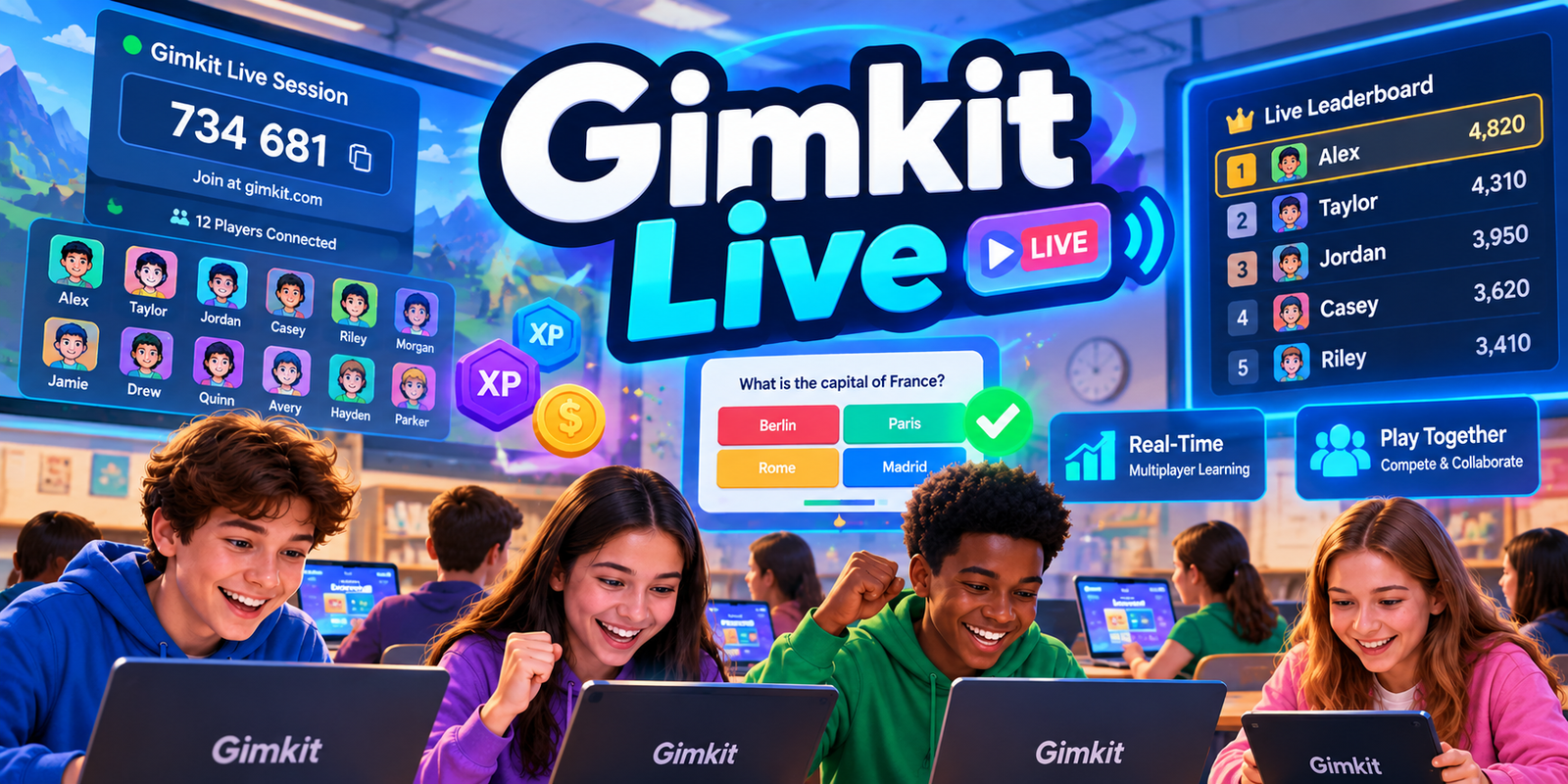
What makes a Gimkit activity live? Explore shared session time, simultaneous participation, game-wide events, individual experiences and the difference between being connected together and doing exactly the same thing.
Live classroom sessionsShared participationConcurrent presenceInteractive timeline lab
Independent educational resource. GimkitApp.com is not operated or endorsed by Gimkit. Our interactive model does not monitor an actual Gimkit session.
SHARED TIME / DIFFERENT WINDOWSConceptual view
StartMiddleEnd
Group A · Early presence
Group B · Full window
Group C · Later presence
A shared event may occur while all three groups are present, even though their individual participation windows began at different times.
01 / Direct Answer
What is Gimkit Live?
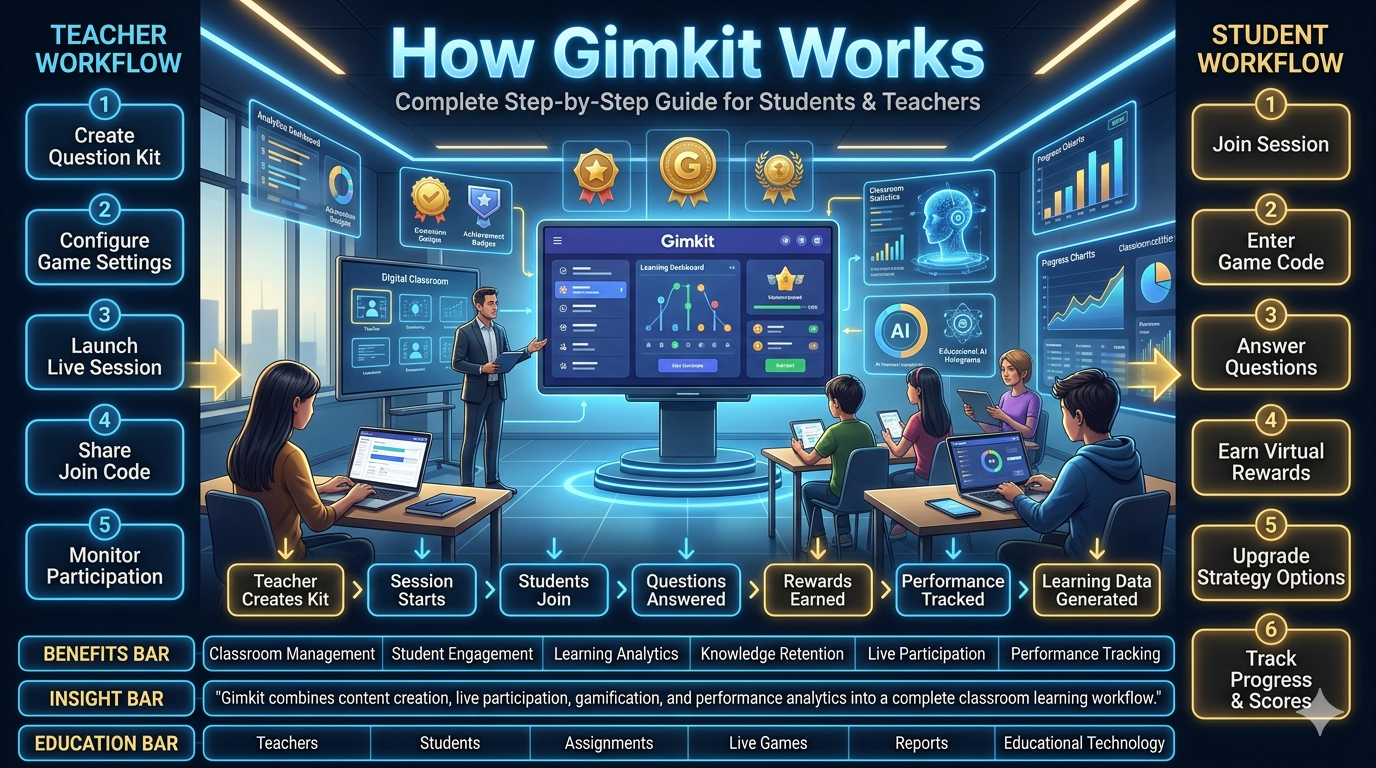
Gimkit Live refers to real-time, hosted Gimkit gameplay in which participants take part in an active session while the same hosted activity is running. A host starts a live game using a Kit, an available game mode and applicable settings. Participants enter the session through supported official invitation methods. Once the activity begins, they interact with the game within a shared session context.
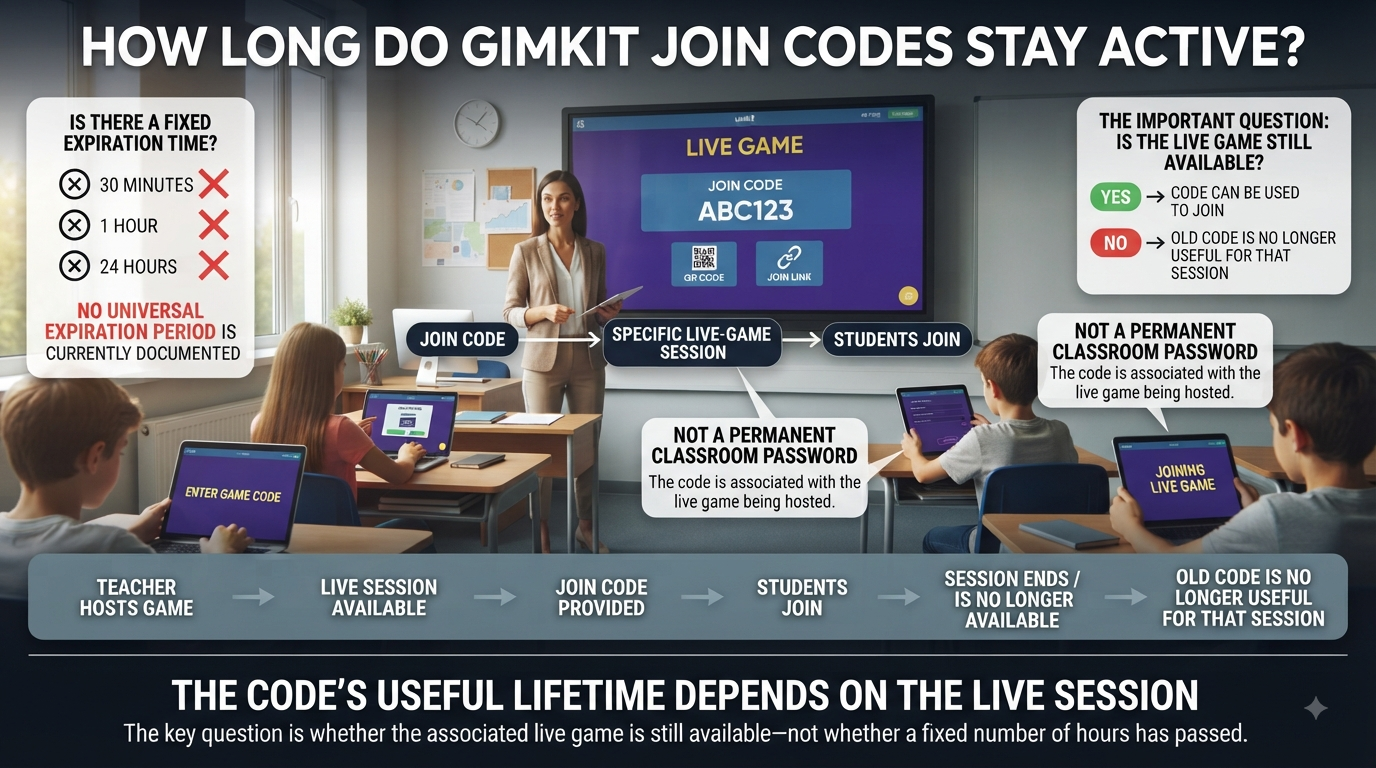
The word live identifies the character of the activity rather than a special login account or a permanent public room. A live game has an active hosted session and an ending condition. Participants can experience the same session during overlapping time periods, although their precise screens, questions, locations and decisions do not have to be identical. A live activity is shared, but the participants remain individuals.
This distinction is fundamental. An observer might see many participants in one game and assume they are all progressing through the same question at exactly the same moment. That is not a safe generalisation. Gimkit's documentation describes individual question repetition, while its two-dimensional modes can involve different positions and interactions within a shared world. The activity can be live without enforcing identical question sequences.
Another misunderstanding is treating a live game as a synonym for any digital task completed on Gimkit. Assignments and question practice have their own structures and conditions. They can involve similar educational content, but independent completion is not the same participation arrangement as a host-led, real-time game. The user should therefore identify the actual activity type before drawing conclusions from words such as play, practice, homework and live.
The central purpose of this guide is to make the shared-session concept understandable. It covers the relationship between an overall session window and individual participation windows, the meaning of concurrent presence, the distinction between common events and private player actions, and the limits of observing participation from an external standpoint. It deliberately does not repeat the controls a host presses to operate a game or the steps a student follows to enter its lobby.
Key distinction: Live participation is not the same as lockstep participation. People can share one active game while seeing different questions, joining at different moments or taking different actions.
A live game creates a shared context
A shared context means that the participants belong to one hosted activity and are subject to the overall structure of that game. Its selected mode and configured goal provide common conditions. A participant's particular experience takes place within those conditions, not in an entirely unrelated activity. This is why participants can meaningfully refer to the same live game even when their screens do not match.
A shared context can involve a time-based ending condition, another configured goal or an early termination by the host. The applicable behaviour depends on the mode and official controls. It would be inaccurate to declare that every live Gimkit activity uses a fixed duration or requires an identical number of questions. Official documentation describes different game-goal types and mode-specific settings, so the live-session framework must allow variation.
Real time concerns interaction while the session is active
The real-time dimension means players are participating while a particular hosted session is taking place. They do not necessarily need to perform the same action simultaneously. One person may be reading, another may be moving through a two-dimensional environment and another may be responding to a previously missed question. These experiences can coexist within the same live session.
The practical consequence is that a live classroom activity cannot be understood by looking only at a single participant's action. To describe the broader situation, a reader must distinguish the session as a whole from its individual participants. That distinction is particularly useful for understanding why late arrival, temporary absence or overlapping activity does not necessarily create a completely new game.
02 / Model of Shared Participation
One session. Several participation windows.
A useful conceptual model separates the lifetime of the overall activity from the time each participant or group is present.
01
Session window
The overall period in which a particular hosted activity is active. Its actual boundaries depend on official game conditions.
02
Participation window
The interval when an individual or anonymous group is assumed to be present in that session.
03
Concurrency
The number of participants whose recorded windows overlap at a specific moment in a conceptual model.
Why the session window matters
Imagine an activity planned to take place over a certain teaching interval. That interval provides a useful frame for explaining participation, but it is not necessarily the official Gimkit timer. The teacher may prepare an activity before anyone is playing, and the configured game goal may determine when active gameplay finishes. The local timeline in this article is therefore an analytical illustration rather than a replacement for the official host screen.
Within the actual live game, participants share the consequences of the game's common conditions. The selected mode determines its mechanics and its ending rules. The session can include time during which different people perform different actions. A useful explanation must preserve both elements: the activity is common, while player experience varies.
Individual presence need not cover the entire session
Different participants may be present for different portions of a live activity. Gimkit officially documents a Join in Late option, which hosts can configure. That means the idea of entering after a game has begun is supported under applicable conditions, but not universally guaranteed for every game. Its availability depends on the actual setting and the session state.
A timeline can represent those differences without trying to reconstruct the real invitation workflow. Suppose one group is present throughout a hypothetical twenty-minute interval, another begins after four minutes and a third becomes present after twelve minutes. All three can share a later portion of the interval, even though they were not present together at its beginning.
This kind of visual model helps explain concurrent presence. It does not establish whether Gimkit stores exact participation timestamps in the form shown, nor does it imply that an independent website can retrieve official per-player session logs. The times are supplied by the person using the model.
Concurrency changes as windows open and close
Concurrent presence is a property of overlap. If two participation intervals intersect, the groups are present at the same time for at least part of the modelled session. When a third interval intersects both, all three are concurrently present during the shared portion. The number of overlapping participants may rise or fall as the hypothetical timeline progresses.
It is important not to confuse peak concurrency with total unique participation. A session may include a large number of distinct people across its complete duration without ever having all of them present simultaneously. Conversely, a short interval of very high concurrency may account for only a small part of the full session time.
Shared time does not establish equal engagement
Being present during a common interval does not prove that two participants answered equal numbers of questions, spent equal effort or understood the same ideas. The timeline only describes assumed presence. It does not know whether a player was actively interacting, concentrating, temporarily distracted or experiencing a technical problem. Those are different kinds of evidence.
This limitation is especially important in educational contexts. A participation window is a temporal representation; academic understanding is not a property that follows automatically from that window. A group that remains present for fifteen minutes does not necessarily demonstrate more learning than a group whose assumed presence is shorter. The tool intentionally avoids generating such unsupported interpretations.
03 / Session-wide Concepts
Which changes belong to the whole live game?
A live session has a common identity and a set of configured conditions. When discussing the overall activity, it is useful to distinguish changes to that common session from changes that apply to one participant. This does not require claiming to know the platform's private database, messaging protocol or undocumented internal architecture.
The selected mode belongs to the activity
Gimkit's official hosting documentation explains that a Kit is combined with an available game mode and game options before the activity begins. The resulting live session operates within that choice. Different game modes support different goals and features, so a description of the session should identify the mode rather than treating every hosted game as a single standard format.
This is not the same as giving a complete mode directory or teaching mode-selection controls. For live-session interpretation, the selected mode acts as context. It helps explain why two live games may have different end conditions, different forms of participation and different on-screen environments. Both can still be live.
The game goal supplies a common ending condition
Official documentation identifies several possible goal types, depending on the selected mode. A timed goal is familiar, but it is not the only possible structure. A meaningful model should therefore use the term session endpoint without asserting that a particular number of minutes, correct answers or points applies to all cases.
When an activity ends according to its configured conditions, the transition concerns the whole hosted game. The individual actions leading up to that point may vary. One participant may have completed many question interactions, while another was engaged in a different part of the game world. Those personal differences do not create separate official endings for the shared hosted activity.
Late arrival changes who is present, not necessarily the identity of the game
Gimkit Help documents a host-controlled Join in Late option. When permitted, it allows students to become participants after the game has already begun. This makes late entry an important conceptual example of why a live session and each person's participation window are distinct.
However, the existence of a late-joining option does not establish that a late participant has the same starting conditions as someone present from the beginning. The details depend on mode design and official settings. Our timeline model illustrates presence only; it does not assign balances, progress or compensating advantages to later participants.
End-of-game reporting is a subsequent activity
Gimkit officially provides game reports for supported hosted games. Its documentation describes ways to review reports after an activity finishes, including class and individual views. Those reports are not the same thing as an external timeline of hypothetical attendance. A report can contain platform-defined information, while the tool below simply calculates overlap from manually entered windows.
The distinction prevents the model from appearing to be an unofficial Gimkit reporting service. It does not access questions, student identities, teacher accounts or actual game records. If a teacher needs official game-result information, they should use the platform's supported reporting features rather than treat an estimated presence timeline as a substitute.
Concept
Session-level interpretation
Not established by the concept
Selected game mode
Shared gameplay framework
Identical personal screens
Configured goal
Condition for activity completion
Equal player progress
Late arrival
Additional presence during an existing activity when allowed
Guaranteed access or equal starting resources
Simultaneous presence
Participant windows overlap
Continuous active engagement
Game completion
End of the hosted activity
Proof of subject mastery
04 / Exclusive Interactive Tool
Live Cohort Synchrony Mapper
Create hypothetical anonymous participation windows and examine how shared attendance changes throughout one activity. This application calculates concurrency, overlap and total participant-minutes without impersonating a Gimkit host dashboard.
Shared Session Timeline Lab
Local analytical model · Manual entries · No live connection
INDEPENDENT TIME-WINDOW MODEL
Define participation windows
This is not Gimkit's configured timer.
Use invented or anonymised cohorts only. Do not enter student names, school IDs or personal data.
0Modelled unique participants
0Peak concurrent presence
0Participant-minutes
0Minutes all groups overlap
0Minutes with presence
0Average concurrent people
Participation windows0–30 min
StartSession midpointEnd
Example data is available for exploration.
Group
People
From
To
Remove
Interpretation: Every group is treated as present throughout its entered interval. Participant-minutes measure assumed presence, not active response time. The model does not collect, detect or verify actual Gimkit users.
05 / Using the Lab
How to interpret concurrent participation correctly
The Live Cohort Synchrony Mapper uses a different data model from a game-player simulator or a teacher's host control panel. It does not create questions, award resources or simulate game actions. Its central object is a participation interval: an anonymous group has a specified number of participants and is assumed present between two chosen minutes. The application places each interval on a shared timeline and calculates the amount of overlap between them.
Choose a session horizon
The duration input defines the horizontal scale for the model. A thirty-minute horizon means the left edge represents minute zero and the right edge represents minute thirty. It is a mathematical boundary chosen for the demonstration. It does not indicate Gimkit's actual maximum game duration, a configured time limit or a recommendation that a classroom game should last thirty minutes.
Any group interval must fit inside the chosen horizon. If the duration changes, the tool rejects a setting that would place an existing group outside the new range. This protects the calculation from silently cutting off previously entered data. The user can clear the entries or choose a compatible horizon when testing another example.
Enter anonymous groups rather than individuals
A group label identifies the interval visually. It might be Group A or Early Cohort; the tool does not require or benefit from student names. The participant count supplies the number of people assumed to share that interval. For the model's arithmetic, a group of eight present from minute five to minute fifteen contributes eight participants to every minute in that span.
This simplifies the representation and makes an important assumption explicit: all people in a group have the same entered presence window. Real participants may arrive or leave at different times. If that matters for a conceptual exercise, use several smaller anonymous groups with different windows. Do not enter personally identifying data to make the model look precise.
Understand participant-minutes
Participant-minutes sum the amount of presence across all modelled people. A cohort of ten present for six minutes contributes sixty participant-minutes. Two cohorts of ten present for six minutes each contribute one hundred and twenty participant-minutes, whether their intervals fully overlap or occur at different times. The result is a mathematical exposure measure, not a count of questions answered.
This distinction explains why participant-minutes and peak concurrency can tell different stories. If groups attend one after another, total participant-minutes may be substantial while the maximum number present at a particular moment remains modest. If groups all appear together for a short period, peak concurrency can be high even when total participant-minutes are relatively low.
Understand peak concurrent presence
Peak concurrency is the largest number of people modelled as present during any portion of the timeline. To calculate it, the application examines the intervals between start and end boundaries, adding the people whose group windows cover each interval. It then identifies the maximum total. This definition produces a clear peak without assuming that every unique participant was present from beginning to end.
Peak concurrency is not a direct measure of server performance. The model does not account for device capacity, network traffic, messages exchanged, mode complexity or other technical factors. A number of concurrently present people can describe a hypothetical audience, but it does not independently predict whether an official Gimkit session will run smoothly.
Understand full-group shared time
The all-groups overlap value is the duration of the intersection common to every entered group's interval. If one group is present from minute zero to twenty, another from five to twenty-five and a third from twelve to thirty, the shared interval is from minute twelve through minute twenty. All three are present together for eight minutes under those assumptions.
If the latest starting group begins after the earliest ending group has already left, there is no interval shared by all groups. The application reports zero even if some pairs of groups overlap. That is mathematically appropriate: partial pairwise overlap is different from one interval containing everybody. When a single group is entered, its entire duration is its own overlap, but it does not represent interaction between distinct groups.
Understand active timeline coverage
Active coverage counts how many minutes have at least one modelled participant present. Imagine one group present from minute zero to five and another from minute ten to fifteen. The combined active coverage is ten minutes, not fifteen, because the intervening five-minute gap contains no modelled presence. When intervals overlap, shared minutes are counted once for coverage.
This value helps distinguish the spread of attendance across time from the sum of all participation durations. A session horizon may contain gaps with nobody present, although a real hosted game may have a more complex lifecycle. The application calculates the intervals supplied by the user and does not infer anything about the state of an official game during unoccupied periods.
Average concurrent presence is a time average
The average is participant-minutes divided by the selected session duration. If sixty participant-minutes occur across a thirty-minute horizon, average concurrent presence is two. This does not mean exactly two people were present at every moment. The actual hypothetical curve may rise above and fall below that average. It is a summary of a variable quantity, not a claim about continuous attendance.
For comparison, a peak of fifteen with an average of four suggests that the busiest moment involved far more people than the time-weighted average. Without the interval data, those two numbers could be misinterpreted. That is why the tool displays the visual timeline alongside its summary metrics.
Removing an interval changes the entire model
Each entered group appears in the records table with a Remove control. Deleting it triggers a recalculation of every metric, including the group intersection, active coverage and peak. There is no hidden imported data. The summary represents only the intervals currently visible in the application.
Load Example restores a synthetic set of group windows that illustrates staggered participation. Clear All removes every interval so the user can begin a completely original hypothetical exercise. The application does not save information to an account or external database. Export CSV creates a local file of entered groups and their intervals; Copy Summary provides a text description of the current calculation.
What the model cannot tell you
The tool cannot establish the exact attendance history of a real Gimkit game, determine whether a student was concentrating, calculate academic accuracy or attribute technical interruptions. It cannot measure communication latency or validate whether the session is currently active. An interval can describe assumed presence, but that assumption comes entirely from the user.
It also cannot determine whether late joining was actually enabled, whether someone was removed from an activity or whether the game ended according to a particular official setting. These conditions are part of the real platform environment. The educational purpose of the model is narrower and clearer: it demonstrates how shared time and individual presence can coexist without requiring identical participation.
06 / Original Scenario Analysis
Eight situations that explain shared live time
Each example is hypothetical and concerns the temporal character of live learning rather than game controls, strategy or entry troubleshooting.
A
A fully overlapping group
Three anonymous groups are present from the beginning until the end of a hypothetical interval. Their windows overlap completely. Peak concurrency equals the sum of their participant counts, and the all-group overlap spans the complete interval. The example represents a simple case of simultaneous presence, not proof that everyone sees identical questions.
B
Staggered arrival
One group begins earlier and another becomes present later. The session can contain a common period without requiring every participant to share the same start. This illustrates the distinction between overall session identity and personal arrival time. It does not promise that late entry is always available in official games.
C
An early departure
A group is assumed to leave before the hypothetical session horizon ends. Its contribution to participant-minutes stops at that boundary. Later concurrency falls, even though the remaining participants continue to share the timeline. The model does not infer whether the departure was voluntary or technical.
D
Two separate attendance waves
A morning-style cohort and a later cohort are represented in non-overlapping windows within one illustrative horizon. Total unique participants may be high, while peak concurrency reflects only the larger wave. This mathematical case helps distinguish cumulative presence from simultaneous presence.
E
A brief maximum overlap
Several groups intersect for only two minutes. The peak attendance is high, but all-group shared time remains short. A peak number alone would hide this difference. The timeline reveals when the shared interval actually occurs without making assumptions about what participants did during those minutes.
F
Partial pairwise overlap
Group A overlaps Group B, and Group B overlaps Group C, but A and C never share the same minute. Every group is connected indirectly through time, yet no moment includes all three. The complete-group intersection is correctly zero; the model avoids treating pairwise overlap as universal simultaneity.
G
Same total time, different patterns
Two hypothetical sessions each contain one hundred participant-minutes. One spreads presence evenly, while another concentrates it into a short peak. The total is identical, but the participation pattern differs. This demonstrates why a single aggregate measure cannot fully describe concurrency.
H
One person represented separately
An anonymous single-person interval can show how a late or brief presence contributes to the total. It does not identify the participant or explain their academic activity. The example reinforces the difference between representing a temporal interval and collecting a real student record.
What makes these examples different from player or host workflows?
The scenarios above contain no instructions for clicking Start Game, manipulating a lobby, entering a code, spending resources or choosing a winning tactic. Their unit of analysis is time shared among assumed participants. That exclusive focus allows Gimkit Live to answer its own question: what does it mean for multiple learners to participate in one active session?
Someone who wants to learn the exact player controls needs a different guide. Someone who wants to run the activity needs host documentation. The distinction avoids creating several pages that merely repeat one broad procedure under slightly altered names. It also makes the application more defensible: its calculations directly support the subject explained in the article.
07 / Meaningful Differences
Live presence is not the same as identical activity
Shared activity versus shared question order
Participants can belong to the same live game while encountering different question histories. Gimkit's Smart Repetition documentation describes question repetition as individual to the student, with missed questions receiving increased priority. This establishes a useful limit on the assumption that everybody in a game experiences the same question sequence.
A live game is therefore best understood as a shared activity framework. It does not necessarily mean that the whole class advances from Question 1 to Question 2 in perfect unison. The selected game mode and the player's personal response history can influence the immediate experience. This is one reason presence in the same interval cannot be equated with answering the same amount or kind of content.
Shared environment versus identical position
In documented two-dimensional modes, players can move around a game environment. Their individual positions and interactions may vary even when the session is common. This is another illustration of simultaneous but non-identical activity. Two students can participate in the same world without performing the same action at the same moment.
That principle should not be exaggerated into claims about undocumented server architecture or exact synchronisation algorithms. The public documentation describes player experiences and official features, not every private implementation detail. An independent article can explain the observable difference without pretending to have access to proprietary engineering information.
Shared timer versus identical personal progress
Some game modes use time-based goals, but the remaining session time is not a measure of individual learning progress. One participant might be engaged in a difficult question while another is completing a game action. The common time horizon influences both, yet it does not make their current achievements identical.
This also means that the completion of a live game does not establish that every participant performed the same number of tasks. A session endpoint describes the activity's configured boundary. Personal experiences before that boundary can vary significantly, and understanding those variations requires evidence beyond simple presence.
Unique participants versus concurrent participants
Unique participants describe how many distinct people are represented over an entire interval. Concurrent participants describe how many are assumed to be present at a particular time. The two figures are equal only in certain patterns. When attendance is staggered, cumulative unique participation can be larger than the highest concurrent count.
Neither figure should automatically be interpreted as the platform's official reported attendance. Our model uses anonymous user-declared groups. Official reports follow Gimkit's own features and definitions, while an external mathematical exercise follows the assumptions entered by its user.
Presence versus educational participation
A learner may be present while reading carefully, taking an action, waiting for another event or momentarily looking away. The duration of presence does not distinguish these possibilities. Consequently, a temporal model should not produce a participation grade simply from minutes spent in the window.
This is a major limit of attendance-style analytics. Time is measurable within the model, but academic engagement and understanding require different evidence. A person could be present for the entire interval while answering few questions. Another could enter later and engage deeply with the available content. The timeline alone cannot reliably compare their educational achievement.
Live game versus independently completed activity
Gimkit supports assignments and other independent experiences alongside hosted live games. They differ in access context, pacing and applicable functionality. A self-paced activity does not become a hosted live session merely because a learner is currently using the website. The defining feature for this article is participation within a common active hosted activity.
Readers should therefore avoid treating every Gimkit link as interchangeable. Live status is an attribute of the activity's actual context, not a permanent property of a Kit or account. The same educational question content can be used in different kinds of learning experiences without those experiences becoming structurally identical.
08 / Interpretation Boundaries
What can legitimately be concluded about a live session?
Public Gimkit documentation supports several broad statements: teachers can host live games, supported modes have configurable options, players can join an active activity through official invitation methods, late joining can be controlled, and game reports are available for supported sessions. These claims concern documented platform behaviour. They do not give an external website permission or technical ability to inspect an arbitrary active session.
Do not infer undocumented synchronisation internals
It can be tempting to describe real-time learning with engineering terms such as event queues, server ticks, WebSocket channels, database subscriptions and latency budgets. Such concepts are useful in software engineering generally, but they should not be presented as verified properties of Gimkit's private implementation without supporting technical documentation.
This article therefore does not claim to know how Gimkit orders internal events, when it writes session state to storage or how often its infrastructure broadcasts updates. Its timeline model is an independent mathematical representation of assumed human presence. The distinction preserves the accuracy of both the educational explanation and the tool.
Do not invent official attendance timestamps
Official game reports may provide structured game information, but the source documentation does not establish that an independent site can extract exact join and exit times for all students. Our tool does not ask for those credentials or files. It simply accepts anonymous synthetic intervals that the user defines for exploration.
If a reader has actual authorised records in another context, care is still required when interpreting them. An observed timestamp might represent joining, first activity, last response or another event depending on the source. These event types are not interchangeable. Without clear definitions, apparent precision can be misleading.
Do not equate network proximity with participation
Being connected to a network or having a browser open is not necessarily the same as participating in a game. The relevant evidence depends on the system and what it records. This is one reason our model calls its intervals assumed presence rather than verified engagement. The words describe the data accurately instead of suggesting stronger conclusions than the inputs permit.
Do not mistake a visual model for an official interface
The timeline illustration and lab are original independent educational elements. They do not reproduce a Gimkit host screen, student lobby or server status dashboard. Their groups and intervals are generated within this page, not retrieved from a session. This separation is important because an unofficial tool that looks like a connected game monitor could create false expectations about its reliability and available actions.
Do not generalise from one game mode to every mode
Official documentation describes mode-specific settings and differences between two-dimensional and other games. A feature available in one experience should not be treated as universal. The shared-session framework is broad enough to apply to live games, but detailed rules must still come from the relevant mode and current platform configuration.
In practice, this means avoiding fixed assertions about question timing, player rewards, rank calculation or the exact visual arrangement of the host and player screens. Those topics can change with the mode. The stable concept developed here is the relationship between one hosted activity and several concurrent or partially overlapping participants.
09 / Frequently Asked Questions
Gimkit Live FAQs
What makes a Gimkit game live instead of self-paced?
A live Gimkit game is an active hosted session in which participants play while that same session is running. Its mode and applicable game options establish the common activity framework. Self-paced assignments and question-practice experiences have different structures and conditions, even when they use similar academic content.
The difference is therefore not simply that someone is looking at the website at the present moment. Live refers to participating in a particular hosted activity. Participants can share that activity without having exactly the same question sequence or personal gameplay state.
Do all students in Gimkit Live see the same question simultaneously?
That should not be assumed. Gimkit's Smart Repetition documentation describes individual question selection based on a player's previous responses, including higher priority for questions previously missed. This means a shared game does not require an identical question sequence for everybody.
Specific experiences can have their own mechanics, so the selected mode and current official documentation matter. The safe general statement is that players share an activity while their personal interactions may differ.
Can participants arrive after the live game starts?
Gimkit officially documents a Join in Late option. Its availability depends on the host's chosen setting and the game's current conditions. The feature demonstrates that an individual's participation window can begin later than the overall session.
However, an independent page cannot confirm whether that option is enabled in a specific active game. Nor can the mere existence of the setting guarantee successful entry at any chosen moment. Refer to the actual official session for current availability.
Does a live session mean everyone has identical progress?
No. Shared session membership means participants belong to the same hosted activity. It does not establish identical answers, resources, positions, completed objectives or other individual outcomes. Different game modes and player histories can create different personal experiences.
For interpretation, distinguish shared conditions from personal state. The game's configured goal can apply to the activity as a whole, while the actions participants take before that goal is reached may vary.
What is peak concurrent participation?
In the independent timeline model, peak concurrent participation is the largest number of modelled people assumed present at one time. It is calculated by examining the overlap among the entered group intervals.
This is a mathematical value derived from user-supplied assumptions, not an official Gimkit measurement. It does not predict learning outcomes, determine internet capacity or reveal actual connected players in a live session.
What are participant-minutes?
Participant-minutes combine assumed attendance counts with their durations. For example, five participants present for eight minutes contribute forty participant-minutes. The application adds these values across all entered groups.
Participant-minutes should not be mistaken for questions answered, attention sustained or learning completed. They describe a time-and-presence model only. Two different attendance patterns can produce the same participant-minute total while having very different peak concurrency.
Can two groups overlap without every group sharing time?
Yes. Group A might overlap Group B, while Group B overlaps Group C later. If A has left before C arrives, there is no time during which all three are present together. The application reports zero full-group overlap in that case.
This illustrates the difference between pairwise relationships and a common intersection. It is useful when analysing staggered windows because an overall sense of shared participation can obscure the exact timing of overlap.
Does the timeline lab monitor a real Gimkit room?
No. The Live Cohort Synchrony Mapper operates entirely within this independent webpage. It accepts manual anonymous group entries, calculates overlap and displays the results. It does not request a session code, communicate with the Gimkit server or retrieve private participation data.
Its outputs are hypothetical and should be labelled as such when copied or exported. The application is not an official attendance tracker, host console or game report.
Is every Gimkit Live game limited to the same length?
No universal duration should be assumed. Gimkit's game options include different goals and mode-specific conditions. The applicable endpoint depends on the game configuration and available official controls.
The duration selected in this page's tool is only the mathematical horizon for a hypothetical example. It does not change or describe the timer of a real game.
Can a live game end before an individual has finished every question?
A hosted game's endpoint is governed by its configured goal or official host action, not necessarily by every participant completing an identical question sequence. The common activity can therefore end while personal progress differs.
This is one of the reasons it is important to distinguish the session as a whole from any individual's experience. A game finishing is an event concerning the active hosted activity, while academic understanding requires separate interpretation.
Does more simultaneous attendance mean better learning?
No. Concurrent presence describes how many people are assumed present at a particular time. It does not establish whether they are engaged, answering accurately or retaining information. More people present together can create a different social environment, but it is not automatically evidence of better educational results.
Learning outcomes require appropriate evidence related to the relevant objectives. This timeline tool deliberately avoids converting attendance figures into academic effectiveness scores.
Where can someone review official results from a live game?
Gimkit's official Game Reports documentation describes reports available after hosted games, including class and individual information. Eligible users should use the official service and its report interface for supported game-result data.
The independent timeline lab is not a replacement for those reports. It has no connection to actual questions, student accounts or completed hosted sessions.
Can a live session include different gameplay environments?
Live games can use different supported modes, each with its own mechanics and settings. That does not mean participants independently choose unrelated mode environments within the same conventional hosted game. The selected mode forms part of the activity's common context.
The important distinction is between variation across live games and variation in individual experience within one game. Both exist conceptually, but they should not be confused.
What does shared time tell us about a classroom activity?
Shared time tells us when participants are represented as present together in a temporal model. It can clarify staggered attendance, the busiest overlap, gaps with nobody present and the duration of common presence.
It cannot explain which ideas students understood, how many meaningful answers they produced or whether the teacher achieved the lesson's objectives. Those require different kinds of evidence.
10 / Editorial Boundaries
Further context without repeating neighbouring pages
Several closely related articles on GimkitApp address separate user questions. The existing guide about slow performance during live games concerns technical interruptions and network/device behaviour. Those issues are different from the temporal interpretation developed here. This page does not reproduce the diagnostic procedures or promise infrastructure performance based on the concurrency figures entered into the model.
Another dedicated article on Gimkit host settings addresses the controls and configuration available to educators. That is not the purpose of this article. The live-session guide examines the meaning of shared activity once the framework is established, not which buttons a host should press or how to select each setting.
These references represent distinct practical directions rather than a repetitive related-post directory. They should be used only where the linked live article remains relevant and its final URL is verified. Readers seeking official, current statements about Gimkit itself should consult the primary sources below.
11 / Official Reference Material
Gimkit product documentation
These are official sources for supported statements about hosted games and activity conditions. They do not serve as evidence for our hypothetical attendance inputs.