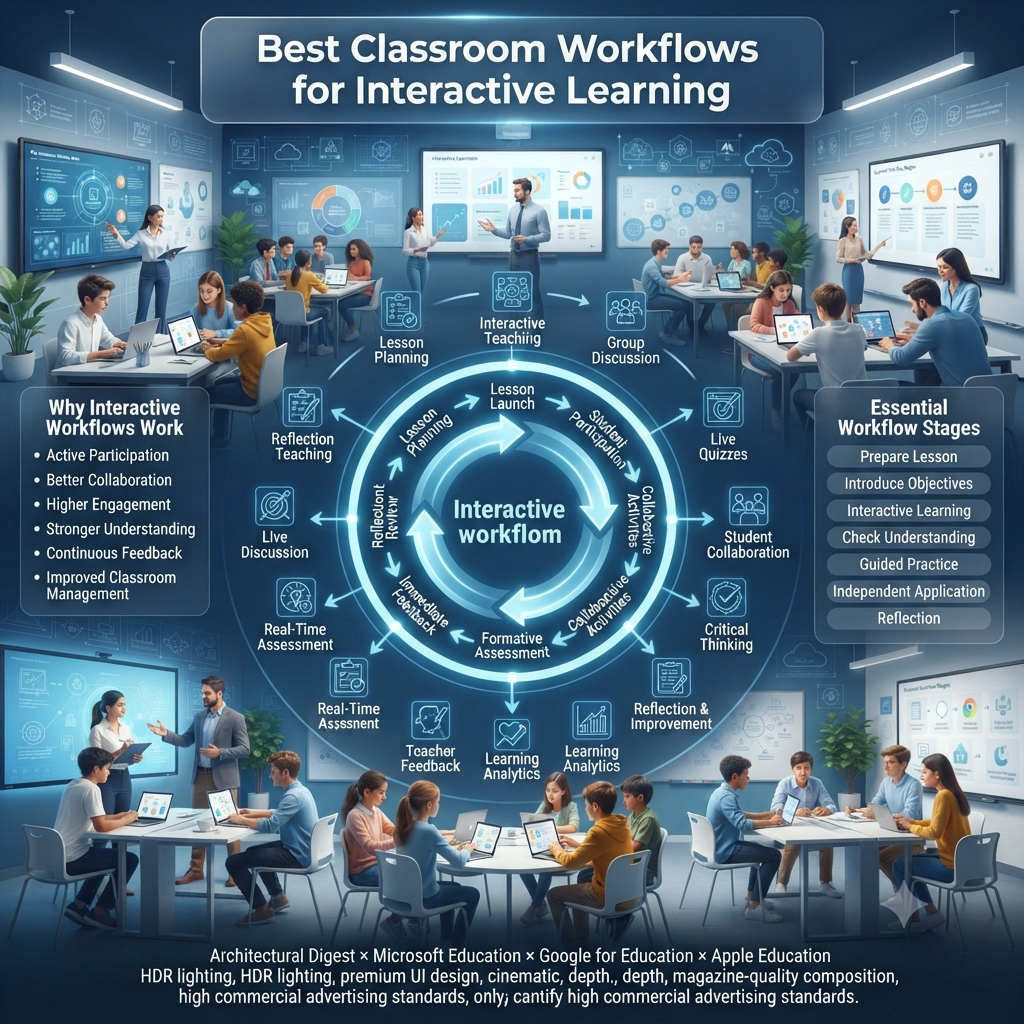
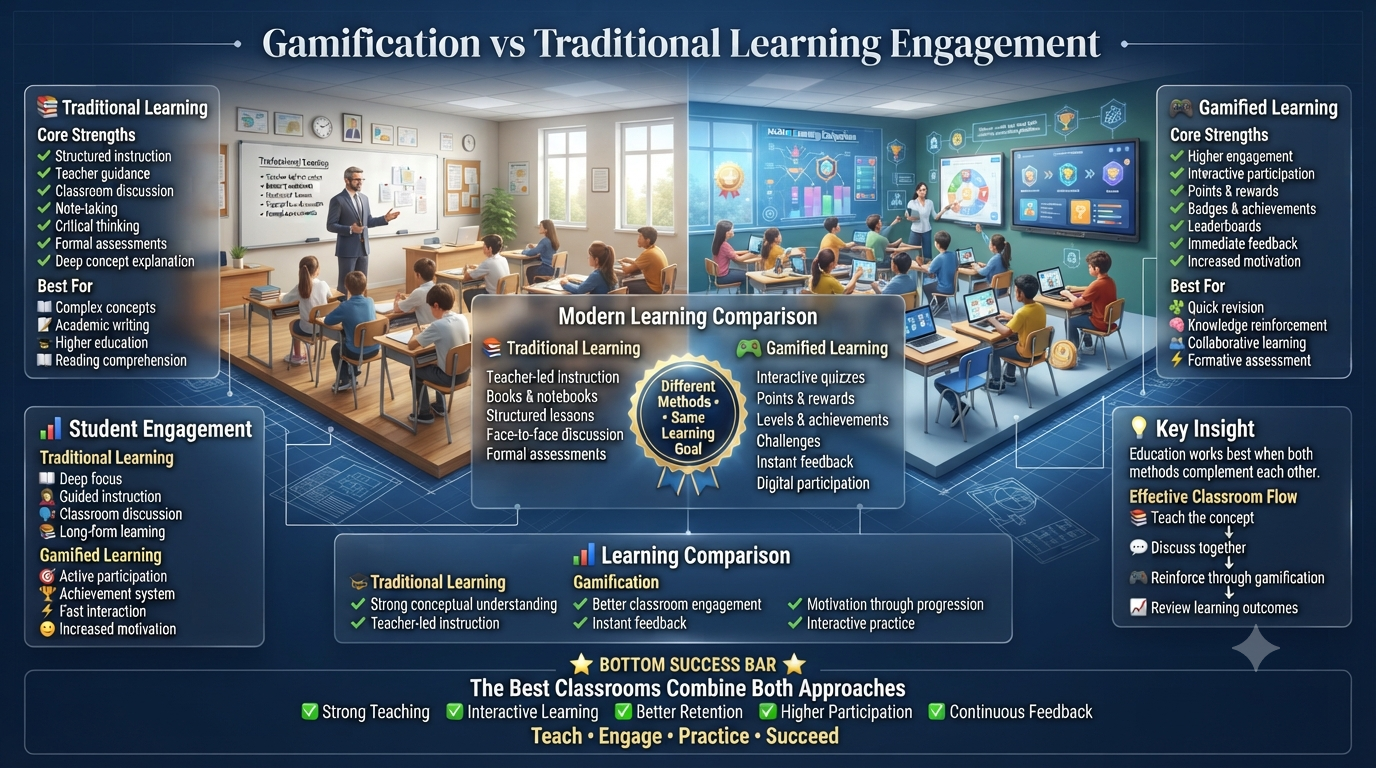
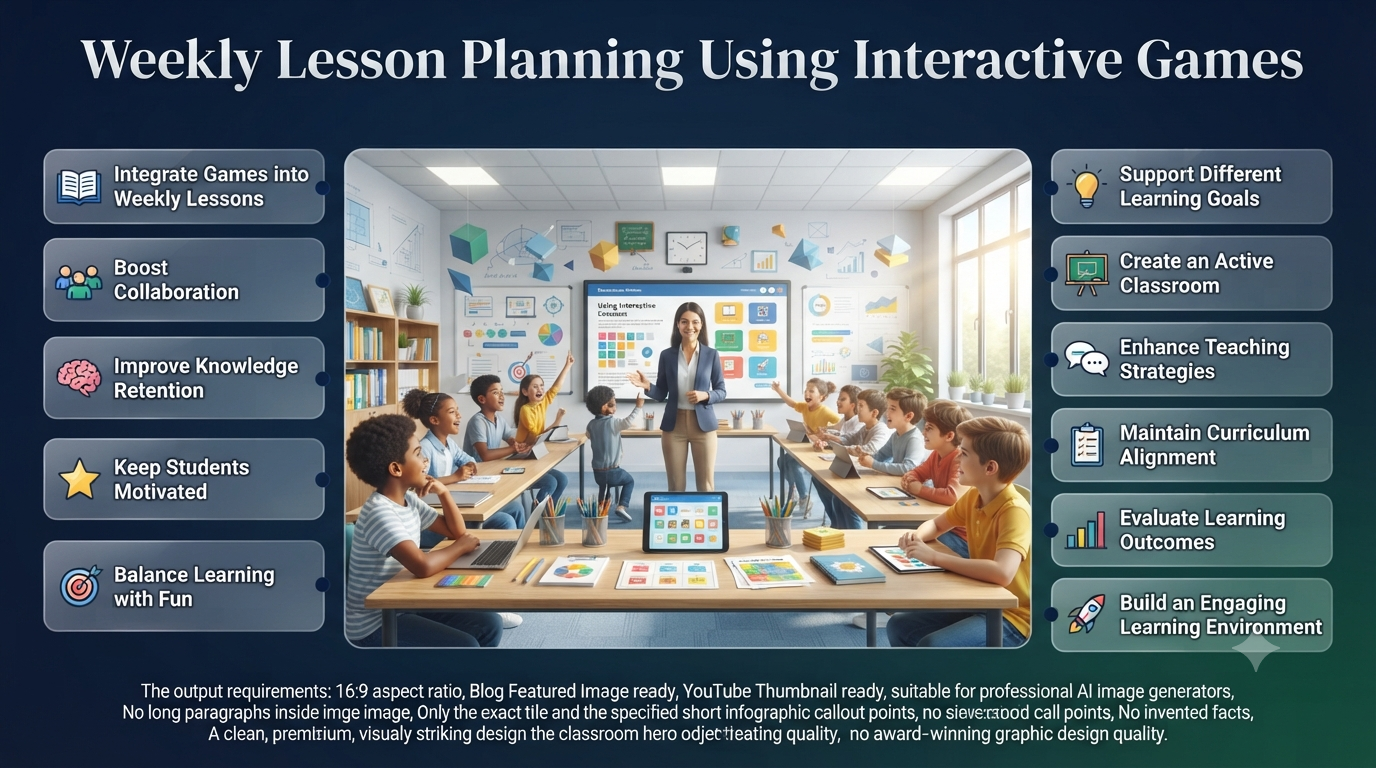
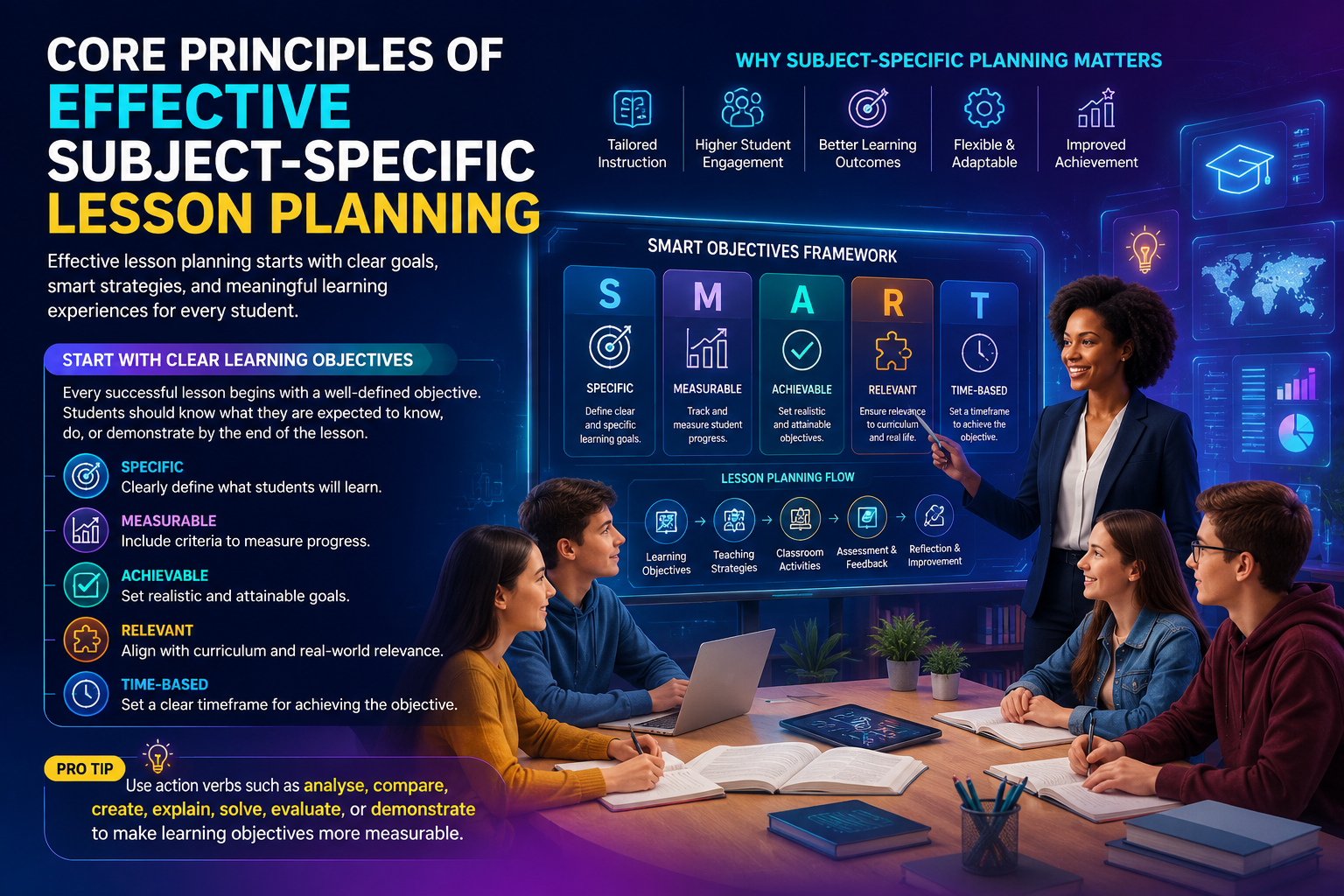
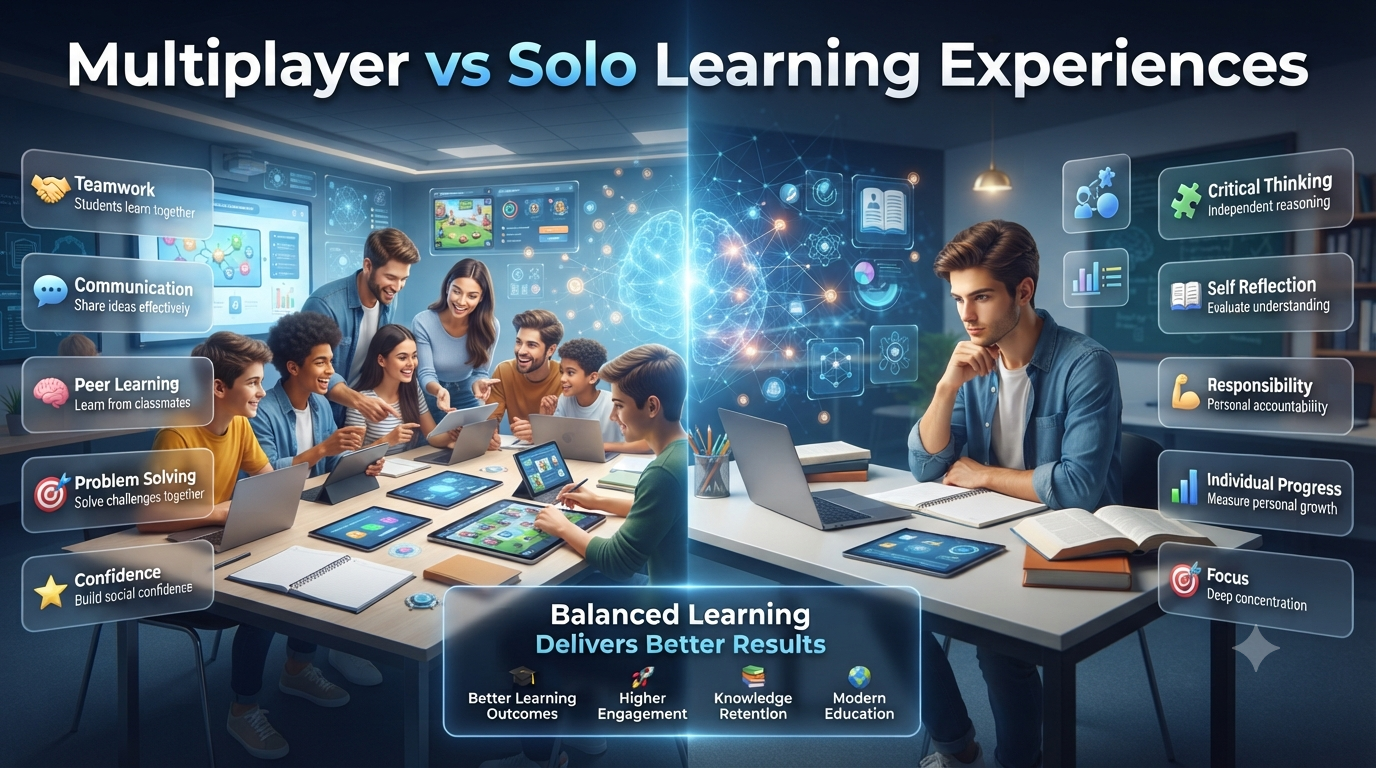
The best classroom workflows for interactive learning combine structured lesson planning, active student participation, formative assessment, collaborative learning, and continuous feedback into one seamless teaching process. Rather than treating engagement as a separate activity, effective workflows integrate interaction into every stage of a lesson—from preparation and lesson launch to guided practice, independent application, assessment, and reflection. This approach helps teachers create predictable learning routines while giving students more opportunities to think, discuss, collaborate, and demonstrate understanding.
🌟 Key Elements of Interactive Classroom Workflows
📋Structured Lesson Planning – Organize every lesson with a clear instructional structure.
🙋Active Student Participation – Encourage students to engage throughout the learning process.
📊Formative Assessment – Monitor learning continuously during instruction.
🤝Collaborative Learning – Promote teamwork and shared problem-solving activities.
💬Continuous Feedback – Provide regular feedback to support ongoing improvement.
🔄Interaction at Every Stage – Integrate engagement from preparation and lesson launch to guided practice, independent application, assessment, and reflection.
🎯Predictable Learning Routines – Create consistent classroom workflows that support effective learning.
🧠Greater Student Engagement – Give students more opportunities to think, discuss, collaborate, and demonstrate understanding.
📚 A Complete Guide to Building Effective Classroom Workflows for Interactive Learning
Interactive learning has transformed modern classrooms. Instead of students passively listening to lectures, they actively participate in discussions, solve problems together, answer questions in real time, complete collaborative challenges, and receive immediate feedback. However, successful interactive learning depends on more than using digital tools or educational games. It requires well-designed classroom workflows that organize every stage of instruction into a purposeful learning experience.
🚀 How Interactive Learning Improves the Classroom
💬Active Discussions – Students participate instead of only listening.
🧩Collaborative Problem-Solving – Learners work together to solve challenges.
⚡Real-Time Questioning – Students answer questions during lessons.
✅Immediate Feedback – Students receive quick responses that support learning.
🛠️Purposeful Instruction – Well-designed workflows organize every stage of the lesson effectively.
Teachers who consistently achieve high student engagement rarely rely on spontaneous activities alone. They establish repeatable instructional routines that help students understand expectations, transition smoothly between tasks, collaborate effectively, and remain focused on learning objectives. These workflows reduce classroom confusion, improve time management, and create an environment where participation becomes a natural part of every lesson.
🌟 Benefits of Repeatable Classroom Workflows
📖Clear Student Expectations – Students understand what is expected during each lesson.
🔄Smooth Task Transitions – Activities flow naturally from one stage to the next.
🎯Focus on Learning Objectives – Keep students engaged with lesson goals.
⏳Better Time Management – Reduce wasted instructional time.
🏫Less Classroom Confusion – Organized workflows create a more productive environment.
🌱Natural Student Participation – Engagement becomes part of everyday learning.
Whether instruction takes place in elementary classrooms, middle schools, high schools, colleges, or professional training environments, structured interactive workflows support stronger learning outcomes while making classroom management significantly easier.
Foundations
What Are Classroom Workflows?
A classroom workflow is the organized sequence of instructional steps that guides teachers and students through the learning process. It defines how lessons begin, how students participate, how activities transition, how understanding is checked, and how learning is reinforced before the class ends.
Unlike a simple lesson plan, a workflow focuses on the movement of learning rather than only the content being taught.
Instead of asking:
"What will students learn today?"
A workflow also answers:
How will students begin learning?
When will collaboration happen?
How will participation be encouraged?
How will understanding be measured?
What happens if students struggle?
How will learning be reinforced before class ends?
A well-designed workflow creates consistency that benefits both teachers and students.
Interactive classrooms naturally involve more movement, communication, technology, and collaboration than traditional lecture-based instruction. Without clear routines, these activities can quickly become disorganized, reducing instructional time and limiting student engagement.
Structured workflows provide a framework that allows interactive learning strategies to function effectively while maintaining classroom focus.
Some of the most common challenges solved by effective workflows include:
Classroom Challenge
Workflow Solution
Students become distracted during activities
Clear participation expectations and timed transitions
Group work becomes unbalanced
Defined collaboration roles and responsibilities
Teachers lose instructional time
Standardized lesson routines reduce downtime
Some students remain passive
Multiple participation opportunities throughout the lesson
Assessments happen too late
Frequent formative assessment checkpoints
Technology creates confusion
Predictable digital learning procedures
Rather than limiting creativity, structured workflows actually give teachers greater flexibility because students already understand how learning activities operate.
Core Principles
The Core Principles of Interactive Classroom Workflows
Highly effective classroom workflows share several characteristics regardless of grade level, subject area, or instructional technology.
Learning Always Comes Before Technology
Interactive learning does not begin with selecting a digital platform. It begins by identifying learning objectives and then choosing activities that help students reach those objectives.
Educational technology should support instruction rather than drive it.
For example, a science teacher teaching ecosystems might first define the learning goal—understanding food webs—and then choose an interactive quiz or collaborative simulation that reinforces the concept. The technology serves the lesson, not the other way around.
💡 Pro Tip: Before introducing any interactive tool, ask: Does this activity help students think more deeply, or is it simply adding excitement? The best tools enhance understanding, not just engagement.
Every Student Should Participate
Interactive learning succeeds when participation extends beyond the most confident students.
Effective workflows intentionally create opportunities for every learner to contribute through:
Individual thinking time
Partner discussions
Small-group collaboration
Anonymous digital responses
Whole-class participation
Reflection activities
This balanced participation helps quieter students engage while preventing a few individuals from dominating classroom discussions.
Feedback Should Be Continuous
Traditional classrooms often delay feedback until quizzes or exams.
Interactive workflows integrate frequent checkpoints throughout instruction.
Examples include:
Quick polls
Exit tickets
Knowledge checks
Peer review
Teacher observations
Interactive quizzes
Think–Pair–Share discussions
Continuous feedback allows teachers to identify misconceptions early, adjust instruction, and provide targeted support before misunderstandings become deeply rooted.
Smooth Transitions Maintain Learning Momentum
Many classrooms lose valuable instructional minutes during transitions between activities.
Effective workflows establish predictable routines that help students move efficiently from one learning phase to another.
For example:
Lesson Introduction
↓
Mini Instruction
↓
Interactive Activity
↓
Discussion
↓
Knowledge Check
↓
Reflection
Because students become familiar with these routines, they spend less time wondering what to do next and more time actively learning.
Interactive instruction is not only about increasing engagement; it also strengthens how students process, apply, and retain information. Well-designed workflows align teaching practices with how learning naturally develops.
Workflow Component
Learning Benefit
Predictable lesson structure
Reduces cognitive overload
Active participation
Increases attention and retention
Frequent feedback
Corrects misunderstandings early
Collaborative learning
Develops communication and teamwork
Reflection activities
Strengthens long-term memory
Incremental practice
Builds confidence through repetition
Students perform better when they understand both what they are learning and how the learning process will unfold.
The Building Blocks of an Interactive Classroom Workflow
An effective workflow is built from several interconnected instructional phases. Each phase has a distinct purpose while supporting the next stage of learning.
Learning Objective
↓
Lesson Preparation
↓
Student Engagement
↓
Active Exploration
↓
Guided Practice
↓
Collaboration
↓
Assessment
↓
Reflection
↓
Future Learning
Skipping one phase often weakens the effectiveness of the entire lesson. For example, collaborative activities become less meaningful if students have not first developed a basic understanding of the topic.
Lesson Planning
Planning an Interactive Lesson Workflow
Before class begins, teachers benefit from planning the sequence of learning experiences rather than focusing solely on instructional content.
Step 1: Define the Learning Goal
Begin by identifying exactly what students should know or be able to do by the end of the lesson.
Effective objectives are specific, measurable, and aligned with curriculum standards.
Instead of writing:
Students will learn fractions.
A stronger objective is:
Students will compare fractions using visual models and explain their reasoning during collaborative activities.
This clarity guides every instructional decision that follows.
Step 2: Identify Opportunities for Interaction
Next, determine where students will actively engage with the material.
Ask questions such as:
When will students discuss ideas?
Where can they solve problems together?
How will they demonstrate understanding?
Which activities encourage critical thinking rather than memorization?
Interaction should be distributed throughout the lesson instead of occurring only at the end.
Step 3: Prepare Learning Resources
Gather the materials needed to support each phase of the workflow.
Depending on the lesson, resources may include:
Presentation slides
Whiteboards
Printed worksheets
Interactive quizzes
Educational games
Discussion prompts
Graphic organizers
Multimedia content
Preparing resources in advance minimizes interruptions and allows transitions to remain smooth.
Step 4: Plan Assessment Checkpoints
Assessment should occur throughout the lesson rather than only after instruction is complete.
Consider embedding short knowledge checks at key moments, such as:
Before introducing a new concept to assess prior knowledge
During guided practice to identify misconceptions
After collaborative activities to evaluate understanding
At the end of class to inform future instruction
These checkpoints provide valuable insights without disrupting the flow of learning.
Step 5: Anticipate Classroom Challenges
Every interactive lesson presents potential obstacles.
Prioritize essential learning objectives and flexible activities
Thinking through these scenarios before class begins reduces stress and keeps instruction focused even when unexpected situations arise.
Best Practice Checklist Before Every Interactive Lesson
Before students enter the classroom, review the following checklist:
✅Learning objectives are clearly defined.
✅Interactive activities align with lesson goals.
✅Required materials and technology are ready.
✅Student participation opportunities are planned.
✅Formative assessment checkpoints are included.
✅Transition routines are prepared.
✅Alternative activities are available if needed.
✅Reflection or lesson closure is planned.
Following this checklist consistently helps create engaging, organized, and effective interactive learning experiences.
Teacher Preparation
Teacher Preparation Workflow for Interactive Learning
The teacher preparation workflow is the foundation of every successful interactive lesson. Long before students enter the classroom, effective teachers make dozens of instructional decisions that influence participation, collaboration, assessment, and classroom management. A well-planned workflow reduces interruptions, keeps activities purposeful, and allows teachers to focus on guiding learning instead of solving preventable problems.
Rather than asking, "What will I teach today?", experienced educators also consider "How will students experience today's learning?" This shift from content delivery to learning design is what separates interactive classrooms from traditional lecture-based instruction.
Interactive Lesson Preparation Workflow
The preparation process can be viewed as a sequence of connected decisions rather than isolated tasks.
Curriculum Goal
↓
Learning Objectives
↓
Student Readiness Analysis
↓
Activity Selection
↓
Resource Preparation
↓
Technology Check
↓
Assessment Planning
↓
Differentiation Strategy
↓
Classroom Setup
↓
Ready for Instruction
Each stage strengthens the next, creating a lesson that flows naturally from beginning to end.
Step 1: Identify the Desired Learning Outcome
Every interactive lesson should begin with a clear instructional objective rather than an activity.
Instead of selecting a game or discussion first, determine what students should know, understand, or be able to demonstrate by the end of the lesson.
For example:
Weak Objective
Strong Objective
Learn ecosystems
Explain relationships within a food web using real examples
Practice multiplication
Solve multi-step multiplication problems using multiple strategies
Review history
Analyze causes and effects of a historical event through collaborative discussion
Interactive activities become much more meaningful when they directly support measurable learning outcomes.
⭐ Expert Insight: If students enjoy an activity but cannot demonstrate new understanding afterward, the lesson was engaging but not necessarily effective.
Step 2: Analyze Student Readiness
Interactive learning works best when activities match students' current knowledge and abilities.
Before designing the lesson, consider questions such as:
What prerequisite knowledge do students already have?
Which concepts have caused difficulty in previous lessons?
Will students require additional vocabulary support?
Are there learners who need accommodations or enrichment?
Understanding student readiness helps teachers choose appropriate instructional strategies rather than assuming every learner begins at the same level.
Example
A mathematics teacher introducing algebra might first use a short diagnostic quiz to identify whether students are comfortable with variables before beginning collaborative problem-solving activities.
This small adjustment prevents frustration later in the lesson.
Step 3: Select the Right Interactive Learning Strategy
Different instructional goals require different interaction methods. Choosing the right strategy is more important than choosing the newest educational technology.
Learning Goal
Recommended Strategy
Recall facts
Quick quizzes, flashcards, retrieval practice
Understand concepts
Guided discussion, demonstrations
Apply knowledge
Problem-solving activities
Develop reasoning
Case studies, debates
Encourage creativity
Project-based learning
Build teamwork
Small-group collaboration
Review lessons
Interactive educational games
The interaction method should strengthen learning rather than distract from it.
One common misconception is that interactive learning simply means asking more questions.
True interaction gives every learner opportunities to think, respond, discuss, create, and reflect.
A balanced lesson often includes several participation formats.
Participation Type
Classroom Example
Individual
Solve one problem independently
Pair
Compare answers with a partner
Small Group
Complete a collaborative challenge
Whole Class
Discuss different solution strategies
Digital
Respond to an interactive quiz
Reflection
Write one key takeaway before leaving
Using multiple participation methods helps maintain engagement throughout the lesson while accommodating different learning preferences.
Step 5: Prepare Learning Resources
Interactive classrooms rely on smooth transitions. Resource preparation minimizes downtime and keeps students focused.
Depending on the lesson, teachers may prepare:
Presentation slides
Printed worksheets
Interactive quiz platforms
Classroom discussion prompts
Visual organizers
Manipulatives
Whiteboards
Digital simulations
Exit tickets
Preparing materials in advance allows instruction to move seamlessly between activities.
💡 Pro Tip: Arrange digital resources in the exact order they will be used. This prevents unnecessary searching during class and maintains lesson momentum.
Step 6: Plan Formative Assessment Throughout the Lesson
Interactive classrooms continuously monitor learning instead of waiting until the end of a unit.
Rather than relying on one final test, teachers gather evidence of understanding throughout instruction.
Common assessment checkpoints include:
Lesson Stage
Assessment Method
Beginning
Prior knowledge question
During instruction
Quick comprehension check
Guided practice
Teacher observation
Group work
Peer discussion
Independent work
Short quiz
Lesson end
Exit ticket or reflection
Frequent assessment helps teachers adjust instruction before misconceptions become long-term learning barriers.
Step 7: Prepare for Differentiated Instruction
No classroom contains students who learn at exactly the same pace.
Interactive workflows become more effective when teachers prepare flexible learning pathways.
Examples include:
Students Needing Extra Support
Simplified instructions
Visual examples
Guided notes
Smaller learning tasks
Teacher check-ins
Students Ready for Greater Challenge
Extension problems
Leadership roles within groups
Research activities
Peer mentoring
Higher-order thinking questions
Differentiation ensures that every learner remains appropriately challenged.
Step 8: Organize the Physical Learning Environment
The classroom itself influences interaction.
Desk arrangement, movement pathways, technology access, and visibility all affect participation.
Different lesson types benefit from different layouts.
Layout
Best For
Rows
Individual assessments
Small groups
Collaborative learning
U-shape
Classroom discussion
Stations
Rotation activities
Flexible seating
Student-centered learning
An organized classroom reduces transition time and supports collaborative activities more effectively.
Lesson Launch
Teacher Lesson Launch Workflow
The opening minutes of class often determine the energy and focus of the entire lesson.
Instead of immediately beginning instruction, effective teachers intentionally guide students into learning mode.
A strong lesson launch follows a predictable sequence.
Welcome Students
↓
Attendance & Readiness
↓
Review Previous Learning
↓
Introduce Today's Objective
↓
Activate Prior Knowledge
↓
Explain Activity Expectations
↓
Begin Interactive Learning
Predictable routines reduce uncertainty and help students engage more quickly.
Activating Prior Knowledge
Students learn new information more effectively when they connect it to existing understanding.
Teachers can activate prior knowledge through simple activities such as:
Review questions
Think-Pair-Share
Brainstorming
Image analysis
Predictive questioning
Short polls
Concept mapping
For example, before teaching fractions, students might estimate which of two pizzas contains more slices before formal instruction begins.
This simple interaction prepares the brain for deeper learning.
Establishing Classroom Expectations
Interactive classrooms require clear expectations for participation, collaboration, and communication.
Rather than introducing rules only when problems arise, experienced teachers reinforce expectations at the beginning of interactive lessons.
Examples include:
Listen respectfully.
Everyone contributes.
Support ideas with evidence.
Ask questions when confused.
Stay focused on the task.
Encourage teammates.
Learn from mistakes.
These expectations create a psychologically safe environment where students feel comfortable participating.
Managing Transitions Between Activities
Transitions are often overlooked but can consume a surprising amount of instructional time.
Effective teachers use consistent routines to move students smoothly between lesson phases.
Example Transition Workflow
Teacher Gives Signal
↓
Students Finish Current Task
↓
Materials Organized
↓
Instructions Displayed
↓
Groups Move Into Position
↓
Next Activity Begins
When students repeatedly practice these routines, transitions become faster and more efficient.
✅ Best Practice: Display transition instructions visually while also explaining them verbally. This reduces confusion and supports diverse learning needs.
Encouraging Active Participation From Every Student
Interactive learning should not depend solely on volunteers raising their hands.
Teachers can increase equitable participation by intentionally varying response methods throughout the lesson.
Examples include:
Strategy
Benefit
Random name selection
Encourages universal preparation
Think-Pair-Share
Gives every student time to process ideas
Anonymous digital responses
Increases confidence for hesitant learners
Small-group discussion
Promotes collaborative reasoning
Whiteboard responses
Provides instant class-wide feedback
Exit reflections
Encourages individual accountability
This variety ensures that participation becomes a shared classroom expectation rather than an optional activity.
Common Teacher Preparation Mistakes
Even experienced educators occasionally encounter workflow challenges.
Common Mistake
Better Approach
Choosing technology before objectives
Start with learning outcomes
Overloading lessons with activities
Focus on quality rather than quantity
Ignoring transition planning
Practice routines regularly
Using only whole-class discussion
Include varied participation formats
Waiting until the end to assess learning
Build assessment into every lesson stage
Assuming all students learn the same way
Plan for differentiation from the beginning
Recognizing these patterns helps teachers refine their instructional workflows over time.
Teacher Preparation Checklist
Before every interactive lesson, confirm the following:
✅Learning objectives are specific and measurable.
✅Student readiness has been considered.
✅Interactive activities align with lesson goals.
✅Resources and technology are prepared.
✅Assessment checkpoints are embedded.
✅Differentiation strategies are available.
✅Classroom layout supports collaboration.
✅Transition routines are planned.
✅Participation methods include every learner.
✅Reflection activity is ready for lesson closure.
A consistent preparation routine not only improves lesson quality but also creates a more predictable and engaging learning experience for students.
Expert Reviews
Professional Recommendations & Expert Reviews
Best Classroom Workflows for Interactive Learning help teachers organize engaging lessons from start to finish.
Best Classroom Workflows for Interactive Learning encourage active participation throughout every lesson.
Best Classroom Workflows for Interactive Learning support smooth transitions between learning activities.
Best Classroom Workflows for Interactive Learning help maintain student focus during classroom instruction.
Best Classroom Workflows for Interactive Learning encourage balanced use of discussion, practice, and review.
Best Classroom Workflows for Interactive Learning support collaborative learning through structured activities.
Best Classroom Workflows for Interactive Learning help teachers manage classroom time more effectively.
Best Classroom Workflows for Interactive Learning encourage meaningful student interaction during lessons.
Best Classroom Workflows for Interactive Learning support organized learning with clear instructional goals.
Best Classroom Workflows for Interactive Learning help reinforce key concepts through interactive practice.
Best Classroom Workflows for Interactive Learning encourage students to participate confidently in every activity.
Best Classroom Workflows for Interactive Learning support flexible teaching across different subjects.
Best Classroom Workflows for Interactive Learning help create consistent classroom routines.
Best Classroom Workflows for Interactive Learning encourage regular formative assessment during instruction.
Best Classroom Workflows for Interactive Learning support stronger communication between teachers and students.
Best Classroom Workflows for Interactive Learning help improve classroom engagement through varied activities.
Best Classroom Workflows for Interactive Learning encourage collaborative problem-solving among students.
Best Classroom Workflows for Interactive Learning support productive learning environments.
Best Classroom Workflows for Interactive Learning help teachers balance instruction with student participation.
Best Classroom Workflows for Interactive Learning encourage active learning instead of passive observation.
Best Classroom Workflows for Interactive Learning support better classroom organization throughout the school year.
Best Classroom Workflows for Interactive Learning help students build confidence through consistent participation.
Best Classroom Workflows for Interactive Learning encourage thoughtful classroom discussions.
Best Classroom Workflows for Interactive Learning support differentiated instruction for diverse learners.
Best Classroom Workflows for Interactive Learning help strengthen knowledge retention with regular review.
Best Classroom Workflows for Interactive Learning encourage creative lesson delivery using interactive methods.
Best Classroom Workflows for Interactive Learning support effective classroom management during activities.
Best Classroom Workflows for Interactive Learning help improve lesson pacing without sacrificing engagement.
Best Classroom Workflows for Interactive Learning encourage students to collaborate respectfully.
Best Classroom Workflows for Interactive Learning support meaningful educational experiences across all subjects.
Best Classroom Workflows for Interactive Learning help teachers identify learning gaps more efficiently.
Best Classroom Workflows for Interactive Learning encourage regular feedback during classroom activities.
Best Classroom Workflows for Interactive Learning support stronger teamwork and communication skills.
Best Classroom Workflows for Interactive Learning help students apply knowledge in practical learning situations.
Best Classroom Workflows for Interactive Learning encourage consistent review before assessments.
Best Classroom Workflows for Interactive Learning support organized lesson planning with engaging activities.
Best Classroom Workflows for Interactive Learning help create enjoyable and productive classroom experiences.
Best Classroom Workflows for Interactive Learning encourage students to stay motivated throughout lessons.
Best Classroom Workflows for Interactive Learning support efficient use of classroom technology.
Best Classroom Workflows for Interactive Learning help teachers adapt lessons to changing classroom needs.
Best Classroom Workflows for Interactive Learning encourage continuous academic improvement through participation.
Best Classroom Workflows for Interactive Learning support stronger classroom collaboration and engagement.
Best Classroom Workflows for Interactive Learning help maintain consistent learning routines that benefit every student.
Best Classroom Workflows for Interactive Learning encourage teachers to combine instruction, discussion, and interactive practice effectively.
Best Classroom Workflows for Interactive Learning demonstrate that structured classroom routines improve participation, engagement, and learning outcomes.
Best Classroom Workflows for Interactive Learning ultimately combine organized lesson planning, collaborative activities, interactive practice, continuous assessment, and meaningful feedback to create engaging classrooms that strengthen understanding, build confidence, and support long-term academic success.
Student Engagement
Student Engagement Workflow
Student engagement is the driving force behind every successful interactive classroom. While lesson planning provides the structure, engagement determines how actively students think, participate, collaborate, and apply new knowledge. Effective engagement is not measured by how busy students appear but by the quality of their cognitive involvement throughout the learning process.
The most effective classroom workflows intentionally design opportunities for students to observe, question, discuss, create, solve, reflect, and evaluate rather than simply receive information.
How Student Engagement Fits Into the Learning Workflow
Interactive learning follows a continuous cycle where each activity builds on the previous one instead of functioning as an isolated event.
Lesson Introduction
↓
Student Curiosity
↓
Active Participation
↓
Collaboration
↓
Knowledge Application
↓
Feedback
↓
Reflection
↓
Long-Term Understanding
Each stage reinforces learning while maintaining consistent participation from the entire class.
The Five Levels of Student Engagement
Not every interactive activity creates meaningful engagement. Students may appear active while learning very little. Effective classroom workflows encourage progressively deeper levels of participation.
Engagement Level
Student Behavior
Learning Impact
Passive
Listening or watching
Limited retention
Responsive
Answering questions
Basic understanding
Participatory
Completing activities
Stronger comprehension
Collaborative
Working with peers
Higher-order thinking
Reflective
Evaluating and improving understanding
Long-term learning
Teachers should gradually move students toward collaborative and reflective engagement rather than remaining at simple question-and-answer interactions.
Student Engagement Workflow During a Lesson
An effective lesson naturally alternates between teacher guidance and student participation.
Teacher Explains Concept
↓
Students Think Individually
↓
Partner Discussion
↓
Group Collaboration
↓
Whole-Class Sharing
↓
Teacher Feedback
↓
Independent Application
↓
Reflection
This sequence prevents students from remaining passive while giving them multiple opportunities to process new information.
⭐ Expert Insight: Students remember concepts more effectively when they explain ideas in their own words rather than simply hearing explanations from the teacher.
Capturing Attention at the Beginning of a Lesson
The first few minutes determine how willing students are to participate.
Instead of immediately presenting information, experienced teachers create curiosity.
Examples include:
Asking a surprising question
Presenting a real-world problem
Showing an interesting image or short video
Sharing a scenario that requires prediction
Demonstrating an experiment
Introducing a classroom challenge
For example, a geography teacher might display two satellite images and ask students to predict how the landscapes changed over time before introducing the lesson on environmental change.
Curiosity naturally increases motivation to learn.
Guided Practice
Guided Practice Workflow
Guided practice bridges the gap between teacher instruction and independent learning.
Instead of expecting students to master new skills immediately, teachers gradually reduce support while students build confidence.
Teacher Demonstration
↓
Teacher Thinks Aloud
↓
Students Practice Together
↓
Teacher Provides Feedback
↓
Students Solve Similar Problems
↓
Independent Practice
This gradual release of responsibility reduces frustration and improves learning accuracy.
Collaborative Learning Workflow
Collaboration is one of the defining characteristics of interactive learning. However, productive collaboration requires structure rather than simply placing students into groups.
Effective collaborative workflows assign clear responsibilities and encourage accountability.
Teacher Presents Challenge
↓
Groups Understand Instructions
↓
Roles Assigned
↓
Research or Discussion
↓
Problem Solving
↓
Group Presentation
↓
Class Discussion
↓
Teacher Feedback
When every student has a defined role, participation becomes more balanced.
Assigning Roles During Group Activities
Clear responsibilities help prevent situations where one student completes all the work while others remain passive.
Group Role
Primary Responsibility
Facilitator
Keeps discussion focused
Recorder
Documents key ideas
Researcher
Finds supporting information
Timekeeper
Monitors activity progress
Presenter
Shares conclusions with the class
Reviewer
Checks work before submission
Teachers can rotate these roles regularly so that students develop multiple collaborative skills.
💡 Pro Tip: Rotating responsibilities helps students build leadership, communication, and organizational skills over time.
Participation Models
Think–Pair–Share Workflow
One of the simplest yet most effective interactive learning strategies is the Think–Pair–Share model.
Instead of calling on volunteers immediately, every student has time to process ideas before discussing them.
Teacher Asks Question
↓
Individual Thinking
↓
Discussion With Partner
↓
Whole-Class Sharing
↓
Teacher Clarification
This workflow increases participation because students gain confidence by discussing ideas before speaking to the entire class.
Independent Learning Workflow
Interactive classrooms still require opportunities for individual thinking.
After collaboration, students should demonstrate personal understanding independently.
Collaborative Activity
↓
Teacher Feedback
↓
Independent Assignment
↓
Self-Assessment
↓
Teacher Review
Independent practice confirms whether students truly understand the material rather than relying on teammates.
Sustained Engagement
Maintaining Engagement Throughout Long Lessons
Attention naturally decreases during extended instructional periods.
Experienced teachers refresh engagement by alternating instructional methods approximately every 10–20 minutes, depending on student age and lesson complexity.
Examples include:
Mini lectures
Quick quizzes
Peer discussions
Interactive polls
Movement activities
Reflection prompts
Collaborative challenges
Demonstrations
Changing the learning format periodically helps students remain mentally active without overwhelming them.
Encouraging Meaningful Classroom Discussions
High-quality discussions involve more than asking factual questions.
Teachers can encourage deeper thinking by using open-ended prompts.
Examples include:
Why do you think this happened?
Can someone build on that idea?
What evidence supports your answer?
Is there another possible solution?
How would this apply in real life?
What would happen if one variable changed?
These questions promote reasoning, analysis, and critical thinking instead of simple recall.
Real Classroom Scenario
Topic: Fractions (Grade 5 Mathematics)
Instead of beginning with definitions, the teacher presents two pizzas cut into different numbers of slices.
Students predict which pizza contains larger individual pieces.
They first think independently.
Next, they discuss their reasoning with a partner.
Small groups compare different explanations.
The class then shares conclusions.
The teacher introduces fraction terminology using students' observations.
Students complete an interactive practice activity.
Finally, each learner solves several problems independently before completing an exit ticket.
Throughout the lesson, students repeatedly alternate between observation, discussion, collaboration, and individual application.
Teachers should monitor more than correct answers.
Useful indicators include:
Observation
What It Reveals
Participation frequency
Classroom confidence
Quality of discussion
Conceptual understanding
Student questions
Curiosity and misconceptions
Collaboration quality
Teamwork skills
Problem-solving approach
Critical thinking
Reflection responses
Long-term understanding
These observations provide valuable information that formal assessments may overlook.
Common Student Engagement Challenges
Challenge
Possible Cause
Recommended Solution
Few students participate
Fear of making mistakes
Use anonymous responses or partner discussions
Groups become off-task
Unclear expectations
Assign roles and provide checkpoints
Discussions remain superficial
Questions require only recall
Use analytical and open-ended prompts
Fast learners finish early
Insufficient extension activities
Provide enrichment tasks
Struggling learners disengage
Activities are too difficult
Offer scaffolding and guided support
Participation decreases over time
Lesson lacks variety
Alternate instructional methods regularly
Addressing these issues proactively keeps interactive lessons productive and inclusive.
Best Practices for Sustaining Engagement
Teachers who consistently maintain high engagement often share these habits:
Begin every lesson with curiosity.
Clearly explain activity expectations.
Encourage every student to participate.
Balance individual and collaborative work.
Provide timely, constructive feedback.
Celebrate effort as well as accuracy.
Use questioning to stimulate thinking rather than simply checking memory.
Include opportunities for reflection before ending the lesson.
These practices help transform engagement from an occasional event into a consistent classroom culture.
Interactive Learning Success Checklist
Before concluding an interactive lesson, ask the following questions:
✅Did every student participate in at least one meaningful activity?
✅Were students encouraged to think independently before collaborating?
✅Did group activities include clear roles and expectations?
✅Were misconceptions identified and addressed during the lesson?
✅Did students receive timely feedback?
✅Was independent understanding assessed after collaboration?
✅Did students reflect on what they learned?
✅Are the results useful for planning the next lesson?
A lesson that answers "yes" to these questions is more likely to produce meaningful engagement and lasting learning outcomes.
Assessment
Assessment Workflow for Interactive Learning
Assessment is most effective when it is embedded throughout the learning process rather than reserved for the end of a lesson or unit. Interactive classrooms continuously gather evidence of student understanding through observations, discussions, collaborative activities, quizzes, and reflections. This ongoing approach allows teachers to identify misconceptions early and adjust instruction before learning gaps become more difficult to address.
A structured assessment workflow ensures that evaluation becomes a natural part of learning instead of an interruption.
Learning Objective
↓
Diagnostic Assessment
↓
Interactive Learning Activity
↓
Formative Assessment
↓
Teacher Feedback
↓
Student Reflection
↓
Independent Practice
↓
Summative Assessment
↓
Future Lesson Planning
When assessment is integrated into classroom workflows, students receive more timely feedback, while teachers gain clearer insights into individual and class-wide progress.
Choosing the Right Assessment Strategy
Different instructional goals require different assessment methods.
Assessment Type
Best Used For
Example
Diagnostic Assessment
Measuring prior knowledge
Pre-lesson quiz
Formative Assessment
Monitoring progress during learning
Classroom polls, discussions
Peer Assessment
Developing collaboration and critical thinking
Group feedback sessions
Self-Assessment
Encouraging reflection
Learning journals
Performance Assessment
Demonstrating practical skills
Projects and presentations
Summative Assessment
Evaluating final understanding
Unit tests and final assignments
Using multiple assessment methods provides a more complete picture of student learning than relying on traditional tests alone.
Providing Meaningful Feedback
Feedback has the greatest impact when it is specific, timely, and actionable.
Instead of saying:
"Good job."
Teachers can provide guidance such as:
"Your explanation correctly identifies the main idea, but consider adding evidence to strengthen your reasoning."
Constructive feedback helps students understand not only what they achieved but also how they can continue improving.
⭐ Expert Insight: Immediate feedback during interactive activities often prevents misconceptions from becoming long-term learning habits.
Technology Integration
Technology Integration Workflow
Educational technology is most valuable when it enhances learning objectives rather than replacing sound instructional practices.
An effective technology workflow keeps pedagogy at the center of every lesson.
Learning Objective
↓
Select Appropriate Digital Tool
↓
Prepare Students
↓
Interactive Activity
↓
Monitor Participation
↓
Analyze Learning Data
↓
Provide Feedback
↓
Plan Next Instruction
Teachers should choose digital resources based on classroom goals, student needs, accessibility, and ease of implementation.
Using Interactive Learning Platforms Effectively
Interactive learning platforms can support classroom workflows in many different ways.
Examples include:
Classroom Need
Recommended Digital Activity
Knowledge Review
Live quizzes
Vocabulary Practice
Flashcard games
Classroom Competition
Team-based challenges
Formative Assessment
Real-time polls
Homework Reinforcement
Self-paced assignments
Progress Monitoring
Learning analytics dashboards
The platform itself does not improve learning. Its effectiveness depends on how thoughtfully it is integrated into classroom instruction.
Hybrid and Remote Learning Workflow
Interactive learning remains important even when students are not physically present in the classroom.
A structured online workflow helps maintain participation and accountability.
Lesson Introduction
↓
Virtual Discussion
↓
Interactive Activity
↓
Small Group Collaboration
↓
Teacher Support
↓
Knowledge Check
↓
Reflection
↓
Assignment Submission
Whether teaching in person, remotely, or through a hybrid model, consistent workflows help students adapt more easily to different learning environments.
Troubleshooting
Troubleshooting Common Classroom Workflow Challenges
Even well-planned lessons can encounter unexpected difficulties. Preparing solutions in advance helps teachers maintain instructional momentum.
Problem
Possible Cause
Practical Solution
Students lose focus
Activities are too long
Break lessons into shorter interactive segments
Technology fails
Internet or device issues
Keep offline backup activities ready
Limited participation
Students lack confidence
Use pair discussions before whole-class sharing
Uneven group contribution
Roles are unclear
Assign and rotate specific responsibilities
Lesson runs out of time
Activities exceed planned duration
Prioritize essential objectives and simplify extensions
Assessment data is inconsistent
Limited evidence of learning
Combine observations, quizzes, and reflections
Planning for these situations allows teachers to respond calmly while keeping students engaged.
Professional Best Practices for Interactive Classroom Workflows
Experienced educators often follow several habits that consistently improve classroom engagement and learning outcomes.
Begin every lesson with a clear learning objective.
Connect new learning to students' prior knowledge.
Balance teacher guidance with student independence.
Encourage discussion before providing answers.
Monitor participation from every learner, not just volunteers.
Use assessment as a teaching tool rather than only a grading tool.
Reflect after every lesson to identify areas for improvement.
Continuously refine classroom routines based on student needs.
These practices create learning environments that remain effective across different subjects, grade levels, and instructional formats.
Future Trends in Interactive Learning
Interactive learning continues to evolve alongside educational research and technology. While teaching methods may change, the importance of structured classroom workflows is expected to remain constant.
Learning analytics providing deeper insights into student progress.
Adaptive assessments that adjust question difficulty automatically.
Increased use of gamified learning experiences.
Greater emphasis on collaborative problem-solving and real-world projects.
Flexible classroom models that combine face-to-face and online learning.
Universal Design for Learning (UDL) principles improving accessibility for diverse learners.
Data-informed instruction helping teachers make more precise instructional decisions.
Teachers who focus on adaptable workflows rather than individual tools will be better prepared to integrate future innovations into their classrooms.
Final Checklist
Interactive Classroom Workflow Checklist
Use this checklist to evaluate whether your classroom workflow supports meaningful interactive learning.
Checklist Item
Status
Learning objectives are clearly defined
✅
Interactive activities align with lesson goals
✅
Students participate throughout the lesson
✅
Collaboration includes clear responsibilities
✅
Assessment occurs during learning
✅
Feedback is timely and actionable
✅
Technology supports instruction rather than distracts
✅
Reflection is included before lesson closure
✅
Data from assessments informs future lessons
✅
Classroom routines remain consistent and predictable
✅
Completing these elements consistently creates a learning environment where interaction becomes a natural part of every lesson instead of an occasional activity.
FAQ
Frequently Asked Questions (FAQs)
1What is the best classroom workflow for interactive learning?
The best classroom workflow begins with clear learning objectives, activates prior knowledge, incorporates guided instruction, encourages collaborative and independent learning, includes ongoing formative assessment, provides timely feedback, and ends with student reflection. This structured approach keeps students engaged while helping teachers monitor learning continuously.
2How can teachers make classroom learning more interactive?
Teachers can make learning more interactive by using discussion-based activities, collaborative projects, educational games, live quizzes, think-pair-share strategies, problem-solving tasks, and real-time feedback. The key is to design lessons where students actively participate rather than passively receive information.
3Why are classroom workflows important for student engagement?
Classroom workflows create predictable routines that reduce confusion, improve time management, and increase opportunities for meaningful participation. When students understand what happens next and how they are expected to contribute, they are more likely to stay focused and actively involved throughout the lesson.
4What role does technology play in interactive classroom workflows?
Technology should support instructional goals rather than replace effective teaching practices. Interactive platforms, digital assessments, collaborative tools, and learning analytics can enhance engagement, provide immediate feedback, and simplify classroom management when integrated thoughtfully into lesson workflows.
5How do interactive classroom workflows improve learning outcomes?
Interactive workflows improve learning by encouraging active participation, collaboration, continuous assessment, and reflection. These elements strengthen knowledge retention, critical thinking, communication skills, and problem-solving abilities while giving teachers valuable insights into student progress.
Conclusion
Conclusion
The most successful interactive classrooms are built on intentional, repeatable workflows that guide both teachers and students through every stage of the learning process. From careful lesson preparation and engaging lesson launches to collaborative activities, formative assessment, and meaningful reflection, each component contributes to a more organized and effective learning experience.
Interactive learning is not defined by the use of digital tools or classroom games alone. Its true value lies in creating environments where students actively question, explore, discuss, apply, and evaluate knowledge while teachers continuously monitor understanding and provide targeted support. Well-designed workflows reduce classroom disruptions, strengthen instructional consistency, and make learning more inclusive for students with diverse abilities and learning preferences.
As education continues to evolve with advancements in artificial intelligence, adaptive learning technologies, and data-driven instruction, the core principles of effective classroom workflows remain unchanged. Clear objectives, purposeful interaction, continuous feedback, and reflective practice will continue to shape high-quality learning experiences across traditional, hybrid, and online classrooms.
By refining these workflows over time and adapting them to the unique needs of each class, educators can build engaging learning environments that not only improve academic achievement but also foster collaboration, confidence, curiosity, and lifelong learning skills. A thoughtful classroom workflow is more than a teaching strategy—it is the framework that transforms everyday lessons into meaningful educational experiences.
Technology & Awareness
Understanding Technology in the Modern World
Technology today shapes almost every part of daily life, from how people work and
communicate to how they learn, play, and make decisions. Having a solid knowledge of
technology is no longer optional — it helps individuals stay informed, adapt to new
tools quickly, and separate genuine innovation from passing trends. Whether it's
understanding how software and platforms function, staying updated on digital
developments, or simply knowing where to find reliable information, a curious and
informed mindset makes it far easier to navigate an increasingly connected world.