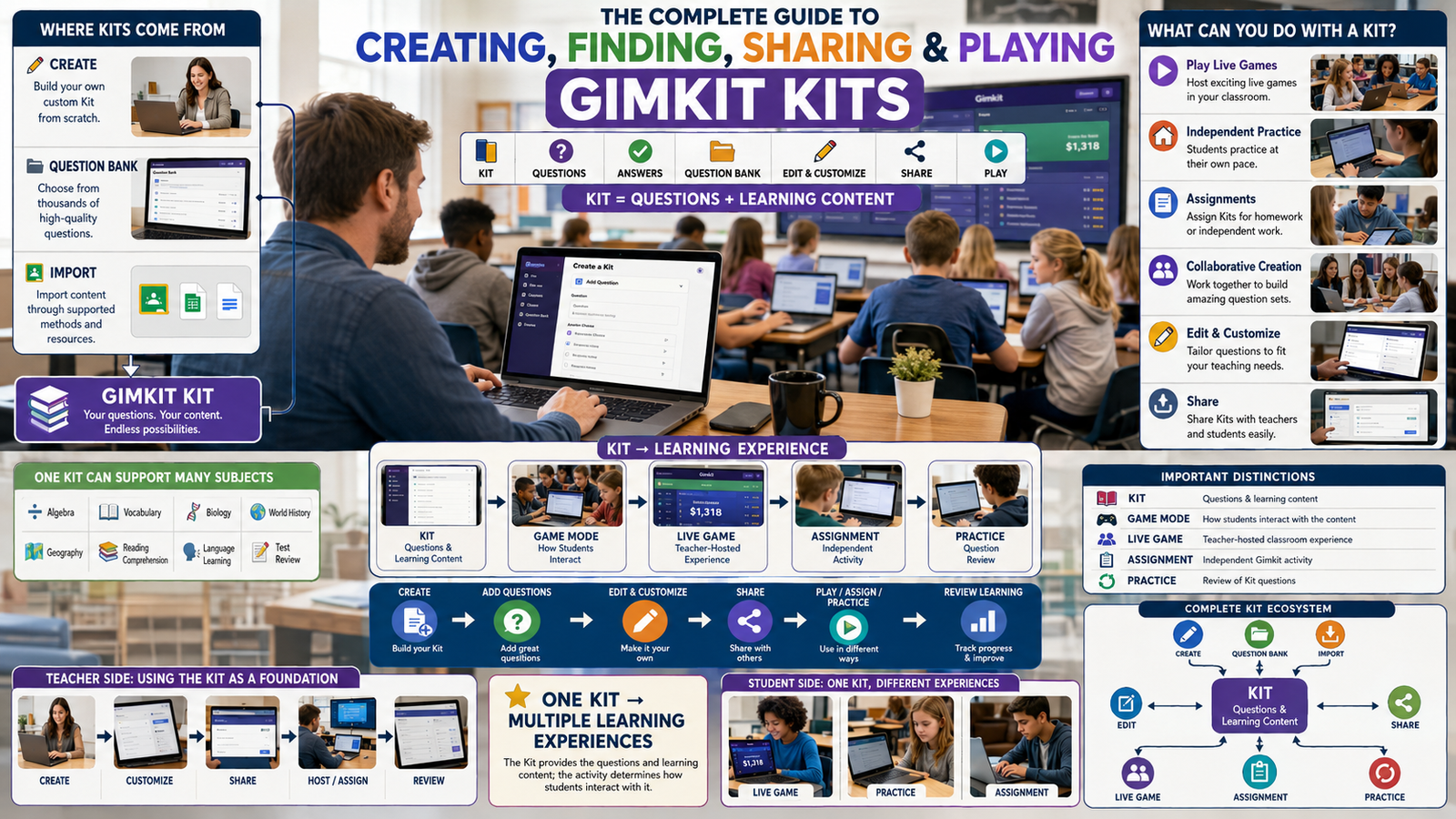
Gimkit Play: The Complete Guide to the Player Experience
Understand what happens after a Gimkit game begins, how questions connect with player actions, why different activities feel different, and how to participate with greater confidence.
Independent educational guide. GimkitApp.com is not operated or endorsed by Gimkit. The application below uses hypothetical values and does not connect to an official game.
What does Gimkit Play actually mean?
Gimkit Play describes taking part in an active Gimkit learning game as a player. After a host starts a live session, participation shifts away from the entry process and into the activity itself. The player sees questions, responds, interprets feedback and interacts with whatever objective the selected game mode provides. Some experiences emphasise question answering and progress values. Others use a two-dimensional game world where answering questions helps support movement, tools or other activities.
The important detail is that playing is not one universally identical procedure. A learner may encounter different controls, visual information, goals and resources across activities. Even when the underlying questions come from the same Kit, the game mode changes how the player experiences them. Someone who understands one mode has learned something useful about Gimkit, but not every possible interaction the platform can present. A clear guide therefore explains the general player experience without pretending that every screen contains exactly the same buttons or mechanics.
For this article, the boundary is deliberate. Joining refers to entering a session; hosting refers to controlling the session; login refers to account authentication. Playing refers to what the participant actually does after the activity begins. It includes interpreting the player-facing instructions, answering thoughtfully, responding to what the screen shows and remaining oriented toward the game's objective. Understanding that boundary prevents a common problem in unofficial guides: spending most of a purported playing tutorial on game codes, account recovery or teacher settings while giving little attention to gameplay.
The official Gimkit documentation confirms that questions and gameplay can be interdependent, particularly in 2D modes. A correct response may provide a resource used elsewhere in the activity. The type and amount of that reward depends on the game mode and the host's available options. That means effective participation requires two kinds of understanding: knowledge of the academic material and awareness of how the chosen activity uses that knowledge. Neither automatically replaces the other. A student might understand the answers but initially be unfamiliar with the movement controls, while another might navigate comfortably but need more time to reason through unfamiliar questions.
There is also an educational distinction between being active and demonstrating understanding. Fast clicking, energetic movement and visible progress are all forms of participation, but they do not independently prove that a learner understands the questions. A player can improve by observing feedback, identifying uncertainty and taking the next question seriously rather than focusing exclusively on movement or a visible ranking. This article concentrates on those player-facing choices without attempting to estimate academic gains from gameplay alone.
Four things a player needs to recognise
Every participant benefits from separating the learning task, the visible game state, the available actions and the current objective.
Question task
What is being asked, what answer format is available and what knowledge is needed before responding?
Game action
What does this particular mode allow you to do with movement, resources or other interactions?
Current objective
What should the player accomplish right now, beyond simply pressing the next available control?
The learning task does not disappear when the game begins
A colourful world, moving characters and several controls can make gameplay seem entirely separate from academic review. Yet in documented 2D examples, correct answers supply energy or other resources required for game activity. This relationship is central to understanding play. A question is not simply a pause between two exciting events. It can be a functional step that enables the next action. Recognising the relationship helps learners avoid treating questions as an obstruction to the game.
When a prompt appears, focus on its meaning before considering what the resulting reward might allow. Is it asking for a definition, an interpretation, a calculation or a distinction between closely related ideas? Is the response multiple choice, or does the question require text input? The form of the question affects the thinking process even though the surrounding game remains the same. A learner who reads attentively often finds the next interaction easier because they have not spent attention trying to recover from an avoidable misunderstanding.
Game state is information, not an instruction by itself
Players can see values, progress indicators, locations, available actions or other visual signals depending on the activity. Those elements describe some part of the current game state. They do not necessarily tell the player which decision is best. A resource balance might indicate how many units are available, but the purpose of those units must come from the mode's rules. A timer might explain the remaining opportunity to participate, but it does not mean every answer should be rushed. A leaderboard can provide comparative information in supported modes, yet ranking alone does not explain the learning value of the questions answered.
A useful first habit is to identify which signals are necessary for the next action and which are merely contextual. In a movement-based activity, location and the immediate objective may matter more than a distant visual event. When answering, the wording of the question matters more than unrelated animation. Attention moves between these information sources, but it should do so because the next task requires it rather than because something bright or noisy appeared elsewhere on the screen.
An available action is not automatically a useful action
A player may be able to move, purchase, interact, answer or inspect a menu. Some actions require resources and others do not. Official mode documentation explains that particular actions can be fuelled by answering questions, but the exact relationship varies. Consequently, the correct practical habit is to learn what an action accomplishes before using it repeatedly. In some modes, spending a resource immediately is helpful; in others, a different objective or position may matter first. This article does not prescribe universal spending rules because none can be verified for every mode.
The distinction becomes especially important for beginners. Someone who presses every available control while trying to understand the screen can accidentally make the game appear more complicated than it is. A calmer learning approach involves locating the principal objective, identifying one productive action and observing its effect. Once the result is understood, the player can build on that knowledge. This is not a recipe for winning; it is a method for becoming comfortable with an unfamiliar interface.
Objectives supply meaning to the player experience
Different modes ask participants to do different things. The host can also configure goals and mode-specific settings where those options are available. The result is that "make progress" has no single meaning across all Gimkit activities. A player should read the introduction, on-screen prompts and current instructions rather than assuming that the objective is always to accumulate the largest numerical balance. A mode involving reaching a destination cannot be understood exclusively through the logic of a conventional question-and-score game.
Students also benefit from distinguishing the immediate objective from the overall purpose of the classroom activity. The game may ask them to complete a movement or resource task, while the teacher's learning goal is to revisit academic content. Both can matter, but they are not interchangeable. Someone can successfully navigate a level while still needing practice with the subject matter. Conversely, a student who solves questions accurately may still be learning how the controls work. Keeping those outcomes separate supports a more accurate interpretation of the experience.
What happens when the game starts?
After the host begins the activity, the participant moves from waiting into the selected gameplay environment. The exact transition differs between 2D and non-2D experiences, and it can also depend on the mode's design. Instead of memorising a fictional universal screen, the player should be ready to identify what the game is asking them to do. Read any introductory information, notice the displayed objective and work out where questions or interactions appear before making several rapid inputs.
First: identify the task presented by the mode
The initial view may show a question, a character within a world, a game-specific instruction or another interface. Each presentation requires a slightly different first response. If the screen offers a question, begin by reading it. If the screen places a character in a world, look for the goal and available controls. If instructions appear, give them priority even when classmates have already begun moving. A few moments spent understanding the objective can prevent repeated confusion that lasts much longer.
Do not assume that a player's first screen is identical to a screenshot published in an older tutorial. Gimkit's modes and interfaces can change. Likewise, a guide written about one mode should not be used as a universal map for another. The safe reference is the information shown in the activity currently being played, supported by the official documentation for that specific mode when available. This approach remains useful even when the name of a control, arrangement of buttons or visual artwork changes.
Second: distinguish the question layer from the action layer
Many educational games present one main interaction at a time. In some Gimkit experiences, however, there is a meaningful relationship between answering questions and using the game's actions. The question layer involves academic content and response feedback. The action layer involves what the game allows the participant to do after or between questions. Neither layer should be misunderstood as a separate website or an independent account function. Both can belong to the same player session.
Imagine that a resource appears after a correct response. The next thing to determine is what that resource does in the selected mode. It may enable movement, a particular activity or another permitted interaction. Official examples include energy, bait and blasts in different 2D experiences. Those are examples of mode-specific relationships, not evidence that all modes use one shared resource. The player must therefore learn a local rule rather than invent a platform-wide conversion formula.
Third: observe how the game communicates a result
Feedback might tell a player that a response was correct or incorrect, show a changed balance, update an objective or indicate a change in the available game state. Interpret each signal narrowly. An increasing resource value tells you that a particular value increased. It does not alone demonstrate mastery of a topic, nor does it explain whether the next action will be successful. An incorrect answer means the response to that particular prompt was not accepted; it should not be treated as evidence that the player cannot learn the wider concept.
This kind of interpretation is valuable because gameplay can generate several simultaneous signals. A player may see other characters moving while their own device displays a question. They may hear feedback while also noticing a timer. They may become interested in a leaderboard just as the next academic prompt appears. The goal is to recognise which signal is relevant to the present task. When answering, concentrate on the question. When acting, concentrate on the objective and the resources required for that action.
Fourth: continue through the playable cycle
There is no requirement that every game repeat an identical four-step pattern. Some activities rely heavily on repeated questions, others integrate more movement or interaction, and some create collaboration between participants. Nevertheless, a broad cycle is useful as an orientation aid: encounter the current task, make a response or action, observe its effect and return attention to the current goal. Each cycle supplies information about how the chosen mode behaves.
For a new player, the early cycles should be treated as opportunities to understand the interface. Notice which actions are available without spending resources, which require a successful response and which depend on the current location or objective. If the game explains a rule, apply that rule to the next decision rather than trying to remember several unrelated tips at once. Becoming fluent with the local interaction model makes later play feel less confusing without requiring a player to predict every possible outcome.
Fifth: recognise the end of an activity
A game eventually reaches its configured endpoint or is ended by the host. Depending on the mode, the result may involve an elapsed time, a completed objective or another condition. A player's immediate responsibility is to recognise that active participation has finished and follow the teacher's instructions for any subsequent review. Avoid assuming that a final rank contains everything important about the session. It may not describe the difficulty of the questions a learner encountered or whether they can now explain the material independently.
Students can take one useful observation away from a completed round without turning every activity into a formal assessment. They might recognise a question they found difficult, a control that finally made sense or a point where they misread an instruction. These observations serve as starting points for later learning. This article does not replace Gimkit's reporting features or the teacher's interpretation of results; its concern is helping the participant understand what occurred while playing.
How questions shape the playing experience
Questions are one of the most important reasons Gimkit is different from an ordinary movement game. The participant's understanding of course material becomes relevant to what happens within the activity. The exact reward or consequence depends on the selected mode, but the underlying academic task remains meaningful. This section focuses on the player's reading and response experience rather than explaining how an educator authors question content.
Reading a question is an active decision
A good first response to an unfamiliar prompt is to identify what it requires. A question that asks which statement is not correct requires different attention from one that asks for the best explanation. A calculation may require checking units or the order of operations. A vocabulary prompt may require distinguishing the exact meaning of two similar words. The player should approach these differences as features of the question rather than allowing the surrounding game's excitement to erase them.
Many avoidable errors happen before the learner begins solving the actual problem. A missed negative word, an overlooked qualifier or a mistaken assumption about the response format can change the answer. That is why rapid reading and fast responding are not identical to effective participation. Sometimes a quick answer is appropriate because the learner understands the material immediately. At other times a slower response is the correct expression of careful thinking. The game setting does not remove the need for judgment.
Multiple-choice and text-input experiences are different
Official Gimkit documentation supports multiple-choice questions and text-input questions in Kits. From a player's perspective, these formats create distinct forms of response. In multiple choice, the learner evaluates presented alternatives. In text input, the learner must produce an answer in the form expected by the question. The second format can place greater attention on recall and precise entry, while the first can require careful differentiation among alternatives.
Players should not treat all question interfaces as if they permit the same kind of checking. A set of visible options can be compared before selecting, but a text field asks the participant to supply a response. If an answer is rejected, that outcome should be interpreted within the particular question and its configured accepted answers. The player cannot assume that every incorrect result represents the same type of misunderstanding. Some indicate a missing concept; others may involve misreading, imprecise wording or an input error.
The value of confidence is knowing when to examine an answer
Confidence can help players work efficiently, but it is not always a reliable indicator of correctness. Familiar-looking questions can contain an unexpected condition. Conversely, a question that initially appears difficult may become manageable once its information is separated into parts. A learner can use a brief internal check: What is the question asking? Which information supports my response? Is there a word or condition I have overlooked? The point is not to turn every prompt into a lengthy calculation. It is to avoid answering solely from familiarity.
In a live activity, students may feel pressure because teammates or competitors appear to be moving quickly. However, the visible pace of another person reveals little about their understanding of a particular question. Their current screen may differ; they may be encountering another prompt or interacting with a different part of the game. The participant's best immediate information remains the question on their own screen. Comparing every moment of response time with another player can distract from the task that actually determines the current answer.
Feedback should inform the next encounter
When an answer is marked incorrect, a learner gains information about the response they selected or entered. The most useful response is to consider what was missing from their interpretation. Did they confuse two terms? Was an important condition overlooked? Did the question require an application of knowledge rather than recognition? Even a brief mental explanation can make the experience more valuable than immediately forgetting the prompt because another game action has become available.
Correct answers also deserve interpretation. A player may know the concept securely, may have used a valid reasoning process or may have guessed successfully. These possibilities produce the same immediate accepted response but different implications for learning. A learner who guessed should not assume the concept is mastered. If a similar question appears later, that is an opportunity to test whether the answer can be justified. Progress within a game and progress in understanding are related possibilities, not automatically equivalent measures.
Smart Repetition is player-specific
Gimkit's official Smart Repetition documentation states that after a player has encountered the questions, questions begin to repeat, and questions missed on the first encounter are prioritised more often. It also states that this process is student-specific and applies to live games and assignments. This provides a meaningful explanation for why a learner might see a familiar question again without assuming the Kit contains accidental duplicates.
That repetition is not a guarantee that a particular missed question will appear after an exact number of turns. The official description uses a prioritising lottery system rather than promising a fixed sequence. It is therefore misleading to publish an invented formula such as "every wrong answer repeats after three questions." A participant can instead treat recurrence as an opportunity to notice whether their understanding has changed. If the correct response is now clear, they have a better basis for continuing; if uncertainty remains, later study may still be useful.
Academic accuracy and action fluency are separate abilities
A student can answer questions well and still need practice navigating an unfamiliar game world. Another student may quickly understand the controls while finding the academic prompts difficult. Neither situation is contradictory. The activity contains different demands, and experience with one does not instantly transfer to the other. A thoughtful player can acknowledge which part feels unfamiliar instead of labelling the entire activity as easy or difficult.
This distinction is particularly important during a student's first encounter with 2D play. Movement, visual navigation and resource use may compete with reading for attention. If the player repeatedly loses track of the current objective, that may reflect unfamiliarity with the interface rather than weak subject knowledge. If they move confidently but miss similar questions, the issue may be academic instead. Recognising the difference supports practical improvement without reducing the learner's experience to a single score.
How answers can turn into playable actions
One of the most distinctive features of documented Gimkit 2D activities is the connection between answering a question and receiving a resource that supports a game action. Gimkit's own game-balance documentation names examples such as energy in some modes, bait in Fishtopia and snowballs in Snowbrawl. Other modes have their own interactions. The meaningful principle is that a question response can affect the player's available choices, not that every game uses identical rewards or values.
The resource is defined by the activity, not the website
When a learner receives energy, the purpose of that energy comes from the relevant mode's rules. When a different mode grants bait or blasts, the associated action changes. These labels are not interchangeable currencies. It would be inaccurate to state that one unit of bait is always equivalent to one unit of movement energy, or that a correct answer has the same purchasing power across modes. Such comparisons would require a shared system that the official documentation does not establish.
The same caution applies to amounts. Gimkit's documentation states that hosts can adjust some question-to-resource reward settings in supported 2D modes. As a result, a numerical value observed in one live session should not automatically be treated as a platform constant. A learner who practises under one configuration might encounter another configuration later. The reliable approach is to understand the local rule shown by the activity rather than memorise an unofficial universal rate.
Earning is different from using
Obtaining a resource increases what the player is able to do, but it does not always perform the desired action automatically. In a resource-based game, the participant may need to decide when and where to use what has been earned. This creates a small but important difference from conventional question answering. The accepted response can enable the next action, while the player still has to understand the context of that action.
Suppose an activity has a hypothetical action requiring three resource units. Earning two units makes progress toward that requirement, but it is not enough to perform the action. Earning another unit reaches the threshold. This is ordinary arithmetic used to explain resource gating, not a statement about any official Gimkit mode. The Player Action Loop Studio below demonstrates this idea with user-selected values so that it never presents made-up rewards as official settings.
Question pacing and action pacing form different demands
Answering and interacting with the game draw on different kinds of attention. Academic prompts require reading, recall or reasoning. In-world actions may require spatial awareness, timing or another specific interaction. A participant who switches constantly without noticing what the current task requires may find both activities more difficult. Understanding the distinction can make the overall experience clearer even before the player develops any sophisticated tactics.
For a beginner, a productive habit is to understand the resource relationship in one simple situation. Notice what happens after an accepted answer. Identify whether a visible resource changed. Discover which action uses that resource. Then observe what happens after performing the action. Once this connection is understood, the player can concentrate on the broader game objective. The explanation stays at the level of player interaction and does not intrude into the specialised mechanics that belong to individual mode guides.
Why a resource balance may change unexpectedly
If a value differs from what the player expected, there are several possible categories of explanation: a game rule, a recent action, a mistaken interpretation of the display or a technical update problem. These categories should not be conflated. In-game effects vary by mode, and a particular change may be intentional. The official Gimkit article on midgame issues also documents situations where network packet loss can delay or disrupt the updates that the client receives.
The most important practical distinction is between learning the rule and diagnosing a fault. If a player does not know what a resource does, the first step is to inspect the activity's instructions. If a previously functioning value repeatedly fails to update or a normal action stops responding, that may warrant technical attention. An independent guide cannot determine the condition of Gimkit's live server or the player's private session, so it should not label a delayed balance as a confirmed account failure or cheating incident.
Resource models are explanations, not predictions of victory
A simple model can help demonstrate why answering and acting are related. For example, if each accepted answer is assumed to grant two units and each action is assumed to consume three, a participant who earns six units could theoretically perform two actions. That conclusion follows from the hypothetical values alone. It says nothing about an official mode's scoring, random events, other players, map design, time limits or whether completing two actions achieves the objective.
That is why the tool on this page deliberately uses neutral resource units. It illustrates state changes under chosen rules rather than claiming to recreate the hidden economics of Gimkit. The user controls the assumptions and can reset them. In an actual match, the mode's rules, game options and current state remain authoritative. A teaching model is useful precisely when its limitations are visible.
Gimkit Player Action Loop Studio
Experiment with the relationship between correct answers, available resources and player actions. Set your own hypothetical rules, interact with the local model and inspect the result.
Player Action Lab
Question response → resource change → player action → local progress
1. Define your hypothetical rules
Changing a field does not change an active run until you apply the new rules.
Action history
- No actions recorded.
2. Optional pace illustration
Set a hypothetical expected accuracy and response time. This is a mathematical estimate, not a live Gimkit forecast.
Privacy: No login, game code, student identity, external API or third-party script is used. Simulation events exist only in the current page state unless you choose to copy, print or export them.
What the Player Action Loop Studio teaches
The interactive application is an educational model for one relationship found in resource-based play: a question response can alter the resources available for subsequent actions. It deliberately avoids asking users to enter a real game code, connecting to a classroom account or pretending to reproduce a current Gimkit mode. Instead, the participant selects a hypothetical rule set and observes exactly how the resulting numbers change after each local interaction.
Start by identifying the three kinds of input
The first input is a resource label. It determines how the simulation refers to the balance displayed on screen. A generic label is the safest starting point because it does not suggest a particular game. Energy, bait and blasts are included only as examples of terms that occur in official mode documentation; selecting a label does not load real values from that mode. The next inputs define how many units an accepted response earns, whether an incorrect response removes units and how many units a player action consumes. These values form an invented rule system that can be tested consistently.
The last setup value is an action target. It represents how many successful resource-consuming actions the learner would like to model. It is not a score to beat against another person. It is simply the completion criterion for the current experiment. If the action target is five, the application marks the run complete after five successful spending actions. A different user can select a smaller or larger target without implying that Gimkit uses the same ending condition.
Use the response buttons to change the model's state
When the learner chooses Answer correct, the application adds the configured reward to the resource balance and records the response. Answer incorrect records another attempt and applies the configured penalty, if any, without allowing the resource balance to fall below zero. Perform action checks whether enough units are available for the configured cost. If there are insufficient units, it displays an explanatory message instead of inventing a negative balance or recording a successful action.
This allows the learner to explore cause and effect. For example, start with a reward of three units and an action cost of four. One correct response produces three units, which is not sufficient for an action. A second accepted response raises the balance to six, so an action can be performed and two units remain. The example helps explain a resource threshold. It does not assert that any particular Gimkit mode awards three units or charges four for movement, tools or purchases.
Read the difference between resources, responses and actions
The application's counters intentionally separate these values. Correct answers describe the number of accepted responses recorded in the rehearsal. The resource balance shows the currently available hypothetical units. Completed actions describe how often the participant successfully spent those units on a modelled action. The counters may move in different directions because earning a resource is not the same event as spending it. A high balance can coexist with relatively few completed actions, while a low balance may follow several successful actions.
The accuracy display represents accepted responses divided by total locally recorded question attempts. It does not connect to Gimkit, examine the quality of the questions or evaluate academic achievement. It simply reflects the choices made inside this simulator. A learner who clicks correct five times has produced a displayed accuracy of 100 percent for that local record, but this says nothing about their performance on an actual Kit. The distinction matters because a training model should never transform user-declared events into false external credentials.
Use undo to explore a different sequence
The Undo Last Action control reverses the latest recorded event by replaying the remaining sequence from the beginning. This is useful when a learner wants to compare what happens if a resource is spent immediately versus retained for another answer. The application's history displays each accepted local event in order. It is not a historical report from an official session and cannot recover events that were never entered into the page.
Changing the assumptions through Apply Rules & Restart clears the existing experiment because earlier actions were calculated using the previous values. Maintaining the old numbers after changing the rules would produce an incoherent model: the same history could no longer explain the displayed resource balance. Reset Run preserves the current rules but clears the interactions. The distinction lets a learner repeat an experiment or intentionally begin an entirely new hypothetical situation.
Understand the optional pace calculation
The additional calculation estimates how many question attempts fit within a selected time interval at a user-declared average response time. It then applies a user-declared accuracy percentage and the hypothetical reward rules. Because this is an expected-value illustration, some outputs may include fractional values. A fractional expected action is a mathematical average, not a claim that a real player can perform half an action inside Gimkit.
The forecast excludes reading variation, interruptions, network delays, movement time, different question difficulty, random events and other game-specific requirements. It cannot predict a win or guarantee that a session will reach an objective. Its purpose is to illustrate how assumptions change a simple model. When the pace is slower, fewer question attempts fit in the same interval. When expected accuracy changes, the hypothetical balance changes. Those relationships are mathematical properties of the example, not empirical findings about a student.
Use the export for reflection, not evidence of official results
Copy Summary creates a readable text description of the current local run. Export CSV creates a table of the locally recorded answer and action events, while Print opens the browser's printing interface. These features are useful for comparing two hypothetical assumptions or explaining a model to someone else. They must not be represented as official Gimkit results, verified participation records or evidence that a player completed a real session. The application has no access to such information.
For a meaningful learning exercise, try two versions of the same invented rule system. In the first, record several accepted answers before taking an action. In the second, use an action as soon as enough resources have been earned. Observe how the balance and progress counters differ. Rather than declaring one sequence universally better, ask what additional information an actual game would require: time cost, location, action consequences, objective conditions and mode-specific mechanics. This question illustrates why a generic simulator cannot replace the rules of a specific game.
How to become comfortable with player controls
Controls in Gimkit depend on what is being played. In a question-centred experience, the principal interaction may be reading and selecting or entering answers. A two-dimensional experience can introduce movement, jumping, aiming or other actions. Because those interactions belong to particular modes, a guide should not present an invented keyboard map as universally correct. The safest method is to use the current activity's instructions and, when needed, the relevant official mode reference.
Learn movement within its actual context
Official documentation for Don't Look Down describes movement using arrow keys or WASD, along with jumping controls for that mode. Blastball's documentation describes WASD movement and mouse or trackpad use for aiming. These are supported examples, but they must remain examples. A learner should not infer that every mode has double jumps, blasters or the same mouse interaction merely because one documented mode uses them.
On a keyboard, unfamiliar controls may initially require conscious attention. A player can benefit from identifying one action at a time: movement first, then a mode-specific interaction, then the circumstances under which that interaction is useful. Trying to memorise every input before understanding the objective may create unnecessary confusion. Familiarity develops through seeing how an input changes the game state and whether that change matches the player's intention.
Touchscreen experiences introduce different considerations. The physical act of tapping a control differs from pressing a keyboard key, and available screen space can affect how much of the interface is visible at once. The player's current official game screen is the only reliable source for the exact mobile layout. An old screenshot from a desktop tutorial cannot establish that the latest touchscreen presentation is identical. If controls are difficult to use, consider whether the activity and device combination is appropriate within the school's permitted setup.
Question access can involve reading support
Gimkit documents a feature called Read to Me. Its official help article explains that students can enable it during a live game to hear questions and answer choices read aloud, with visual highlighting as the content is spoken. The documentation also explains that it is controlled by the student and must be enabled for each game where it is needed. This is a player-side accommodation, not a feature that requires an independent website to read the screen.
The official article places Read to Me within the game's settings interface. Because interfaces may change, the exact current controls should be confirmed in the activity and against the latest official guidance. The feature's documented scope is important: it reads question content and answer choices, but should not be assumed to narrate every other part of the game. Its presence therefore does not eliminate all possible visual, motor or cognitive barriers in complex 2D environments.
Accessible participation requires more than one setting
Different students have different interaction needs. A learner may benefit from auditory question presentation but find a fast movement sequence difficult. Another may navigate confidently while needing larger text or reduced distraction. A student with a slower device may encounter performance barriers unrelated to academic understanding. It is useful to identify the specific task causing difficulty instead of treating the whole activity as inaccessible or assuming one feature solves every issue.
For a player, the most practical response is to communicate the particular difficulty to the teacher or responsible adult. Describe whether the problem occurs when reading a question, selecting an answer, using a control, following movement or interpreting the screen. This information is more actionable than saying only that the game is hard. The teacher can then consider the available platform settings, school-approved accommodations and whether a different activity would better support the learning objective.
Visual effects should not replace the objective
Animated environments can be engaging, but their movement may also attract attention away from questions or relevant controls. A player can deliberately return attention to the current task rather than following every visible effect. This is especially useful when several characters appear on screen. Their movement might be interesting without directly affecting the action the learner needs to perform. The participant should learn which visual elements convey required information and which are background context.
Likewise, sound feedback can communicate the result of an interaction, but it should not be treated as the only available evidence when the interface also shows visual feedback. Classroom environments may be noisy, quiet or subject to accessibility requirements. Players should follow teacher instructions regarding volume and headphones and avoid assuming that all sound settings behave the same way in every mode. The larger principle is that a manageable sensory environment supports attention to the actual task.
Why a 2D activity feels different from a question-led game
Gimkit's official documentation distinguishes its 2D game modes from more traditional experiences. In 2D modes, students explore environments using characters called Gims. The activities can introduce movement, spatial awareness and other interactions beyond responding to questions. The same platform can therefore feel substantially different to a player depending on the selected activity. The distinction matters when someone asks how to play, because there is no single set of controls sufficient to describe every available experience.
Question-led interfaces keep academic content prominent
In a question-led presentation, much of the learner's attention may remain on the immediate prompt, available answers and feedback. A player can usually understand the central academic interaction without tracking an in-world position. This does not mean that every traditional activity has identical scoring or features. It means that the spatial component may be less central to the experience than in a two-dimensional environment.
For learners who are new to the platform, a question-focused experience may feel familiar because it resembles other digital response activities. Familiarity can make it easier to identify what is being asked, where to respond and how to interpret feedback. However, the player should still pay attention to the rules of the selected mode. An apparently familiar answer screen does not prove that every game has the same consequences for correct or incorrect responses.
2D interfaces introduce location and action
In a two-dimensional environment, a character's position can matter to what the player sees and does. The learner may need to move through a map, interact with objects or other participants, and manage a mode-specific resource. The screen therefore presents information beyond an academic prompt. This increases the importance of distinguishing movement controls from question controls and the immediate objective from other visible activity.
A first-time player should expect some learning curve in these interactions without assuming that the entire game is difficult. A character can be controlled successfully through small experiments with the supported inputs. Once movement is familiar, attention can shift to understanding when the activity requires questions and what the resulting resources enable. The process should be grounded in the specific game's instructions; a general guide cannot responsibly promise that every 2D map behaves in a particular way.
Different activities connect questions and actions differently
Official Gimkit guidance describes energy supporting activity in certain games, bait in Fishtopia and blasts in Blastball. These examples demonstrate variation, not a universal catalogue of current features. A player who transfers a rule from one mode to another without checking it may become confused. A label that was meaningful in one activity can be absent from another, and an action that was previously useful may not exist at all.
To manage the difference, learn the relationship that belongs to the present experience. Ask what the correct response changes, which available control uses that change and what the game's stated objective requires. These three questions are portable even when the answers change. They provide a method for understanding an unfamiliar activity without duplicating the full game-specific instructions that belong on individual mode pages.
Players should not confuse 2D play with cosmetic progression
Gimkit's official documentation associates earning XP with supported 2D gameplay. It also describes cosmetics as visual items rather than gameplay advantages. Those systems have their own separate terminology, conditions and progression rules. In the player experience, the important distinction is that a cosmetic appearance does not automatically determine how well someone can answer questions or achieve a game objective.
Seeing another character with an unusual appearance should therefore not be interpreted as evidence of a hidden competitive power. Nor should a player's visual appearance become the main focus of a learning activity. This article acknowledges the distinction because students can encounter it during play, but the detailed rules for XP, GimBucks, Gims and cosmetic inventory belong to their dedicated pages rather than being reproduced here.
How to maintain a clear participation rhythm
Participation rhythm is the way a learner moves through the demands of a game: reading, deciding, acting and returning attention to the next task. This is not a claim about an ideal number of questions per minute. Different activities, learners and academic prompts require different amounts of time. A thoughtful rhythm is one that allows the player to understand what is being asked and carry out relevant actions without repeatedly losing track of the objective.
Begin with clarity rather than speed
At the start of an unfamiliar mode, a learner benefits from finding the main task before trying to act as quickly as experienced classmates. Early uncertainty about controls can lead to repeated unsuccessful inputs. Taking a short moment to identify the objective, question location and required interaction is often a more sensible use of attention than pressing controls at random. This is especially relevant when the player has never encountered a resource-based 2D activity.
Once a basic interaction is understood, the participant can focus on the next piece of information. If the question is on screen, read it. If resources have been earned, decide how they relate to the objective. If movement is required, orient within the environment. Separating these tasks prevents the player from trying to solve an academic problem and navigate an unfamiliar map at exactly the same instant when the interface does not require it.
Use transitions as moments of reorientation
A transition occurs when the current task changes. Finishing an answer may return the player to the game environment. Completing an action may make a question necessary. Reaching a new location may present another objective. Such transitions are natural moments to ask what the next required task is. They are not invitations to stop participating for long periods, but small opportunities to prevent confusion.
Players can become distracted when they continue mentally working on the previous task after the screen has changed. For example, someone may still be thinking about whether an earlier answer was correct while the game is asking for movement. Another player may continue focusing on movement after opening a question. Recognising the transition helps redirect attention to what is currently relevant, reducing the possibility that an earlier mistake produces several unrelated errors.
Don't confuse response speed with question comprehension
Responding rapidly may be possible for material that is well understood, but speed alone is not an academic objective. Some prompts require comparing alternatives, interpreting a short description or recalling a precise fact. A learner should use the time needed to make a meaningful response within the constraints of the current activity. Racing another participant through the interface can sometimes reduce attention to the content that gives the game its educational purpose.
There is also a difference between being slow because of careful thought and being delayed because of interface confusion. If a student understands the question but cannot locate the answer controls, the problem is not academic recall. If the controls are familiar but the concept is unclear, practising movement will not resolve that uncertainty. Recognising which part of the activity needs support is more useful than simply asking the player to work faster.
Keep comparisons with other players in perspective
Live games can make other participants visible through characters, scores or supported leaderboard features. This social dimension can be enjoyable, but the information available about another player is incomplete. The observer may not know which question that person is answering, whether they have encountered the same content or how much time they spent reasoning. A visible lead or rapid movement therefore does not provide a complete picture of the other learner's understanding.
A student who becomes preoccupied with every change in position can lose attention to their own prompt. A better participation habit is to check comparative information when it is relevant to the current objective and then return attention to the task. Detailed competitive adaptation belongs to specialist strategy instruction. Here, the point is simpler: the visible activity of other players should not prevent a learner from understanding the interaction directly in front of them.
What a player might encounter during actual participation
These examples focus on interpreting the player experience. They are not fabricated screenshots, recreated official maps or instructions for controlling a particular mode.
A player sees a new objective
A participant has successfully entered the active activity and now sees a screen they have not used before. Rather than trying to imitate classmates, they first read the game's displayed instructions. They identify whether the immediate task is an academic question or an in-world action. Once they know what the game expects, they try the relevant control and observe the outcome.
The useful lesson is that beginning play is different from completing the entry process. At this point, knowing a session code does not explain the game's controls. The player needs to understand what the selected activity asks them to accomplish. If the instructions remain unclear, asking the teacher for clarification is more productive than repeatedly activating random buttons.
An apparently familiar question causes a mistake
A student encounters a question that resembles one they remember, selects an answer quickly and receives incorrect feedback. On reflection, they realise the prompt asked for an exception rather than the usual correct example. Their immediate lesson is about reading precision, not movement or game resources.
If a similar question returns later through the game's repetition system, the learner has another opportunity to recognise the difference. The example does not assume a fixed repetition schedule. It shows how reading the wording of a prompt carefully can matter even when the surrounding activity encourages energy and movement.
An action requires more resources
In a hypothetical resource-based activity, the learner has earned some units through accepted answers but does not yet have enough for an available action. Rather than assuming the interface is broken, they consider whether the resource requirement has been met. Additional accepted responses may increase the balance according to that activity's rules.
The specific values are deliberately unspecified because different official modes and configurations use different mechanisms. This situation explains the concept of an action threshold, not a universal rule about the number of questions needed. The Player Action Loop Studio can model an illustrative threshold without pretending to inspect the real game's state.
A player understands answers but not navigation
A student answers confidently yet repeatedly struggles to move toward the current objective. The immediate difficulty is therefore not obviously the academic content. They need to understand the selected mode's control instructions and the information shown in the game environment. A brief explanation of movement or the purpose of the current action may resolve the confusion.
This distinction matters because academic feedback alone would not explain the navigation problem. A student should not conclude that they are poor at the subject merely because a new control scheme feels unfamiliar. Learning the interface and learning the course material are connected demands but remain separate skills.
A learner benefits from hearing the question
A player can understand a question more comfortably when the text is read aloud. Gimkit's documented Read to Me feature may support that need during live question answering. The participant can use the platform's relevant settings and follow the current official instructions to enable the available support.
The player should not assume that the same setting narrates the entire game world or every menu. Knowing the documented scope helps establish realistic expectations. If additional support is needed for navigation, visual complexity or physical input, that should be considered separately rather than assuming question narration resolves every barrier.
A displayed value seems delayed
A player completes an interaction but a balance or upgrade does not appear to change immediately. They first distinguish the expected game rule from a technical issue. If the activity's rules explain the result, the display may be behaving normally. If an update repeatedly fails despite correct actions, the player may need technical assistance.
Gimkit's official documentation identifies packet loss as a potential cause of midgame update problems. That does not permit an independent website to diagnose every delayed value as packet loss. The situation is a reminder to describe observed symptoms accurately and avoid making unsupported claims about hidden game-server conditions.
Other players' movement becomes distracting
In a busy multiplayer environment, a student sees several characters moving while an academic prompt requires attention. Following every movement would make it more difficult to read carefully. The player decides to focus on the current question, then returns attention to the environment after responding.
This example is not a competitive strategy formula. It concerns managing attention between two different kinds of information. Social activity is part of the game's experience, but not every visible action by another participant is important to the learner's next decision.
The session ends before every concept feels familiar
A hosted game reaches its ending condition while a student still remembers a question they found difficult. The completed game and the learner's remaining uncertainty can both be true. A finished activity does not mean every academic idea has been mastered.
A useful next step is to note which concept needs further attention and discuss it through the normal classroom learning process. This is different from changing the game's result or inventing an unofficial performance score. The player has learned something about their own uncertainty, even if that information is not reflected in the final ranking.
Good player habits inside a live learning activity
Follow the actual session's instructions
Player responsibilities are shaped by the activity that has been selected and the teacher's classroom expectations. The correct behaviour may involve answering independently, collaborating within an authorised team or following a particular objective. A general internet guide cannot replace those local instructions. It can, however, establish a reliable principle: understand the rules that apply to the current activity and avoid importing assumptions from another game, another class or an old tutorial.
Sometimes a participant knows how to perform an action but does not know whether it is appropriate in the present situation. A control may be available even when the teacher has asked students to wait or use the activity in a particular way. Following classroom instructions remains important because the educational goal may be broader than maximising visible game progress. The existence of a button does not independently establish permission to use it.
Play fairly without seeking unauthorised shortcuts
A learning game works best when participants respond through the intended activity. Unofficial scripts, attempts to interfere with other players or claims that a website can generate artificial game advantages undermine that purpose. This page offers no cheats, exploits or automated answer submission. Its tool is a transparent local model for understanding resource changes, not a way to alter an official game's outcome.
Fair participation also means respecting the difference between collaboration and copying. In a team-based environment, players may be expected to coordinate toward a shared objective, but that does not automatically mean someone else should answer every academic prompt for them. The teacher's instructions determine what assistance is appropriate. A participant can contribute by engaging with the learning material rather than outsourcing all decision-making to someone who is moving faster.
Respect classmates' attention and access needs
Not all learners interact with a device at the same speed. Some require more time to read, use assistive settings or become familiar with a control scheme. A fair classroom environment should not treat those differences as a reason for ridicule or exclusion. A player can contribute positively by following communication expectations, avoiding unnecessary disruption and recognising that another student's visible pace is not a measure of personal ability.
In multiplayer activities, respectful behaviour also includes avoiding distractions that serve no learning or game purpose. Players should not use on-screen names, chat channels or other interaction mechanisms to target classmates, where such features exist and are permitted. The precise moderation tools belong to official platform functionality and teacher-side administration. The player-facing principle remains simple: participate in a way that allows everyone to engage with the assigned activity.
Understand what a game result can and cannot tell you
Game outcomes are designed around the activity's objectives. Those objectives may involve answering questions, completing actions, reaching a destination or accomplishing another mode-specific result. Success therefore does not necessarily measure all aspects of subject knowledge. Likewise, a player who finishes in a lower position may have learned something important. Treating a final ranking as a complete academic judgment would extend the information beyond what it can reliably establish.
For a learner, the most useful personal reflection is specific rather than dramatic. Which prompt was difficult? Which game control became clearer? Was there a moment when the objective was misunderstood? Did a repeated question expose an unresolved concept? These questions are not a substitute for formal assessment, but they help distinguish several kinds of experience that a single score cannot represent.
How to interpret difficulties after gameplay has begun
A problem during an active game is not automatically the same as an entry problem. A student who has reached the active interface has already passed through the basic invitation and joining stage. The relevant issue may now concern an in-game control, a resource value, the selected mode's instructions or the device's ability to display and update gameplay. Identifying where the problem occurs prevents the player from repeatedly troubleshooting the wrong part of the experience.
When an action does not seem to work
First determine whether the action is available under the current game rules. A resource-consuming action may require a certain balance, or the activity may require the player to be in a particular location. A feature described by an old guide may also be absent from the present mode. The player should inspect the current screen and instructions before concluding that the platform has failed. This is an interpretive check, not a request to reset the game or change teacher settings.
If the action is definitely expected to work but does not respond, describe the symptom precisely. Is the button visible? Does it change appearance after interaction? Is the player able to move normally? Are question responses still registering? Does the problem affect only one action or the whole interface? These observations can help distinguish unfamiliar mechanics from a technical interruption. They do not reveal private server logs or guarantee a diagnosis.
When a balance or upgrade does not update
Gimkit's official article on Midgame Issues identifies delayed balances, upgrades failing to activate and purchasing problems as examples associated with packet loss. The article explains that changing game state is communicated through network packets and that slow or congested connections can interfere with delivery. This is a documented potential mechanism, not proof that every similar symptom has the same cause.
A participant should avoid repeatedly performing an uncertain action in the hope of forcing an update, particularly when its cost or effect is unclear. Instead, record what is happening, follow the teacher's instructions and consider whether the connection is experiencing wider problems. Browser configuration, network policy and device restrictions may require school support. An unofficial page should not promise that clearing browser data, refreshing at a particular moment or changing an account setting will preserve all live-game progress.
When the 2D environment fails to load
Gimkit provides official guidance about WebGL, the browser technology its documented 2D modes require. A loading problem can therefore involve graphics support rather than the student's academic response or entry credentials. The appropriate steps depend on the browser, device and applicable school restrictions. The official WebGL help article is a more reliable source for current instructions than an invented one-click fix.
In managed school environments, students may not be permitted to change browser or hardware settings. They should not bypass institutional controls or install unapproved software simply to make an activity work. Communicating the observed problem to the teacher or technical administrator can help establish an appropriate supported option. The player's priority remains participation through approved devices and methods rather than altering the environment without permission.
When another player's experience looks different
Two participants in the same activity may be looking at different questions, different parts of a map or different local states. Gimkit's documentation says that Smart Repetition is student-specific, so identical question order should not be assumed. A player should not conclude that something is wrong merely because a classmate encounters a question at another time. The comparison only becomes meaningful when the expected behaviour and relevant settings are actually known.
Differences may also result from viewing another device type or from a player performing a different action within the game. When a learner is confused, they should compare the purpose of the screen rather than assuming that every pixel must be identical. Is the other person answering a question, navigating, observing a result or using an authorised feature? Establishing the stage of interaction often makes the difference understandable.
When the learner feels overwhelmed
Fast activity, unfamiliar controls, a question prompt and visible classmates can combine into a demanding experience. The solution is not always to increase effort or respond more quickly. It may help to focus on the current objective, use an available accessibility feature, ask for a clarification or reduce unnecessary attention to unrelated visual events. A player should not treat initial confusion as a permanent limitation in their ability to learn the material.
Teachers and students can discuss whether the chosen activity is appropriate for the group's current needs, but a complete classroom suitability evaluation belongs elsewhere in the site. This page stays with the immediate playing experience: identify the part of the interaction causing difficulty and seek support that addresses that part. A question-reading issue is different from an input-control issue, and both are different from a connection failure.
Play, practice and assignments are not identical experiences
People sometimes use the word play to describe every activity involving Gimkit questions. Official documentation, however, distinguishes live games, assignments and Kit practice. These experiences have different purposes and conditions. The distinction is useful when a student sees a link or is asked to complete an activity independently. It prevents someone from assuming that all question-based activities provide the same multiplayer environment, game mechanics or reporting.
Live gameplay is a hosted session
A live game involves a hosted activity in which participants enter an active session and play under the applicable game conditions. Depending on the mode, other players can be part of the environment and the activity can have real-time objectives. The participant's experience occurs during that active session. This page's principal subject is what the player sees and does after the live activity begins, rather than how the host prepares it.
Practice focuses on the questions
Gimkit's official assignment documentation refers to a Kit practice option without normal game mechanics, modes or reporting. That makes question practice a different experience from a live game. A learner who opens such a practice link should not expect a multiplayer game world simply because the questions originated from a Gimkit Kit. The value lies in reviewing the content directly.
Practice can be useful when the learner's primary need is to work with the academic questions without an additional action layer. It can also make it easier to distinguish subject uncertainty from unfamiliarity with game controls. However, explaining the creation, organisation and sharing of Kits is outside this page's ownership. The relevant distinction here is what the participant experiences, not how the educational content was authored.
Assignments have their own conditions
Official Gimkit documentation describes assignments as activities that students can complete on their own time, using supported modes and goals. Availability and mode eligibility have specific restrictions. An assignment link should therefore not be assumed to behave like the invitation to a live class session. The learner should follow the assignment's displayed conditions and the teacher's instructions.
For someone searching "Gimkit Play," this distinction matters because the desired next step may depend on the type of activity they have been given. A scheduled live round, an independently completed assignment and a question-practice link are not interchangeable merely because all involve Gimkit content. The activity context determines which actions, deadlines or game mechanics apply.
| Experience | Player's main context | Important distinction |
|---|---|---|
| Live game | Active hosted gameplay | Mode-specific interaction in a session |
| Kit practice | Question review | Documented as practice without ordinary game mechanics |
| Assignment | Independent assigned activity | Separate goals and eligibility conditions |
| Player Action Loop Studio | Independent hypothetical model | Not an official Gimkit activity |
Common misunderstandings that make playing harder
Expecting every mode to use the same resource
The word resource is useful for explaining several game interactions, but it should not be turned into a single fictional platform currency. Different documented modes connect answers with different resources and actions. Assuming that an energy rule also applies to bait or blasts will create confusion. The player should identify the actual resource in the current mode before deciding what the displayed balance means.
Assuming every correct answer performs an action
A correct answer can make an action possible without automatically carrying it out. This distinction is central to resource-gated interactions. The player may still need to move, aim, interact or use another control. The exact sequence belongs to the mode being played. The independent simulator on this page separates earning from spending specifically so that learners can see why the two events should not be conflated.
Interpreting one incorrect response as complete failure
An incorrect answer describes an individual response, not the learner's total ability. A student might misunderstand the wording, recall the wrong fact or simply make a selection error. Official Smart Repetition can create further opportunities to encounter previously missed questions. The player should use that possibility to remain open to correction rather than becoming distracted by the mistake for the rest of the game.
Assuming a high balance means the objective is complete
Available resources and completed objectives are not always identical. A game may require the player to perform an action, reach a location or satisfy another condition. Accumulating a resource can create an opportunity without automatically fulfilling that condition. The correct reference is the current game's objective. The same logic applies to the model in this article, where a high balance does not increase the completed action count until the user actually performs a modelled action.
Using a screenshot from the wrong activity
Older tutorials and images may show interfaces that no longer match the selected mode or current platform design. A button's position in one screenshot does not prove its location in another activity. Students should learn the purpose of a control from the game's current instructions, not simply imitate coordinates from a picture. A screenshot is most useful when its source, game mode and applicable version are known.
Treating technical delay as a gameplay penalty
Unexpected interface behaviour may have a technical explanation. Gimkit's documentation discusses packet loss during live games, and its WebGL guidance explains a browser requirement for supported 2D experiences. A delayed balance, frozen update or failed load should not automatically be interpreted as an intentional game punishment. The player should describe the symptom and seek appropriate support rather than inventing rules around a malfunction.
Assuming an independent tool knows the current game
GimkitApp's educational tools are independent. The Player Action Loop Studio does not receive the current balance, mode configuration, opponent activity or private session state from Gimkit. Any values shown by the simulator are derived from user input and its transparent local logic. This separation protects clarity: a learning model can demonstrate concepts, but it must not impersonate a live game client or claim to validate an official outcome.
Gimkit Play FAQs
What does Gimkit Play mean for a student?
Gimkit Play means participating in a Gimkit learning activity rather than merely entering its lobby or accessing an account. Once a live game starts, the participant follows the selected mode's instructions, responds to questions and performs any game-specific actions required to pursue the objective. Different modes can present very different interfaces, so there is no universal control sequence that applies to all games.
A student should identify what the current screen requires. In a question-centred experience, that may involve reading and responding to the academic content. In a 2D environment, movement and interactions may also matter. The host's settings and the selected mode determine the actual game conditions, while the player's task is to participate within those conditions.
Does playing always involve earning virtual money?
No single reward description fits every Gimkit game mode. The official documentation gives examples of different 2D resources, such as energy, bait and blasts, which can be associated with correct answers in their respective modes. Other game experiences have different mechanics and objectives. Describing the whole platform as an identical cash-earning loop would therefore be inaccurate.
To understand the current session, use the terminology and rules actually shown in that activity. If the game grants a resource, determine which actions it supports and whether the host has configured relevant options. Do not assume that a value observed in a previous mode has the same function or conversion rate in a different one.
Can I play a Gimkit game without understanding every control first?
A beginner does not need to know every possible Gimkit control before taking part, but they do need to understand the immediate task. Start with the on-screen objective and learn the input required for the next action. In an unfamiliar 2D experience, movement may need some practice before more complex interactions feel comfortable.
The best source for exact controls is the selected game's current instructions and its relevant official mode documentation. A general guide can help explain how controls relate to learning questions, but it cannot guarantee that an input used by one mode works in another. Ask the teacher for clarification when unfamiliar controls prevent meaningful participation.
Why does Gimkit sometimes repeat a question I missed?
Gimkit officially documents a feature called Smart Repetition. According to its help article, once a player has encountered the available questions, questions begin repeating, and those missed on their first appearance are prioritised more often. This selection is student-specific. Two participants may therefore receive different repeated questions depending on their individual answer histories.
The mechanism is described as a lottery that prioritises certain questions rather than a fixed sequence. Consequently, it is not possible to promise that a missed question will return after a particular number of responses. The useful approach is to recognise a repeated prompt as another opportunity to apply or improve the underlying understanding.
Is the Player Action Loop Studio a real Gimkit game?
No. It is an independent interactive model running on GimkitApp.com. Its numbers are hypothetical and controlled by the user. It does not use official Gimkit game code validation, account authentication, a hidden server endpoint, live multiplayer state or actual mode settings. The tool's purpose is to help someone understand the difference between answering questions, accumulating resources and performing actions.
The model can be useful for explaining an abstract resource threshold, but it cannot predict the result of an official game. Real activities may contain mechanics, timing, movement requirements and other conditions not represented in the model. The application labels its results accordingly and provides exports only for its own locally recorded events.
Why can't I perform an action even after answering correctly?
The answer depends on the mode and current game state. In resource-based activities, an accepted response may grant something needed for an action without immediately satisfying the action's full requirements. There may also be positional, interaction or other mode-specific conditions. The player should inspect the on-screen rules and determine what is currently required.
If a previously available action unexpectedly stops responding despite apparently meeting its conditions, a technical issue is another possibility. Official Gimkit Help discusses midgame state-update problems associated with packet loss. That documentation does not establish the cause of any individual player's issue. Observed symptoms should be described accurately before attempting a fix.
What is different about playing in a 2D Gimkit mode?
Official documentation describes 2D modes as experiences where students explore two-dimensional worlds using characters called Gims. These environments can include movement, interactions, location-based objectives and game-specific resources. The player may therefore need to coordinate academic question answering with other activities rather than focusing exclusively on a single answer screen.
However, 2D is a broad category rather than one identical game. A mode based on moving through an obstacle course does not necessarily share the mechanics of another based on a team objective. Players should treat the selected mode's instructions as authoritative. General 2D guidance can help explain the extra interaction layer but cannot replace the rules of each individual activity.
Is Gimkit Play the same as Gimkit Practice?
Not necessarily. Official Gimkit documentation distinguishes question practice from ordinary live gameplay. A Kit's practice option can allow students to review its questions without the normal game mechanics, modes or reporting associated with other activity types. A live game, by contrast, takes place within a hosted session and can include mode-specific objectives and interactions.
The distinction matters because a learner may receive a link for one experience while expecting another. The correct interpretation depends on the activity that has been provided. Students should follow the teacher's instructions and the destination shown in the official service rather than assume all links to Gimkit questions start a multiplayer game.
Can a student hear questions read aloud while playing?
Gimkit documents Read to Me as an available support feature for live question answering. The official help article describes students enabling it through the game's relevant settings. It reads questions and answer choices aloud and highlights text while speaking. The documentation also notes that it must be enabled again when a new game is played.
Read to Me should not be mistaken for a system that narrates every visual or interactive element throughout Gimkit. Its documented scope concerns question content. Students who need other forms of support should discuss the specific difficulty with their teacher, because movement, visual navigation and device controls may require different accommodations.
Why does my friend's gameplay look different from mine?
Players do not necessarily see identical question sequences or identical locations within a game. Official Smart Repetition is specific to each learner's answers, and participants in 2D environments can be engaged in different local activities. Another student may therefore appear to be doing something different without either player experiencing an error.
Before assuming a fault, compare the stage and purpose of each screen. One person may be answering while another is moving, or they may have received different repeated questions. If the difference involves an actual malfunction, such as an action that never updates, the teacher may need to investigate further. A visual difference alone is not enough to determine its cause.
Why does the game sometimes fail to update a balance?
Gimkit's official Midgame Issues article identifies network packet loss as a potential cause of delayed or missing updates. Its examples include balances not updating, upgrades failing to activate and difficulty purchasing powerups. The article describes how information about game state is communicated to player devices and how slow or congested connections can interrupt that communication.
This is a documented explanation for certain symptoms, not a guaranteed diagnosis for every player. A person may also misunderstand a game rule or encounter a different device issue. It is better to report the precise observed behaviour than to assume that the platform has applied a penalty, altered the account or lost an entire session.
Can I use the Player Action Loop Studio to predict how many questions I need to win?
No. The tool uses a deliberately simplified hypothetical model. It can calculate how user-declared answer rewards and action costs relate to one another under its own rules. It cannot evaluate an official match's map, player positions, scoring system, time constraints, opponent behaviour, mode-specific effects or actual host settings.
The optional pace illustration applies user-declared accuracy and time assumptions to basic arithmetic. Its outputs should be read as mathematical illustrations, not predictions of a real game's result. Even when the underlying arithmetic is correct, important aspects of actual play are intentionally absent from the model.
Does performing well in Gimkit prove that a student has mastered the subject?
Not by itself. A game result can reflect participation under the selected activity's rules. Depending on the mode, it may be influenced by correct answers, actions, timing, movement or team objectives. It does not automatically reveal how well the learner can explain, transfer or apply the underlying subject knowledge outside that activity.
A more meaningful educational interpretation would consider the questions asked, their difficulty, the quality of responses and additional opportunities to demonstrate understanding. Those judgments belong to the broader learning and assessment process. From the player perspective, a useful immediate habit is to identify a concept that became clearer and one that may still need review.
Can I play independently without a live teacher-hosted game?
Gimkit supports different activity types, including Kit practice and assignments, but they are not interchangeable with an ordinary hosted live game. Official documentation describes practice as question-focused, while assignments have their own mode, access and goal conditions. The ability to use a particular option depends on the activity and the teacher or account's available features.
If a learner has been given an independent activity, they should follow that activity's actual instructions rather than search for an unrelated public live-game code. This article does not provide an unofficial replacement for a Gimkit assignment or a method for entering arbitrary sessions. Its local application is purely an educational resource model.
Where to go for specialist questions
This guide intentionally keeps its emphasis on how a participant experiences gameplay. More specialised questions deserve their own explanations rather than being absorbed into one oversized page. A player trying to make evidence-based changes during a match can consult the existing article on adapting strategy during a live game. That discussion addresses changing competitive conditions and decision-making in greater depth than the basic interaction model covered here.
Readers who are interested in the educational meaning of visible activity can also explore classroom participation in quiz-based learning. That is a separate inquiry: it considers participation as an educational phenomenon rather than teaching the controls and interaction sequence that a Gimkit player encounters.
These links are selected because they lead to distinct subjects. This article does not recreate their central frameworks, and neither destination is used as a substitute for an actual answer here. If the reader needs authoritative instructions for a particular official feature, the source references below are more appropriate than an independently constructed approximation.
Official Gimkit documentation
These links support the product-specific statements in this guide. Older official help articles may describe an earlier interface or availability state; verify current screens in the official service.
Understand the action. Keep the learning in view.
Playing Gimkit is more than recognising a game screen. The player needs to understand the question, interpret feedback and use the available interactions within the selected mode. Different modes create different relationships between academic responses, resources and objectives, so the current game's rules always matter more than a universal shortcut.
Use the independent Player Action Loop Studio to explore a transparent hypothetical model, use official documentation to check actual product behaviour, and treat a game result as one part of a larger learning experience rather than the whole story.
GimkitApp.com is an independent educational website and is not affiliated with Gimkit.